


Multiple Warehousing Pain Points, One Barcodes Inc. Solution

Now more than ever, warehouses are facing ever evolving and contemporary problems thanks to today’s supply chains that are continually becoming modernized through digitization. The biggest include visibility of inventory, shortages in labor, maintaining adequate levels of worker satisfaction, and tediously redundant tasks that leave room for human error and frustration—including inaccurate reporting, missing inventory, inefficient picking, inaccuracies in manual data entry-based activities, and overstocks, for instance. Truly, there has never been a better time to optimize your warehouse operations with automation. This is, mostly, because of exponential growth in ecommerce. As a result, instantly connected customers expect real-time fulfillment with days and, sometimes, hours. Additionally, competition is ramping up, as many new warehouses are gradually covering the thoroughfares of the world. Is there a way to keep up with the pace? Sure, in short: technology.
The Benefits of Better Technology
According to a survey of warehouse IT and operational decision-makers conducted by Zebra Technologies, ¾ plan to implement new technology to stay competitive. The result of doing so? Increased efficiency, productivity, profitability, and—most importantly—worker satisfaction. As labor shortages continue to surge, with an immense 77% of employers being unable to fill job openings, decreasing employee turnover rates and keeping existing employees satisfied has never been so important. Without question, your workers are the most important part of your operations. So much so, providing them with technology that helps them succeed not only increases the overall efficiency of your operations by 10% or more, but it also diminishes everyday frustrations that can cause expensive employee turnover. Simply put, equipping your workers with the proper technology will bring numerous cost-savings and benefits to productivity that will lead to quicker return on investment (ROI). Similarly, based on the same Zebra study, over 75% of SMB warehouse leaders believe that enhancing labor with devices and technology is the best way to initially implement automation into a warehousing operation.

Optimize Warehouse Mobility: the Zebra ET6 Rugged Tablet
We said that technology was the way to keep up with the ever-evolving time of today’s modern supply chains, but there remains one question: what kind of technology? Easy. With Barcode Inc.’s state-of-the-art solutions that are powered with Zebra Technologies’ contemporary devices, like their ET6 Series tablets, your operations will achieve unparalleled levels of mobility, visibility, efficiency, productivity, and profitability.

These tablets are designed to deliver, and with features like…
- Dynamic Display: 1000nit display brightness that makes it viewable both indoors and out
- 3-in-1 Device Capability: Use it as a tablet, attach the friction hinge keyboard accessory and use it as a laptop, or throw it on the forklift for the best vehicle-mounted computer experience
- No Battery Configurations: Can be powered by the forklift, eliminating the need to continually maintain and buy batteries.
- So much more
… it’s impossible not to increase efficiency and productivity, reduce turnover rates, and keep your workers satisfied and happy. So, when paired with Zebra’s cutting-edge technology, Barcodes, Inc. delivers scalable, end-to-end solutions, strategies, and services that are tailored to boost and maintain your operations success.

With such technology, we aim to enable visibility, automation, and mobility to be the best of the best. Then, with our expertise in connecting data, assets, and people, you’ll be able to see what is possible and push for what’s next. Completely streamline your operations with the ultimate warehouse solution: the ET6 Series tablets.
Does this all sound like something you need? Reach out to us to get started today!
Maximize Efficiency with Honeywell’s Premier Scanners – Special Bulk Discounts Available!
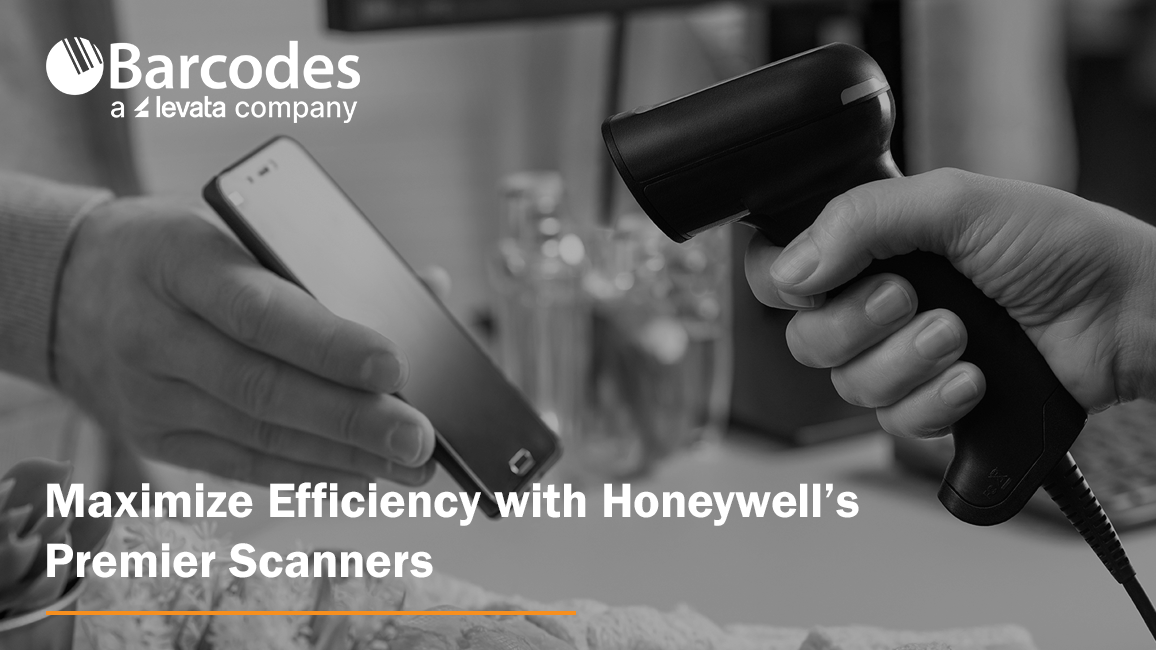
Enhance your business’s operational efficiency with our extensive range of Honeywell scanners. We have partnered with Honeywell to bring you innovative scanning solutions that promise reliability and performance across multiple industries. These scanners reduce device downtime and decrease total cost of ownership (TCO). Take advantage of our exclusive discounts on bulk purchases, a benefit of our partnership designed to give you the best value for your investment.
General Use Scanners:
Voyager XP: Elevate your retail operations with this versatile scanner that is perfect for high-volume transactions. Ideal for point-of-sale, in-store inventory, and self-checkouts, the Voyager XP combines performance with durability to withstand the daily rigors of retail environments.
Key Features:
- Enhanced reading of poor-quality and damaged codes.
- Durable, disinfectant-ready housings for regular cleaning.
- Superior performance on traditional barcodes and digital screens.
- Compatible with existing Voyager accessories, reducing total cost of ownership.
Learn more about the Voyager XP here.
Xenon Ultra Scanner: Discover the Xenon Ultra for its precision scanning capabilities, designed to accelerate checkout processes and manage inventory effectively. It is a versatile tool that adapts to both high and low throughput demands, ensuring a smooth customer experience.
Key Features:
- Precision scanning for efficient checkout processes.
- Adaptability for various throughput demands.
- Built on the Ultra platform with optimized illumination and processor for snappier scanning and improved data capture.
- Available in industry-specific models, including healthcare, retail, and light industrial operations.
- Dual-camera extended range (XR) models for up-close and extended scanning capabilities.
- Anti-microbial housing for healthcare applications, reducing germ proliferation.
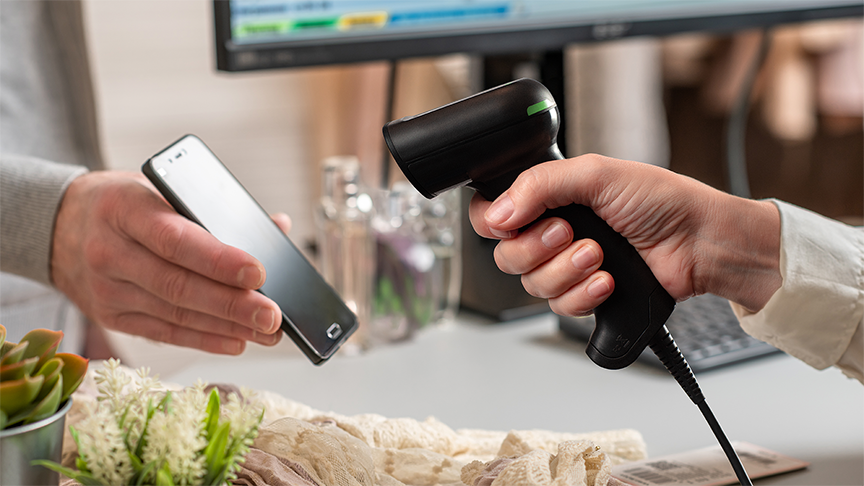
Rugged Scanners for Industrial Challenges:
Granit XP: Built to thrive in the most demanding conditions of warehousing, manufacturing, and distribution. The Granit XP combines ruggedness with superior scanning capabilities to maintain workflow efficiency in any environment.
Key Features:
- Ultra-Long-Range Scanning: Reads UPCs at 2 meters (6.6 feet) and 100 mil rack labels at 24 meters (79 feet).
- Rugged Design: Survives drops from 3 meters (10 feet) and has a 7,000-tumble specification.
- Dust and Moisture Resistant: IP67 rating with a scratch- and impact-resistant window.
- High-Performance Scanning: Integrates high-resolution sensor and enhanced decoding algorithms for quick and accurate barcode reading, even for damaged or low-quality barcodes.
Learn how the Granit XP helped transform warehouse operations for Monat Global.
Outdated Scanners: The Hidden Cost
- Slow Scanning: Outdated scanners often suffer from slow processing speeds, leading to delays and bottlenecks in your operations.
- Poor Barcode Readability: Older models struggle with reading damaged or low-quality barcodes, causing further slowdowns.
- Frequent Breakdowns: Increased downtime due to frequent repairs and replacements can severely impact productivity and profitability.
Benefits of Upgrading:
- Improved Efficiency: Modern scanners like the Honeywell Voyager XP and Granit 1991iXR offer faster and more accurate scanning, streamlining your workflows.
- Enhanced Durability: Honeywell’s rugged designs ensure long-lasting performance, reducing the need for frequent replacements.
- Advanced Features: Enjoy benefits like ultra-long-range scanning, high-resolution sensors, and enhanced decoding algorithms that handle even the toughest barcodes.
With a variety of scanners tailored to fit the unique demands of different operational environments, we are here to help you find the perfect match for your needs. Our special bulk purchase discounts, thanks to our partnership with Honeywell, provide a cost-effective solution to upgrade your scanning capabilities.
Bulk Purchase Deals:
- Special Pricing: Enjoy exclusive discounts on bulk purchases to encourage complete fleet upgrades, making it more affordable to modernize your entire scanning system.
- One Year of Free Service: Benefit from one year of free service when you purchase scanners in bulk, ensuring your investment is protected and maintained.
Empower your operations with the efficiency and reliability of Honeywell scanners. To learn more about how companies across industries are achieving dramatic improvements in their operations with Honeywell scanners, visit our landing page.
Transform Warehouse and Distribution Labeling With the SATO PW4NX Mobile Barcode Printer
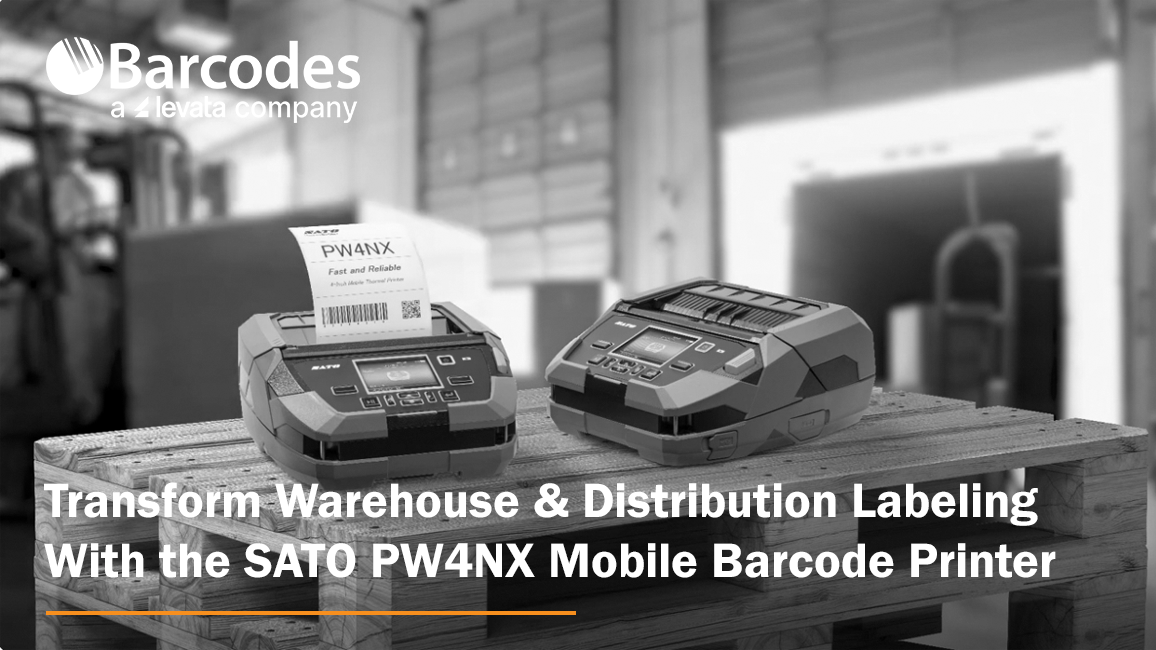
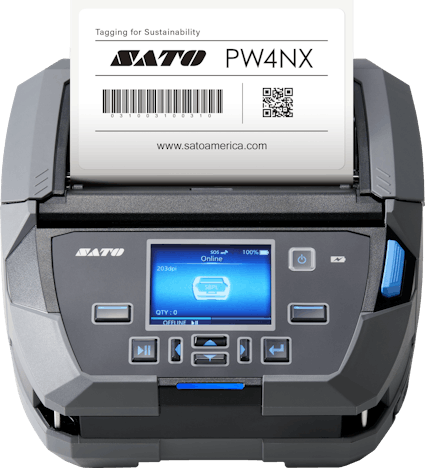
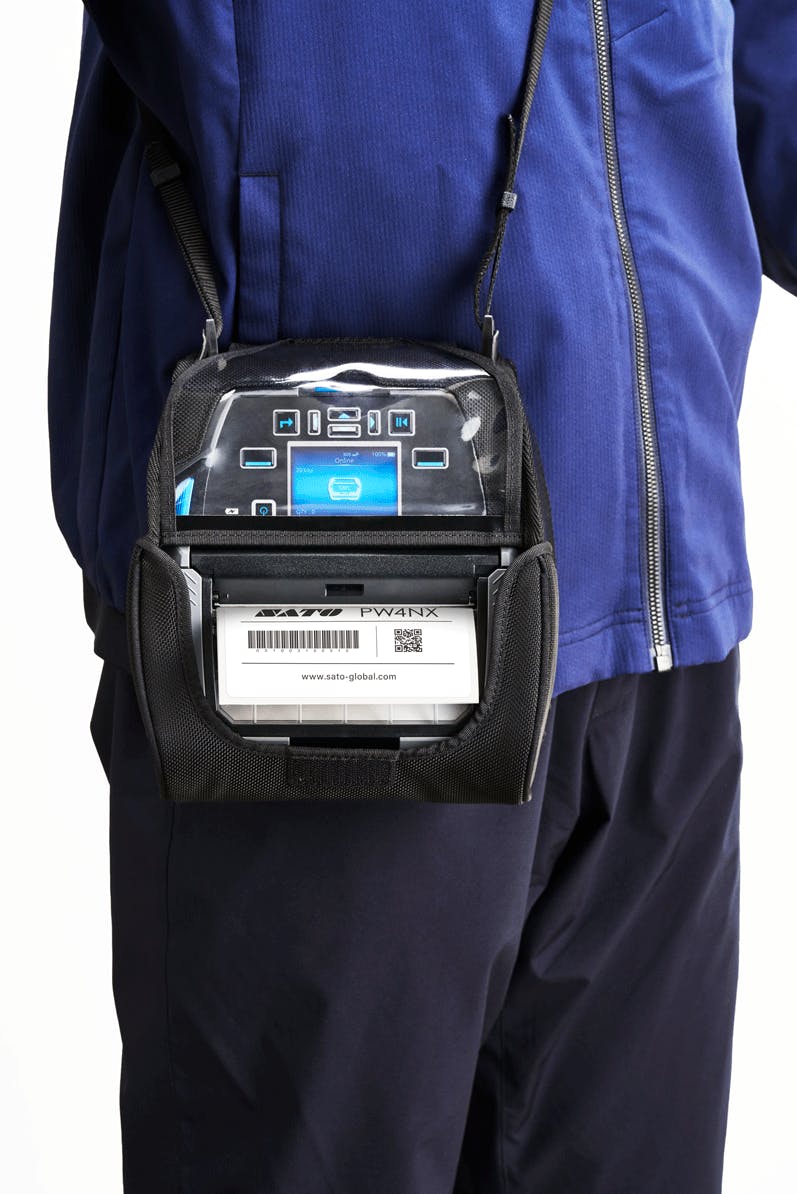
Each stage of the logistics chain, from inventory management to shipment tracking, is vital for ensuring smooth operations and timely deliveries. For a robust printing solution that streamlines warehouse inventory labeling, enhances distribution center label printing, and optimizes route and transportation labeling, Barcodes, Inc. recommends the SATO PW4NX mobile thermal printer.
Key Features of the SATO PW4NX Label Printer:
- Compact footprint ideal for mobile printing features an easy-to-read 2.4†color display
- Rugged design built to survive can withstand up to 7-foot drops
- IPS54 rated against dust and water
- Remote management enabled, plus connect to a barcode scanner or other peripherals for elevated workplace mobility
- Print 4-inch text and barcode labels in crisp, high-definition detail
- Industry-leading 6 ips print speed
- Choose from multiple label modes: continuous, tear-off, cutter, dispense, or linerless
- Optional forklift adapter
- A true side-kick that troubleshoots issues through self-diagnosis
Enhancing Warehousing Operations
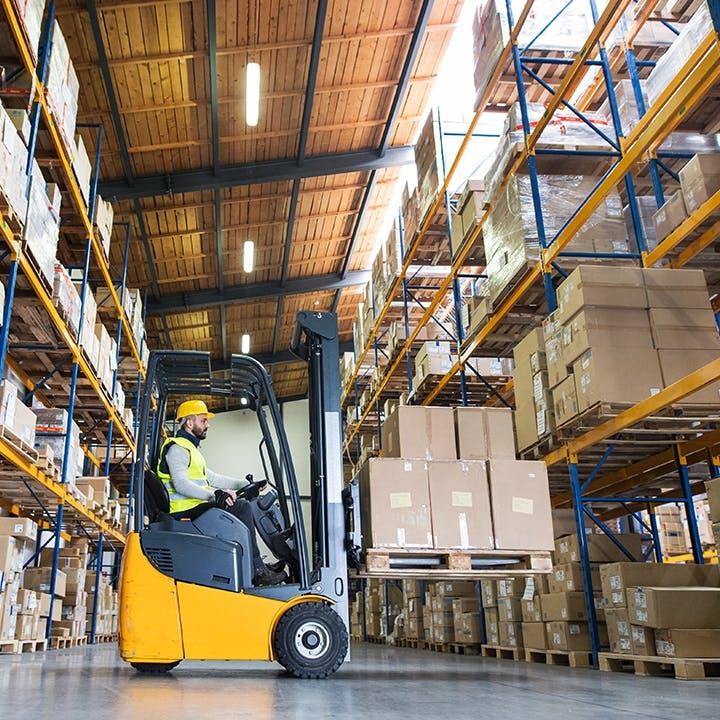
The SATO PW4NX is engineered for easy forklift mounting, enabling warehouse operators to print labels on-demand directly from their forklifts. This integration removes the need for manual label printing stations, saving time and enhancing workflow efficiency. With the 4-inch PW4NX label maker, forklift operators can swiftly generate labels for inventory items, pallets, and locations, minimizing downtime and boosting productivity.
Optimizing Distribution Center Depot Labeling
Distribution centers often handle a wide variety of products destined for various destinations. The PW4NX offers customizable label designs, allowing distribution centers to create labels tailored to their specific needs. From depot identification labels to shipping destination tags, the PW4NX enables distribution centers to maintain consistency and clarity in labeling, reducing errors and confusion during sorting and routing processes.
Streamlining Route and Transportation Labeling
On-demand label printing for shipment preparation is essential for ensuring timely deliveries and accurate routing. The PW4NX mobile label printer enables logistics personnel to quickly generate shipping labels, packing slips, and routing tags as needed. With the ability to print labels on-the-fly, transportation operations can adapt to changing demands and expedite the shipment preparation process, reducing turnaround times and improving customer satisfaction.
Compliance Labeling for Regulatory Requirements:
In the transportation industry, compliance with regulatory standards is non-negotiable. The PW4NX label printer supports compliance labeling with customizable templates for barcoded shipping labels, hazardous materials warnings, and other required information. By ensuring adherence to regulatory requirements, organizations can avoid fines and penalties while maintaining the integrity of their supply chain operations.
Popular Industry Applications
- Manufacturing
- Supply Chain
- Transportation + Logistics
- Automotive
- Retail
- Horticulture
- Aerospace
- Government
- Law Enforcement
- Utilitites
The SATO PW4NX is a versatile printing solution that addresses the unique challenges of warehousing, distribution center depot labeling, and route and transportation labeling. With its forklift integration capabilities, customizable label designs, durability, and on-demand printing capabilities, the PW4NX empowers organizations to optimize their operations, increase efficiency, and deliver superior customer service in today’s dynamic logistics landscape.
Contact Barcodes, Inc. to learn more about rugged label printers like the SATO PW4NX
Introducing the Samsung Galaxy Tab Active5: The Ultimate Rugged Mobile Tablet
The modern office has been completely transformed by mobile tablets, which provide a host of advantages that improve flexibility, productivity, and connectivity. First, tablets enable workers to work productively from any location by giving them immediate access to essential data and apps. Tablets are also perfect for on-the-go duties because of their portability and versatility. When it comes to a rugged mobile tablet particularly suited for enterprise business field work, or for industries like construction and manufacturing, the Samsung Galaxy Tab Active5 Tablet excels in productivity and performance.
Built to Thrive in Any Environment
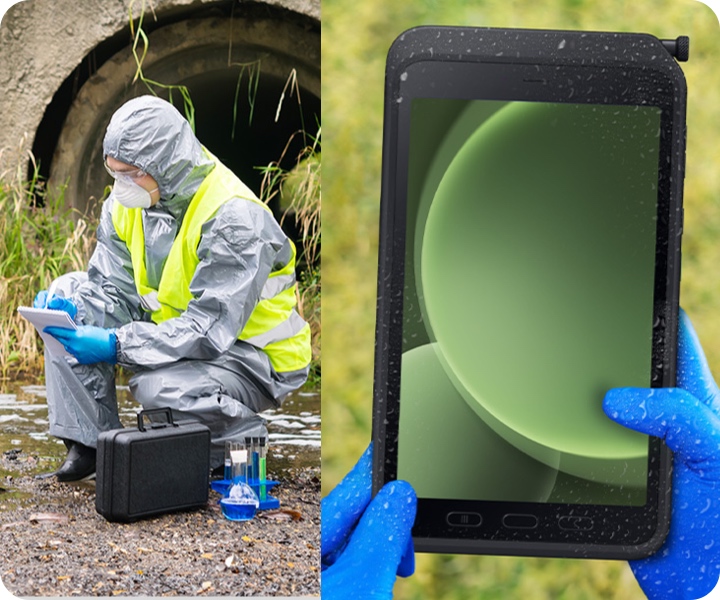
If you’re looking for the best mobile tablet for frontline field workers, the Galaxy Tab Active5 is ready to go to work for your crew. The elements and hazards in fast-paced work settings can be extreme, but with an IP68 rating, this Android tablet is both dustproof and water-resistant, and stands up against extreme heat and cold temperatures. Meeting MIL-STD-810H standards means it can handle drops, bumps, and vibrations, giving you peace of mind in even the toughest conditions.
Enterprise Performance for Seamless Workflow
The easy-to-configure, multi-device management capabilities of the Galaxy Tab Active5 make it a leader in enterprise mobility computing. Equipped with a robust octa-core processor and 6GB of RAM, the Galaxy Tab Active5 effortlessly handles demanding tasks and heavy files. Multitasking becomes effortless, enabling you to switch between applications with ease and stay ahead of your workload.
Superior Battery Management for Uninterrupted Work
Running out of battery mid-task is a frustrating inconvenience and a productivity-killer. Trust the Galaxy Tab Active5 for an impressive 16 hours of uptime on a single charge. Have no time for charging between shifts? A replaceable battery ensures continuous productivity – simply swap in a fresh battery and keep going. Tech tip: switch to No Battery Mode to save some juice when the device is connected to a dedicated power source.
Glove-Friendly Touchscreen for Enhanced Productivity
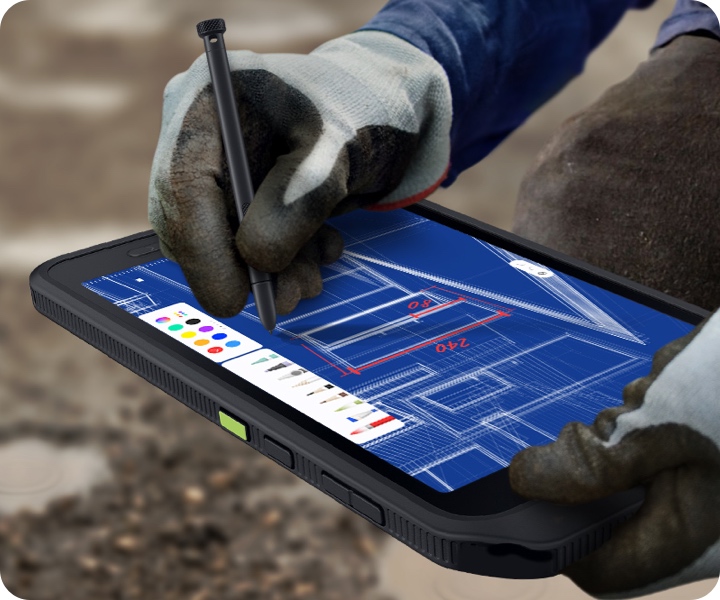
No more struggling with touchscreen devices while wearing gloves. The Galaxy Tab Active5 features a responsive touchscreen that detects touch even with gloves on, ensuring productivity in any condition – whether you’re on a construction site or a chilly warehouse floor.
Advanced Connectivity, Security and Storage Options
Beyond durability and performance, the Galaxy Tab Active5 prioritizes connectivity, security, and storage. With optional 5G connectivity, the Galaxy Tab Active5 keeps you connected and in sync with your team, even in remote locations.
Samsung Knox Platform Security safeguards your data, while expandable storage options ensure you have ample space for all your critical files and applications.
Jack of All Trades: Industry Applications
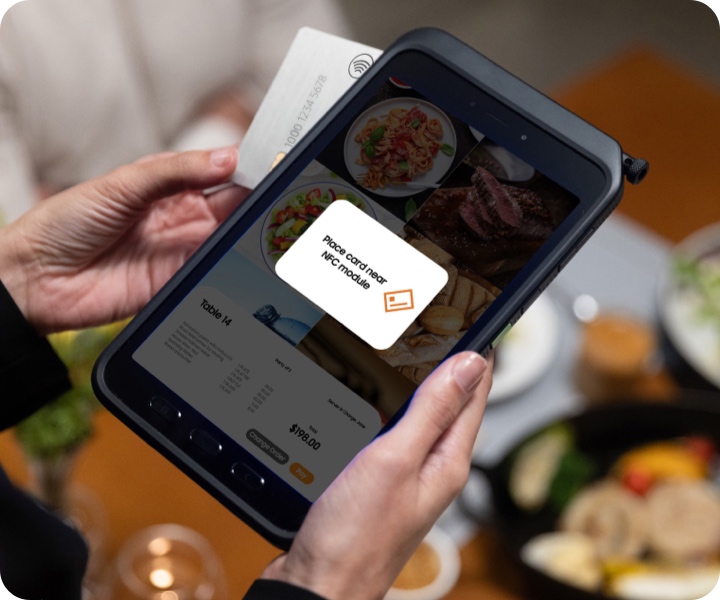
Whether in a truck, on a construction site, or in a bustling retail POS environment, the versatile Tab Active5 Galaxy Samsung tablet comes in strong and remains dependable. Suited for any professional or industrial environment, the most popular uses for rugged mobile tablets include:
- Warehouses
- Manufacturing factories
- Construction sites
- Law enforcement
- Retail POS
- Healthcare
- Truck drivers
- General field work
Start Working on the Go
For any field worker on the move, the Samsung Galaxy Tab Active5 tablet is the ultimate companion. Built to withstand the rigors of daily work and keep you productive wherever you go, it’s time to elevate your business game with the Galaxy Tab Active5. If you’re interested in exploring the Samsung Galaxy Tab Active5 further, or if you have any questions about mobile computer tablets, feel free to contact Barcodes Inc. Our team is here to help you find the perfect enterprise mobility solution for your business.
Using the Honeywell Voyager XP in Shipping Operations
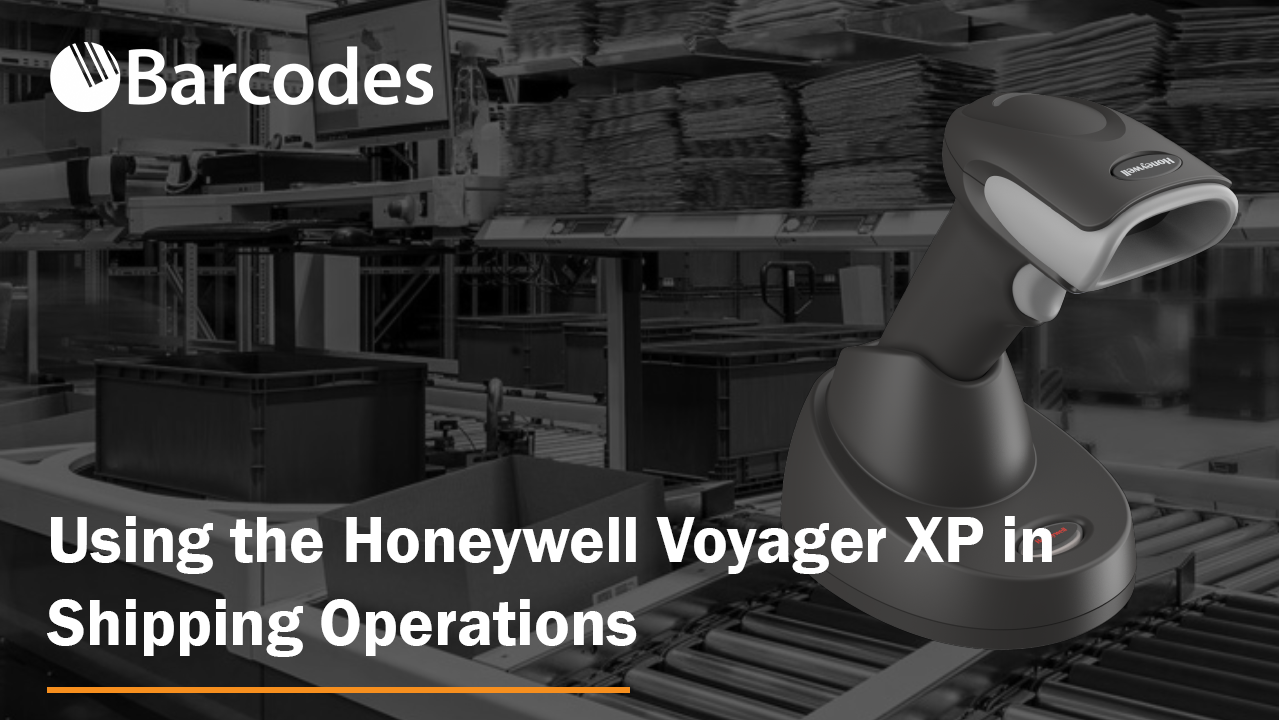
Efficiency is imperative to every shipping operation, and the Honeywell Voyager XP 1470g/1472g is the key to unlocking a new era of productivity. Say goodbye to slow and error-prone scanning tasks and say hello to a streamlined shipping process like never before.
Dive into this blog to uncover the game-changing capability of the Honeywell Voyager XP 1470g/1472g and take the first step towards seamless shipping operations.
Voyager XP 1470g/1472g Key Features and Benefits
The Honeywell Voyager XP 1470g/1472g will change your shipping game. With rapid scanning, versatile barcode reading, robust durability, and “Android Enterprise Recommended†status, it will streamline your shipping operations and meet the highest industry standards.

Ultra-Fast, Highly Accurate Scanning: The Voyager XP 1470g/1472g boasts lightning-fast scanning capabilities that are even able to read damaged and poor-quality barcodes. With an extended scan distance, you don’t have to use your tiptoes for that box at the top of the shelf or reach over into the bottom of the barrel.
Wireless freedom: With a longer Bluetooth range compared to competitive devices, this enables greater operational flexibility across the warehouse.
Highly Versatile: This device excels in reading a variety of barcode types, including 1D, 2D, and even damaged or poorly printed barcodes. You won’t be slowed down by barcode type limitations any longer.
Rugged and Durable: The Honeywell Voyager XP 1470g/1472g is designed to withstand the rigors of shipping environments. This scanner can handle drops, spills, and rough handling, ensuring a long lifespan and minimal downtime. The Honeywell Voyager XP 1470g/1472g is a robust and resilient tool designed to thrive in the demanding world of shipping operations. This scanner can endure repeated 6-foot drops onto concrete, it is dust-tight for dusty environments, and has an IP65 rating for waterjet protection.
Seamless Integration: Additionally, it’s Android Enterprise Recommended, meeting Google’s high standards for enterprise hardware, software, and support, guaranteeing its seamless integration into your shipping processes.
For a detailed list of capabilities, download the Voyager 1470g/1472g spec sheet.
See the Voyager XP in Action
Embrace a new era of efficiency in your shipping operations with the Honeywell Voyager XP 1470g/1472g. From barcode scanning to inventory management, this versatile scanner is your key to smoother workflows.
Contact us today to see how the Voyager XP 1470g/1472g can transform the way you work.
Dolphin 75e Wearable: Honeywell’s Hands-Free Solution
 A Honeywell survey stated that on average companies lose over $400,000 every year in picking errors. In order to combat these errors and help improve accuracy and efficiency companies are looking more towards wearable technology.
Select warehouses and distribution centers are the perfect example to look at as they are seeing wearable mobile computers revolutionize the industry. Providing increased flexibility, operational improvement, improved productivity, and significant cost savings. With wearable computers users will be free from the constraints of using one hand to carry a scanner or mobile computer; instead users will have the flexibility to work hands-free while still accessing the data they need to complete the tasks at hand. A hands-free user will be able to accelerate picking, packing, and shipping operations.
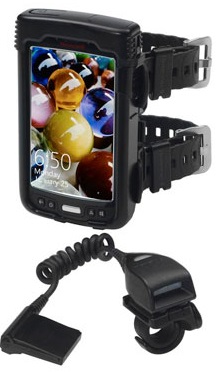
Honeywell’s rugged Dolphin 75e Wearable has a large display with flexible touchscreen keypads. The accessories provide increased comfort and improved hygiene over conventional wearables. Combine it with the 8620 Ring scanner to get a truly hands-free experience that is guaranteed to help improve productivity in the workplace. With these lightweight and compact computers, users will have a wide range of motion. This allows users to complete tasks in less time without losing the valuable accuracy that is needed.
Dolphin 75e Wearable Features:
- Multi OS: Flexible support and migration of Windows Embedded 8.1 Handheld or Android 4.4 KitKat, seamlessly upgrade later as business needs grow to Windows 10 or Android 5.0L
- 4.3 in large clear display with capacitive touchscreen provides outstanding readability and plenty of space for data and keypads.
- Increase productivity and throughput with an ergonomic ring scanner based on an industry-grade imager that provides high-performance scanning of linear and 2D barcodes.
- The watchband style armband improves comfort and eliminates hygiene concerns.
- The rubber watchband straps are comfortable, reduce sliding or rotating on the arm and don’t absorb perspiration.
Feel free to contact our dedicated account managers for any questions or a quote on your mobile computing needs.
High Quality Label Supplies From Zebra
 Labels are a crucial element in any application barcodes are used that can easily be overlooked. Â Thermal printing isn’t rocket science but having the right high quality label for your specific needs can be the key to success and profitability.
Not all thermal labels are created equal. Zebra has been a label printing leader for decades now. Using their supplies means you have access to a large selection of quality, pre-tested, supplies manufactured by a thermal industry expert, reducing your risks.
Zebra has intimate knowledge of thermal printers and understands the importance of using quality materials and processes. With one of the largest selections of thoroughly tested label materials to choose from you cab rest assured with any Zebra label you may need. Continue reading »
Honeywell Reread Delay and Superior Scanning Speed
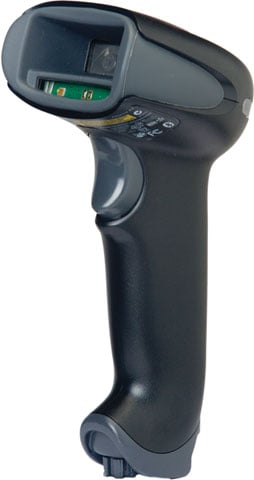 Barcodes, Inc. was talking to a customer about the Honeywell Xenon 1900’s blistering scanning speed. We hooked up the scanner and put it in its stand which automatically puts the scanner in presentation mode (scanner scans without a trigger pull). The customer did what customers do all the time – started passing the same barcode underneath the scanner over and over. He was not impressed. The scanner seemed sluggish.
Here is why – Honeywell programs its scanners to pause for 750 ms (this is the default) before the scanner can reread the same barcode. 750 ms – if my math is correct – is ¾ of a second. This protects against accidental rereads of the same barcode. It can also be used to keep the scanner from reading codes to fast into an application.
Barcodes, Inc. explained this to the customer and told them to turn off Reread Delay if they really wanted to see the scanner fly. We explained that the best way to test scanning speed is to put the scanner into a real life environment or scan different barcodes vs the same one over and over.
In the user guides are barcodes that set the reread delay to 500 ms, 750 ms, 1,000 ms and 2,000 ms. There is even a barcode that allows the user to set their own time.
So why is understanding this so important? It allows your scanner to optimize its scanning speed.
Seagull Scientific BarTender Editions Breakdown
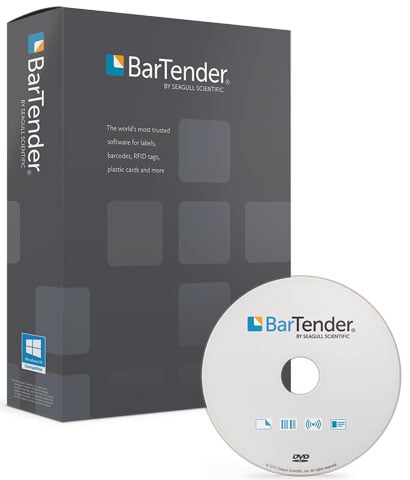 Seagull Scientific’s BarTender design software has been the leading application to create any kind of barcode or RFID label and ID cards for customers due to it’s comprehensive feature set and ease of use. One of the key benefits of BarTender is the various available editions it comes in.
BarTender’s four editions enable you to easily upgrade your system as your business grows, without the extra cost and complexity of buying add-on products.
Basic Edition
Designed for individuals and small departments, the Basic Edition lets you start designing and printing barcode labels and cards in just minutes thanks to its intuitive design tools and helpful wizards.
- Design and print labels, cards, mag stripe cards and more
- Optimize print speed to any printer or marking device
- Design data-entry forms that provide data validation and accept print-time input from the keyboard or a barcode scanner
- Licensed per PC
Night Time Modes: Ensuring Patient Comfort with the Honeywell Xenon 1902h
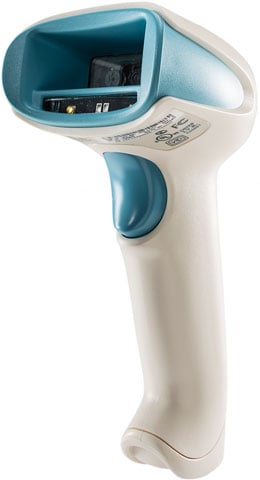 Adaptability is a necessity in healthcare. Every clinician has a wide variety of daily tasks and responsibilities to ensure quality patient care. As such, data collection tools need to be just as adaptable as their users. With the Xenon 1902h, such adaptability is not only possible, it is also easy to implement and change to support varied clinician workflows.
A typical standard scanner provides a loud, audible “beep” to indicate a “good read.” While this kind of operator feedback is widely understood, it can be highly disruptive in certain environments; say, during night time operations in an inpatient recovery ward. In these environments, maintaining patient comfort while keeping clinicians productive can be a challenge. That is why our Enhanced Xenon 1902h includes a quick-toggle mode we call Patient Do-Not-Disturb. In this mode, audible feedback is disabled and replaced by additional visual display options that provide positive status indication to the clinician—without disturbing resting patients. Select from multiple silent status indication options, including pulsing of the scanning aimer/imager and/or activation of the back-mounted status LEDs.