


Keep Orders Moving with Smarter, Liner-Free Labeling
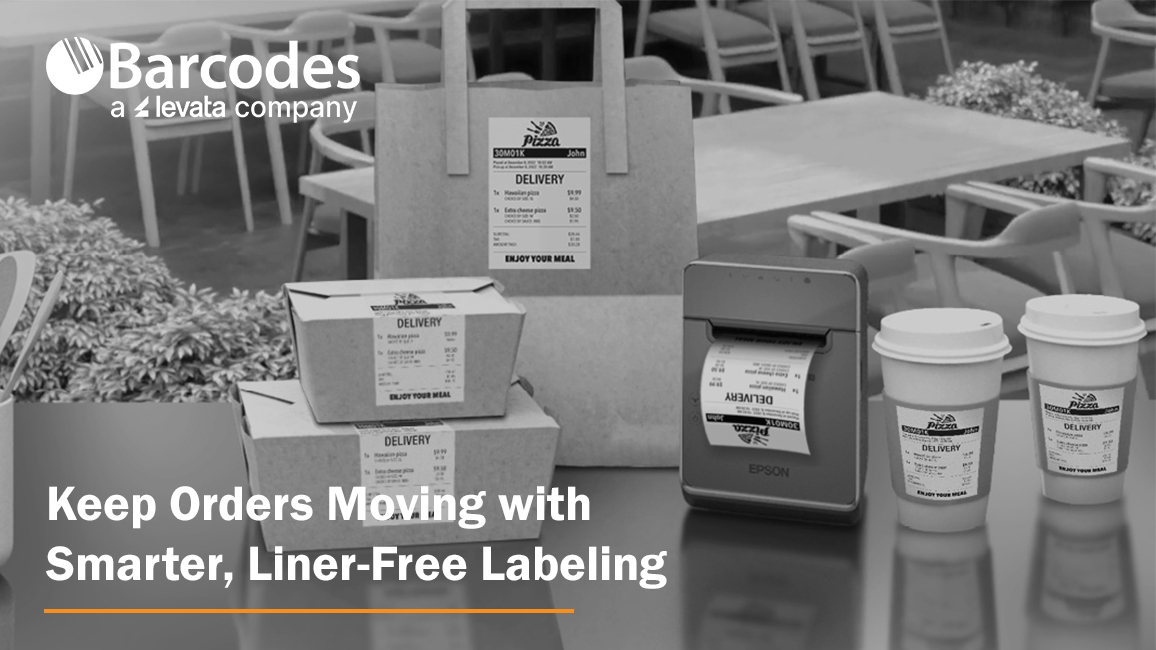
High-volume labeling environments don’t slow down, so your label printer can’t afford to, either. From quick-service restaurants and grocery stores to retail pharmacies and delivery operations, speed, accuracy, and flexibility are essential to keeping orders moving and customers satisfied. That’s where the Epson® OmniLink® TM-L100 Liner-Free Thermal Label Printer stands out as a modern solution built for today’s fast-paced, multi-channel workflows.
The Importance of Optimized Point-of-Sale and Labeling Solutions
When POS technology is well connected and built-for-purpose, a number of frontline productivity and customer experience benefits are attained, including:
- Pricing accuracy & compliance confidence: Real-time updates ensure shelf labels, food labels, and POS pricing stay aligned—reducing risk and protecting margins
- Faster checkout & fulfillment: High-speed, reliable printing keeps lines moving and supports efficient in-store and omnichannel order processing
- Labor efficiency gains: Store associates spend less time troubleshooting or reprinting and more time focused on customers and value-added tasks
- Improved inventory visibility: Accurate labeling supports better stock tracking, fewer discrepancies, and more informed replenishment decisions
- Stronger customer experience: Consistent pricing, clear labeling, and smooth transactions build trust and satisfaction
- Operational agility: Quickly roll out promotions, update product information, or adapt workflows across locations with minimal effort
A Label Printer Built for the Way Business Happens Today
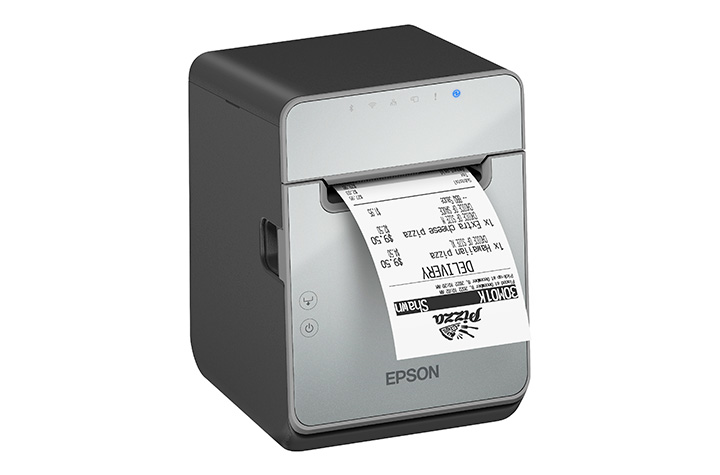
The Epson® OmniLink® TM-L100 is designed to support the realities of omnichannel operations. Whether you’re managing buy online, pick up in store (BOPIS), curbside pickup, or delivery orders, this printer integrates seamlessly into your workflow. With a network-connected printer, Server Direct Print technology can retrieve and print orders directly from web-based applications—no POS integration required. That means faster deployment, fewer IT dependencies, and a smoother path to supporting online ordering at scale.
Equally important, the TM-L100 can dynamically connect to multiple systems at once. It can be shared across traditional PC-based POS terminals, tablets, mobile devices, and even cloud servers simultaneously. This level of flexibility ensures that no matter how your operation evolves, your labeling infrastructure keeps up.
Liner-Free Labeling That Reduces Waste
One of the most impactful features of the TM-L100 is its support for liner-free media. Traditional labels create excess waste through backing liners, which can clutter workspaces and require additional disposal. Liner-free labels eliminate that problem, helping reduce environmental impact while improving operational efficiency.
Beyond waste reduction, the printer also includes advanced paper-saving features like white space and character height reduction, cutting media usage by up to 47% depending on the text and graphic printed on the receipt. For businesses printing hundreds—or thousands—of labels daily, that translates directly into cost savings.
Engineered for Accuracy and Speed
In environments where labeling errors can lead to incorrect orders or unhappy customers, precision matters. The TM-L100 helps eliminate common issues associated with handwritten labels or poorly printed tags. With crisp, high-speed thermal printing—up to 170 mm per second—you get clear, professional labels every time.
The built-in label-taken sensor adds another layer of accuracy. It ensures that labels are printed one at a time, pausing output until the previous label is removed. This prevents labels from sticking together or being misapplied, a common challenge in high-volume food service and retail environments.
Connectivity Without Compromise
Modern operations rely on a wide range of devices, and the TM-L100 is built to connect with all of them. It includes built-in USB and Ethernet, along with options for Serial, Wi-Fi, and Bluetooth connectivity. This makes it easy to deploy in virtually any setup, from fixed POS stations to mobile tablet-based systems.
One standout feature is USB Network Tethering, which allows the printer to provide a wired network connection to a connected tablet. This simplifies connectivity in environments where stable wireless access may be a challenge. For iOS devices, the printer can deliver both data communication and device charging through a single USB connection, reducing cable clutter and improving workstation efficiency.
Reliability You Can Count On
Downtime isn’t an option in high-demand environments. The TM-L100 is engineered with a long-lasting printhead and auto cutter, ensuring consistent performance even under heavy use. It’s built specifically for liner-free labeling, which can be more demanding on hardware, and is backed by a one-year limited warranty with extended service plans available for added peace of mind.
A Versatile Fit Across Industries
From labeling drinks and food containers in quick-service restaurants to managing order fulfillment in retail and grocery environments, the TM-L100 adapts easily to a wide range of applications. Its support for multiple media widths—80mm, 58mm, and 40mm—adds further flexibility, allowing businesses to standardize on one device across different use cases.
Final Thoughts
The Epson® OmniLink® TM-L100 Liner-Free Thermal Label Printer isn’t just another label printer—it’s a purpose-built solution for modern, connected operations. By combining liner-free media support, advanced connectivity, and intelligent features that improve accuracy and efficiency, it helps businesses reduce waste, streamline workflows, and deliver better customer experiences.
If your current labeling process slows you down or introduces errors, contact Barcodes, Inc. to discuss a solution upgrade designed to keep business rolling.
QR Codes for Restaurants: Menus, Payments, and Promotions
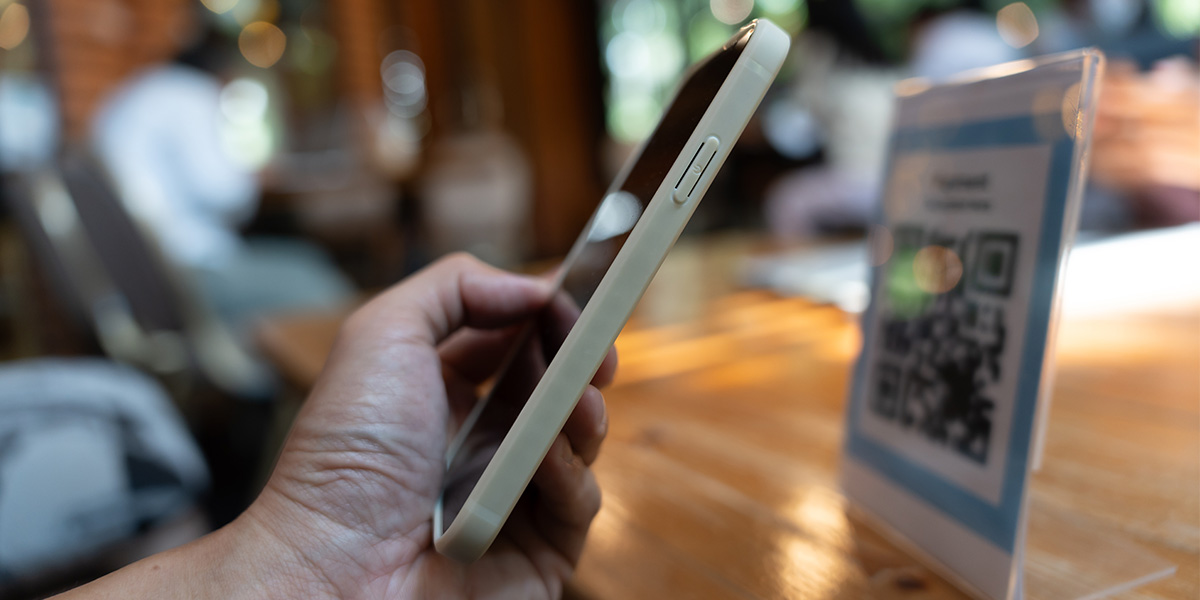
There’s something quietly magical about scanning a small black-and-white square and instantly pulling up a full menu, placing an order, or even paying your bill, all without flagging down a server. In a world where convenience rules and customer expectations are sky-high, QR codes for restaurants have evolved from a pandemic necessity into a permanent part of modern dining.
This isn’t just another digital fad. It’s a full-blown transformation changing the way the restaurant industry operates, engages with guests, and grows. These small but mighty QR codes are helping restaurants deliver smoother restaurant operations, stronger connections, and a more efficient dining experience.
What Are QR Codes and Why They Matter Now
Quick Response (QR) codes are 2D barcodes that store data accessible through a smartphone or mobile device. When customers scan them, they can instantly open a web page, display information, or trigger an app function.
In restaurants, they’ve become digital workhorses, powering QR code menus, online ordering systems, and mobile payments. Their appeal lies in simplicity: one quick scan, and your guest is connected.
They’re fast, reliable, and flexible. Whether linking to an online menu, digital platform, payment portal, or promotion, QR codes effortlessly bridge the gap between physical and digital dining. In today’s mobile-first world, they’ve become as common as the tables they sit on.
Why Restaurants Are Adopting QR Codes
The restaurant industry has always been adaptable, but never has it changed as quickly as in recent years. The rise of contactless menu options and digital convenience during the pandemic permanently shifted guest expectations.
Here’s why so many restaurants, from fine dining venues to cafés, are embracing QR codes:
- Cost savings: No more reprinting physical menus every time prices or menu items change. QR code menus eliminate the need for printing, reducing both expenses and environmental impact.
- Safety and hygiene: Guests love contactless interactions that feel cleaner and safer.
- Operational efficiency: Digital platforms streamline the ordering process and reduce wait time.
- Smart data: QR codes provide valuable insights into engagement, orders, and customer retention.
Simply put, QR codes aren’t a passing trend; they’re a business game-changer.
Use Case 1: Menus Go Digital
Printed menus used to define the dining experience. Now, QR code menus are doing it faster and smarter. With a contactless menu QR code, dine-in guests can scan to access a beautifully designed digital menu that updates instantly. They can see photos, filter by dietary preferences, and check allergy info, all from their phones.
Displaying QR codes on restaurant windows or doors makes the menu easily accessible to both passersby and dine-in guests, providing maximum convenience and visibility.
For restaurant owners, this flexibility is a dream. Updating menu items, prices, or specials takes seconds. Menu updates are instant, and new dishes can be launched without delay. It’s efficient, cost-effective, and eco-friendly.
Smart Placement Ideas
- Table tents and napkin holders
- Restaurant window decals for easy access
- Takeout boxes, delivery vehicles, and food packaging
- Posters near entrances or waiting areas
Digital menus also offer accessibility features like translation and voice-over compatibility, ensuring every guest feels included.
Use Case 2: Ordering & Payments Made Easy
Once guests browse your QR code menu, the next step is seamless. After the QR code is scanned by the guest, they can order and pay directly from their mobile devices.
A key feature of many table-side QR menu systems is integration with POS systems or bill splitting, allowing diners to browse, customize, and place orders straight to the kitchen. Pair that with QR code payments, and guests can pay when ready using Apple Pay, Google Pay, or other mobile wallets, no waiting for a check, no touching payment terminals.
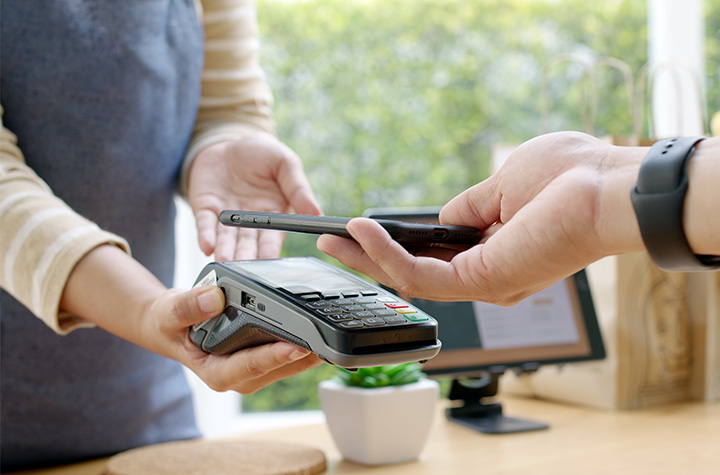
This improves restaurant operations dramatically. Orders flow faster, tables turn quicker, and staff can focus on hospitality instead of handling transactions.
Behind the Scenes
QR codes integrate easily with most POS systems and digital platforms. They connect data from the table to the kitchen to the receipt with fewer errors. Diners can even split bills via QR code table payments, keeping the ordering process simple and smooth.
Less friction equals happier guests and more reviews from satisfied customers.
Use Case 3: Promotions, Loyalty, and Engagement
QR codes for restaurant promotions are becoming an essential marketing tool. They give restaurants direct access to boost customer retention and increase sales.
Picture this: a diner scans a QR code on a receipt and lands on a loyalty program page offering a free QR-based coupon for their next visit. Or a tabletop QR code links to a digital voucher encouraging guests to leave more reviews or refer friends.
Some advanced features, such as dynamic QR codes or enhanced real-time analytics, may require a paid subscription or upgrade.
Ways to Use QR Codes for Promotions
- On posters showcasing special events or seasonal restaurant menus
- On receipts linking to surveys or rewards
- On packaging for “Scan to Reorder” campaigns
- On social media or your website, linking to exclusive offers
Using a dynamic QR code allows real-time analytics, tracking scans, testing offers, and editing links without reprinting. These digital tools turn a simple scan into an opportunity to engage and retain customers.
Menu Items and Food Packaging
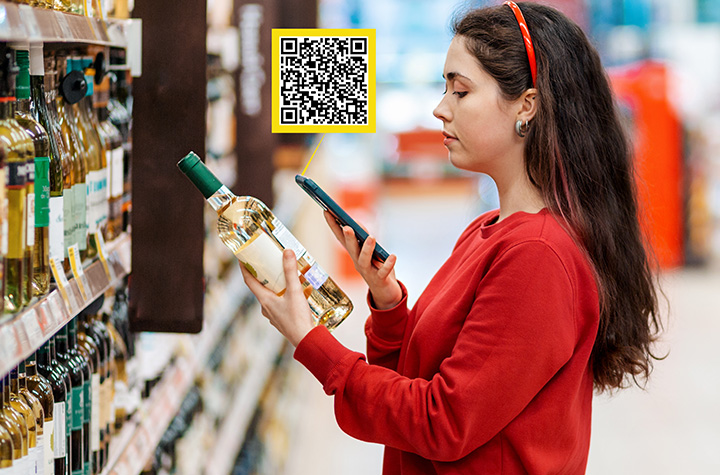
QR codes are transforming not only how customers view restaurant menus, but also how they interact with menu items and food packaging, ushering in a new era of convenience and transparency in the restaurant industry.
By integrating QR code menus and digital menus directly onto food packaging, restaurants can provide instant access to nutritional information, ingredient lists, and allergy warnings, giving guests the confidence to make informed choices with just a quick scan from their mobile devices.
Adding QR codes to food packaging is a smart way to enhance the dining experience, whether customers are dining in, taking out, or ordering delivery. With a simple scan, guests can access a digital platform that offers detailed product information, online ordering options, and even special promotions.
This not only streamlines the ordering process but also reduces the need for physical menus and printed materials, resulting in significant cost savings and a more eco-friendly approach to restaurant operations.
One of the biggest advantages of using QR code menus is the ability to update menu items, prices, and nutritional details in real time. No more waiting for new printed menus; restaurants can make menu updates instantly, ensuring customers always have access to the most accurate and up-to-date information.
This flexibility is a game-changer for menu design and customer experience, allowing restaurants to respond quickly to trends, seasonal changes, or guest feedback.
QR codes also play a crucial role in boosting customer retention. By making the menu interactive and engaging, restaurants can collect valuable data on customer preferences, gather guest feedback, and tailor menu updates to better meet guest expectations.
This data-driven approach helps restaurants increase sales and improve customer satisfaction, setting them apart in a competitive market.
Strategic placement of QR codes is key to maximizing their impact. Displaying codes on table tents, restaurant windows, delivery vehicles, and food packaging ensures customers have easy access to menus and promotions wherever they are. This seamless access encourages more orders, increases sales, and enhances the overall dining experience.
Integrating QR codes with online ordering and payment systems like Apple Pay and Google Pay takes convenience to the next level. Guests can place orders and make payments quickly and securely from their phones, reducing wait times and creating a truly contactless menu experience for dine-in guests and takeout customers alike.
By creating a robust digital platform for menu items and food packaging, restaurants can stay ahead of the curve, increase sales, and establish themselves as leaders in the digital age.
The use of QR codes is more than just a tech upgrade; it’s an essential tool for boosting customer retention, streamlining restaurant operations, and delivering a modern, engaging dining experience that keeps guests coming back.
Implementation Best Practices
Getting started with restaurant QR codes is easy, but smart implementation matters.
- After creating your QR code, you can easily download the QR code image or menu design for quick printing or digital use.
1. Choose the Right Type
- Static QR codes: Fixed URLs that work well for simple menus or short-term offers.
- Dynamic QR codes: Editable and trackable, perfect for ongoing promotions and menu updates.
2. Design with Intention
Use your brand colors and logo. Frame your QR code with a clear message like “Scan for Menu” or “Scan to Pay.” Great menu design adds trust and encourages use.
3. Test Across Devices
Ensure your codes scan properly across multiple phones and mobile devices. What works on one phone should work for all.
4. Be Clear About the Action
A QR code without context is just a shape. Use strong CTAs: “Scan to Order,” “Scan for Specials,” or “Join Our Loyalty Club.”
Pitfalls, Challenges & How to Avoid Them
Even the best tech can falter without the right setup. Avoid these common issues:
- Poor Wi-Fi: If guests can’t access your online menu, they can’t use it. Optimize your web page for speed.
- Bad placement: QR codes hidden behind condiments or printed too small frustrate customers. Place them where customers can easily scan.
- Outdated links: Always keep your links up to date and test regularly.
Some guests may prefer a printed menu, so always have a few available. Train staff to assist customers who aren’t familiar with QR systems. Secure platforms protect customer data and boost trust.
Measuring Success & ROI
With dynamic QR codes, you can track every scan and measure engagement. Look at scan rates, conversions, and average order values to measure ROI. Digital menus also reduce print costs and improve efficiency.
Key Metrics
- Scan rates per menu QR code
- Orders and payments generated
- Customer engagement trends
- Reduction in wait time and staff workload
The cost savings and efficiency gains make this a clear win for restaurants ready to innovate.
Future Outlook: The Next Chapter in Digital Dining
The future of QR codes in restaurants is dynamic. They’ll soon integrate with loyalty apps, AR-based menu design, and personalized menu QR systems. Imagine scanning a QR code to preview a dish in augmented reality or to order directly from a table tent via your mobile app.
As digital platforms evolve, QR code technology will continue increasing sales and enhancing the overall customer experience.
Restaurants that adopt these innovations now will lead the charge in redefining modern dining.
FAQs
1. What are QR Codes for Restaurants: Menus, Payments, and Promotions?
They’re scannable digital tools that connect diners to restaurant menus, ordering systems, and payment options using a mobile device.
2. How can a restaurant use a QR code to replace a printed menu?
Display a menu QR code that links to an online menu, allowing customers to browse and place orders easily.
3. Can QR codes in restaurants be used for payments and ordering?
Yes. Guests can use Apple Pay, Google Pay, or mobile apps to pay securely after they place orders.
4. What are the benefits of using QR codes for restaurant promotions?
They help increase sales, boost customer retention, and drive online engagement.
5. What should restaurants watch out for when implementing QR codes?
Test your QR codes, avoid broken links, and use a trusted QR code generator to ensure reliability.
6. Do QR codes improve service speed and efficiency?
Absolutely. They reduce wait times and simplify the ordering process.
7. How do dynamic QR codes differ from static QR codes?
Dynamic QR codes can be edited and tracked, while static QR codes are fixed and can’t be changed.
8. How can a restaurant measure the success of its QR code strategy?
Track scans, conversions, and ROI using built-in analytics from your QR code generator or website platform.
9. Are there guest experience downsides to using QR codes?
Some guests still prefer physical menus. Offering both ensures inclusivity and a great customer experience.
10. What’s next for QR codes in the restaurant industry?
Expect tighter integration with apps, more advanced digital menus, and innovative features that elevate the dining experience.
Conclusion: The Small Code Creating Big Change
QR codes for restaurants are transforming the dining experience, simplifying operations, improving payments, and enhancing restaurant marketing.
From digital menus to loyalty programs, they’re helping restaurants create modern, memorable, and efficient service that keeps customers coming back.
Embrace these simple steps, and you’ll not only save time but also increase sales, improve service, and build a future-ready business.
Contact Barcodes Inc. today to learn more about a fully integrated POS environment.
Transform Kitchen Operations Through Digital Workflow Automation
Whether you are running a quick-service restaurant (QSR) or a small restaurant operation, nothing impacts business success more than efficiency, accuracy, and clear communication. Relying on paper tickets and manual processes are outdated operating workflow that slow down service and introduce costly errors. Modern kitchen operations require digitization solutions—like the Epson® TrueOrder™ Kitchen Display System (KDS) offered by Levata—that deliver an affordable, easy-to-install, and highly configurable solution designed to improve overall kitchen operation performance.
From order entry through food preparation and fulfillment, TrueOrder KDS helps restaurants reduce mistakes, minimize paper usage, and keep teams aligned during peak service times. Built specifically for demanding restaurant environments, it combines intuitive software with flexible hardware support to fit a wide range of kitchen layouts and workflows.
Designed for Real-World Kitchen Operations
At the core of TrueOrder is its ability to adapt to how your kitchen actually works. The system supports up to nine stations, allowing orders to be intelligently routed to the right prep areas for parallel processing. This enables kitchens to optimize throughput, reduce bottlenecks, and ensure each station focuses on what it does best.
Customizable display views are available for kitchen staff, expediters, and customer-facing displays, all operated through intuitive touch controls or traditional bump bars. Flexible grid layouts make it easy to highlight key order details, prioritize items, and keep teams focused on what matters most during service. For restaurants that want to reinforce their brand, logos can be added directly to displays for a consistent, professional look.
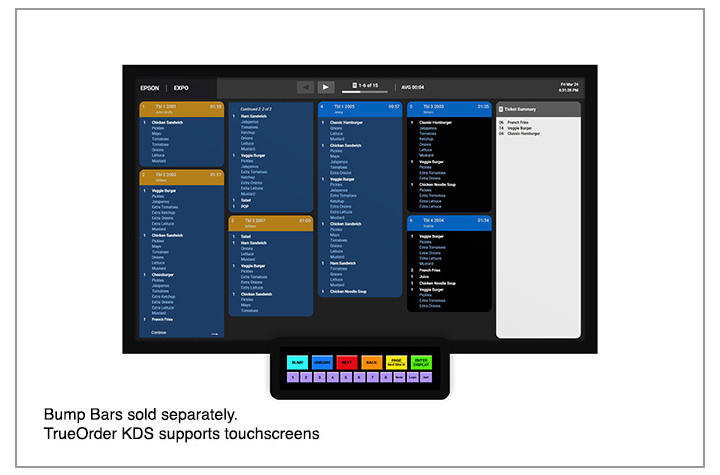
Epson® TrueOrder™ KDS: Key Features & Specifications At-a-Glance
Designed specifically for fast-paced restaurant environments, Epson TrueOrder KDS delivers flexible configuration, reliable performance, and intuitive operation without adding IT complexity.
Core System Capabilities
- Supports up to 9 kitchen stations for optimized, parallel food preparation workflows
- POS-agnostic design works with traditional and tablet-based POS systems—no software modifications or special licenses required
- Digital order routing sends tickets directly to the correct prep, expo, or customer-facing stations
- Local network operation ensures reliability with no Internet connection required
Customizable Workflow & Display Options
- Configurable views for prep stations, expo stations, and customer-facing displays
- Flexible grid layouts help prioritize items, highlight modifiers, and improve visibility
- Touchscreen and bump-bar support to match staff preferences and kitchen environments
- Brand customization allows logos to be added to multiple displays for a polished, professional look
Hardware & Device Compatibility
- Versatile device support including all-in-one touchscreens and media player devices
- Compatible with Epson receipt and label printers to enhance kitchen communication
- On-demand labeling for order numbers, modifiers, bag contents, customer names, QR codes, and branding
Simple Setup & Management
- Easy installation with support for multiple hardware configurations
- Browser-based configurator utility accessible from most devices with a web browser
- Quick staff onboarding thanks to an intuitive, easy-to-learn user interface designed for QSR and small restaurant environments
Built for Accuracy & Efficiency
- Eliminates lost or illegible paper tickets by digitizing the entire kitchen workflow
- Improves order accuracy by clearly displaying real-time order information at each station
- Reduces paper usage while increasing speed, consistency, and communication during peak hours
This combination of flexible configuration, reliable performance, and easy deployment makes Epson TrueOrder™ KDS an ideal solution for restaurants looking to modernize kitchen operations without added complexity or cost.
A Complete Epson POS Ecosystem
TrueOrder integrates seamlessly with Epson’s industry-leading Point-of-Sale (POS) printing solutions. Epson label printers enable personalized, on-demand labeling for virtually any hospitality environment, while Epson receipt printers deliver high-performance thermal printing for PC POS, mPOS, and cloud POS systems. Backed by decades of reliability, these solutions help create a cohesive, dependable kitchen workflow.
Optimize Your Kitchen with Confidence
The Epson TrueOrder Kitchen Display System delivers an affordable, reliable, and fully customizable way to digitize kitchen operations. By improving accuracy, streamlining workflows, and simplifying setup, TrueOrder helps restaurants operate more efficiently today—while staying flexible for the future.
The Hidden Cost of Receipts – And How Epson Helps Businesses Save
Every day, millions of receipts are printed in stores and restaurants. Receipt printing may seem insignificant — just slips of paper moving from clerk to customer — but the cost is very significant. Receipt printing represents hundreds of millions of dollars in annual spend, mountains of paper waste, and hours of lost productivity.
For retailers and hospitality businesses looking to save money while also advancing sustainability initiatives, Epson offers high-performing receipt printers designed to use reduce paper usage. With its easy-to-use Paper Savings Estimator tool and patented Advanced Paper Savings technology, Epson is making it easier than ever for businesses to see just how much they could save by optimizing receipt printing.
Why You Should Assess How You Print Receipts
It’s easy to underestimate the true cost of printed receipts. In 2025 alone, U.S. businesses are projected to spend more than $540 million on receipt paper. Now factor in storage, logistics, and time spent replacing receipt rolls, and the expense becomes even greater. On a national scale, Americans use an estimated 620 million pounds of receipt paper every year — an enormous figure for something most customers discard within minutes of receiving it.
For businesses with hundreds or thousands of registers, this is more than a supply-line issue; it’s a direct hit to operating margins. But the good news is that nearly half of this paper use can be avoided with the right technology.
How Epson Cuts Receipt Waste Without Compromise
Condensing receipt information to save valuable paper space can create more problems than they solve — especially when they shrink logos to the point of being unreadable, compress text until it becomes illegible, or prevent barcodes from being scanned. Epson takes an innovative approach—it’s Advanced Paper Savings feature, available across Epson point-of-sale printers, trims receipts intelligently without affecting usability or brand clarity.
How Epson receipt printers reduce paper waste:
- Margin Optimization: Reduces empty space at the top and bottom of each receipt.
- White Line Reduction: Detects and removes unnecessary blank areas between sections.
- Line Spacing Control: Slightly condenses the spacing between lines of text while keeping everything legible.
- Typeface Adjustments: Uses subtle font size changes to take up less space without hurting readability.
- Barcode Height Reduction: Decreases barcode height while ensuring scanners still capture it accurately.
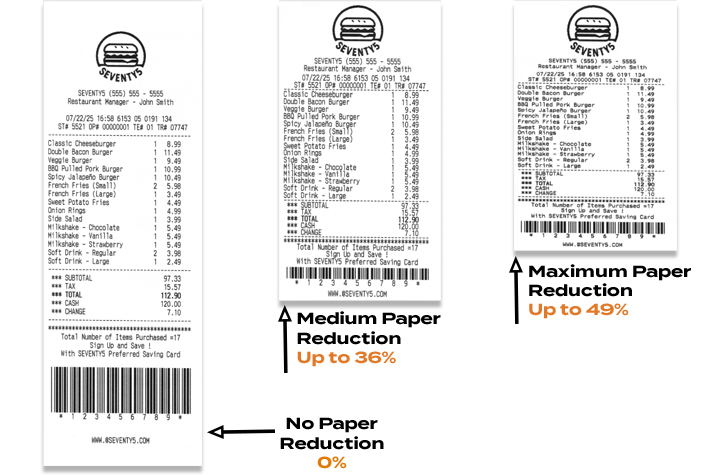
Epson printer technology can reduce paper usage by up to 49%, helping businesses save money and reduce waste — without compromising performance or presentation.1
Free Paper-Saving Estimator Calculator
To help businesses quantify the opportunity, Epson has launched an online Paper Savings Estimator. This interactive tool allows retailers and hospitality operators to input information including average receipt length, printing volume (receipts per day), total number of printers used, and cost per roll. The estimator will calculate an estimated amount of paper and money that a business could save using Epson’s Advanced Paper Savings feature.
For example, a fleet of just 5,000 printers printing 100 standard 12-inch receipts per day could burn through over $1 million in receipt rolls and nearly 1 million rolls annually. Epson’s estimator helps visualize how quickly those costs add up — and how much businesses stand to recover by making receipts shorter and smarter.
Savings That Scale
Even at the store level, the math is meaningful. A single receipt printer can consume more than $200 worth of paper per year. Across a chain with thousands of printers, trimming receipt length could mean millions of dollars in savings annually. That’s before considering the reduced labor of swapping fewer rolls and the sustainability benefits of using less paper overall.
The Smart Choice for Modern Retail
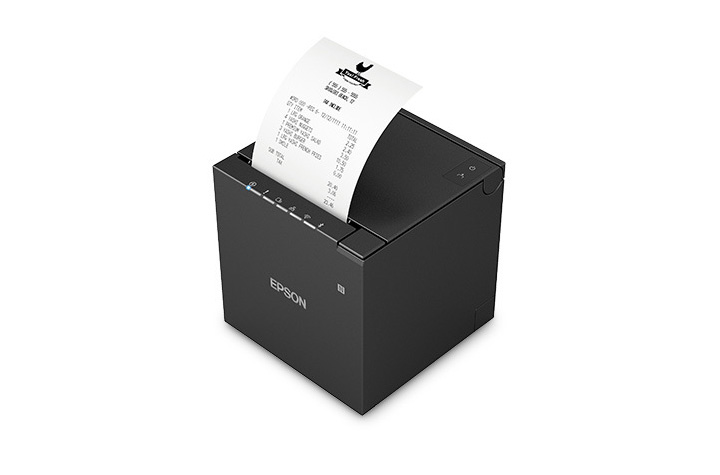
One of Epson’s latest solutions, the OmniLink™ TM-m50II, showcases these features in a compact, modern design that’s easy to integrate into fast-paced retail or hospitality environments. Supporting multiple connectivity options, from USB and Serial to Ethernet and wireless, it delivers flexibility alongside Epson’s proven paper-saving tools.
By combining powerful hardware with intelligent software, Epson helps businesses do more than print receipts — it helps them reclaim budget, streamline operations, and meet their sustainability goals.
Final Takeaway
Receipts may seem like small details in the customer journey, but they represent a big opportunity for operational savings – see how in this infographic. With printers like the OmniLink™ TM-m50II engineered with Epson’s Advanced Paper Savings features and the new Paper Savings Estimator, businesses can see exactly how much they’re spending, how much they’re wasting, and how quickly they can turn receipts into a source of efficiency instead of cost.
1Paper-saving feature up to 49% on the TM-T88VII model. Paper-savings percentage varies by model and printer settings. Full paper savings functions are available only for text-based receipts. For image-based receipts only the top and bottom white space reduction is available.
Mobility at the Core: Smarter Mobile Printing for Modern Operations
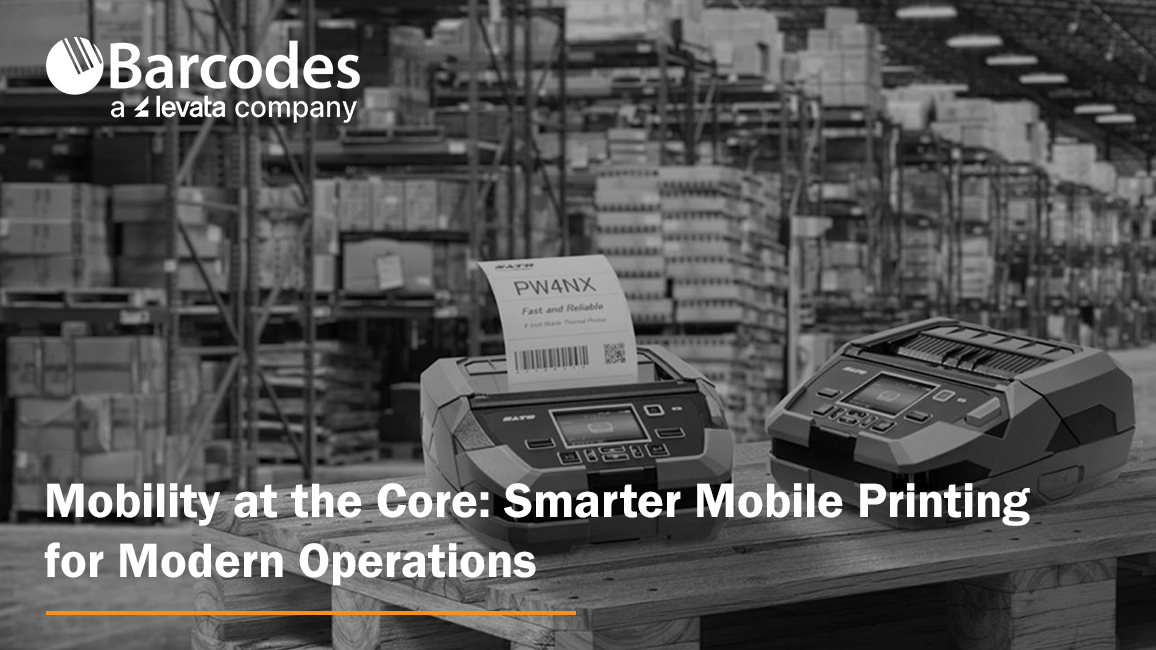
Mobility in the business environment has emerged as a critical capability for any operation. Larger working areas, growing e-commerce volumes, and pressure for faster, more accurate service are pushing companies to rethink how everyday processes are executed. Mobile printers are a proven solution for efficient workflow transformation. With speedy, on-the-go label and receipt printing directly to the point of activity, teams are empowered with improved accuracy, efficiency, and adaptability—without compromising quality.
Mobile printers are compact, durable, and flexible enough to support diverse operations like price marking, inventory labeling, specimen tracking, and route accounting. No matter the industry, workers need the ability to print labels, receipts, and records where the work is happening—not at a stationary printer hundreds of feet away.
How Mobile Printers Can be Used by Industry
- Retail — Price markdowns, shelf-edge labeling, and receipt printing.
- Supply chain & logistics — Inventory management, cross-docking, picking, put-away, and shipping inspections.
- Healthcare & labs — Specimen tracking, sample labeling, and patient wristbands.
- Field services & route accounting — On-site labeling, inspection tags, mobile receipts, and proof-of-delivery slips.
- Manufacturing & utility sectors — Raw material tracking, quality checks, and production line labeling.
The New Demands on Mobile Printing
Operations leaders are looking for more than just portability. They want tools that are:
- Easy to use and manage. Devices should install quickly, integrate with existing systems, and be intuitive for staff.
- Durable and reliable. Busy environments are tough on equipment. Printers must withstand drops, dust, and vibration without compromising performance.
- Connected and flexible. With support for multiple devices, operating systems, and applications, printers need to adapt as business processes evolve.
Two solutions with features that meet both portability and functional demands are the SATO PW2NX and SATO PW4NX mobile printers—both engineered to bring simplicity, performance, and rugged mobility to the frontline.
SATO PW2NX: Compact Power in a 2-Inch Printer
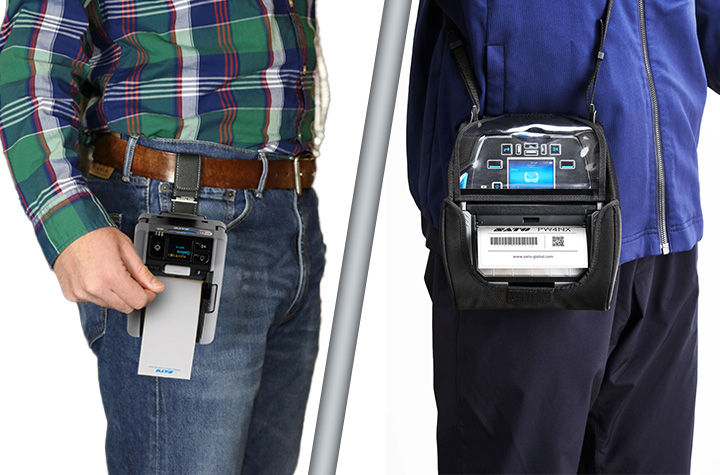
Small in size but big on capability, the SATO PW2NX is designed for workers on the go. Weighing under a pound, it’s lightweight enough to carry all day, yet rugged enough to withstand drops up to 8.2 feet. Its polycarbonate body and impact-absorbing elastomer edges give it the durability required in fast-paced environments.
But portability doesn’t mean compromise. The PW2NX delivers:
- Full 2.16″ print width with high-speed output up to 6 ips.
- Smart battery management that powers full-shift operation for up to 16 hours.
- Robust connectivity with Bluetooth, USB, WLAN, and NFC for seamless pairing with mobile devices.
- Application Enabled Printing (AEP) support, enabling smart, customizable apps for enterprise workflows.
- SATO Online Services (SOS) for remote IoT-based monitoring and maintenance, reducing downtime.
- Ideal for retail, healthcare, and logistics environments needing fast, precise labeling such as price markdowns, shelf labels, specimen tracking, and receipt printing.
- Linerless labels reduce waste and supporting sustainability goals.
Quick Product Review of the SATO PW2NX: The PW2NX is ultra-compact, lightweight, and perfect for quick, on-the-go tasks where portability is paramount.
SATO PW4NX: Rugged Performance for 4-Inch Printing
For organizations that need a larger format without sacrificing mobility, the SATO PW4NX 4-inch mobile label printer is engineered for speed, durability, and efficiency.
Key strengths include:
- Consistent 6 ips print speeds, reducing print time by more than 30% compared to typical mobile devices.
- Durable design, built to survive 7-foot drops and rated IP54 for dust and water resistance.
- Vibration resistance, making it reliable even when mounted on forklifts.
- User-friendly upkeep, with easy-to-replace printheads and platen rollers, cutting maintenance downtime and cost.
- Smart connectivity, supporting Apple iOS, Android, and Windows with Bluetooth 5.0, Wi-Fi, and advanced AEP features for standalone printing.
- Remote management via SOS and SOTI for predictive maintenance and centralized device control.
- Ideal for warehousing, logistics, manufacturing, and retail, supporting operations like inventory/raw materials management, cross-docking, receiving/shipping inspections, picking/put-away, cycle counts, and order fulfillment.
Quick Product Review of the SATO PW4NX: delivers a larger format and higher speed, designed for heavy-duty applications where uptime and throughput matter most.
The Bottom Line: Mobility Moves Business Forward
As workflows continue to evolve, the ability to print anytime, anywhere is redefining how enterprises approach efficiency, accuracy, and cost savings. SATO’s mobile printers give organizations the tools they need to stay agile in an increasingly mobile world. The SATO PW2NX lends that power to lighter, more compact workflows labeling, while the PW4NX delivers desktop-grade speed, ruggedness, and connectivity.
Contact Barcodes Inc. today to learn more about how mobile printers can boost your team’s productivity on the floor.
Unitech RT112: The Ultra-Light, Rugged Tablet That Works Where You Do
When it comes to powering critical workflows in retail, logistics, manufacturing, or field service, having a reliable, tough, and user-friendly tablet is a must. The Unitech RT112 Rugged Tablet series—available in both Android and soon-to-be-released Windows versions—delivers precisely that. With its slim design, industrial-grade durability, long-lasting battery, and enterprise-ready features, the RT112 keeps your teams connected, productive, and protected, wherever the job takes them.
Mobility Devices: Transforming Business Workflows
Mobility is more than a convenience — it’s a competitive edge. Equipping your workforce with rugged mobile devices like tablets ensures that critical information, scanning, and task management happen where the work actually gets done — on the warehouse floor, at the checkout counter, in the field, or on the road.
Organizations across industries are rapidly embracing mobility solutions to replace fixed workstations and paper-based processes. This shift unlocks real-time data access, faster decision-making, and improved accuracy, all of which boost productivity and reduce costly errors. Enter the Unitech RT112 Rugged Tablet. Combining best-in-class durability, an ultra-slim lightweight design, powerful performance, and reliable 5G and Wi-Fi 6E connectivity, the RT112 empowers teams to work smarter, move freely, and stay connected.
Ultra-Lightweight Yet Rugged for Demanding Environments
One of the standout features of the Unitech RT112 is its exceptional balance between portability and durability. Weighing just 1.5 pounds with a slim 0.5 inch profile, it’s easy for workers to carry all day without fatigue—whether moving inventory on a warehouse floor, managing checkouts at a busy retail counter, or conducting maintenance inspections outdoors.
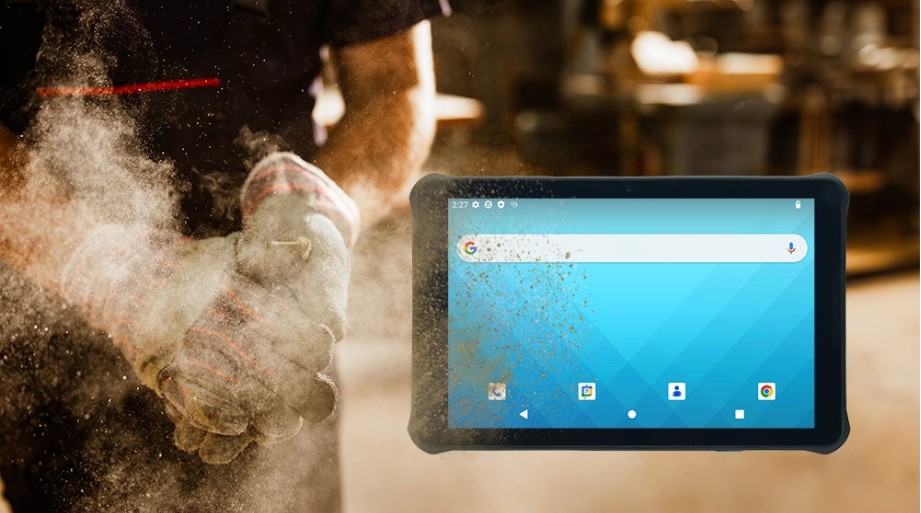
Despite its lightweight design, the RT112 doesn’t compromise on toughness. It’s IP67 certified, protecting it from dust and immersion in water, and can withstand drops of up to nearly 5 feet onto concrete. With compliance to the rigorous MIL-STD-810H standard, you can trust the RT112 to perform reliably even in harsh industrial conditions.
High Performance Meets Seamless Connectivity
Fast, reliable connectivity is critical for any modern operation, and the RT112 delivers. It supports 5G and Wi-Fi 6E, providing lightning-fast downloads, low latency, and robust connections, even in dense environments like warehouses and retail stores.
The Android 13 OS is Google Mobile Services (GMS) and Android Enterprise Recommended (AER) certified, ensuring smooth operation, high security, and simple remote management.
For businesses that rely on Windows-based software, the RT112 Windows variant (launching this September) will offer seamless integration with familiar enterprise tools like ERP, WMS, and POS systems, streamlining your IT infrastructure without compromise.
All-Day Battery Life and Worker-Friendly Features
Downtime is the enemy of productivity. That’s why the RT112 comes with a high-capacity 8800mAh removable battery, capable of powering the tablet for up to 24 hours on a single charge.
The 10.1-inch full HD display is protected by durable Gorilla® Glass and offers 450 nits brightness for clear visibility indoors and outdoors. It supports glove and wet-touch operation, making it easy for workers to use in cold storage, rainy weather, or while wearing protective gloves.
Built-In Barcode Scanning for Smarter Inventory and Asset Management
The RT112 features an integrated high-performance 2D barcode scanner that reliably reads even damaged or poorly lit barcodes. Whether tracking parts on a production line, scanning packages for delivery, or managing stock at retail checkouts, this capability reduces errors and speeds up workflows.
Versatile Accessories for Flexible Deployments
The RT112 can be adapted to multiple work scenarios thanks to its range of accessories, including a rotatable hand strap, shoulder strap, screen protector, vehicle and office cradles, and a capacitive stylus pen. This flexibility makes it the perfect companion for mobile workers, forklift drivers, or in-vehicle computing.
Engineered for Your Industry
- Retail & Hospitality: Mobile POS, membership management, and instant price checks enhance customer experience and speed up service.
- Logistics & Warehouse Management: Rugged tablet for inventory tracking, forklift-mounted order picking, and in-vehicle route updates.
- Manufacturing & Industrial Automation: Supports production monitoring, material scanning, and real-time quality control on the factory floor.
- Field Service & Outdoor Operations: Durable for pipeline inspections, infrastructure maintenance, and reliable data capture in any weather.
Discover more about the Unitech RT112 Android today. Contact Barcodes, Inc. today for personalized help with solutions to your needs.
Keep Business Rolling with Epson® OmniLink® TM-L100 Liner-Free Thermal Label Printers
When it comes to label printing in high-paced environments, thermal label printers are the backbone of operational speed and accuracy. Whether you’re printing item labels for quick-serve restaurant orders, packaging labels for curbside pickup, or shipping labels in a retail warehouse, thermal printers streamline the process without the need for ink or toner. A versatile solution with extensive liner-free media support and flexible connectivity options is the Epson® OmniLink® TM-L100 Liner-Free Compatible Thermal Label Printer. With a long printhead and auto cutter life, plus a 1-year limited warranty, it offers reliability you can count on.
Why Thermal Label Printers?
Thermal label printers are an ideal choice for businesses that need fast, clean, and reliable printing in high-demand environments. Instead of using ink or ribbons, thermal printers use heat-sensitive media to produce labels, reducing maintenance and minimizing consumables.
Epson OmniLink TM-L100: Durability Meets Flexibility
The Epson OmniLink TM-L100 Liner-Free Compatible Thermal Label Printer is one of the most adaptable liner-free thermal label printers yet, offering advanced connectivity, paper-saving features, and high-adhesive media support that makes it suitable for nearly any business environment. Engineered for use with a wide range of devices in virtually any industry—such as hospitality, retail and more—the Epson OmniLink TM-L100 Liner-free Printer can also be simultaneously shared with legacy POS terminals, tablet and mobile devices with multiple interfaces with the ability to print from cloud servers.
Key Features of the OmniLink TM-L100 Liner-free Printer
1. Extensive Liner-Free Media Support
Not all label printers handle liner-free labels well, especially those with high adhesive strength. The OmniLink TM-L100 Liner-free Printer is engineered for this exact purpose. It handles Epson-tested media that performs flawlessly in environments where labels are frequently applied to items like cups, containers, or bags.
2. Flexible Connectivity for Virtually Any Setup
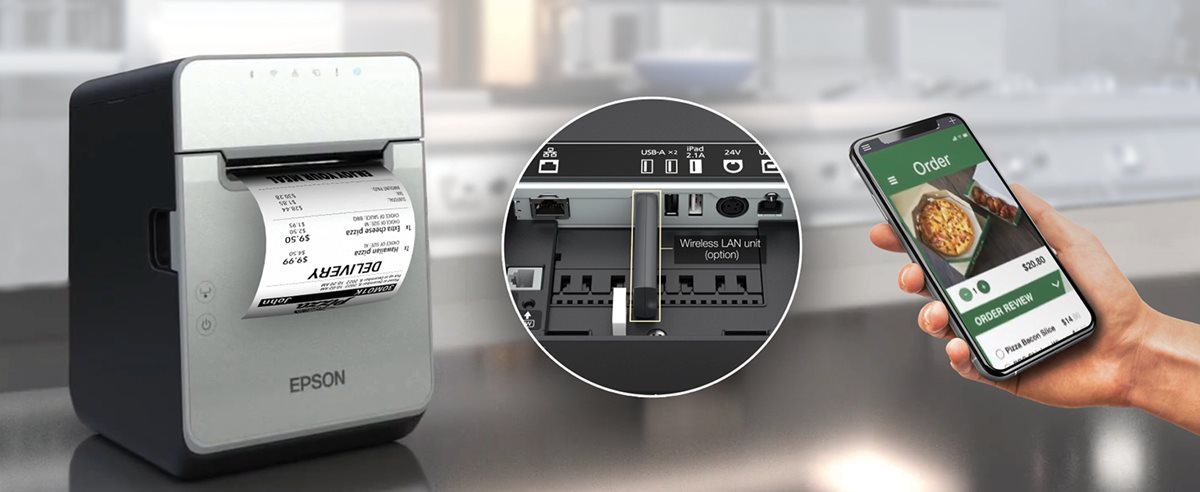
This printer comes with built-in USB and Ethernet plus options for Serial port, wireless and Bluetooth. USB Network Tethering provides network connectivity from the printer to a tablet.
3. Smart Online Ordering Integration
Through Server Direct Print, the TM-L100 can retrieve print jobs directly from a web server—no POS software required. This is perfect for online ordering environments in QSRs, retail stores, and remote kiosks.
4. Paper-Saving Technology
Built-in white space reduction and character height adjustments can cut media usage by up to 47%, helping businesses lower costs and reduce environmental impact.
5. Reliability You Can Count On
The TM-L100 is built for continuous operation with a long-lasting auto cutter and printhead life. A label-taken sensor prevents overlapping labels by ensuring one label is printed at a time—even when multiple jobs are queued.
Use Cases Where the OmniLInk TM-L100 Liner-free Printer Excels
- Hospitality: Cup labeling, food item tagging, and order tracking in quick-service restaurants (QSRs). Benefit: improve order accuracy and speed even at the busiest times.
- Retail: Price tags, shelf labels, and shipping labels for eCommerce and BOPIS (Buy Online, Pick Up In Store). Benefit: enable seamless in-store pickup and delivery with fast, high-adhesive item labeling.
- Healthcare: Patient ID bands, prescription labels, and specimen tracking. Benefit: Create clean, reliable labels for patient tracking and medication management.
- Logistics and Delivery: Route labeling, package tracking, and proof-of-delivery labeling. Benefit: fast, reliable label printing on the go, helping drivers stay organized and ensuring packages are accurately tracked from origin to destination.
Final Thoughts
The Epson OmniLink TM-L100 Liner-free Printer is a future-ready label printer built for today’s demanding, mobile-first retail and hospitality environments. With its blend of durability, connectivity, and media efficiency, it’s one of the smartest investments you can make to improve labeling workflows. To start enhancing your operations with the TM-L100, contact Barcodes, Inc. today.
Reimagining Retail: CheckMate Mobile POS Stations Drive Sales and Customer Service
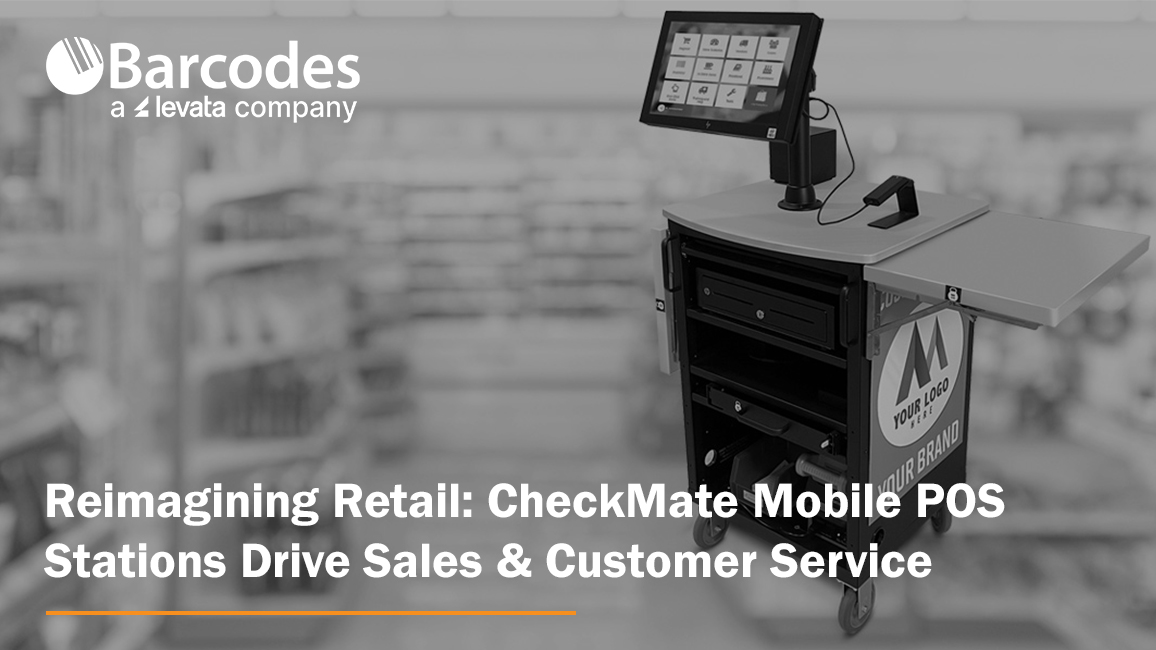
With store space at a premium and customer expectation higher than ever, mobile point-of-sale stations offer a smart, cost-effective way to optimize retail operations and enhance the in-store experience.
Mobile POS carts, such as the CheckMate 1000 Mobile POS Station from Newcastle Systems, give retailers the freedom to meet customers where they are—literally. These mobile stations bring full POS capabilities onto the shop floor, empowering retailers to rethink how, when, and where they process transactions. POS stations by location, count, seasonality, and more to maximize checkout speed and convenience, while eliminating wasted space and lost sales.
Why Mobile POS Matters for Retail
Speed Up Checkout, Reduce Walkaways. Nothing kills a sale faster than a long line. During peak shopping periods, mobile POS carts act as rapid-response checkout stations. Whether positioned near high-traffic areas or deployed as line-busting tools, they help reduce waiting times, prevent abandoned purchases, and improve overall service speed.
Scale Without Construction. Traditional fixed POS terminals require significant investment—construction, permits, electrical work, and downtime. Mobile POS carts like the CheckMate 1000, by contrast, can be deployed instantly. This makes them ideal for seasonal surges or pop-up retail without the overhead of a permanent installation. No need to train your team if you’re using the same hardware as your current fixed registers. Less complexity, less stress—for everyone.
Use Your Space Smarter. Every square foot of retail floor space is valuable. Rather than expanding fixed registers that lock you into one layout, mobile POS stations can be stored when not in use—freeing up room for merchandise or displays. During the holidays or clearance events, they can be quickly rolled out to accommodate increased demand.
Bring Checkout to the Customer. Mobile POS carts can transform underused areas—like fitting rooms, garden centers, or outdoor displays—into instant checkout points. This makes it easier for customers to complete their purchases right where decisions are made, especially for large or awkward items.
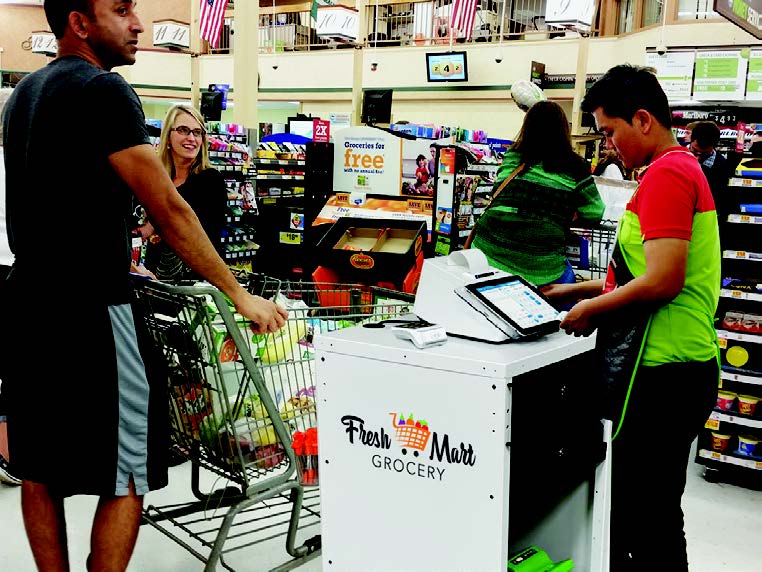
The CheckMate 1000: A Mobile POS Station Build for Retail
The CheckMate 1000 is the epic sidekick retail has needed! Check out how the CheckMate 1000 is in a class of its own.
- Customizable to fit your brand. Plenty of real estate to add company branding and make it yours.
- Never-quit swappable power: The most advanced systems to support printers, tablets, scanners, and cash drawers—cash or cashless
- Purpose-built and designed to last. Compact, lightweight, sustainable, and loaded with features like drawers, winged shelves, and storage galore!
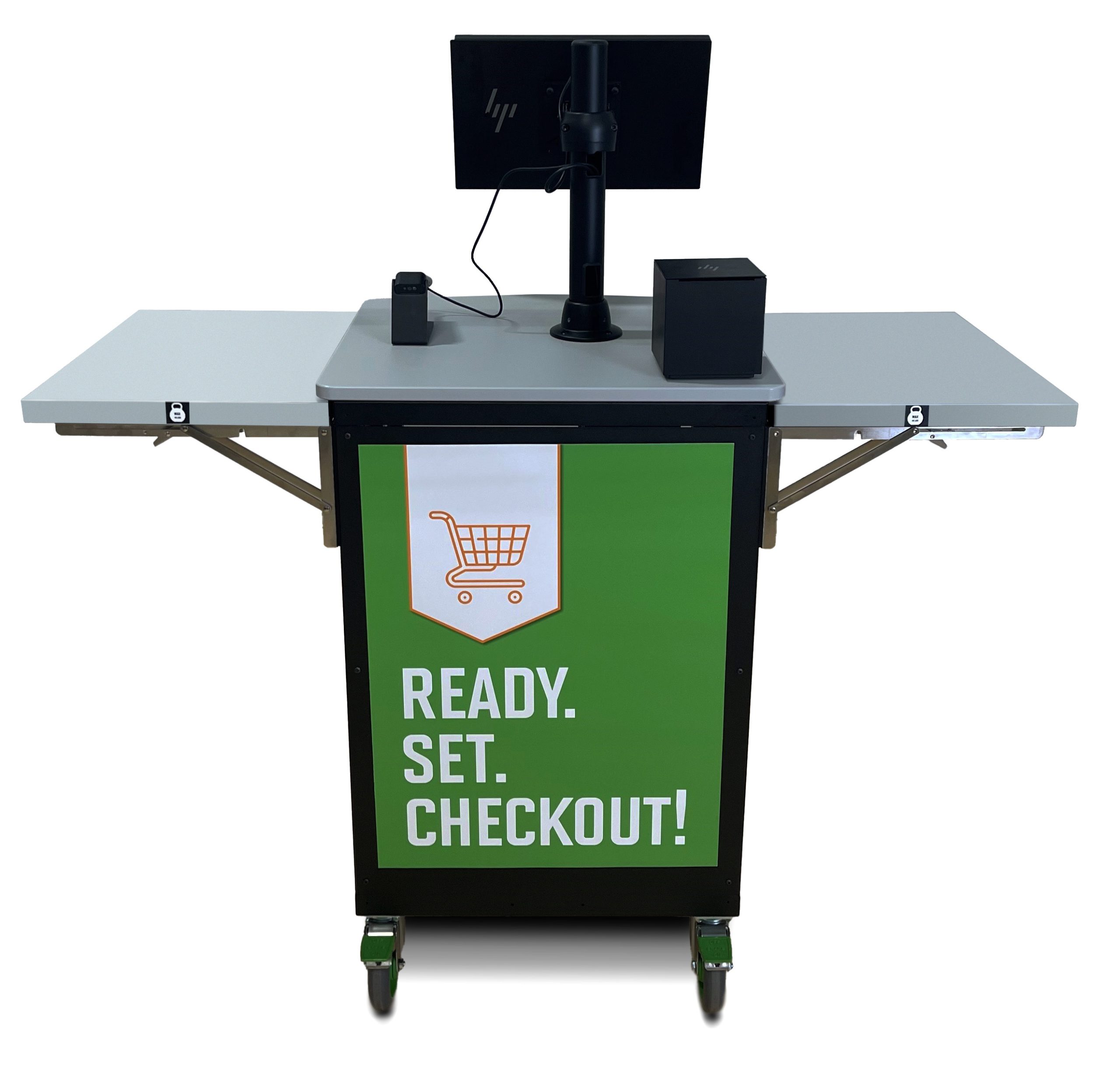
The CheckMake 1000 POS Mobile Station offers a true all-in-one retail utility. Beyond checkout sales, use your POS mobile station to complete:
- Inventory counts and cycle checks
- Returns and exchanges
- Loyalty signups and promotions
- Mobile markdowns and restocking
This versatility allows retailers to do more with less—keeping associates productive, operations agile, and customers satisfied.
Final Thought
Mobile POS solutions like the CheckMate 1000 are helping retailers unlock new ways to serve customers and streamline operations—without the cost, complexity, or inflexibility of traditional registers. Whether you’re aiming to reduce lost sales, adapt to peak periods, or simply offer a better in-store experience, ask Barcodes Inc. how we can help you get mobile POS carts rolling in your retail environment.
Streamlining Kitchen Operations: The Epson TrueOrder Kitchen Display System
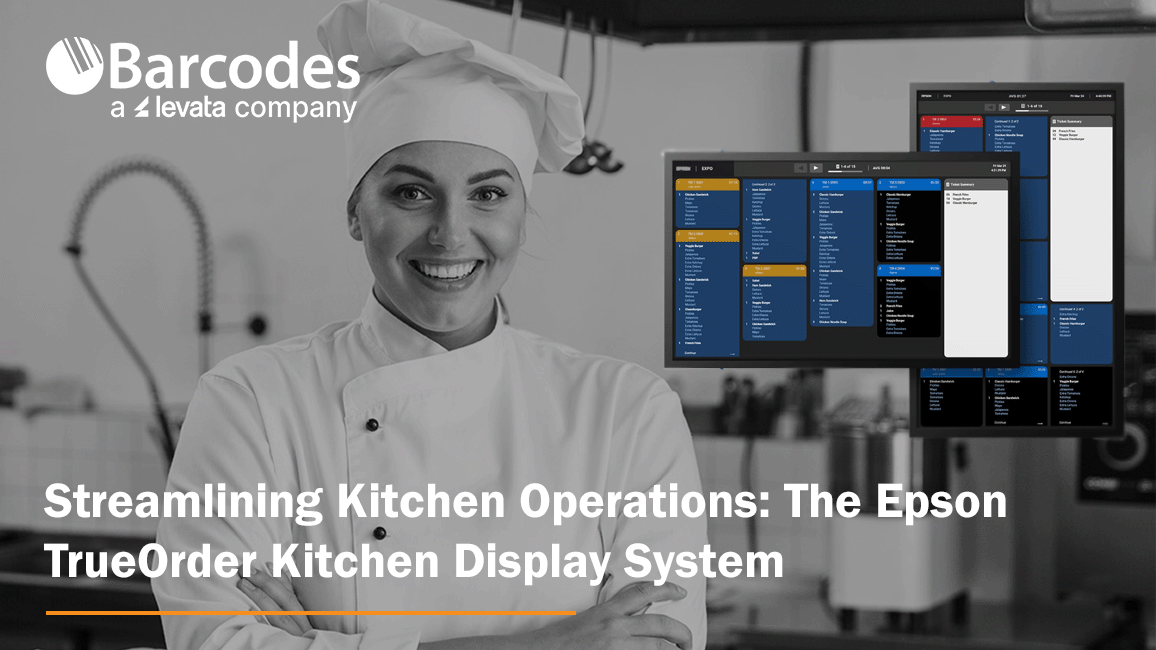
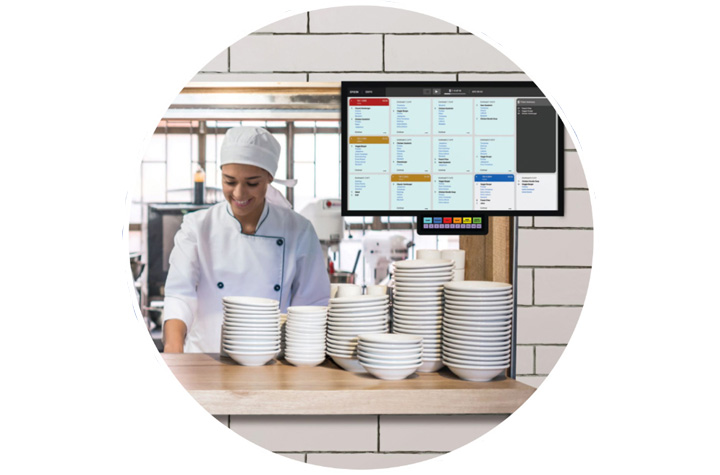
Accuracy and efficiency pitfalls can severely cripple a restaurant’s operations and reputation. Inaccurate orders lead to dissatisfied customers, wasted food, and increased costs. Delays caused by inefficient workflows result in longer wait times, impacting on customer experience and potentially driving diners to leave negative customer reviews or social media posts. So, what’s a restaurant to do? Enter Epson’s TrueOrder Kitchen Display System (KDS), a modern solution to streamline kitchen workflows, enhance order accuracy, and improve overall productivity.
Enhancing Food Service Operations with TrueOrder KDS
Designed specifically to address the challenges of quick-service restaurants (QSR) and small-restaurant environments, TrueOrder KDS integrates seamlessly with existing point-of-sale (POS) systems, providing a versatile and user-friendly experience.
By replacing traditional paper-based order systems, TrueOrder KDS digitizes the order process from entry to fulfillment, leading to significant improvements in efficiency and accuracy. Realize savings by cutting down waste from incorrect order input. The flexibility to add Epson label printers further enhances order accuracy, especially for take-out and delivery services, by clearly labeling items for easy identification. Seamless communication between front-of-house and kitchen staff minimizes confusion, leading to happier employees and improved customer service.
Key Features of TrueOrder KDS
1. User-Friendly Interface
TrueOrder KDS is designed with an intuitive touchscreen interface and offers customizable views for kitchen staff, expediter roles, and customer-facing stations. Considerable convenience comes from the system’s ability to adapt to a restaurant’s existing workflows.
2. Seamless POS Integration
Designed to be POS-agnostic, Epson’s TrueOrder KDS is compatible with a wide range of POS systems and POS devices, promising a smooth implementation process where restaurants can continue using their preferred POS solutions while benefiting from the advanced features of TrueOrder.
3. Customizable Workflow Support
The system offers extensive customization options to align with a restaurant’s unique workflow. Operators can preconfigure specific elements, such as station layouts and display settings, to match their operational requirements.
4. Easy Installation and Setup
TrueOrder KDS is designed for straightforward installation, connecting to local networks without requiring an internet connection. The system’s browser-based configuration utility is accessible from most devices with a web browser, simplifying the setup process and reducing the need for specialized technical support.
5. Monitoring, Reporting and Analytics
The software provides comprehensive reporting and analytics capabilities, allowing restaurants to track key metrics and identify areas for improvement. This allows managers to ensure kitchen efficiency is at peak performance. Some systems allow for remote monitoring, enabling managers to keep an eye on kitchen operations from anywhere.
Conclusion Epson’s TrueOrder Kitchen Display System represents a significant step forward in the evolution of food service technology. Affordable and easy to install, the Epson KDS modernizes kitchen operations by digitizing order processes and providing customizable workflow support. By embracing digital order management, restaurants can streamline their operations, improve efficiency, and enhance customer experience. Contact Barcodes Inc. to learn more!
Comparing RFID vs. Barcode Technology: Which is Best for Your Business?

In today’s fast-paced business environment, efficient inventory tracking and asset management are critical for success. Two of the most commonly used technologies for these tasks are RFID (Radio Frequency Identification) and barcode scanning. Both play essential roles in supply chain operations, retail, healthcare, and manufacturing, but they differ in functionality, cost, and efficiency. This article compares RFID vs. barcode technology to help you determine which is the best fit for your business.
Understanding Barcode Technology
Barcode technology has been a staple in inventory management for decades. It uses optical scanning to read printed barcodes, which store data in a linear or 2D format. Each barcode represents a unique identifier that corresponds to product or inventory information stored in a database.
Advantages of Barcode Technology:
- Cost-Effective – Barcodes are inexpensive to produce and print.
- Simplicity – Easy to integrate with existing inventory systems.
- Accuracy – Minimizes manual errors when scanned properly.
- Wide Adoption – Used globally across multiple industries.
Limitations of Barcode Technology:
- Requires Line of Sight – A scanner must be directly pointed at the barcode.
- Limited Data Storage – Traditional barcodes store minimal information.
- Manual Scanning – Each item must be scanned individually, which can be time-consuming.
View best-selling barcode scanners >>>
Understanding RFID Technology
RFID technology uses radio waves to transmit data between a tag (attached to an item) and a reader. Unlike barcodes, RFID tags do not require a direct line of sight and can be scanned from a distance. This technology is increasingly being adopted for real-time asset tracking, automated inventory counting, and supply chain visibility.
Advantages of RFID Technology:
- Faster Data Capture – Can scan multiple tags simultaneously.
- No Line of Sight Required – Readers detect tags even if they are hidden inside packaging.
- Greater Data Storage – RFID tags can store more detailed information.
- Improved Security – Can include encryption and authentication features.
Limitations of RFID Technology:
- Higher Initial Cost – RFID tags and readers are more expensive than barcodes.
- Interference Issues – Metal and liquids can disrupt signals.
- Integration Challenges – Requires specialized software and hardware.
| Feature | Barcode | RFID |
| Cost | Low | Higher initial investment |
| Scanning Speed | One at a time | Multiple at once |
| Line of Sight | Required | Not required |
| Data Storage | Limited | More storage capacity |
| Durability | Can fade or tear | More resistant to damage |
| Interference | No issues | Can be affected by materials like metal and liquids |
View best-selling RFID readers >>>
Which Technology is Best for Your Business?
The choice between RFID and barcode technology depends on several factors, including budget, operational needs, and industry requirements.
- Retail & Small Businesses – Barcodes are typically the better choice due to their low cost and ease of use.
- Warehousing & Logistics – RFID can streamline large-scale inventory tracking and reduce human labor.
- Healthcare & Pharmaceuticals – RFID ensures better tracking of medical supplies and patient records.
- Manufacturing & Automotive – RFID enables real-time asset tracking and quality control.
Conclusion
Both RFID and barcode technology have their unique strengths and limitations. Barcodes remain a cost-effective and widely used solution, while RFID provides faster, more efficient tracking with greater automation potential. Businesses looking for low-cost inventory control may prefer barcodes, whereas companies requiring high-speed, real-time tracking should consider RFID.
Choosing the right AIDC solution depends on your specific business goals, operational scale, and budget. Let Barcodes, Inc. help evaluate your needs carefully, so that you implement the best tracking system to enhance efficiency and accuracy in your operations.