


Keep Orders Moving with Smarter, Liner-Free Labeling
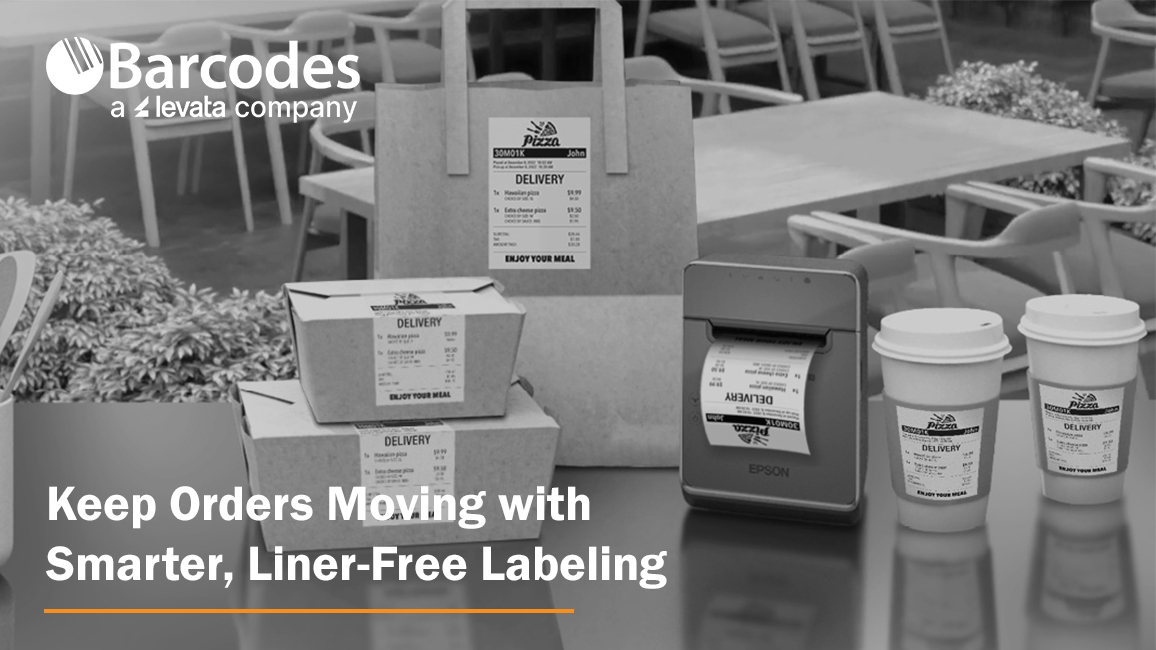
High-volume labeling environments don’t slow down, so your label printer can’t afford to, either. From quick-service restaurants and grocery stores to retail pharmacies and delivery operations, speed, accuracy, and flexibility are essential to keeping orders moving and customers satisfied. That’s where the Epson® OmniLink® TM-L100 Liner-Free Thermal Label Printer stands out as a modern solution built for today’s fast-paced, multi-channel workflows.
The Importance of Optimized Point-of-Sale and Labeling Solutions
When POS technology is well connected and built-for-purpose, a number of frontline productivity and customer experience benefits are attained, including:
- Pricing accuracy & compliance confidence: Real-time updates ensure shelf labels, food labels, and POS pricing stay aligned—reducing risk and protecting margins
- Faster checkout & fulfillment: High-speed, reliable printing keeps lines moving and supports efficient in-store and omnichannel order processing
- Labor efficiency gains: Store associates spend less time troubleshooting or reprinting and more time focused on customers and value-added tasks
- Improved inventory visibility: Accurate labeling supports better stock tracking, fewer discrepancies, and more informed replenishment decisions
- Stronger customer experience: Consistent pricing, clear labeling, and smooth transactions build trust and satisfaction
- Operational agility: Quickly roll out promotions, update product information, or adapt workflows across locations with minimal effort
A Label Printer Built for the Way Business Happens Today
The Epson® OmniLink® TM-L100 is designed to support the realities of omnichannel operations. Whether you’re managing buy online, pick up in store (BOPIS), curbside pickup, or delivery orders, this printer integrates seamlessly into your workflow. With a network-connected printer, Server Direct Print technology can retrieve and print orders directly from web-based applications—no POS integration required. That means faster deployment, fewer IT dependencies, and a smoother path to supporting online ordering at scale.
Equally important, the TM-L100 can dynamically connect to multiple systems at once. It can be shared across traditional PC-based POS terminals, tablets, mobile devices, and even cloud servers simultaneously. This level of flexibility ensures that no matter how your operation evolves, your labeling infrastructure keeps up.
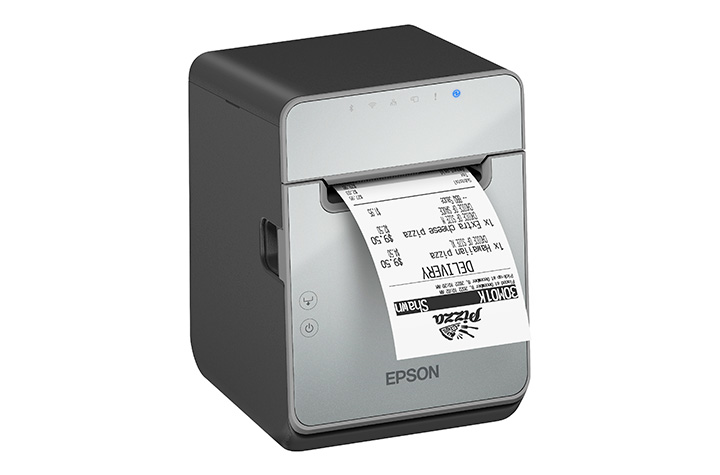
Liner-Free Labeling That Reduces Waste
One of the most impactful features of the TM-L100 is its support for liner-free media. Traditional labels create excess waste through backing liners, which can clutter workspaces and require additional disposal. Liner-free labels eliminate that problem, helping reduce environmental impact while improving operational efficiency.
Beyond waste reduction, the printer also includes advanced paper-saving features like white space and character height reduction, cutting media usage by up to 47% depending on the text and graphic printed on the receipt. For businesses printing hundreds—or thousands—of labels daily, that translates directly into cost savings.
Engineered for Accuracy and Speed
In environments where labeling errors can lead to incorrect orders or unhappy customers, precision matters. The TM-L100 helps eliminate common issues associated with handwritten labels or poorly printed tags. With crisp, high-speed thermal printing—up to 170 mm per second—you get clear, professional labels every time.
The built-in label-taken sensor adds another layer of accuracy. It ensures that labels are printed one at a time, pausing output until the previous label is removed. This prevents labels from sticking together or being misapplied, a common challenge in high-volume food service and retail environments.
Connectivity Without Compromise
Modern operations rely on a wide range of devices, and the TM-L100 is built to connect with all of them. It includes built-in USB and Ethernet, along with options for Serial, Wi-Fi, and Bluetooth connectivity. This makes it easy to deploy in virtually any setup, from fixed POS stations to mobile tablet-based systems.
One standout feature is USB Network Tethering, which allows the printer to provide a wired network connection to a connected tablet. This simplifies connectivity in environments where stable wireless access may be a challenge. For iOS devices, the printer can deliver both data communication and device charging through a single USB connection, reducing cable clutter and improving workstation efficiency.
Reliability You Can Count On
Downtime isn’t an option in high-demand environments. The TM-L100 is engineered with a long-lasting printhead and auto cutter, ensuring consistent performance even under heavy use. It’s built specifically for liner-free labeling, which can be more demanding on hardware, and is backed by a one-year limited warranty with extended service plans available for added peace of mind.
A Versatile Fit Across Industries
From labeling drinks and food containers in quick-service restaurants to managing order fulfillment in retail and grocery environments, the TM-L100 adapts easily to a wide range of applications. Its support for multiple media widths—80mm, 58mm, and 40mm—adds further flexibility, allowing businesses to standardize on one device across different use cases.
Final Thoughts
The Epson® OmniLink® TM-L100 Liner-Free Thermal Label Printer isn’t just another label printer—it’s a purpose-built solution for modern, connected operations. By combining liner-free media support, advanced connectivity, and intelligent features that improve accuracy and efficiency, it helps businesses reduce waste, streamline workflows, and deliver better customer experiences.
If your current labeling process slows you down or introduces errors, contact Barcodes, Inc. to discuss a solution upgrade designed to keep business rolling.
QR Codes for Restaurants: Menus, Payments, and Promotions
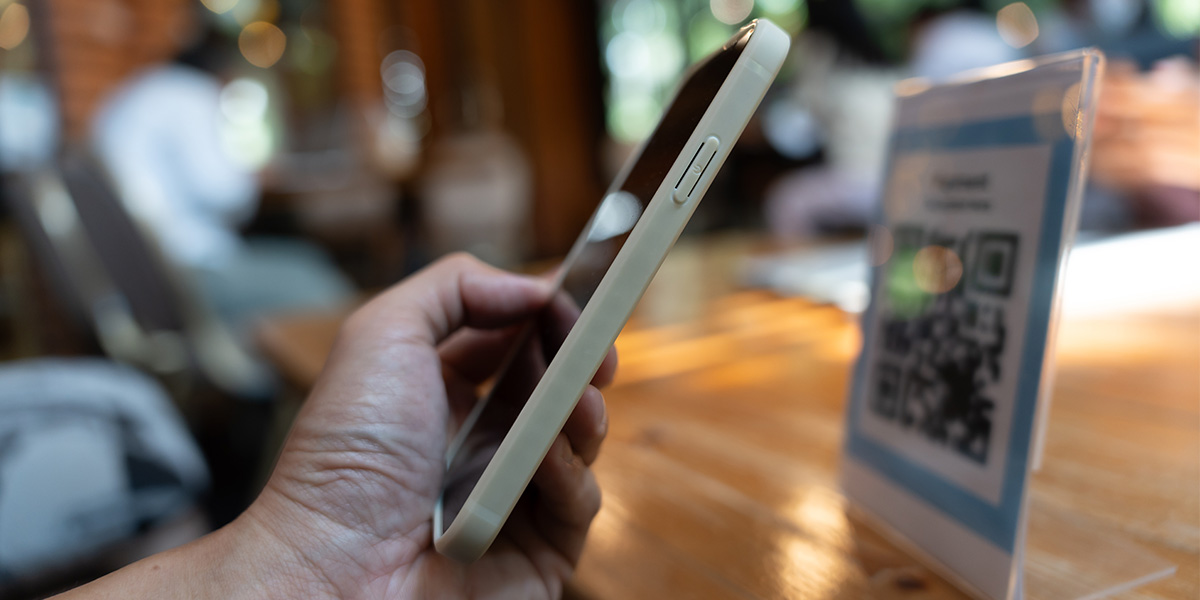
There’s something quietly magical about scanning a small black-and-white square and instantly pulling up a full menu, placing an order, or even paying your bill, all without flagging down a server. In a world where convenience rules and customer expectations are sky-high, QR codes for restaurants have evolved from a pandemic necessity into a permanent part of modern dining.
This isn’t just another digital fad. It’s a full-blown transformation changing the way the restaurant industry operates, engages with guests, and grows. These small but mighty QR codes are helping restaurants deliver smoother restaurant operations, stronger connections, and a more efficient dining experience.
What Are QR Codes and Why They Matter Now
Quick Response (QR) codes are 2D barcodes that store data accessible through a smartphone or mobile device. When customers scan them, they can instantly open a web page, display information, or trigger an app function.
In restaurants, they’ve become digital workhorses, powering QR code menus, online ordering systems, and mobile payments. Their appeal lies in simplicity: one quick scan, and your guest is connected.
They’re fast, reliable, and flexible. Whether linking to an online menu, digital platform, payment portal, or promotion, QR codes effortlessly bridge the gap between physical and digital dining. In today’s mobile-first world, they’ve become as common as the tables they sit on.
Why Restaurants Are Adopting QR Codes
The restaurant industry has always been adaptable, but never has it changed as quickly as in recent years. The rise of contactless menu options and digital convenience during the pandemic permanently shifted guest expectations.
Here’s why so many restaurants, from fine dining venues to cafés, are embracing QR codes:
- Cost savings: No more reprinting physical menus every time prices or menu items change. QR code menus eliminate the need for printing, reducing both expenses and environmental impact.
- Safety and hygiene: Guests love contactless interactions that feel cleaner and safer.
- Operational efficiency: Digital platforms streamline the ordering process and reduce wait time.
- Smart data: QR codes provide valuable insights into engagement, orders, and customer retention.
Simply put, QR codes aren’t a passing trend; they’re a business game-changer.
Use Case 1: Menus Go Digital
Printed menus used to define the dining experience. Now, QR code menus are doing it faster and smarter. With a contactless menu QR code, dine-in guests can scan to access a beautifully designed digital menu that updates instantly. They can see photos, filter by dietary preferences, and check allergy info, all from their phones.
Displaying QR codes on restaurant windows or doors makes the menu easily accessible to both passersby and dine-in guests, providing maximum convenience and visibility.
For restaurant owners, this flexibility is a dream. Updating menu items, prices, or specials takes seconds. Menu updates are instant, and new dishes can be launched without delay. It’s efficient, cost-effective, and eco-friendly.
Smart Placement Ideas
- Table tents and napkin holders
- Restaurant window decals for easy access
- Takeout boxes, delivery vehicles, and food packaging
- Posters near entrances or waiting areas
Digital menus also offer accessibility features like translation and voice-over compatibility, ensuring every guest feels included.
Use Case 2: Ordering & Payments Made Easy
Once guests browse your QR code menu, the next step is seamless. After the QR code is scanned by the guest, they can order and pay directly from their mobile devices.
A key feature of many table-side QR menu systems is integration with POS systems or bill splitting, allowing diners to browse, customize, and place orders straight to the kitchen. Pair that with QR code payments, and guests can pay when ready using Apple Pay, Google Pay, or other mobile wallets, no waiting for a check, no touching payment terminals.
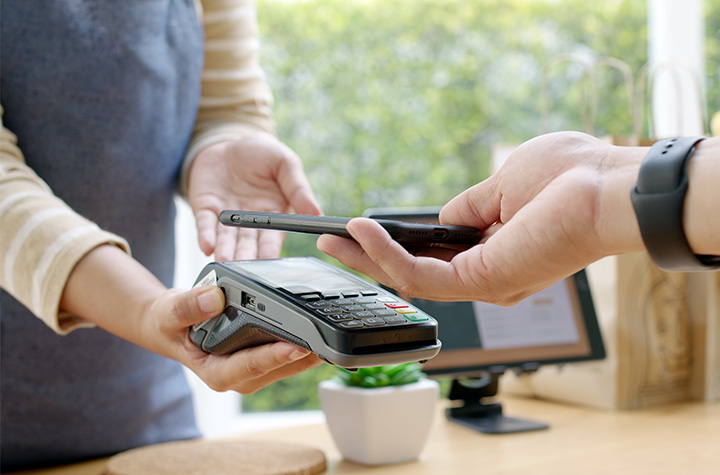
This improves restaurant operations dramatically. Orders flow faster, tables turn quicker, and staff can focus on hospitality instead of handling transactions.
Behind the Scenes
QR codes integrate easily with most POS systems and digital platforms. They connect data from the table to the kitchen to the receipt with fewer errors. Diners can even split bills via QR code table payments, keeping the ordering process simple and smooth.
Less friction equals happier guests and more reviews from satisfied customers.
Use Case 3: Promotions, Loyalty, and Engagement
QR codes for restaurant promotions are becoming an essential marketing tool. They give restaurants direct access to boost customer retention and increase sales.
Picture this: a diner scans a QR code on a receipt and lands on a loyalty program page offering a free QR-based coupon for their next visit. Or a tabletop QR code links to a digital voucher encouraging guests to leave more reviews or refer friends.
Some advanced features, such as dynamic QR codes or enhanced real-time analytics, may require a paid subscription or upgrade.
Ways to Use QR Codes for Promotions
- On posters showcasing special events or seasonal restaurant menus
- On receipts linking to surveys or rewards
- On packaging for “Scan to Reorder” campaigns
- On social media or your website, linking to exclusive offers
Using a dynamic QR code allows real-time analytics, tracking scans, testing offers, and editing links without reprinting. These digital tools turn a simple scan into an opportunity to engage and retain customers.
Menu Items and Food Packaging
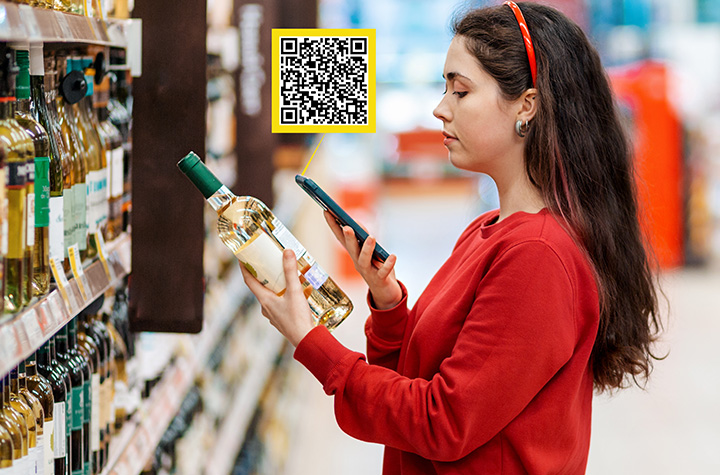
QR codes are transforming not only how customers view restaurant menus, but also how they interact with menu items and food packaging, ushering in a new era of convenience and transparency in the restaurant industry.
By integrating QR code menus and digital menus directly onto food packaging, restaurants can provide instant access to nutritional information, ingredient lists, and allergy warnings, giving guests the confidence to make informed choices with just a quick scan from their mobile devices.
Adding QR codes to food packaging is a smart way to enhance the dining experience, whether customers are dining in, taking out, or ordering delivery. With a simple scan, guests can access a digital platform that offers detailed product information, online ordering options, and even special promotions.
This not only streamlines the ordering process but also reduces the need for physical menus and printed materials, resulting in significant cost savings and a more eco-friendly approach to restaurant operations.
One of the biggest advantages of using QR code menus is the ability to update menu items, prices, and nutritional details in real time. No more waiting for new printed menus; restaurants can make menu updates instantly, ensuring customers always have access to the most accurate and up-to-date information.
This flexibility is a game-changer for menu design and customer experience, allowing restaurants to respond quickly to trends, seasonal changes, or guest feedback.
QR codes also play a crucial role in boosting customer retention. By making the menu interactive and engaging, restaurants can collect valuable data on customer preferences, gather guest feedback, and tailor menu updates to better meet guest expectations.
This data-driven approach helps restaurants increase sales and improve customer satisfaction, setting them apart in a competitive market.
Strategic placement of QR codes is key to maximizing their impact. Displaying codes on table tents, restaurant windows, delivery vehicles, and food packaging ensures customers have easy access to menus and promotions wherever they are. This seamless access encourages more orders, increases sales, and enhances the overall dining experience.
Integrating QR codes with online ordering and payment systems like Apple Pay and Google Pay takes convenience to the next level. Guests can place orders and make payments quickly and securely from their phones, reducing wait times and creating a truly contactless menu experience for dine-in guests and takeout customers alike.
By creating a robust digital platform for menu items and food packaging, restaurants can stay ahead of the curve, increase sales, and establish themselves as leaders in the digital age.
The use of QR codes is more than just a tech upgrade; it’s an essential tool for boosting customer retention, streamlining restaurant operations, and delivering a modern, engaging dining experience that keeps guests coming back.
Implementation Best Practices
Getting started with restaurant QR codes is easy, but smart implementation matters.
- After creating your QR code, you can easily download the QR code image or menu design for quick printing or digital use.
1. Choose the Right Type
- Static QR codes: Fixed URLs that work well for simple menus or short-term offers.
- Dynamic QR codes: Editable and trackable, perfect for ongoing promotions and menu updates.
2. Design with Intention
Use your brand colors and logo. Frame your QR code with a clear message like “Scan for Menu” or “Scan to Pay.” Great menu design adds trust and encourages use.
3. Test Across Devices
Ensure your codes scan properly across multiple phones and mobile devices. What works on one phone should work for all.
4. Be Clear About the Action
A QR code without context is just a shape. Use strong CTAs: “Scan to Order,” “Scan for Specials,” or “Join Our Loyalty Club.”
Pitfalls, Challenges & How to Avoid Them
Even the best tech can falter without the right setup. Avoid these common issues:
- Poor Wi-Fi: If guests can’t access your online menu, they can’t use it. Optimize your web page for speed.
- Bad placement: QR codes hidden behind condiments or printed too small frustrate customers. Place them where customers can easily scan.
- Outdated links: Always keep your links up to date and test regularly.
Some guests may prefer a printed menu, so always have a few available. Train staff to assist customers who aren’t familiar with QR systems. Secure platforms protect customer data and boost trust.
Measuring Success & ROI
With dynamic QR codes, you can track every scan and measure engagement. Look at scan rates, conversions, and average order values to measure ROI. Digital menus also reduce print costs and improve efficiency.
Key Metrics
- Scan rates per menu QR code
- Orders and payments generated
- Customer engagement trends
- Reduction in wait time and staff workload
The cost savings and efficiency gains make this a clear win for restaurants ready to innovate.
Future Outlook: The Next Chapter in Digital Dining
The future of QR codes in restaurants is dynamic. They’ll soon integrate with loyalty apps, AR-based menu design, and personalized menu QR systems. Imagine scanning a QR code to preview a dish in augmented reality or to order directly from a table tent via your mobile app.
As digital platforms evolve, QR code technology will continue increasing sales and enhancing the overall customer experience.
Restaurants that adopt these innovations now will lead the charge in redefining modern dining.
FAQs
1. What are QR Codes for Restaurants: Menus, Payments, and Promotions?
They’re scannable digital tools that connect diners to restaurant menus, ordering systems, and payment options using a mobile device.
2. How can a restaurant use a QR code to replace a printed menu?
Display a menu QR code that links to an online menu, allowing customers to browse and place orders easily.
3. Can QR codes in restaurants be used for payments and ordering?
Yes. Guests can use Apple Pay, Google Pay, or mobile apps to pay securely after they place orders.
4. What are the benefits of using QR codes for restaurant promotions?
They help increase sales, boost customer retention, and drive online engagement.
5. What should restaurants watch out for when implementing QR codes?
Test your QR codes, avoid broken links, and use a trusted QR code generator to ensure reliability.
6. Do QR codes improve service speed and efficiency?
Absolutely. They reduce wait times and simplify the ordering process.
7. How do dynamic QR codes differ from static QR codes?
Dynamic QR codes can be edited and tracked, while static QR codes are fixed and can’t be changed.
8. How can a restaurant measure the success of its QR code strategy?
Track scans, conversions, and ROI using built-in analytics from your QR code generator or website platform.
9. Are there guest experience downsides to using QR codes?
Some guests still prefer physical menus. Offering both ensures inclusivity and a great customer experience.
10. What’s next for QR codes in the restaurant industry?
Expect tighter integration with apps, more advanced digital menus, and innovative features that elevate the dining experience.
Conclusion: The Small Code Creating Big Change
QR codes for restaurants are transforming the dining experience, simplifying operations, improving payments, and enhancing restaurant marketing.
From digital menus to loyalty programs, they’re helping restaurants create modern, memorable, and efficient service that keeps customers coming back.
Embrace these simple steps, and you’ll not only save time but also increase sales, improve service, and build a future-ready business.
Contact Barcodes Inc. today to learn more about a fully integrated POS environment.
Transform Kitchen Operations Through Digital Workflow Automation
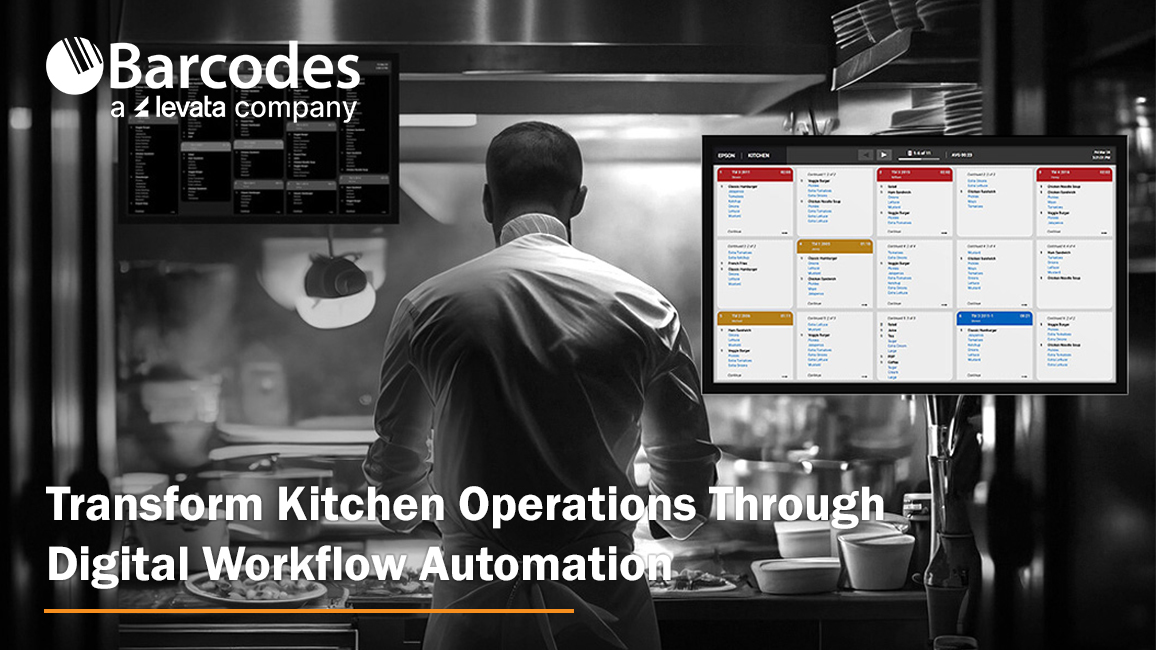
Whether you are running a quick-service restaurant (QSR) or a small restaurant operation, nothing impacts business success more than efficiency, accuracy, and clear communication. Relying on paper tickets and manual processes are outdated operating workflow that slow down service and introduce costly errors. Modern kitchen operations require digitization solutions—like the Epson® TrueOrder™ Kitchen Display System (KDS) offered by Levata—that deliver an affordable, easy-to-install, and highly configurable solution designed to improve overall kitchen operation performance.
From order entry through food preparation and fulfillment, TrueOrder KDS helps restaurants reduce mistakes, minimize paper usage, and keep teams aligned during peak service times. Built specifically for demanding restaurant environments, it combines intuitive software with flexible hardware support to fit a wide range of kitchen layouts and workflows.
Designed for Real-World Kitchen Operations
At the core of TrueOrder is its ability to adapt to how your kitchen actually works. The system supports up to nine stations, allowing orders to be intelligently routed to the right prep areas for parallel processing. This enables kitchens to optimize throughput, reduce bottlenecks, and ensure each station focuses on what it does best.
Customizable display views are available for kitchen staff, expediters, and customer-facing displays, all operated through intuitive touch controls or traditional bump bars. Flexible grid layouts make it easy to highlight key order details, prioritize items, and keep teams focused on what matters most during service. For restaurants that want to reinforce their brand, logos can be added directly to displays for a consistent, professional look.
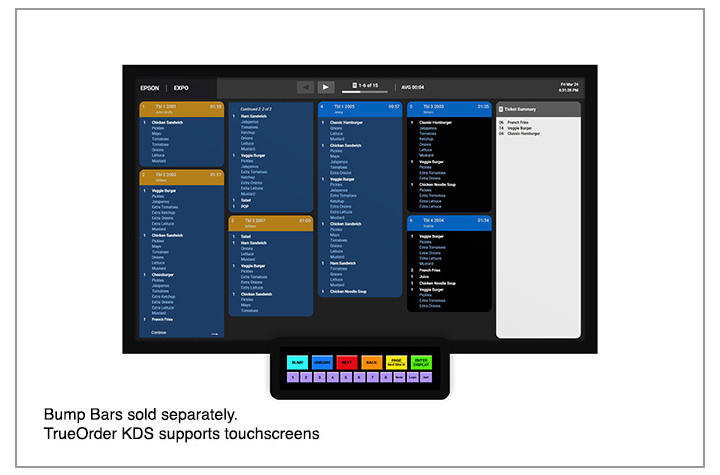
Epson® TrueOrder™ KDS: Key Features & Specifications At-a-Glance
Designed specifically for fast-paced restaurant environments, Epson TrueOrder KDS delivers flexible configuration, reliable performance, and intuitive operation without adding IT complexity.
Core System Capabilities
- Supports up to 9 kitchen stations for optimized, parallel food preparation workflows
- POS-agnostic design works with traditional and tablet-based POS systems—no software modifications or special licenses required
- Digital order routing sends tickets directly to the correct prep, expo, or customer-facing stations
- Local network operation ensures reliability with no Internet connection required
Customizable Workflow & Display Options
- Configurable views for prep stations, expo stations, and customer-facing displays
- Flexible grid layouts help prioritize items, highlight modifiers, and improve visibility
- Touchscreen and bump-bar support to match staff preferences and kitchen environments
- Brand customization allows logos to be added to multiple displays for a polished, professional look
Hardware & Device Compatibility
- Versatile device support including all-in-one touchscreens and media player devices
- Compatible with Epson receipt and label printers to enhance kitchen communication
- On-demand labeling for order numbers, modifiers, bag contents, customer names, QR codes, and branding
Simple Setup & Management
- Easy installation with support for multiple hardware configurations
- Browser-based configurator utility accessible from most devices with a web browser
- Quick staff onboarding thanks to an intuitive, easy-to-learn user interface designed for QSR and small restaurant environments
Built for Accuracy & Efficiency
- Eliminates lost or illegible paper tickets by digitizing the entire kitchen workflow
- Improves order accuracy by clearly displaying real-time order information at each station
- Reduces paper usage while increasing speed, consistency, and communication during peak hours
This combination of flexible configuration, reliable performance, and easy deployment makes Epson TrueOrder™ KDS an ideal solution for restaurants looking to modernize kitchen operations without added complexity or cost.
A Complete Epson POS Ecosystem
TrueOrder integrates seamlessly with Epson’s industry-leading Point-of-Sale (POS) printing solutions. Epson label printers enable personalized, on-demand labeling for virtually any hospitality environment, while Epson receipt printers deliver high-performance thermal printing for PC POS, mPOS, and cloud POS systems. Backed by decades of reliability, these solutions help create a cohesive, dependable kitchen workflow.
Optimize Your Kitchen with Confidence
The Epson TrueOrder Kitchen Display System delivers an affordable, reliable, and fully customizable way to digitize kitchen operations. By improving accuracy, streamlining workflows, and simplifying setup, TrueOrder helps restaurants operate more efficiently today—while staying flexible for the future.
The Epson ColorWorks C4000: Compact Powerhouse for On-Demand Color Label Printing
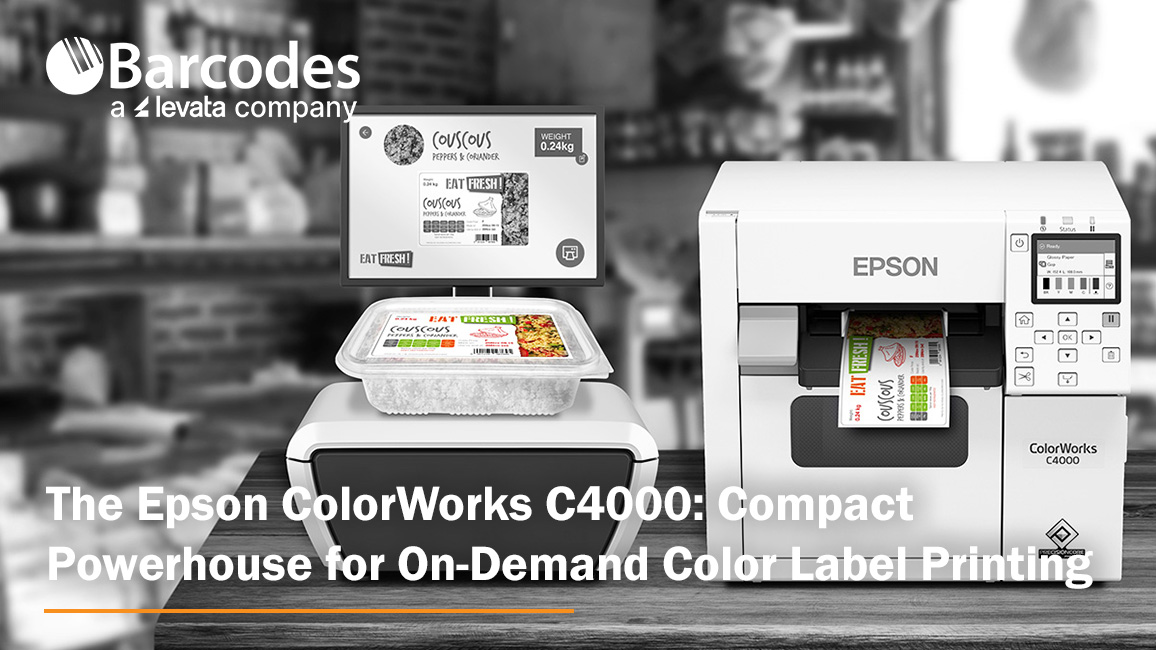
Any business will agree that labels are not an afterthought—they are a critical component of branding, communication, and safety compliance. But when you rely on external vendors or slow, generic monochrome processes, you sacrifice speed and control. Imagine having the power to instantly produce high-quality, vivid color labels precisely when and where you need them.
From enhancing the shelf appeal of product and package labels to ensuring regulatory accuracy with pharmacy and compliance labels, the business benefits are immense: cut costs and waste while drastically reducing lead times. Read on to discover how an on-demand color label printer like the Epson ColorWorks C4000 delivers precision, flexibility, and reliability in one small footprint.
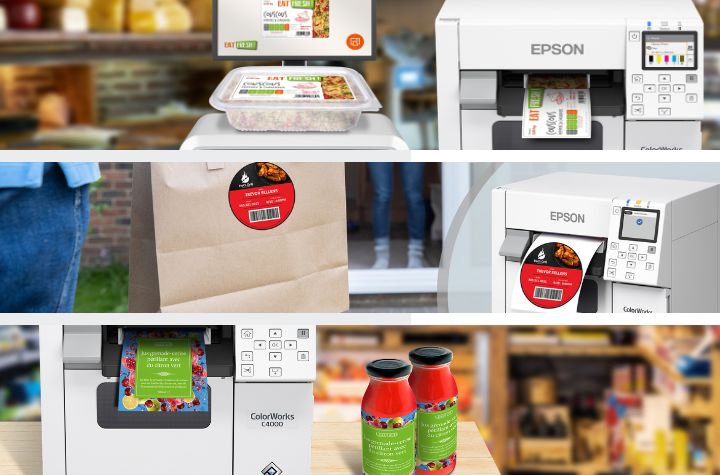
A Powerful and Compact On-Demand Label Solution
The ColorWorks C4000 is purpose-built to give businesses of any size the ability to print professional-quality color labels in-house and on-demand. Here is how the ColorWorks C4000 turns technology into operational excellence:
- Exceptional Quality: Produces crisp, photo-quality images, fine text, and barcodes with up to 1200 dpi resolution.
- Seamless Integration: Easily fits into existing workflows thanks to compatibility with ZPL II®, SAP®, major middleware, Windows®, Mac®, and Linux, minimizing disruption during setup.
- Maximize Uptime and Reliability: Engineered with technology that supports continuous use and prevents print defects.
- Compact and Robust Design: Small for workspace convenience, but big on toughness that resists dust and water for commercial use.
- Reduced Printing Costs: Offers a low cost of printing, comparable to existing thermal transfer printers.
- Enhanced Productivity: Get the job done quick – the ColorWorks C4000 warms up lightning-fast and prints up to four inches per second.
- Durable and Compliance-Ready Labels: Ultimate durability that meet BS-5609 certification for demanding applications, including GHS chemical labeling and immersion in seawater.
- Easy Operation and Maintenance: Don’t lose time on the basics – enjoy simple media and ink loading, easy-to-read operating screen, and Windows drivers.
- Flexible Connectivity: Includes optional Wi-Fi® connectivity and Software development kits (SDKs) and remote printer management tools make it easy for IT teams to deploy, monitor, and update printers, essential for managing large fleets over a network and supporting mobile printing.
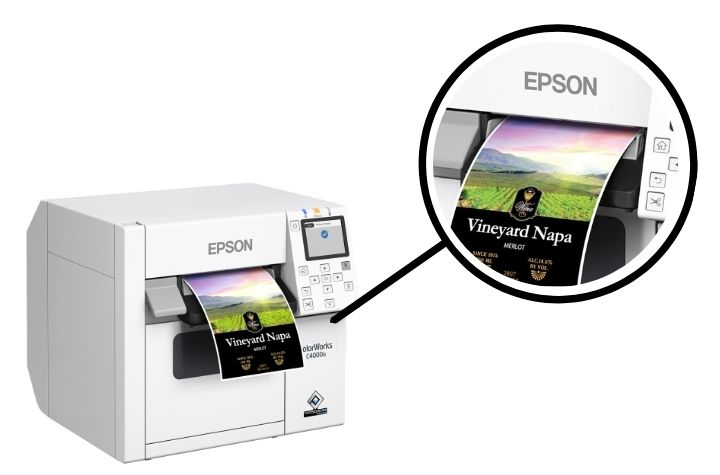
Exceptional Image Quality and Versatility
The C4000 is available in Gloss and Matte printing capabilities, using durable pigment-based inks designed for different media types. The gloss black ink works best for glossy substrates and provides a wider color gamut, while the matte version offers rich, deep blacks and crisp detail on matte materials. Both inks deliver outstanding resistance to water and chemicals, making the C4000 a great fit for chemical labeling, shelf tags, wristbands, or packaging applications that require long-lasting durability.
Enterprise-Ready Reliability
For enterprise users, Epson’s remote management tools allow IT teams to manage large printer fleets from a single dashboard. Administrators can perform mass configurations, push firmware updates, generate usage reports, and set automatic alerts for maintenance or consumable levels.
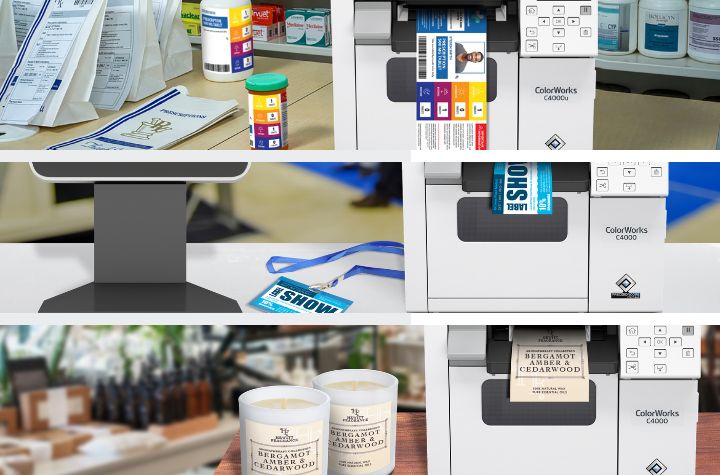
Customizable Application Use
The Epson ColorWorks C4000 comes standard with an auto cutter, making it simple to produce labels of varying lengths without manual trimming. This flexibility supports a wide range of applications, including but not limited to:
- Shelf and retail labels
- Cosmetic and personal care labels
- Pharmacy labels
- Chemical and GHS-compliant labels
- Shipping and logistics labels
- Click-and-collect retail order labels
- Visitor and event badges
High Performance, Low Total Cost
Stacked with advanced capabilities, the ColorWorks C4000 offers a low total cost of ownership when compared to many thermal transfer printers. By producing labels on demand and eliminating preprinted stock, it reduces waste, shortens lead times, and empowers businesses to respond faster to market changes while maintaining full control over branding and design.
Capture the Potential Behind Every Label
At a time when cutting through the noise has never been harder, vivid color labels present a competitive advantage—an opportunity to ensure your product stands out—that directly impact sales, compliance, and loyalty. With the Epson ColorWorks C4000, businesses can print professional-grade, durable labels whenever they need them—without sacrificing quality, speed, or reliability. Always ready to produce stunning, high-resolution color output from anywhere, the C4000 is much more than a printer—it is a production-ready tool designed to help your business communicate through color and operate more efficiently.
Learn more about the Epson ColorWorks C4000 and explore its full capabilities here.
The Hidden Cost of Receipts – And How Epson Helps Businesses Save
Every day, millions of receipts are printed in stores and restaurants. Receipt printing may seem insignificant — just slips of paper moving from clerk to customer — but the cost is very significant. Receipt printing represents hundreds of millions of dollars in annual spend, mountains of paper waste, and hours of lost productivity.
For retailers and hospitality businesses looking to save money while also advancing sustainability initiatives, Epson offers high-performing receipt printers designed to use reduce paper usage. With its easy-to-use Paper Savings Estimator tool and patented Advanced Paper Savings technology, Epson is making it easier than ever for businesses to see just how much they could save by optimizing receipt printing.
Why You Should Assess How You Print Receipts
It’s easy to underestimate the true cost of printed receipts. In 2025 alone, U.S. businesses are projected to spend more than $540 million on receipt paper. Now factor in storage, logistics, and time spent replacing receipt rolls, and the expense becomes even greater. On a national scale, Americans use an estimated 620 million pounds of receipt paper every year — an enormous figure for something most customers discard within minutes of receiving it.
For businesses with hundreds or thousands of registers, this is more than a supply-line issue; it’s a direct hit to operating margins. But the good news is that nearly half of this paper use can be avoided with the right technology.
How Epson Cuts Receipt Waste Without Compromise
Condensing receipt information to save valuable paper space can create more problems than they solve — especially when they shrink logos to the point of being unreadable, compress text until it becomes illegible, or prevent barcodes from being scanned. Epson takes an innovative approach—it’s Advanced Paper Savings feature, available across Epson point-of-sale printers, trims receipts intelligently without affecting usability or brand clarity.
How Epson receipt printers reduce paper waste:
- Margin Optimization: Reduces empty space at the top and bottom of each receipt.
- White Line Reduction: Detects and removes unnecessary blank areas between sections.
- Line Spacing Control: Slightly condenses the spacing between lines of text while keeping everything legible.
- Typeface Adjustments: Uses subtle font size changes to take up less space without hurting readability.
- Barcode Height Reduction: Decreases barcode height while ensuring scanners still capture it accurately.
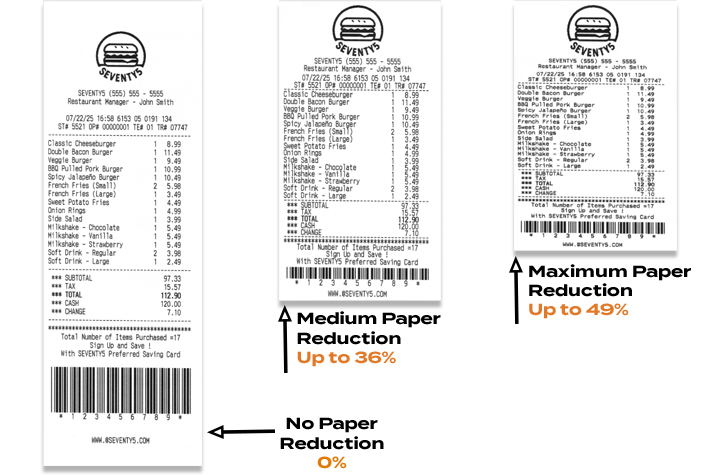
Epson printer technology can reduce paper usage by up to 49%, helping businesses save money and reduce waste — without compromising performance or presentation.1
Free Paper-Saving Estimator Calculator
To help businesses quantify the opportunity, Epson has launched an online Paper Savings Estimator. This interactive tool allows retailers and hospitality operators to input information including average receipt length, printing volume (receipts per day), total number of printers used, and cost per roll. The estimator will calculate an estimated amount of paper and money that a business could save using Epson’s Advanced Paper Savings feature.
For example, a fleet of just 5,000 printers printing 100 standard 12-inch receipts per day could burn through over $1 million in receipt rolls and nearly 1 million rolls annually. Epson’s estimator helps visualize how quickly those costs add up — and how much businesses stand to recover by making receipts shorter and smarter.
Savings That Scale
Even at the store level, the math is meaningful. A single receipt printer can consume more than $200 worth of paper per year. Across a chain with thousands of printers, trimming receipt length could mean millions of dollars in savings annually. That’s before considering the reduced labor of swapping fewer rolls and the sustainability benefits of using less paper overall.
The Smart Choice for Modern Retail
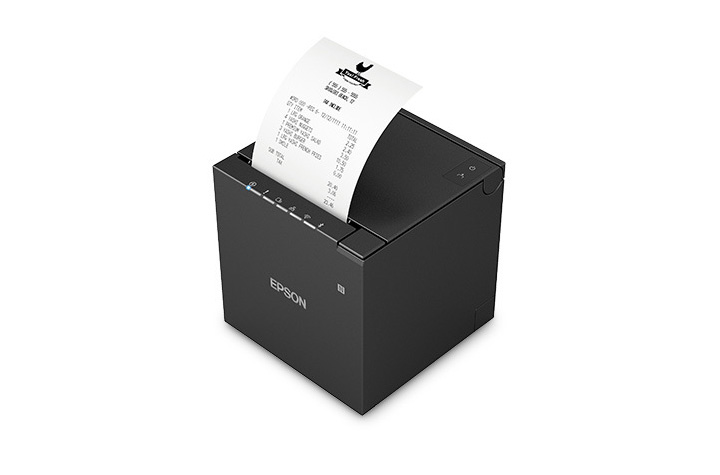
One of Epson’s latest solutions, the OmniLink™ TM-m50II, showcases these features in a compact, modern design that’s easy to integrate into fast-paced retail or hospitality environments. Supporting multiple connectivity options, from USB and Serial to Ethernet and wireless, it delivers flexibility alongside Epson’s proven paper-saving tools.
By combining powerful hardware with intelligent software, Epson helps businesses do more than print receipts — it helps them reclaim budget, streamline operations, and meet their sustainability goals.
Final Takeaway
Receipts may seem like small details in the customer journey, but they represent a big opportunity for operational savings – see how in this infographic. With printers like the OmniLink™ TM-m50II engineered with Epson’s Advanced Paper Savings features and the new Paper Savings Estimator, businesses can see exactly how much they’re spending, how much they’re wasting, and how quickly they can turn receipts into a source of efficiency instead of cost.
1Paper-saving feature up to 49% on the TM-T88VII model. Paper-savings percentage varies by model and printer settings. Full paper savings functions are available only for text-based receipts. For image-based receipts only the top and bottom white space reduction is available.
How to Best Prepare Your Retail and Warehouse Operations for the Holidays with Mobile Technology
The holiday season is the most critical time of year for retailers and eCommerce businesses. Sales opportunities are high—but so are the challenges. From increased demand to labor shortages and supply chain factors, unprepared operations risk lost sales, frustrated customers, and costly inefficiencies.
This year, success will hinge on more than just stocking up and hiring temporary staff. Innovative technologies that mobilize your workers can make the difference between struggling to keep up and thriving through the busiest shopping period. Two game-changing solutions—mobile POS stations for the store and mobile powered carts for the warehouse—are helping forward-thinking businesses prepare now.
Transforming the Retail Floor with Mobile POS stations
Long checkout lines remain one of the biggest causes of lost sales and customer frustration during the holidays. Customers are quick to abandon purchases if the wait feels too long. Traditional fixed registers limit how quickly retailers can scale capacity and decrease congestion in checkout areas.
What’s an effective solution to solve retail checkout bottlenecks? The Newcastle CheckMate 1000 Mobile POS Station is a compact, flexible mobile retail checkout cart built for seasonal surges. The CheckMate 1000 allows retailers to optimize the checkout experience. Instead of being tied to static registers, managers can deploy mobile POS units where and when they’re needed most in stores.
- Line-busting power: Place units near entrances, fitting rooms, or popular sections to keep lines moving and reduce customer frustration.
- On-demand capacity: Add POS stations during peak shopping days, then reclaim the space afterward without costly buildouts.
- Never-quit swappable power: Each unit supports printers, cash drawers, tablets, card terminals, and more—running all day with hot-swappable batteries.
- Customizable branding: With plenty of space for logos and design elements, units reinforce brand identity while serving customers quickly.
The result: faster service, higher conversion rates, and less reliance on floor space expansion. For store operations leaders, the ROI is undeniable—prevent walkouts and maximize sales during the most critical weeks of the year!
Unlocking Warehouse Productivity with Mobile Powered Carts
Retail readiness doesn’t stop at the front of the store. Warehouses and distribution centers face their own challenges during the holiday surge: higher order volumes, tighter deadlines, and limited staffing. Every wasted step on the warehouse floor adds up to lost time, reduced productivity, and potential for errors.
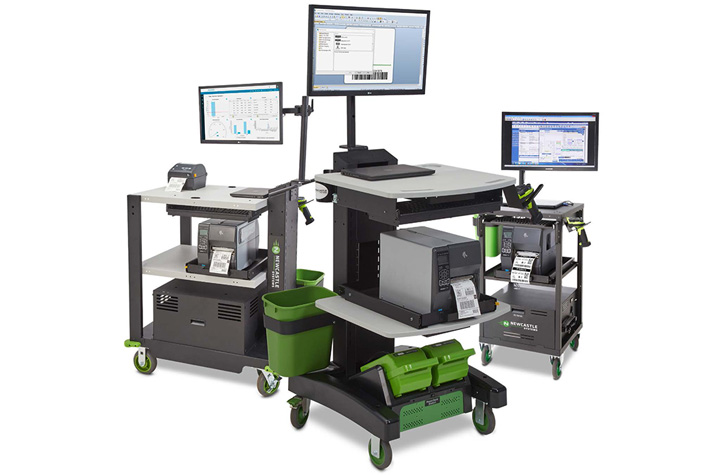
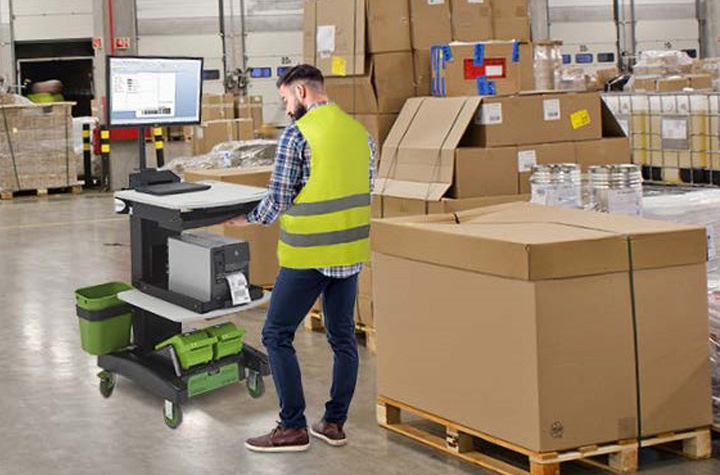
Newcastle Mobile Powered Equipment Carts are transforming workflows in the warehouse. Mobile powered carts connect power, computing, and scanning—and put it on wheels to go where workers go—eliminating repeated trips to fixed stations.
- 2x worker productivity: Each associate can complete more tasks without additional headcount.
- 92% fewer errors: Workers can scan, print, and apply labels right at the dock, warehouse aisle, or storage location.
- Fast ROI: Many companies achieve payback in as little as 6–10 months.
- Ergonomic, worker-friendly design: Adjustable height and mobile work surfaces reduce fatigue while improving accuracy.
- Real-time visibility: Integrated tech ensures instant updates to inventory systems and more reliable order fulfillment.
For warehouses already feeling the strain of labor shortages, these carts deliver efficiency gains that would otherwise require hiring and training more staff—a difficult achievement in today’s tight labor market.
More Tips to Strengthen Holiday Operations
While new technology is a powerful advantage, businesses still need to prepare for the holiday retail season holistically. A few key strategies include:
- Forecast smarter: Use predictive analytics to anticipate demand based on more than just last year’s numbers. Consumer behavior is shifting rapidly.
- Staff strategically: Begin planning for seasonal hires now, even if you don’t bring them on until closer to the holidays.
- Diversify carrier partners: Don’t rely on a single provider; logistics bottlenecks can derail delivery promises.
- Communicate openly with customers: Set expectations around shipping cutoffs and share how you’re preparing for the holiday rush.
Ready Now, Prepared for Later
The holiday rush will always bring challenges—but retailers and eCommerce businesses now have better tools to stay ahead. By embracing flexible mobile POS stations on the retail floor and powered carts in the warehouse, businesses can reduce friction, increase throughput, and turn seasonal chaos into sustained growth.
Businesses that invest early will not only be ready for this year’s holiday surge—they’ll also be building more resilient, efficient operations for the long term.
Contact us to start getting prepared now with powered mobile carts and other technology solutions that will elevate your retail and warehousing operations.
Unitech RT112: The Ultra-Light, Rugged Tablet That Works Where You Do
When it comes to powering critical workflows in retail, logistics, manufacturing, or field service, having a reliable, tough, and user-friendly tablet is a must. The Unitech RT112 Rugged Tablet series—available in both Android and soon-to-be-released Windows versions—delivers precisely that. With its slim design, industrial-grade durability, long-lasting battery, and enterprise-ready features, the RT112 keeps your teams connected, productive, and protected, wherever the job takes them.
Mobility Devices: Transforming Business Workflows
Mobility is more than a convenience — it’s a competitive edge. Equipping your workforce with rugged mobile devices like tablets ensures that critical information, scanning, and task management happen where the work actually gets done — on the warehouse floor, at the checkout counter, in the field, or on the road.
Organizations across industries are rapidly embracing mobility solutions to replace fixed workstations and paper-based processes. This shift unlocks real-time data access, faster decision-making, and improved accuracy, all of which boost productivity and reduce costly errors. Enter the Unitech RT112 Rugged Tablet. Combining best-in-class durability, an ultra-slim lightweight design, powerful performance, and reliable 5G and Wi-Fi 6E connectivity, the RT112 empowers teams to work smarter, move freely, and stay connected.
Ultra-Lightweight Yet Rugged for Demanding Environments
One of the standout features of the Unitech RT112 is its exceptional balance between portability and durability. Weighing just 1.5 pounds with a slim 0.5 inch profile, it’s easy for workers to carry all day without fatigue—whether moving inventory on a warehouse floor, managing checkouts at a busy retail counter, or conducting maintenance inspections outdoors.
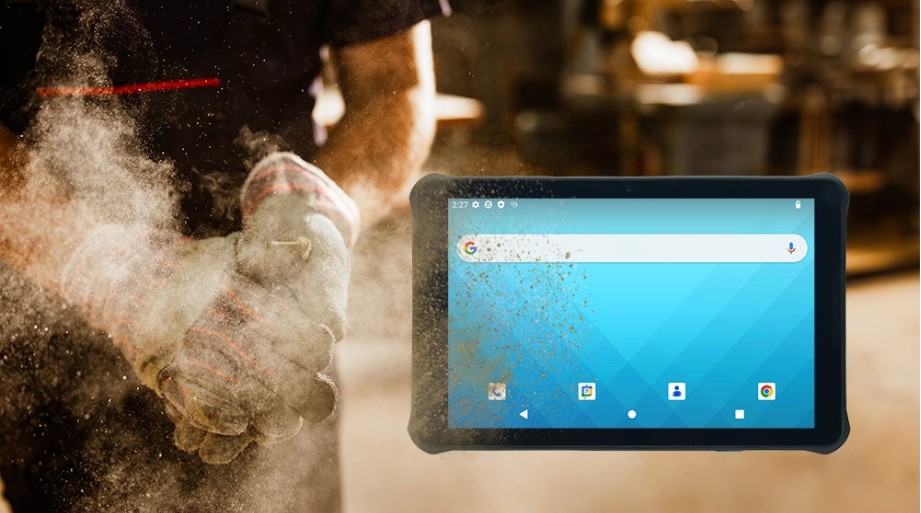
Despite its lightweight design, the RT112 doesn’t compromise on toughness. It’s IP67 certified, protecting it from dust and immersion in water, and can withstand drops of up to nearly 5 feet onto concrete. With compliance to the rigorous MIL-STD-810H standard, you can trust the RT112 to perform reliably even in harsh industrial conditions.
High Performance Meets Seamless Connectivity
Fast, reliable connectivity is critical for any modern operation, and the RT112 delivers. It supports 5G and Wi-Fi 6E, providing lightning-fast downloads, low latency, and robust connections, even in dense environments like warehouses and retail stores.
The Android 13 OS is Google Mobile Services (GMS) and Android Enterprise Recommended (AER) certified, ensuring smooth operation, high security, and simple remote management.
For businesses that rely on Windows-based software, the RT112 Windows variant (launching this September) will offer seamless integration with familiar enterprise tools like ERP, WMS, and POS systems, streamlining your IT infrastructure without compromise.
All-Day Battery Life and Worker-Friendly Features
Downtime is the enemy of productivity. That’s why the RT112 comes with a high-capacity 8800mAh removable battery, capable of powering the tablet for up to 24 hours on a single charge.
The 10.1-inch full HD display is protected by durable Gorilla® Glass and offers 450 nits brightness for clear visibility indoors and outdoors. It supports glove and wet-touch operation, making it easy for workers to use in cold storage, rainy weather, or while wearing protective gloves.
Built-In Barcode Scanning for Smarter Inventory and Asset Management
The RT112 features an integrated high-performance 2D barcode scanner that reliably reads even damaged or poorly lit barcodes. Whether tracking parts on a production line, scanning packages for delivery, or managing stock at retail checkouts, this capability reduces errors and speeds up workflows.
Versatile Accessories for Flexible Deployments
The RT112 can be adapted to multiple work scenarios thanks to its range of accessories, including a rotatable hand strap, shoulder strap, screen protector, vehicle and office cradles, and a capacitive stylus pen. This flexibility makes it the perfect companion for mobile workers, forklift drivers, or in-vehicle computing.
Engineered for Your Industry
- Retail & Hospitality: Mobile POS, membership management, and instant price checks enhance customer experience and speed up service.
- Logistics & Warehouse Management: Rugged tablet for inventory tracking, forklift-mounted order picking, and in-vehicle route updates.
- Manufacturing & Industrial Automation: Supports production monitoring, material scanning, and real-time quality control on the factory floor.
- Field Service & Outdoor Operations: Durable for pipeline inspections, infrastructure maintenance, and reliable data capture in any weather.
Discover more about the Unitech RT112 Android today. Contact Barcodes, Inc. today for personalized help with solutions to your needs.
Streamlining Kitchen Operations: The Epson TrueOrder Kitchen Display System
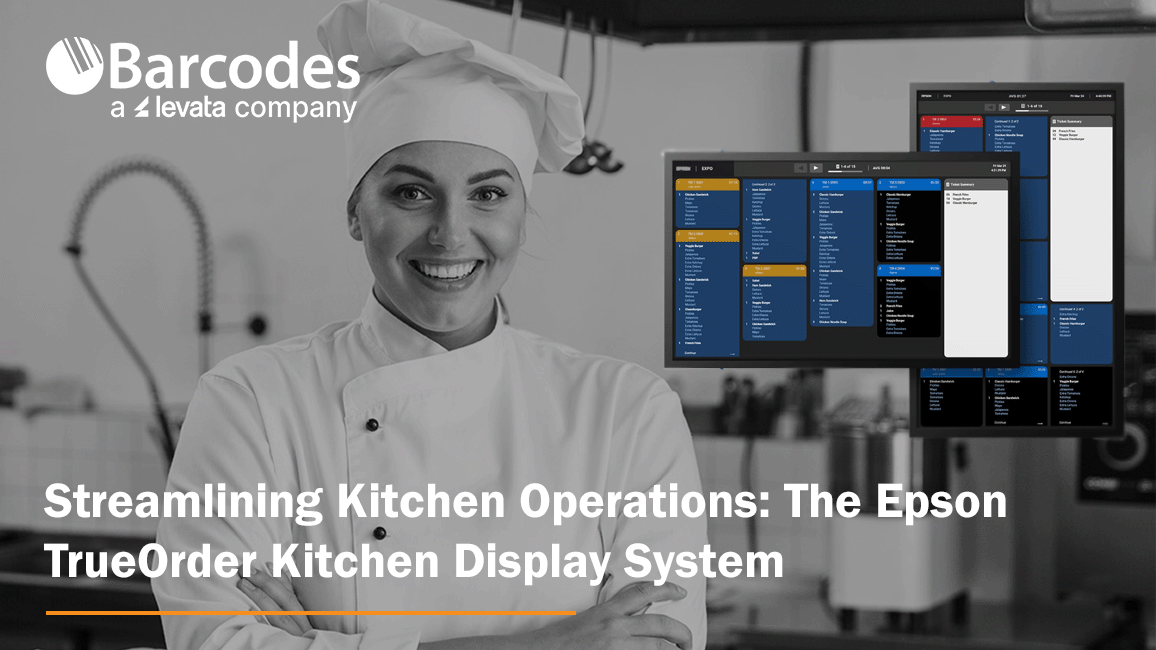
Accuracy and efficiency pitfalls can severely cripple a restaurant’s operations and reputation. Inaccurate orders lead to dissatisfied customers, wasted food, and increased costs. Delays caused by inefficient workflows result in longer wait times, impacting on customer experience and potentially driving diners to leave negative customer reviews or social media posts. So, what’s a restaurant to do? Enter Epson’s TrueOrder Kitchen Display System (KDS), a modern solution to streamline kitchen workflows, enhance order accuracy, and improve overall productivity.
Enhancing Food Service Operations with TrueOrder KDS
Designed specifically to address the challenges of quick-service restaurants (QSR) and small-restaurant environments, TrueOrder KDS integrates seamlessly with existing point-of-sale (POS) systems, providing a versatile and user-friendly experience.
By replacing traditional paper-based order systems, TrueOrder KDS digitizes the order process from entry to fulfillment, leading to significant improvements in efficiency and accuracy. Realize savings by cutting down waste from incorrect order input. The flexibility to add Epson label printers further enhances order accuracy, especially for take-out and delivery services, by clearly labeling items for easy identification. Seamless communication between front-of-house and kitchen staff minimizes confusion, leading to happier employees and improved customer service.
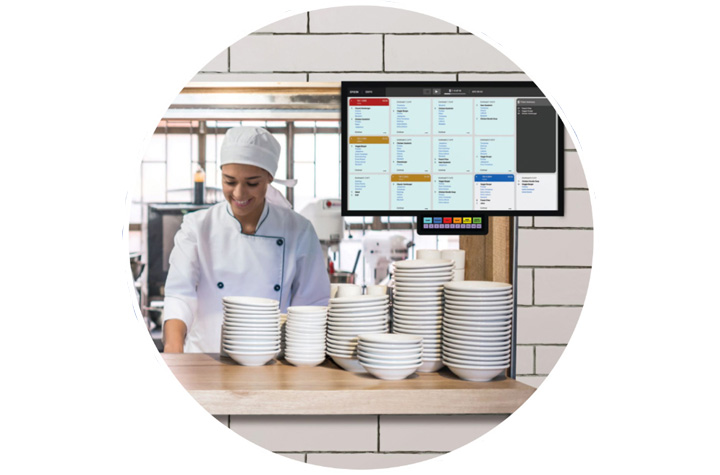
Key Features of TrueOrder KDS
1. User-Friendly Interface
TrueOrder KDS is designed with an intuitive touchscreen interface and offers customizable views for kitchen staff, expediter roles, and customer-facing stations. Considerable convenience comes from the system’s ability to adapt to a restaurant’s existing workflows.
2. Seamless POS Integration
Designed to be POS-agnostic, Epson’s TrueOrder KDS is compatible with a wide range of POS systems and POS devices, promising a smooth implementation process where restaurants can continue using their preferred POS solutions while benefiting from the advanced features of TrueOrder.
3. Customizable Workflow Support
The system offers extensive customization options to align with a restaurant’s unique workflow. Operators can preconfigure specific elements, such as station layouts and display settings, to match their operational requirements.
4. Easy Installation and Setup
TrueOrder KDS is designed for straightforward installation, connecting to local networks without requiring an internet connection. The system’s browser-based configuration utility is accessible from most devices with a web browser, simplifying the setup process and reducing the need for specialized technical support.
5. Monitoring, Reporting and Analytics
The software provides comprehensive reporting and analytics capabilities, allowing restaurants to track key metrics and identify areas for improvement. This allows managers to ensure kitchen efficiency is at peak performance. Some systems allow for remote monitoring, enabling managers to keep an eye on kitchen operations from anywhere.
Conclusion Epson’s TrueOrder Kitchen Display System represents a significant step forward in the evolution of food service technology. Affordable and easy to install, the Epson KDS modernizes kitchen operations by digitizing order processes and providing customizable workflow support. By embracing digital order management, restaurants can streamline their operations, improve efficiency, and enhance customer experience. Contact Barcodes Inc. to learn more!