


Barcoding News
Data tracking news, product updates, tips, and more
Automating Your Retail Store
When speaking to representatives of retail chains, it’s interesting to see how many businesses automate many different areas of the store. Some have a fully automated warehouse system while others have the most modern point of sale system. However, the most successful retail stores have the ability to track an item end-to-end from the moment it hits the dock door to the point of purchase and it leaving the store exit. Below we will walk you through a list of automated retail functions that will improve inventory, shelf replenishment, customer experience and point of sale through an easily automated barcode technology that incorporates mobile computers, barcode scanners, point of sale systems or other barcode equipment, along with our software solutions.
Introducing Printronix’s New T8000 Industrial Thermal Printer
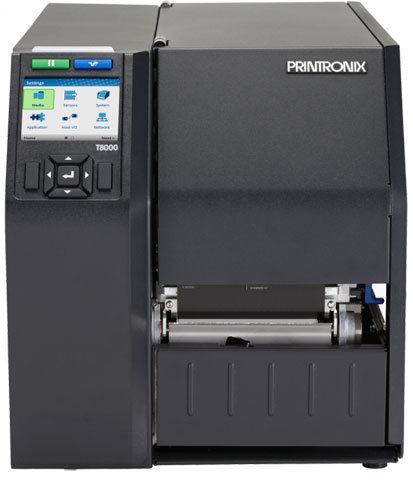 Understanding customers, their needs and the environments they operate in is Printronix’s formula for creating better printing solutions. The latest groundbreaking result to this process is the new Printronix T8000 premier industrial thermal printer. The T8000 exceeds the requirements of the most demanding mission critical manufacturing and distribution operations, offering:
Ease of Use
- New 3.4″ full color display panel with easy to use navigation keys
- Most extensive library of print emulations in the industry, now includes Postscript/PDF printing
- Intuitive printer setup, print quality, and self-help wizard
Industrial Performace
- Seamless integration &connectivity with robust remote printer management
- 40% faster print speed, 6x faster processing speed, and 8x more memory than the competition
- Rugged design for the most demanding global customers and the harshest environments
100%Â Verifiable Output
- Eliminate compliance fines and chargebacks with Online Data Validator (ODV) to produce 100% scannable barcodes every time
- Automatic capture of statistics that can be used as certification stamp and audit
- Fully integrated solution with the ability to retract, void, and reprint labels automatically
For assistance finding the right Printronix printer to meet your needs, contact a printer specialist at Barcodes, Inc
Automating Your Warehouse
 Do you still manually track the data and items that are moved in and out of your warehouse? Did you know that barcodes can maximize inventory throughput, increase productivity and improve accuracy throughout different operational areas of the warehouse? Below we will walk you through a list of warehouse functions that can easily automated using a mobile computer, barcode scanner or other barcode equipment, along with our warehouse management software.
Is Rewritable ID Card Technology a Fit for your Business?
 Does your company have frequent visitors who stay at your facility or building for a short period of time?
Or are you looking for a way to avoid throwing away cards after one use?
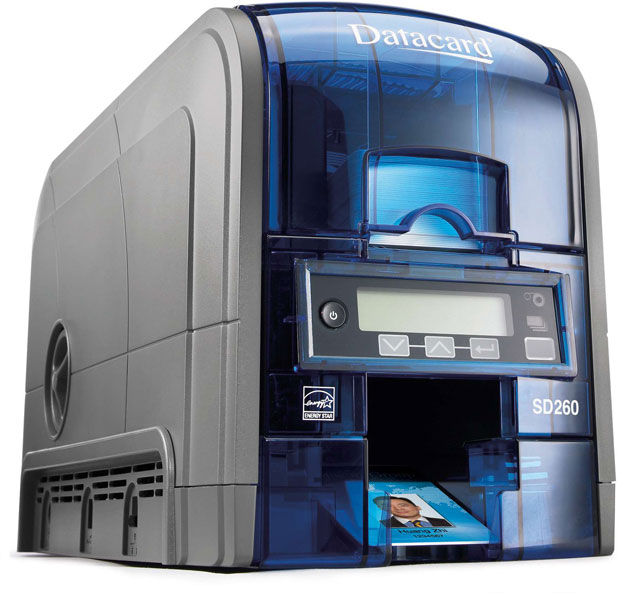
Datacard’s SD260 printer and SD260S card printers now come standard with rewrite technology. Rewritable cards feature a clear, heat-sensitive layer that can be erased and rewritten over 500 times. Rewrite technology provides an affordable way to update cards with frequently changing data or create reusable cards, because rewritable cards reduce the supply costs of reissuance. Datacard offers 2 card options: Blank Rewriteable cards (809836-001) and Magnetic Stripe Rewriteable cards (809836-002)
Rewrite technology is ideal for:
- Corporate visitor ID cards
- Student IDs with rewritable class schedules
- Patient ID cards with rewritable appointments/schedules
- Transit cards with rewritable ticketing details or schedules
- Retail cards with rewritable loyalty points
- Ski lift tickets and other recreation cards
Call one of our ID specialist to discuss how rewriteable cards may work for your business or organization.
Impinj’s Octane 5.4 Update for Fixed RFID Readers
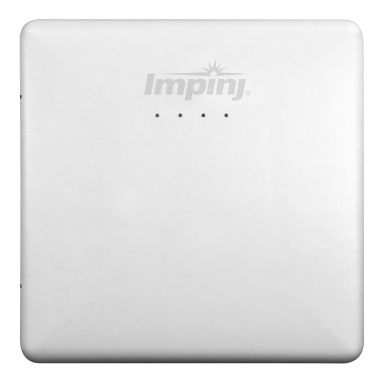 Impinj has announced the availability of the new Octane 5.4, firmware that enables Speedway, xArray, and xPortal readers to access LLRP data from RAIN RFID tags. Octane 5.4 firmware is now available for Impinj authorized partners and our customers that have Enhanced Maintenance. All other users should contact the company their reader was purchased from to request firmware updates. In this update, several new features were added to the firmware based on customer feedback. Also based on feedback, Impinj graduated the Octane Java SDK from beta status.
Updates in Octane 5.4 include:
- Expanded RAIN RFID tag tracking functionality with Impinj xArray tag direction mode.
- Get entry, update, and exit reports for tags as they move through designated sectors via Octane Java SDK 1.2
- Enhanced security profiles to protect your reader.
- Require readers to authenticate to gain network access using standards based 802.1x.
- Leverage SFTP to protect upgrades by authenticating to a remote server and ensuring secure transport of files.
- Encrypt Customer Application Partition (CAP) files to secure embedded applications.
For assistance updating to Octane 5.4 or finding the right Impinj RFID reader, contact one of our RFID specialists at Barcodes, Inc.
Route Planning Solution: Descartes and the MC45 Mobile Computer
 When managing a mobile workforce, one of the first steps to ensuring success is proper fleet management and route optimization. Expanding your workforce’s potential begins with proper planning for pickups, deliveries and service calls.
Having the right software and mobile device is key to providing the tools to maximize fleet and mobile resource utilization and efficiency. At the end of the day, the right tools will allow you to get the most out your workforce while reducing costs and improving service to your customers.
Descartes Route Planning Software and the MC45 from Zebra form  powerful combination for any mobile workforce aiming for maximal efficiency. Pairing Descartes’ real-time visibility and flexibility with the robust wireless connectivity and data collection capabilities of the MC45 makes for the perfect companion to any mobile workforce.
Descartes Route Optimization Features:
- Automated Vehicle Location – GPS-based fleet wide visibility in real-time
- Dispatch – Facilitate new orders, manage exceptions
- Turn-by-Turn Navigation – Reduce miles driven and maintenance costs
- Interactive Voice Response – Automated IVR solutions for pick-up/delivery scheduling
MC45 Rugged Mobile Computer Features:
- Wi-Fi, WWAN, and Bluetooth connectivity options
- True field durability – IP64 rated
- Industry-leading 1D scan engine with Adaptive Scan technology
- 3.2MP Camera
- Outdoor-viewable 3.2″ screen
- VoWWAN handset mode with active noise reduction
CipherLab’s RS30 Enterprise Smartphone with an Industrial Design
The CipherLab RS30 defines a smartphone-like touch mobile computer precisely designed to meet the demands of the customer-facing mobile workers in field sales, field service, retail and healthcare industries.
The RS30’s industrial design has the full protection for users to enjoy its features worry-free in the field. The RS30 series is proven to endure accidental drops, sprinkling rain and dusty environments. It is also thoughtfully built with a 4.7 Corning Gorilla Glass 3 panel capable of taking heavy usage while remaining sensitive to latex gloves. Under this ultimate protection, users can casually carry the RS30 in their pocket along with keys or coins without worrying about scratches. Its ruggedness extends to keeping the operating temperature of the RS30 series at 4°F to 122°F which ensures its efficiency regardless of hot or cold weather in the field. RS30 series is an investment that is built with the ultimate protection.
How to Choose the Right Thermal Ribbon for your Label Printer
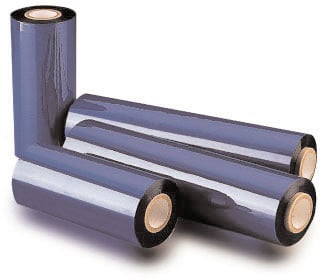 Thermal transfer printing provides for a longer lasting print as compared to direct thermal printing. The reason thermal transfer prints last longer is due to the use of a thermal transfer ribbon during the printing process. A thermal transfer ribbon is required to obtain a long lasting print. However, choosing the proper thermal transfer ribbon to fit your printer and application can be difficult. Help choosing the correct thermal transfer ribbon has arrived!
Follow the simple steps below to identify the proper ribbon:
Step 1: Ensure you have a Thermal Transfer Printer
Ribbon is only used with Thermal Transfer printers. A ribbon cannot be used with a Direct Thermal printers as they do not have the proper internal mechanical components to hold or thread the ribbon.
Continue reading »
EMV Compliance and Payments Explained
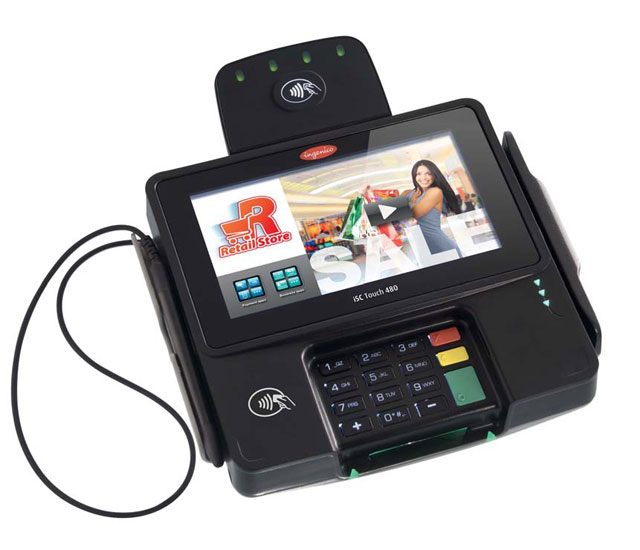 If your business takes any kind of card payments then you probably have been coming across the term “EMV” quite a bit recently. If you haven’t, then it’s a good time to get educated given EMV will be changing the way payments are made and who will be held accountable for fraud in the US.
EMV enabled cards are the type that have the small smart chip on them as well as the traditional magnetic stripe. Compared to  magnetic stripes, EMV cards are much more secure against fraudulent usage and copied cards.
With the October 1, 2015 EMV compliance deadline coming up, getting up to speed on how you can ensure your business isn’t going to be held accountable for fraudulent usage is a must. Barcodes, Inc has you covered with our new EMV Learning Page and the expertise to provide you will payments solutions for any budget.
SATO’s CLNX Series: Industrial Printing Made Simple
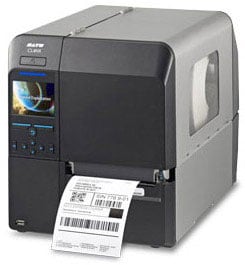 SATO has designed a true plug and play printer with their new CLNX series. The CLNX series has been engineered to be simple to use and easy to assimilate with existing systems. The CLNX also is offered in two different size options, a 4 inch (CL4NX) and a 6 inch (CL6NX).  With its multiple sizes, energy efficiency and coreless ribbon, the CLNX series may be the perfect label printer to easily plug into many different printer applications.
Key features of the new CLNX include:
- Accessible operations from its 3.5-inch color display and onboard video tutorials
- Unparalleled communication and emulation capabilities
- Simple maintenance with its tool free printhead and platens replacement
- Outstanding print quality consistent across a wide range and size of labels
- Superior rugged aluminum die-cast construction
- Equipped for global distribution with 30+ display languages and 40+ print character sets