


Introducing the Ultra-Versatile cab SQUIX Label Printers
Long before advanced manufacturing and the internet of things became at one’s disposal, cab devices did far more than just printing on a label. Since the beginning, cab has been one step ahead. Introducing the ultra-versatile, customizable cab SQUIX label printers. The SQUIX printers are reliable and fast, easy to operate, have a compact design, and meet maximum quality standards. The SQUIX printers support use in a wide range of applications, including PCB labeling, type plate labeling and cardboard and pallet labeling. They have been developed with a constant focus on easy and intuitive operation as well as high reliability. Due to comprehensive peripheral equipment, the SQUIX label printers altogether tackle any task, allowing them to demonstrate their reliability in continuous operation in any working environment.
With a plethora of applications in mind, SQUIX label printers provide solutions for the home and any business, including cannabis. Ultimately when seeking solutions, there are always going to be high standards and important regulations to take into account. Emerging cannabis business owners are met with all kinds of considerations, including monitoring the supply chain and how products move from seed to sale. Having the ability to provide complete seed-to-sale traceability from cultivation to customer requires effective technologies. SQUIX label printers enable all stakeholders, including growers, manufacturers, processors, and dispensaries to meet their regulatory requirements. With METRC tag printing capabilities, SQUIX printers provide solutions for the cannabis workflow that allow cannabis operators to remain within the bounds of regulatory compliance with ease. METRC tags are used by a number of states to track products from seed-to-sale at both the internal operations and state compliance levels.

Features & Benefits:
- Print resolution up to 600 dpi
- Print speed up to 300 mm
- Maximum print width of up to 168 mm
- RS232-C, USB, Ethernet, USB Host, USB Bluetooth adapter
- 256 MB RAM
- Large, color touch display with self-explanatory symbols
- Easy-to-insert labels and ribbons
- Tear-off edge, peel-off and cutter functions depending on the model
- Ability to operate stand-alone, linked to a PC or in a network
- Rugged design
- Option for external rewinding
- Thermal Transfer and Direct Thermal capabilities depending on the model
Where do you need your SQUIX? For more information on how cab’s SQUIX label printers can support your business, contact us today.
Streamline the Online Ordering Experience with Epson OmniLink POS Solutions

Today’s mobile consumers are demanding greater convenience, faster transactions and more personal service. Expand your POS capabilities to deliver new value-added services and faster transaction times with OmniLink smart solutions. Epson‘s OmniLink solutions can allow your restaurant to easily accept online orders without having to replace or upgrade your POS software. With Epson’s OmniLink printers, print receipts at pickup stations, receive the order directly to the kitchen, and improve accuracy with a personalized label per order.
Designed for the next-generation retailer with enhanced customer service in mind, OmniLink POS Solutions deliver cloud services and the ability to print from any mobile device. Thanks to online ordering, customers manage to avoid long waiting periods and can enjoy a hassle-free experience. With the benefit of being able to order their meals online, customers have the freedom to order from any place at any time without pausing everything and placing an order by phone. Online ordering provides restaurants the opportunity to drive more business. As consumers shift online, you don’t just simplify the lives of your customers, but you also establish that your business is able to keep up with the competitor market. When it comes to serving your customers, it’s important to reach the right people in the right places and at the right time. With Epson OmniLink POS solutions, you can redefine the customer experience.
Choose from a wide range of products, specially designed to enhance your online ordering system. Revolutionize the world of online ordering with Epson POS solutions. From the TM-m30II-h to the TM-L90II LFC and all OmniLink models in between, you can streamline the online ordering process and expedite order fulfillment. No matter the application, size or requirements, Epson’s got your covered. Download our infographic to help you choose the model that best fits your needs.
To learn more about online order printing with Epson, contact us today.
On-demand Labeling for the Modern World with the P-touch PT-P900 Series Printers from Brother
Introducing the Brother P-touch PT-P900 Series desktop and barcode label printers. With the P-touch PT-P900 Series, you get complete on-demand solutions for laminated label creation and printing. These desktop and barcode label printers are out-of-the-box ready to create tough, laminated labels that last. The PT-900 Series includes two mideks: the PT-P900W and PT-P950NW. The printers provide a variety of customization options, including add-on solutions for battery, wireless connection and keypads. Design labels on your PC, Mac, tablet, or smartphone and then print using USB or Wi-Fi connectivity.

Both the PT-P900W and PT-P950NW models are exceptional solutions for applications requiring labels with premier print quality, superior surface finish, and unmatched durability to withstand fading, peeling and abrasion, as well as the damaging effects of moisture and harsh environmental conditions. Ideal for applications including Warehousing and Manufacturing, Mobile Professional, Field Services and Clinical Healthcare.
Features & Benefits:
- Durable labels up to 36mm wide
- High-speed and high-resolution (360 dpi) printing
- Ability to print labels from several devices at once, including tablets and smartphones with either the Integrated Wi-Fi PT-P900W model or the Wired Network/Wi-Fi PT-P950NW model
- Built-in auto cutter with easy peel function
- Li-ion rechargeable battery and host of accessories
- Comes complete with software, design tools, and accessories
- Drop-in tape cartridge design helps make media replacement simple and trouble free
- Includes PT-Editor 5 professional barcode and label design/print software application
For more details on the Brother P-touch PT-P900 Series, contact us today.
Zebra Printers Unable to Print After Installing Windows Update
It has become evident that after installing KB5003690 or later Windows Security updates (including out of band updates, KB5004760 and KB5004945), users are having issues printing to certain printers. The issues are primarily found with receipt and label printers that connect via USB.
Printers affected include all printers running Windows 10 versions 21H1, 20H2, or 2004 and all printers running Windows Server 20H2 or 2004. Zebra printers have been impacted, as well as other brands and models.
Windows is aware of the issues affecting multiple brands of printers when printing from PCs that have been recently updated via the Windows Update Service (KB5004945, KB5004760, or KB5003690). They have found that the most common symptom is print jobs being sent, but not actually printing.
This issue is observed after users install the Windows 10 out-of-band security update KB5004945 (or previous updates, KB5004760 and KB5003690). The KB5004945 security update addresses a remote code execution exploit in the Windows Print Spooler service, known as “PrintNightmare,â€Â documented in this article.
The following are the affected Windows 10 versions and their Update KB IDs (build numbers):
- Windows 10/Windows Server version 21H1, 20H2, 2004 – KB5004945 (Builds 19041.1083, 19042.1083, and 19043.1083), including previous updates KB5004760 (Builds 19041.1082, 19042.1082, and 19043.1082) and KB5003690 (Builds 19041.1081, 19042.1081, and 19043.1081)
Please see the links below to view the steps being taken to address these issues across multiple versions of Windows:
| Windows | Version | Link |
|---|---|---|
| Windows 10 | 21H1 | https://docs.microsoft.com/en-us/windows/release-health/status-windows-10-21h1#1647msgdesc |
| Windows 10 and Windows Server | 20H2 | https://docs.microsoft.com/en-us/windows/release-health/status-windows-10-20h2#1647msgdesc |
| Windows 10 and Windows Server | 2004 | https://docs.microsoft.com/en-us/windows/release-health/status-windows-10-2004#1647msgdesc |
Helpful Information:
- Microsoft Support: July 6, 2021—KB5004945 (OS Builds 19041.1083, 19042.1083, and 19043.1083) Out-of-band
- Microsoft Support: June 29, 2021—KB5004760 (OS Builds 19041.1082, 19042.1082, and 19043.1082) Out-of-band
- Microsoft Support: June 21, 2021—KB5003690 (OS Builds 19041.1081, 19042.1081, and 19043.1081) Preview
- Microsoft Security Response Center: Windows Print Spooler Remote Code Execution Vulnerability (CVE-2021-34527)
- Windows Latest: Windows 10 KB5004945 emergency update released to fix PrintNightmare
Redefine Ultra-Rugged Scanning with Honeywell’s Granit XP 199Xi Series
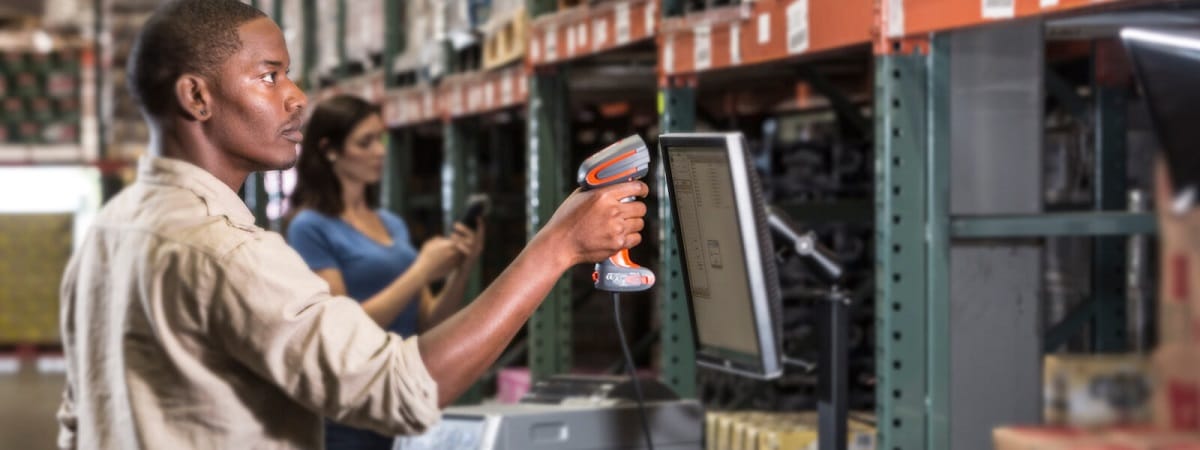
Honeywell’s Granit XP scanners expand capabilities and redefine ultra-rugged scanning. Engineered to persevere after the impact of 10-foot drops and 3.3 foot tumbles from loading docks, fork trucks, and picking trucks, the Granit XP scanners deliver indestructible durability. The scanners embody best-in-class 7,000 tumble specification and IP67 sealing which ensures Granit XP scanners will be ready to work for the long term.
Barcodes boost efficiency in the world of data entry, maximizing productivity in your operations. However, damaged and low quality barcodes can slow down transactions. Due to low quality printing or damage during handling in the warehouse/DC and industrial space, bad labels commonly occur. Built on Honeywell’s next generation imaging platforms, Granit XP ensures that otherwise challenging labels do not hinder your process. The Granit XP models offer high-durability, extreme performance scanning for standard range operations. Created for applications where high speed scanning is needed to maximize productivity, and where durability is non-negotiable for low total cost of ownership, the Granit XP scanners offers the optimal solution.
Features & Benefits:
- Built to survive harsh treatment including 3 m (10 ft) drops, 7,000 1 m (3.3 ft) tumbles, operating temperatures from -30°C to 50°C (-22°F to 122°F) and IP67 sealing
- Granit provides extreme performance scanning, even on damaged and low-quality barcodes.
- Honeywell Operational Intelligence software delivers on-demand scan insights, enabling higher employee productivity and throughput.
- The Honeywell Scanner Management Utility (SMU) creates a holistic solution that automates how you deploy and update the scanners in your environment.
The Granit XP family of scanners have scanning solutions that cater to varying needs. Due to a one-megapixel sensor, 800mhz processer and improved firmware, the Granit XP 199Xi SR provides superior barcode reading performance. Inversely, with FlexRange imaging technology, you can expect ultra-fast scanning from the Granit XP 199Xi XR in tasks requiring barcode scanning from contact to 33 feet. Whether you need standard range or extended range, wired or wireless, Honeywell’s Granit XP scanners will exceed all of your scanning expectations.
Contact us today to choose the Granit XP scanner right for you.
Choosing the Right Mobile POS

With mobility solutions on the rise, there is no doubt that businesses of every kind are turning to mobile POS systems for the freedom of accepting payments virtually anywhere. From tablet‑enabled receipt printers to advanced all‑in-one systems, Epson provides an ideal mobile POS solution for nearly any business. Epson’s robust family of mobile POS products and services ensure your point‑of‑sale needs are covered as your business grows. Epson mPOS products are easy to set up, providing a wide range of connectivity options and broad OS support.
Ideal for businesses on the move, Epson mobile POS products feature a rugged, compact design with a long battery life, the convenience of printing high-quality receipts and barcodes directly from web browsers on tablets and mobile devices, and handheld, wireless printing technology. With the right mobile POS system, your business can have flexibility without sacrificing security. Download our infographic to help you choose the right mobile POS.
If you’ve determined your business is ready to transition to a mobile POS system, the next step is to figure out which one is right for you. Luckily, Epson has your back. Introducing the mSeries, Mobilink, and OmniLink POS solutions.
mSeries
With a cutting‑edge compact design, the mSeries receipt printers were engineered with mPOS in mind
- Compact, stylish industrial design complements modern tablets
- 2″ or 3″ receipt printing
- iOS, Android, Windows mobile and desktop PC‑compatible
- Flexible configuration: Top or front load
- Connectivity options include USB, Ethernet, NFC touch‑to‑print, and more
Mobilink
Lightweight and portable, these rugged battery-powered POS receipt printers help drive transactional efficiency
- Drop‑rated up to 6.5 feet
- 2″ or 3″ receipt printing
- OS, Android, Windows mobile and desktop PC‑compatible
- Models available with Auto Cutter & Peeler
- Connectivity options include Wi‑Fi and Bluetooth
OmniLink
Enhance any POS solution with intelligent OmniLink printer technology
- For traditional and custom POS applications
- Built-in processor supports the latest in POS
- Online-ordering ready with Server Direct Print
- USB POS peripheral device support
- OmniLink Merchant Services (OMS) support
Contact us today to learn more about Epson’s innovative mobile point-of-sale solutions.
Brother PocketJet 7 Meets the Needs of Public Safety Professionals

Public safety professionals require fast, reliable mobile printing solutions that keep them focused on the job, not the technology. With out-of-the-box functionality, the Brother PocketJet 7 mobile thermal printer supports full-page mobile printing from the most popular computers and mobile devices. It features the legendary PocketJet reliability and fast full-page print speeds. With the PocketJet 7, enjoy the freedom to print virtually anywhere, from almost any device, without special apps or drivers.
Features & Benefits:
- Improved officer safety with a wide variety of mounts and carry case options
- Advanced Wi-Fi, Bluetooth, AirPrint, and MFi options
- Engineered for the rigors of public safety field work
- Generate accurate documents, labels, and tags in the field from mobile devices and handhelds – reducing transcription errors, maintaining transparency, and helping cut costs
The PocketJet 7 is compact enough to be carried in a handbag or briefcase and versatile enough to be mounted nearly anywhere in a public safety vehicle. Designed for line of duty, quickly and reliably print full-page or smaller format citations, documents, receipts, labels, and more, including accident reports, amber alerts, summons, warrants, and more.
Recognized for its compact, semi-rugged design, full page format and extreme field reliability, the PocketJet 7 has public safety professionals covered in a diverse range of in-field or mobile use scenarios. Trust the rugged PocketJet 7 mobile printers to help increase efficiency, improve job safety, and help reduce errors and cost so you can do what you do best: protect and serve.
Contact us today to find the public safety mobile printing solution right for you.
How does Zebra’s ZSB Label Printer Stack Up Against Competitors

To stay in step with today’s shifting customer expectations, small and home offices are quickly accelerating repetitive tasks with easy-to-use technologies such as simplistic label printers. However, ease-of-use is only one of the many qualities a label printer should have. That’s why Zebra’s newest ZSB Label Printers have been developed to go beyond competing brands such as Dymo and Brother to deliver a printing experience that empowers small businesses to:
- Print from anywhere through your smartphone
- Accelerate setup since there are no drivers to install
- Store and share custom labels through the cloud
- Speed up media loading for less downtime with drop-in cartridges
- Minimize your carbon footprint with eco-friendly cartridges and packaging
- Create labels compatible with leading e-commerce services (Amazon, Shopify, UPS, etc.)
See the difference for yourself. [Download Comparison Sheet]
Frustration-free printing doesn’t end with your device.
At Barcodes, Inc., we understand that small businesses must operate at top speeds with near-flawless performance to meet customer demands for faster shipping and quality customer service. While the ZSB Label Printer minimizes printing complications and jams, our teams are also readily available to help you with:
- Easy label reordering to prevent downtime
- Large supplies inventory to help you find a label that best suits your needs
- Technical assistance throughout TrueSupport service
To learn more about how Zebra’s ZSB Label Printers can enhance your home office, contact Barcodes, Inc. here.
Introducing a New Label Printer for Small Office and Home Office Environments
Studies show that 99% of businesses in America are in fact small and growing operations, comprising well over half of the national workforce. To thrive in today’s highly competitive markets, small businesses can’t afford to waste time with slow and inadequate technologies, yet complex and bulky devices also have no place in the home office. That’s why Barcodes, Inc. is excited to introduce small and home offices to Zebra’s newest label printer – the ZSB Series.
Building on a legacy of intelligent technologies, the ZSB Label Printer harnesses the power of Zebra’s established enterprise-grade printers into one frustration-free wireless printer that empowers growing businesses right in their home office.
2-minute setup is just the start of an extraordinary printing experience
Designed to uphold continuous productivity, Zebra’s ZSB is committed to support a variety of small business goals such as:
- Speeding up repetitive tasks – Frequent printer jams cause delays and unnecessary frustrations. The ZSB printers eliminate jams and downtime with user-friendly media loading and wireless printing enabled through your mobile device.
- Simplifying label creation – Providing an adaptable printing experience, the ZSB printer allows you to create and design custom labels while storing your templates in the cloud for easy access and sharing.
- Integrating sustainable printing – The ZSB’s drop-in cartridges are completely recyclable, minimizing your carbon footprint even during your most high-demand seasons. High quality labels also help diminish paper waste, further cutting back your environmental impact.
- Ensuring continual support even after your purchase – In our commitment to supporting growing businesses, Barcodes, Inc. ensures maximum ease-of-use from initial purchase to any maintenance needs in the future, whether it be label ordering or software updates.
Meet the printer that’s not like the rest. [Download Infographic Sheet] High-performing label printing fits neatly in the home office thanks to Zebra’s ZSB Printers. Contact us today to see how you can bring hassle-free printing into your growing business.
Grocery Shoppers Are Expecting Three Things. Are You Delivering Them?
Price, convenience, and speed are key trademarks when it comes to current customer expectations. However, positive customer experiences have also become a driving factor in securing customer loyalty and profitability. Studies show that shoppers can spend up to 140%1 more after engaging in a positive shopping experience. On the flipside, negative experiences are more likely to be shared between current and prospective shoppers, impacting brand identity and decreasing sales. While expectations can vary from brand to brand, today’s customers generally anticipate…
- Omnichannel options – Online shopping is most certainly here to stay. It is expected that as much as 70%2 of shoppers in the US will be purchasing groceries online since it serves as both a convenient and safe way to shop.
- Contactless pickup – Similar to online shopping, BOPIS and curbside pickup have also grown in popularity due to their convenience and safety.
- Personalized experiences – Studies show that 43%3 of customers expect some sort of personalized service from stores in response to their loyalty.
What would seamless hassle-free grocery shopping look like?
To surpass these three common expectations, Barcodes, Inc. recommends targeting the following areas within the supply chain.
- Faster shelf replenishment – Simply put, if products aren’t visible on shelves, customers can’t buy them. That’s why quick cycle counting and fast replenishment are crucial to avoid out-of-stocks. Mobile technologies such as Zebra’s touch computers and hands-free scanners can enable real-time inventory updates as associates scan products immediately during stock counts.
- Intelligent point-of-sale – The longer customers wait in line, the less likely they are to return. Faster data capture through devices like Zebra’s enterprise scanners and MP7000 scanner can help accelerate checkout while empowering self-checkout lanes and loyalty scanning.
- Quicker order picking – As associates adapt to accommodate BOPIS transactions, they must move faster and more efficiently to assemble orders within stipulated time frames. Real-time inventory locationing can help reduce pick paths, accelerating order assembly.
Download our solutions brief for more areas of optimization.
While these are optimum areas to start enhancing the grocery storefronts, there are many other ways to deliver seamless shopping experiences. Leverage Barcodes, Inc.’s expertise in developing a smoother shopping experience, equipped with user-friendly technologies that put the customer experience first. Contact us today for a free consultation.
1 The true value of customer experiences. Deloitte. 2018.
2 Djordjevic, Milos. 20 Incredible Online Grocery Shopping Statistics for 2021. Save My Cent. Feb 6, 2021
3 Wollan, Robert et. al. Put Your Trust in Hyper-Relevance. Accenture Strategy. 2017.