


Barcoding News
Data tracking news, product updates, tips, and more
Zebra’s Quick-Load ZD420 Label Printer
Always leading the way in label printer innovations, Zebra has made desktop printing even easier with their time-saving ribbon cartridge based ZD420 line of printers.
The ZD420 thermal printers are loaded with features for easy use. They are the only thermal printers to offer a ribbon cartridge for fool-proof and split-second installation. The ZD420 also lets you know when the ribbon needs replacing. And, five intuitive status icons make it easy for your workers to see, at a glance, what is needed to keep your printer up, running and available.
Features & Benefits:
- One-of-a-kind ribbon cartridge -Â The only printer in its class to offer a ribbon cartridge for fast and easy loading with the smarts to let you know when the ribbon is running low.
- Updated user interface -Â Makes it easier to use and troubleshoot.
- More media flexibility -Â Standard movable media sensor accommodates off-center black marks, die-cut notches and more.
- Best-in-class print quality - The 300 dpi option is ideal for small labels such as jewelry in retail, specimen collection containers in healthcare and more.
- Easy to deploy-  With more connectivity options — just about every modern connectivity option you can imagine for easy installation, including 802.11ac Wi-Fi and Bluetooth 4.1.
- Easy to manage -Â Integrate, manage and maintain your printers from any location with Link-OS, only from Zebra.
NiceLabel Launches New Software Platform and Product Line
 NiceLabel has released a groundbreaking new software platform “NiceLabel 2017” and introduced a completely new product line that extends from label designers to enterprise label management solutions. The new software has capabilities that allow businesses to achieve maximum print productivity.
It’s with 25 years of industry experience and several years of development that NiceLabel introduces its next generation future-proof technology platform that is better by design and provides unique business benefits that embody the principle Do more. Faster. With less.
NiceLabel now offers 3 core product line to allow scalability for any business
Bartender 2016 Editions Explained
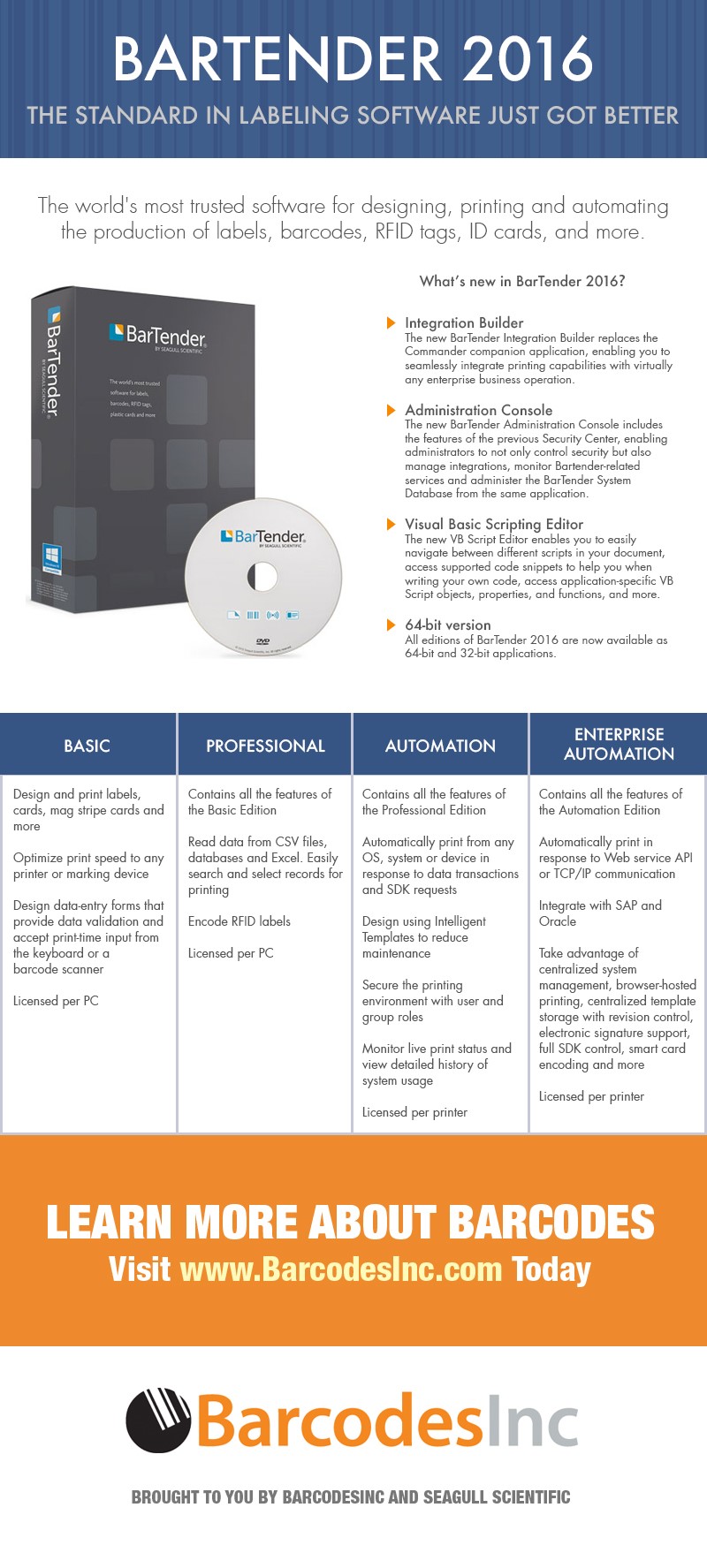
The industry leading label design software, BarTender, is available in several version to meet the needs of your business. From a single desktop license to powering your whole enterprise, there’s a BarTender version to fit the bill.
Case Study: Automotive Manufacturing with Honeywell Solutions
 Executive Summary
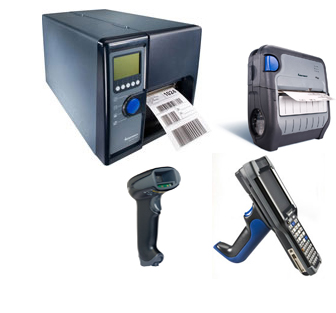
A global automotive parts manufacturer whom specializes in parts and accessories for the productions of cars. With a keen focus on just-in-time inventory, they focus on building customer relationships by setting the right expectations and aiming to over-deliver. Delivering a great customer experience hinges on the companies flawlessly tracking of products from production, finished good delivery and ensuring that their customers inventory levels are optimized. By utilizing Honeywell printers, scanners and mobile computing products, our customer has been able to increase their service level commitments and gain trust from automotive manufacturers around the globe.
The Business Challenge
The Company was expanding and needed a data capture solution that enabled its workforce to optimize their productivity, mobility and product traceability. With operations heavily dependent on product traceability and product movement, they needed hardware that would offer a wide variety of traceability features. With many customers relying on quick turnaround, just-in-time shipping, and accuracy, the Company needed to find a way to operate lean and agile.
Datalogic’s New Joya Touch Multi-Purpose Device for Retail
 Joya Touch is a multi-purpose retail mobile device that is ideal for various applications such as Self-Shopping, Price Checking, Markdowns, Shelf Replenishment, Inventory, Access Control and more.
The Joya Touch device comes in two form factors: a handheld version resembling a smartphone and a pistol-grip version with a comfortable trigger. Retailers can change from one form to the other with ease, adapting to applications and user preferences. Joya Touch is charged using the industry’s first wireless charging technology (Qi compliant) that eliminates the need for maintenance and cleaning of contacts on the device and cradles. This radically reduces support costs and increases the devices’ life span.
The Joya Touch device requires only 2.5 hours to fully recharge the battery and the ‘Boost Recharge’ feature ensures the battery is charged for 80 minutes of use after only 15 minutes of charging!
Bixolon’s SPP-R310 Compact and Ergonomic 3″ Mobile Printer
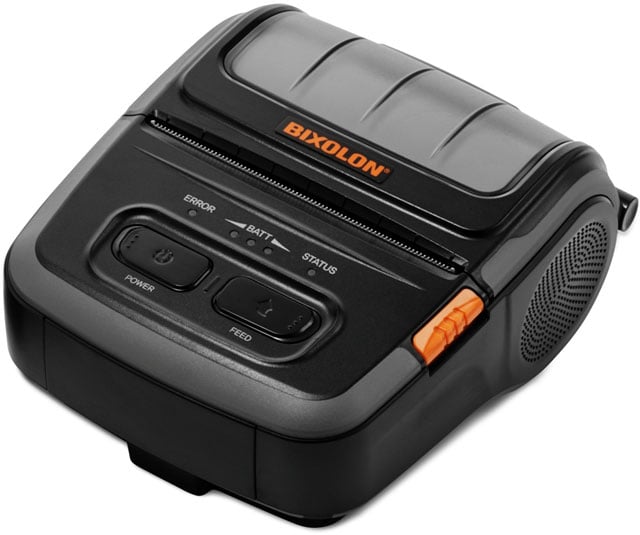 Bixolon has recently launched their new SPP-R310Â super compact, ergonomic three-inch receipt, ticket and label printer with Bluetooth, WiFi, USB and Serial connectivity options.
Supporting Easy Bluetooth Pairing via embedded NFC tag enabling auto pairing with Android, iOS & Windows devices, alongside additional Apple MFi iAP2 certification. Featuring an Auto-Switch function which provides simple automatic switching between iOS mode and standard Bluetooth modes.
Ideal for all retailers from micro merchants to global brands, field service, logistics and more, the SPP-R310 is designed for multi-purpose 80mm receipt, ticket, label and linerless label printing. Producing 203dpi high resolution fonts, graphics, and logos on a 72mm wide media at speeds up to 100mm/sec receipting (80mm/sec linerless).
Full Color Label Printing with Epson’s ColorWorks TM-C3500
Historically, color label printing has been either too cost prohibitive to do oneself or the quality was lacking to make it worth doing. With the Epson ColorWorks TM-C3500 both of these challenges are resolved.
With the ColorWorks C3500, you can easily customise and print your own colour labels. Whether it’s printing packaging labels with colourful logos and pictures or tickets and ID cards with important barcodes and product information, this printer ensures you can print it all from one machine. It also helps you conform with GHS international chemical labelling guidelines, as labels can be printed on-demand without using pre-printed templates.
Sato’s CLNX Series: Beyond Speeds & Feeds
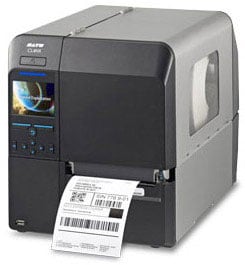 While many companies focus on criteria such as throughput and print resolution when selecting a thermal printer, factors like how quickly/easily a printer can be integrated, how rapidly media can be loaded, and how easily the printer can be serviced have an even greater impact on operational costs. Even small improvements in operational efficiency can positively affect a facility’s equipment up-time or ontime labeling performance. The SATO CLNX Series industrial thermal printer, available in a 4â€Â (CL4NX) or 6†(CL6NX) model, was engineered with problem solving features in mind.
SATO’s goal was to engineer a thermal printer that is easier to integrate, operate, and maintain. If a printer requires a lot of configuration, jams frequently, produces poor quality labels, or is difficult for operators to quickly change out labels, ribbons, print heads or platen rollers, the downtime can be costly in terms of both productivity and expense.
Honeywell ESD
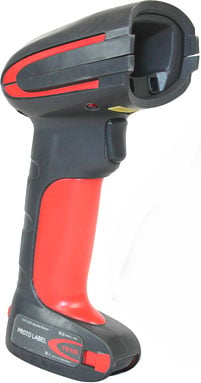 You often hear manufacturers reference ESD when discussing scanners. In fact, on the Honeywell Granit datasheet you’ll see under the “Environmental†section on the back: ESD. ±20Kv air discharge, ±8KV contact discharge
What does it mean and why is it important?
- ESD – electrostatic discharge – is the sudden flow of electricity between two objects resulting from two conditions:
- Air Discharge. A high electrostatic field between two objects when they are in close proximity.
- Contact Discharge. Direct contact transfer of electricity between two objects at different potentials. This is similar to the above except you are injecting the shock directly into the computer. A typical example of this would be 20KV Air Discharge into a scanner vehicle mount. The mount in turn passes an 8KV shock to the scanner.
- Kv is a kilovolt – or 1,000 Volts. And a volt is…um…a unit of measurement to define voltage. Think of voltage, using a plumbing analogy, as water pressure.
Deliver an Exciting, New Customer Experience with Datalogic’s Joya X1
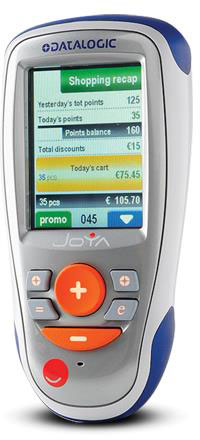 Datalogic’s Joya X1 self-shopping solution is now available to US customers. Joya is a purpose-built device for shoppers that is tailored to provide the best self-shopping experience.  It offers cutting-edge technology and advanced performance in an ergonomic form factor that is easy to use. Using Joya instead of a smartphone allows shoppers to:
- Scan coupon barcodes on their smartphone screen
- Shop faster using optimized barcode technology instead of the smartphone camera
- Send and receive calls and texts while shopping
- Conserve phone battery power
- Prevent phone damage from accidental drops while shopping
For retailers, Joya is a multi-purpose tool that can be used to enhance the shopping experience and increase operational efficiency. Retailers can use Joya to:
- Implement fast and efficient Queue-busting during peak times
- Execute retail inventory functions such as:
- Price checks
- Stock checks
- Restocking
- Markdowns