


Tips: Sato CL4NX / CL6NX Series Cleaning Maintenance
Simple regular maintenance on your printer can be the key factor in getting the most out of your printer, printhead, and supplies.
The Sato CL4NX and CL6NX series of printers represents their next generation of thermal printers with advanced support for barcode symbologies, character sets and RFID encoding. A product of Sato’s global R&D network the NX Series incorporates value-added features in a world-class design to deliver a printing solution that goes beyond expectations.
Honeywell’s Mobile Phone Mode
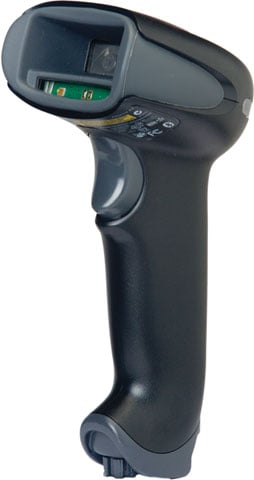 There is a mode titled “Hand Held Scanning – Mobile Phone†that optimizes your scanner to read bar codes from mobile phones and other LED displays. It does this in part by flickering the LEDs. Last week a business was having trouble reading barcodes off of his laptop so we told him to turn the feature on (by scanning the barcode). And of course he stopped having trouble. Note that you don’t have to have this feature on when scanning barcodes off of phones/tablets. It just helps the cause sometimes.
I wanted to know what the impact was on scanning speed when scanning regular barcodes when this feature was turned on. So I tested it.
The results – the Xenon 1900 is a little slower (about 15%) with this feature turned on. That sounds like a lot but the difference in speed really isn’t noticeable. The Xenon still blows through my scanner board.
So don’t hesitate to use this feature if the application calls for it – even if other barcodes are being scanned that aren’t on a phone or a computer screen.
Improve Performance with Honeywell’s Flexible Scanner Power Management
If your business is experiencing network performance issues and you suspect that the Bluetooth scanner is interfering with other devices, you can turn down the power output of the Bluetooth scanner by simply scanning a barcode. There are four barcodes you can scan in the Xenon/Granit/Voyager 1452/1602g User’s Guides:
- Low Power (1%)
- Medium Low Power (5%)
- Medium Power (35%)
- Full Power (100%).
A by-product when you turn down the power output is reduced range between the scanner and its base/access point/host. I get asked a lot about the Bluetooth ranges at those power levels – scanner to base station. So I tested several scanners (because I am a scan-nerd), and here is what I found. Measurements are approximation – RF isn’t exact. Also - I stopped at 100 feet because that’s how big my yard is…and because I’ve never seen an application that requires the Xenon to scan that far from the base station.
Xenon 1902G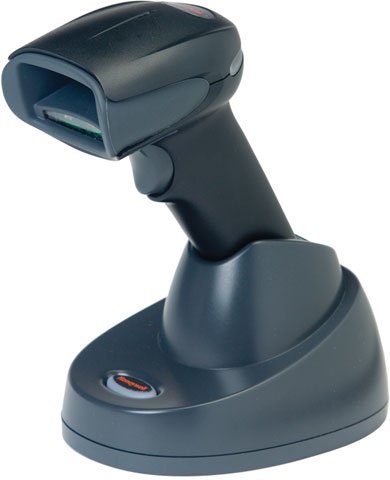 |
Granit 1981i |
Voyager 1452g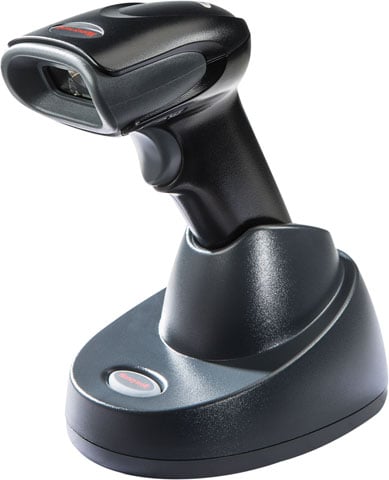 |
|
Low Power (1%)
|
|
|
|
Medium Low Power (5%)
|
|
|
|
Medium Power (35%)
|
|
|
|
Full Power (100%)
|
|
|
|
Bottom line is that if you are really concerned about RF interference, don’t be afraid to turn down the power on the Xenon & Granit. They’ll still have plenty of range. That being said, in the vast majority of cases, the interference has nothing to do with the Bluetooth scanner.
Using Serialization for Unique Identifiers in Seagull Scientific BarTender
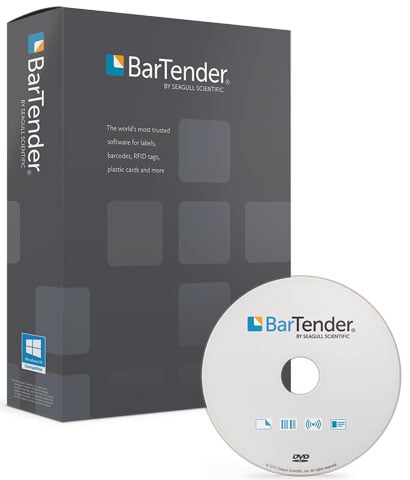 From WIP (work in progress) to the food and pharmaceutical industries, tracking items with unique serialized barcode labels is necessary to accurately and easily locate products in cases of a recall, customer alerts, expiration management, and counterfeit prevention. Proper serialization allows any business to know exactly where a problem starts and ends since each item has a unique, non-repeated barcode to identify it.
One of the many advantages of Seagull Scientific’s BarTender label software is fully integrated serialization capabilities. BarTender has multiple types of serialization options and once you have a data source configured, the value will automatically increment or decrement with every printed label.
For step-by-step guidance in how to setup serialization in BarTender download this convenient white paper
Tips: Pairing Your TSP650II BTi with an Apple iPad
Apple MFi certified, Star’s TSP650II BTi receipt printer is the perfect solution to add receipt printing to your iPod Touch, iPhone or iPad based point-of-sale system. With operating system support for iOS, Android and Windows, the TSP650II BTi features the best of both worlds by coupling the comfort of legacy products with the speed and connection options demanded today in fast-paced point of sales environments.
Zebra Labels for Any Application
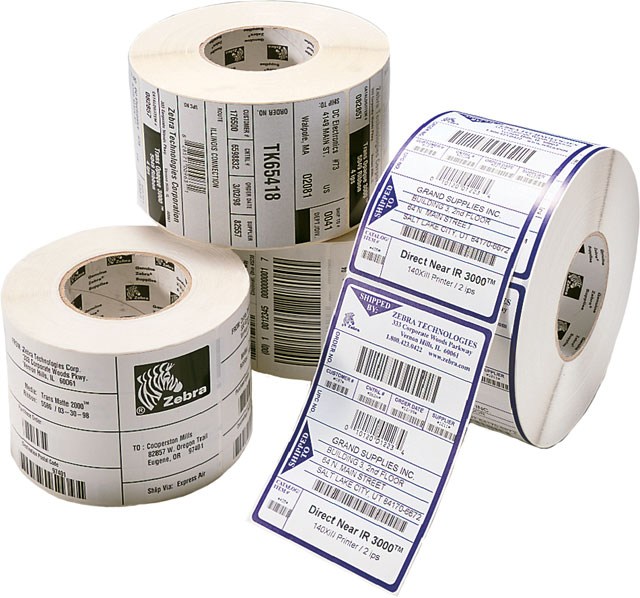 Label printing isn’t rocket science by any means but knowing what label to use for your specific application can be challenge at first. Zebra has been the leading manufacturer of printers and labels with a wide range of offerings to meet the needs of any environment from very short term temporary shipping labels to rugged, outdoor asset labeling.
Following these simple guidelines it’ll be easy to determine which type of label you need and the most suitable Zebra options.
Key Benefits of Vehicle Mount Terminals
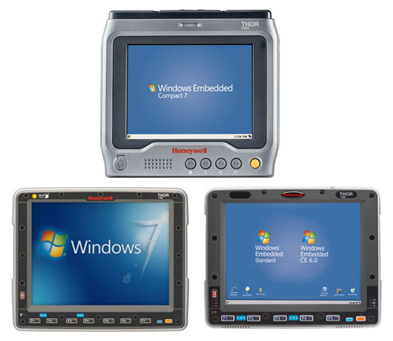 Look into any mid to large scale warehouse operation and you will see vehicle mount terminals in use to improve efficiencies across the facility. Especially in the case of forklifts, embedding a capable mobile terminal can improve productivity and reduce errors from the docks to the yard. Having access to accurate information at all time in real-time aids in every process from receiving to storing, moving around, cross docking and picking.
Key Benefits of Vehicle Mount Terminals
- The vehicle terminal tells your driver exactly what items to pick-up
- The driver has detailed information at all times on where to store product such as a bin or rack number and can confirm the putaway is complete
- The terminal can track product in real time while it is being moved within your warehouse or even cross docked for immediate shipping
- The real time accuracy of information right in the vehicle that is picking the product eliminates human error in selecting the wrong product
- AÂ vehicle mount computer than can immediately confirm the right product is being moved onto the right truck for shipping, eliminating human error
FDA Food Traceability with Zebra Labels
Ever since the FDA passed the Food Safety Modernization Act, anyone involved in the food supply chain has to be able to produce, at any moment, the movement of food from supplier to the final retail store.  With legislation forcing food grower, manufacturers, and distributors to track food from field to the dinner table, having capable and affordable traceability technology is essential for everyone involved.
The biggest motivation behind the legislation is to make it easier to trace and find sources of contaminated food to the correct original source. This may seem at first as a measure mainly for the end consumer but it also protect growers and manufactures in being to very precisely remove their goods from suspicion of tainting as opposed to wide spread recalls. The costs involved in a capable barcode tracking system is noticeable less than even just one recall incident.
The Food Safety Modernization Act calls for, among other things, unique identifiers such as the GS1 databar, and full electronic pedigree or origins of the produce. Barcoding technologies are an important first step in this compliance as growers begin to change and update their record keeping methods. This is where Zebra and their wide range of printers and FDA approved labels are the perfect complete solution.
With printer options for low volume small businesses, GK420 and TLP2824 Plus, to high speed/high output models, ZT400Â and 110Xi4, Zebra’s long standing industry experience and expertise is designed in every printer they make. From labeling a single tomato to whole crates and packaged foods, Zebra has a traceability solution that can improve your business’s accuracy and efficiency.
The Most Common Causes of Unreadable Barcodes
 Item identification and data acquisition through barcodes is critical to the function of automated operations, from ensuring that the correct components are used in the assembly of a smart phone to recording accurate patient data for samples in a laboratory. When poorly-marked or damaged barcodes result in “no-reads†or failures, loss of data can have disastrous effects on product integrity and corporate reputation – not to mention potential legal implications and serious risks to consumer welfare. Understanding the root cause of unreadable barcodes and using technology appropriately to prepare for or resolve these issues is simple to do and it can mean the difference between success and failure in automation. This white paper describes potential solutions for the most common causes of unreadable barcodes, including:
- Low Contrast
- Quiet Zone Violations
- Improper Reading Position
- Print or Mark Inconsistency
- Damage or Distortion
How to Choose the Right Thermal Ribbon for your Label Printer
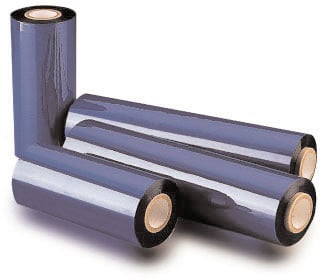 Thermal transfer printing provides for a longer lasting print as compared to direct thermal printing. The reason thermal transfer prints last longer is due to the use of a thermal transfer ribbon during the printing process. A thermal transfer ribbon is required to obtain a long lasting print. However, choosing the proper thermal transfer ribbon to fit your printer and application can be difficult. Help choosing the correct thermal transfer ribbon has arrived!
Follow the simple steps below to identify the proper ribbon:
Step 1: Ensure you have a Thermal Transfer Printer
Ribbon is only used with Thermal Transfer printers. A ribbon cannot be used with a Direct Thermal printers as they do not have the proper internal mechanical components to hold or thread the ribbon.
Continue reading »