


How to Add Logos, Coupons and Text Triggers on the Star TSP100futurePRNT
Star’s TSP100futurePRNT line of receipt printers come with a host of tools to allow you to easily customize your printed receipts without the need of any additional software. With futurePRNT, you can add logos, coupons, and watermarks for unique receipt branding specific to your business and customer needs. With the embedded text triggering function you can even customize the coupons per receipt depending on what the customer purchased.
This video shows how easy it is to create dynamic receipts all within the Star printer.
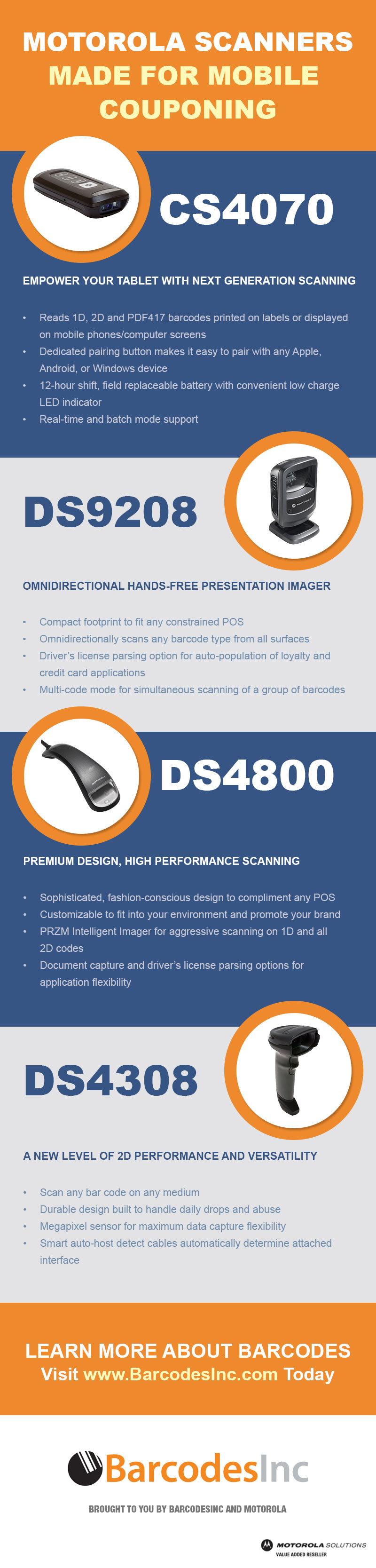
Motorola Mobile Couponing – Infographic
These days, paper coupons being used in stores or restaurants are dwindling. More and more customers have turned to using  their smartphones to take advantage of coupons they have received in their emails or that they have found online for their discounts.  It is important to find the right barcode scanner that can read barcodes from these mobile devices at your point of sale in order to keep your retail business relevant with this growing trend. This infographic is a quick overview of the key Motorola mobile couponing scanners and their main features to get you started finding the right unit for your needs.
Tech Tips: Endorsement, Slip, and Validation Printing
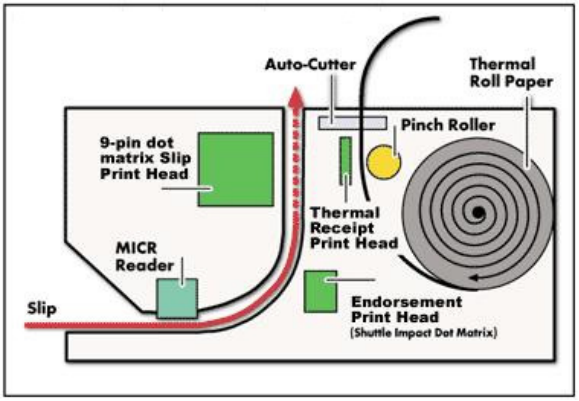 The standard thermal receipt printer that populates most POS checkout lanes today is a single function device for making simple receipts. While this may fill the needs of a basic POS system, there are several types of additional printing that some printers can do for applications that need to also print on checks, return slips, prescriptions or other types of documentation.
The multi-function printers come in a variety of sizes and types with essentially 3 additional types of printing beyond the standard receipt printer.
6 Tips for Purchasing a Verifier
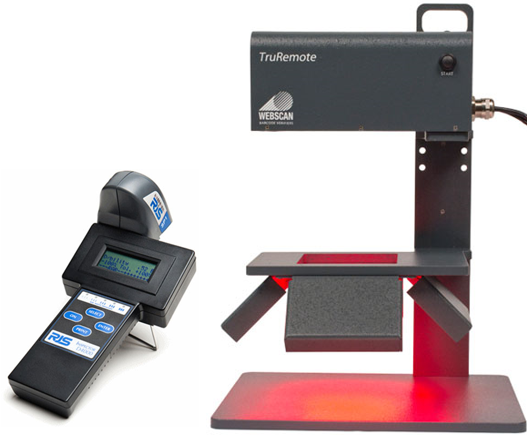 Compared to a standard barcode scanner, verifiers are more technically advanced devices and choosing an appropriate one for your needs requires some very specific concerns. Where a barcode scanner’s only goal is to simply read the barcode and transmit the embedded data, verifiers are analyzing and grading the actual print quality of the barcode. Most businesses never need to get into the nitty gritty of verification but for those that are distributing their products to other vendors like Walmart or the DOD there are heavy fines for sending barcodes that do not meet very requirements.
Verifiers not only are more technically advanced than regular scanners they also carry a much heftier price tag. These 6 tips will help guide you to a verifier that will meet your needs and get the most on your investment.
Choosing the Right Barcode Label Printer
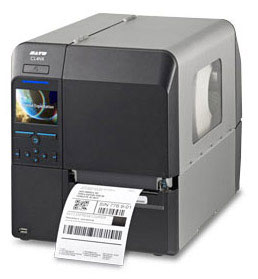 If it is your first time or been a while since you’ve last looked at getting a barcode label printer you may be surprised by the range of possible features currently available on even the most basic of printers. Printing labels has never been simpler and printers that are easy to operate with limited maintenance are commonplace.
With the following main concerns we assume you know the general basics of printing like the difference between thermal transfer and direct thermal, ribbon/label materials, print speeds etc… These points focus more on printer features that will make the daily operation easier and faster for any user.
Printer Construction
Depending on the environment you are working in having a printer that is designed to handle the wear and tear of daily abuse is crucial to a productive printing experience. Desktop printers designed for lower volume office or retail applications will have plastic  cases with a metal frame while industrial models will have complete metal designs.
Advantages of Thermal Receipt Printing
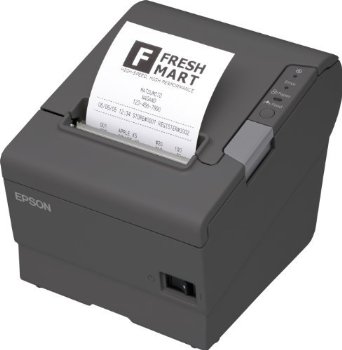 By far, the largest single contributor to POS system operating costs is the receipt printer. It is the only part of the POS system that requires supply items and it also requires more attention than any other POS peripherals. In the new era of POS system open architecture, retailers have the chance to select from many choices, a printer that provides them with the least “trouble†and operating expense. A shift in printing technologies, which has just gotten underway in the POS arena, is beginning to provide retailers with reduced operating costs.
Thermal printing is fast replacing impact printing in many key retail sectors. By its very nature, impact printing wears out parts faster and requires more frequent maintenance. Impact printers also require more attention because they have two supply items; ribbon and paper. Loading paper is complicated by the fact that the paper must be threaded under the ribbon. Nearly everyone has experienced the annoyance of waiting in line while the check out clerk goes looking for the resident paper/ribbon loading guru. With thermal receipt printing, their are no impact parts to deal with.
Finding the Right Barcode Scanner – What Makes Them Different?
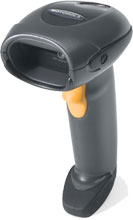
Selecting a barcode scanner may seem like a simple enough task at first glance but given the range of barcodes and how they are used today, it can quickly become a challenge to find the right one. Â Most scanners today are more than capable of reading well printed barcodes on a typical paper label. That said, uses for barcodes have expanded well beyond basic labels and many specialized scanners are available to meet the needs of specific applications. In the following we’ll cover some key features to consider when trying to select the best fit scanner for your needs.
1D or 2D – Printed or Electronic
Probably the most crucial first step in selecting a scanner is determining what kind of barcodes you will be reading. The traditional picket fence style 1D barcodes are still the most commonly used and are often printed on a label but you will find the use of 2D matrix style codes much more common today. Likewise, you may not just be reading barcodes on a printed label as more applications are embracing scanning off of smartphone screens or from codes directly etched/molded into a product. Â In the case of simple 1D barcodes on a label, your standard laser of linear imager will readily meet your needs. For 2D barcodes or applications reading from not printed surfaces, a full 2D imager will be needed to properly scan the code. 2D imagers are more costly but their main advantage is that they can essentially omnidirectionally read any barcode from almost any surface.
3 Tips for Storing Thermal Receipt Paper and Labels
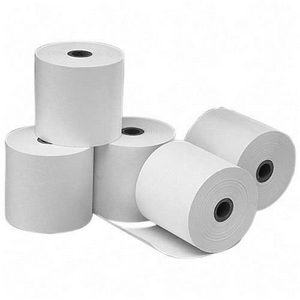 Regardless of the application, having enough printing supplies on hand is essential to avoid any hold ups in daily operations. Keeping enough thermal receipt paper on hand also means making sure its stored properly so you don’t end up wasting money and more time. With the following 3 rules you’ll keep your thermal paper safe and ready for action when you need it.
Keep away from heat
Excessive heat will cause your thermal paper receipt to turn gray at best or turn completely black and illegible at worst. You should always store your thermal paper receipts away from heat sources. Sunlight will also fade your receipts faster than the normal rate. As a general rule it is best to store your paper in a cool, dark, and dry location to ensure the longest use from it.
Common Accessories for your iPad POS System
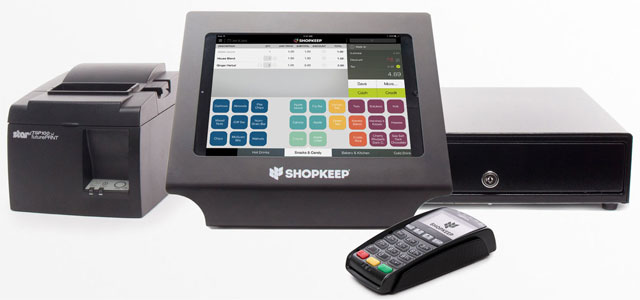
One of the most common appeals of an iPad based POS system is the reduced cost and space involved. Keeping focused on functional necessity ultimately makes for a more streamlined and efficient tool for your business. That said, there are some accessories that are still essential to ensure you have the most functional POS system to meet your daily business needs.
Buy a New Datamax-O’Neil H-Class Printer and Get a Free Printhead!
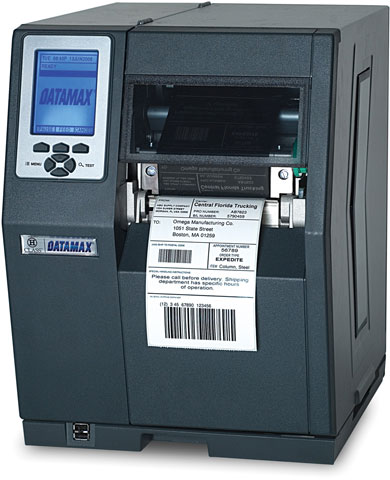
Act now and register to receive a promo code for a free printhead!
That’s right, as a valued Datamax-O’Neil customer, we’re offering you the H-Class that provides high performance, unmatched reliability and easy integration that out- distances any competitive label printer…all at an affordable price along with the free printhead.  You must buy your H-Class printer and redeem this promotion prior to September 30, 2014.
Feel free to contact one of our Barcodes Inc printer specialists to find right Datamax-O’Neil printer and request a promo code to redeem your free printhead.