


Sato’s CLNX Series: Beyond Speeds & Feeds
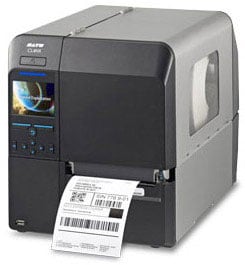 While many companies focus on criteria such as throughput and print resolution when selecting a thermal printer, factors like how quickly/easily a printer can be integrated, how rapidly media can be loaded, and how easily the printer can be serviced have an even greater impact on operational costs. Even small improvements in operational efficiency can positively affect a facility’s equipment up-time or ontime labeling performance. The SATO CLNX Series industrial thermal printer, available in a 4â€Â (CL4NX) or 6†(CL6NX) model, was engineered with problem solving features in mind.
SATO’s goal was to engineer a thermal printer that is easier to integrate, operate, and maintain. If a printer requires a lot of configuration, jams frequently, produces poor quality labels, or is difficult for operators to quickly change out labels, ribbons, print heads or platen rollers, the downtime can be costly in terms of both productivity and expense.
Microscan Announces the Release of WebLink 1.1 and New Features for MicroHAWK Barcode Readers
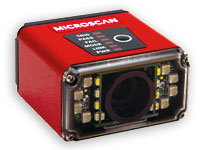 Microscan has announced the release of WebLink 1.1 – the latest version of the world’s first web-based barcode reader setup and control interface – supporting several new feature upgrades for the company’s MicroHAWK Barcode Reader platform.
Part of the revolutionary MicroHAWK platform launched in September 2015, Microscan introduced WebLink as the first ever web-based barcode reader interface. WebLink software is stored on the MicroHAWK barcode reader, rather than external equipment. The WebLink interface is accessed through a web browser by navigating to the barcode reader’s IP address using any web-enabled device on the local area network (LAN). WebLink’s open protocol framework eliminates integration hassle and device incompatibility across factory networks, IT equipment, and control systems. Since no software is installed on equipment used to control MicroHAWK readers, WebLink does not require the intervention of IT to facilitate installation or upgrades. In addition, custom reader settings can be saved as WebLink job files to the MicroHAWK reader’s internal memory or to external devices and are completely portable to new integration environments and equipment.
Ruckus ZoneFlex R710: Industry’s First Wave 2 802.11ac Wireless Access Point​
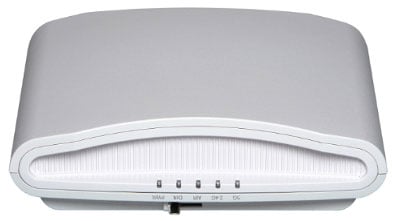 With the introduction of the ZoneFlez R710 the wait is finally over for high performance Wave 2 802.11ac!
Building upon the successful experience with 50,000 customers relying on our Wi-Fi solutions to power their networks with industry leading innovations such as BeamFlex+, Ruckus is raising the bar again with future-ready networks.
The new 710 delivers the highest performance Smart Wi-Fi access point, increased device density, and Wi-Fi monetization with Internet of Things (IoT) technologies enabling new business models for the Enterprises & Service Providers.
Zebra’s New WT6000, RS6000, RS4000, HS3100, HS2100 Wearable Solutions
 Introducing Zebra’s Total Wearable Solutions, which consist of the WT6000 wearable computer, RS6000 Bluetooth 2D ring scanner, RS4000 corded 1D ring scanner, HS3100 Bluetooth headset and HS2100 corded headset for use in warehouses, distribution centers, and manufacturing operations. It’s the only family of enterprise wearable devices built on Android and backed by Mobility DNA – setting a new standard for ease of use and giving workers the hands-free mobility they need to boost productivity to a new level.
Industry leading ergonomics and human factors design provide warehouse workers with a wearable system they’ll want to wear. Zebra’s Total Wearable Solutions combine the unrivaled scan performance, industrial rugged design and backroom support that the industry has come to expect from Zebra. The result? Maximum comfort. Maximum durability. Maximum workforce productivity.
Identifying your Barcode Symbology Type with a Honeywell Xenon of Granit Series Scanner
If you have trouble identifying your barcode types (like me) – here is a trick for you.
- Plug your scanner into your PC.
- Turn on Word.
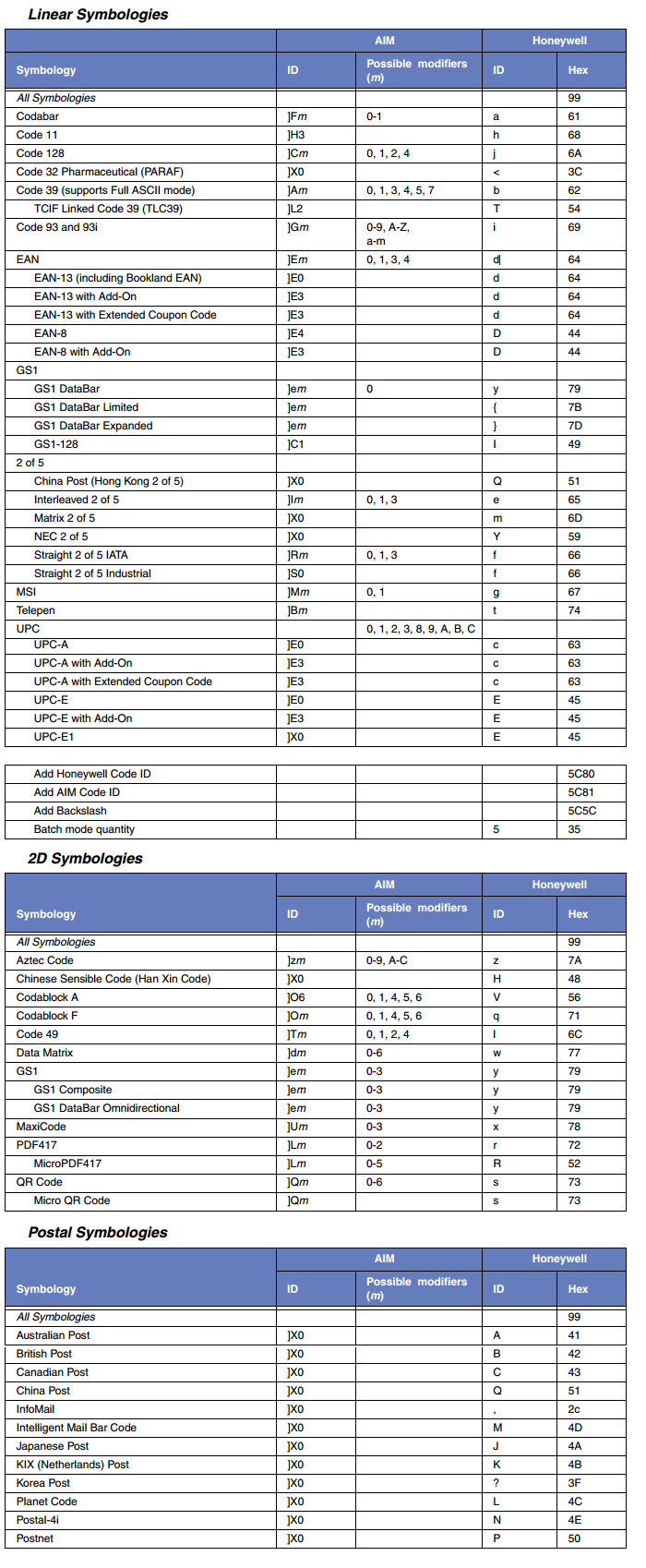
- Go to page 199 of your Xenon/Granit User’s Guide and scan that barcode titled “Add Code I.D Prefix to All Symbologies (Temporary)â€
- Then scan the barcode in question.
- You’ll see a character in front of the scanned data on your Word doc (or any app that displays scanned data).
- Go to the section of the chart below (Linear, 2D, Postal) then to the fourth column titled “ID†under Honeywell; find your symbol; and your barcode type is in the first column – Symbology.  This chart is also in the back of the Xenon/Granit User’s Guide.
Note: This setting is temporary and will be removed when the unit is power cycled.
Honeywell’s Captuvo Enterprise Sleds for Apple Devices
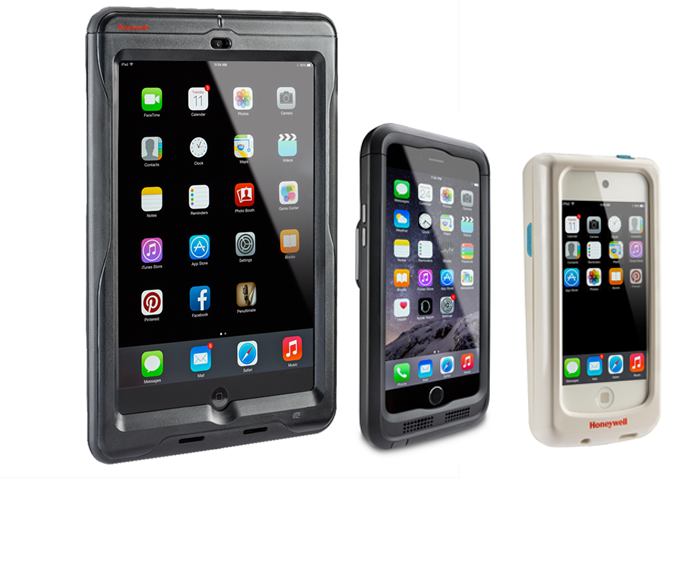 Empowering your mobile workforce has become a primary concern for almost every business today. From the warehouse and delivery destinations to the retail sales floor and patient bedside, having access to critical information on a mobile device that is easy to use and can handle the rigors of daily use is key to a capable, efficient workforce.
Many businesses are looking to the familiar Apple devices (iPhone, iPad, iPod) as viable solutions due to their familiar interface that their employees are often already familiar with. Utilizing these devices mean less time training and easier integration into the company’s workflow. The biggest hurdle with the Apple products in enterprise applications is the lack of durability and capable barcode scanner or magnetic stripe reader. This is where Honeywell’s Captuvo line can take your Apple device from a standard consumer device to an enterprise-grade mobile computer.
Microscan’s WebLink Makes Scanner Configuration as Easy as Opening a Browser
WebLink is the world’s first barcode setup program that is used entirely in a web browser. Access reader controls on your most common devices and use your favorite browser as your workspace. No software to install, no compatibility obstacles, no experience needed. Without manuals, without software, without any special barcode reading expertise, WebLink empowers any user to simply read barcodes. Decoding has never been easier with MicroHAWK (ID-20, ID-30, ID-40) Series and WebLink: the incredibly intuitive way to read barcodes.
3D Printing for Industrial Design with the CubePro
See how industrial designers go from idea to prototype with the CubePro from 3D Systems. This desktop professional 3D printer makes it easy to print color concept models and reach beyond the limitations of 2D sketches.
The CubePro is available with single, dual or triple print jets, with 25 color choices in ABS and 24 in PLA materials, both of which can run in the same build. Stabilized print mechanics, easy setup, wireless connectivity, and fast print speeds your designs so that your ideas are very quickly realized in physical models. Specialized software enables easy creation of the build data which immediately begins printing in your home or office.
Biometric Associates’ 3000MP Reader Approved by DoD for Android
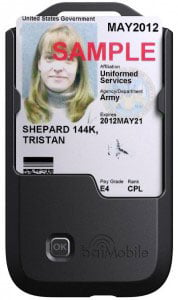 Biometric Associates, LP has announced that the baiMobile 3000MP Bluetooth Smart Card Reader has been approved for use with Android smartphones and tablets by the US Department of Defense. The baiMobile 3000MP is the first and only Bluetooth CAC/PIV reader to pass all NSA and DISA required Bluetooth security tests for Android devices. DISA approval of the reader is documented in the DISA Mobility Security Technical Implementation Guide recently published.
In addition to the 3000MP Reader, the baiMobile solution also includes 1) middleware libraries, device drivers and APIs that are provided to developers enabling them to build smart card-enabled applications and 2) security files installed on the Android device to enforce Bluetooth security policies.
The baiMobile solution permits network or client applications residing on the Android device to access the credentials stored on the smart card to perform functions such as digitally signing and decrypting emails, and authenticating to secure web sites and network servers.
Finding Honeywell’s Vuquest Scanner In More Places Than You’d Expect
 I took a Southwest Airlines flight last week and was delighted to see that they use the Honeywell Vuquest 3310g to scan boarding passes. So I started thinking – the humble Vuquest (2D Area Imager) doesn’t get enough press – probably because it finds itself inside things, or under things or behind things.
Below are just a few examples of where you’ll find the Vuquest. So don’t forget about it when solving your customer’s scanning problems. Thank of it as a Xenon in a smaller more compact, easily mounted form.
- Southwest Airlines. Scanning boarding passes.
- Law Enforcement. Electronic Ticketing / eCitation solution. Vuquest is inside the below device in the officer’s hand.
- One of the largest convenience store chains uses them inside their “loyalty kiosks†to scan loyalty cards. Kiosks are a classic use case.
- A European grocer with a significant presence in the US uses 3310’s at checkout to scan loyalty cards and in their self-checkout lanes to scan the final barcode off of mobile device used in their “scan as you go†application.
- A very large hamburger chain is putting the Vuquest into their in-store McKiosks.
- An extremely large online retailer that seems to be delivering packages to my house daily uses them to read bin license plates in their picking application and inside robots to read 2D codes on their floors for guidance in their warehouse.
- The 2nd largest grocery chain uses them in their pharmacies to scan bottles of pills and filled prescriptions. Another classic use case for the space saving Vuquest
- A large Midwest based vending machine company puts them in open unmanned vending kiosks to scan employee’s employee ID card.
For assistance learning how a Vuquest 3310g can fit your needs, contact us at BarcodesInc.