


Finding the Right Zebra ID Card Printer
As the leading ID Card Printer manufacturer, Zebra provides a wide selection of printers to choose from to meet the needs of any application.
The ZXP series of printers come in options for the most basic static card printing to high-volume secure government issuance. Knowing exactly which printer is the best fit for your needs can be a challenge when just looking at specs and brochures. To make the process easier we have this simple chart to help narrow down what model printer has the key features your specific application with require.
| ZXP Series 8 |
ZXP Series 7 | ZXP Series 3 | ZXP Series 1 | |
|---|---|---|---|---|
| Card Volume | ||||
| Low-Volume | X | X | ||
| Mid-Volume | X | X | X | |
| High-Volume | X | X | ||
| Identification | ||||
| Membership | X | X | X | |
| Photo ID | X | X | X | |
| Employee Badge | X | X | X | X |
| Corporate ID | X | X | X | |
| National ID | X | X | ||
| Drivers License | X | |||
| Card Types | ||||
| Non-Technology Card | X | X | X | X |
| Technology Card | X | X | X | |
| Issuance Type | ||||
| Secure Issuance | X | X | ||
| Batch Issuance | X | X | X | |
| Instant Issuance | X | X | ||
For additional assistance finding the right printer for your needs, contact us at Barcodes Inc.
What to do when you outgrow Excel for Inventory Management
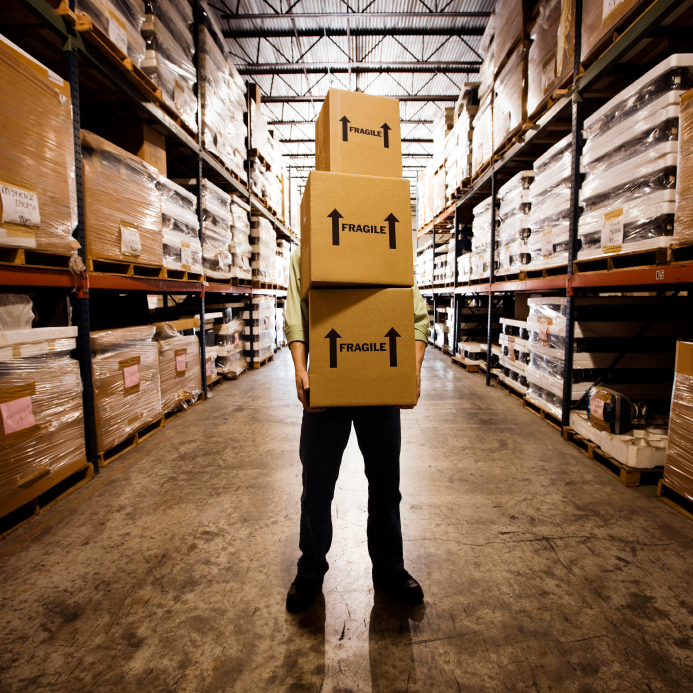 There comes a time when virtually any business will find itself outgrowing the functionality provided by Excel. While often useful for minor administrative purposes, spreadsheets are extremely limited in their options and have significant downsides when used for inventory management.
The Problem: Why Excel Is Not Ideal for Inventory Management
Inventory management is an area that is extremely important for cataloging and analyzing your data. You need the ability to run complex reports regarding past inventory needs in order to predict consumer buying patterns. Purchasing appropriate inventory amounts – the goal of all businesses large and small – keeps the probability of future write-offs or write-downs at a minimum. It’s very difficult to cull that information from data sets in Excel due to the way Excel gathers information. An inventory management program, however, makes this data analysis much easier.
Tech Questions: My Star Thermal Printer Isn’t Printing
 Question
My Star thermal printer feeds paper but is not printing at all.
Answer
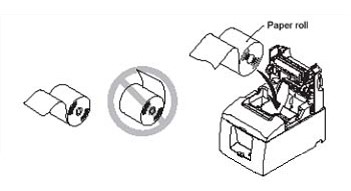
The cause could be that the paper is not thermal-coated or it was loaded upside down. To verify that the roll is thermal-coated, scratch the surface of the paper with a coin or nail. If the top coat shows a gray mark where the scratch was made, the paper was thermal-coated. Next, verify the thermal paper was loaded correctly and try printing again (see illustration).
For additional assistance with or finding the right Star printer for your needs, contact us at Barcodes Inc.
Intermec Mobile Computer Reference Guide
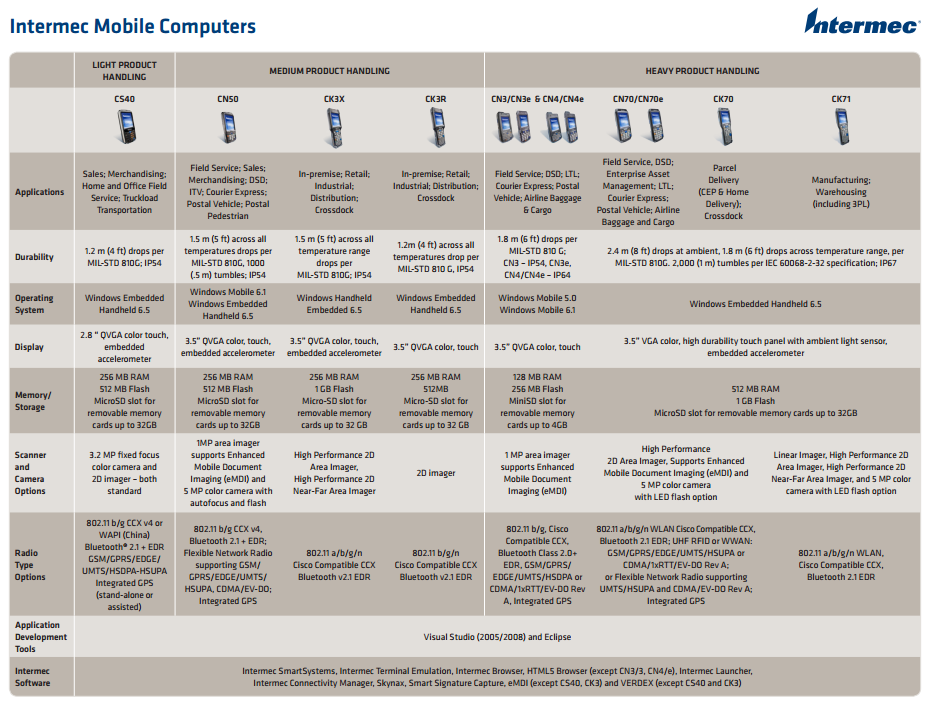 Mobile computers are continually evolving with greater capabilities, more rugged designs, and multiple forms of wireless communications. Choosing the best fit unit for your specific needs can be a challenge when faced with multiple models with sometimes up to several dozen configurations!
Lucky for us, Intermec makes the decision process easy with this convenient mobile computer reference guide. Organized by ruggedness, typical application uses, and technical specs like scanner type and wireless communication options, this guide clears some of the mystery behind all the model and part numbers. Whether you need a basic CS40 for light inventory tracking or a CK71 to help manage a warehouse, Intermec has a mobile computer to meet any needs.
For more assistance finding the right Intermec product for your needs, contact us at Barcodes Inc.
How to Print from an iPad to a Star iOS Receipt Printer
Star has been a leader in the receipt printer industry due to their efficient designs and ability to keep up with current technology trends all the while making products that are easy to use.
The POSÂ world has seen a big shift towards using iPads and other tablets instead of a traditional desktop and with this comes the challenge of printing receipts easily. Lucky for us, Star is well prepared to support iOS and Android devices with any of their Ethernet, Wi-Fi, or mobile printers. Â This video is a great step-by-step explanation of how to pair and print with your iPad to any Star printer
Top Barcode Scanning Applications
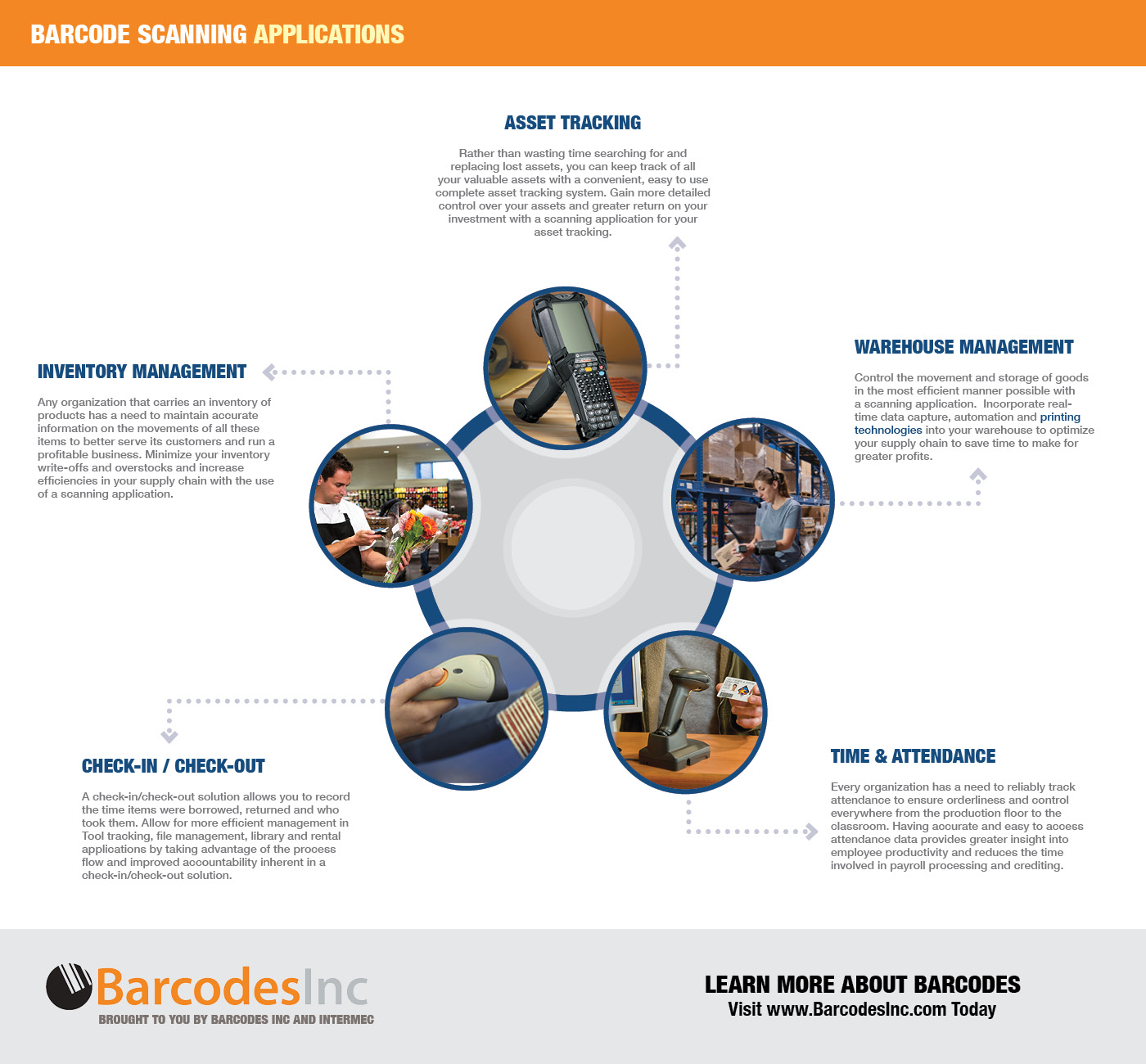 Barcodes have become the default tool to use when tracking any kind of product or process due to how easy they are to implementation and the increased efficiency they provide. What once would have been done with paper and pencil, now a simple scan can do the same only faster and more accurately. With the help of scanners from Motorola, you can improve any process from asset management with an MC9190-G or simple attendance tracking with an LS2208.
This infographic is a great overview of some of the most common tracking applications and how barcode scanning makes things easier and more accurate.
For help finding the right scanner for your needs, contact us at Barcodes Inc.
5 Signs You Need to Upgrade Your POS System

POS systems – or point-of-sale systems – are the hardware and software systems that a business uses to process sales and collect payment from customers. POS systems have evolved greatly since  basic register-style units.  Modern systems include many additional features that allow you to input orders, manage inventory, track staff attendance, print invoices, and process reports.
If you’ve been in business for some time  or are still using an old fashioned cash register – you may want to look at updating  your POS and payment processing system. How do you know it’s time for an upgrade? Here are five tell-tale signs: Continue reading »
Getting Started with the Star Wi-Fi Power Pack
With everything becoming wireless and mobile, getting existing POS hardware, like receipt printers, onto your wireless network often means getting a new printer. Luckily, Star has their Wi-Fi Power Pack to turn any of the Star LAN based printers into fully wireless capable units. The Power Pack is easy to install and is a very cost effective option for businesses that already have Star printers in place and don’t want deal with long cable runs. This also enables the Star printer using the WiFi Power Pack to connect with tablets, smart phones and other portable electronic wireless devices.
This video is a great intro and how-to explanation of how to set-up the Wi-Fi Power Pack  in just a few simple steps.
Join the M2M Revolution with the Benefits of Barcodes
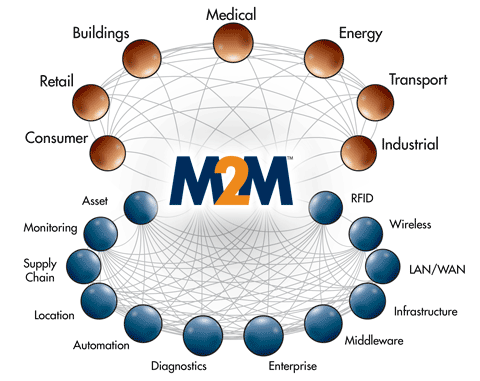 VDC Research, a leading Auto-ID and Barcode research firm, is hosting a webinar on February 26th on the benefits and impact of using barcodes within the ever expanding use of mobile to mobile communications. As more business move away from fixed to mobile computing solutions, Â manufacturers of barcode scanning and printing solutions have the potential to be at the forefront of this ongoing M2M evolution.
The 45 minute webinar will cover:
- The measurable benefits of incorporating barcoding into enterprise operations as companies invest in resources to build out their M2M connectivity and communications platform in support of applications throughout the extended supply chain.
- The impact that the changing nature of barcodes is having on how enterprises connect and communicate with their customers via smart devices – both professional and consumer-grade.
- The role that barcodes play in triggering seamless communication across channels, networks and organizational boundaries.
- How barcoding with M2M helps companies leverage actionable business intelligence and analytics across diverse vertical markets and installation environments.
- Why M2M and IoT (Internet of Things) should be an integral part of barcode technology vendors’ strategic and operational objectives and how they can get there before it is too late.
You can find more details and register for the Feb 26th session here.
How to Pair a Socket CHS Bluetooth Barcode Scanner with an iPad
Mobile devices, like smartphones and tablets, have become a cost effective option for a variety of data collection applications today. One of the main challenges faced with consumer devices however is the need to scan barcodes. While you can  use the built-in camera as a basic scanner, applications that require consistent scanning throughout the day find that the app/camera option is not fast or accurate enough. Luckily there are plenty of cordless scanners from Socket you can easily pair with any mobile device. The Socket CHS series offers options for 1D and 2D scanning as well as more rugged housings including Healthcare antimicrobial devices. Pairing the scanners to your iPad only takes a few simple steps. Follow this video to add scanning to any iPad-based data collection application.