


Best Compact Printer of 2018 – Printek’s FieldPro 541 Series
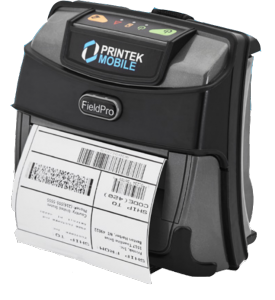 Optimize performance for your workers with the compact, lightweight, and extremely fast printer, the FP541 mobile printer. Whether you’re out in the field, on the road making deliveries, or on a customer’s site, this portable printer is the best choice for 4†receipt, label, tag, and ticket printing. The FP541 can quickly print with print speeds reaching up to 5 inches per second. Has an IP54 rating for water and dust resistance and rated for repeated 6 foot drops to concrete. Built-in emulations of other popular printer brands allows the FP541 to drop-in and replace many existing applications. Printek has fulfilled the business needs of organizations worldwide. Leading the industry with mobile printers designed to improve productivity and increase the return on investment (ROI).
Why the FP541 is on top:
- Highly reliable and rugged for your everyday use
- Latest in battery technology to last a whole shift
- Blazing print speed and creates crisp tickets, labels, and receipts
- Ideal for store deliveries, police car, fork lifts, public utilities, retail, and more
- Wide variety of accessories and mounts for ease of use in your daily operations
Enhance efficiency by improving field transactions and invoicing!
Limited Time Only!
Trade-in any 4†mobile printer for the new FP541 and get $50!
 Simple steps to redeem:
- Buy a FP541 mobile printer from our site.
- Provide the serial number(s) of the mobile printer you want to trade-in. (Please email these serial number(s) to [email protected])
- Printek will provide a return authorization number for these printers. Once RA numbers are obtained, you can ship it to Printek.
- After trade-in printers are received, Printek will issue a $50 credit or check for each qualifying purchase.
Contact our mobile printer team and learn how you can take advantage of this deal and how the FP541 can help you in your daily operations!
What You Need To Know About The ELD Mandate
What is the ELD Mandate?
The Federal Motor Carrier Safety Administration (FMCSA) published the final electronic logging device rule — or ELD Mandate. An electronic logging device is used to electronically record a driver’s record of duty status, which replaces the paper logbook for drivers to record their hours of service (HOS) requirements. Fleets that were equipped with electronic logging technology (AOBRDs) before Dec. 2017 have until Dec. 2019 to ensure compliance with the published specifications.
Benefits of an ELDs:
- Save driver time by reducing paperwork to ensure it is recorded properly
- Keep a dispatcher up to date on driver’s status
- Reduce a hassle of keeping a paper log
- Easy tracking driver’s HOS
- Ensure driving segments are recorded from truck’s engine
- Ease of data transfer from driver to fleet manager where one can see e-logs
Rugged Handhelds:
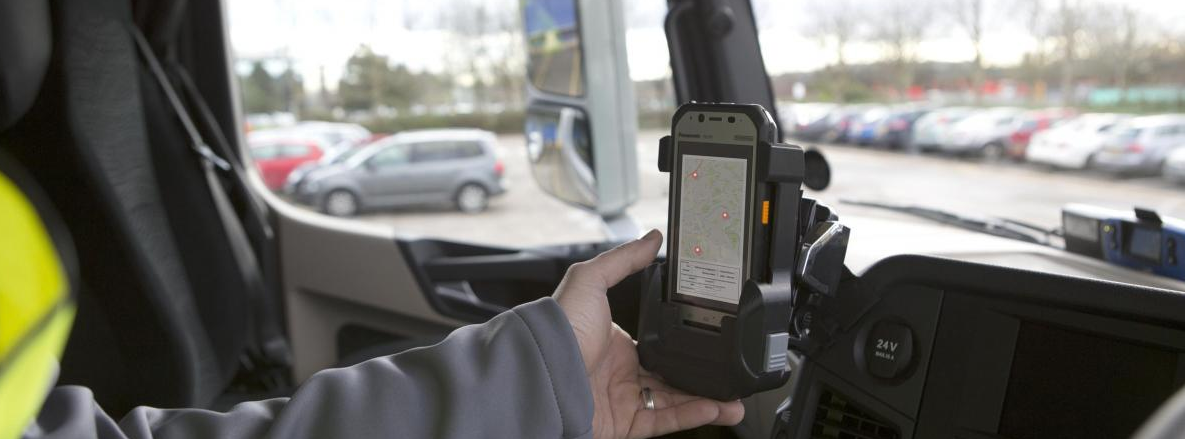
The FMCSA addressed that rugged handhelds and tablets can be used as long as the system meets the ELD requirements. With the overwhelming adoption of rugged handhelds, truck drivers find them easy to use and easy to track their hours of service while they are on the road.
What are some mobile device options?
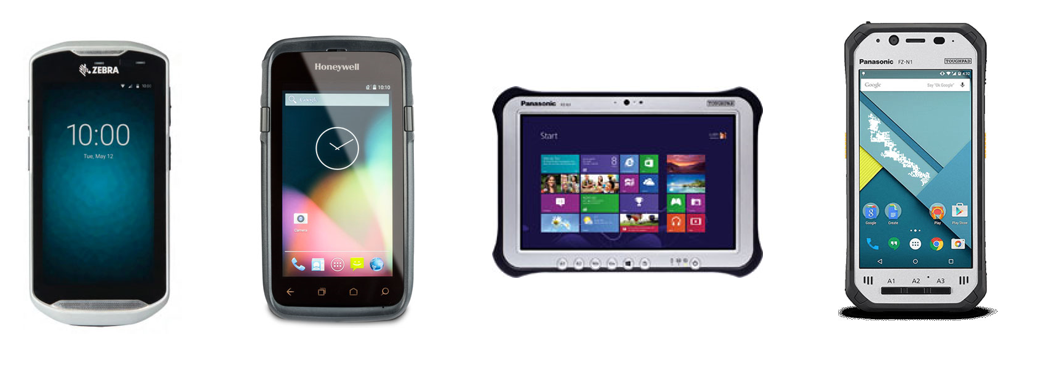
While there are hundreds of devices to choose from, here are some of the newest technologies that are ideal for the on-the-go driver:
To learn more about the ELD Mandate or need an ELD solution, reach out to our one of our dedicated account managers.
RFID Printers At-a-Glance
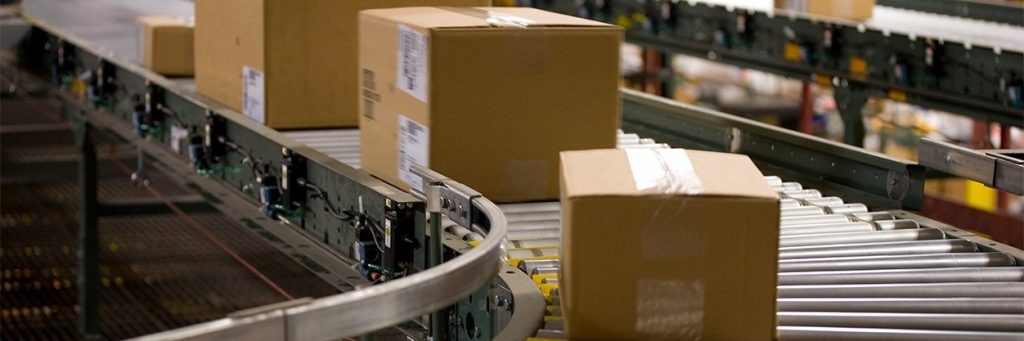
 Whether you are a retailer, distributor or manufacturer, items are always on the move throughout your facility. Standard fixed RFID readers provide visibility into the inventory ‘at rest’ on your shelves. But you need to also track items as they travel in, through and out of your facility. And with Zebra’s family of RFID Combination Fixed Reader/Antenna solutions, you can. These advanced RFID solutions provide an additional layer of business intelligence that allows you to more tightly manage your inventory to prevent lost sales, stockouts, theft and unplanned downtime on the manufacturing plant floor. There’s an RFID Fixed Combination Reader/Antenna designed for every area of your facility, from your main building entry and exit areas, including the receiving and loading docks, to interior transition points such as the front and back room in a retail store, warehouse and shipping areas in a distribution center, or the warehouse and plant floor in a manufacturing plant. Track assets on the move in your facility to take your competitive advantage to the next level with advanced RFID Fixed Readers.
RFID solutions gives you real-time asset visibility you need to streamline operations, maximize asset utilization and error- proof asset related data.
Check out the Zebra’s line of RFID printers, with these printers you can create small hang tags, case/ pallet labels to photographic quality RFID- enabled ID cards.
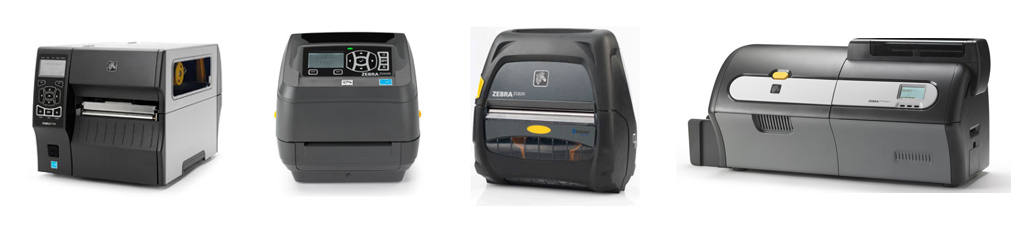
……………..ZT420 RFIDÂ Â Â Â Â Â Â Â Â Â Â Â Â Â Â ZD500RÂ Â Â Â Â Â Â Â Â Â Â Â Â Â Â Â ZQ520Â Â Â Â Â Â Â Â Â Â Â Â Â Â Â Â Â Â Â Â Â Â Â ZXP Series 7Â
Industrial RFID Printer              Desktop             Mobile            ID Card Printer with RFID Encoder
Contact our dedicated account managers to see what the right solution for you! We will be able to give you an assessment to set up an RFID solution that you need.
What You Need to Know About California Prop 65 And How We Can Help!
What is California Prop 65?
- Prop 65 is a proposition that requires all businesses to provide a clear and reasonable warning before exposing individuals in California to any chemical listed by the state for its potential to cause cancer or reproduce toxicity.
- The warning must name at least one of the chemicals for which the warning is being provided
- Specify the chemicals which is known to cause cancer or reproductive harm
- Include a triangular symbol (available for download here) to the left of the warning and the word “WARNING” in all capital letters and bold type
- New regulations go into effect August 30, 2018
- If a business is found to be in violation of Proposition 65, a court may order the business to stop committing the violation. The business is also subject to civil penalties of up to $2,500 per day for each violation.
Compliance with Prop 65 can be challenging given the complexity of the new requirements, but the best way to manage your company’s Prop 65 liability is to minimize the risk of being sued in the first place.

How Barcodes, Inc. Can Help:
We have the printers, labels and the label software that you need to either print your own Prop 65 warning labels or purchase pre-printed labels and allow us to do the work for you. Click on any of the images to lead you to the products that can help you get in compliance with Prop 65.
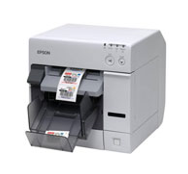
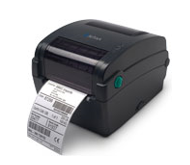
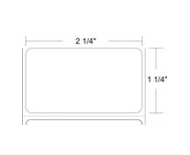
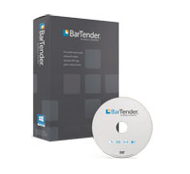
Epson TM-C3500                DP-1                  Consumables         BarTender Label Software
12Color Printer
Feel free to email Alyce Miller at [email protected] or call 312-765-8855, if you have any questions or need a quote with any of the above.
Zebra to Acquire Xplore Technologies – Here Are 3 Things You Need to Know
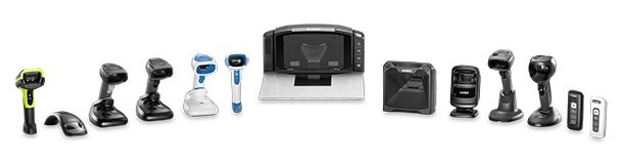
Zebra and Xplore Technologies corporation announced that their boards of directors have approved a definitive agreement in which Zebra will acquire Xplore.
 Here are 3 things you need to know about the acquisition:
- Â Diverse Portfolio -Â Xplore has established a leading position as an innovative developer of the ultra- rugged tablets, laptops and a range of performance matched accessories. They are designed to withstand the demanding conditions across diverse end markets in oil & gas, manufacturing, military/ government, healthcare, public safety, transportation & logistics, and retail verticals. This is going to give Zebra a more diverse portfolio in rugged mobility.
- Leader in Data Capturing -Â With Zebra continuing to invest in their Enterprise Tablet category, this acquisition further solidifies Zebra’s position as the world leader in Enterprise Mobility.
- In-Process -Â Business is as usual for Zebra and Xplore until the acquisition is complete in Q3 2018.
As Zebra continues to grow, Barcodes Inc will still be your number one source to any data capturing mobility products and resource. If you have any questions, feel free to contact our barcode experts and we will be happy to help!
Don’t Delay, Migrate Today! Why Migrating Sooner Pays
There are four big reasons why leading carriers are upgrading their networks to LTE and why you should to- Faster speeds, wider coverage, greater compability, and better reliability. Already, Verizon has started diminishing its 2G/3G service and will begin to decommission its legacy network on Jan 1, 2020. Other carriers are expected to follow.
Investigate why companies are upgrading to LTE, analyze why migrating sooner pays, and explore the strategies that can help ease the transition.
Find out what all this means for you. Watch the video below to find out!
  See why it’s better Â
 See why it’s better    Analyze how it fitsÂ
 Analyze how it fits   Map out strategies
Contact us at [email protected] or call us at 866-349-5964, if you have any questions or need any additional information on how you can upgrade to the new network with ease.
Printek’s Field Pro Series: The New 4″ FP541 Mobile Printer
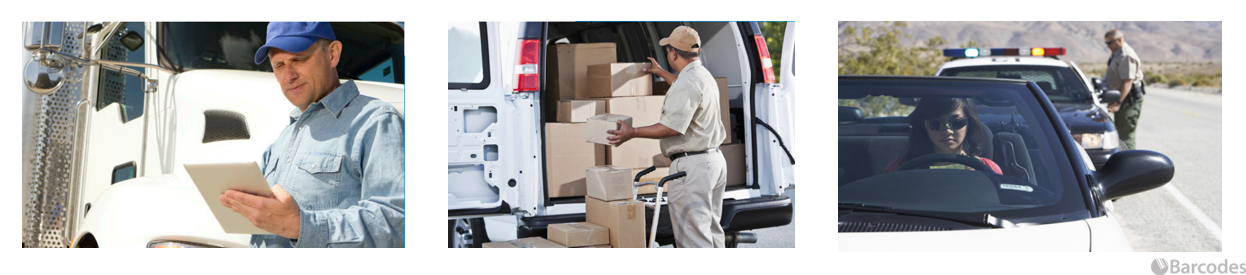
When it’s services on the go, out in the field, or at a customer’s site, the new 4″ FP541 mobile printer will help improve operations and productivity in your workforce. The FP541 is an updated advanced version of the previously popular RT43 series from Printek. It is fast, compact, and lightweight which is ideal for workers out in the field printing tickets, labels, and tags. The Field Pro 541 printer also have a wide variety of accessories and mounting options such as shoulder strap, spare batteries, in-vehicle, cart, and fixed mounts available to help with mobility and installation in vehicles.
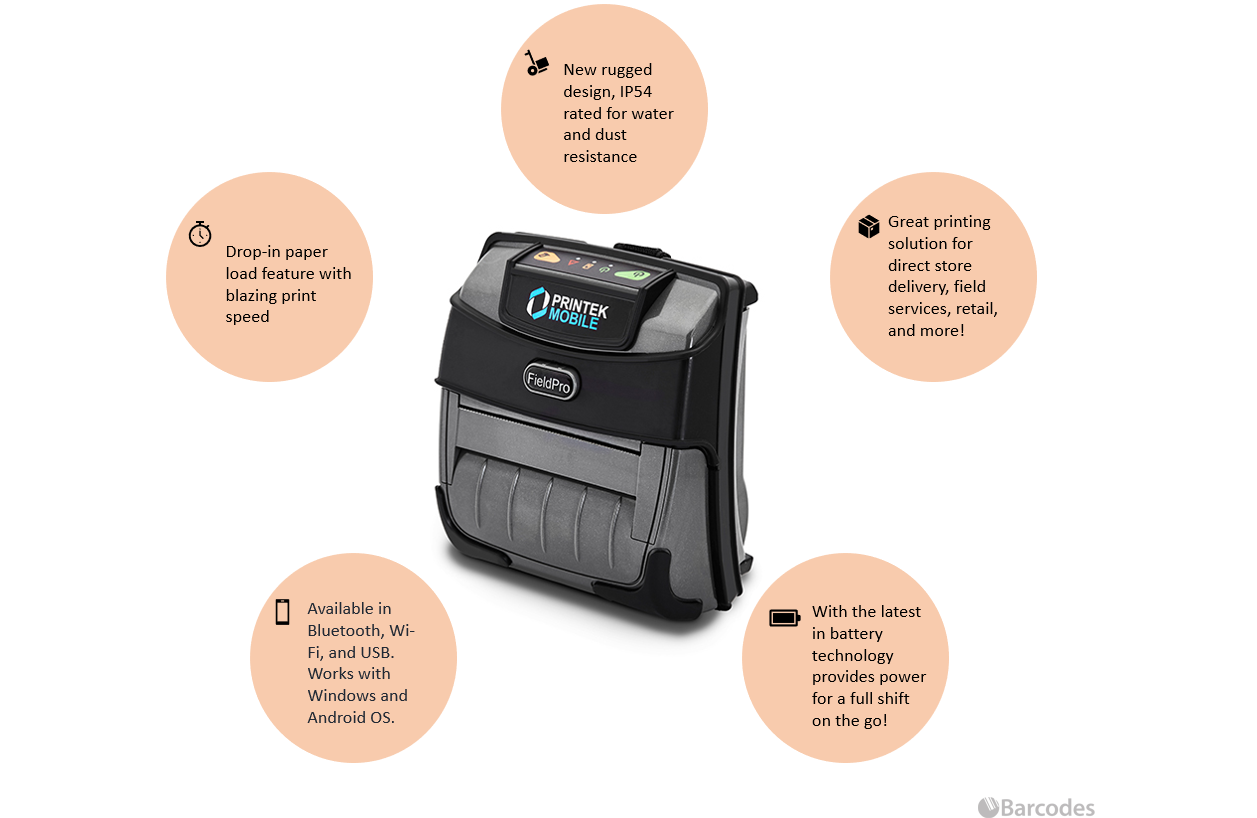
Check out all the powerful features below and see how the FP-541 stands out from its competitions.
If you have any questions or interested in a quote, feel free to contact our dedicated account managers.
Quality Matters: Zebra Puts Wristband Durability to the Test

Automated patient identification is essential to protecting the well-being of patients and the integrity of the healthcare system. Wristbands plays a big part of this process. The wristbands must be durable enough to withstand the rigors of the busy hospital environment and exposure to daily usage of hand sanitizers.
When it comes to quality, Zebra put their wristbands to the test. The wristbands went under a severe stress testing to a wide range of exposures such as isopropyl, rubbing alcohol, water, and hand sanitizers. It is tested that Zebra’s Z-band direct and the Z-Band UltraSoft wristbands are more durable against Purell Waterless Hand Sanitizer than the leading competitor.
Z-Band Direct Wristbands are latex-free and MR-safe. These direct thermal polypropylene wristbands are scannable up to 14 days even with the hospital’s busy environment and constant use of hand sanitizers.
Z-Band UltraSoft Wristbands are thermal synthetic bands that are MR-safe and latex-free.
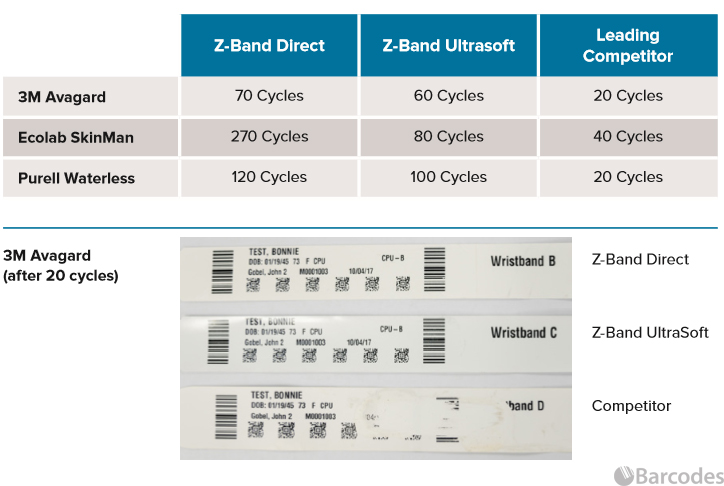
ARDL conclusively found that both Z-Band Direct and UltraSoft were more durable than the leading competitors bands. The scanners were able to read the wristbands for a longer period of time before it becomes unscannable.
Quality Matters especially in the fast-pace environment, like the hospital. Zebra is committed to providing quality wristbands that meet the high standards for image durability, sustainability, and comfort. The Z-Bands are available in adult, pediatric, and infant sizes.
If you are interested in learning more about the wristbands or a compatible printer, feel free to contact one of our dedicated account managers for a quote or more info.
ELD Enforcement is Here
 The Electronic Logging Device (ELD)Â Mandate took effect on December 18, 2017. Since then drivers were given some leeway. If they were caught without the proper ELD equipment, documents, or training they were written up, but neither they nor the companies they drive for were penalized for it. That leeway officially ended on April 1st.
Under the Compliance, Safety, and Accountability program (CSA) any driver now caught without the proper ELD equipment will have CSA points levied against them and their companies. Furthermore, according to Kerri Wirachowsky, Director of the roadside inspection program at the Commercial Vehicle Safety Alliance, trucks will be put into the penalty box, in most cases for up to 10 hours.
With the ELD Mandate drivers must have and be able to do the following.
- Tell enforcement that there is an electronic user manual with instructions for using the device, on the device, in the form of help screens.
- Be able to produce recent data and transfer it to an inspector electronically.
- Instructions for reporting malfunctions and record-keeping procedures during malfunctions.
- Have at least an eight day supply of blank forms for recording a driver’s hours of service in the event the mobile device fails.
April 1st has come and gone, hence if drivers are not ELD compliant by now its important to do so. Mainly because just having an ELD does not mean the driver is in compliance. The driver must also be able to operate the ELD. Not being able to do so will be treated as if the driver didn’t have the proper equipment on board.
To comply with the ELD Mandate you’ll need a device, below are some of the newest mobile device options for ELD:
- Zebra TC56Â rugged smartphone
- Honeywell CT50Â rugged smartphone
- Panasonic Toughpad FZ-G1Â rugged tablet
- Samsung Galaxy Tab tablet
To learn more about the ELD Mandate or to get a free consultation on an ELD hardware and software solution, reach out to one of our Barcodes, Inc. representatives.
Refresh Reminder! The Right Supplies and Honeywell’s Printhead Replacement Program
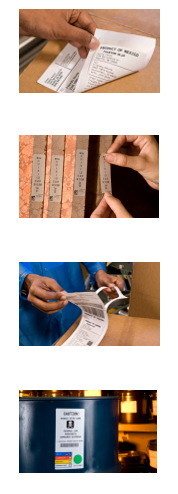 It’s that time of the month again for a consumables refresh, to make sure that you do not run out of consumables by the end of the month. If you need new labels, try to looking into our Honeywell genuine print media where you can be assured you’ll get high quality, durable media, with more efficiency, reduced cost, and Honeywell’s library of custom pre-print solutions.
Honeywell can supply a wide variety of label media to support different application needs and custom solutions are tailored to what you need in-house. If you have special requirements, or lack of access to on-demand printing capabilities in-house, then our team can help. For example:
- Direct or Thermal Transfer Labels
- Retro-reflective rack labels (upon request)
- Labels for harsh or outdoor environments
- Serialized product and asset id labels and tags
- and many other options
Additionally, all Honeywell barcode printer and label users are in for a treat! With the new Honeywell printhead replacement program you can get a replacement printhead for FREE due to normal wear and tear. This program is valid as long as you exclusively use Honeywell media products.
Long Term Benefits:
- More printer uptime with a lower total cost of ownership
- Increased ROI based on extended printer life
To learn more about Honeywell media supplies, contact our dedicated account managers.