


Barcoding News
Data tracking news, product updates, tips, and more
Strengthening Manufacturing Security with WAVE ID® Authentication
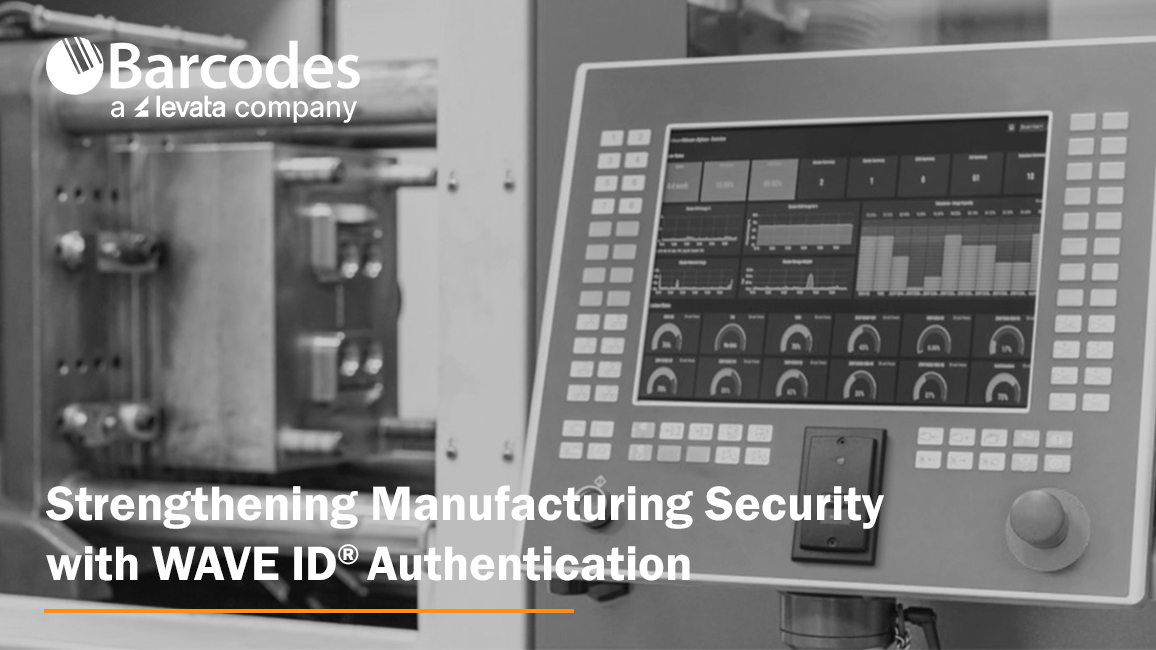
The foundation of secure manufacturing starts at the endpoint. As production environments become more connected and digital technologies extend across the factory floor, manufacturers must balance strong access control with uninterrupted operations.
Cyberattacks targeting manufacturers are not just increasing — they are accelerating. Recent industry research shows attacks against manufacturing rose 105% in the first half of 2024 compared to 2023, with the sector accounting for roughly 41% of all reported cyber incidents during that period. Manufacturing has now ranked as the most attacked industry for multiple consecutive years, and its share of global cyberattacks has more than doubled since 2018. Nearly half of manufacturers report experiencing a breach. Why? Because cybercriminals know of a significant weakness : manufacturers cannot afford downtime.
The Hidden Cost of Weak Credentials
Several key vulnerabilities continue to put manufacturing operations at risk:
- Compromised credentials account for nearly 80% of hacking incidents.
- 44% of manufacturers have proprietary information accessible to all employees.
- Unplanned downtime costs the industry approximately $50 billion annually.
Passwords are at the center of this problem. They are reused, shared, written down, and frequently reset. In environments with shared workstations—such as HMIs, PLCs, and SCADA systems—employees may log in and out dozens of times per shift. The result is wasted time, increased frustration, and heightened cybersecurity risk.
To eliminate this vulnerability, manufacturers are turning to passwordless authentication solutions like WAVE ID® from rf IDEAS.
Passwordless Access Built for the Production Floor
WAVE ID® readers empower authorized employees with secure, tap-and-go authentication using their existing physical access badges—or even smartphone-based credentials. Instead of typing usernames and passwords, employees simply present their credential to log in.
This touchless, hardware-based authentication supports:
- Single sign-on (SSO)
- Multi-factor authentication (MFA)
- Logical access control across shared workstations and industrial systems
By leveraging nearly any existing physical access credential worldwide, WAVE ID® enables secure logical access anywhere in the plant—without requiring new badge deployments.
The impact is immediate:
- No more shared passwords
- No more open workstations
- No more wasted time resetting credentials
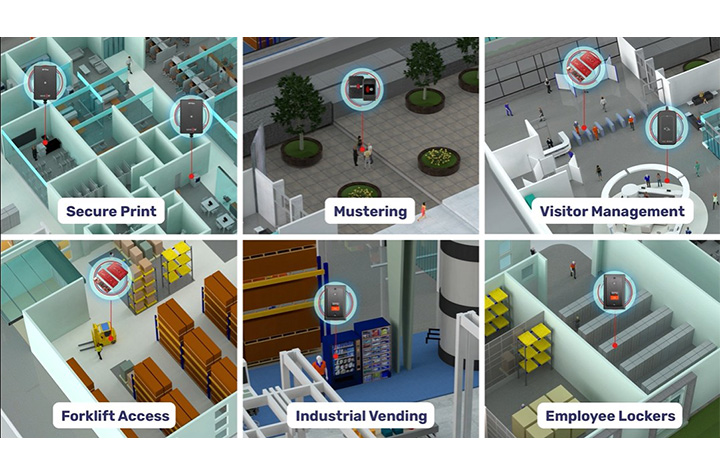
Secure Every Endpoint Across the Plant
Manufacturing environments are complex ecosystems of connected devices and systems. WAVE ID® readers fit into existing workflows and processes for a variety or application uses, as well as bringing added value to device authentication with OEM integrations. Examples include:
- Human Machine Interfaces (HMIs)
- Programmable Logic Controllers (PLCs)
- SCADA systems
- Shared workstations
- Multi-function printers
- POS systems
- Industrial vending
- Time clocks
- Lobby turnstiles and parking garages
- Forklifts and tool crib dispensing systems
The readers are engineered to withstand demanding industrial environments while maintaining reliability and performance.
Boost Productivity While Strengthening Security
Manufacturers often hesitate to introduce new security measures for fear of slowing production. WAVE ID® eliminates that trade-off.
Constantly re-entering passwords at shared stations wastes valuable production time. With tap-and-go authentication, operators can securely access systems in seconds. The streamlined sign-on process reduces administrative burden and minimizes human error, allowing employees to focus on throughput rather than IT tasks.
Nearly all existing manufacturing systems are compatible with WAVE ID® readers, and the platform supports common protocols such as USB, RS232 ASCII, Ethernet/IP, Modbus, and PROFINET. With desktop, surface-mount, and embedded form factors available, deployment is flexible across facilities.
Compliance, Safety, and Accountability
Regulatory requirements continue to evolve, from OSHA safety mandates to GDPR data protections and expanding MFA standards. Maintaining compliance across a large workforce—especially in multi-shift operations—can be difficult when relying on passwords.
Integrating WAVE ID® readers into your manufacturing facility helps to increase workflow efficiency and strengthen regulator compliance by:
- Providing secure, auditable authentication records
- Restricting access to sensitive areas and systems
- Enhancing workforce accountability
- Supporting multi-factor authentication initiatives
One Technology. Endless Manufacturing Possibilities.
Manufacturing’s low tolerance for downtime makes it uniquely vulnerable to ransomware, phishing, IP theft, supply chain attacks, and equipment sabotage. The most effective way to reduce risk is to eliminate the greatest vulnerability: manually entered passwords.
By implementing WAVE ID® authentication across endpoints—PLCs, clean rooms, secure printers, tool cribs, and production workstations—manufacturers can:
- Fortify operations against cyberthreats
- Reduce unplanned downtime
- Protect proprietary data
- Improve workforce efficiency
- Maintain compliance and safety standards
Trust begins with knowing exactly who is accessing your systems. With WAVE ID® from rf IDEAS, manufacturers gain secure, seamless authentication that enhances both cybersecurity and operational performance—without sacrificing productivity.
On the factory floor, delays add up quickly. Passwordless authentication removes friction from system access, turning security into an operational advantage rather than a bottleneck.
Contact Barcodes, Inc. today to learn how to start implementing secure access that counters modern security risks.
Streamlining Shipping: How RFID and Zebra Printers Can Help
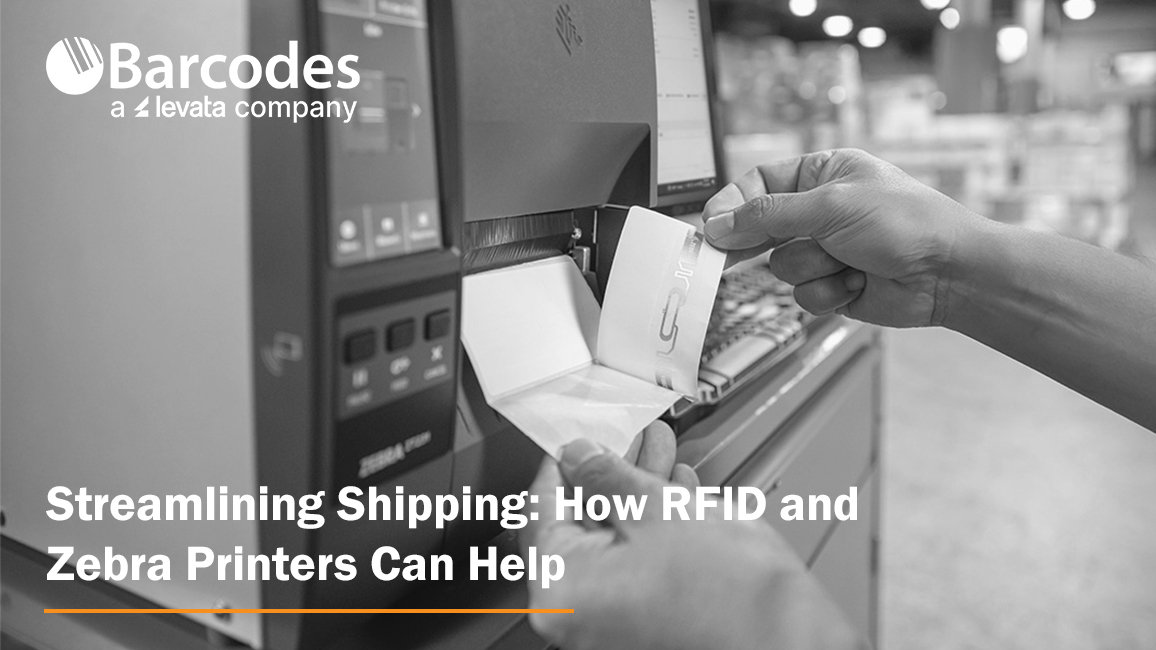
Shipping is more than just moving boxes, it’s the backbone of modern logistics and a vital link in the global supply chain. Every label, every scan, every shipment reflects how well a business meets customer expectations and maintains operational efficiency.
But anyone who’s managed shipping operations knows how quickly things can go wrong. A single mislabeled box or missing scan can throw off entire warehouse operations and impact customer satisfaction.
That’s why more businesses are embracing RFID technology and Zebra printers to transform how goods move.
Together, they streamline operations, reduce human error, and enable real-time tracking, creating a smarter, faster, and more accurate way to manage inventory and ensure compliance with shipping standards.
Why Shipping Is a Critical Area for Supply Chain Optimization
Shipping is often the most demanding part of the supply chain, where timing, accuracy, and cost savings all collide. From labeling pallets to verifying loads, manual processes leave plenty of room for mistakes. When employees rely solely on barcode scanners and traditional barcodes, every scan takes time and time is money.
These inefficiencies can lead to delayed order fulfillment, incorrect items being shipped, or stock being stored incorrectly. The result? Wasted labor, reduced productivity, and lost customer loyalty. By integrating RFID systems into warehouse operations, businesses gain enhanced visibility, faster data capture, and automated verification at every dock door.
RFID-driven automation tools use radio frequency identification to read and transmit data from RFID tags without needing a direct line of sight.
This means hundreds of tagged items can be read in seconds, allowing distribution centers to move large volumes quickly while maintaining accuracy. In today’s competitive landscape, that speed translates directly to higher customer satisfaction and stronger brand integrity.
What Is RFID Technology and How Does It Differ from Traditional Barcode Labels
RFID or Radio Frequency Identification, represents a leap forward from barcode technology. Instead of relying on printed lines or visible scans, RFID tags store and transmit data wirelessly through radio waves.
Each RFID tag contains a microchip and antenna that communicate with an RFID reader to send real-time data about a product’s identity, location, or condition.
Unlike barcodes that require line-of-sight scanning, RFID can read multiple codes at once. This provides distinct advantages in tracking shipments, improving inventory accuracy, and maintaining optimal stock levels.
There are three main frequency types, LF RFID (low frequency), HF RFID (high frequency), and UHF RFID (ultra-high frequency), each offering different read ranges and performance characteristics based on environmental conditions and durability requirements.
RFID technology isn’t limited to shipping; it’s also used for receiving, asset tracking, inventory management, cycle counting, access control, animal tracking, and quality control. In logistics, though, its biggest benefit lies in enhanced visibility and automation.
With real-time insights into inventory levels and shipment status, businesses aiming to improve decision-making can achieve measurable efficiency gains across their entire supply chain.
Types of RFID Systems
RFID systems come in several types, each tailored to specific operational needs and environments within the supply chain. The most common categories are Low Frequency (LF), High Frequency (HF), Ultra-High Frequency (UHF), and Microwave RFID systems.
LF RFID systems operate at frequencies below 134.2 kHz and are well-suited for applications like animal tracking and access control, where short-range, reliable data capture is essential. These systems are valued for their ability to function in challenging environments, such as those with metal or water, making them ideal for tracking livestock or managing secure facility entry.
HF RFID systems, operating around 13.56 MHz, are commonly used in applications requiring moderate read ranges and high data security, such as smart cards, ticketing, and library systems. Their high frequency allows for efficient tracking and data exchange in environments where precise identification is critical.
UHF RFID systems, which function between 860 MHz and 960 MHz, are the backbone of modern logistics, inventory tracking, and supply chain management. Their longer read range and faster data transfer rates make them perfect for tracking large volumes of inventory, managing warehouse operations, and streamlining logistics processes.
Microwave RFID systems, operating above 2.4 GHz, are used in specialized applications that demand high-speed data transfer and long-range tracking, such as toll collection and certain industrial automation scenarios.
By selecting the right RFID system for your business, whether for inventory management, animal tracking, access control, or large-scale logistics, companies can ensure optimal tracking, data accuracy, and operational efficiency across their supply chain.
RFID Tags and Labels
RFID tags and RFID labels are the foundation of any RFID system, enabling seamless inventory management, real-time tracking, and efficient data capture throughout the supply chain.
Each RFID tag consists of a microchip and an antenna, allowing it to receive and transmit data via radio waves to an RFID reader. This wireless communication means that tagged items can be identified and tracked without direct line of sight, unlike traditional barcodes.
RFID labels integrate this technology into adhesive packaging materials, making it easy to apply them to products, pallets, or containers. Both RFID tags and labels offer distinct advantages, such as the ability to store more product data, support real-time tracking, and withstand various environmental conditions.
This leads to improved inventory accuracy, faster order fulfillment, and better decision-making for businesses.
There are several form factors available: passive tags, which are powered by the RFID reader’s signal and are cost-effective for large-scale inventory tracking; active tags, which have their own power source for longer read ranges and are ideal for high-value asset tracking; and semi-active (or battery-assisted passive) tags, which combine the benefits of both.
By choosing the right type of RFID tag or label for your operational needs, you can enhance supply chain visibility, reduce errors, and ensure products are stored and shipped correctly.
How Zebra Printers Power RFID Shipping Solutions
Zebra Technologies offers a full lineup of RFID printers designed for modern shipping operations. These printers combine thermal printing with integrated RFID encoding, producing shipping labels that can be read and verified instantly. Whether you’re printing in an office or across an industrial warehouse, Zebra’s range ensures high-quality output and consistent performance.
Zebra’s leading models include:
- Zebra ZQ630 Plus RFID Mobile Printer – ideal for mobile label printing where flexibility and real-time visibility are essential.
- Zebra ZT421R Industrial Label Printer – a versatile printer with flexible label size and print resolution recently replaced by the popular Zebra RZ600 RFID Printer.
- Zebra ZT411R RFID Industrial Printer – a smart printer that balances encoding speed, read range, and precision.
- Zebra ZT610R RFID Printer – built for heavy-duty environments and high-volume workflows.
- Zebra ZD621R RFID Desktop Printer – compact and efficient for light-duty label production.
Each printer simplifies the process of printing, encoding, and verifying RFID tags in one step. Businesses benefit from faster cycle times, reduced labeling errors, and better real-time tracking of products as they move through the supply chain.
How RFID and Zebra Printing Streamline Shipping Workflows
RFID-enabled Zebra printers help businesses streamline operations from label creation to delivery. Labels are printed and encoded simultaneously, ensuring each shipping label carries accurate product data and RFID encoding. As packages pass through dock door portals, RFID readers automatically validate them, verifying that the correct items are loaded and shipped.
Because these printers integrate easily with ERP, WMS, and TMS systems, companies gain real-time visibility into every shipment. This eliminates manual verification and allows for automatic updates on inventory levels, helping teams maintain optimal stock levels and ensure compliance with regulatory requirements.
The combination of RFID printers, scanners, and management software provides a complete ecosystem that enhances operational needs. RFID scanners can efficiently read multiple RFID tags simultaneously without requiring line of sight, which is especially advantageous for high-volume inventory management and operational efficiency. With fewer time-consuming tasks and better data accuracy, warehouse operations run more efficiently, minimizing delays and reducing errors.
Dock Door Scanning Solutions
Dock door scanning solutions are a game-changer for shipping operations, providing automation tools that streamline operations and minimize human error at one of the most critical points in the supply chain.
By deploying RFID readers, barcode scanners, or vision-based technologies at dock doors, businesses can automatically capture data from packages, pallets, or containers as they move in and out of the warehouse.
These solutions deliver real-time visibility into inventory levels, ensuring that every shipment is tracked accurately and that inventory is updated instantly. This not only supports regulatory compliance and quality control but also helps maintain optimal stock levels and enhances customer satisfaction by reducing shipping errors and delays.
Dock door scanning solutions integrate seamlessly with warehouse management systems and other enterprise software, enabling better decision making and providing a competitive edge.
They can be customized to fit specific operational needs, whether you require high-speed RFID readers for large volumes, barcode scanners for mixed shipments, or automation tools to further reduce manual intervention. By leveraging these technologies, businesses can boost efficiency, ensure compliance, and deliver the correct items to customers, every time.
Implementation Considerations and Best Practices for Success
Adopting RFID technology starts with thoughtful planning. Businesses must assess environmental conditions, select the right RFID tags and packaging materials, and ensure their systems support high-frequency or ultra-high-frequency RFID as needed.
It is also crucial to choose the appropriate form factor for RFID tags, considering size, shape, mounting options, and the specific application environment, to ensure optimal functionality and seamless integration within different industries and operational requirements.
A solid setup includes strategically placed RFID readers at critical points, such as conveyor belts, storage areas, and dock doors- to maximize read range and ensure complete coverage. Zebra’s RFID printers, combined with software tools like Print DNA and Link-OS, make it easier to monitor performance, conduct quality control, and ensure every encoded tag meets compliance standards.
Training is another critical component. Teams need to understand how to calibrate printers, verify data accuracy, and troubleshoot common issues. Barcodes, Inc. supports these efforts by simplifying maintenance through device lifecycle services that include help desk support, RMA management, repair service, Advanced Exchange replacements during repair, and decommissioning services.
Measuring Success: Key Metrics and ROI Benchmarks
The effectiveness of RFID systems can be measured using clear performance indicators. Businesses can track shipment accuracy, label verification rates, and overall throughput. These metrics demonstrate how RFID improves efficiency and drives cost savings over time.
Quantifiable results include fewer mis-shipments, faster order fulfillment, and lower rework costs. RFID technology also enhances decision-making through access to real-time data and analytics, giving teams the confidence to optimize workflows and allocate resources effectively.
By integrating RFID with inventory management systems, companies gain improved supply chain visibility and better control over inventory accuracy. These outcomes not only streamline operations but also strengthen long-term customer satisfaction.
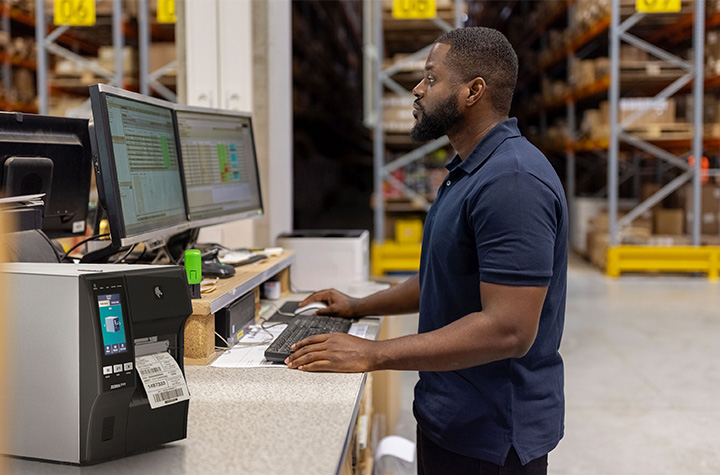
Challenges and How Zebra RFID Printers Help Overcome Them
Like any new system, RFID implementations can face obstacles, from signal interference to complex network integration. Zebra printers help businesses overcome these challenges through precise encoding, adaptive calibration, and rugged form factors built to perform in tough environments.
Their reliability under demanding warehouse operations ensures that RFID tags are read correctly even when exposed to harsh environmental conditions or dense product data. Barcodes, Inc. professional services and automation tools also help ensure compliance and maintain smooth operations from day one.
By minimizing downtime and maintaining consistency, Barcodes, Inc. provides a competitive edge for businesses aiming to increase productivity without compromising accuracy.
Future Trends: What’s Next for RFID in Shipping?
As RFID technology evolves, it’s merging with IoT and AI to create smarter, self-learning logistics systems. Autonomous mobile robots now use RFID-tagged pallets to navigate warehouses, while predictive maintenance tools analyze printer data to anticipate servicing needs before breakdowns occur.
Future innovations will further enhance real-time insights, allowing businesses to monitor inventory and shipments anywhere in the world. RFID printers will continue to improve encoding speed, data capture accuracy, and system connectivity, paving the way for end-to-end visibility across the entire supply chain.
Real-World RFID Case Study
A leading distribution center processing large volumes of shipments recently implemented Zebra ZT411R RFID printers. Before the rollout, the facility struggled with time-consuming manual barcode checks, mis-shipments, and inconsistent inventory management.
After the transition, shipping operations improved dramatically. RFID labels were printed and encoded in one step, dock doors validated pallets automatically, and real-time data flowed directly into warehouse management systems. The outcomes were clear:
- Labeling errors dropped by 90%
- Order fulfillment time decreased by 40%
- Throughput improved by 25%
The organization quickly realized significant cost savings and improved decision-making, setting a new standard for efficiency in modern logistics.
FAQs
What does “Streamlining Shipping: How RFID and Zebra Printers Can Help” mean in practice?
It refers to using RFID-enabled Zebra printers to automate shipping workflows, improve tracking, and reduce human error in logistics and warehouse operations.
Can Zebra RFID printers print and encode in one step?
Yes, Zebra RFID printers can print and encode RFID tags simultaneously, saving time and improving accuracy in shipping operations.
Which Zebra printers work best for logistics environments?
Industrial models like the ZT411R and ZT610R are built for demanding warehouse environments and high-volume operations.
How does RFID speed up shipping versus barcodes?
RFID technology allows multiple RFID tags to be read at once, without direct line-of-sight scanning, significantly increasing speed and efficiency compared to traditional barcodes.
What challenges occur when integrating RFID printers?
Common challenges include ensuring proper tag placement, managing read range accuracy, and integrating RFID systems with existing ERP or WMS platforms.
What ROI can businesses expect from Zebra RFID solutions?
Businesses often experience measurable cost savings within months, through faster order fulfillment, fewer errors, and reduced labor costs.
Can older Zebra printers be upgraded for RFID?
Some Zebra printer models can be upgraded with RFID modules, while others can be replaced with RFID-capable printers for modernized workflows.
How do Zebra RFID printers connect with warehouse systems?
They integrate easily with existing systems using Zebra’s Print DNA and Link-OS software, ensuring real-time data exchange and smooth connectivity.
What are the best practices for deploying RFID-enabled printing in shipping zones?
Plan infrastructure placement carefully, choose suitable RFID tags and packaging materials, train your team, and use Zebra’s management tools to ensure long-term success.
Conclusion: Moving Toward Smarter, Faster Shipping
Streamlining shipping: how RFID and Zebra printers can help is more than a topic, it’s a roadmap for operational transformation. By combining RFID printers, scanners, and management software, Zebra gives businesses the tools to improve real-time tracking, inventory accuracy, and overall supply chain visibility.
For companies ready to modernize their shipping operations, starting small is key. Pilot RFID in one area, refine your process, and then scale with confidence. Discover the full range of Zebra RFID Printers and Shipping Label Printers at Barcodes Inc to take your logistics strategy and customer satisfaction to the next level.
QR Codes for Restaurants: Menus, Payments, and Promotions

There’s something quietly magical about scanning a small black-and-white square and instantly pulling up a full menu, placing an order, or even paying your bill, all without flagging down a server. In a world where convenience rules and customer expectations are sky-high, QR codes for restaurants have evolved from a pandemic necessity into a permanent part of modern dining.
This isn’t just another digital fad. It’s a full-blown transformation changing the way the restaurant industry operates, engages with guests, and grows. These small but mighty QR codes are helping restaurants deliver smoother restaurant operations, stronger connections, and a more efficient dining experience.
What Are QR Codes and Why They Matter Now
Quick Response (QR) codes are 2D barcodes that store data accessible through a smartphone or mobile device. When customers scan them, they can instantly open a web page, display information, or trigger an app function.
In restaurants, they’ve become digital workhorses, powering QR code menus, online ordering systems, and mobile payments. Their appeal lies in simplicity: one quick scan, and your guest is connected.
They’re fast, reliable, and flexible. Whether linking to an online menu, digital platform, payment portal, or promotion, QR codes effortlessly bridge the gap between physical and digital dining. In today’s mobile-first world, they’ve become as common as the tables they sit on.
Why Restaurants Are Adopting QR Codes
The restaurant industry has always been adaptable, but never has it changed as quickly as in recent years. The rise of contactless menu options and digital convenience during the pandemic permanently shifted guest expectations.
Here’s why so many restaurants, from fine dining venues to cafés, are embracing QR codes:
- Cost savings: No more reprinting physical menus every time prices or menu items change. QR code menus eliminate the need for printing, reducing both expenses and environmental impact.
- Safety and hygiene: Guests love contactless interactions that feel cleaner and safer.
- Operational efficiency: Digital platforms streamline the ordering process and reduce wait time.
- Smart data: QR codes provide valuable insights into engagement, orders, and customer retention.
Simply put, QR codes aren’t a passing trend; they’re a business game-changer.
Use Case 1: Menus Go Digital
Printed menus used to define the dining experience. Now, QR code menus are doing it faster and smarter. With a contactless menu QR code, dine-in guests can scan to access a beautifully designed digital menu that updates instantly. They can see photos, filter by dietary preferences, and check allergy info, all from their phones.
Displaying QR codes on restaurant windows or doors makes the menu easily accessible to both passersby and dine-in guests, providing maximum convenience and visibility.
For restaurant owners, this flexibility is a dream. Updating menu items, prices, or specials takes seconds. Menu updates are instant, and new dishes can be launched without delay. It’s efficient, cost-effective, and eco-friendly.
Smart Placement Ideas
- Table tents and napkin holders
- Restaurant window decals for easy access
- Takeout boxes, delivery vehicles, and food packaging
- Posters near entrances or waiting areas
Digital menus also offer accessibility features like translation and voice-over compatibility, ensuring every guest feels included.
Use Case 2: Ordering & Payments Made Easy
Once guests browse your QR code menu, the next step is seamless. After the QR code is scanned by the guest, they can order and pay directly from their mobile devices.
A key feature of many table-side QR menu systems is integration with POS systems or bill splitting, allowing diners to browse, customize, and place orders straight to the kitchen. Pair that with QR code payments, and guests can pay when ready using Apple Pay, Google Pay, or other mobile wallets, no waiting for a check, no touching payment terminals.
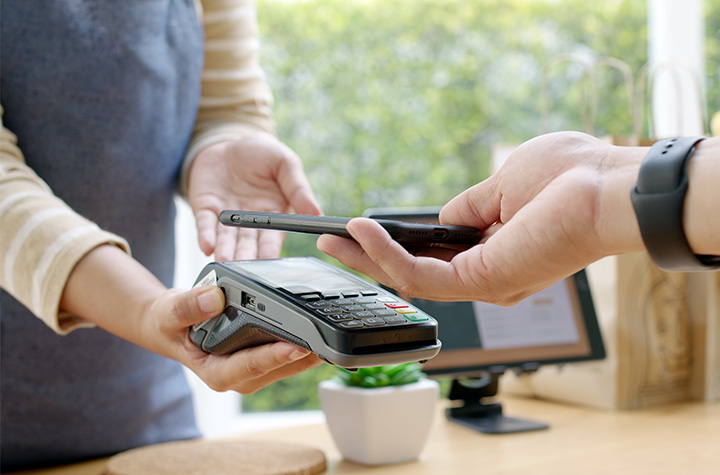
This improves restaurant operations dramatically. Orders flow faster, tables turn quicker, and staff can focus on hospitality instead of handling transactions.
Behind the Scenes
QR codes integrate easily with most POS systems and digital platforms. They connect data from the table to the kitchen to the receipt with fewer errors. Diners can even split bills via QR code table payments, keeping the ordering process simple and smooth.
Less friction equals happier guests and more reviews from satisfied customers.
Use Case 3: Promotions, Loyalty, and Engagement
QR codes for restaurant promotions are becoming an essential marketing tool. They give restaurants direct access to boost customer retention and increase sales.
Picture this: a diner scans a QR code on a receipt and lands on a loyalty program page offering a free QR-based coupon for their next visit. Or a tabletop QR code links to a digital voucher encouraging guests to leave more reviews or refer friends.
Some advanced features, such as dynamic QR codes or enhanced real-time analytics, may require a paid subscription or upgrade.
Ways to Use QR Codes for Promotions
- On posters showcasing special events or seasonal restaurant menus
- On receipts linking to surveys or rewards
- On packaging for “Scan to Reorder” campaigns
- On social media or your website, linking to exclusive offers
Using a dynamic QR code allows real-time analytics, tracking scans, testing offers, and editing links without reprinting. These digital tools turn a simple scan into an opportunity to engage and retain customers.
Menu Items and Food Packaging
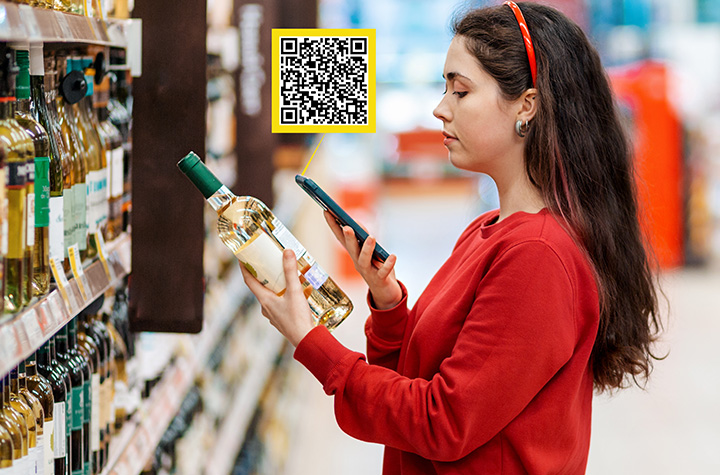
QR codes are transforming not only how customers view restaurant menus, but also how they interact with menu items and food packaging, ushering in a new era of convenience and transparency in the restaurant industry.
By integrating QR code menus and digital menus directly onto food packaging, restaurants can provide instant access to nutritional information, ingredient lists, and allergy warnings, giving guests the confidence to make informed choices with just a quick scan from their mobile devices.
Adding QR codes to food packaging is a smart way to enhance the dining experience, whether customers are dining in, taking out, or ordering delivery. With a simple scan, guests can access a digital platform that offers detailed product information, online ordering options, and even special promotions.
This not only streamlines the ordering process but also reduces the need for physical menus and printed materials, resulting in significant cost savings and a more eco-friendly approach to restaurant operations.
One of the biggest advantages of using QR code menus is the ability to update menu items, prices, and nutritional details in real time. No more waiting for new printed menus; restaurants can make menu updates instantly, ensuring customers always have access to the most accurate and up-to-date information.
This flexibility is a game-changer for menu design and customer experience, allowing restaurants to respond quickly to trends, seasonal changes, or guest feedback.
QR codes also play a crucial role in boosting customer retention. By making the menu interactive and engaging, restaurants can collect valuable data on customer preferences, gather guest feedback, and tailor menu updates to better meet guest expectations.
This data-driven approach helps restaurants increase sales and improve customer satisfaction, setting them apart in a competitive market.
Strategic placement of QR codes is key to maximizing their impact. Displaying codes on table tents, restaurant windows, delivery vehicles, and food packaging ensures customers have easy access to menus and promotions wherever they are. This seamless access encourages more orders, increases sales, and enhances the overall dining experience.
Integrating QR codes with online ordering and payment systems like Apple Pay and Google Pay takes convenience to the next level. Guests can place orders and make payments quickly and securely from their phones, reducing wait times and creating a truly contactless menu experience for dine-in guests and takeout customers alike.
By creating a robust digital platform for menu items and food packaging, restaurants can stay ahead of the curve, increase sales, and establish themselves as leaders in the digital age.
The use of QR codes is more than just a tech upgrade; it’s an essential tool for boosting customer retention, streamlining restaurant operations, and delivering a modern, engaging dining experience that keeps guests coming back.
Implementation Best Practices
Getting started with restaurant QR codes is easy, but smart implementation matters.
- After creating your QR code, you can easily download the QR code image or menu design for quick printing or digital use.
1. Choose the Right Type
- Static QR codes: Fixed URLs that work well for simple menus or short-term offers.
- Dynamic QR codes: Editable and trackable, perfect for ongoing promotions and menu updates.
2. Design with Intention
Use your brand colors and logo. Frame your QR code with a clear message like “Scan for Menu” or “Scan to Pay.” Great menu design adds trust and encourages use.
3. Test Across Devices
Ensure your codes scan properly across multiple phones and mobile devices. What works on one phone should work for all.
4. Be Clear About the Action
A QR code without context is just a shape. Use strong CTAs: “Scan to Order,” “Scan for Specials,” or “Join Our Loyalty Club.”
Pitfalls, Challenges & How to Avoid Them
Even the best tech can falter without the right setup. Avoid these common issues:
- Poor Wi-Fi: If guests can’t access your online menu, they can’t use it. Optimize your web page for speed.
- Bad placement: QR codes hidden behind condiments or printed too small frustrate customers. Place them where customers can easily scan.
- Outdated links: Always keep your links up to date and test regularly.
Some guests may prefer a printed menu, so always have a few available. Train staff to assist customers who aren’t familiar with QR systems. Secure platforms protect customer data and boost trust.
Measuring Success & ROI
With dynamic QR codes, you can track every scan and measure engagement. Look at scan rates, conversions, and average order values to measure ROI. Digital menus also reduce print costs and improve efficiency.
Key Metrics
- Scan rates per menu QR code
- Orders and payments generated
- Customer engagement trends
- Reduction in wait time and staff workload
The cost savings and efficiency gains make this a clear win for restaurants ready to innovate.
Future Outlook: The Next Chapter in Digital Dining
The future of QR codes in restaurants is dynamic. They’ll soon integrate with loyalty apps, AR-based menu design, and personalized menu QR systems. Imagine scanning a QR code to preview a dish in augmented reality or to order directly from a table tent via your mobile app.
As digital platforms evolve, QR code technology will continue increasing sales and enhancing the overall customer experience.
Restaurants that adopt these innovations now will lead the charge in redefining modern dining.
FAQs
1. What are QR Codes for Restaurants: Menus, Payments, and Promotions?
They’re scannable digital tools that connect diners to restaurant menus, ordering systems, and payment options using a mobile device.
2. How can a restaurant use a QR code to replace a printed menu?
Display a menu QR code that links to an online menu, allowing customers to browse and place orders easily.
3. Can QR codes in restaurants be used for payments and ordering?
Yes. Guests can use Apple Pay, Google Pay, or mobile apps to pay securely after they place orders.
4. What are the benefits of using QR codes for restaurant promotions?
They help increase sales, boost customer retention, and drive online engagement.
5. What should restaurants watch out for when implementing QR codes?
Test your QR codes, avoid broken links, and use a trusted QR code generator to ensure reliability.
6. Do QR codes improve service speed and efficiency?
Absolutely. They reduce wait times and simplify the ordering process.
7. How do dynamic QR codes differ from static QR codes?
Dynamic QR codes can be edited and tracked, while static QR codes are fixed and can’t be changed.
8. How can a restaurant measure the success of its QR code strategy?
Track scans, conversions, and ROI using built-in analytics from your QR code generator or website platform.
9. Are there guest experience downsides to using QR codes?
Some guests still prefer physical menus. Offering both ensures inclusivity and a great customer experience.
10. What’s next for QR codes in the restaurant industry?
Expect tighter integration with apps, more advanced digital menus, and innovative features that elevate the dining experience.
Conclusion: The Small Code Creating Big Change
QR codes for restaurants are transforming the dining experience, simplifying operations, improving payments, and enhancing restaurant marketing.
From digital menus to loyalty programs, they’re helping restaurants create modern, memorable, and efficient service that keeps customers coming back.
Embrace these simple steps, and you’ll not only save time but also increase sales, improve service, and build a future-ready business.
Contact Barcodes Inc. today to learn more about a fully integrated POS environment.
Best Inkjet Printers for Offices and Small Businesses
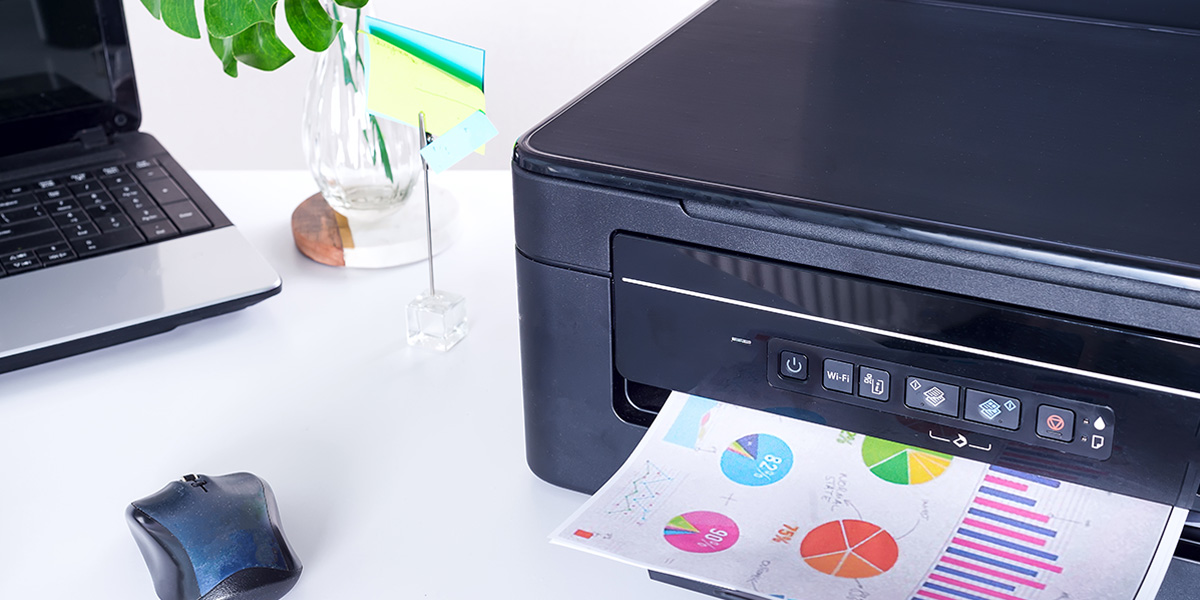
Small offices often run into printing challenges, either choosing devices that are too inexpensive and compromise quality, or machines that are too costly for their budgets. Inkjet printers offer an ideal balance for a small office environment. They provide vibrant color output, support a variety of document types, and fit well into small or medium-sized workspaces.
Inkjet technology performs well with moderate print volumes such as invoices, marketing materials, and occasional labels. Many models now include wireless connectivity, mobile printing, and productivity features that make them far more capable than traditional home-use devices. Having enough ink is crucial to ensure continuous printing and avoid workflow interruptions.
Cost efficiency is an important consideration for small business owners. Inkjets use less energy, offer affordable color printing, and take up minimal space, which makes them an appealing alternative to larger laser printers.
It’s also important to compare the cost per color page to monochrome pages, as color pages can be more expensive, and knowing the cost per color page helps in managing printing expenses effectively.
Print Quality and Resolution: What to Expect from Modern Inkjets
Modern inkjet printers have set a new standard for print quality and resolution, making them a top choice for small businesses and home offices that demand professional results. Today’s inkjet printers, such as the HP OfficeJet Pro series, deliver crisp text, vibrant graphics, and photo-quality images that rival even the best laser printers.
This leap in printing quality is largely due to advancements in printhead technology and higher resolution capabilities, with many models offering up to 4800 x 1200 dpi for detailed, sharp output.
One of the standout features of modern inkjet printers is their versatility with different media types. Whether you’re printing on plain paper, glossy photo paper, or specialty materials like labels and cardstock, inkjet printers consistently produce excellent print quality. The right paper can further enhance printing quality, so it’s worth matching your media to your project, plain paper for everyday documents, glossy for photo printing, and heavier stock for marketing materials.
Photo printing is another area where inkjet printers excel. Many small business printers, including models like the Canon Pixma and Brother MFC-L3780CDW, use advanced ink systems that combine dye-based and pigment-based inks.
This allows for a wide color gamut, smooth gradations, and true-to-life images, perfect for printing photos, marketing collateral, or presentations. Features such as borderless printing and automatic duplex printing add convenience and help create polished, professional-looking materials.
For businesses concerned about cost per page, modern inkjet printers offer several solutions. High-capacity ink tanks and subscription services like HP Instant Ink help keep ink costs predictable and manageable, ensuring you get the most out of every cartridge. Many inkjet printers are designed for efficiency, with fast print speeds and large paper trays to support busy office workflows without constant refills.
Connectivity is also a key advantage. With Wi-Fi Direct and mobile device compatibility, you can print directly from smartphones, tablets, or laptops, streamlining the process of printing images and documents on the go. This flexibility is especially valuable for small businesses and home offices that rely on multiple devices.
In summary, today’s inkjet printers combine excellent print quality, high resolution, and versatile media handling to meet the diverse needs of small businesses.
By considering factors like print speed, printing quality, cost per page, and connectivity, you can select a good printer that delivers professional results, whether you’re printing photos, business documents, or marketing materials.
With options like the HP OfficeJet, Brother MFC-L3780CDW, and other business printers, small offices can enjoy reliable, high-quality printing without compromise.
Best Inkjet Printers for Offices and Small Businesses
Below is a curated list of some of the best printers and best business printers currently available on Barcodes Inc.
This selection covers everything from the best budget printer and affordable budget printer options for cost-conscious buyers, to high-end photo printers and dedicated photo printer models for creative professionals.
These devices are suitable for a wide range of business printing tasks, ranging from compact multifunction printers to large-format models designed for professional and creative environments.
HP Officejet 200 and OfficeJet 250 Wireless Inkjet Multifunction Printer
The HP OfficeJet 200 and OfficeJet 250 is a portable printer that is ideal for remote teams and mobile professionals. Its compact design is a key feature, allowing it to print, scan, and copy with reliable wireless connectivity.
The portable design and optional long-lasting battery make it convenient for businesses that need flexibility. Small offices appreciate how it handles everyday tasks without requiring much space, and its size makes it an excellent desktop printer for small workspaces.
HP DesignJet Z9+ PostScript Inkjet Large Format Printer
The HP DesignJet Z9+ is a color printer known for its exceptional image quality, making it ideal for businesses that require outstanding color output on large-format materials. It delivers precise color accuracy, sharpness, and smooth gradients, ensuring high fidelity in printed images.
This makes it a favorite for agencies that produce posters, banners, and high-quality client visuals. Its advanced PostScript capabilities ensure consistent results across complex design files.
HP DesignJet T630 Inkjet Large Format Printer
The DesignJet T630 offers strong color output and flexible media handling, featuring advanced paper handling capabilities for efficient management of various paper sizes and types. It is ideal for technical drawings, architectural plans, and detailed layouts. Its compact footprint makes it a practical choice for smaller offices needing professional wide-format output.
HP DesignJet Z9+dr PostScript Inkjet Large Format Printer
The dual-roll configuration of DesignJet Z9 printers allows quick switching between media types, which is helpful for fast-paced design environments. Creative teams value the printer’s fast printing speed and consistency. PostScript support ensures accurate color reproduction across complex graphics.
HP DesignJet T2600dr PostScript Inkjet Large Format Printer
As a HP multifunction large-format printer, the T2600dr, is designed for collaborative teams that require both printing scanning and print scan capabilities in a single device. It features an automatic document feeder for efficient processing of multi-page documents.
The T2600dr supports automatic duplex scanning and single pass duplex scanning, allowing users to quickly and efficiently scan double-sided documents without manual intervention.
The intuitive touchscreen interface makes it easy to scan documents to email or network folders, streamlining workflow in engineering, architecture, and construction environments where teams frequently revise and share drawings.
HP DesignJet T1700dr PostScript Inkjet Large Format Printer
The T1700dr is designed for technical drawings, posters, and detailed office documentation, making it ideal for producing both physical and digital documents. Strong security features make it suitable for government, engineering, and enterprise environments. Its stability and precision appeal to teams that depend on consistent output.
HP DesignJet T1600dr PostScript Inkjet Large Format Printer
HP DesignJet T1600dr PostScript Inkjet Large Format Printer is a compact, professional-grade large-format printer balances size, performance, and speed. Its quiet operation suits open office environments. It is an excellent option for teams upgrading from older large-format equipment, and is also a strong choice for medium business environments needing reliable large-format output.
Brother MFC-J1170DW
The Brother MFC-J1170DW is a versatile Brother printer that stands out for everyday office printing. While it offers impressive speed and efficiency, a Brother laser printer may provide even faster monochrome output and higher volume capacity for small business use.
Its fast first-page output and automatic duplex printing keep teams productive, making it a strong contender for the best budget printer category. Strong Wi-Fi connectivity and mobile printing support make it suitable for handling invoices, forms, and internal reports. Overall, it is a reliable small business printer.
Epson GP-M831 Inkjet Label Printer
This durable label printer is ideal for businesses that need high-quality, color-rich labels for retail, logistics, and printing shipping labels. It produces smudge-resistant and fade-resistant labels that work well for packaging, compliance tags, and warehouse labeling.
While thermal printers are often used for fast and efficient shipping label production, the Epson GP-M831 stands out by offering wide-format and color label printing, making it especially useful in industrial environments.
TROY 200 Mobile MICR Printer
This mobile inkjet printer is designed for printing secure business documents on the go. With MICR ink, it is suitable for printing checks and other sensitive documents, making the TROY 200 ideal for producing secure black and white documents that require banking-level security. It is an excellent option for finance teams, field operations, and mobile service providers.
Key Factors to Consider When Buying an Office Inkjet Printer
Choosing the right printer requires understanding your print environment and workload. For example, a larger paper tray can reduce the need for frequent paper refills, improving efficiency in high-volume settings. When evaluating cost per page, it’s important to factor in the price of replacement ink and ink cartridges, as these ongoing expenses significantly impact total cost of ownership.
When comparing printer types, most inkjets and most inkjet printers differ in speed, print quality, and maintenance. Ink tank systems offer a low cost per page and are ideal for high-volume printing, while toner cartridges in laser printers provide high yields and longer replacement cycles.
In terms of refill efficiency, ink tank systems stand out for their low cost per page and ease of maintenance compared to traditional ink cartridges.
For multifunction printers, consider not only print performance but also scan speeds and scan quality, as both are crucial for office productivity and the accuracy of scanned documents.
Print Speed, Duty Cycle, Tray Capacity, and Duplex Printing
Busy offices cannot afford slow or inefficient printers. Printing speed is crucial for maintaining productivity, especially in high volume printing environments where large numbers of pages need to be produced quickly.
Print speed determines how quickly documents are produced, especially when multiple team members share the device. The duty cycle indicates how many pages a printer can handle each month without issues, making it an important consideration for high volume printing. Exceeding this limit often leads to jams and mechanical problems.
Tray capacity is another key factor. A larger tray reduces interruptions and supports more efficient workflows. Automatic duplex printing saves time and reduces paper waste by allowing double-sided printing without manual flipping.
Total Cost per Page and Refill Efficiency
Ink is often the biggest long-term expense. Even an inexpensive printer can become costly if it uses ink quickly. Understanding cost per page is essential. High-yield cartridges or refillable tanks significantly reduce costs and lower the frequency of replacements.
Some printers also offer free ink for a limited time when you sign up for a subscription plan, which can help lower initial printing costs, though these offers may require using specific ink brands or ongoing subscriptions.
Printers with efficient refill systems reduce downtime, allowing teams to work without constant interruptions from low-ink alerts.
Wireless Connectivity and Network Security
A good office printer must integrate smoothly with your network. Wireless and Ethernet options give teams flexibility without cluttering the workspace, and also allow easy printing from mobile devices such as smartphones and tablets.
The HP Smart app enables remote printer management and monitoring, letting users check ink levels, access printer settings, and manage print jobs from anywhere. Strong security features, including encrypted connections and administrative passwords, help protect your network from unauthorized access.
Inkjet vs. Laser Printers for Small Business Operations
Choosing between a color printer and a laser printer depends on your business needs. Understanding the strengths of each option, including whether you require a color laser for high-speed color output or prefer inkjet color printers for vibrant marketing materials, helps you avoid unnecessary costs.
When Inkjet Wins
Inkjet printers are versatile and ideal for businesses that print a variety of documents. An AIO printer (all-in-one printer) can print documents, scan, and copy in one device, making it a practical choice for offices needing multifunctionality.
The convenience of print scan features is especially beneficial for small offices, allowing users to handle multiple tasks efficiently. Their vibrant color output makes them excellent for presentations, marketing materials, and branded content. They use less energy and take up less space, which is helpful for small offices.
Inkjet printers also support a wide range of media types, such as labels, envelopes, and specialty paper. This flexibility is valuable for businesses that produce visual or promotional materials.
When Laser Might Be Better
Laser printers excel in speed and volume. If your office prints thousands of black-and-white pages each month, laser printers are more cost-effective and are often preferred for business printing tasks due to their reliability and efficiency.
They have higher duty cycles and faster engines, making them suitable for high-demand environments. For offices with limited space, a desktop printer can be a good fit, offering compact size without sacrificing essential features.
Top Features of Business-Grade Inkjet Printers
Today’s business printers include productivity and connectivity features that go beyond basic home models. Advanced options such as an automatic document feeder (ADF) and a flatbed scanner allow for efficient handling of multipage documents, as well as scanning large or delicate items like book pages and loose documents.
Connectivity and Integration
Modern office printers should integrate with existing workflows. Look for Wi-Fi, Ethernet, mobile printing, and cloud features. Scan-to-email and scan-to-cloud capabilities help teams move information quickly.
Some printers offer remote management tools that track ink levels and usage patterns, helping administrators reduce downtime.
All-in-One Capabilities
Multifunction printers that scan, copy, and fax offer convenience and save office space. Large flatbed scanners and fast automatic document feeders help teams process documents quickly and efficiently.
High-Yield Tanks, Duplex Printing, and Multi-Tray Options
High-yield ink tanks reduce cartridge changes, while duplex printing saves paper. Multi-tray options allow offices to load different paper types simultaneously, reducing the need for constant manual adjustments.
Cost Considerations and Total Cost of Ownership (TCO)
The initial printer cost is only part of the equation. Long-term expenses determine the true value of the device.
Upfront Cost vs. Ongoing Ink Costs
Some printers cost less initially but are expensive to maintain. Others have higher upfront prices but lower operating costs. Understanding your monthly print volume helps predict expenses.
Refillable Ink Tanks
Tank-based systems hold more ink and reduce the frequency of refills. They provide predictable costs and minimize interruptions.
Reliability Reduces Hidden Costs
A reliable printer reduces the need for repairs and minimizes downtime. Business-grade printers offer sturdier construction and longer-lasting components, saving money in the long run.
Best Usage Scenarios for Office and Small Business Inkjets
Different work environments benefit from inkjet printers for various reasons.
Home Offices and Startups
Inkjets offer an affordable and compact solution for small teams. Their color accuracy helps produce professional marketing materials without outsourcing.
Creative Agencies
Design teams rely on high-quality color. Large-format inkjet printers deliver the precision and tonal range required for client-facing visuals.
Retail and Small Stores
Inkjet label printers help businesses produce pricing tags, signage, and packaging labels. Their durable output improves branding and operational efficiency.
Setup and Maintenance Best Practices for Office Use
Proper setup and maintenance help keep your printer running smoothly.
Network Installation Steps
- Place the printer in a central location for easy access.
- Connect via Wi-Fi or Ethernet.
- Install drivers on all shared devices.
- Set default print settings that match your workflow.
- Enable mobile and cloud printing.
- Update firmware regularly.
Maintenance Tips
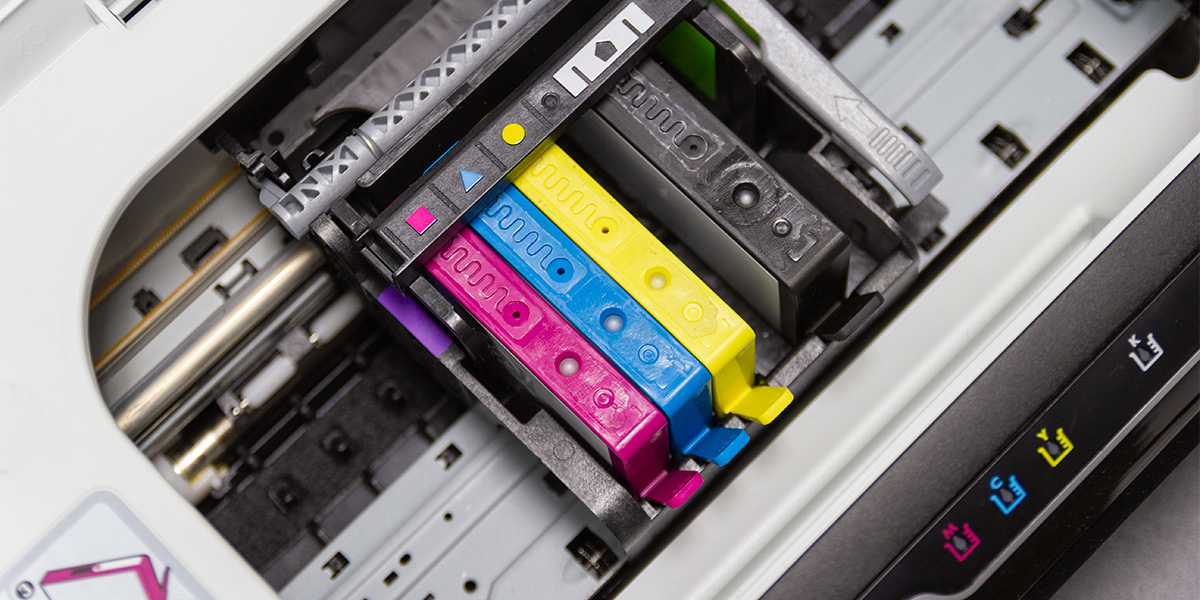
Printing regularly prevents ink from drying in the nozzles. Clean the printheads only when print quality declines. Use the correct media to avoid jams. Replace ink before it is completely empty to prevent clogs.
When Not to Choose an Inkjet Printer
Inkjets are not the best choice for every office. Consider alternatives if you:
- Need very high monthly volumes where durability is essential
- Work in fast-paced environments that require bulk monochrome printing
- Produce specialized labels better suited for thermal or industrial printers
FAQs
What makes an inkjet printer suitable for offices?
Inkjet printers offer reliable color output, moderate volume capacity, and flexible connectivity.
How do I choose the best inkjet printer?
Select a printer that aligns with your expected monthly volume, the types of documents you produce, and the connectivity your team requires. Use measurable factors such as duty cycle, print speed, ink yield, and cost per page to compare models.
Is inkjet more cost-effective than laser?
Inkjet printers are typically more cost-effective for color printing and moderate mixed-use environments. Laser printers may be more economical for high-volume monochrome printing.
What volume is reasonable for an inkjet?
Most small businesses print several hundred to a few thousand pages per month. Inkjets perform well within this range.
What features matter for shared office networks?
Look for strong security options, Ethernet and Wi-Fi connectivity, mobile printing support, and cloud integration.
How important are ink costs?
Ink costs directly affect long-term operating expenses. Evaluating cost per page ensures predictable ongoing costs.
Can inkjets handle heavy color printing?
Business-grade and large-format inkjet models are designed to handle intensive color workloads with consistent quality.
What maintenance is required?
Routine printing, occasional printhead cleaning, firmware updates, and proper media use help keep an inkjet printer running reliably.
When should a business avoid inkjets?
Inkjets are not ideal for businesses that print extremely high monochrome volumes or require fast, bulk document processing.
Are all-in-one inkjets good for business use?
Yes, all-in-one inkjet printers are excellent for small teams needing multifunction capabilities in a single device.
Conclusion
Choosing the right inkjet printer for your office or small business does not need to be overwhelming. When you focus on the essentials such as print quality, cost efficiency, connectivity, and long-term reliability, the best options stand out clearly.
Barcodes Inc. offers a wide range of printers, from compact multifunction units to advanced large-format models, ensuring there is a solution for every type of business.
When your printer aligns with your workflow, you save time, reduce costs, and maintain consistent productivity. By understanding your print volume, color needs, media requirements, and total cost of ownership, you position your office for smoother operations and fewer interruptions.
Mobilizing Patient Care with IPCMobile Linea Pro Rugged
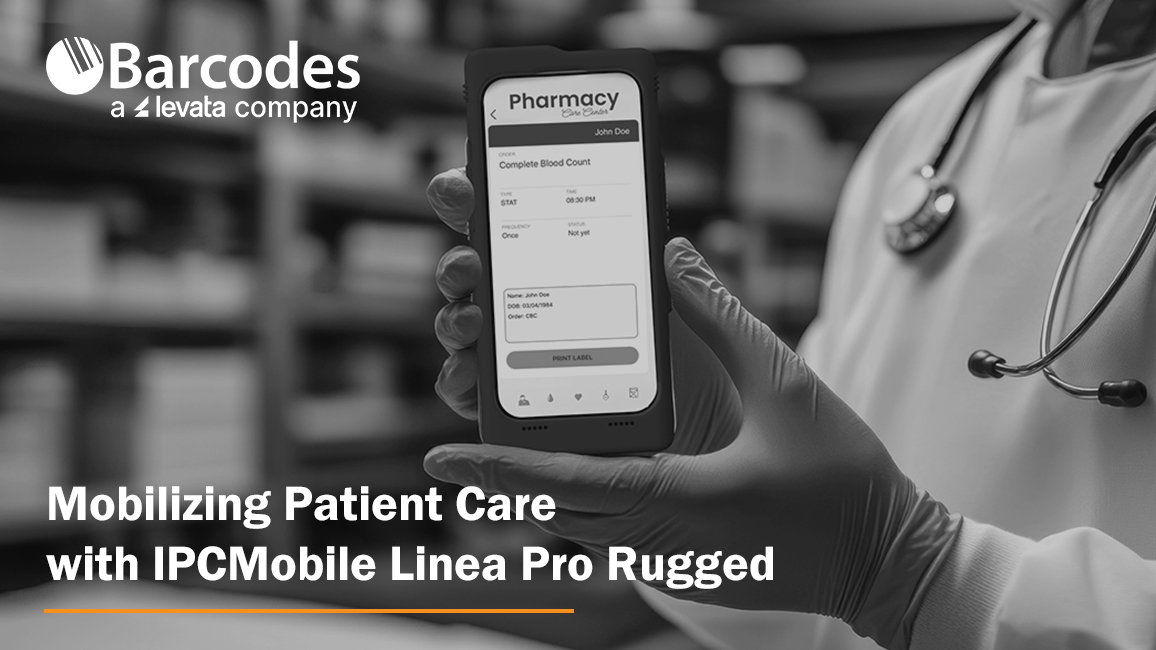
Healthcare teams are under constant pressure to deliver safer, faster, and more efficient patient care—often while overcoming obstacles including outdated technology, workflow disruptions, and mobile communication gaps. IPCMobile’s Linea Pro Rugged (LPR) was designed to meet these challenges head-on, empowering professionals with a mobile, all-in-one solution built specifically for the realities of modern healthcare.
Solving Today’s Patient Care Challenges
Many healthcare organizations continue to operate with aging equipment that struggles to keep up with evolving software, security requirements, and clinical workflows. The Linea Pro Rugged addresses these challenges with a modular, scalable design that adapts as needs change—future-proofing your investment while maintaining compatibility with the latest iOS updates and security protocols.
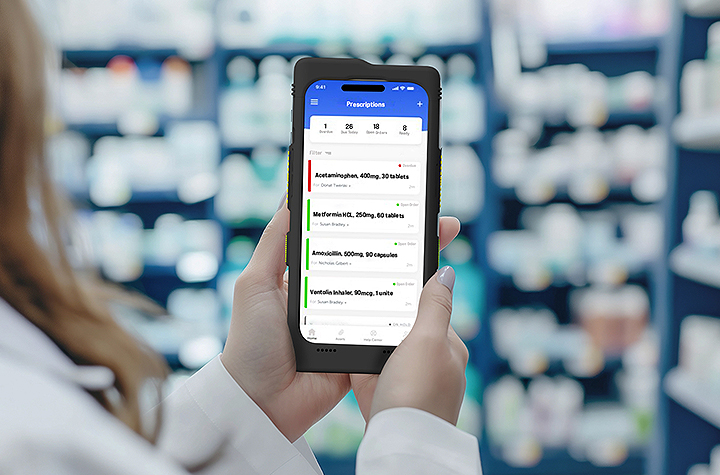
Protecting patient privacy is non-negotiable. With enterprise-grade, highly accurate barcode scanning on a secure device, LPR helps reduce manual entry errors and ensures patient data is captured correctly the first time—supporting compliance while enhancing trust at the point of care.
Frequent technical issues and inconsistent hardware across departments can slow care delivery and frustrate staff. LPR enables standardized hardware and software across units, minimizing downtime and creating a more consistent, reliable clinical experience.
Concern that a device will hold power during critical work tasks and through an entire shift is another common barrier to mobile care. The Linea Pro Rugged features a hot-swappable battery designed to last multiple 24-hour shifts, allowing clinicians to stay focused on patients—not power outlets.
And when communication is critical, especially in remote or fast-moving environments, LPR delivers. Its all-in-one, mobile form factor enables real-time communication and access to patient information wherever care is happening.
Built for Healthcare, Designed for Mobility
The Linea Pro Rugged is an enterprise-grade healthcare mobile scanning solution that transforms the iPhone® 15, 16, or 16e into high-performance data capture devices. Users benefit from the familiar iOS interface, reducing training time and accelerating adoption, while IT teams gain a rugged, secure platform built to last.
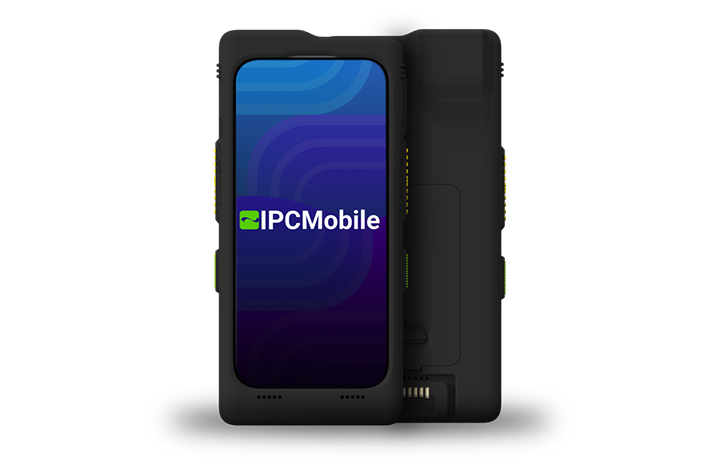
Designed for healthcare environments, LPR is disinfectant-ready, engineered to withstand strong cleaners like Super Sani-Cloth without compromising performance. With IP65 protection and MIL-STD-810G drop ratings, it’s certified rugged for the toughest conditions.
Advanced features like programmable buttons, Apple Intelligence™ support, and contactless technologies (including Apple VAS and Google Smart Tap) streamline workflows and automate data capture. Integration is simple with QWedge, available on the App Store, enabling quick scanning or seamless use within existing applications.
Frequently Asked Questions About Linea Pro Rugged
1. What is the Linea Pro Rugged (LPR)?
The Linea Pro Rugged is a healthcare-ready mobile solution from IPCMobile that transforms an iPhone® 15, 16, or 16e into an enterprise-grade scanning and communication device. It combines rugged protection, advanced barcode scanning, extended battery life, and secure data capture into one all-in-one platform designed specifically for healthcare environments.
2. What iPhone models are compatible with Linea Pro Rugged?
LPR is compatible with iPhone 15, iPhone 16, and iPhone 16e models, allowing healthcare organizations to leverage the latest iOS capabilities while maintaining enterprise durability and security.
3. How does Linea Pro Rugged improve patient safety?
LPR features highly accurate enterprise-grade barcode scanning that reduces manual data entry errors. By ensuring accurate patient ID and medication scanning at the point of care, it helps support compliance initiatives and strengthens patient safety protocols.
4. Is Linea Pro Rugged suitable for hospital disinfecting protocols?
Yes. LPR is disinfectant-ready and engineered to withstand frequent cleaning with healthcare-grade disinfectants, including Super Sani-Cloth. It is built specifically to meet infection control standards in clinical environments.
5. How rugged is the Linea Pro Rugged?
The device is certified with IP65 protection and MIL-STD-810G drop ratings. This means it is protected against dust, water spray, and repeated drops—making it ideal for demanding healthcare settings.
6. How long does the battery last?
LPR features a hot-swappable battery designed to last multiple 24-hour shifts. Clinicians can replace the battery without powering down the device, minimizing workflow interruptions and eliminating “battery anxiety.”
7. Does Linea Pro Rugged integrate with existing healthcare applications?
Yes. LPR integrates easily with existing applications using QWedge (available in the App Store), allowing barcode data to flow directly into EHR, pharmacy, and clinical workflow systems without complex development.
8. What communication capabilities does LPR support?
Because it operates on iPhone hardware, LPR supports secure messaging, voice, video, and real-time access to patient data. This ensures clinicians stay connected wherever care is delivered—whether bedside, remote, or in fast-moving environments.
9. How does LPR support IT standardization?
IPCMobile Linea Pro Rugged allows healthcare organizations to standardize hardware and software across departments using a familiar iOS platform. This reduces training time, simplifies device management, and minimizes downtime caused by inconsistent equipment.
10. What advanced features does Linea Pro Rugged offer?
LPR includes programmable buttons for workflow efficiency, Apple Intelligence™ support, and contactless capabilities such as Apple VAS and Google Smart Tap. These features streamline data capture, automate tasks, and enhance the overall clinical experience.
11. Is Linea Pro Rugged future-proof?
Yes. Its modular and scalable design allows healthcare organizations to adapt as technology and security requirements evolve. LPR supports ongoing iOS updates, helping protect your investment while staying aligned with modern healthcare IT standards.
Healthcare organizations cannot afford technology that slows clinicians down or compromises patient safety. As care environments become more mobile, data-driven, and security-focused, the tools supporting frontline teams must evolve as well. IPCMobile’s Linea Pro Rugged delivers that evolution for healthcare teams, not only upgrading devices, but strengthening the foundation of modern, mobile patient care.
Conclusion
Contact Barcodes Inc. today for help planning a modern healthcare operation ready for the future.
Transform Kitchen Operations Through Digital Workflow Automation
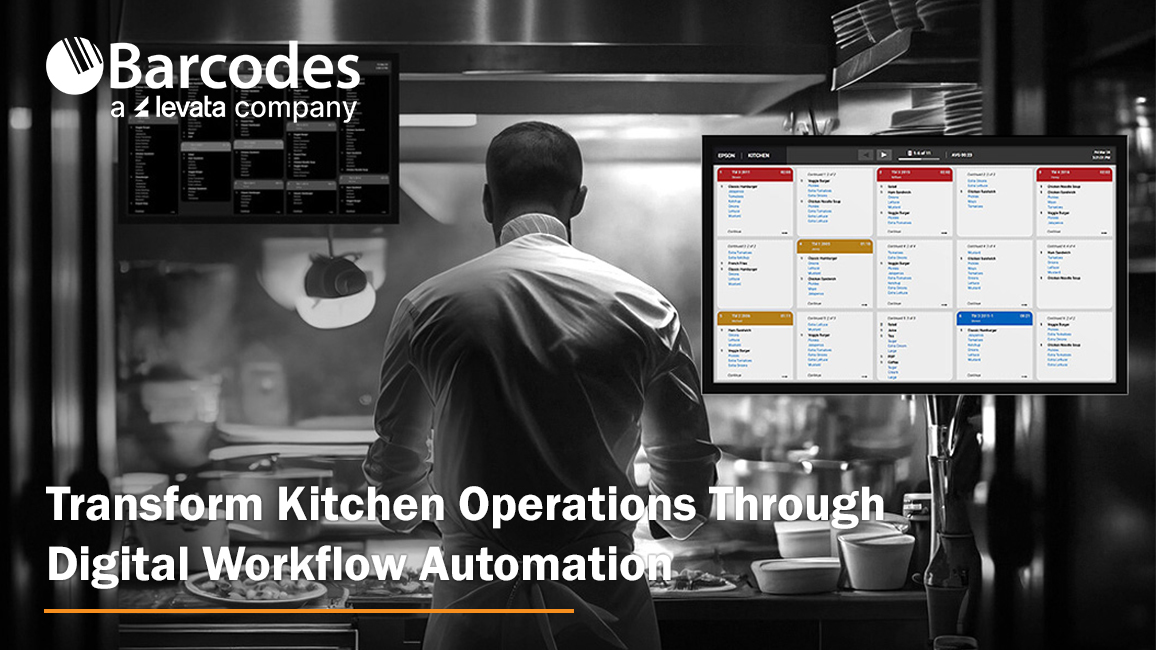
Whether you are running a quick-service restaurant (QSR) or a small restaurant operation, nothing impacts business success more than efficiency, accuracy, and clear communication. Relying on paper tickets and manual processes are outdated operating workflow that slow down service and introduce costly errors. Modern kitchen operations require digitization solutions—like the Epson® TrueOrder™ Kitchen Display System (KDS) offered by Levata—that deliver an affordable, easy-to-install, and highly configurable solution designed to improve overall kitchen operation performance.
From order entry through food preparation and fulfillment, TrueOrder KDS helps restaurants reduce mistakes, minimize paper usage, and keep teams aligned during peak service times. Built specifically for demanding restaurant environments, it combines intuitive software with flexible hardware support to fit a wide range of kitchen layouts and workflows.
Designed for Real-World Kitchen Operations
At the core of TrueOrder is its ability to adapt to how your kitchen actually works. The system supports up to nine stations, allowing orders to be intelligently routed to the right prep areas for parallel processing. This enables kitchens to optimize throughput, reduce bottlenecks, and ensure each station focuses on what it does best.
Customizable display views are available for kitchen staff, expediters, and customer-facing displays, all operated through intuitive touch controls or traditional bump bars. Flexible grid layouts make it easy to highlight key order details, prioritize items, and keep teams focused on what matters most during service. For restaurants that want to reinforce their brand, logos can be added directly to displays for a consistent, professional look.
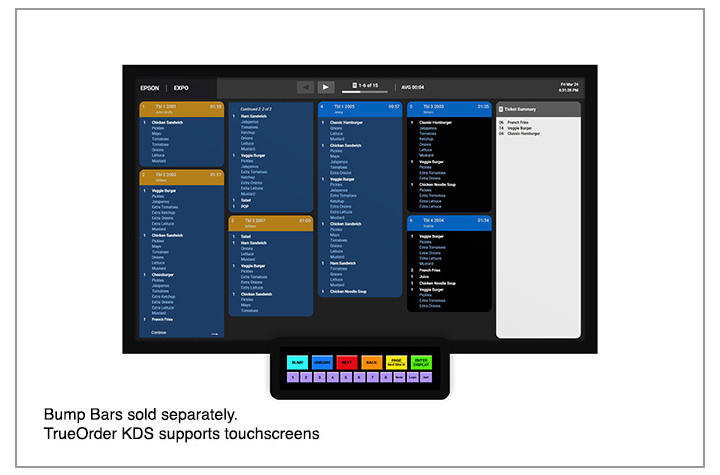
Epson® TrueOrder™ KDS: Key Features & Specifications At-a-Glance
Designed specifically for fast-paced restaurant environments, Epson TrueOrder KDS delivers flexible configuration, reliable performance, and intuitive operation without adding IT complexity.
Core System Capabilities
- Supports up to 9 kitchen stations for optimized, parallel food preparation workflows
- POS-agnostic design works with traditional and tablet-based POS systems—no software modifications or special licenses required
- Digital order routing sends tickets directly to the correct prep, expo, or customer-facing stations
- Local network operation ensures reliability with no Internet connection required
Customizable Workflow & Display Options
- Configurable views for prep stations, expo stations, and customer-facing displays
- Flexible grid layouts help prioritize items, highlight modifiers, and improve visibility
- Touchscreen and bump-bar support to match staff preferences and kitchen environments
- Brand customization allows logos to be added to multiple displays for a polished, professional look
Hardware & Device Compatibility
- Versatile device support including all-in-one touchscreens and media player devices
- Compatible with Epson receipt and label printers to enhance kitchen communication
- On-demand labeling for order numbers, modifiers, bag contents, customer names, QR codes, and branding
Simple Setup & Management
- Easy installation with support for multiple hardware configurations
- Browser-based configurator utility accessible from most devices with a web browser
- Quick staff onboarding thanks to an intuitive, easy-to-learn user interface designed for QSR and small restaurant environments
Built for Accuracy & Efficiency
- Eliminates lost or illegible paper tickets by digitizing the entire kitchen workflow
- Improves order accuracy by clearly displaying real-time order information at each station
- Reduces paper usage while increasing speed, consistency, and communication during peak hours
This combination of flexible configuration, reliable performance, and easy deployment makes Epson TrueOrder™ KDS an ideal solution for restaurants looking to modernize kitchen operations without added complexity or cost.
A Complete Epson POS Ecosystem
TrueOrder integrates seamlessly with Epson’s industry-leading Point-of-Sale (POS) printing solutions. Epson label printers enable personalized, on-demand labeling for virtually any hospitality environment, while Epson receipt printers deliver high-performance thermal printing for PC POS, mPOS, and cloud POS systems. Backed by decades of reliability, these solutions help create a cohesive, dependable kitchen workflow.
Optimize Your Kitchen with Confidence
The Epson TrueOrder Kitchen Display System delivers an affordable, reliable, and fully customizable way to digitize kitchen operations. By improving accuracy, streamlining workflows, and simplifying setup, TrueOrder helps restaurants operate more efficiently today—while staying flexible for the future.
A Smarter Approach to Labeling: How the SATO FX3-LX Transforms Frontline Operations
Every operational environment requires a degree of inventory labeling, but each application depends on its accuracy, speed, and flexibility for a positive impact on productivity, compliance, and customer satisfaction. Whether in a commercial kitchen, warehouse, manufacturing floor, or retail store, outdated or manual labeling processes introduce unnecessary complexity and risk. Read on for a label printer review of the SATO FX3-LX label printer and learn how this all-in-one printer addresses these challenges by combining intelligence, mobility, and ease of use into a single, adaptable device.
At-a-glance features that deliver:
- Intuitive 7″ touchscreen interface for easy operation
- Wireless connectivity with AEP for mobile functionality
- Battery operation option for hours of mobility
- Robust design with wall mounting capability
- Multiple media types compatible with various applications
- 305 dpi high resolution printing
- Multiple connectivity options
- Support both 1D and 2D barcode formats
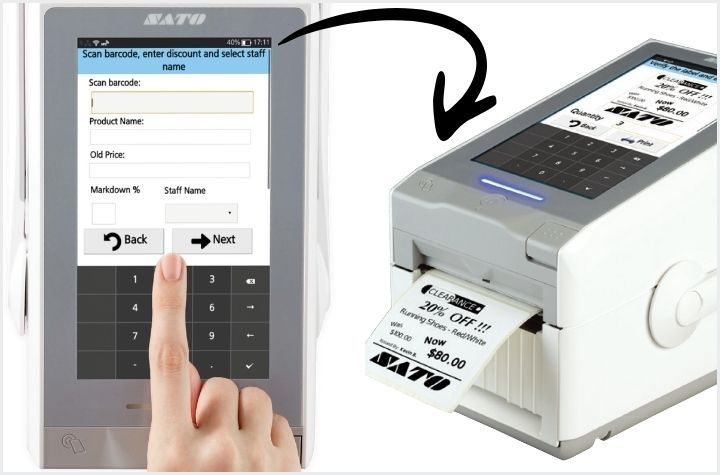
SATO FX3-LX: One Device, Fewer Errors, Greater Efficiency
The FX3-LX is a smart, programmable, standalone label printer designed to operate exactly where work happens. With its integrated 7-inch full-color touchscreen and Application Enabled Printing (AEP) platform, the FX3-LX eliminates the need for external PCs, reduces device sprawl, and enables custom workflows tailored to specific operational needs.
At its core, the FX3-LX minimizes solution complexity by consolidating tablet and printer functionality into one compact unit. Employees interact with a familiar, smartphone-like touchscreen interface, significantly reducing training time. Custom-built interfaces guide users step by step, while features like label preview help prevent misprints and wasted supplies.
Wireless connectivity, optional battery operation, and an integrated handle allow the printer to move seamlessly throughout an operation. Instead of walking back and forth to a fixed workstation, staff can print labels at the point of application—saving time, reducing manual input, and minimizing human error. The FX3-LX also integrates easily with scanners, scales, and keyboards to further improve data accuracy.
The Importance of Accurate Labeling Across Industries
Accurate labeling underpins safety, compliance, and trust in every sector, because labels communicate critical information to producers, regulators, workers, and end users. Let’s review critical value introduced by the SATO FX3-LX across multiple industries to improve labeling accuracy, speed, and compliance in everyday workflows.
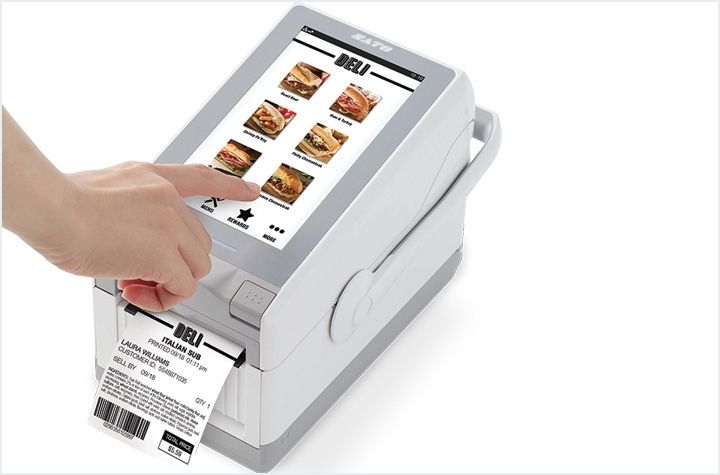
Food Service and Food Safety: Reducing Risk and Waste
- Improves food safety and compliance by replacing handwritten labels with accurate, on-demand printed labels at the point of food prep, receiving, and packaging, helping ensure proper shelf-life tracking and allergen identification.
- Supports key kitchen workflows including date marking, ingredient and allergen labeling, receiving and put-away labels, carryout labels, and price labels, so staff can instantly print the exact format required.
- Built for kitchen environments with an IPx2 splash-resistant, antimicrobial, easy-to-clean design that helps minimize cross-contamination risk in busy food service operations.
- Fits many food service formats such as convenience stores with in-house food programs, central commissaries, caterers, stadiums, and ghost kitchens, where high-volume, accurate labeling is critical.
- Delivers operational benefits by boosting productivity, reducing labeling errors and food waste, and simplifying compliance—without adding complexity to staff workflows.
Manufacturing and Logistics: Enabling Traceability and Flow
- Enhances operational visibility by replacing manual labeling with mobile, on-demand printing, reducing errors that can disrupt manufacturing and logistics workflows.
- Supports real-time process labeling for date marking, quality and process control, receiving and put-away, and mobile picking, so products and data stay synchronized through the supply chain.
- Label items at the point-of-action, improving accuracy, traceability, and confidence that materials are correctly identified at every step.
- Built for demanding environments with a robust design and IK06 mechanical impact certification, making it suitable for warehouses, factories, and distribution centers.
- Adapts to custom workflows through support for tailored AEP applications, allowing manufacturers and logistics providers to deploy labeling solutions that match their existing processes and boost productivity.
Retail: Empowering Staff at the Shelf
- Enables agile store operations with mobile price labeling, markdowns, returns management, pharmacy labeling, and in-store picking, so staff can react quickly to changing retail conditions.
- Improves pricing clarity and trust by allowing associates to replace missing, damaged, or incorrect tags on demand, reducing confusion at the shelf and checkout.
- Reduces labeling errors, which enhances customer experience and frees staff to focus on service, selling, and other higher-value activities.
- Supports diverse retail formats including fulfillment warehouses, 3PLs, specialty retailers, grocery stores, pharmacies, light assembly operations, agriculture, and retail sites with in-house food service.
Print and Apply Labels Where Work Happens
Turns labeling from a back-office chore into a powerful, front-line control point. The SATO FX3-LX allows staff to print on-demand at the shelf, in the kitchen, on the line, or at the dock door, so products and data stay synchronized. More than a label printer, the SATO FX3-LX is a flexible intelligence platform designed to adapt to the unique demands of modern operations. When labeling works where you work, productivity and compliance naturally follow.
Create, Manage, and Print Labels from Anywhere—No IT Required
Labeling has long been one of the most time-consuming and error-prone parts of the supply chain. Traditional, on-premise labeling processes create constant friction for operations—slowing teams down and utilizing valuable IT team bandwidth. Without centralized control, companies struggle with inaccurate labels, compliance risks, manual data entry errors, and limited visibility into who printed what. The painful truth: traditional label management is a major barrier to efficiency, accuracy, and growth.
BarTender offers multiple deployment paths to solve these issues. BarTender Software delivers secure, enterprise-grade, always-on printing for organizations that want complete control over their labeling environment. BarTender Cloud, on the other hand, provides maximum flexibility, allowing teams to access the latest labeling capabilities from anywhere without adding IT infrastructure or resources. With this always-on solution, you gain the ability to design, manage, and print labels anywhere—without the need for constant IT support.
Traditional Label Management: The Most Frustrating Pain Points
- Small Changes Require Big Effort – label templates that live on local machines create bottlenecks for even the slightest change to data fields or product info. Commonly, every need involves an IT service ticket.
- Version Chaos Across Sites – with no centralized version control, several templates may exist, leading to compliance issues or mislabeling.
- No Single Source of Truth – when label data isn’t synced, manual entry introduces errors, inconsistencies, and duplicate efforts.
- Low Scalability, High Cost of Maintenance – multi-site deployments are time consuming and often lack standardization. Servers, backups, security patches, and upgrades require constant upkeep.
- Limited User Access and Control – only users physically on the network—or using VPN—can access templates. From a security lens, it is harder to enforce role-based access, and sensitive data stored locally increases risk.
BarTender: Value Benefits of Cloud-Based Labeling Software
Deploy Labels Faster—with Less Effort
Cloud-based labeling from BarTender centralizes and standardizes your entire labeling environment, allowing you to deploy accurate, compliant labels in minutes instead of days. With reduced reliance on IT, fewer labeling errors, and lower programming costs, teams can respond instantly to product changes, regulatory updates, or production scale-ups—accelerating time-to-market and simplifying rollouts across sites and suppliers.
Smarter, More Consistent Label Design
With BarTender Cloud’s intuitive design tools and intelligent templates, you’ll eliminate the need for specialized skills or custom coding. Labels auto-populate with the right data from connected sources, reducing the number of templates you need to manage while minimizing manual errors. A single, centralized library ensures every team and location uses the same approved design for improved quality, consistency, and operational throughput.
Print Anywhere, on Any Device
Cloud-based printing lets users print from any browser, workstation, or mobile device without installing drivers or configuring hardware. BarTender’s automatic printer discovery and support for thousands of printer models make it easy to print labels at the point of work—whether on a production line, warehouse floor, or retail environment.
Embedded Compliance and Full Transparency
When it comes to compliance standards, BarTender Cloud has you covered. Leverage built-in support for GS1, RFID, UDI, GHS, FDA, and other global standards to ensure your labels always meet regulatory requirements. Pre-built, compliant templates and automated data handling help eliminate errors and simplify complex programs like Transparency labeling for major retailers. Every printed label becomes part of a complete digital audit trail, enhancing authenticity, traceability, and accuracy across your supply chain.
Easy Automation and Seamless Integration
Cloud-based labeling by BarTender directly connect to your ERP, WMS, MES, or cloud databases with simple wizards and pre-built connectors—no custom development required. Automated triggers streamline repetitive tasks like updating fields, sending notifications, and initiating print jobs.
The Smarter Way to Manage Labeling
BarTender software is a trusted brand known for revolutionizing labeling workflows. Now, its cloud-based solution brings flexibility, speed and scale of deployment, and user control to unmatched levels. By removing the need for on-premises servers and custom coding, businesses can standardize labeling operations across every site, supplier, and partner—achieving consistent results, fewer errors, and a more agile supply chain.
Learn More About BarTender Cloud ›
5 Reasons to Put Your Industrial Barcode Printer on a Newcastle Mobile Powered Cart
In warehouses, manufacturing plants, and distribution centers, efficiency directly impacts the bottom line. Here, mobility isn’t just a convenience, it’s a necessity.
Barcode printing remains a cornerstone of warehouse and production operations—but the way most facilities handle it hasn’t changed in decades. Traditional fixed workstations are an antiquated model riddled with inefficiencies. Workers spend valuable time traveling back and forth between their work areas and centralized printing stations, leading to significant productivity losses and chances for errors that compound throughout the day. Not to mention the bottlenecks created if multiple workers need to access the same fixed equipment—deadlines slip, and frustration builds.
Meanwhile, labor is scarce, accuracy expectations are rising, and operations leaders are being asked to do more with less. That’s where Newcastle Mobile Powered Carts come in.
The fastest path to productivity on your warehouse or production floor
By placing your industrial barcode printer on a powered mobile workstation, you bring labeling directly to the point of work. When workers can print labels, tags, and barcodes exactly where they’re needed—whether at a receiving dock, on a production line, or in a storage aisle—they maintain continuous workflow momentum. The result: fewer steps, faster throughput, higher accuracy, and measurable ROI—without adding headcount or changing your existing systems. Let’s review the top five benefits of mobilizing your industrial label printer on a Newcastle Mobile Powered Cart.
1. Powered Mobility for Effortless Movement
Static printing stations require workers to walk back and forth between tasks and printers—often logging miles each shift just to label pallets or products. With a Newcastle Mobile Powered Cart, they take the printer with them. Printing happens exactly where the work is happening, reducing walking by up to 50% and keeping your team focused on moving product, not moving their feet.
Why it matters:
- Free up thousands of labor hours each year
- Reduce fatigue and foot-traffic congestion
- Speed up workflows without altering existing systems
2. Improve Label Accuracy at the Source
When labels are printed away from the point of application, mistakes happen—wrong SKU, wrong pallet, or mislabeled shipments. With mobile printing, workers print and apply labels in real time, directly where verification occurs. This not only reduces human error but also strengthens data integrity across your WMS and ERP systems.
Key outcomes:
- Fewer labeling errors and compliance issues
- Better scan accuracy and data confidence
- Less rework, fewer returns, and smoother audits
3. Accelerate Core Warehouse Workflows
From receiving and put away to picking, packing, and shipping, mobile barcode printing helps every process move faster and more accurately. The Newcastle design allows businesses to configure carts with exactly the equipment and accessories needed for specific workflows, from label printers and scanners to computer terminals and supplies storage.
Immediate gains:
- Cut dock-to-stock times by up to 50%
- Increase picks per hour and order accuracy
- Improve on-time shipments and throughput
4. Boost Labor Efficiency—Without Adding Headcount
Doing more with the same workforce is one of the biggest challenges in today’s operations. Mobile workstations empower teams to accomplish more per shift without expanding payroll or adding overtime.
Why Newcastle helps you scale smarter:
- Lower labor cost per task
- Redeploy employees to higher-value work
- Avoid disruption and expense from installing new fixed stations
5. Deploy Fast and Scale Easily
Unlike major system overhauls, deploying mobile powered carts is simple, fast, and flexible. Newcastle carts arrive preassembled and ready to roll—literally. Just add your printer, connect your devices, and start printing at the point of work. As your operation grows, you can easily add carts by shift, department, or facility.
Built to deliver:
- Full-day onboard power for printers and peripherals
- Industrial durability for demanding environments
- Configurations to fit your existing tech stack
Mobile Powered Carts: Application Use by Industry
Warehousing and Distribution Centers: Mobile label printing enables workers to label shipments at receiving docks, print shipping labels while picking orders, and handle returns on the spot—eliminating constant trips to fixed stations and accelerating inventory accuracy.
Manufacturing and Assembly Operations: Production teams can print component labels, batch tracking tags, and quality control documentation directly at workstations, supporting lean manufacturing while ensuring compliance and preventing defective products from advancing through the line.
Retail and E-Commerce Fulfillment: Mobile carts allow staff to print shelf labels as they unpack shipments, generate pickup labels for click-and-collect orders, and process returns immediately—speeding up fulfillment and keeping inventory accurate without leaving the work area.
Healthcare and Pharmaceutical Operations: Medical facilities can print patient-specific labels at preparation points, generate required serialization documentation for regulatory compliance, and label specimens where they’re collected—improving patient safety and reducing identification errors.
Food and Beverage Production: Mobile printing enables date codes and lot numbers to be printed at packaging lines, allergen warnings to be generated at receiving, and HACCP documentation to be produced at critical control points—all while maintaining sanitation standards and reducing cold storage entry/exit cycles.

Unlock Faster, Smarter Labeling Now
The integration of industrial barcode label printers on Newcastle Mobile Powered Carts represents more than just an equipment upgrade—it’s a strategic investment in operational excellence. By eliminating inefficient workflows, reducing errors, improving worker satisfaction, and enabling rapid adaptation to changing demands, these solutions deliver measurable returns that impact the bottom line. Join leading warehouses, production facilities, and logistics providers by adopting mobile printing as a path towards continuous improvement.
Digital Label Intelligence for a Smarter Supply Chain
Efficient supply chain management hinges significantly on how assets are labeled, marked, and tracked. From barcodes and compliance labels to RFID tags, a single inaccuracy can lead to costly delays, regulatory penalties, or even product recalls. Beyond errors, manual labeling is a drain on productivity, putting teams in the dark when it comes to operational insights and asset tracking.
High-performing organizations rely on automated, digitized labeling software like BarTender, a globally trusted solution for intelligent label design, printing, and compliance.
Why Should Businesses Automate Label Design & Printing?
With BarTender, businesses gain the intelligence and tools they need to move goods faster, more accurately, and with fewer compliance risks across every link in the supply chain. From manufacturing to retail and any industry in-between, BarTender’s capabilities streamline workflows, minimize risk, and future-proof your labeling operations. Let’s review the top features users love most:
Fast Deployment
Implement the BarTender solution in hours—or even minutes—without weeks of costly custom development. Once installed, users enjoy an intuitive interface and reliable support to start working quickly. Thanks to a predictable cost structure, organizations can budget accurately and keep costs under control.
Flexibility
As your business grows, BarTender scales with you. Its adaptable platform easily integrates with existing systems and emerging technologies, allowing you to respond quickly to new labeling regulations or format changes without major IT overhauls.
Always-On Reliability
Protect your brand’s reputation and your customers with BarTender’s always-on solutions. From preventing labeling errors to avoiding downtime, BarTender ensures your users have reliable system access—critical for consumer safety and brand reputation.
Standardize and Centralize Your Labeling Workflow
Labeling consistency is the cornerstone of supply chain efficiency. BarTender empowers users of all skill levels to design accurate, compliant labels using easy-to-use design tools or pre-built templates for common applications. By centralizing label management, you gain full control over versioning, approvals, and access—ensuring every label meets company and regulatory standards.
Print Anywhere, Anytime, from Any Device
BarTender allows users to print at the source of work—whether that’s a production floor, a warehouse dock, or a retail store. With over 10,000 printer drivers, including support for leading printer brands, BarTender makes it simple to print from any browser or mobile device. The result: faster turnaround, fewer errors, and more flexibility.
Built-In Compliance for Every Industry
BarTender’s built-in compliance supports all major barcode and labeling standards, including GS1, RFID, UDI, GHS, and FDA requirements. This ensures your operations stay up to date with the latest industry mandates, helping you avoid disruptions, maintain visibility, and safeguard your supply chain’s integrity.
Convenient Integrations
BarTender integrates seamlessly with ERP, WMS, and MES systems—automating label population and reducing manual entry errors. Whether you’re connecting through APIs, database integrations, or custom scripts, BarTender adapts to your business logic and processes. The result is greater quality assurance, cost-efficiency, and productivity throughout your label lifecycle.
Implement Your Way
BarTender offers flexible deployment options tailored to your organization’s needs:
- BarTender Software – Achieve enterprise-wide printing that’s secure, reliable, and scalable. Ideal for organizations seeking full control over their labeling environment with advanced automation and integration capabilities.
Explore BarTender Software › - BarTender Cloud – Access the latest labeling features without adding IT overhead. Ideal for distributed teams that need to design, manage, and print labels from anywhere.
Learn More About BarTender Cloud ›
Why Businesses Across Industries Trust BarTender for Labeling, Marking, and Coding
Manufacturing – Track materials, parts, and finished goods throughout production. BarTender enables real-time visibility into assets and processes, driving greater control and operational efficiency.
Warehouse – Maintain accurate inventory counts, location data, and traceability from receiving to shipping. BarTender supports mobile workflows that help warehouse teams meet demand and improve fulfillment accuracy.
Transportation & Logistics – Simplify logistics documentation, including bills of lading and ASNs. With BarTender, your team can print compliant barcodes and RFID tags anywhere, ensuring real-time data sharing with partners and customers.
Retail – Enhance the retail experience from backroom to checkout. BarTender improves product labeling accuracy, supports omnichannel operations, and helps ensure every item is placed and priced correctly, creating a smoother customer experience.
Powering the Future of Labeling
As supply chains become more connected, digital labeling intelligence is essential to stay competitive. Scalable from a single site to global distribution networks, the BarTender solution accelerates throughput, enhances traceability, and improves operational accuracy—empowering organizations to move product faster, reduce risk, and gain end-to-end visibility across their supply chain. Gain total label automation to create, manage, and print compliance labels, barcode labels, and RFID tags.