


Code 128 Barcode: What It Is, How It Works, and When to Use It
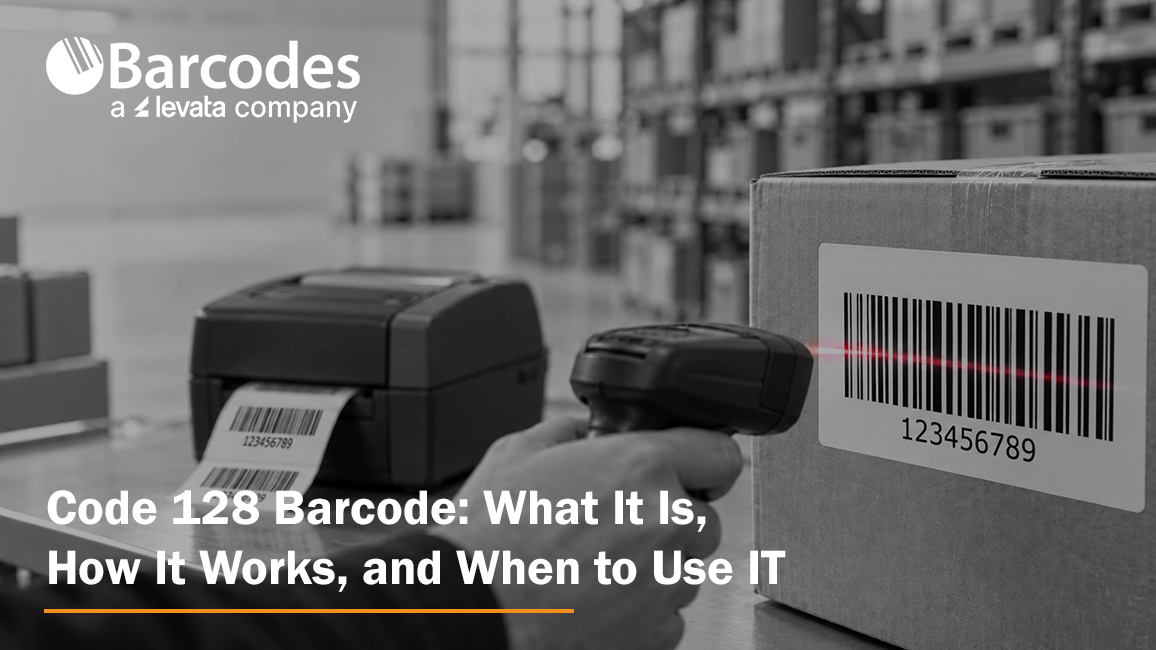
A Code 128 barcode is a high-density, one-dimensional barcode used to identify inventory, shipments, assets, warehouse locations and work in process. It can encode numbers, uppercase and lowercase letters, punctuation and control characters, making it more flexible and compact than many older linear barcode formats. For the underlying symbol rules and character table, see the Code 128 technical specification.
Code 128 is often a strong choice when a business needs to create its own internal identification system. However, choosing the symbology is only the first decision. Reliable scanning also depends on a consistent data structure, correctly generated symbols, suitable label material, a printer matched to the workload and scanners selected for the operating environment.
What Is a Code 128 Barcode
Code 128 is a variable-length linear, or 1D, barcode. Unlike a UPC, it is not limited to a fixed set of 12 numeric digits. A Code 128 symbol can represent the full 128-character ASCII set through three code sets, which allows businesses to encode identifiers such as INV-20481, BIN-A17, LOT-0826 or a longer numeric shipment reference.
The barcode usually identifies a record in an inventory management system, warehouse management system, ERP or other database. When a worker scans the label, the application uses the decoded value to retrieve or update information about the item. For that reason, a successful Code 128 inventory barcode program requires both readable labels and a disciplined method for assigning and managing the values behind them.
How Does Code 128 Work
A scanner reads the changing widths of the bars and spaces and converts the pattern into data. Each valid Code 128 symbol includes a quiet zone, a start character, encoded data, a required check character, a stop character and a second quiet zone. Barcode software or a properly configured Code 128 barcode generator normally selects the code set and calculates the check character automatically.
Code 128 can also switch code sets within one symbol. That flexibility lets encoding software use a compact numeric mode for a run of digits and then switch back for letters or punctuation. Buyers rarely need to calculate this manually, but they should use software that supports true Code 128 encoding rather than applying an ordinary font to unprocessed text.
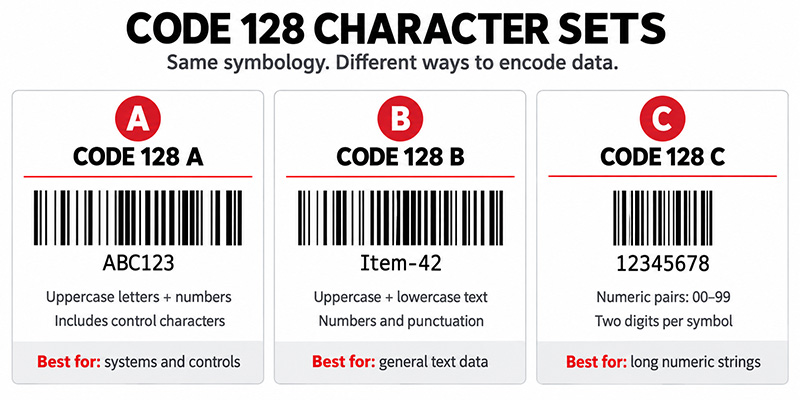
What Are Code 128 A, B, and C
| Code set | Best suited for | Buyer guidance |
| Code 128 A | Uppercase letters, numbers and ASCII control characters | Useful when control characters are required. Most everyday inventory labels do not need users to select it manually. |
| Code 128 B | Uppercase and lowercase letters, numbers and punctuation | A common choice for mixed alphanumeric identifiers such as item, asset and location IDs. |
| Code 128 C | Long strings of digits encoded in pairs | Produces a denser symbol for even-length numeric data. It is not intended for letters. |
| Automatic switching | Mixed strings with numeric runs and text | Usually the best production setting because capable software chooses and changes code sets to reduce symbol width. |
When Should You Use Code 128
Use Code 128 when you control the identifier format, need alphanumeric data and want a compact 1D barcode that is compatible with common business scanners. It is especially practical when existing systems and processes are already built around linear scanning.
Common applications include:
- Inventory labels for products, bins, totes and storage locations
- Shipping, receiving and order-fulfillment labels
- Asset tags for tools, equipment and IT devices
- Manufacturing work-in-process, lot and component tracking
- Laboratory samples, documents, tickets and internal records
A Code 128 inventory barcode works best when every encoded value is unique, stable and tied to a defined record. Learn how the hardware and software fit together in this overview of an inventory scanning system.
When Is Another Barcode Type a Better Choice
| Requirement | Consider | Why |
| Retail point-of-sale identification | UPC or EAN | Retail channels commonly require standardized product identifiers rather than an internally assigned Code 128 value. |
| Trading-partner or logistics data using GS1 rules | GS1-128 | GS1-128 uses the Code 128 symbol structure with FNC1 and GS1 Application Identifiers to give data standardized meaning. |
| Simple legacy industrial identifiers | Code 39 | Code 39 remains common in some installed systems, although its symbols are generally wider for the same data. |
| More data in a smaller area | Data Matrix or QR Code | A 2D barcode can hold more data and may fit applications where a long linear symbol is impractical. |
For a broader comparison, review the types of barcodes overview.
Is Code 128 the Same as GS1 128
No. GS1-128 is based on the Code 128 symbology, but it follows the GS1 system for structuring data. A GS1-128 symbol uses an FNC1 character and GS1 Application Identifiers to distinguish fields such as an SSCC, GTIN, lot number, serial number or date. A plain Code 128 barcode can encode the same letters and numbers without giving them standardized GS1 meaning.
Choose plain Code 128 for a proprietary internal ID when no customer, carrier, retailer or regulator requires a GS1 data structure. Choose GS1-128 when a trading partner or industry process requires standardized supply-chain data. Generating an ordinary Code 128 image of GS1-looking text does not make it GS1-128 compliant.
How Do You Create a Code 128 Barcode
Start with the data and workflow, not the artwork. Decide what the code will identify, which system owns the record, how values will remain unique and what should happen after a scan. Then choose a generation method that fits the scale of the project.
1. Define a stable naming convention. Keep the identifier as short as practical and avoid reusing values for different items.
2. Choose Code 128 and allow automatic code-set selection when your software supports it. Use Code 128 C only when the data is strictly numeric and formatted appropriately.
3. Create a prototype with the free Barcodes Inc barcode generator. The tool supports Code 128 A, B and C and is useful for individual test symbols.
4. Use dedicated label-design software for repeatable production, database connections, serialized labels, user controls and automated printing. This barcode generator software overview explains the difference between individual generation and production workflows.
5. Test the decoded value in the receiving application. A symbol that beeps successfully can still send the wrong format, add an unexpected prefix or update the wrong field.
How to Print Code 128 Labels Reliably
Knowing how to print Code 128 correctly matters as much as generating the data. A technically valid image can fail after it is resized, printed on unsuitable media or placed too close to text and graphics.
1. Preserve the quiet zones. Keep text, borders and graphics away from the blank areas on both sides of the symbol.
2. Do not stretch or compress a barcode image to force it into a layout. Set the required dimensions in the barcode software and regenerate it.
3. Match printer resolution to barcode density and label size. A 203 dpi printer can handle many common labels, while small or dense symbols may benefit from 300 or 600 dpi after testing.
4. Choose label material and adhesive for the environment. Consider moisture, abrasion, chemicals, cold storage, heat, sunlight, surface texture and the required service life.
5. Include human-readable text so workers can identify or enter the value if a label is damaged.
6. Test production samples with the actual printers, scanners, distances, lighting and surfaces used in the workflow. For external compliance or high-risk processes, use formal barcode verification when required.
Use the complete barcode label design best practices to review size, contrast, quiet zones, label materials and testing before production.
What Equipment Do You Need for a Code 128 System
Code 128 Labels
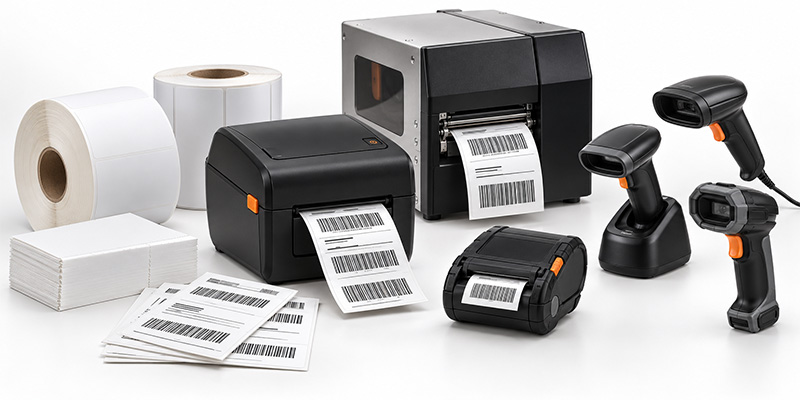
The right media depends on how long the label must last and what it will encounter. Direct thermal labels can suit short-term shipping, receiving and temporary inventory workflows. Thermal transfer Code 128 labels are often better for assets, racks, manufacturing and other applications that require greater resistance to abrasion, chemicals or environmental exposure. Browse barcode labels by printer, material and application.
Barcode Printers
Select a printer according to daily volume, label width, resolution, connectivity and operating environment. Desktop printers fit lower-volume workstations; industrial printers support sustained, high-volume output; and mobile printers produce labels at the point of activity. Compare barcode printers or use the barcode printer buying guide to narrow the options.
Barcode Scanners
Code 128 is a common 1D symbology supported by many modern linear and 2D imagers, but buyers should still confirm that it is enabled and test the exact label. Consider scan distance, label size, motion, damage, screen scanning, cable requirements, wireless range and ruggedness. Shop barcode scanners and review the barcode scanner buying guide.
Build the Complete Workflow Before Buying
A Code 128 barcode is only one component of the solution. Before purchasing equipment, test the full path from source data to label generation, printing, application, scanning and the final software action. Confirm who creates identifiers, how duplicate values are prevented, what happens when a label is damaged and how changes will be managed across locations.
Barcodes Inc can help match the symbology, software, printer, Code 128 labels and scanners to the operating environment. Explore the free generator for a prototype, then speak with a barcoding expert before scaling a business-critical deployment. The right combination can reduce manual entry, avoid relabeling and improve inventory accuracy across the workflow. For more context, see how barcode technology can reduce operational costs.
Frequently Asked Questions About Code 128
Can any barcode scanner read Code 128
Many current 1D scanners and 2D imagers support Code 128. Confirm support in the scanner specifications, make sure the symbology is enabled and test the final printed label under real conditions.
Does Code 128 require a check digit
Yes. A required modulo-103 check character is part of the symbol. A true Code 128 generator or label-design application normally calculates and inserts it automatically.
What is the difference between Code 128 and Code 39
Code 128 supports a broader character set, includes a required check character and generally encodes data more densely. Standard Code 39 supports uppercase letters, numbers and a limited set of symbols, and it remains common in some legacy and industrial applications.
Can I create Code 128 barcodes in Excel or Word
It is possible, but applying a barcode font directly to text may not calculate the required check character or choose code sets correctly. Use an encoder, add-in or dedicated labeling application designed for Code 128, then test the output.
What data should a Code 128 inventory barcode contain
In many systems, the barcode should contain a short, unique identifier that points to a database record instead of every descriptive detail about the item. The best structure depends on the WMS, ERP or inventory application and any customer or industry requirements.
Ready to put Code 128 to work in your operation?
Whether you need help selecting compatible labels, printers and scanners or planning a complete barcode solution, contact the Barcodes, Inc. team for expert guidance tailored to your application.