


Centralized Procurement: Your Guide to Streamlined IT Purchasing

Within your organization, each team, department, or location has its own technology needs to get work done—ranging from laptops and mobile devices to accessories and specialized tools. Without a structured protocol, IT device purchasing can quickly go askew, with employees shopping across different vendors, guessing at product specs, or waiting on lengthy approvals. The result? Delays, overspending, compliance risks, frustrating confusion, and wasted time.
That’s why many companies turn to a centralized procurement solution. By using a dedicated e-procurement solution, businesses gain clarity, speed, and consistency in how they equip their workforce. Below are answers to some of the most common questions about IT device purchasing.
1. What’s the downside of decentralized or ad hoc purchasing?
When there’s no centralized system in place, companies often run into:
- Different departments deploying incompatible technology
- Higher costs from missed bulk discounts or non-negotiated pricing
- Gaps in compliance tracking and financial oversight
- Time wasted hunting for approved products or processing manual orders
- Reduced visibility into spending across the organization
In short, unregulated purchasing makes it harder to control costs and maintain a standardized IT environment.
2. What advantages does centralized purchasing provide?
Centralized procurement introduces structure, reduces risk, and makes ordering easier for employees. Benefits include:
- Consistency & Control – Everyone buys from approved catalogs with products that meet company standards.
- Time Savings – Reordering approved items is quick and straightforward.
- System Integration – Links directly into procurement systems like Coupa or Ariba for clear financial visibility.
- Lower Costs – Take advantage of negotiated rates and avoid rogue purchases.
3. What exactly is a Punchout portal?
A Punchout portal is the bridge between your company’s internal procurement platform (e.g., Coupa, SAP Ariba) and a vendor’s online store. Employees browse products on the vendor’s site, but all selections, pricing, and approvals remain governed by your central system.
4. How does Barcodes Inc.’s Punchout solution support businesses?
Barcodes Inc.’s Punchout solution is designed to simplify procurement while maintaining compliance. It delivers:
- A tailored “My Products” catalog with negotiated pricing
- Direct integration into your existing procurement or ERP system
- Access to multiple vendors through a single, centralized platform
- Automated compliance checks and purchase tracking behind the scenes
5. What benefits do Punchout portals deliver to procurement teams and employees?
For Procurement Teams:
- Consistent supplier usage and product standardization
- Clearer budget oversight and spend reporting
- Easier compliance and audit preparation
For Employees:
- A simple, online shopping-like experience
- No need to memorize vendor lists or product codes
- Faster, more accurate orders with fewer delays
6. Are Punchout solutions flexible to unique company needs?
Yes. Barcodes, Inc. builds customer-specific catalogs that reflect your approved products, pricing, and preferred vendors. This ensures control for IT and procurement, while keeping ordering intuitive for employees.
7. What procurement platforms does Levata integrate with?
Levata’s solution connects seamlessly with popular systems, including:
- Coupa
- SAP Ariba
- Jaggaer
- Other ERP-compatible platforms
8. How can an organization get started?
Engaging with Levata is simple. Our team works with you to design a Punchout portal that aligns with your goals, existing systems, and compliance requirements.
Beyond Purchasing: Technology Lifecycle Management with TrueView
While Punchout simplifies procurement, our TrueView portal goes a step further. TrueView centralizes the entire lifecycle of your technology—from ordering to deployment, support, and eventual refresh. It acts as a command center for IT leaders who want visibility and control without added complexity.
Highlights of TrueView:
- All-in-One Platform – Consolidate procurement, asset management, and support tasks.
- Lifecycle Tracking – Monitor usage, support tickets, warranties, upgrade opportunities, and end-of-life milestones.
- Reduced IT Workload – Automate repetitive tasks and service requests, freeing IT teams to focus on strategy.
- Integrated Procurement – Employees order from approved catalogs while IT retains oversight of warranties, configurations, and spend.
With TrueView, organizations don’t just simplify ordering—they gain a competitive edge in managing their IT environment efficiently and at scale.
>> See TrueView in action and discover how centralized procurement can transform your technology management.
Mobility at the Core: Smarter Mobile Printing for Modern Operations
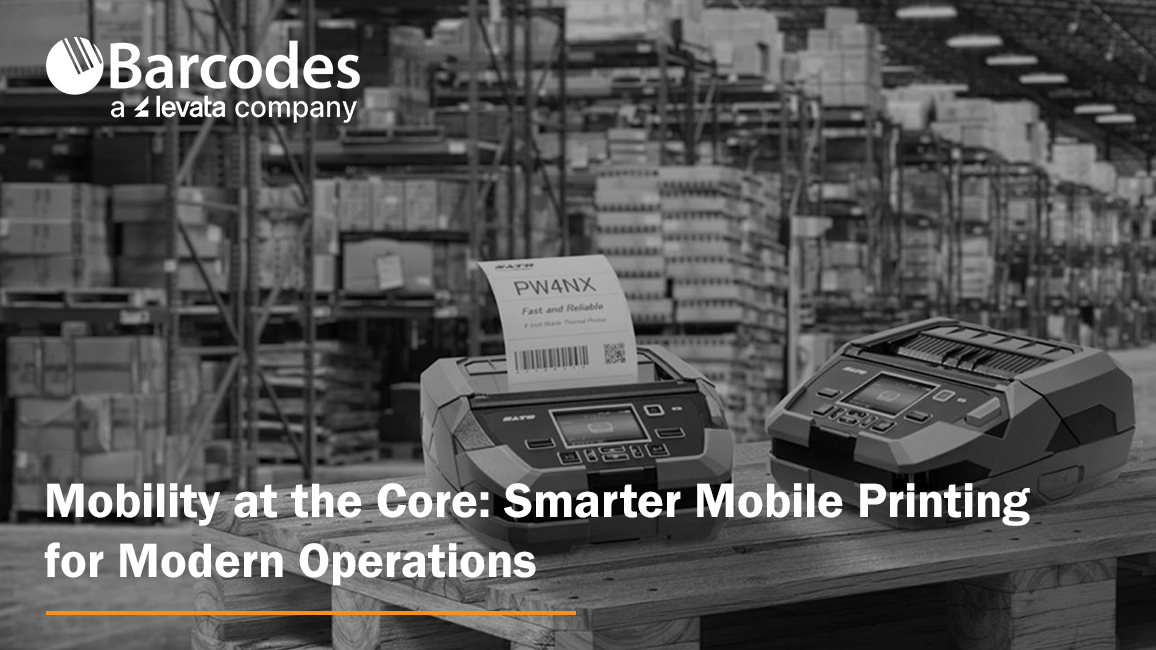
Mobility in the business environment has emerged as a critical capability for any operation. Larger working areas, growing e-commerce volumes, and pressure for faster, more accurate service are pushing companies to rethink how everyday processes are executed. Mobile printers are a proven solution for efficient workflow transformation. With speedy, on-the-go label and receipt printing directly to the point of activity, teams are empowered with improved accuracy, efficiency, and adaptability—without compromising quality.
Mobile printers are compact, durable, and flexible enough to support diverse operations like price marking, inventory labeling, specimen tracking, and route accounting. No matter the industry, workers need the ability to print labels, receipts, and records where the work is happening—not at a stationary printer hundreds of feet away.
How Mobile Printers Can be Used by Industry
- Retail — Price markdowns, shelf-edge labeling, and receipt printing.
- Supply chain & logistics — Inventory management, cross-docking, picking, put-away, and shipping inspections.
- Healthcare & labs — Specimen tracking, sample labeling, and patient wristbands.
- Field services & route accounting — On-site labeling, inspection tags, mobile receipts, and proof-of-delivery slips.
- Manufacturing & utility sectors — Raw material tracking, quality checks, and production line labeling.
The New Demands on Mobile Printing
Operations leaders are looking for more than just portability. They want tools that are:
- Easy to use and manage. Devices should install quickly, integrate with existing systems, and be intuitive for staff.
- Durable and reliable. Busy environments are tough on equipment. Printers must withstand drops, dust, and vibration without compromising performance.
- Connected and flexible. With support for multiple devices, operating systems, and applications, printers need to adapt as business processes evolve.
Two solutions with features that meet both portability and functional demands are the SATO PW2NX and SATO PW4NX mobile printers—both engineered to bring simplicity, performance, and rugged mobility to the frontline.
SATO PW2NX: Compact Power in a 2-Inch Printer
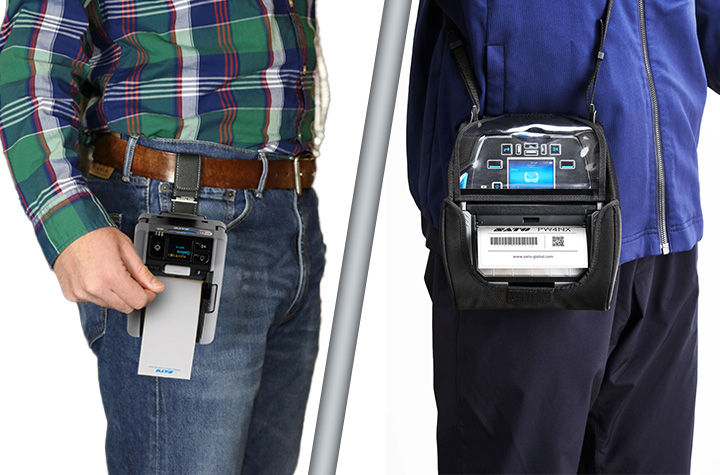
Small in size but big on capability, the SATO PW2NX is designed for workers on the go. Weighing under a pound, it’s lightweight enough to carry all day, yet rugged enough to withstand drops up to 8.2 feet. Its polycarbonate body and impact-absorbing elastomer edges give it the durability required in fast-paced environments.
But portability doesn’t mean compromise. The PW2NX delivers:
- Full 2.16″ print width with high-speed output up to 6 ips.
- Smart battery management that powers full-shift operation for up to 16 hours.
- Robust connectivity with Bluetooth, USB, WLAN, and NFC for seamless pairing with mobile devices.
- Application Enabled Printing (AEP) support, enabling smart, customizable apps for enterprise workflows.
- SATO Online Services (SOS) for remote IoT-based monitoring and maintenance, reducing downtime.
- Ideal for retail, healthcare, and logistics environments needing fast, precise labeling such as price markdowns, shelf labels, specimen tracking, and receipt printing.
- Linerless labels reduce waste and supporting sustainability goals.
Quick Product Review of the SATO PW2NX: The PW2NX is ultra-compact, lightweight, and perfect for quick, on-the-go tasks where portability is paramount.
SATO PW4NX: Rugged Performance for 4-Inch Printing
For organizations that need a larger format without sacrificing mobility, the SATO PW4NX 4-inch mobile label printer is engineered for speed, durability, and efficiency.
Key strengths include:
- Consistent 6 ips print speeds, reducing print time by more than 30% compared to typical mobile devices.
- Durable design, built to survive 7-foot drops and rated IP54 for dust and water resistance.
- Vibration resistance, making it reliable even when mounted on forklifts.
- User-friendly upkeep, with easy-to-replace printheads and platen rollers, cutting maintenance downtime and cost.
- Smart connectivity, supporting Apple iOS, Android, and Windows with Bluetooth 5.0, Wi-Fi, and advanced AEP features for standalone printing.
- Remote management via SOS and SOTI for predictive maintenance and centralized device control.
- Ideal for warehousing, logistics, manufacturing, and retail, supporting operations like inventory/raw materials management, cross-docking, receiving/shipping inspections, picking/put-away, cycle counts, and order fulfillment.
Quick Product Review of the SATO PW4NX: delivers a larger format and higher speed, designed for heavy-duty applications where uptime and throughput matter most.
The Bottom Line: Mobility Moves Business Forward
As workflows continue to evolve, the ability to print anytime, anywhere is redefining how enterprises approach efficiency, accuracy, and cost savings. SATO’s mobile printers give organizations the tools they need to stay agile in an increasingly mobile world. The SATO PW2NX lends that power to lighter, more compact workflows labeling, while the PW4NX delivers desktop-grade speed, ruggedness, and connectivity.
Contact Barcodes Inc. today to learn more about how mobile printers can boost your team’s productivity on the floor.
Real ROI with RFID Asset Tracking: Watch Video
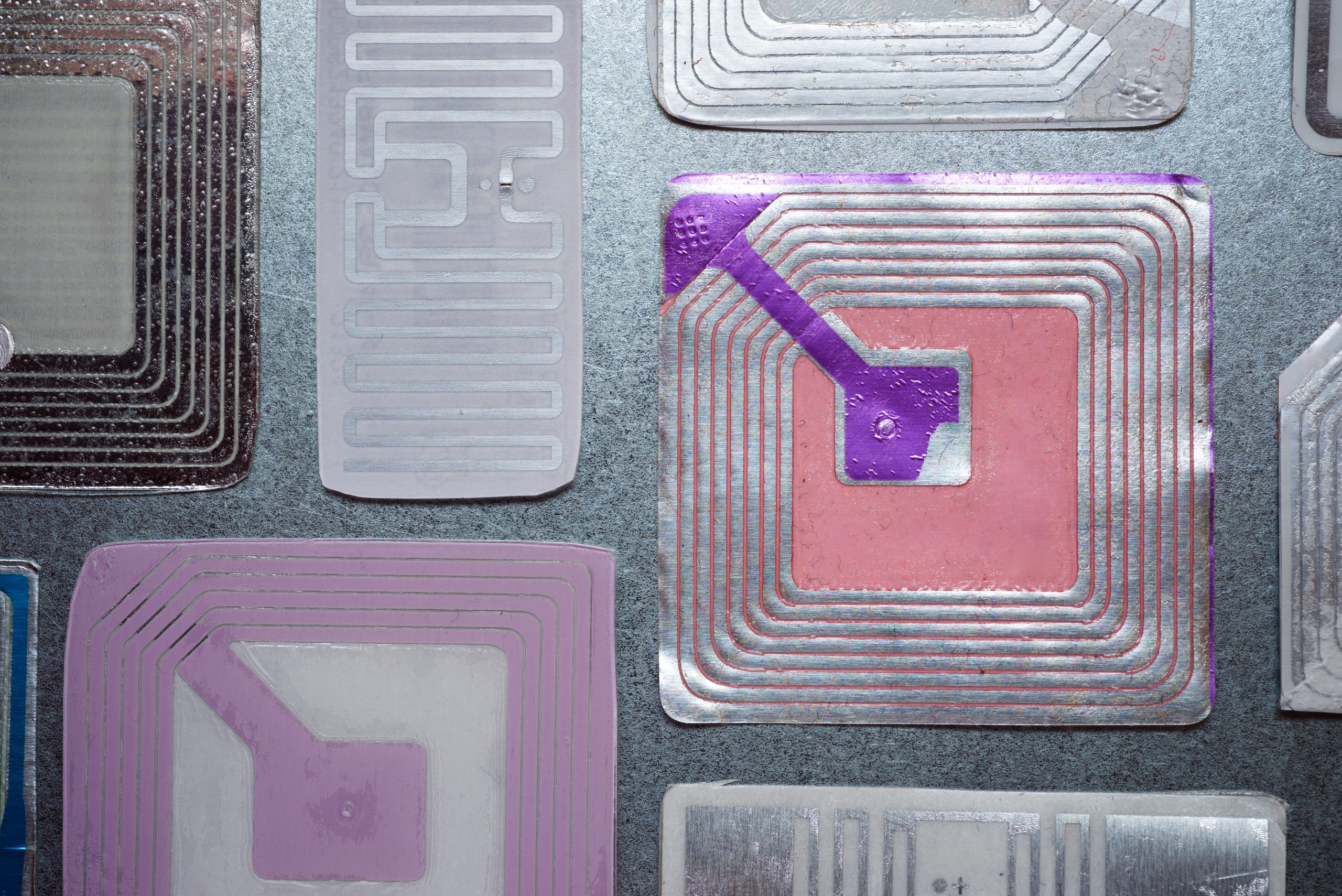
In today’s asset-heavy industries, real-time visibility has become essential for efficiency and resilience. Levata, parent company to Barcodes Inc., recently partnered with RFID specialists from HID Global and ARK Business Systems to host a webinar showcasing how RFID asset tracking reshapes the way organizations manage equipment, inventory, and valuable resources.
The discussion explored deployment strategies, technology choices, and customer success stories, giving attendees a clear picture of how RFID delivers operational control and measurable returns. If you didn’t catch it live, the on-demand recording is available.
The Three Building Blocks of RFID Success
The speakers highlighted that achieving success with RFID requires alignment of three critical elements:
1. Devices and Tags
From rugged tags that endure extreme environments to highly sensitive ones for delicate applications, HID alone offers thousands of RFID tag types. Hardware choice is equally important—mobile readers may be best for field use, while fixed readers are ideal for continuous monitoring.
2. Software Intelligence
Effective RFID systems go beyond capturing tag data. The software layer transforms raw reads into actionable insight—tracking locations, supporting audits, scheduling maintenance, and even managing financial depreciation across the asset lifecycle.
3. Services & Expertise
RFID isn’t a simple plug-and-play solution. Partnering with experts like Levata and Barcodes Inc. ensures smooth integration—covering device selection, configuration, staff training, and long-term support.
Why RFID Outperforms Manual Tracking
Traditional spreadsheets and manual audits are slow, inaccurate, and resource intensive. RFID changes the game by:
- Reducing audits from hours to minutes
- Assigning each asset a unique digital ID
- Automating data collection with real-time updates
- Creating complete usage and history logs
- Supporting pre- and post-event assessments
One customer example involved wildfire response efforts, where RFID enabled instant tracking of hundreds of thousands of assets—something spreadsheets could never achieve.
Greater Accuracy, Speed, and Ease of Use
With advancements in tag design and reader sensitivity, today’s RFID systems achieve read accuracies in the high 90s. But performance is not just about precision; it’s also about speed and usability. Field workers, finance teams, and administrators all benefit from systems that are fast, consistent, and simple to operate.
Customer Success in Action
The webinar spotlighted diverse real-world applications:
- Enterprise Tracking: A company previously dedicating nine months of labor to manual audits cut the time by 50% after adopting RFID, allowing staff to focus on strategic work.
- Scientific Research: Dinosaur fossils were tagged with RFID to capture excavation details, photos, and species data—simplifying cataloging and enabling cross-site comparisons.
- Higher Education: A university reduced classroom audit times from 25 minutes to 5 using RFID handheld readers, with training that took less than 10 minutes per staff member.
Why the Right Partner is Critical
Technology alone doesn’t guarantee success—expert guidance ensures ROI. Barcodes Inc., a Levata company, helps organizations:
- Define objectives and success criteria
- Select the right mix of tags, devices, and software
- Test and fine-tune technology for optimal performance
- Train teams for sustained results
With the right approach, many organizations see payback in as little as six months.
Take the Next Step
Whether you’re seeking better control in day-to-day operations or need rapid visibility during emergencies, RFID asset tracking provides the visibility you need. Barcodes Inc. has the expertise to help you implement a strategy that delivers long-term value.
>> Watch the free webinar recording
>> Contact Levata to start building your business case and to receive an ROI analysis.
Linea Pro Rugged for iPhone 15/16/16e: Enterprise-Grade Mobility Without Limits
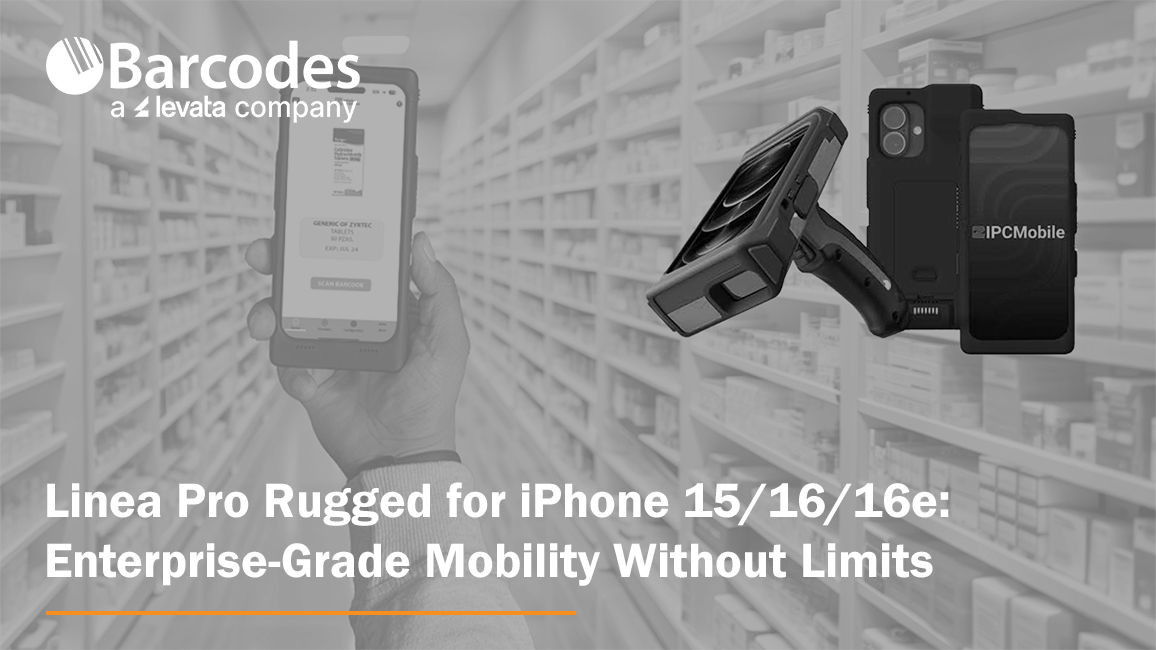
In 2009, IPCMobile became the first to introduce mobile scanning and payment solutions designed specifically for iOS devices. That move didn’t just launch a product—it helped kickstart a mobile revolution. By working with Apple, IPCMobile gave enterprises the power to break free from the limitations of traditional hardware, empowering workforces to expand business operations with greater speed, accuracy, and mobility.
Fast forward to today, and that innovation continues with the Linea Pro Rugged for iPhone 15, 16, and 16e. Purpose-built for industries where performance and reliability are non-negotiable, this device combines advanced data capture, flexible integration options, and enterprise-grade durability—all in a mobile form factor that aligns with the technology your teams already know and use.
Rugged Performance in Real-World Conditions
Field operations are rarely predictable. Devices need to withstand not just everyday handling but also drops, shocks, water, dust, and temperature extremes. The Linea Pro Rugged was engineered for exactly these conditions. Whether in a warehouse freezer, a dusty manufacturing plant, or the loading docks of a transportation hub, it delivers reliable performance where standard devices fail.
It’s hot-swappable battery design means teams can keep working across multiple shifts without downtime, even in remote locations where charging options are limited. This keeps operations running smoothly and reduces the risk of missed scans or lost productivity due to dead devices.

Designed for Accuracy, Built for Efficiency
For organizations processing thousands of transactions or tracking inventory across multiple sites, manual entry isn’t just inefficient—it introduces costly errors. The Linea Pro Rugged automates data entry, pairing powerful barcode scanning with RFID and NFC capabilities to streamline high-volume workflows.
With programmable buttons, workers can tailor device functions to their roles, reducing complexity and speeding up task completion. Real-time data transmission means that information captured in the field is immediately available for decision-making, eliminating delays common with paper-based or batch reporting methods.
The result is improved efficiency, greater accuracy, and enhanced visibility across the supply chain.
Seamless Integration with Existing Workflows
A new hardware rollout doesn’t have to disrupt operations. The Linea Pro Rugged was designed with comprehensive SDK and wedge app support, making it simple for IT teams to integrate into existing systems. Whether you’re running ERP, WMS, or retail POS platforms, the device slots in with minimal friction.
Deployment is cost-effective, fast, and flexible. Businesses can also customize the device housing to reflect their brand identity, ensuring that functionality and corporate image go hand in hand.
Proven Longevity, Trusted by Enterprises
Durability isn’t just about resisting a single drop or exposure to moisture—it’s about long-term reliability. IPCMobile has customers still using the same mobile scanning solutions purchased more than a decade ago, even after daily use in harsh industrial environments. That kind of track record proves the value of investing in enterprise-grade devices built to last.
The Linea Pro Rugged carries that legacy forward. By combining rugged hardware with the flexibility of iOS, it ensures enterprises get the best of both worlds: consumer-driven ease of use paired with enterprise-grade durability.
Industry Applications
The versatility of the Linea Pro Rugged makes it ideal for a wide range of industries:
- Transportation & Logistics: Streamline package tracking, inventory control, and driver workflows. Real-time updates eliminate delays and provide customers with more accurate delivery information.
- Manufacturing: Keep production lines moving with efficient material tracking, work order updates, and equipment monitoring—all while ensuring devices stand up to heat, dust, and vibration.
- Retail: Empower associates with mobile POS, inventory lookups, and rapid product scanning, creating a faster, more seamless customer experience.
- Field Services: Give mobile workers a rugged device capable of handling unpredictable conditions while keeping them connected and productive wherever the job takes them.

Key Features at a Glance
- Advanced Data Capture – Barcode scanner plus RFID/NFC reader
- Programmable Buttons – Tailor workflows to your team’s needs
- Hot-Swappable Battery – Power through multiple shifts without interruption
- Rugged Protection – Built to resist drops, water, dust, and temperature extremes
- Comprehensive SDK – Simplifies integration with existing enterprise systems
- Real-Time Updates – Eliminate reporting delays and improve visibility
- Customizable Branding – Align hardware with company identity
The Bottom Line
The Linea Pro Rugged for iPhone 15/16/16e isn’t just another scanning device—it’s a comprehensive enterprise solution built for the realities of modern business. With the flexibility of iOS, the durability of industrial hardware, and the power of IPCMobile’s proven design, it delivers the performance mobile workforces need to stay productive, accurate, and connected.
For organizations seeking a device that combines power, flexibility, and performance, the Linea Pro Rugged is more than a tool—it’s a long-term investment in operational excellence.
Contact Barcodes Inc. today to find the right mobile barcode scanning solutions for your operations.
eBook: The Risks of an Underperforming Wireless Network in Warehousing Environments

Why Your Warehouse’s Wireless Network Might Be the Weak Link
Modern warehouses and distribution centers rely on connected devices, automation, and real-time data—but none of it works without a strong wireless foundation. If your current network is aging or underperforming, it could be dragging down your entire operation.
Slow connections, dropped signals, and poor coverage aren’t just technical annoyances—they translate into costly delays, errors, and employee frustration. As more systems rely on constant connectivity, having a robust wireless network is no longer optional.
The Critical Role of Wireless Connectivity in Warehousing
Your wireless infrastructure links everything together—from handheld scanners and tablets to cloud-based WMS platforms and IoT devices. It allows your teams to move freely, access real-time data, and maintain efficiency across every shift. In high-interference environments like warehouses, your network needs to be specifically designed to overcome physical and operational challenges.
What’s at Stake When Your Network Falls Short?
- Efficiency Loss: Lagging devices or constant reconnecting wastes valuable time across shifts.
- Data Issues: Spotty connectivity can result in duplicate scans, missed reads, and order fulfillment errors.
- Safety Risks: Voice-over-Wi-Fi systems support safety protocols—until the signal drops.
- Employee Turnover: Tech that doesn’t work leads to frustrated workers and higher attrition rates.
Upgrade Your Network, Unlock New Possibilities
Emerging technologies like Wi-Fi 6/6E/7, cloud-managed networks, and private 5G are designed for high-demand environments like yours. A modern wireless network supports more devices, enables faster response times, and scales easily with your business.
Levata designs and delivers warehouse-grade wireless solutions tailored to your space. From heatmapping and access point placement to complete network installs and private 5G rollouts, we help you build a network that drives long-term performance.
Want the Full Breakdown?
Learn how a reliable wireless network can transform productivity, reduce downtime, and prepare your warehouse or distribution center for the future. Download our free eBook: The Critical Role of Wireless Networking in Warehousing & Distribution.
What You’ll Learn:
- The real risks of poor wireless performance vs. the benefits of a high-performing network
- The rapidly evolving trends in enterprise wireless networking
- Critical hardware considerations for warehouse-grade wireless
- Why network lifecycle management and certified field experts matter
- When to consider a private 5G cellular alternative
- The strategic advantage of working with an end-to-end partner
Unitech RT112: The Ultra-Light, Rugged Tablet That Works Where You Do
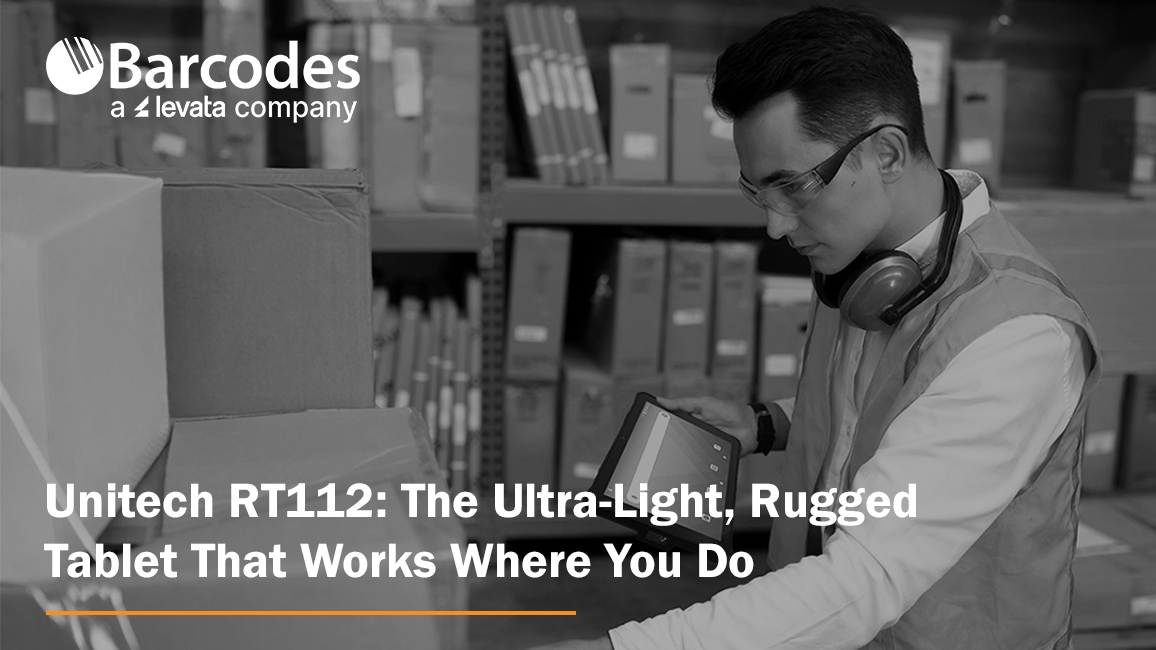
When it comes to powering critical workflows in retail, logistics, manufacturing, or field service, having a reliable, tough, and user-friendly tablet is a must. The Unitech RT112 Rugged Tablet series—available in both Android and soon-to-be-released Windows versions—delivers precisely that. With its slim design, industrial-grade durability, long-lasting battery, and enterprise-ready features, the RT112 keeps your teams connected, productive, and protected, wherever the job takes them.
Mobility Devices: Transforming Business Workflows
Mobility is more than a convenience — it’s a competitive edge. Equipping your workforce with rugged mobile devices like tablets ensures that critical information, scanning, and task management happen where the work actually gets done — on the warehouse floor, at the checkout counter, in the field, or on the road.
Organizations across industries are rapidly embracing mobility solutions to replace fixed workstations and paper-based processes. This shift unlocks real-time data access, faster decision-making, and improved accuracy, all of which boost productivity and reduce costly errors. Enter the Unitech RT112 Rugged Tablet. Combining best-in-class durability, an ultra-slim lightweight design, powerful performance, and reliable 5G and Wi-Fi 6E connectivity, the RT112 empowers teams to work smarter, move freely, and stay connected.
Ultra-Lightweight Yet Rugged for Demanding Environments
One of the standout features of the Unitech RT112 is its exceptional balance between portability and durability. Weighing just 1.5 pounds with a slim 0.5 inch profile, it’s easy for workers to carry all day without fatigue—whether moving inventory on a warehouse floor, managing checkouts at a busy retail counter, or conducting maintenance inspections outdoors.
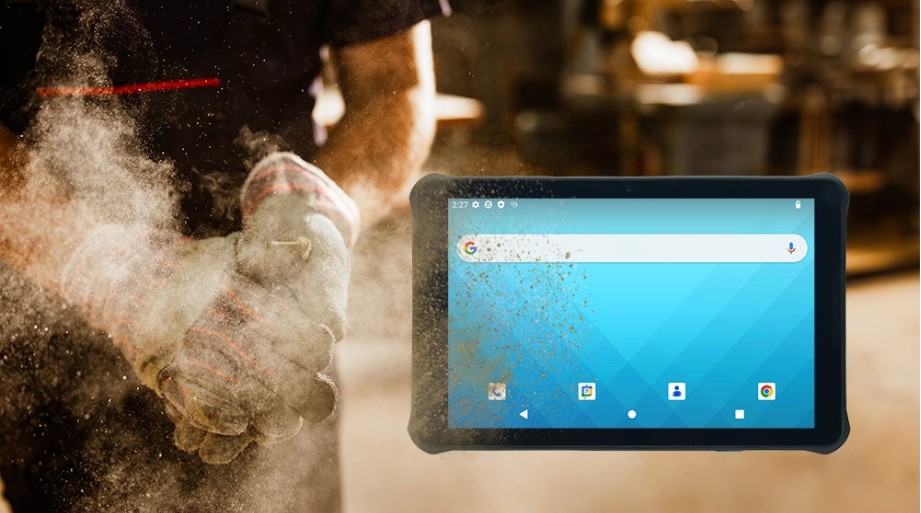
Despite its lightweight design, the RT112 doesn’t compromise on toughness. It’s IP67 certified, protecting it from dust and immersion in water, and can withstand drops of up to nearly 5 feet onto concrete. With compliance to the rigorous MIL-STD-810H standard, you can trust the RT112 to perform reliably even in harsh industrial conditions.
High Performance Meets Seamless Connectivity
Fast, reliable connectivity is critical for any modern operation, and the RT112 delivers. It supports 5G and Wi-Fi 6E, providing lightning-fast downloads, low latency, and robust connections, even in dense environments like warehouses and retail stores.
The Android 13 OS is Google Mobile Services (GMS) and Android Enterprise Recommended (AER) certified, ensuring smooth operation, high security, and simple remote management.
For businesses that rely on Windows-based software, the RT112 Windows variant (launching this September) will offer seamless integration with familiar enterprise tools like ERP, WMS, and POS systems, streamlining your IT infrastructure without compromise.
All-Day Battery Life and Worker-Friendly Features
Downtime is the enemy of productivity. That’s why the RT112 comes with a high-capacity 8800mAh removable battery, capable of powering the tablet for up to 24 hours on a single charge.
The 10.1-inch full HD display is protected by durable Gorilla® Glass and offers 450 nits brightness for clear visibility indoors and outdoors. It supports glove and wet-touch operation, making it easy for workers to use in cold storage, rainy weather, or while wearing protective gloves.
Built-In Barcode Scanning for Smarter Inventory and Asset Management
The RT112 features an integrated high-performance 2D barcode scanner that reliably reads even damaged or poorly lit barcodes. Whether tracking parts on a production line, scanning packages for delivery, or managing stock at retail checkouts, this capability reduces errors and speeds up workflows.
Versatile Accessories for Flexible Deployments
The RT112 can be adapted to multiple work scenarios thanks to its range of accessories, including a rotatable hand strap, shoulder strap, screen protector, vehicle and office cradles, and a capacitive stylus pen. This flexibility makes it the perfect companion for mobile workers, forklift drivers, or in-vehicle computing.
Engineered for Your Industry
- Retail & Hospitality: Mobile POS, membership management, and instant price checks enhance customer experience and speed up service.
- Logistics & Warehouse Management: Rugged tablet for inventory tracking, forklift-mounted order picking, and in-vehicle route updates.
- Manufacturing & Industrial Automation: Supports production monitoring, material scanning, and real-time quality control on the factory floor.
- Field Service & Outdoor Operations: Durable for pipeline inspections, infrastructure maintenance, and reliable data capture in any weather.
Discover more about the Unitech RT112 Android today. Contact Barcodes, Inc. today for personalized help with solutions to your needs.
Meeting RFID Labeling Mandates: 5 Critical Factors to Consider When Selecting a Printer
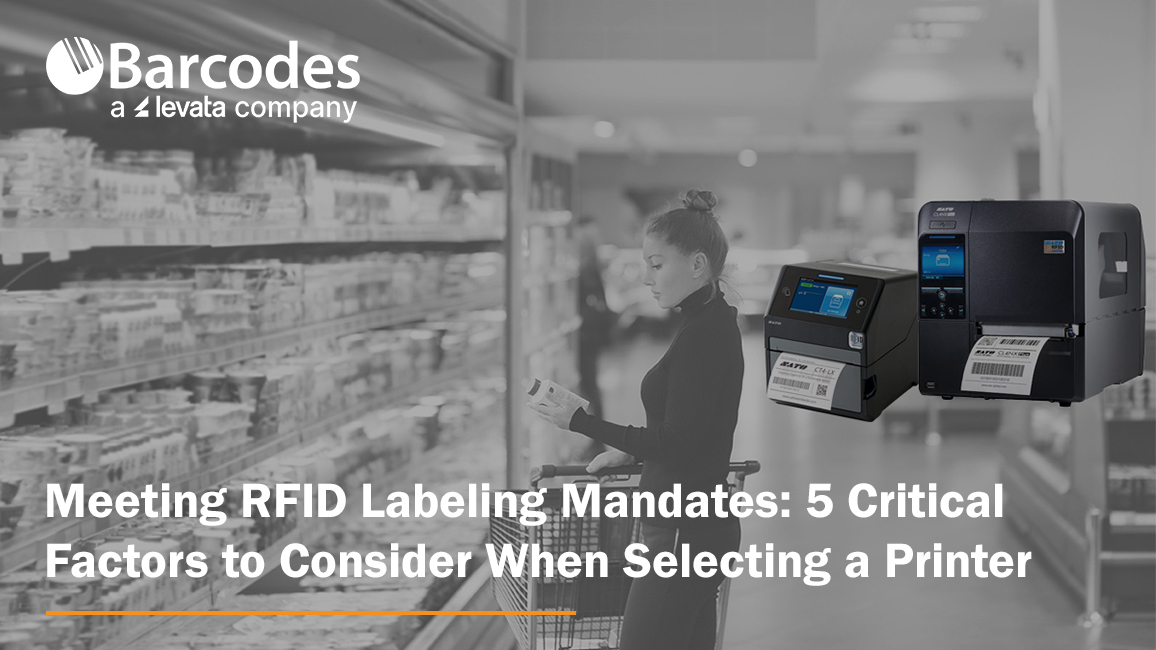
If you’ve recently received a mandate from a customer or partner requiring RFID tagging on product shipments, you’re not alone. Many major retailers are increasingly pushing their suppliers to adopt RFID labeling standards—often through the ARC program—to improve inventory accuracy and supply chain visibility. What is the ARC program? The ARC program, standardizes RFID tagging requirements across industries such as retail, aviation, and manufacturing. Failing to comply with ARC-certified tagging requirements can lead to costly chargebacks, rejected shipments, and a breakdown in supply chain trust—putting supplier relationships and business continuity at risk.
Using the right RFID tag is only part of the equation. Selecting the right RFID printer and software is just as critical. The printer not only applies data to the label—it encodes the RFID inlay with a digital identity.
You might ask, how do I select the right RFID printer? Here are five essential considerations to help you choose the right RFID printer for a successful RFID labeling protocol.
1. RFID Compatibility: UHF vs. HF
RFID tags typically fall into two categories: UHF (Ultra-High Frequency) and HF (High Frequency). Depending on the specifications or ARC certification requirements, your printer must support the correct standard.
- UHF: Offers longer read ranges (up to 10 feet), making it suitable for carton-level tagging, dock door scans, and high-speed conveyor systems.
- HF: Best for short-range reads (up to 3 feet), such as item-level tracking in retail or healthcare.
Pro Tip: Make sure the printer you select is compatible with the frequency range you need—and ideally, one that supports both HF and UHF if you serve multiple markets.
2. Flawless Encoding Capabilities
Encoding is not just about writing data to a tag—it’s about writing it accurately and reliably. Look for RFID printers that provide:
- On-screen menus for antenna position optimization
- The ability to store presets and settings, so you can print and encode multiple tag types from a single device
Pro Tip: Flawless encoding reduces the risk of errors that lead to unreadable tags or failed scans during transit or at receiving docks.
3. Speed and Label Precision
You may be required to print small-format RFID labels for individual items. The printer you select needs to be able to handle small label sizes with high accuracy—without slowing down your production line.
Pro Tip: Choose a model that balances speed with precision, ensuring it can keep up with your label volume while maintaining clarity in both print and encoded data.
4. Duty Cycle and Media Capacity
If you’re printing hundreds or thousands of RFID tags daily, a desktop model may not suffice. Industrial-grade printers with high-duty cycles are designed to handle continuous use and offer:
- Larger ribbon and label roll capacities
- Fewer supply changeovers
- Reduced downtime and greater efficiency
Pro Tip: A printer like the SATO CL4NX Plus RFID is specifically designed for heavy-duty environments with high-volume output.
5. Cloud-Based Printing & Data Management
Modern RFID printers should do more than print. Look for solutions that offer cloud-based software integration to:
- Allow multi-site printing from a centralized system
- Maintain a record of encoded EPCs
- Prevent duplication of serialized data
- Send real-time alerts for print errors or anomalies
Pro Tip: This centralized control is especially important for suppliers with distributed operations or those scaling RFID labeling across multiple facilities.
SATO’s RFID Printing Solutions: Purpose-Built for Performance and Compliance
SATO is a leader in RFID tag and label printing, offering advanced solutions that meet the growing demands of supply chain traceability, compliance, and item-level visibility. Let’s review two popular SATO RFID printers engineered to ensure reliable encoding, high-speed performance, and compatibility with industry standards.
SATO CL4NX Plus RFID – Industrial Strength, Maximum Flexibility
Designed for high-volume, high-duty cycle environments, the CL4NX Plus RFID printer delivers robust performance for demanding operations:
- Supports HF and NFC Standards: ISO 15693 compatibility for short-range applications
- UHF Encoding: EPC Class 1, 0+, and Gen 2 support for long-range tracking
- Dual Antenna Design: Enables bottom and top encoding for enhanced tag compatibility
- Printhead-Antenna Integration: Features a second antenna for short-pitch and top-side encoding, essential for printing on metal tags—ideal for asset tracking in industrial, IT, and healthcare applications where traditional tags fall short
SATO CT4-LX RFID – Compact Powerhouse for Desktop Use
For businesses needing desktop-size versatility without sacrificing RFID capability, the CT4-LX RFID printer is a compact yet powerful solution:
- HF and UHF Support: Complies with ISO/IEC 15693, ISO/IEC 14443 (HF), and ISO/IEC 18000-6C (UHF Gen 2) standards
- Dual Antenna System: Combines a front fixed-position antenna with a standard encoding antenna to support diverse media types and encoding positions
- User-Friendly Interface: Ideal for decentralized or smaller-scale operations needing consistent RFID tag output without industrial footprint
Whether you’re printing thousands of pallet labels a day or managing RFID tagging at the item level, SATO provides scalable, standards-compliant solutions that meet today’s RFID labeling requirements and future-proof your supply chain operations.
Final Thoughts
Compliance with an RFID labeling mandate doesn’t have to be overwhelming. By selecting the right RFID printer—one that’s compatible with your tags, delivers precise and fast encoding, and integrates with cloud-based management software—you can streamline compliance and unlock additional value in your supply chain.
Contact Barcodes Inc. today to learn more about robust RFID printers like the SATO CL4NX Plus RFID and CT4-LX RFID that will help you build an efficient RFID tagging program.
Barcodes Inc. Parent Company, Levata, Becomes First Honeywell Global Partner
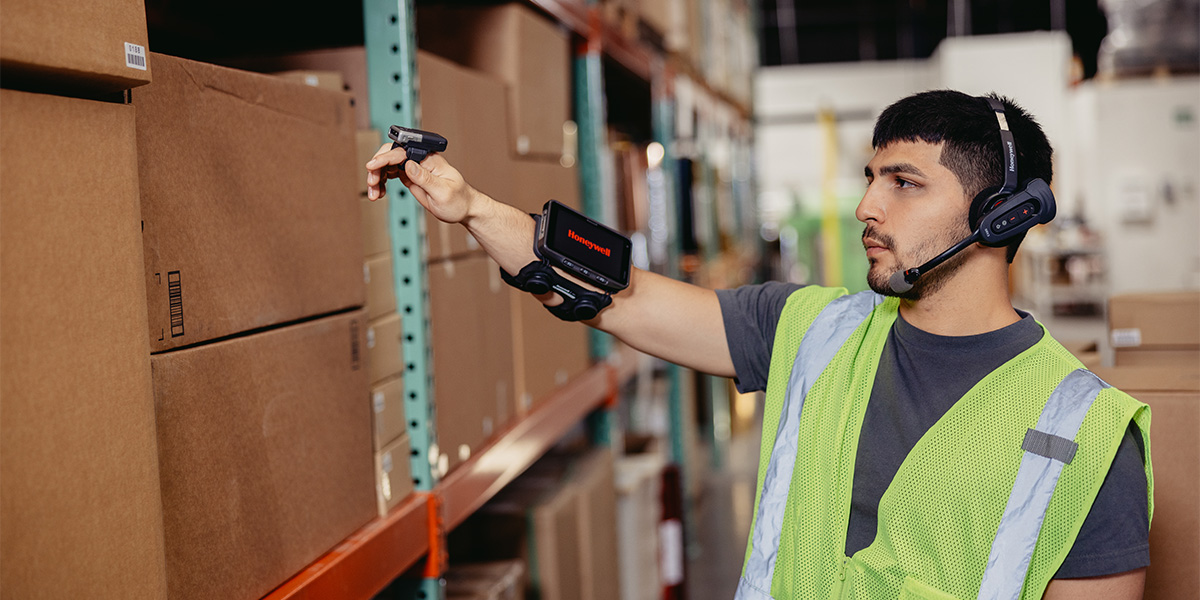
Levata, parent company to Barcodes, Inc., is proud to announce that we have been named Honeywell’s first and only Global Tier Partner—a prestigious designation that marks a major step forward in our mission to support customers with consistency, reliability, and excellence across the globe.
This elevated partner status positions Levata to deliver an even more seamless Honeywell experience for our customers across North America and EMEA (Europe, the Middle East, and Africa). Whether you’re a multinational organization with locations in multiple countries or a regional operation with global aspirations, this partnership ensures you can count on Levata for trusted expertise and streamlined access to Honeywell solutions—wherever your business operates.
What This Means for Levata Customers
As a Global Tier Partner, Levata is uniquely equipped to provide enhanced value and support across borders:
- Consistent Service Across Regions: Our new status aligns Levata with the highest level of Honeywell benefits, enabling more consistent service delivery for global customers.
- Global Visibility and Collaboration: We now have visibility to approved global opportunities through Honeywell’s partner portal, allowing us to support multi-region projects with improved speed, coordination, and transparency.
- Enhanced Brand Trust: As Honeywell’s sole Global Tier Partner, Levata will proudly carry the exclusive partner branding that reflects our shared commitment to innovation, integrity, and global reach.
- Expansive Product Portfolio: Levata’s entrance into the Honeywell Global Partnership unlocks access to Honeywell’s extensive product portfolio across multiple regions, enabling expanded solutions for customers worldwide.
Expanding Our Global Capabilities
Our deepened partnership with Honeywell strengthens our ability to offer tailored solutions that scale with your needs—whether you’re optimizing a warehouse in Germany, deploying mobile devices in the UAE, or upgrading your access control infrastructure in Canada.
At Levata, we believe that technology partnerships should simplify operations, not complicate them. Our new global alignment with Honeywell allows us to deliver the same reliable service, pricing consistency, and technical excellence—no matter where your business takes you.
About Levata
Levata is a trusted end-to-end technology solutions provider helping businesses enhance operational efficiency, secure their environments, and power performance with purpose-built hardware, software, and services. Now, with Honeywell Global Tier Partner status, we’re taking our ability to support customers worldwide to the next level.
Keep Business Rolling with Epson® OmniLink® TM-L100 Liner-Free Thermal Label Printers
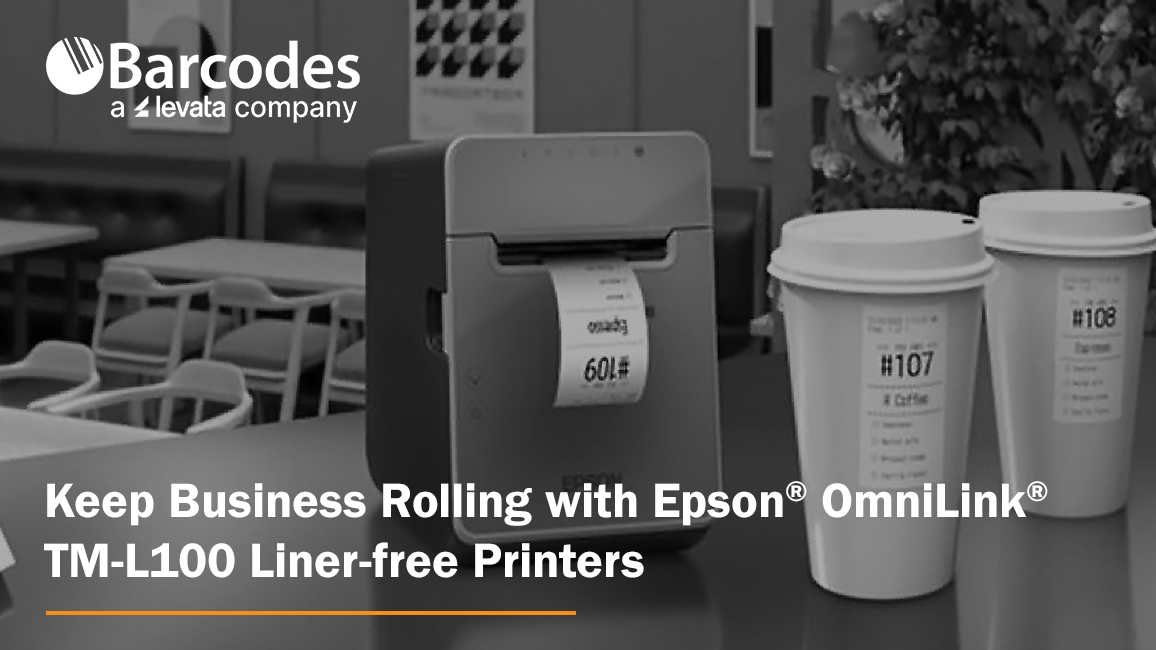
When it comes to label printing in high-paced environments, thermal label printers are the backbone of operational speed and accuracy. Whether you’re printing item labels for quick-serve restaurant orders, packaging labels for curbside pickup, or shipping labels in a retail warehouse, thermal printers streamline the process without the need for ink or toner. A versatile solution with extensive liner-free media support and flexible connectivity options is the Epson® OmniLink® TM-L100 Liner-Free Compatible Thermal Label Printer. With a long printhead and auto cutter life, plus a 1-year limited warranty, it offers reliability you can count on.
Why Thermal Label Printers?
Thermal label printers are an ideal choice for businesses that need fast, clean, and reliable printing in high-demand environments. Instead of using ink or ribbons, thermal printers use heat-sensitive media to produce labels, reducing maintenance and minimizing consumables.
Epson OmniLink TM-L100: Durability Meets Flexibility
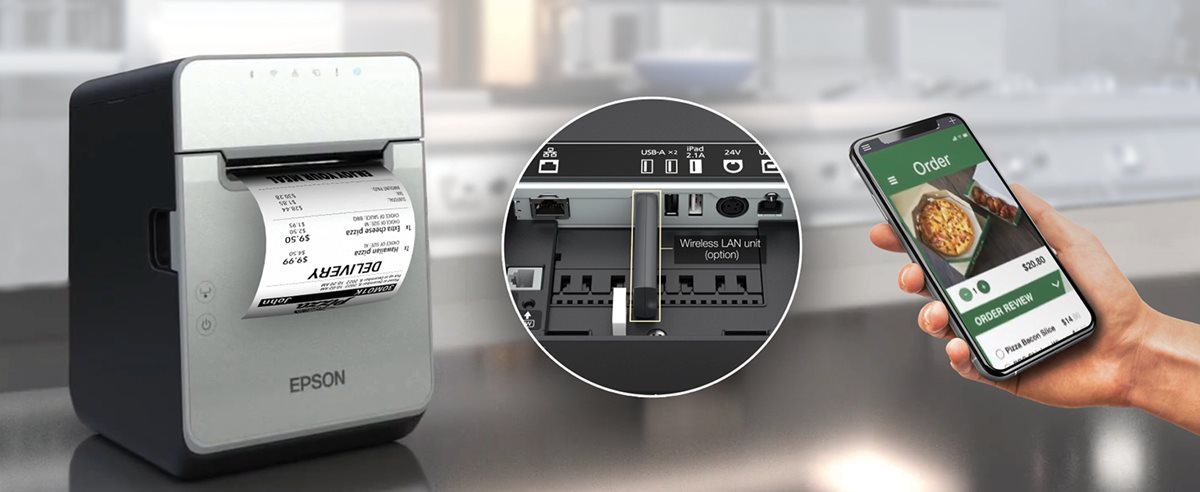
The Epson OmniLink TM-L100 Liner-Free Compatible Thermal Label Printer is one of the most adaptable liner-free thermal label printers yet, offering advanced connectivity, paper-saving features, and high-adhesive media support that makes it suitable for nearly any business environment. Engineered for use with a wide range of devices in virtually any industry—such as hospitality, retail and more—the Epson OmniLink TM-L100 Liner-free Printer can also be simultaneously shared with legacy POS terminals, tablet and mobile devices with multiple interfaces with the ability to print from cloud servers.
Key Features of the OmniLink TM-L100 Liner-free Printer
1. Extensive Liner-Free Media Support
Not all label printers handle liner-free labels well, especially those with high adhesive strength. The OmniLink TM-L100 Liner-free Printer is engineered for this exact purpose. It handles Epson-tested media that performs flawlessly in environments where labels are frequently applied to items like cups, containers, or bags.
2. Flexible Connectivity for Virtually Any Setup
This printer comes with built-in USB and Ethernet plus options for Serial port, wireless and Bluetooth. USB Network Tethering provides network connectivity from the printer to a tablet.
3. Smart Online Ordering Integration
Through Server Direct Print, the TM-L100 can retrieve print jobs directly from a web server—no POS software required. This is perfect for online ordering environments in QSRs, retail stores, and remote kiosks.
4. Paper-Saving Technology
Built-in white space reduction and character height adjustments can cut media usage by up to 47%, helping businesses lower costs and reduce environmental impact.
5. Reliability You Can Count On
The TM-L100 is built for continuous operation with a long-lasting auto cutter and printhead life. A label-taken sensor prevents overlapping labels by ensuring one label is printed at a time—even when multiple jobs are queued.
Use Cases Where the OmniLInk TM-L100 Liner-free Printer Excels
- Hospitality: Cup labeling, food item tagging, and order tracking in quick-service restaurants (QSRs). Benefit: improve order accuracy and speed even at the busiest times.
- Retail: Price tags, shelf labels, and shipping labels for eCommerce and BOPIS (Buy Online, Pick Up In Store). Benefit: enable seamless in-store pickup and delivery with fast, high-adhesive item labeling.
- Healthcare: Patient ID bands, prescription labels, and specimen tracking. Benefit: Create clean, reliable labels for patient tracking and medication management.
- Logistics and Delivery: Route labeling, package tracking, and proof-of-delivery labeling. Benefit: fast, reliable label printing on the go, helping drivers stay organized and ensuring packages are accurately tracked from origin to destination.
Final Thoughts
The Epson OmniLink TM-L100 Liner-free Printer is a future-ready label printer built for today’s demanding, mobile-first retail and hospitality environments. With its blend of durability, connectivity, and media efficiency, it’s one of the smartest investments you can make to improve labeling workflows. To start enhancing your operations with the TM-L100, contact Barcodes, Inc. today.
Reimagining Retail: CheckMate Mobile POS Stations Drive Sales and Customer Service
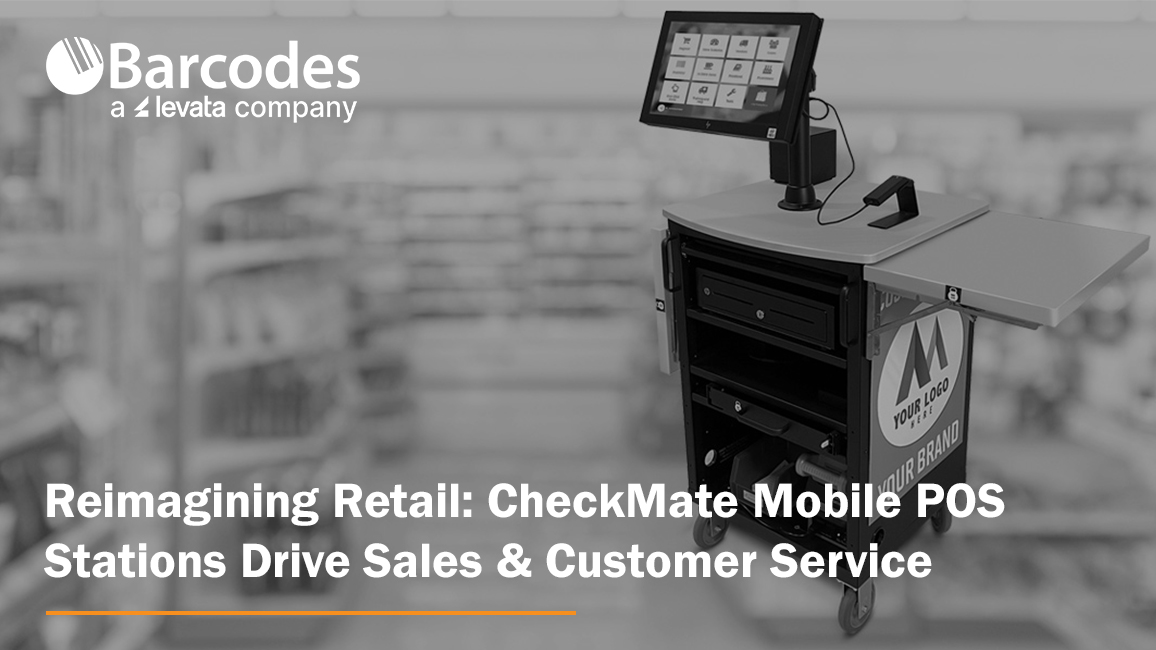
With store space at a premium and customer expectation higher than ever, mobile point-of-sale stations offer a smart, cost-effective way to optimize retail operations and enhance the in-store experience.
Mobile POS carts, such as the CheckMate 1000 Mobile POS Station from Newcastle Systems, give retailers the freedom to meet customers where they are—literally. These mobile stations bring full POS capabilities onto the shop floor, empowering retailers to rethink how, when, and where they process transactions. POS stations by location, count, seasonality, and more to maximize checkout speed and convenience, while eliminating wasted space and lost sales.
Why Mobile POS Matters for Retail
Speed Up Checkout, Reduce Walkaways. Nothing kills a sale faster than a long line. During peak shopping periods, mobile POS carts act as rapid-response checkout stations. Whether positioned near high-traffic areas or deployed as line-busting tools, they help reduce waiting times, prevent abandoned purchases, and improve overall service speed.
Scale Without Construction. Traditional fixed POS terminals require significant investment—construction, permits, electrical work, and downtime. Mobile POS carts like the CheckMate 1000, by contrast, can be deployed instantly. This makes them ideal for seasonal surges or pop-up retail without the overhead of a permanent installation. No need to train your team if you’re using the same hardware as your current fixed registers. Less complexity, less stress—for everyone.
Use Your Space Smarter. Every square foot of retail floor space is valuable. Rather than expanding fixed registers that lock you into one layout, mobile POS stations can be stored when not in use—freeing up room for merchandise or displays. During the holidays or clearance events, they can be quickly rolled out to accommodate increased demand.
Bring Checkout to the Customer. Mobile POS carts can transform underused areas—like fitting rooms, garden centers, or outdoor displays—into instant checkout points. This makes it easier for customers to complete their purchases right where decisions are made, especially for large or awkward items.
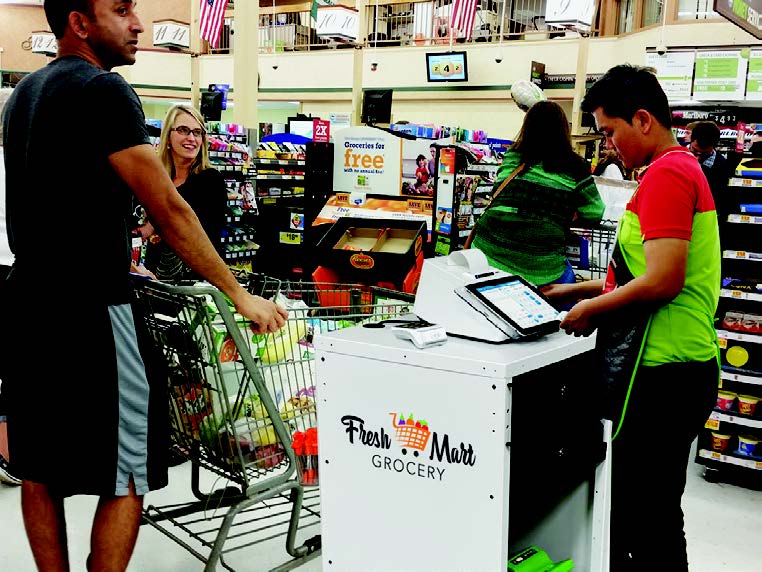
The CheckMate 1000: A Mobile POS Station Build for Retail
The CheckMate 1000 is the epic sidekick retail has needed! Check out how the CheckMate 1000 is in a class of its own.
- Customizable to fit your brand. Plenty of real estate to add company branding and make it yours.
- Never-quit swappable power: The most advanced systems to support printers, tablets, scanners, and cash drawers—cash or cashless
- Purpose-built and designed to last. Compact, lightweight, sustainable, and loaded with features like drawers, winged shelves, and storage galore!
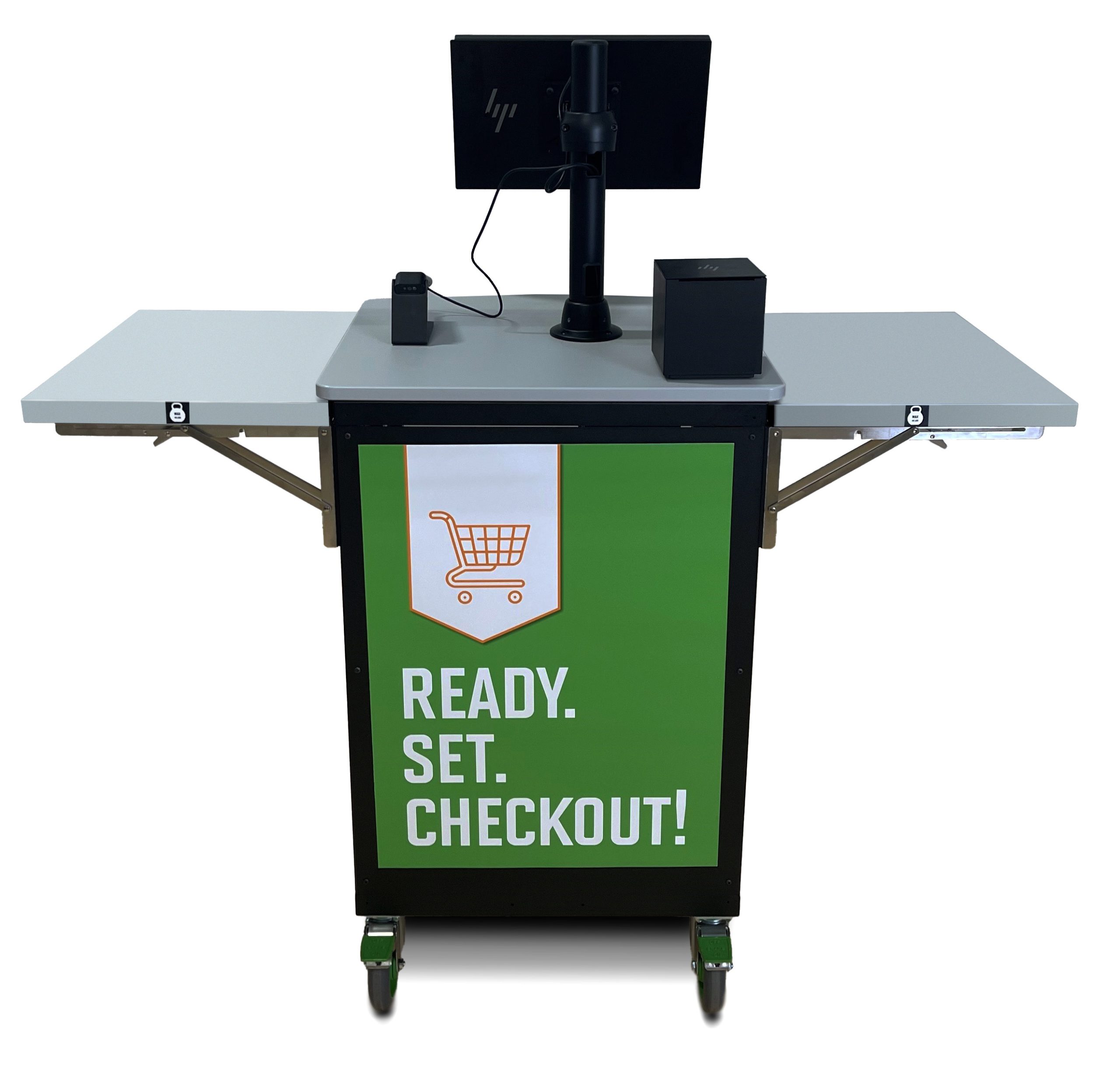
The CheckMake 1000 POS Mobile Station offers a true all-in-one retail utility. Beyond checkout sales, use your POS mobile station to complete:
- Inventory counts and cycle checks
- Returns and exchanges
- Loyalty signups and promotions
- Mobile markdowns and restocking
This versatility allows retailers to do more with less—keeping associates productive, operations agile, and customers satisfied.
Final Thought
Mobile POS solutions like the CheckMate 1000 are helping retailers unlock new ways to serve customers and streamline operations—without the cost, complexity, or inflexibility of traditional registers. Whether you’re aiming to reduce lost sales, adapt to peak periods, or simply offer a better in-store experience, ask Barcodes Inc. how we can help you get mobile POS carts rolling in your retail environment.