


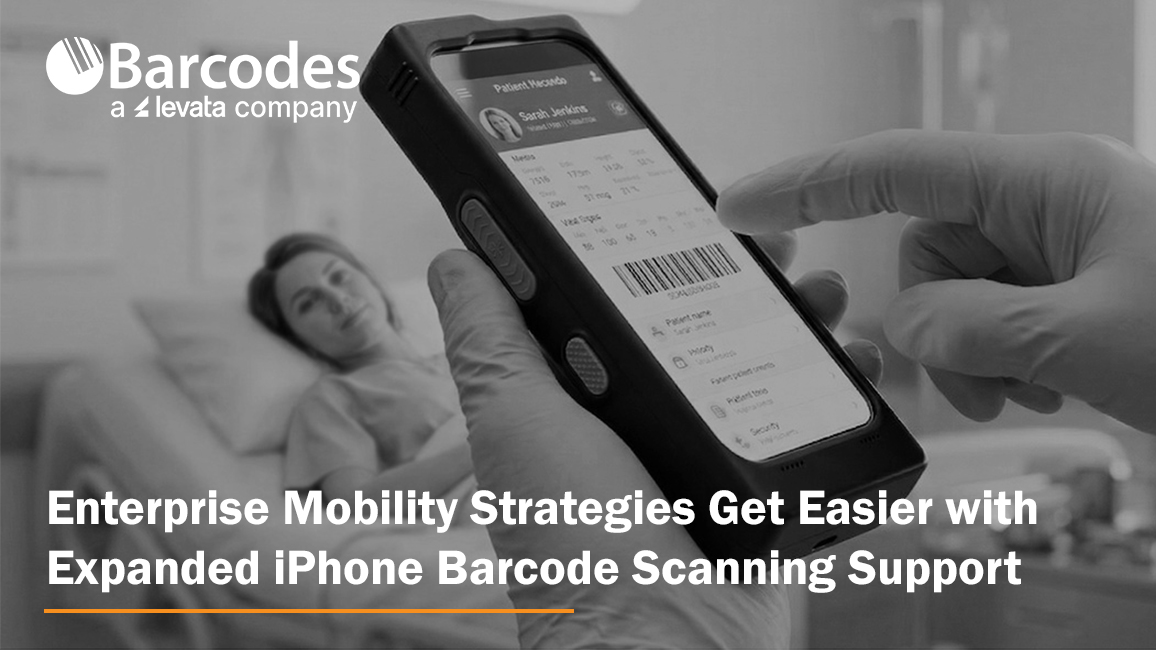
Enterprise Mobility Strategies Get Easier with Expanded iPhone Barcode Scanning Support
Organizations across retail, healthcare, hospitality, warehousing, and logistics continue investing in mobile technologies that help frontline workers capture data faster, improve workflow accuracy, and stay connected in real time. As many businesses standardize on Apple devices for their ease of use and employee familiarity, the challenge becomes extending consumer-grade smartphones into enterprise-ready tools capable of supporting demanding operational workflows.
Mobile barcode scanning, RFID data capture, mobile point-of-sale, inventory management, patient identification, and asset tracking all require more than a standard smartphone. They require ruggedized solutions that can withstand daily use while delivering the performance, battery life, and reliability needed for business-critical operations.
At the same time, organizations are under increasing pressure to simplify device management, reduce deployment complexity, and protect existing technology investments. Enterprise mobility leaders want solutions that allow them to adopt newer smartphone generations without replacing accessories, retraining employees, or redesigning workflows.
To support these evolving mobility strategies, IPCMobile has expanded compatibility for its Linea® Pro Rugged™ platform to include the new iPhone® 17e and iPhone® 17. The update enables organizations to continue leveraging enterprise-grade barcode scanning, RFID capabilities, rugged protection, and mobile payment functionality while maintaining consistency across device generations. The result is a more flexible path for businesses looking to modernize frontline mobility programs, streamline device rollouts, and maximize the value of their existing mobility infrastructure.
Simplified Mobility Management with Cross-Generation Support
Organizations already deploying compatible Linea® Pro Rugged™ accessories can transition to newer iPhone hardware without overhauling their mobility infrastructure. Existing charging setups, accessories, and workflows remain consistent, helping reduce downtime and streamline device rollouts.
The IPCMobile Linea® Pro Rugged™ platform now supports the iPhone 17e using the same SKU already designed for the iPhone 16e, helping organizations upgrade devices without replacing their existing rugged scanning infrastructure. IPCMobile also offers a dedicated Linea® Pro Rugged™ SKU for iPhone 17, while maintaining accessory compatibility across iPhone 15 and newer generations.
This flexibility helps businesses:
- Reduce SKU complexity
- Simplify procurement
- Minimize deployment disruptions
- Protect existing accessory investments
- Standardize workflows across device generations
This compatibility approach is especially valuable for enterprises managing large mobile fleets across multiple locations or shifts.
Consumer Simplicity. Enterprise Performance.
One of the biggest advantages of the Linea® Pro Rugged™ platform is its ability to combine familiar iOS usability with enterprise-grade performance. Employees already know how to use iPhones, reducing training time and accelerating adoption.
At the same time, the Linea® Pro Rugged™ platform delivers the durability and scanning performance businesses expect from industrial mobility hardware.
Key capabilities include:
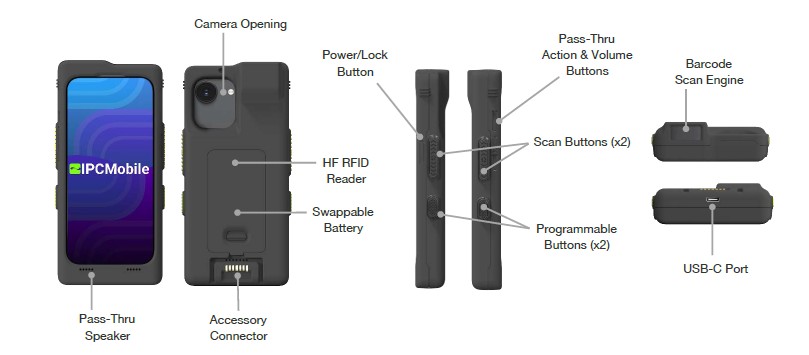
- Advanced 1D/2D barcode scanning
- Optional long-range scanning up to 40 feet
- Contactless HF RFID support
- Programmable workflow buttons
- Swappable smart battery for multi-shift operation
- IP65-rated protection against dust and moisture
- MIL-STD-style drop protection
- Lightweight, compact ergonomic design
The built-in scanning engine is designed to capture damaged, low-contrast, or poorly printed barcodes quickly and accurately, helping workers maintain productivity even in high-volume environments.
Designed for Around-the-Clock Operations
The Linea® Pro Rugged™ platform is engineered for continuous workflows where downtime is not an option. A swappable 2330mAh smart battery supports uninterrupted multi-shift operations, allowing teams to replace batteries without stopping work or removing devices from service.
This is especially valuable for organizations operating:
- 24/7 healthcare facilities
- Busy retail environments
- Large distribution centers
- Hospitality venues with extended operating hours
Combined with real-time connectivity and enterprise software integration tools, the platform enables workers to send and receive updates instantly while maintaining operational visibility across locations.
Industry Use Cases
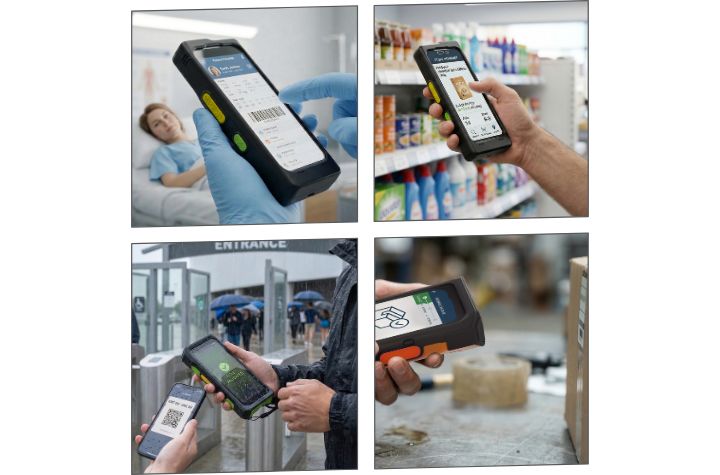
The flexibility of the Linea® Pro Rugged™ platform makes it well-suited for a wide range of enterprise applications.
Healthcare
Healthcare providers can use the platform for:
- Patient identification
- Medication verification
- Mobile documentation
- Asset tracking
Its rugged housing and disinfectant-resistant design make it ideal for clinical environments where reliability and sanitation matter.
Hospitality
Hospitality teams benefit from:
- Mobile check-in/check-out
- Tableside ordering and payment
- Ticket validation
- Loyalty scanning
- Housekeeping management
- Inventory tracking
The compact design helps staff remain mobile while delivering faster guest service experiences.
Retail
Retail operations can streamline:
- Inventory management
- Shelf audits
- Mobile POS
- BOPIS workflows
- Price verification
- Stock replenishment
By combining barcode scanning with familiar iPhone functionality, associates can move seamlessly between customer engagement and operational tasks.
Warehousing and Logistics
Warehouse and logistics teams can improve:
- Package tracking
- Shipment verification
- Inventory movement
- Cross-docking workflows
- Asset management
- High-volume scanning operations
The rugged design and long battery life support reliable performance in demanding industrial environments.
Enabling Smarter, More Sustainable Enterprise Mobility
As organizations continue modernizing frontline mobility strategies, they need solutions that do more than support the latest devices. They need platforms that simplify upgrades, protect existing technology investments, reduce deployment complexity, and empower workers with reliable access to real-time data. By combining enterprise-grade barcode scanning, RFID capabilities, rugged durability, extended battery performance, and cross-generation accessory compatibility, IPCMobile’s expanded support for the iPhone 17e and iPhone 17 helps businesses create a more flexible and future-ready mobility ecosystem. The result is a streamlined approach to enterprise mobility that improves productivity, accelerates device adoption, and enables organizations to evolve their technology strategies without disrupting day-to-day operations.
Master Enterprise Labeling and Supply Chain Traceability with BarTender 12
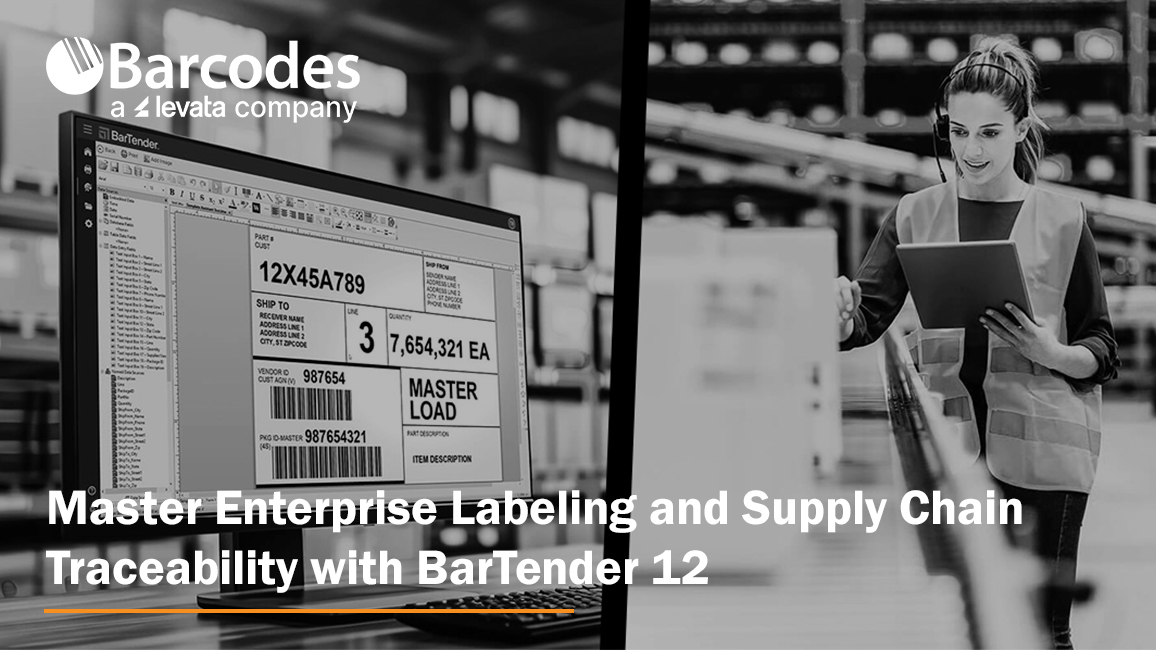
In supply chain environments, labeling plays a far greater role than simply identifying products or packages. Accurate, standardized labeling serves as the foundation for operational visibility, inventory accuracy, traceability, and workflow efficiency across manufacturing, retail, healthcare, logistics, food production, automotive, and warehouse operations. From barcode and RFID labels used in receiving and fulfillment to compliance and shipping labels required for retailer and carrier standards, effective labeling enables organizations to move products faster, reduce manual errors, improve scanning accuracy, and maintain real-time visibility throughout the supply chain.
BarTender is a leading enterprise labeling and traceability platform for organizations that need to design, manage, print, and automate barcode labels, RFID tags, compliance labels, and shipping labels across complex supply chains. For businesses in manufacturing, warehousing, retail, healthcare, food production, logistics, and other regulated industries, BarTender helps improve labeling accuracy, support compliance, reduce manual errors, and strengthen end-to-end visibility. This article highlights how BarTender 12 combines hybrid cloud and on-premises deployment, browser-based label design, centralized management, intelligent automation, ERP connectivity, stronger security, and cloud-based printing innovations to help modernize labeling operations and turn traceability into a competitive advantage.
- What BarTender does: Supports enterprise barcode labeling, RFID labeling, compliance labeling, shipping labels, and supply chain traceability
- Why it matters: Helps reduce labeling errors, improve scanning accuracy, increase operational efficiency, and maintain real-time supply chain visibility
- Where it fits: Ideal for manufacturing, warehousing, retail, healthcare, food production, logistics, and other regulated operations
- Key capabilities: Designer Online, Intelligent Forms, File Drop integrations, ERP connectors, centralized management, and secure access controls
- Deployment options: Cloud, on-premises, and hybrid environments that support distributed teams and multi-site operations
- Traceability advantage: Improves product identification, authentication, compliance, and item-level visibility with barcode, RFID, and cloud-connected workflows
As operations become increasingly automated and omnichannel fulfillment expectations continue to rise, businesses rely on intelligent labeling systems to support seamless data capture, improve coordination between systems and frontline workers, and ensure products, assets, and shipments can be accurately tracked from origin to final destination.
This is where solutions like BarTender 12 become increasingly valuable. As organizations work to improve supply chain visibility, automate workflows, and support faster, more accurate operations, labeling software has evolved into a critical operational platform rather than a simple printing utility. Organizations now have even greater flexibility to manage labeling operations across both on-premises and cloud environments while gaining new tracking and automation capabilities that improve visibility throughout the supply chain.
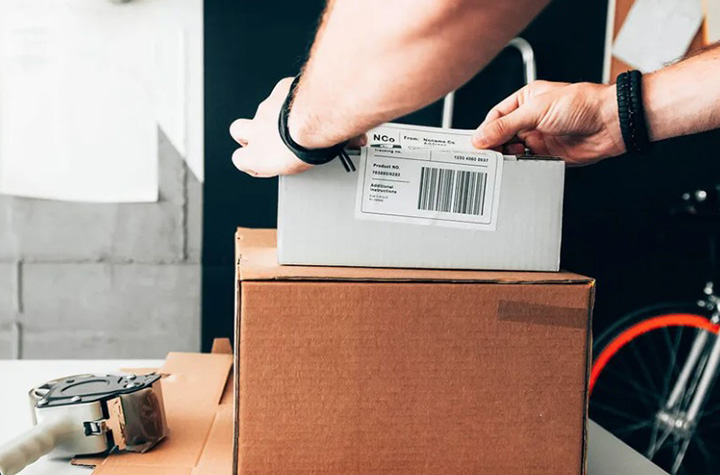
Why Labeling Matters More Than Ever
Every product moving through the supply chain depends on accurate identification. Barcode labels, RFID tags, compliance labels, shipping labels, and tracking identifiers all play a role in ensuring products arrive where they should, when they should, and in compliance with industry regulations.
The challenge for many organizations is balancing accuracy, scalability, and operational simplicity. Manual labeling processes increase the risk of costly errors, production delays, and compliance issues. At the same time, many businesses operate across multiple facilities, remote teams, contract manufacturers, and distributed warehouses that all require consistent labeling standards.
BarTender helps solve these challenges by combining powerful label creation tools with centralized management and scalable printing capabilities.
Flexible Deployment for Every Environment
One of the biggest advantages of BarTender 12 is its ability to support on-premises, cloud deployments, and even hybrid environments. Some organizations require local infrastructure for security, compliance, or operational control, while others need the flexibility and accessibility of cloud-based systems.
This flexibility helps IT and operations teams support:
- Multi-site warehouse operations
- Distributed retail environments
- Manufacturing facilities
- Remote workforce printing
- Enterprise labeling standardization
- Secure supply chain labeling workflows
With centralized label management and cloud accessibility, teams can create, manage, and print barcode and RFID labels from virtually anywhere while maintaining operational consistency across the organization.
BarTender 12 embraces a hybrid future by unifying these environments. Businesses can now deploy labeling operations in the way that best fits their IT strategy while maintaining consistent workflows across facilities and teams.
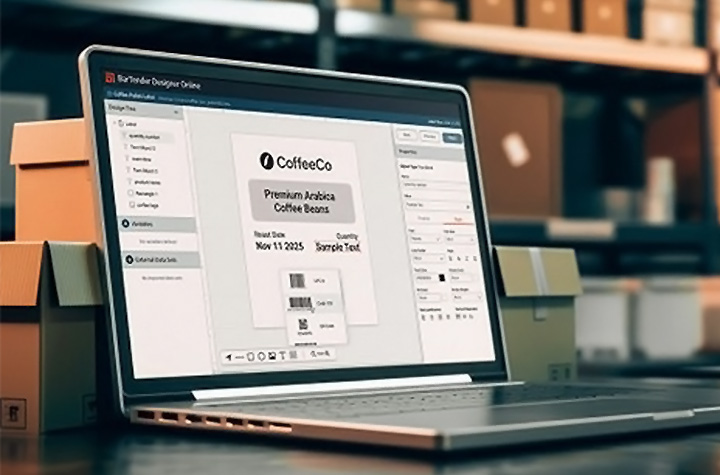
Easier Label Design and Collaboration
A major highlight of BarTender 12 is the all-new BarTender Designer Online. This refreshed, web-based designer allows users to create and edit labels directly from a browser without specialized software installation or advanced development skills.
This capability improves collaboration between internal teams, suppliers, and external partners. Instead of relying on a single workstation or local environment, teams can now design and update labels from anywhere, accelerating approvals and reducing downtime.
The platform also simplifies compliance by providing pre-built tools and templates that support current industry regulations and labeling standards, including updated automotive templates that meet the latest VDA requirements.
Intelligent Automation Reduces Complexity
Many organizations struggle with disconnected systems and repetitive manual processes. BarTender 12 introduces several new automation capabilities that simplify printing and improve operational efficiency.
Intelligent Forms allow print operators to select and print the correct labels through customizable web-based forms without ever opening a label template. This reduces training requirements and minimizes the chance of selecting the wrong label. BarTender now supports multi-page forms allowing users to break down complex forms into easy-to-use manageable sections.
File Drop integrations provide another major advantage. Users can now trigger print jobs simply by dropping JSON, CSV, or XML files into designated folders. This eliminates the need for complex API development and makes integration easier for organizations of all sizes.
BarTender 12 also strengthens connectivity with pre-built print connectors for major ERP systems such as Microsoft Dynamics, SAP, and Workday, helping businesses integrate labeling directly into existing workflows without extensive programming.
Stronger Security and Enterprise Control
As labeling becomes increasingly connected to enterprise systems, security and access control are more important than ever.
BarTender 12 expands single sign-on support with compatibility for Microsoft EntraID, PingID, and other OIDC providers. This helps organizations strengthen authentication policies while simplifying deployment for IT teams.
Additional enhancements to print history logging, authorization controls, and Printer Maestro performance provide greater visibility and oversight across enterprise print environments. These capabilities are especially important for industries with strict compliance requirements, including healthcare, pharmaceuticals, food production, and manufacturing.
Cloud Innovation for Modern Operations
The new Cloud Enterprise tier further demonstrates how BarTender is evolving for modern supply chain environments. Organizations gain enhanced labeling control, simplified ERP integration, and future-ready cloud security features designed to support enterprise growth.
Cloud-specific innovations such as Direct Cloud Printing for Zebra printers eliminate the need for driver installations and dramatically simplify printer deployment. New Amazon Transparency integration capabilities also help brands protect product authenticity and improve traceability throughout the supply chain.
A Platform Built for Growth
As retail, manufacturing, warehousing, healthcare, and logistics operations continue evolving, labeling has become a foundational component of real-time data accuracy, inventory visibility, product traceability, and connected frontline execution. Businesses can no longer rely on disconnected printing systems or manual labeling processes that create inefficiencies, errors, and operational blind spots.
With flexible cloud and on-premises deployment options, intelligent automation capabilities, advanced security features, ERP and WMS integrations, and enhanced collaboration tools, BarTender 12 helps organizations modernize how information flows throughout the supply chain. From barcode and RFID labeling to enterprise-wide print management and traceability, the platform transforms labeling into a strategic operational advantage.
How to Choose Affordable Rugged Mobility Devices Designed for Performance
Operations across warehousing, manufacturing, retail, healthcare, and logistics are being asked to do more with less. Labor shortages continue to challenge operations, while budget costs require every technology investment to produce strong measurable outcomes. For many organizations, the question is no longer whether to modernize workflows, but how to do it without overspending.
The difficult balance is selecting a premier hardware solution at budget-friendly pricing. This can be determined by a simple comparison of device features, functionality, and durability to price. That sweet spot is where Wasp Barcode Technologies excels.
Affordable Mobile Computers Built for Demanding Workflows
Wasp has earned a reputation for delivering dependable barcode and mobility technology at a price point that serves budget-conscious businesses. Instead of forcing companies to choose between affordability and performance, Wasp focuses on providing rugged, feature-rich hardware backed by strong support and fast delivery. The result is enterprise-ready technology that helps organizations improve productivity without stretching budgets.
One of the biggest misconceptions in the barcode and mobility industry is that lower-cost hardware means sacrificing durability or functionality. Wasp challenges that idea with a growing portfolio of mobile computers, scanners, tablets, and industrial printers designed for real-world business environments.
Let’s Review Budget-Friendly Mobility Devices
Mobile computers play a critical role in inventory management, warehouse operations, and field mobility. Wasp offers rugged options that deliver enterprise performance without enterprise-level pricing.
Product Review: Affordable Wasp Mobile Computers
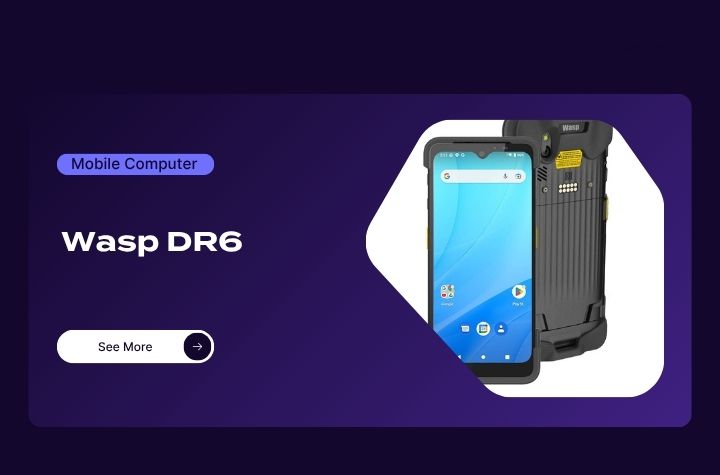
- 5G mobile computer with Android 12 and GMS certification
- Reads barcodes from up to 10 feet away
- Multi-scan functionality captures up to 10 barcodes simultaneously
- Scans 1D, 2D, DPM, DOT code, and smartphone barcodes
- Supports Wi-Fi 6E and Bluetooth connectivity
- IP65/IP67 sealed with 5-foot drop protection
- 5100mAh hot-swap battery minimizes downtime
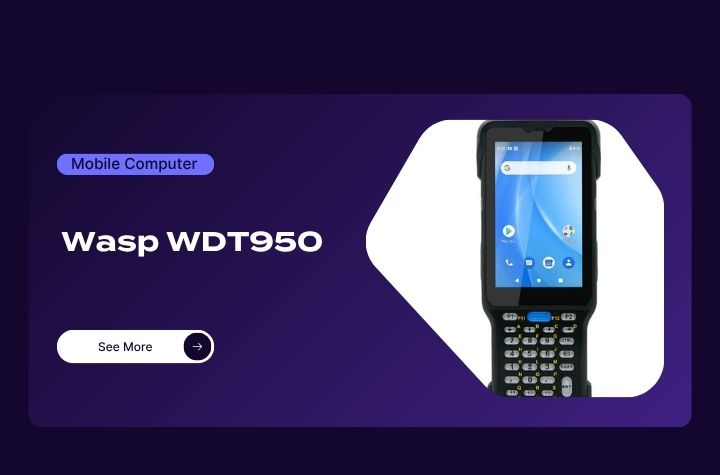
- Android 10 mobile computer with GMS certification
- High-performance 2D scanning with ergonomic tilt angle
- Durable 38-key keypad designed for heavy daily use
- Bluetooth 5.1 and advanced wireless networking support
- Hot-swap battery design for uninterrupted operation
- Rugged IP65/IP67-rated housing
Product Review: Affordable Wasp Rugged Barcode Scanners
Barcode scanning remains essential for fast and accurate workflows. Wasp scanners are designed to deliver dependable performance in warehouses, retail, and industrial environments while helping businesses control costs.
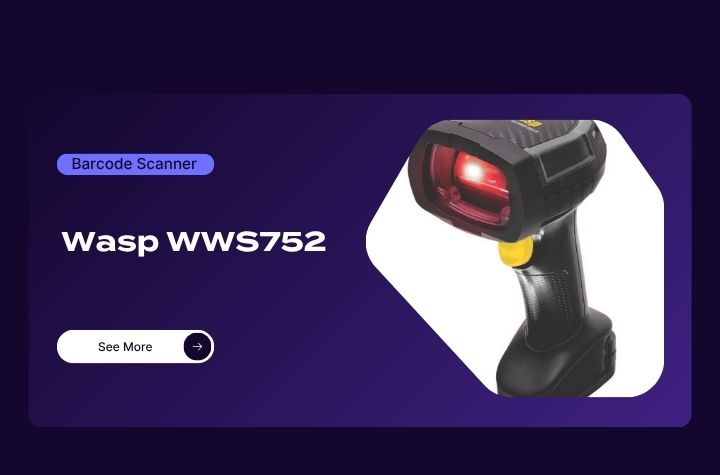
Wasp WWS752 Wireless 2D Scanner
- Ultra-rugged wireless scanner for industrial environments
- Reads 1D and 2D barcodes from inches away up to 65 feet
- Handles damaged, shrink-wrapped, and poorly printed labels
- IP65/IP67 protection with 6.6-foot drop resistance
- Bluetooth 5.0 wireless range up to 328 feet
- Battery supports more than 80,000 scans per charge
- Ergonomic design reduces user fatigue
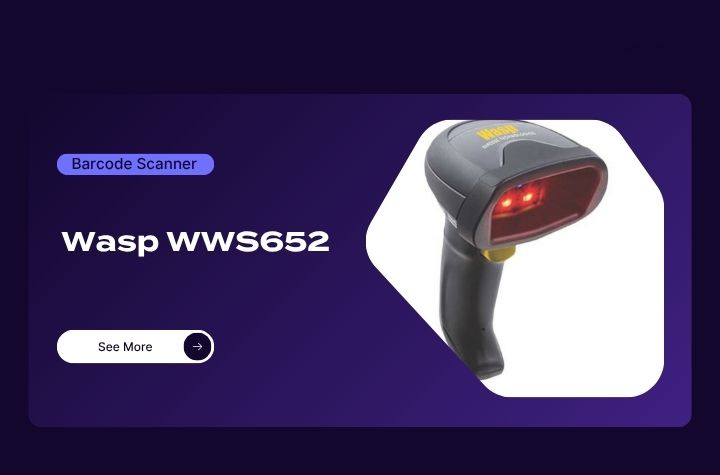
Wasp WWS652 2D Barcode Scanner
- Omnidirectional scanning for 1D, 2D, postal, and DotCodes
- 1 MP sensor for fast, accurate scanning
- LED-based precision aiming system
- Green Spot visual good-read feedback
- Motion-sensing automatic mode switching
- Bluetooth 4.0 wireless connectivity
- Multiple interface options including USB-C and RS-232
Product Review: Affordable Wasp Rugged Tablets
Rugged tablets continue to gain popularity for enterprise mobility in warehouse, transportation, and field service applications. Wasp provides a durable, feature-rich option designed for mobility and reliability.
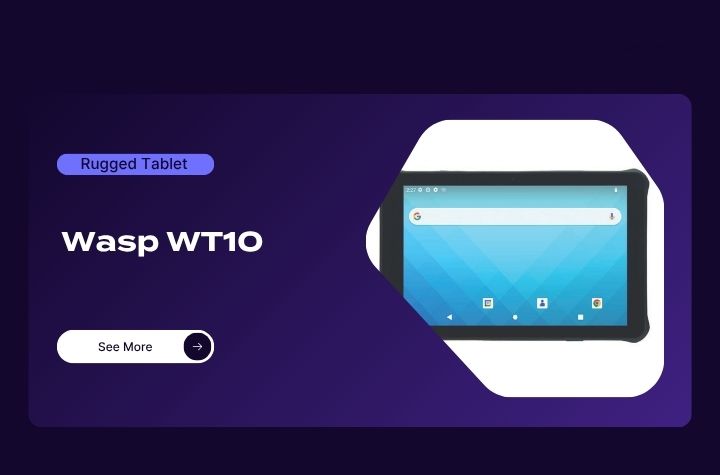
- Android 13 rugged tablet upgradeable to Android 15
- 10.1-inch Gorilla Glass display with glove and wet touch support
- Integrated 1D/2D barcode scanner
- IP67-rated and MIL-STD-810H certified durability
- Qualcomm Snapdragon Hexa Core processor
- Removable 8800mAh battery with up to 17 hours runtime
- Wi-Fi 6E and Bluetooth 5.2 connectivity
Product Review: Affordable Wasp Industrial Barcode Printers
High-volume printing operations require reliability, speed, and durability. Wasp industrial printers provide those capabilities while remaining cost-effective for growing businesses.
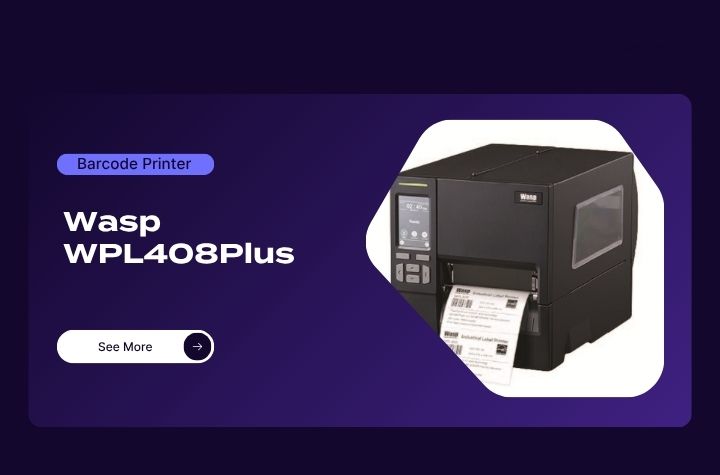
WPL408Plus Industrial Barcode Printer
- Compact industrial printer with all-metal print mechanism
- Supports thermal transfer and direct thermal printing
- Prints at speeds up to 12 IPS with 300 DPI resolution
- Handles label rolls up to 8 inches OD
- Supports WPL, EPL, ZPL, ZPL II, DPL, and TSPL-EZD
- Ethernet, USB, RS-232, and USB host connectivity
- Recyclable packaging and printer casing
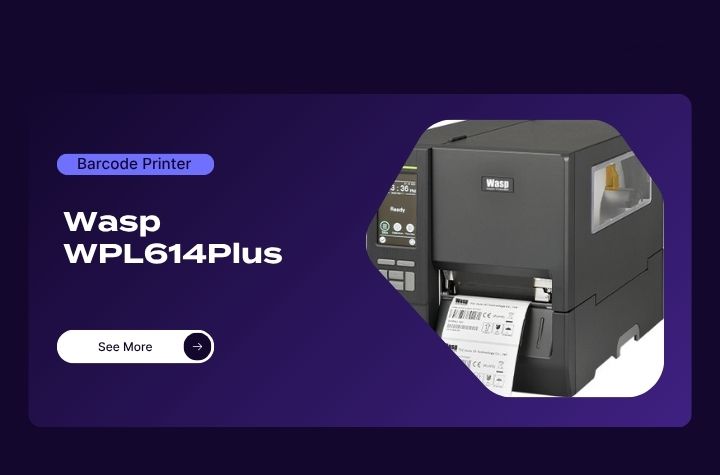
Wasp WPL614Plus Industrial Barcode Printer
- Designed for long-lasting, high-volume print environments
- Dynamic remote printer management capabilities
- Selectable media sensor settings
- GPIO support for applicators and emulations
- Wi-Fi and Bluetooth connectivity options
- Media near-end sensor detection
- Simplified printhead and platen roller replacement
The Secret to Cost-Effective Enterprise Mobility Deployment
Beyond the hardware itself, device lifecycle services and support is a critical component to successful enterprise mobility. Wasp differentiates itself with fast delivery, dependable customer support, and a 30-day return policy that allows businesses to invest with confidence. While some lower-cost hardware manufacturers sacrifice service and reliability, Wasp continues to focus on delivering both affordability and long-term value.
Partnering with Barcodes, Inc., offers further piece-of-mind and value with robust pre-deployment site survey and configuration services, followed by trusted post-deployment device management and warranty services. For organizations looking to reduce expenses without compromising operational efficiency, Wasp hardware offers a practical balance of rugged durability, modern features, and strong support. In a market where every dollar matters, choosing technology that delivers both performance and value can have a direct impact on productivity and profitability.
Healthcare Barcode Scanning: The Technology Helping Improve Accuracy, Safety, and Efficiency
In healthcare, every second and every scan matters. From patient identification and medication administration to laboratory workflows and inventory tracking, healthcare barcode scanning technology plays a critical role in reducing errors, improving operational visibility, and supporting safer patient outcomes. But healthcare workflows demand more than standard barcode scanners.
Devices used in hospitals, clinics, and laboratories must be purpose-designed for healthcare settings — built to withstand constant disinfecting, support fast-paced clinical workflows, and deliver dependable scanning performance in patient-facing environments. As healthcare organizations continue modernizing operations and digitizing workflows for clinical mobility, reliable barcode scanning has become a foundational technology for improving both care delivery and operational efficiency.
Elevating Patient Safety with the Gryphon 4600 HC Scanner
Healthcare environments demand technology that can keep pace with a fast-moving environment while providing comfort for extended daily use. Designed specifically for these demanding healthcare settings, the Datalogic Gryphon 4600 HC series delivers the durability, scanning precision, and clinician-friendly design needed to help caregivers work more efficiently and confidently across patient care, pharmacy, laboratory, and administrative workflows.
Let’s review the core features of this popular healthcare barcode scanner.
Designed for Healthcare Workflows
Unlike standard barcode scanners, the Gryphon 4600 HC is engineered for clinical environments where devices are constantly cleaned and used throughout long shifts.
Key healthcare-ready features include:
- Disinfectant-ready housing designed to withstand harsh cleaning chemicals
- Antimicrobial protection to support infection control initiatives
- Quiet operation modes ideal for bedside patient care
- Ergonomic, lightweight design for all-day clinician comfort
- Corded and cordless options for flexible healthcare workflows
These features make the Gryphon 4600 HC well-suited for:
- Bedside patient care
- Nursing stations
- Laboratories
- Pharmacies
- Patient admissions and administrative areas
Accurate Barcode Scanning for Patient Safety
In healthcare environments, damaged wristbands, smudged labels, and barcode glare from screens are common challenges. The Gryphon 4600 HC is designed to accurately capture barcodes in these real-world conditions.
Advanced Healthcare Barcode Scanning Features
- Fast decoding of both 1D and 2D barcodes
- Reads damaged or poorly printed labels
- Captures barcodes from smartphones, tablets, and monitors
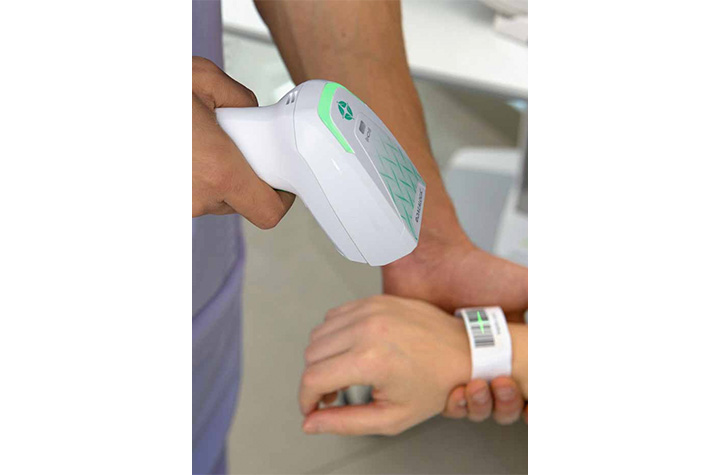
- Reliable scanning of curved patient wristbands
- Reduced manual entry and fewer scanning errors
Accurate barcode scanning helps support critical healthcare workflows, including:
- Patient identification verification
- Barcode medication administration (BCMA)
- Specimen tracking and laboratory workflows
- Pharmacy dispensing accuracy
- Electronic health record (EHR) data capture
Quiet Scanning for Better Patient Experience
The Gryphon 4600 HC includes Datalogic’s Green Spot technology, which provides visual scan confirmation without loud beeping noises. Silent scan modes and vibration feedback help clinicians work efficiently while creating a quieter, less disruptive patient environment.
Cordless Mobility and Reliable Charging
Healthcare staff need devices that remain operational throughout demanding shifts. The Gryphon 4600 HC cordless models provide mobility for caregivers moving between patient rooms and departments.
Traditional charging contacts can wear down or corrode from repeated disinfecting. The Gryphon 4600 HC uses inductive charging technology to eliminate exposed charging contacts that reduce charging failures and extend scanner lifespan.
Sustainable Healthcare Technology
Healthcare organizations are increasingly prioritizing sustainability alongside operational efficiency. The Gryphon 4600 HC supports these initiatives with environmentally conscious design improvements.
Sustainability Highlights:
- Up to 25% lower power consumption
- Built with more than 70% recycled materials
- Lightweight construction for improved usability
- Energy-efficient operation without sacrificing performance
A Smarter Approach to Healthcare Scanning
As healthcare systems continue to evolve, the demand for reliable, hygienic, and high-performing data capture solutions will only grow. The Gryphon 4600 HC is built to meet these demands head-on, delivering the accuracy clinicians need and the durability healthcare environments require.
More than just a scanner, it’s a tool designed to support better decision-making, safer patient outcomes, and smoother clinical workflows. For healthcare organizations looking to modernize their operations while maintaining the highest standards of care, the Gryphon 4600 HC represents a smart and future-ready investment.
To learn more about all our Healthcare solutions for clinical mobility and patient care, contact Barcodes, Inc.
The Human Element of Warehouse Automation: Why Innovation Must Start with Workers
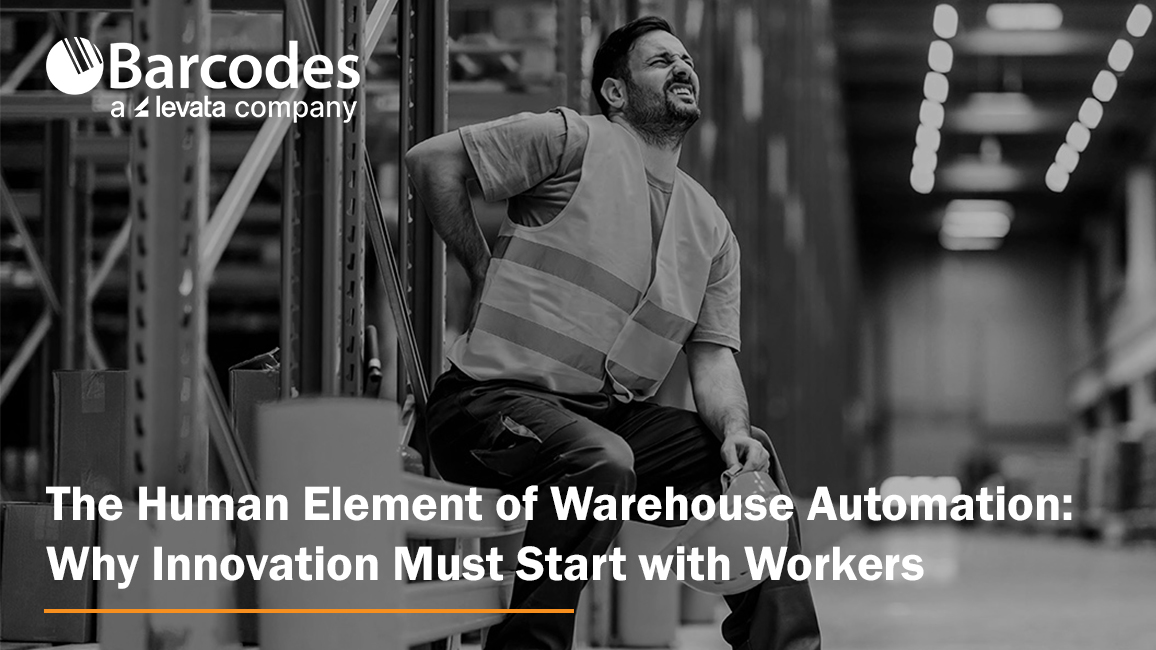
The warehousing industry continues to evolve at a rapid pace, driven by rising customer expectations, supply chain complexity, and the steady march toward automation. By 2027, more than a quarter of warehouses are expected to be automated, signaling a major shift in how goods are stored, picked, and shipped. But while warehouse automation promises efficiency gains, it also introduces new challenges, especially when it comes to workforce stability, safety, and satisfaction.
One of the biggest risks companies face today isn’t a lack of technology, but overlooking the people who make that technology work.
Recent industry data highlights a growing disconnect. While automation is accelerating, workforce turnover in manufacturing and warehousing remains high, hovering around 40%. At the same time, millions of jobs are projected to be impacted by automation. This creates a tension that many organizations are still learning to navigate. How do you embrace innovation without alienating the workforce?
The answer lies in re-centering operations around the human element.
Safety and Ergonomics as Business Imperatives
Warehouse safety has always been critical, but it is now taking on greater strategic importance. Workplace injuries cost employers billions each year, many stemming from repetitive motion, poor ergonomics, and overexertion. These are not isolated incidents. They are systemic issues tied to how work is structured on the floor.
Simple but intentional improvements can make a measurable difference. Ongoing safety training, clear signage, and proactive hazard detection help reduce accidents before they occur. Scheduled micro breaks and better workflow design can prevent fatigue-related errors and injuries.
But perhaps the most impactful changes come from ergonomic investments.
Ergonomic tools are designed to work with employees, not against them. Whether it is reducing unnecessary bending, minimizing heavy lifting, or improving posture, these solutions directly address the physical demands of warehouse work. Companies that prioritize ergonomics often see strong returns, not just in reduced injury costs, but in higher productivity and employee retention.
Small Changes, Big Impact
It is easy to focus on large scale automation projects, but many operational inefficiencies come from smaller, everyday tasks.
Take walking time, for example. Warehouse employees can spend miles each day moving between workstations, scanners, and inventory locations. Over time, this contributes to fatigue, lost productivity, and increased risk of injury.
Similarly, repetitive processes like picking and scanning can introduce inefficiencies and errors. Even a few seconds lost per task can add up to significant time over the course of a shift. Technologies like voice picking and wearable scanners have proven effective in reducing errors and improving speed by freeing up workers’ hands and attention.
Anti fatigue flooring is another example of a relatively simple upgrade with meaningful benefits. Studies show that proper matting can improve circulation and reduce strain on joints, helping workers stay comfortable and productive throughout long shifts.
Individually, these improvements may seem incremental. Collectively, they reshape the daily experience of warehouse employees.
Rethinking Automation: Augment Workers, Don’t Replace Them
As automation becomes more prevalent, forward-thinking organizations are shifting their approach. Instead of viewing technology as a replacement for labor, they are using it to enhance human capability.
This is where the concept of the human element of automation becomes critical.
Rather than removing workers from the equation, the goal is to empower them. This means eliminating inefficiencies, reducing physical strain, and enabling them to focus on higher value tasks. When done right, this approach improves operational performance and strengthens employee engagement and satisfaction.
In a labor market where attracting and retaining talent is increasingly difficult, that becomes a clear competitive advantage.
Bringing the Work to the Worker
One of the most effective ways to bridge the gap between automation and ergonomics is by rethinking where and how work happens.
Instead of requiring workers to constantly move between fixed stations, leading organizations are bringing technology directly to the point of task.
This is where mobile-powered workstations stand out.
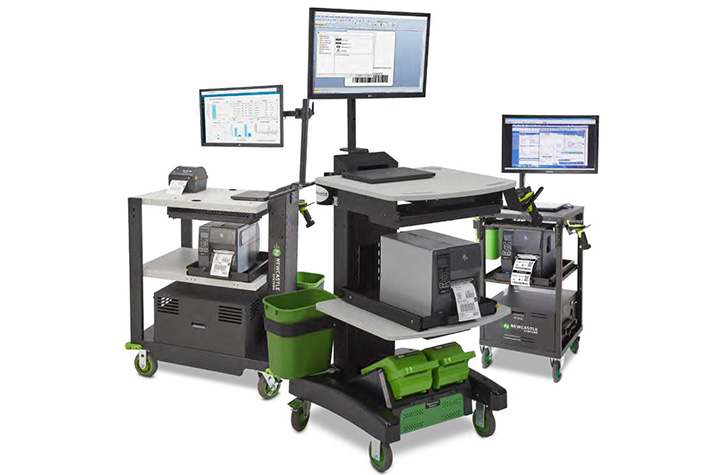
A leading expert in warehouse automation purpose-built for workers, Newcastle Systems’ mobile-powered workstations are designed to eliminate unnecessary movement and streamline workflows. By integrating computing, scanning, and printing capabilities into a single mobile solution, these workstations allow employees to complete tasks on the spot, reducing excessive walking and saving valuable time.
Just as importantly, they address key ergonomic challenges. By minimizing the need for lifting and offering adjustable height work surfaces, these solutions help reduce physical strain and support a healthier posture throughout the workday.
The result is a more efficient, safer, and more employee friendly environment.
The Future of Warehousing Is Human Centered
The next phase of warehouse innovation will not be defined by automation alone. It will be shaped by how well organizations balance technology with human needs.
Companies that invest in their workforce through safety, ergonomics, and thoughtful technology integration will be better positioned to adapt, compete, and grow.
Because in the end, the most advanced warehouse is not just automated. It is designed around the people who keep it running.
To learn how to incorporate essential workflow automation solutions in your warehouse operations, contact Barcodes, Inc. today.
Keep Orders Moving with Smarter, Liner-Free Labeling
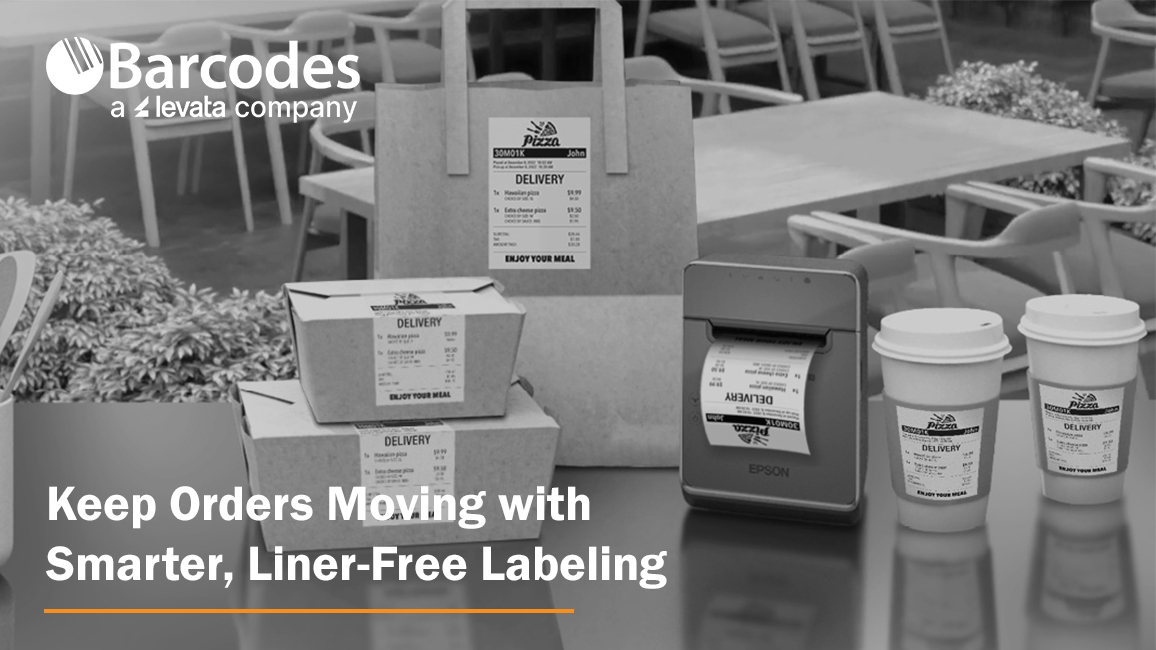
High-volume labeling environments don’t slow down, so your label printer can’t afford to, either. From quick-service restaurants and grocery stores to retail pharmacies and delivery operations, speed, accuracy, and flexibility are essential to keeping orders moving and customers satisfied. That’s where the Epson® OmniLink® TM-L100 Liner-Free Thermal Label Printer stands out as a modern solution built for today’s fast-paced, multi-channel workflows.
The Importance of Optimized Point-of-Sale and Labeling Solutions
When POS technology is well connected and built-for-purpose, a number of frontline productivity and customer experience benefits are attained, including:
- Pricing accuracy & compliance confidence: Real-time updates ensure shelf labels, food labels, and POS pricing stay aligned—reducing risk and protecting margins
- Faster checkout & fulfillment: High-speed, reliable printing keeps lines moving and supports efficient in-store and omnichannel order processing
- Labor efficiency gains: Store associates spend less time troubleshooting or reprinting and more time focused on customers and value-added tasks
- Improved inventory visibility: Accurate labeling supports better stock tracking, fewer discrepancies, and more informed replenishment decisions
- Stronger customer experience: Consistent pricing, clear labeling, and smooth transactions build trust and satisfaction
- Operational agility: Quickly roll out promotions, update product information, or adapt workflows across locations with minimal effort
A Label Printer Built for the Way Business Happens Today
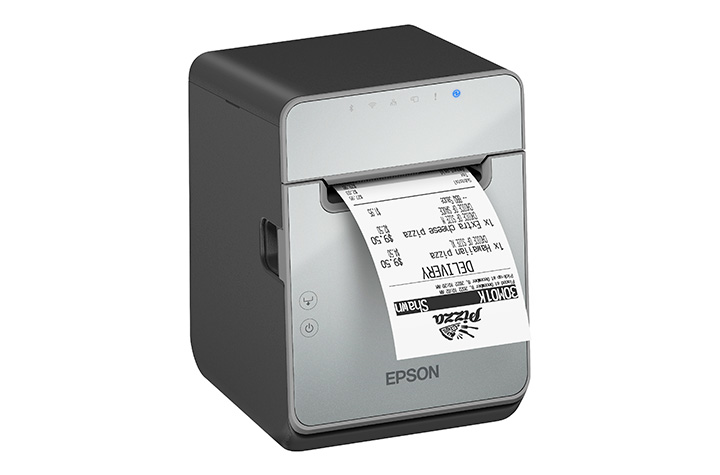
The Epson® OmniLink® TM-L100 is designed to support the realities of omnichannel operations. Whether you’re managing buy online, pick up in store (BOPIS), curbside pickup, or delivery orders, this printer integrates seamlessly into your workflow. With a network-connected printer, Server Direct Print technology can retrieve and print orders directly from web-based applications—no POS integration required. That means faster deployment, fewer IT dependencies, and a smoother path to supporting online ordering at scale.
Equally important, the TM-L100 can dynamically connect to multiple systems at once. It can be shared across traditional PC-based POS terminals, tablets, mobile devices, and even cloud servers simultaneously. This level of flexibility ensures that no matter how your operation evolves, your labeling infrastructure keeps up.
Liner-Free Labeling That Reduces Waste
One of the most impactful features of the TM-L100 is its support for liner-free media. Traditional labels create excess waste through backing liners, which can clutter workspaces and require additional disposal. Liner-free labels eliminate that problem, helping reduce environmental impact while improving operational efficiency.
Beyond waste reduction, the printer also includes advanced paper-saving features like white space and character height reduction, cutting media usage by up to 47% depending on the text and graphic printed on the receipt. For businesses printing hundreds—or thousands—of labels daily, that translates directly into cost savings.
Engineered for Accuracy and Speed
In environments where labeling errors can lead to incorrect orders or unhappy customers, precision matters. The TM-L100 helps eliminate common issues associated with handwritten labels or poorly printed tags. With crisp, high-speed thermal printing—up to 170 mm per second—you get clear, professional labels every time.
The built-in label-taken sensor adds another layer of accuracy. It ensures that labels are printed one at a time, pausing output until the previous label is removed. This prevents labels from sticking together or being misapplied, a common challenge in high-volume food service and retail environments.
Connectivity Without Compromise
Modern operations rely on a wide range of devices, and the TM-L100 is built to connect with all of them. It includes built-in USB and Ethernet, along with options for Serial, Wi-Fi, and Bluetooth connectivity. This makes it easy to deploy in virtually any setup, from fixed POS stations to mobile tablet-based systems.
One standout feature is USB Network Tethering, which allows the printer to provide a wired network connection to a connected tablet. This simplifies connectivity in environments where stable wireless access may be a challenge. For iOS devices, the printer can deliver both data communication and device charging through a single USB connection, reducing cable clutter and improving workstation efficiency.
Reliability You Can Count On
Downtime isn’t an option in high-demand environments. The TM-L100 is engineered with a long-lasting printhead and auto cutter, ensuring consistent performance even under heavy use. It’s built specifically for liner-free labeling, which can be more demanding on hardware, and is backed by a one-year limited warranty with extended service plans available for added peace of mind.
A Versatile Fit Across Industries
From labeling drinks and food containers in quick-service restaurants to managing order fulfillment in retail and grocery environments, the TM-L100 adapts easily to a wide range of applications. Its support for multiple media widths—80mm, 58mm, and 40mm—adds further flexibility, allowing businesses to standardize on one device across different use cases.
Final Thoughts
The Epson® OmniLink® TM-L100 Liner-Free Thermal Label Printer isn’t just another label printer—it’s a purpose-built solution for modern, connected operations. By combining liner-free media support, advanced connectivity, and intelligent features that improve accuracy and efficiency, it helps businesses reduce waste, streamline workflows, and deliver better customer experiences.
If your current labeling process slows you down or introduces errors, contact Barcodes, Inc. to discuss a solution upgrade designed to keep business rolling.
How Barcode Technology for Healthcare Transforms Patient Safety & Clinical Mobility
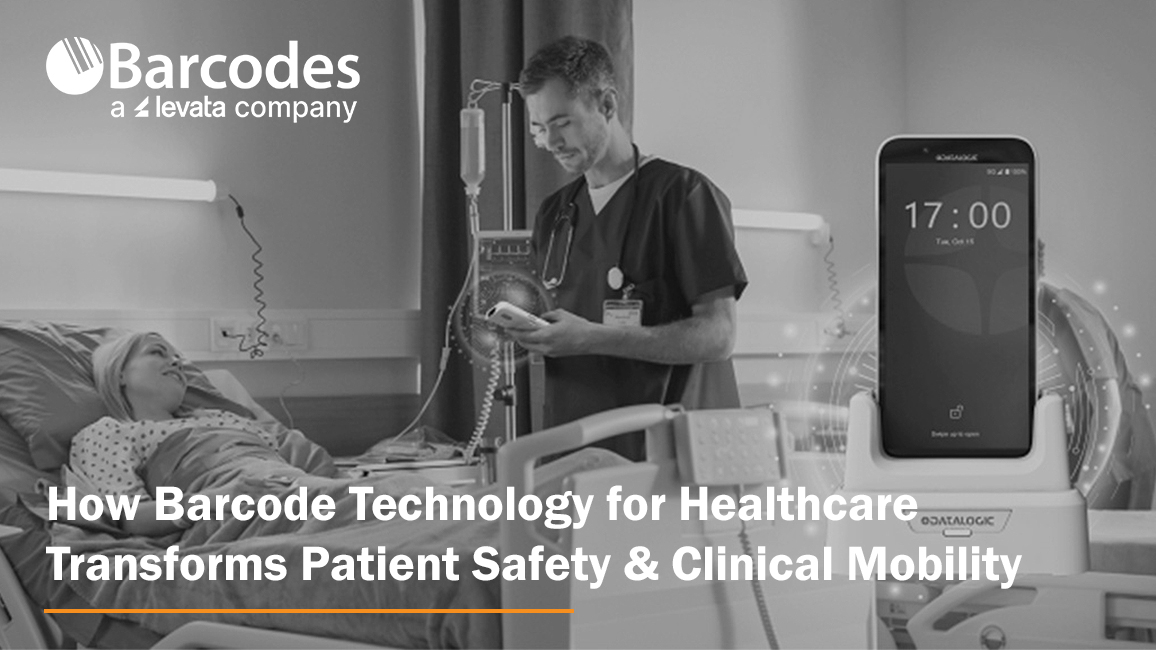
Patient safety remains one of the most critical priorities in modern healthcare. From medication administration to surgical instrument tracking, even minor errors can have serious consequences. As hospitals and care facilities continue to digitize operations, barcode technology for healthcare has emerged as a foundational tool in clinical mobility for reducing risk, improving accuracy, and streamlining workflows. Handheld mobile computing devices, like Datalogic healthcare scanners, are at the forefront of this transformation, helping healthcare providers deliver safer, more efficient patient care.
Barcoding in Healthcare: Frequently Asked Questions
What is the role of barcoding in hospital operations?
Barcode technology is used across hospitals to capture and validate data in real time, improving accuracy, efficiency, and patient safety from admission through discharge.
Common applications include:
- Patient identification and admissions
- Point-of-care workflows
- Sterile processing and surgical tracking
- Inventory management and supply chain operations
- Shipping and receiving
By replacing manual data entry, barcode systems reduce errors and allow healthcare staff to focus more on patient care.
How does barcoding improve patient identification and safety?
Barcode-enabled wristbands and medical records allow healthcare providers to instantly verify a patient’s identity before delivering care.
This helps:
- Prevent patient misidentification
- Ensure correct treatments and medications
- Specimen identification and labeling
- Access to electronic medical records (EMR/EHR)
- Reduce manual documentation errors
- Support compliance with safety protocols
In addition, barcode-enabled kiosks and check-in systems improve the patient experience by simplifying navigation and reducing wait times.
How is barcode technology used in surgery and sterile processing?
In surgical environments, barcode systems track instruments and supplies to ensure sterility, accuracy, and compliance.
Hospitals use barcode technology to monitor:
- Sterilization cycles
- Instrument usage history
- Expiration dates
- Movement from storage to operating room
When paired with disinfectant-ready scanners, these systems support strict hygiene standards without slowing workflows.
What is Barcode Medication Administration (BCMA) and why is it important in healthcare?
Barcode Medication Administration (BCMA) is a system that uses barcode scanning to verify medications at the bedside before they are given to a patient. BCMA enforces the “five rights” of medication safety: right patient; right drug; right dose; right route; right time.
By scanning both the patient’s wristband and the medication, clinicians improve patient safety in real-time while also supporting clinical compliance and documentation accuracy.
What are the operational benefits of barcoding in hospitals?
Hospitals that implement barcode systems effectively see improvements in both clinical outcomes and operational performance.
Key benefits include:
- Increased patient safety
- Reduced medical errors
- Improved staff productivity and faster workflows
- Real-time inventory and asset visibility
- Enhanced regulatory compliance
- Better patient experience
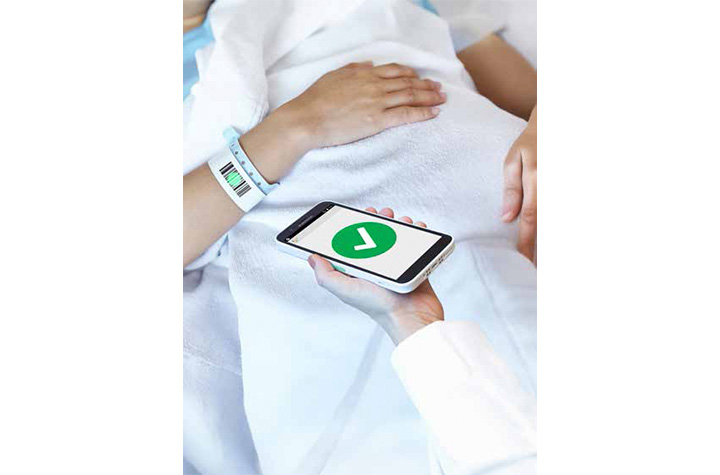
Empowering Frontline Staff with Mobile Technology
Modern healthcare environments demand mobility, reliability, and constant connectivity. Healthcare scanning devices like the Datalogic Memor 17 HC mobile computer are designed specifically for frontline professionals who need to stay connected both inside and outside the hospital.
With advanced connectivity options such as Wi-Fi 6E and 5G, healthcare workers can maintain uninterrupted communication whether they are moving between departments or visiting patients remotely. These devices are also built to withstand continuous disinfection, ensuring they remain safe for use in hygiene-critical environments.
Ergonomics and usability are equally important. Lightweight designs, durable displays, and customizable emergency features—such as programmable alarm buttons—help staff respond quickly in high-pressure situations. Combined with fast, accurate barcode scanning capabilities, these devices become indispensable tools in delivering high-quality care.
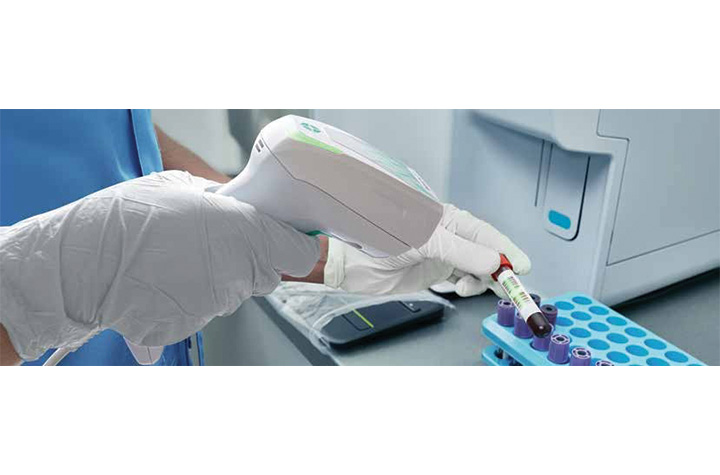
Reliable Scanning for Clinical Environments
Healthcare settings require barcode scanning solutions that are not only accurate but also durable and easy to sanitize. The Datalogic Gryphon 4600 HC handheld scanner is engineered for clinical demands, offering disinfectant-ready enclosures and antimicrobial protection.
These scanners excel in reading difficult barcodes, including those that are small, curved, reflective, or poorly printed—common challenges in healthcare environments. Whether used at a nurse’s station, laboratory, or bedside, they provide consistent performance and reliability.
Corded and cordless options offer flexibility, while features like silent operation and vibration feedback make them ideal for patient-facing environments where noise must be minimized. Additionally, inductive charging eliminates the risk of corrosion, reducing maintenance needs and extending device lifespan.
Sustainability is also a growing focus. With reduced power consumption and materials that incorporate recycled content, modern scanning devices are designed to support both operational and environmental goals.
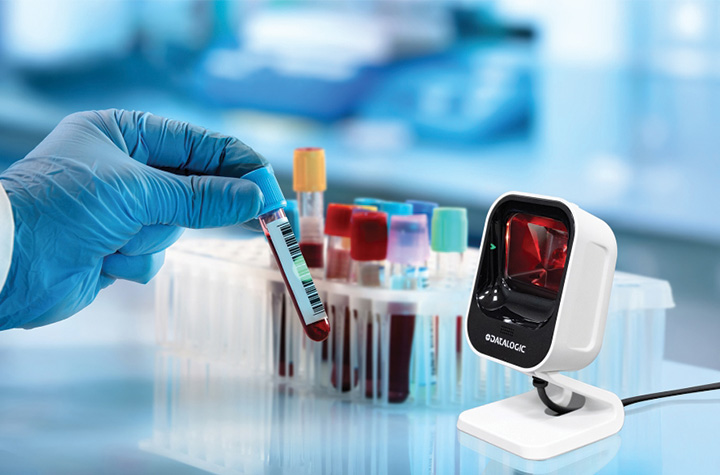
Improving Workflow Efficiency with Presentation Scanning
Beyond mobile and handheld devices, presentation scanners play an important role in streamlining workflows across healthcare environments. The Datalogic Magellan 900i brings powerful, omnidirectional scanning into a compact form factor that fits seamlessly into point-of-care, pharmacy, laboratory, and administrative settings.
Designed with advanced digital imaging technology, the Magellan 900i quickly and accurately reads both 1D and 2D barcodes—whether printed on labels or displayed on mobile devices. This versatility makes it ideal for scanning patient information, medication labels, lab samples, and even digital records such as mobile IDs or appointment confirmations.
Its compact, ergonomic design allows for both hands-free and handheld use, making it easy to integrate into crowded workspaces like nurse stations or lab counters. Subtle, adaptive illumination enhances user comfort, while Datalogic’s Green Spot technology provides clear visual confirmation of successful scans—especially valuable in quieter healthcare environments.
With flexible mounting options, including kiosk and OEM integration, the Magellan 900i can be embedded into self-service stations or check-in points, helping reduce bottlenecks and improve patient throughput. Combined with enterprise-ready features like remote management and broad system compatibility, it offers a scalable solution for healthcare providers looking to enhance efficiency without adding complexity.
A Smarter, Safer Future for Healthcare
As healthcare systems continue to evolve, the importance of accurate data capture and real-time information access cannot be overstated. Healthcare technology – like barcode technology, mobile computing and interactive platforms by Datalogic, is enabling a new standard of care—one that prioritizes patient safety, quality of care, and clinical mobility.
By reducing errors, streamlining operations, and empowering healthcare professionals with the tools they need, these solutions are not just improving workflows—they are helping save lives.
To learn more about our Healthcare technology solutions, contact Barcodes, Inc.
Why Choose Zebra Technologies for Your Barcode and Labeling Needs?
For enterprises, efficiency is no longer a business advantage, it’s a requirement to staying afloat. From busy retail stores to hospital labs and warehouse operations, barcode labels keep operations moving.
Every label tells a story: what a product is, where it’s going, and how it gets there. Behind that story is advanced technology that must work perfectly every time. That’s why choosing Zebra Technologies barcoding solutions for your barcode and labeling needs is the right solution for any organization aiming to improve operational efficiency.
At Barcodes Inc., we’ve spent over 40 years proving how the right hardware, software, and professional services can transform a business. And through decades building a trusted partner relationship, Barcodes, Inc. knows Zebra consistently delivers reliable performance and a long-term durability ecosystem of barcode and labeling solutions, featuring Zebra printers, barcode scanners, mobile computers, RFID tags, and accessories.
Let’s explore how Zebra helps improve inventory management, boost productivity, and create seamless, connected workflows across industries.
The Power of Barcodes and Labels
Barcodes and labels may seem simple, but they’re essential for modern business success. They connect data capture to real-world movement, keeping inventory tracking accurate, shipments timely, and patient care safe. A reliable barcode system can make or break operational efficiency.
When labeling systems fail, the impact is immediate. Smudged labels delay deliveries, peeling tags cause lost inventory, and misprinted wristbands disrupt patient care.
Avoiding these problems requires the right combination of durable materials, industrial printers, and dependable software. Zebra printers, supplies, and devices are engineered to ensure clarity, reliability, and high performance in every print.
A Complete Ecosystem: Zebra’s Connected Advantage
Zebra isn’t just about printers; it’s about creating a unified ecosystem of devices, systems, and solutions that simplify complex operations. Its lineup of mobile computers, desktop printers, industrial printers, tablets, and scanners works together to streamline workflows across industries.
Zebra’s Ecosystem Includes:
- Zebra Barcode Printers: Compact desktop models and industrial workhorses designed for high-volume, high-performance printing.
- Zebra Mobile Computers: Empower employees to stay connected and productive anywhere, improving real-time inventory tracking and communication.
- Zebra Scanners and Tablets: Engineered for accuracy, speed, and durability across tough environments.
- Smart Software and RFID Tags: Provide automation, visibility, and control for data capture and tracking across entire operations.
- Antennas: Essential for effective communication and signal transmission in RFID and wireless data capture systems, ensuring seamless connectivity between devices such as RFID readers, scanners, and mobile computers.
Every element of Zebra’s ecosystem works together to improve operational efficiency, increase accuracy, and deliver consistent quality across every form of labeling and tracking.
Print Quality That Speaks for Itself
A Zebra printer is only as good as the supplies that feed it. That’s why Zebra offers genuine supplies, labels, ribbons, and tags, engineered to ensure long-lasting print quality. Using Zebra’s official materials helps reduce maintenance, extend printhead life, and guarantee crisp, readable barcodes.
You can choose from hundreds of label materials, including RFID tags for advanced automation, synthetic labels for industrial use cases, and removable options for retail applications. Zebra printers, paired with genuine supplies, ensure consistent output, fewer reprints, and reliable performance in every environment.
Mobile Printing: Productivity in the Palm of Your Hand
The ability to print labels and receipts wherever the work happens is a game-changer. Zebra Technologies brings productivity to the palm of your hand with its robust lineup of mobile printers and Zebra mobile computers.
Designed for reliable performance in tough environments, Zebra’s mobile printing solutions empower workers across industries to print on the go, right at the point of application.
Zebra’s mobile printers are compact, lightweight, and engineered for durability, making them ideal for employees who need to move quickly and efficiently throughout their shift.
Whether it’s restocking shelves in a retail store, labeling products on a manufacturing line, or managing shipments in a busy warehouse, Zebra’s mobile solutions help businesses improve inventory management and reduce costly errors.
With seamless integration into existing systems, these devices enable real-time printing and data capture, boosting productivity and operational efficiency across the board.
By equipping your workforce with Zebra’s mobile printers and mobile computers, you create a more agile, responsive operation, one that can adapt to changing demands and deliver exceptional service. The result is a streamlined workflow, improved inventory accuracy, and a noticeable increase in customer satisfaction and revenue.
RFID Solutions: Beyond Barcodes
For businesses looking to take inventory tracking to the next level, Zebra Technologies offers advanced RFID solutions that go far beyond traditional barcodes. Zebra’s RFID tags and readers provide real-time visibility into inventory, assets, and shipments, enabling businesses to automate inventory tracking and improve inventory management with unmatched accuracy.
Zebra’s RFID solutions are designed to work seamlessly with Zebra printers and mobile computers, creating a unified system that enhances operational efficiency across retail, manufacturing, and logistics environments.
With RFID, businesses can track inventory automatically as it moves through the supply chain, reducing manual processes and minimizing errors. This level of automation not only boosts productivity but also provides valuable insights that help optimize stock levels, reduce shrinkage, and improve overall efficiency.
By leveraging Zebra’s RFID technology, businesses gain a powerful tool for improving accuracy, reducing costs, and increasing revenue. Whether you’re managing a retail store, a manufacturing plant, or a logistics operation, Zebra’s RFID solutions deliver the real-time data and reliability you need to stay ahead in today’s competitive landscape.
Durability and Performance: Built for Tough Environments
From warehouse docks to healthcare labs, Zebra printers and mobile devices are built for tough environments. Their durable design resists dust, heat, humidity, and constant use, making them ideal for demanding operations in logistics, manufacturing, and hospitality.
Zebra’s industrial printers, mobile printers, and desktop models are engineered for nonstop reliability, delivering quality prints even in extreme conditions. This durability reduces downtime, extends equipment life, and ensures your workers can focus on getting the job done.
Integration That Grows With You
Zebra devices are designed to integrate seamlessly with major ERP, POS, and WMS systems. Plug-and-play setup with USB and wireless connectivity makes it easy to scale your operations without complicated installation. As your business grows, Zebra’s hardware, software, and accessories adapt right alongside you.
Zebra’s solutions improve inventory management and allow teams to adapt quickly to changing demand. Real-world use cases, from logistics hubs to retail backrooms, show how Zebra mobile computers and industrial printers streamline workflows and reduce labeling errors. The result: improved accuracy, faster processes, and greater efficiency.
Long-Term Value: A Smarter Investment
Zebra’s technology is designed for longevity and cost efficiency. With reduced maintenance, reliable components, and durable construction, Zebra printers deliver excellent total cost of ownership. Businesses save money by avoiding unnecessary downtime, replacements, and supply waste.
Reliable performance and smart design make Zebra a long-term investment. Over time, this means more uptime, better accuracy, and lower overall costs, proof that quality pays off.
Proven Across Industries
Zebra’s innovation powers a wide range of industries:
Retail: Fast, Accurate, and Customer-Focused
Zebra printers and mobile computers make shelf labeling, price changes, and stock updates effortless. Retail workers gain visibility and control, improving operational efficiency and customer satisfaction.
Healthcare: Safe and Efficient Patient Care
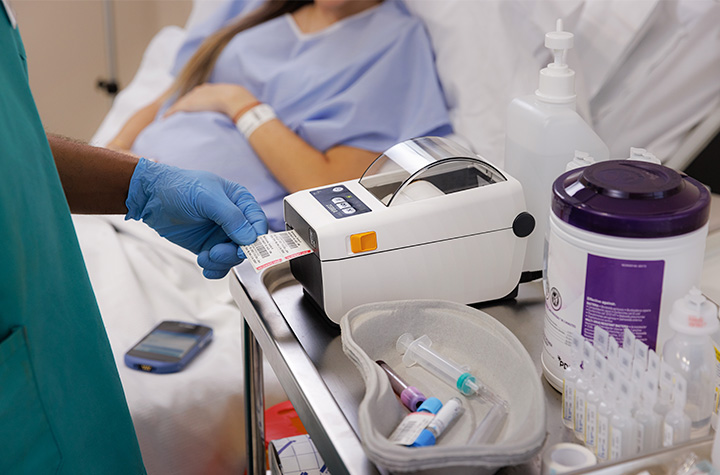
In hospitals, clarity saves lives. Zebra’s wristband printers and RFID tags support accurate patient care, specimen tracking, and medication management. With reliable performance and durable supplies, Zebra ensures compliance and safety.
Logistics: Precision in Motion
Zebra’s industrial printers and mobile computers handle high-volume labeling and shipping across complex supply chains. Real-time inventory tracking boosts productivity, accuracy, and customer trust.
Manufacturing: Reliable by Design
Zebra technologies drive efficiency and accuracy in manufacturing. From part identification to automation with autonomous mobile robots, Zebra industrial printers and rugged tablets help workers track assets, reduce waste, and improve workflow.
Across these use cases, Zebra continues to set the standard for innovation, reliability, and efficiency.
Finding the Right Zebra Solution
Every business has unique labeling and tracking needs. Whether you’re looking for mobile printers, desktop models, or enterprise-grade industrial printers, Zebra and Barcodes Inc. can help you find the right solution.
Considerations for Your Zebra Solution:
- Printing volume and form factor
- Environment and durability requirements
- Connectivity options like USB, Wi-Fi, or Bluetooth
- Integration with ERP and WMS systems
Popular Models:
- Zebra ZD421 – Compact, versatile desktop printer for retail and healthcare.
- Zebra ZT231 – Rugged industrial printer for manufacturing and logistics.
- Zebra QX630 – Mobile printer for fast, flexible labeling on the go.
With expert guidance from Barcodes Inc., you can select, configure, and deploy the perfect Zebra setup to meet your unique operational goals.
Innovation and Technology: Guiding the Future of Labeling
Barcodes Inc. is a premier distributor of Zebra Technologies solutions, offering the widest portfolio that includes Zebra’s high-performance industrial printers, versatile desktop printers, and mobile printers.
Barcodes, Inc. and Zebra have a shared commitment toward innovation that not only improves inventory management but also enhances operational efficiency and productivity. Zebra’s solutions are designed to adapt to evolving business needs, ensuring you always have the right tools to meet new challenges and opportunities.
By choosing Barcodes, Inc. as a technology partner, businesses gain access to cutting-edge technology from manufacturers like Zebra that drive efficiency, reduce errors, and support growth. From rugged industrial printers built for nonstop performance to mobile printers that keep workers productive on the move, Barcodes, Inc. has the innovative solutions that help you stay ahead of the curve and maximize your bottom line.
Support That Keeps You Moving
Even the best hardware needs great support. Barcodes, Inc. keeps your Zebra devices properly configured, installed properly, and supported through the lifecycle with its professional services.
Why the Right Technology Partner Makes All the Difference
Technology is only as strong as the team and support behind it. Barcodes, Inc. offers the largest offering of Zebra Technologies solutions for barcode labeling, combining innovation, reliability, and scalability to keep your operations running smoothly. Whether you manage a retail store, healthcare facility, or manufacturing plant, Barcodes, Inc. aligns with Zebra to provide integrated hardware and software that work together effortlessly.
With decades of industry leadership, Barcodes, Inc. is a trusted name in barcode and labeling systems. Businesses choose Barcodes, Inc. for their Zebra devices because of their proven reliability, focus on automation, and strong global support network.
Choosing Barcodes, Inc. means choosing consistent performance, advanced technology, and dependable services designed to help your team adapt and grow.
FAQs
What makes Zebra printers stand out from other brands?
Zebra printers are known for their reliable performance, durable design, and high-quality printing across diverse industries. They integrate easily with business systems and support a wide range of label materials and RFID tags.
How does Zebra ensure label durability and accuracy?
Zebra’s genuine supplies are engineered to provide long-lasting quality. Each label and ribbon is designed to deliver precise, smudge-free prints, even in tough environments.
Can Zebra printers integrate with my existing ERP or warehouse systems?
Yes, Zebra devices, including mobile computers, mobile printers, and industrial printers, offer seamless integration with ERP, POS, and WMS systems through USB, Wi-Fi, and Bluetooth connections.
What kind of support and services does Zebra provide?
Zebra and Barcodes Inc. offer professional services, extended warranties, and lifecycle management to ensure your equipment operates at peak performance. You also gain access to expert guidance for setup, maintenance, and troubleshooting.
Which Zebra products are best for industrial or healthcare environments?
Zebra’s industrial printers, mobile computers, and RFID systems are ideal for manufacturing and logistics. In healthcare, Zebra wristbands and desktop printers help improve patient care and data accuracy.
How does Zebra help improve operational efficiency and reduce costs?
By combining durable hardware, intelligent software, and reliable supplies, Zebra Technologies minimizes downtime, boosts productivity, and lowers the total cost of ownership.
Are Zebra solutions scalable for growing businesses?
Absolutely. Zebra’s modular systems and adaptable software make it easy to scale labeling and tracking as your business expands.
Conclusion: Reliability, Precision, and Partnership You Can Trust
With durable hardware, innovative software, and dependable support, Zebra solutions available through Barcodes, Inc. create labeling and data capture solutions designed for the real world.
Backed by Barcodes Inc.’s expertise, Zebra technology solutions help organizations improve operational efficiency, enhance patient care, and adapt to new challenges. Together, we empower workers, streamline operations, and strengthen the connection between technology and results. Ready to boost productivity and simplify your labeling? Contact Barcodes Inc. to explore Zebra’s industry-leading printers, mobile computers, and professional services.
Creating Custom Sticker Labels for Your Business Branding
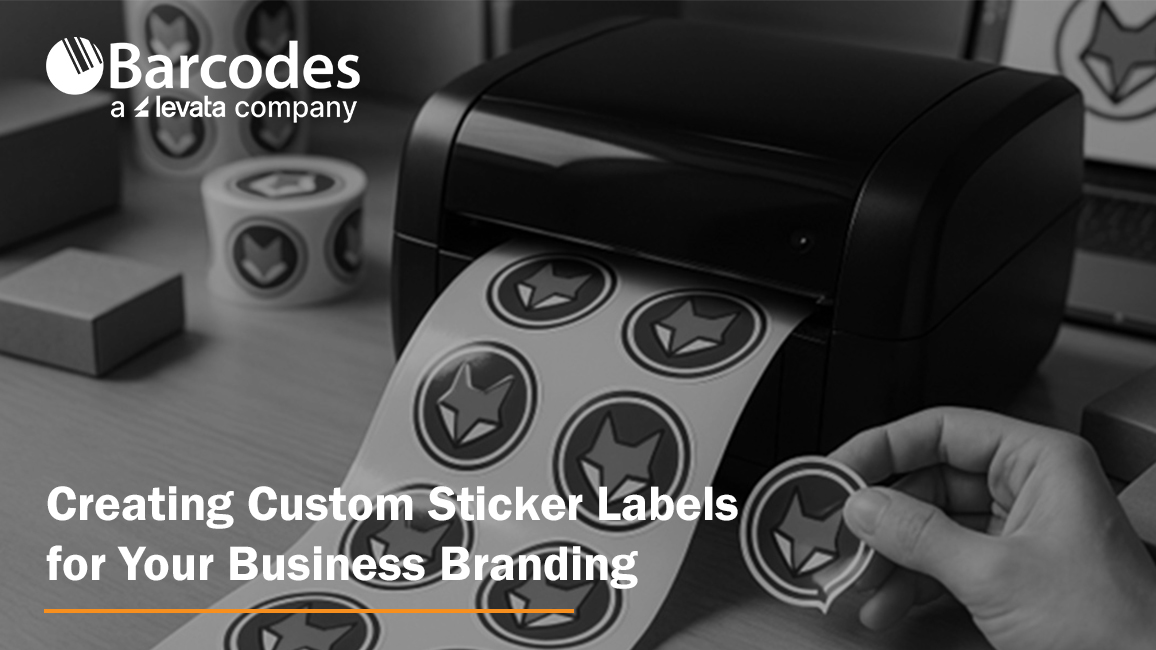
Unboxing a product isn’t just a moment, it’s an experience. That first glimpse of the label can stir excitement, tell a story, or instantly connect you to the brand. When done right, custom sticker labels don’t just sit on a package, they speak, they sell, and they stick in memory.
Creating custom sticker labels for your business branding is one of the smartest, most affordable ways to make your brand more recognizable. Custom sticker labels play a key role in your business’s overall branding strategy by reinforcing your brand identity at every customer touchpoint.
Whether you’re managing a small startup or scaling a bigger operation, thoughtful sticker and label design can turn ordinary packaging into a powerful branding tool.
Let’s explore how to create custom sticker labels that are more than just pretty, they work hard for your business.
Define What Your Label Needs to Do
Before you dive into colors and fonts, take a step back and ask: what’s the goal here?
Different types of stickers serve different purposes. A product label on a jar isn’t the same as a promotional giveaway sticker. Each has its own mission.
Here are a few common uses:
- Product Labels: Stickers for jars, bottles, boxes, or bags that include product names, ingredients, and branding.
- Promotional Stickers: Think fun, free logo stickers you include in packaging or hand out at events.
- Shipping & Return Labels: These can include your brand’s logo, return address, or even a short thank-you message.
- Instructional or Compliance Labels: Required for safety, ingredients, or usage guidelines, but still a chance to stay on-brand.
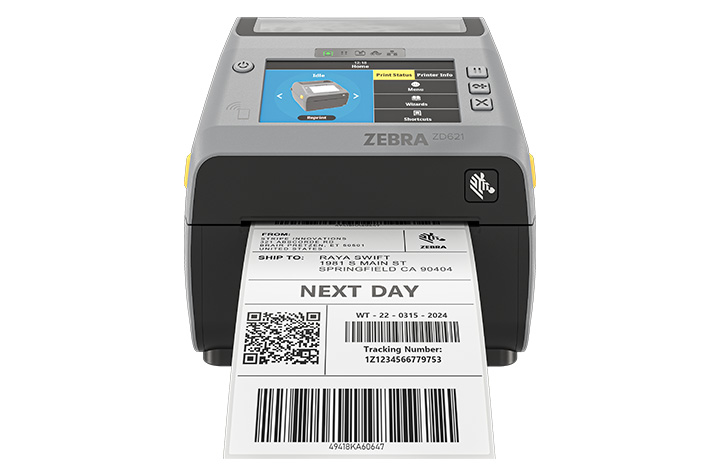
- Barcode labels: Print asset labels, inventory labels, shipping labels and other label needs with barcode labels.
Understanding the purpose of your label will help you determine the best label printing method for your needs.
Start by identifying where your stickers will go, what they’ll say, and what action you want your customers to take. Aligning your label’s purpose with your brand identity ensures consistency and helps customers recognize your business.
Know Your Brand Inside and Out
Your label should be an extension of your brand. The tone, look, and feel need to match what customers already see on your website, social media, or in your store. Maintaining a consistent visual identity across all label designs is essential for reinforcing your brand image.
These are key branding elements that should be reflected in every label.
Here’s what to keep consistent:
- Colors: Stick with your brand palette to keep everything cohesive.
- Fonts: Choose typography that reflects your brand’s personality, serious, playful, modern, or classic.
- Logo: Make it a focal point or background element. Either way, make sure it’s easy to spot.
Everything, from the spacing around your text to how the sticker peels off, affects how people perceive your business. Custom design isn’t just about aesthetics; it builds trust.
Pick the Right Material and Finish
Here’s where we talk about the feel of the label, and how well it holds up.
Not all labels are created equal. You’ve got a range of materials, and choosing the right one depends on what your product is and how it’s used.
- Paper Stickers: A great low-cost option for dry indoor use.
- Vinyl or BOPP Labels: Water-resistant and durable, ideal for lotions, cold drinks, or any product that needs a longer-lasting solution.
- Clear Labels: Perfect for creating a minimalist, seamless look on transparent packaging.
As for finish:
- Gloss: Shiny and vibrant, best for eye-catching designs.
- Matte: Understated and modern, perfect for boutique or organic brands.
- UV or Laminated Coatings: These protect your labels from scratches and moisture.
Think about where the label will be used. Will it face moisture? Heat? Rough handling?
Match the material to the product’s location and shipping environment. Also, consider the type of adhesive used, as it affects how well the label stays attached to different surfaces and under various conditions.
Choose Size and Shape Wisely
Your label’s shape and size can make or break the design. Too small, and you can’t fit important details. Too large, and it overwhelms your product.
Start by measuring your container or box. Then choose: Using label templates can help you visualize and select the right size and shape for your product.
- Standard shapes: Circles, rectangles, and ovals are easy to design and print.
- Custom die-cut shapes: These add flair and can help your product stand out. Think hearts, stars, leaves, or logos.
Don’t forget label placement. A sticker on the front draws attention. One on the top seals the product. Side labels are perfect for instructions or ingredients. Maintaining consistent label sizes and shapes across your product line helps reinforce branding consistency.
Design That Gets Noticed
Now for the fun part, designing your stickers. You don’t need to be a professional to make a strong impression. With the right tools and some clear goals, you can create something memorable.
Start with user-friendly tools like Canva, or go pro with Adobe Illustrator or barcode label design software from Barcodes Inc.
Refer to your branding guidelines to ensure design consistency across all your stickers. For the best results, use vector graphics to ensure your sticker designs are crisp and scalable for high-quality printing. Make sure to:
- Include key brand elements: logo, tagline, and brand colors.
- Use fonts that are readable at a small size.
- Create good contrast between text and background.
- Add extras like QR codes for special offers, how-to videos, or location-specific deals.
Decide How to Print
This is where many small business owners hit a fork in the road. Do you print in-house or use a professional service?
Here’s how they compare:
- In-House Printing: Best for frequent printing to support workflows and to maintain complete control. A thermal label printer (like the ones from Barcodes Inc.) lets you print fast and on-demand.
- Professional Printing: Great for large orders or premium finishes. Many services offer free proofs and quick turnaround times. Digital printing is a popular choice for custom sticker labels because it offers flexibility and high-quality results.
Think about:
- Order size
- Cost per label
- Quality needs
- Turnaround time
Barcodes Inc. carries a wide range of thermal printers and custom label rolls. You can get exactly what you need without overcommitting.
Nail the Application Process
You’ve designed, printed, and received your stickers. Now it’s time to apply them.
Application matters more than you might think. A crooked or wrinkled label can cheapen your product.
There are two approaches:
- Manual Application: Great for small batches. Just make sure you perform proper surface preparation, surfaces should be clean and dry for optimal label adhesion.
- Machine Application: Ideal for larger runs. Label applicators help with alignment and speed.
Use a squeegee or cloth to smooth out air bubbles. Do a few test applications before going all in.
Don’t Skip the Legal Stuff
Depending on your industry, certain label elements aren’t optional. Ensuring regulatory compliance is essential when creating custom sticker labels for certain industries, as failing to meet these standards can result in legal issues or product recalls.
Here are some things you might be required to include:
- Ingredients or materials
- Allergy information or safety warnings
- Country of origin
- Manufacturing date or expiration
- Barcode or UPC (placed clearly and scannable)
You can still meet these requirements and stay on-brand. Barcodes Inc. offers barcode label software to help you keep it professional, easy, and compliant.
Smart Places to Use Custom Labels
Stickers aren’t just for products. There are endless ways to use them in your marketing.
Some of our favorites:
- Packaging: Use labels to seal boxes, highlight product features, or give care instructions.
- Promotions: Include free stickers with every order.
- Shipping Boxes: Add your logo and return address for brand consistency.
- Retail Displays: Label signs, shelves, and sample stations.
- Swag & Gifts: Add stickers to event giveaways or small thank-you items. Custom stickers are also effective for event branding, making your giveaways stand out at conferences or trade shows.
If your customer sees it, there’s an opportunity to stick your brand on it.
Measure What’s Working
Wondering if your custom labels are actually helping your business grow? It’s easier than you think to find out.
Here are some simple tracking methods:
- Add QR codes or unique discount codes to your labels.
- Track website visits, downloads, or purchases tied to those codes.
- Ask customers where they first saw or used your product.
Tracking label performance can provide valuable insights into customer engagement with your brand.
Even simple feedback like “I loved your packaging” is a great indicator that your branding is resonating.
FAQs
What materials are best for durable custom sticker labels?
Vinyl and polypropylene (BOPP) are your best bet for long-lasting, water-resistant use. Great for products that face moisture or friction.
How do I design a custom label that reflects my brand?
Start with your logo, colors, and fonts. Use free or professional design tools to create a layout that’s easy to read and looks polished.
Can I print custom stickers using a thermal label printer?
Yes, especially for short runs or fast updates. Barcodes Inc. has thermal printers perfect for small businesses.
How can small businesses save on custom label printing?
Print in-house, order in bulk, or use free design templates. Thermal printers and label rolls also reduce long-term costs.
Should I outsource sticker label printing or do it in-house?
Do it in-house for small runs and flexibility. Outsource if you need high volume or complex finishes.
What sizes and shapes are available for custom stickers?
You can order standard shapes or get custom die-cut stickers made to match your brand.
Are custom sticker labels waterproof or weather-resistant?
Yes, just choose the right material, like laminated vinyl or BOPP, for your label’s location and usage.
Wrapping It Up
Creating custom sticker labels for your business branding is a cost-effective way to tell your story, delight customers, and boost sales. With the right approach, even small businesses can design stickers that compete with the big names.
Focus on good design, choose quality materials, and test what works. It doesn’t have to be complicated, or expensive. With tools and products from Barcodes Inc., you can get started fast, print at any scale, and keep improving as you grow.
Ready to create your custom labels? Explore printers, supplies, and software at Barcodes Inc. today.
How to Set Up Your Zebra Thermal Printer for Fast and Efficient Labeling
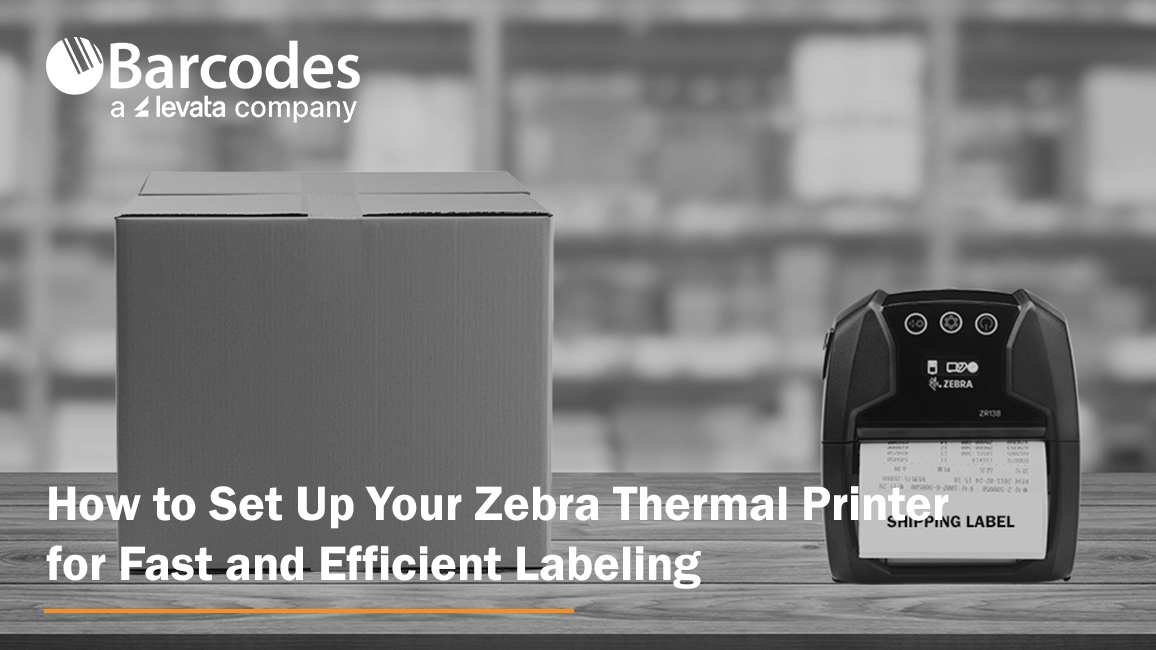
There’s nothing more frustrating than a printer that just won’t cooperate, especially when your business depends on it. Whether you’re shipping products, managing inventory, or labeling retail items, time is money. And your Zebra thermal printer? It’s built for speed, if it’s set up right.
That’s where we come in. This guide walks you through how to set up your Zebra thermal printer for fast and efficient labeling. From unboxing to calibration and everything in between, we’ll help you skip the guesswork and get straight to printing high-quality labels. You’ll find helpful information here for setting up and optimizing your Zebra thermal printer.
Unboxing and Initial Setup: Your Zebra Printer Out of the Box
The moment your Zebra label printer arrives, it’s tempting to plug it in and start printing. But first, let’s make sure you’ve got all the right pieces.
Inside the box, you’ll typically find:
- The Zebra label printer unit
- Power cord and adapter
- USB and/or Ethernet cable (depending on the model)
- User manuals and quick-start guide
- A sample roll of labels (sometimes included)
Note: Included accessories may vary by model.
Now, let’s connect it properly. If you’re using USB, plug the cable directly into your PC or laptop. For Ethernet, connect it to your network hub or router. If your model supports Wi-Fi, we’ll handle that in the advanced section.
Power on the printer and wait for it to initialize. You should see lights or a status display that confirms it’s ready.
Installing Printer Drivers & Zebra Setup Utilities
Before anything prints, your computer needs to speak the same language as your printer. That’s where drivers and software come in.
Visit the Zebra Drivers & Support section of the Barcodes, Inc. website to download the correct drivers for your model. We recommend installing Zebra Setup Utilities, which helps configure the printer quickly. The software displays a list of all supported Zebra printer models, making it easy to select the right one for your setup.
Pro tip: Use Zebra Setup Utilities for driver installation, port selection, and printer configuration all in one place. You can get it here.
Whether you’re on Windows, macOS, or Linux, Zebra has documentation for each OS. Be sure to choose the version that matches your system and printer model.
Once installed, open Zebra Setup Utilities to test connectivity and begin configuration.
Loading Labels and Ribbons: Do It Right the First Time
This step is crucial. Improper media loading can cause misprints, alignment issues, and wasted labels.
After loading the labels, check that the label width is set correctly in your printer setup to ensure proper alignment and avoid misprints.
For Direct Thermal Printing:
No ribbon is needed. Just open the media compartment, drop in your label roll, and feed the labels under the guides and through the sensor path. Make sure the labels face up.
For Thermal Transfer Printing:
You’ll need to load both a label roll and a ribbon roll. The ribbon goes on the top spindle, and it should wrap around the printhead and onto the take-up spindle. Be sure the ribbon feeds smoothly without wrinkles.
Confused about which type you need?
Explore Zebra printer supplies to find labels and ribbons compatible with your model.
Once loaded, close the cover and allow the printer to run a few labels to check feed alignment.
Calibrating the Printer: Say Goodbye to Skipped or Misaligned Labels
Calibration ensures your printer correctly detects label gaps or marks.
With Zebra printers, you can run Zebra Smart Calibration directly from the control panel or via Zebra Setup Utilities.
To auto-calibrate:
- Hold the feed button until the status light flashes twice.
- The printer will feed a few labels and stop.
Alternatively, open Zebra Setup Utilities, click “Calibrate Media,” and follow the on-screen instructions.
If you’re seeing misprints, adjust the media sensor settings via the software to fine-tune label detection. Calibration eliminates ghost printing, jams, and wasted stock.
Configuring Label Settings: Get Crisp, Accurate Prints
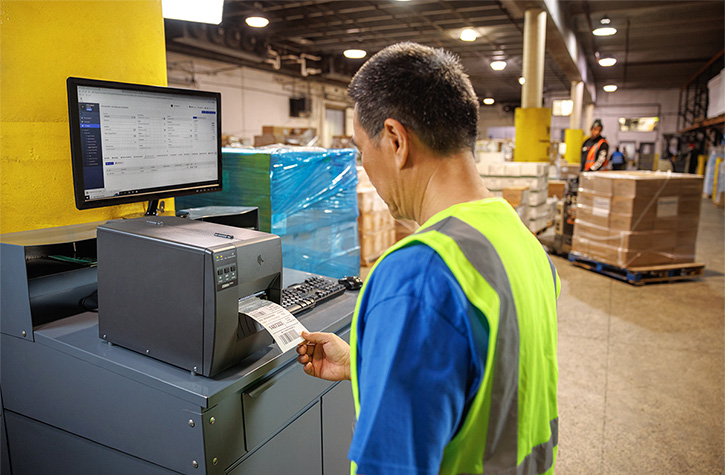
Now it’s time to tell your printer what kind of labels you’re using.
Inside Zebra Setup Utilities, you’ll find options to configure:
- Label size and orientation
- Print darkness and speed
- Media type: continuous vs. gap
Important: If using ZPL label printing configuration, ensure your label format code matches your label size and type. Incorrect ZPL commands can cause skewed output.
For best results, print a test label and check:
- Are the labels centered?
- Is the print sharp?
- Are labels advancing properly?
If not, revisit your settings before moving forward.
Connecting to Shipping Software or Labeling Platforms
Your Zebra printer can integrate with nearly every major platform in e-commerce, retail, and logistics.
Compatible platforms include:
- Shopify
- Amazon Seller Central
- ShipStation
- FedEx Ship Manager
- UPS WorldShip
For professional labeling, tools like BarTender or NiceLabel let you design and manage labels at scale. These programs also support Zebra printers out of the box.
In enterprise settings, you might opt for API or network printing via a Zebra print server or cloud-based system.
Once connected, perform a print test from your chosen platform to verify formatting and label output.
Troubleshooting Common Issues
Even with a perfect setup, hiccups can happen. Here’s how to fix the most common ones.
Label Jams
Check for obstructions inside the media path. Power off the printer before removing jammed labels.
Faded prints
Usually caused by low darkness settings or worn ribbon. Try increasing print darkness or replacing the ribbon.
Connectivity issues
If the printer isn’t detected, reinstall the driver and check the USB/Ethernet cable. Confirm the port is enabled in Zebra Setup Utilities. Sometimes, network security settings such as firewalls or security software can block printer connections, so check these settings to ensure access is not restricted.
Misaligned labels or ghost printing
Run another calibration or adjust label size settings. Ghost printing can also mean the printhead is dirty or worn.
If issues persist after troubleshooting, Learn how Levata Repair Services for Barcodes Inc. can help. Be sure to include any error messages or a trace id if available, as this information can help diagnose and resolve the problem more efficiently.
Maintenance Tips for Long-Term Efficiency
Routine care keeps your printer running like new. Here’s what to focus on:
- Clean the printhead every time you replace a roll of labels or ribbon. Use Zebra cleaning supplies to safely remove residue.
- Replace worn parts like the platen roller when labels start to slip or print quality degrades.
- Perform Zebra firmware updates regularly to ensure compatibility with new software and devices.
You can check for updates and install them using Zebra Setup Utilities or by visiting Zebra’s firmware page.
Advanced Setup Tips: Take It to the Next Level
Ready to go beyond the basics? These pro tips help you scale your labeling operations.
Batch printing: Configure bulk printing settings within ZebraDesigner or your shipping software. Make sure your PC’s spooler settings support large jobs. You can also use the send feature to transfer configuration files or batch templates directly to the printer, making it easier to update settings in the field.
Custom templates: Use ZebraDesigner or BarTender to create templates for recurring labels, like SKUs, barcodes, or QR codes. When managing templates, consider making configuration changes based on specific conditions, such as adjusting security or performance settings for different environments.
Wireless setup: If your printer supports it, configure Wi-Fi or Bluetooth via the control panel or Zebra Setup Utilities. For Bluetooth models, pair the device with your PC or tablet, then select it as the default printer.
For advanced integration, developers can use API access or developer tokens to authenticate, manage, and troubleshoot Zebra printer configurations. This allows for automated changes and monitoring under various conditions, streamlining complex deployments.
FAQs
How do I install Zebra Setup Utilities and drivers?
Visit Barcodes Inc Zebra Drivers & Support, download the software for your model, and follow the install wizard prompts.
What’s the best way to load media and ribbon in a Zebra printer?
Direct thermal printers require only labels. Thermal transfer models need both labels and a ribbon, load the ribbon above the printhead and ensure smooth feeding.
How do I calibrate my Zebra thermal printer for label accuracy?
Hold the feed button until the light flashes twice, or run calibration through Zebra Setup Utilities.
Why isn’t my Zebra printer showing up after I plug it in?
Check the USB or Ethernet connection, reinstall the drivers, and make sure your OS recognizes the printer in Device Manager or Print Settings.
How can I connect my Zebra printer via USB, Ethernet, or Bluetooth?
Use Zebra Setup Utilities to select your preferred connection type and follow the setup steps. Bluetooth models may require pairing through your device’s Bluetooth settings.
How often should I clean my printhead for fast, efficient labeling?
Clean the printhead every time you change labels or ribbons to maintain crisp print quality and avoid misprints.
Conclusion: Set It Up Right, Label Smarter
Setting up your Zebra thermal printer correctly makes a huge difference. You’ll print faster, waste fewer labels, and avoid the pain of mid-shift troubleshooting.
From software installs to calibration and maintenance, every step contributes to a smooth labeling experience. Remember to revisit the basics, use the right supplies, run auto-calibration regularly, and update your firmware. Need more help? Reach out to Barcodes Inc for expert guidance.