


The Hidden Cost of Receipts – And How Epson Helps Businesses Save
Every day, millions of receipts are printed in stores and restaurants. Receipt printing may seem insignificant — just slips of paper moving from clerk to customer — but the cost is very significant. Receipt printing represents hundreds of millions of dollars in annual spend, mountains of paper waste, and hours of lost productivity.
For retailers and hospitality businesses looking to save money while also advancing sustainability initiatives, Epson offers high-performing receipt printers designed to use reduce paper usage. With its easy-to-use Paper Savings Estimator tool and patented Advanced Paper Savings technology, Epson is making it easier than ever for businesses to see just how much they could save by optimizing receipt printing.
Why You Should Assess How You Print Receipts
It’s easy to underestimate the true cost of printed receipts. In 2025 alone, U.S. businesses are projected to spend more than $540 million on receipt paper. Now factor in storage, logistics, and time spent replacing receipt rolls, and the expense becomes even greater. On a national scale, Americans use an estimated 620 million pounds of receipt paper every year — an enormous figure for something most customers discard within minutes of receiving it.
For businesses with hundreds or thousands of registers, this is more than a supply-line issue; it’s a direct hit to operating margins. But the good news is that nearly half of this paper use can be avoided with the right technology.
How Epson Cuts Receipt Waste Without Compromise
Condensing receipt information to save valuable paper space can create more problems than they solve — especially when they shrink logos to the point of being unreadable, compress text until it becomes illegible, or prevent barcodes from being scanned. Epson takes an innovative approach—it’s Advanced Paper Savings feature, available across Epson point-of-sale printers, trims receipts intelligently without affecting usability or brand clarity.
How Epson receipt printers reduce paper waste:
- Margin Optimization: Reduces empty space at the top and bottom of each receipt.
- White Line Reduction: Detects and removes unnecessary blank areas between sections.
- Line Spacing Control: Slightly condenses the spacing between lines of text while keeping everything legible.
- Typeface Adjustments: Uses subtle font size changes to take up less space without hurting readability.
- Barcode Height Reduction: Decreases barcode height while ensuring scanners still capture it accurately.
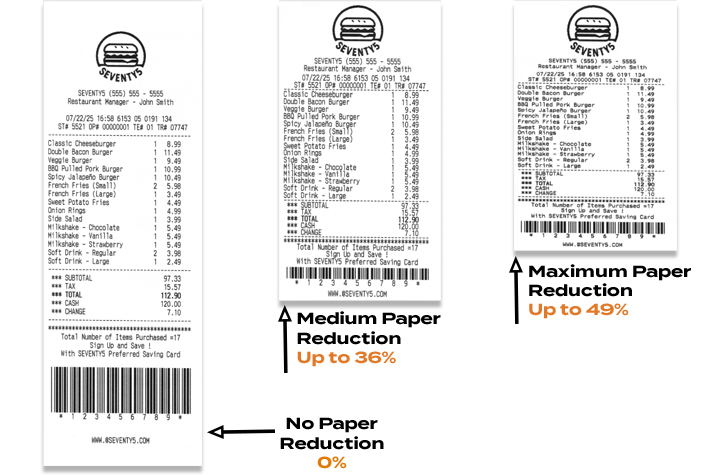
Epson printer technology can reduce paper usage by up to 49%, helping businesses save money and reduce waste — without compromising performance or presentation.1
Free Paper-Saving Estimator Calculator
To help businesses quantify the opportunity, Epson has launched an online Paper Savings Estimator. This interactive tool allows retailers and hospitality operators to input information including average receipt length, printing volume (receipts per day), total number of printers used, and cost per roll. The estimator will calculate an estimated amount of paper and money that a business could save using Epson’s Advanced Paper Savings feature.
For example, a fleet of just 5,000 printers printing 100 standard 12-inch receipts per day could burn through over $1 million in receipt rolls and nearly 1 million rolls annually. Epson’s estimator helps visualize how quickly those costs add up — and how much businesses stand to recover by making receipts shorter and smarter.
Savings That Scale
Even at the store level, the math is meaningful. A single receipt printer can consume more than $200 worth of paper per year. Across a chain with thousands of printers, trimming receipt length could mean millions of dollars in savings annually. That’s before considering the reduced labor of swapping fewer rolls and the sustainability benefits of using less paper overall.
The Smart Choice for Modern Retail
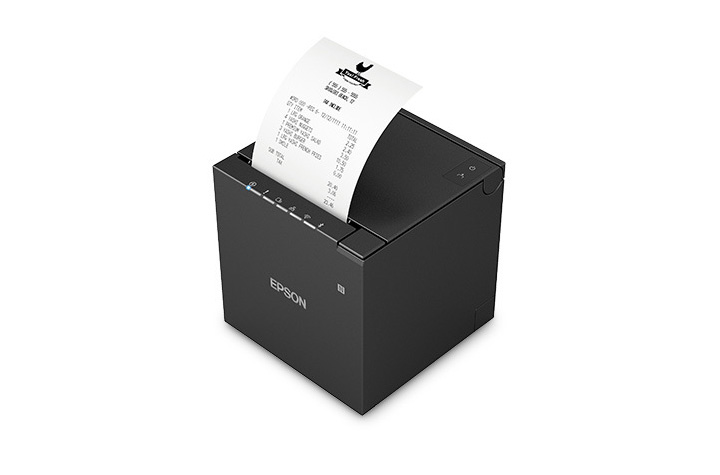
One of Epson’s latest solutions, the OmniLink™ TM-m50II, showcases these features in a compact, modern design that’s easy to integrate into fast-paced retail or hospitality environments. Supporting multiple connectivity options, from USB and Serial to Ethernet and wireless, it delivers flexibility alongside Epson’s proven paper-saving tools.
By combining powerful hardware with intelligent software, Epson helps businesses do more than print receipts — it helps them reclaim budget, streamline operations, and meet their sustainability goals.
Final Takeaway
Receipts may seem like small details in the customer journey, but they represent a big opportunity for operational savings – see how in this infographic. With printers like the OmniLink™ TM-m50II engineered with Epson’s Advanced Paper Savings features and the new Paper Savings Estimator, businesses can see exactly how much they’re spending, how much they’re wasting, and how quickly they can turn receipts into a source of efficiency instead of cost.
1Paper-saving feature up to 49% on the TM-T88VII model. Paper-savings percentage varies by model and printer settings. Full paper savings functions are available only for text-based receipts. For image-based receipts only the top and bottom white space reduction is available.
eBook: Transforming the Modern Warehouse with Total Technology Solutions
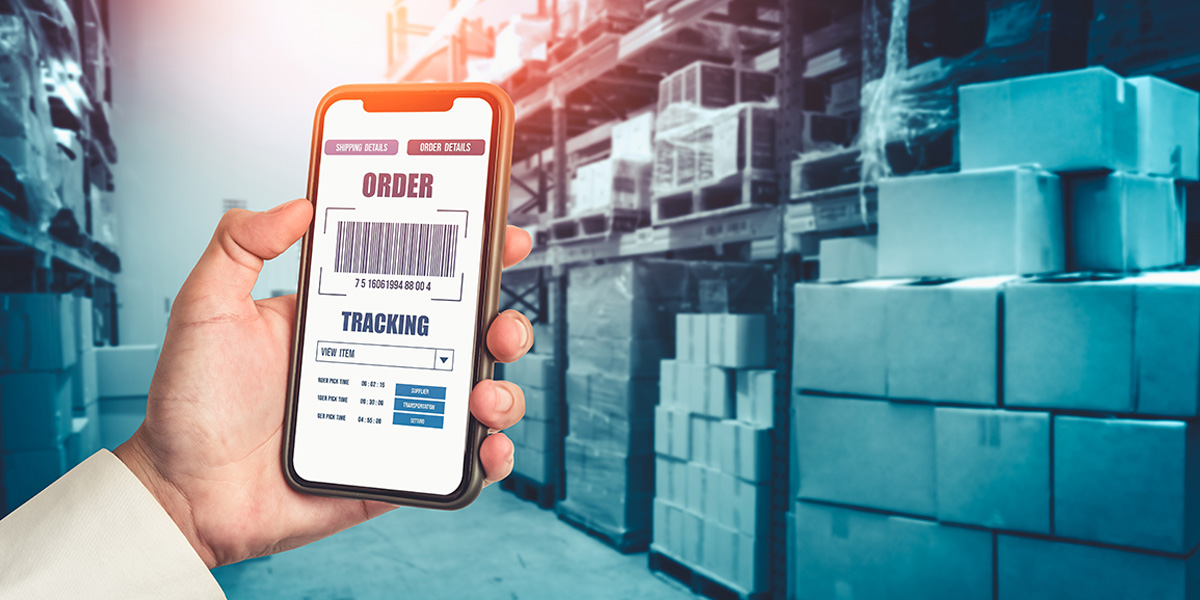
Warehouses today are fast-paced operational centers—moving goods, data, and processes at high speed. But as facilities expand, managing separate vendors, outdated systems, and unsupported devices often slows efficiency and creates unnecessary risk.
Where Gaps in Operations Hurt the Most
When critical technologies aren’t connected or supported, the ripple effects can impact every corner of the warehouse. As a Levata company, Barcodes, Inc. shares the guide, Total Warehouse Solutions: Transforming the Connected Warehouse, where we outline five common areas where gaps cause measurable setbacks:
- Wireless Connectivity: Weak WLAN coverage leads to downtime, scanning delays, and poor inventory accuracy.
- Technology Alignment: Disconnected systems and legacy IT raise costs and expose vulnerabilities.
- Mobile Devices: Unsupported or aging hardware frustrates workers, reduces throughput, and introduces errors.
- Labeling & RFID: Compliance failures result in rejected shipments, chargebacks, and lost visibility.
- Training & Support: Without proper onboarding and continuous tech support, downtime and mistakes multiply.
Building a Unified Technology Ecosystem
Rather than piecing together solutions from multiple providers, a total warehouse approach delivers an integrated environment across:
- Infrastructure & Networking: Wi-Fi, private 5G, structured cabling, servers, UPS, and smart storage.
- Data Capture & Mobility: Rugged tablets, handhelds, barcode scanners, powered carts, vehicle-mounts, wearables.
- RFID & Labeling: Fixed and handheld readers, dock door portals, conveyor tunnels, tags, and industrial printers.
- Automation & Handling: Vision systems, dimensioning and weighing stations, yard management solutions.
- Safety & Security: Cameras, kiosks, access control, and worker-assist exosuits.
Why Total Warehouse Solutions Matter
Disparate technologies create inefficiencies. A comprehensive warehouse platform brings:
- Simplified planning and rollout
- Seamless device and software integration
- Infrastructure built to scale
- A single point of contact for support
- Clear productivity and cost savings
The Value of a Full-Service Partnership
True optimization comes not just from equipment, but from services that support it across the lifecycle:
- Strategic IT Alignment to match technology with business transformation goals
- Managed Device Services for monitoring, maintenance, and secure operations
- Field Expertise from 600+ service professionals handling installations, repairs, and training
- Flexible Financing to balance operational needs with budget requirements
With Levata, you’re not just purchasing technology—you’re gaining a partner with deep warehousing expertise and the services to keep your operation future-ready.
Download the Full Guide
This article highlights insights from Levata’s Total Warehouse Solutions Guide. Discover how to unify your technology ecosystem and prepare your warehouse for tomorrow.
How to Best Prepare Your Retail and Warehouse Operations for the Holidays with Mobile Technology
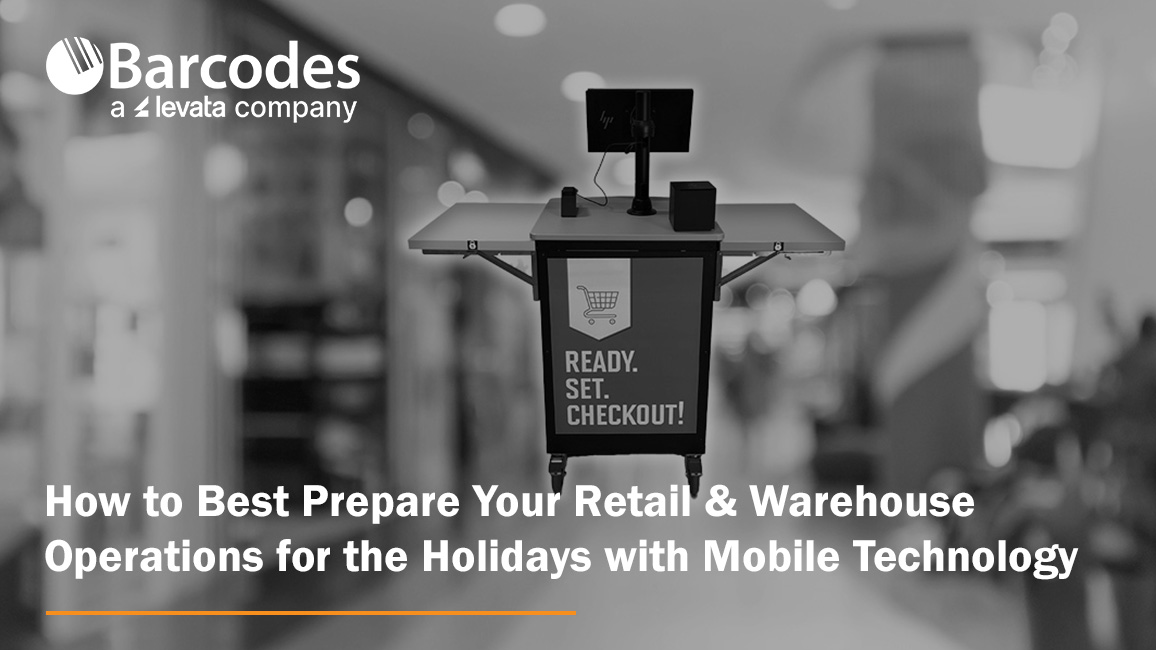
The holiday season is the most critical time of year for retailers and eCommerce businesses. Sales opportunities are high—but so are the challenges. From increased demand to labor shortages and supply chain factors, unprepared operations risk lost sales, frustrated customers, and costly inefficiencies.
This year, success will hinge on more than just stocking up and hiring temporary staff. Innovative technologies that mobilize your workers can make the difference between struggling to keep up and thriving through the busiest shopping period. Two game-changing solutions—mobile POS stations for the store and mobile powered carts for the warehouse—are helping forward-thinking businesses prepare now.
Transforming the Retail Floor with Mobile POS stations
Long checkout lines remain one of the biggest causes of lost sales and customer frustration during the holidays. Customers are quick to abandon purchases if the wait feels too long. Traditional fixed registers limit how quickly retailers can scale capacity and decrease congestion in checkout areas.
What’s an effective solution to solve retail checkout bottlenecks? The Newcastle CheckMate 1000 Mobile POS Station is a compact, flexible mobile retail checkout cart built for seasonal surges. The CheckMate 1000 allows retailers to optimize the checkout experience. Instead of being tied to static registers, managers can deploy mobile POS units where and when they’re needed most in stores.
- Line-busting power: Place units near entrances, fitting rooms, or popular sections to keep lines moving and reduce customer frustration.
- On-demand capacity: Add POS stations during peak shopping days, then reclaim the space afterward without costly buildouts.
- Never-quit swappable power: Each unit supports printers, cash drawers, tablets, card terminals, and more—running all day with hot-swappable batteries.
- Customizable branding: With plenty of space for logos and design elements, units reinforce brand identity while serving customers quickly.
The result: faster service, higher conversion rates, and less reliance on floor space expansion. For store operations leaders, the ROI is undeniable—prevent walkouts and maximize sales during the most critical weeks of the year!
Unlocking Warehouse Productivity with Mobile Powered Carts
Retail readiness doesn’t stop at the front of the store. Warehouses and distribution centers face their own challenges during the holiday surge: higher order volumes, tighter deadlines, and limited staffing. Every wasted step on the warehouse floor adds up to lost time, reduced productivity, and potential for errors.
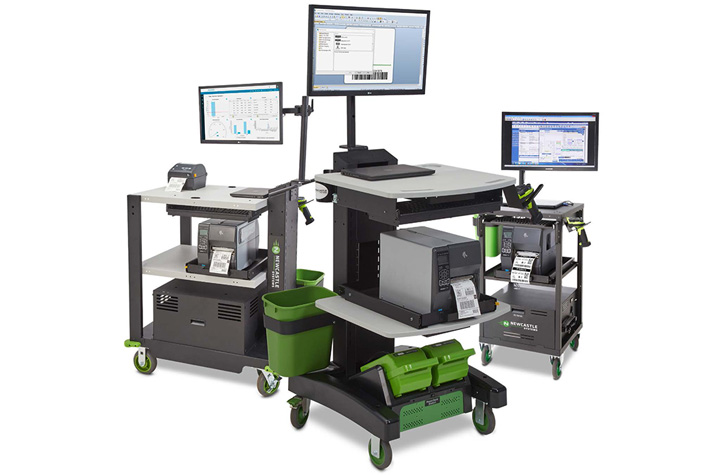
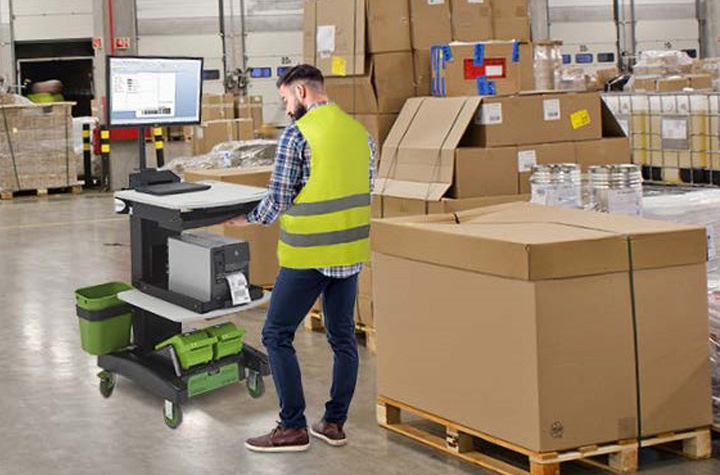
Newcastle Mobile Powered Equipment Carts are transforming workflows in the warehouse. Mobile powered carts connect power, computing, and scanning—and put it on wheels to go where workers go—eliminating repeated trips to fixed stations.
- 2x worker productivity: Each associate can complete more tasks without additional headcount.
- 92% fewer errors: Workers can scan, print, and apply labels right at the dock, warehouse aisle, or storage location.
- Fast ROI: Many companies achieve payback in as little as 6–10 months.
- Ergonomic, worker-friendly design: Adjustable height and mobile work surfaces reduce fatigue while improving accuracy.
- Real-time visibility: Integrated tech ensures instant updates to inventory systems and more reliable order fulfillment.
For warehouses already feeling the strain of labor shortages, these carts deliver efficiency gains that would otherwise require hiring and training more staff—a difficult achievement in today’s tight labor market.
More Tips to Strengthen Holiday Operations
While new technology is a powerful advantage, businesses still need to prepare for the holiday retail season holistically. A few key strategies include:
- Forecast smarter: Use predictive analytics to anticipate demand based on more than just last year’s numbers. Consumer behavior is shifting rapidly.
- Staff strategically: Begin planning for seasonal hires now, even if you don’t bring them on until closer to the holidays.
- Diversify carrier partners: Don’t rely on a single provider; logistics bottlenecks can derail delivery promises.
- Communicate openly with customers: Set expectations around shipping cutoffs and share how you’re preparing for the holiday rush.
Ready Now, Prepared for Later
The holiday rush will always bring challenges—but retailers and eCommerce businesses now have better tools to stay ahead. By embracing flexible mobile POS stations on the retail floor and powered carts in the warehouse, businesses can reduce friction, increase throughput, and turn seasonal chaos into sustained growth.
Businesses that invest early will not only be ready for this year’s holiday surge—they’ll also be building more resilient, efficient operations for the long term.
Contact us to start getting prepared now with powered mobile carts and other technology solutions that will elevate your retail and warehousing operations.
Centralized Procurement: Your Guide to Streamlined IT Purchasing

Within your organization, each team, department, or location has its own technology needs to get work done—ranging from laptops and mobile devices to accessories and specialized tools. Without a structured protocol, IT device purchasing can quickly go askew, with employees shopping across different vendors, guessing at product specs, or waiting on lengthy approvals. The result? Delays, overspending, compliance risks, frustrating confusion, and wasted time.
That’s why many companies turn to a centralized procurement solution. By using a dedicated e-procurement solution, businesses gain clarity, speed, and consistency in how they equip their workforce. Below are answers to some of the most common questions about IT device purchasing.
1. What’s the downside of decentralized or ad hoc purchasing?
When there’s no centralized system in place, companies often run into:
- Different departments deploying incompatible technology
- Higher costs from missed bulk discounts or non-negotiated pricing
- Gaps in compliance tracking and financial oversight
- Time wasted hunting for approved products or processing manual orders
- Reduced visibility into spending across the organization
In short, unregulated purchasing makes it harder to control costs and maintain a standardized IT environment.
2. What advantages does centralized purchasing provide?
Centralized procurement introduces structure, reduces risk, and makes ordering easier for employees. Benefits include:
- Consistency & Control – Everyone buys from approved catalogs with products that meet company standards.
- Time Savings – Reordering approved items is quick and straightforward.
- System Integration – Links directly into procurement systems like Coupa or Ariba for clear financial visibility.
- Lower Costs – Take advantage of negotiated rates and avoid rogue purchases.
3. What exactly is a Punchout portal?
A Punchout portal is the bridge between your company’s internal procurement platform (e.g., Coupa, SAP Ariba) and a vendor’s online store. Employees browse products on the vendor’s site, but all selections, pricing, and approvals remain governed by your central system.
4. How does Barcodes Inc.’s Punchout solution support businesses?
Barcodes Inc.’s Punchout solution is designed to simplify procurement while maintaining compliance. It delivers:
- A tailored “My Products” catalog with negotiated pricing
- Direct integration into your existing procurement or ERP system
- Access to multiple vendors through a single, centralized platform
- Automated compliance checks and purchase tracking behind the scenes
5. What benefits do Punchout portals deliver to procurement teams and employees?
For Procurement Teams:
- Consistent supplier usage and product standardization
- Clearer budget oversight and spend reporting
- Easier compliance and audit preparation
For Employees:
- A simple, online shopping-like experience
- No need to memorize vendor lists or product codes
- Faster, more accurate orders with fewer delays
6. Are Punchout solutions flexible to unique company needs?
Yes. Barcodes, Inc. builds customer-specific catalogs that reflect your approved products, pricing, and preferred vendors. This ensures control for IT and procurement, while keeping ordering intuitive for employees.
7. What procurement platforms does Levata integrate with?
Levata’s solution connects seamlessly with popular systems, including:
- Coupa
- SAP Ariba
- Jaggaer
- Other ERP-compatible platforms
8. How can an organization get started?
Engaging with Levata is simple. Our team works with you to design a Punchout portal that aligns with your goals, existing systems, and compliance requirements.
Beyond Purchasing: Technology Lifecycle Management with TrueView
While Punchout simplifies procurement, our TrueView portal goes a step further. TrueView centralizes the entire lifecycle of your technology—from ordering to deployment, support, and eventual refresh. It acts as a command center for IT leaders who want visibility and control without added complexity.
Highlights of TrueView:
- All-in-One Platform – Consolidate procurement, asset management, and support tasks.
- Lifecycle Tracking – Monitor usage, support tickets, warranties, upgrade opportunities, and end-of-life milestones.
- Reduced IT Workload – Automate repetitive tasks and service requests, freeing IT teams to focus on strategy.
- Integrated Procurement – Employees order from approved catalogs while IT retains oversight of warranties, configurations, and spend.
With TrueView, organizations don’t just simplify ordering—they gain a competitive edge in managing their IT environment efficiently and at scale.
>> See TrueView in action and discover how centralized procurement can transform your technology management.
Mobility at the Core: Smarter Mobile Printing for Modern Operations
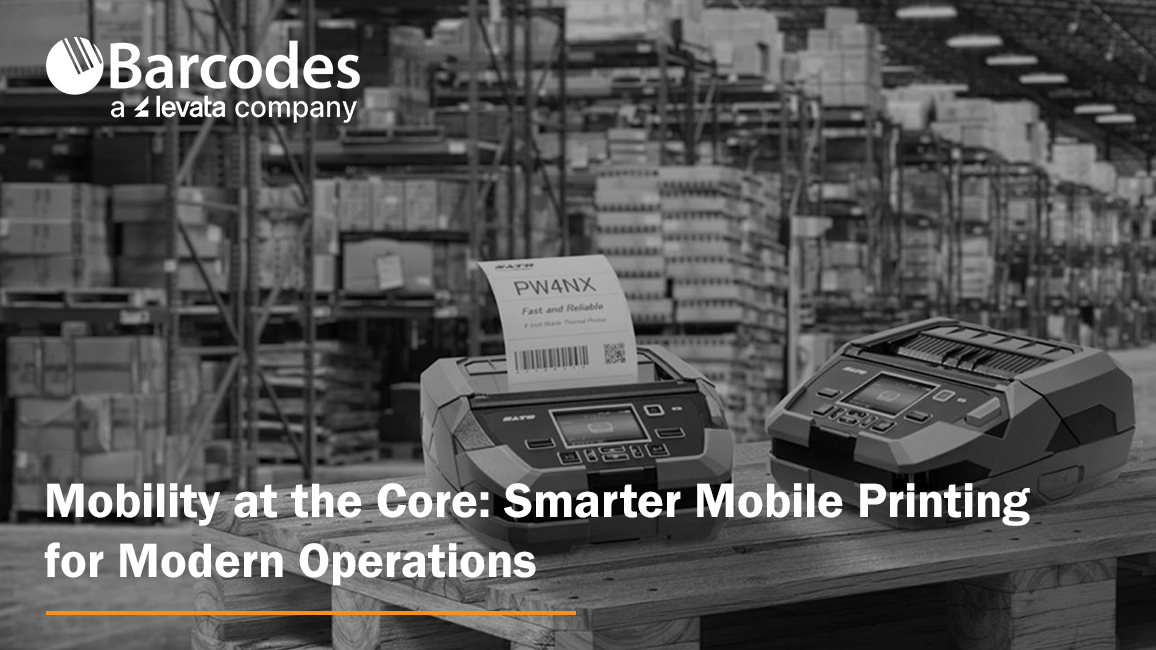
Mobility in the business environment has emerged as a critical capability for any operation. Larger working areas, growing e-commerce volumes, and pressure for faster, more accurate service are pushing companies to rethink how everyday processes are executed. Mobile printers are a proven solution for efficient workflow transformation. With speedy, on-the-go label and receipt printing directly to the point of activity, teams are empowered with improved accuracy, efficiency, and adaptability—without compromising quality.
Mobile printers are compact, durable, and flexible enough to support diverse operations like price marking, inventory labeling, specimen tracking, and route accounting. No matter the industry, workers need the ability to print labels, receipts, and records where the work is happening—not at a stationary printer hundreds of feet away.
How Mobile Printers Can be Used by Industry
- Retail — Price markdowns, shelf-edge labeling, and receipt printing.
- Supply chain & logistics — Inventory management, cross-docking, picking, put-away, and shipping inspections.
- Healthcare & labs — Specimen tracking, sample labeling, and patient wristbands.
- Field services & route accounting — On-site labeling, inspection tags, mobile receipts, and proof-of-delivery slips.
- Manufacturing & utility sectors — Raw material tracking, quality checks, and production line labeling.
The New Demands on Mobile Printing
Operations leaders are looking for more than just portability. They want tools that are:
- Easy to use and manage. Devices should install quickly, integrate with existing systems, and be intuitive for staff.
- Durable and reliable. Busy environments are tough on equipment. Printers must withstand drops, dust, and vibration without compromising performance.
- Connected and flexible. With support for multiple devices, operating systems, and applications, printers need to adapt as business processes evolve.
Two solutions with features that meet both portability and functional demands are the SATO PW2NX and SATO PW4NX mobile printers—both engineered to bring simplicity, performance, and rugged mobility to the frontline.
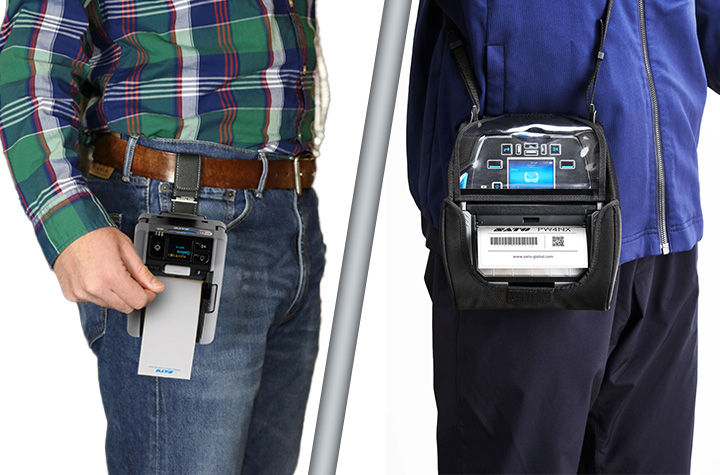
SATO PW2NX: Compact Power in a 2-Inch Printer
Small in size but big on capability, the SATO PW2NX is designed for workers on the go. Weighing under a pound, it’s lightweight enough to carry all day, yet rugged enough to withstand drops up to 8.2 feet. Its polycarbonate body and impact-absorbing elastomer edges give it the durability required in fast-paced environments.
But portability doesn’t mean compromise. The PW2NX delivers:
- Full 2.16″ print width with high-speed output up to 6 ips.
- Smart battery management that powers full-shift operation for up to 16 hours.
- Robust connectivity with Bluetooth, USB, WLAN, and NFC for seamless pairing with mobile devices.
- Application Enabled Printing (AEP) support, enabling smart, customizable apps for enterprise workflows.
- SATO Online Services (SOS) for remote IoT-based monitoring and maintenance, reducing downtime.
- Ideal for retail, healthcare, and logistics environments needing fast, precise labeling such as price markdowns, shelf labels, specimen tracking, and receipt printing.
- Linerless labels reduce waste and supporting sustainability goals.
Quick Product Review of the SATO PW2NX: The PW2NX is ultra-compact, lightweight, and perfect for quick, on-the-go tasks where portability is paramount.
SATO PW4NX: Rugged Performance for 4-Inch Printing
For organizations that need a larger format without sacrificing mobility, the SATO PW4NX 4-inch mobile label printer is engineered for speed, durability, and efficiency.
Key strengths include:
- Consistent 6 ips print speeds, reducing print time by more than 30% compared to typical mobile devices.
- Durable design, built to survive 7-foot drops and rated IP54 for dust and water resistance.
- Vibration resistance, making it reliable even when mounted on forklifts.
- User-friendly upkeep, with easy-to-replace printheads and platen rollers, cutting maintenance downtime and cost.
- Smart connectivity, supporting Apple iOS, Android, and Windows with Bluetooth 5.0, Wi-Fi, and advanced AEP features for standalone printing.
- Remote management via SOS and SOTI for predictive maintenance and centralized device control.
- Ideal for warehousing, logistics, manufacturing, and retail, supporting operations like inventory/raw materials management, cross-docking, receiving/shipping inspections, picking/put-away, cycle counts, and order fulfillment.
Quick Product Review of the SATO PW4NX: delivers a larger format and higher speed, designed for heavy-duty applications where uptime and throughput matter most.
The Bottom Line: Mobility Moves Business Forward
As workflows continue to evolve, the ability to print anytime, anywhere is redefining how enterprises approach efficiency, accuracy, and cost savings. SATO’s mobile printers give organizations the tools they need to stay agile in an increasingly mobile world. The SATO PW2NX lends that power to lighter, more compact workflows labeling, while the PW4NX delivers desktop-grade speed, ruggedness, and connectivity.
Contact Barcodes Inc. today to learn more about how mobile printers can boost your team’s productivity on the floor.