


Flexible Industrial Label Printing for Barcode, RFID and Compliance Labeling
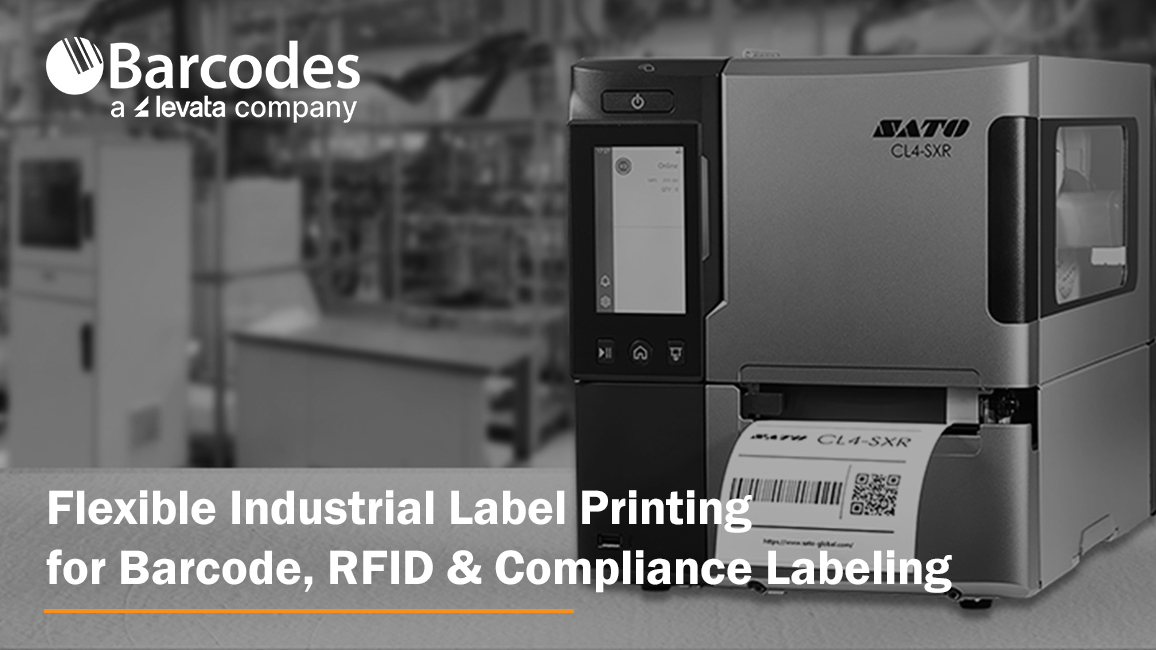
Labeling requirements rarely stay confined to one application. A manufacturing facility may need durable barcode labels for work-in-process tracking, RFID labels for automated inventory visibility and compliance labels for finished goods. A warehouse may print shipping labels, pallet labels, location labels and RFID tags—sometimes from the same printing station. Healthcare organizations must support patient identification, specimen tracking, asset management and regulatory labeling while maintaining accuracy in demanding environments.
Managing these varied requirements with separate printers can add unnecessary cost and complexity. Organizations increasingly need flexible industrial label printers that can produce a wide variety of high-quality labels, support multiple media types and integrate with barcode, RFID and compliance workflows.
The right printer should do more than produce a readable label. It should deliver consistent output at production speeds, accommodate changing label formats, connect to existing systems and withstand continuous use in challenging operational environments.
Let’s learn more about industrial label printing, and how front-runners like the SATO CL4-SXR and CL6-SXR.
What Features are Most Important for an Industrial Label Printer?
A flexible industrial label printer can adapt to different applications without forcing an organization to invest in a separate device for every label size, material or identification technology.
Important capabilities include:
- Support for multiple label widths, materials, ribbons and adhesive types
- High-resolution printing for text, graphics, barcodes and regulatory information
- Accurate media positioning for small or precisely formatted labels
- RFID encoding and verification options
- Reliable performance during long or high-volume print runs
- Connectivity with critical operating systems used for warehouse, manufacturing and healthcare
- Easy maintenance that limits disruption to critical workflows
- Remote management for printers deployed across multiple locations
Print width is another important consideration. Four-inch industrial printers accommodate many standard barcode, product, shipping and RFID labels. Six-inch printers provide additional space for pallet labels, chemical labels, automotive documentation, healthcare forms and other applications that require larger formats or more information.
Flexible Printing for Barcode, RFID and Compliance Labels
Industrial label printers must produce crisp, precisely positioned barcode labels that scan reliably at speed. Consistent print quality helps prevent rescanning, relabeling and data-entry errors across product identification, inventory, shipping, asset tracking and healthcare workflows.
For RFID applications, printers must accurately print, encode and verify each tag. Supporting both barcode and RFID labels gives organizations the flexibility to improve inventory visibility, shipment verification, traceability and asset tracking without maintaining separate printing platforms.
Compliance labels add requirements for legible text, symbols, barcodes and safety information. Precise printing and flexible media handling help businesses meet industry, regulatory and customer standards for applications ranging from product and chemical labeling to medical devices, food traceability and retailer-mandated shipping labels.
Label Printing in Demanding Operational Environments
Manufacturing, warehouse and healthcare environments have distinct labeling requirements, but all depend on reliable performance:
- Manufacturing: Printers must withstand dust, temperature changes and continuous workloads while producing readable labels for production, inspection, traceability and distribution.
- Warehousing: Printers must support high-volume receiving, picking, packing and shipping without interruptions that create backlogs or delay fulfillment.
- Healthcare: Printers must deliver accuracy and reliability across specimen, medication, medical device, supply, equipment and patient-identification workflows.
Beyond print speed, organizations should evaluate print accuracy, environmental adaptability, media compatibility, ease of maintenance and integration with existing systems.
SATO CL4-SXR and CL6-SXR: Top Choices for Flexible Industrial Labeling
For organizations seeking an industrial printer platform that can support varied barcode, RFID and compliance applications, the SATO CL4-SXR and SATO CL6-SXR are compelling options.
The third generation of SATO’s CL industrial printer platform combines high-speed printing, precise media handling, connected management and RFID capabilities. The CL4-SXR offers a four-inch print width for widely used label formats, while the CL6-SXR expands the print width to six inches for larger labels and information-intensive applications.
Together, the two models give organizations the flexibility to standardize around a common printer family while addressing different label dimensions and workflow requirements.
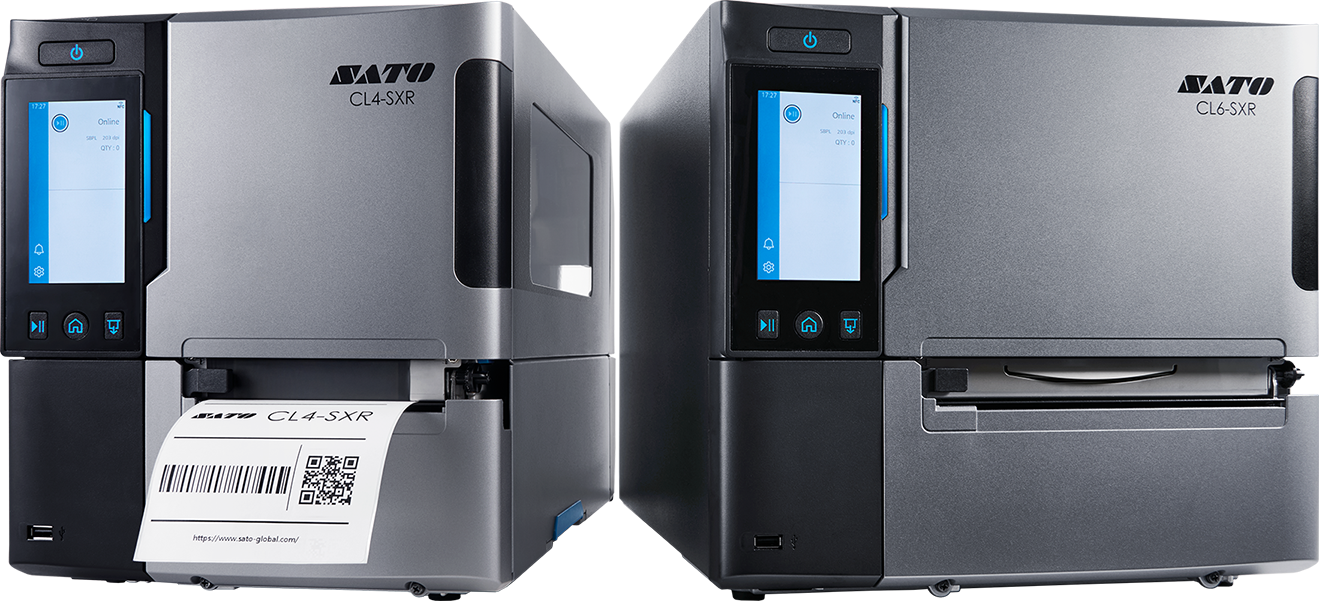
SATO CL4-SXR vs. CL6-SXR: At-a-Glance Comparison
| Feature | SATO CL4-SXR | SATO CL6-SXR |
|---|---|---|
| Print Width | 4-inch format | 6-inch format |
| Max Print Speed | Up to 18 inches per second at 203 dpi | Up to 14 inches per second |
| Print Accuracy | Up to +/- 0.3 mm | Up to +/- 0.3 mm |
| Best Suited For | Barcode, RFID, product and shipping labels | Larger labels requiring more space for data, graphics or compliance information |
| RFID Support | HR and UHF RFID | UHF RFID |
| RFID Capabilities | Print, encode and verify | Print, encode and verify |
| Media Handling | Supports thin, small, irregularly shaped and strongly adhesive labels | Supports varied media, ribbons and wider label formats |
| Print-quality Controls | GAP2 label-positioning sensor with temperature and humidity sensing | GAP2 label-positioning sensor with temperature and humidity sensing |
Shared Operational Advantages
- Accurate output: Precise positioning supports small labels, closely spaced layouts, barcodes, text and RFID inlays.
- Consistent print quality: Environmental sensing automatically adjusts thermal-head output as temperature and humidity change.
- Flexible media options: A redesigned peel-off mechanism and adaptable media configurations accommodate applications ranging from paper shipping labels to specialized product, compliance and asset labels.
- RFID quality control: Integrated verification identifies defective RFID tags before they enter production, warehouse or shipping workflows.
- One adaptable platform: Support for conventional and RFID labels helps organizations address current barcode requirements while preparing for expanded RFID adoption.
Connected, Serviceable and Resource-Efficient Printing
The SATO CL4-SXR and CL6-SXR combine connected management, proactive maintenance and waste-reduction features to support more efficient operations:
- Streamlined integration: SATO Application Enabled Printing allows applications to run directly on the printer, potentially eliminating the need for a separate computer in certain workflows.
- Flexible connectivity: Gigabit Ethernet, Bluetooth and optional Wi-Fi 6E support deployment across production lines, warehouse zones, healthcare departments and multiple facilities.
- Remote management: Remote desktop functionality simplifies access to printers installed in unattended or difficult-to-reach locations.
- Predictive maintenance: SATO Online Services uses AI-assisted monitoring to anticipate service needs, including thermal printhead replacement, before failures disrupt operations.
- Simplified servicing: Tool-free thermal head and platen roller replacement helps reduce maintenance time and restore printing more quickly.
- Less material waste: Printing can begin with the first label on a newly loaded roll, while recycled resin represents 34% of CL4-SXR components and 36% of CL6-SXR components.
A Versatile Platform for Evolving Labeling Requirements
The ideal industrial label printer should support what an organization prints today while providing the flexibility to accommodate new label formats, materials, identification technologies and compliance demands.
Whether the requirement involves barcode labels, RFID tags, compliance labels or a combination of all three, the SATO SXR series provides a flexible industrial printing platform designed for demanding operations. These capabilities make them top choices for manufacturing, warehouse, logistics and healthcare organizations that depend on high-quality labels to keep products, assets, inventory and information moving accurately.
Learn more about the SATO CL4-SXR and CL6-SXR and find the right configuration for your labeling applications.
How Barcode Technology Can Reduce Operational Costs
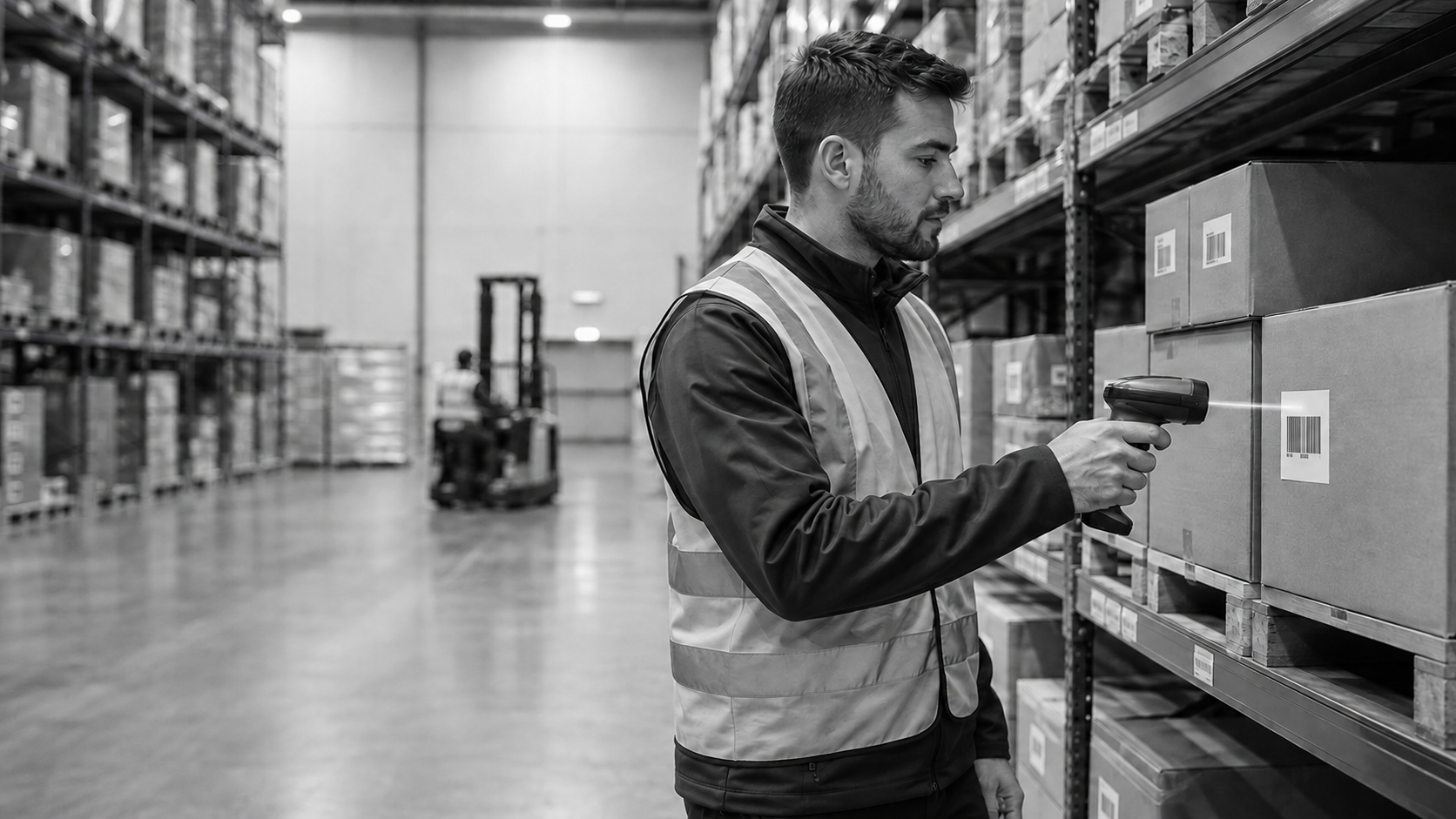
Operational costs often rise because of small, recurring inefficiencies: inventory records that do not match physical stock, time spent entering data manually, misplaced assets, shipping mistakes and unnecessary reorders. Individually, these problems may seem manageable. Across thousands of transactions, however, they can significantly affect productivity and profitability.
Inventory management with barcode scanning helps businesses reduce these costs by creating a faster and more accurate way to identify, record and track products, materials and assets. From receiving and storage to order fulfillment and shipping, barcode technology gives employees immediate access to reliable data while reducing dependence on manual processes.
What Is Inventory Management with Barcode Scanning?
Inventory management with barcode scanning uses barcode labels, scanners and software to capture and update information as items move through an operation. Each barcode represents data associated with a product, component, package or asset. When an employee scans the code, the system records the transaction and can update inventory levels, locations or order status in real time.
Compared with typing product numbers or recording inventory on paper, scanning allows employees to complete transactions with fewer steps. It also creates more consistent data that operations, purchasing, customer service and management teams can use to make informed decisions.
Reduce Manual Data Entry and Labor Costs
Manual inventory tracking requires employees to write down information, enter it into a system and sometimes verify it again. These repetitive tasks consume time that could be spent on receiving, picking, replenishment or customer service.
Barcode scanning simplifies data capture at the point of activity. Employees can scan an item when it arrives, moves to another location, enters production or leaves the facility. Faster data collection can increase the number of transactions completed during each shift while reducing administrative workload.
Businesses can also select barcode scanning equipment designed for specific workflows, including handheld, cordless, wearable, presentation and fixed-mount scanners. Matching the device to the task can help employees work more efficiently without adding unnecessary steps.
Prevent Costly Inventory Errors
A single incorrect item number or quantity can create problems throughout an operation. Data-entry errors may lead to inaccurate inventory counts, incorrect replenishment decisions, production delays or orders for products that are already in stock.
Scanning validates the item being handled and records its information directly in the connected system. This reduces opportunities for transcription mistakes and helps maintain more dependable inventory records.
Greater accuracy can lower costs associated with emergency orders, excess stock, avoidable stockouts and time spent investigating discrepancies. It can also improve confidence in the data used for forecasting and purchasing.
Improve Inventory Visibility
Without current inventory information, businesses may purchase more stock than they need or fail to reorder an essential item in time. Barcode scanning provides a clearer picture of what is available, where it is located and how quickly it is being used.
This visibility helps inventory teams maintain appropriate stock levels rather than relying on estimates or outdated spreadsheets. It may also reveal slow-moving products, duplicate inventory and materials occupying valuable warehouse space.
Better information supports more disciplined purchasing decisions, reduces unnecessary carrying costs and helps businesses use available inventory before ordering additional stock.
Accelerate Inventory Counts
Traditional physical inventory counts can require extensive labor and may disrupt regular operations. Barcode technology allows workers to scan products and locations systematically, accelerating cycle counts and full inventory checks.
More frequent counting also helps teams identify discrepancies before they become larger problems. Instead of waiting for an annual inventory event, businesses can verify selected products, bins or departments throughout the year.
This approach reduces the burden of counting while helping maintain accurate records for daily operational decisions.
Reduce Picking, Packing and Shipping Costs
Fulfillment mistakes create expenses beyond the cost of the incorrect product. Businesses may need to process a return, ship a replacement, restock the original item and respond to a dissatisfied customer.
Barcode scanning can verify products during picking and packing to confirm that the correct item and quantity are associated with each order. A final scan before shipment can provide another checkpoint and create a digital record of fulfillment activity.
Reducing mis-picks and shipping errors helps control return-related costs while supporting faster, more dependable customer service.
Track Tools and Business Assets
Barcode technology is not limited to products for sale. Organizations can also label computers, tools, equipment, furniture and other assets. Employees can scan each asset during assignment, transfer, maintenance or return.
Improved asset tracking reduces the time spent searching for equipment and helps prevent unnecessary replacement purchases. Maintenance teams can use scan records to confirm service history, while managers gain better visibility into asset location, condition and availability.
Choosing the Right Barcode Scanning Solution
The potential savings depend on selecting technology suited to the operating environment. A retail counter may need a compact presentation scanner, while a warehouse may require a cordless or rugged device. High-volume production and logistics applications may benefit from wearable or fixed scanners that support hands-free and automated workflows.
Before choosing equipment, consider:
- The barcode types and distances that must be read
- Whether employees need corded, cordless or hands-free operation
- Environmental conditions such as dust, moisture or repeated drops
- Compatibility with existing inventory and business systems
- Expected transaction volumes and future growth
- Battery, connectivity and ergonomic requirements
Barcodes, Inc. offers a broad selection of barcode scanners and scanning solutions for retail, warehouse, manufacturing, healthcare and field-service applications.
Turn Better Data Capture into Lower Operating Costs
Inventory management with barcode scanning can reduce operational costs by improving accuracy, accelerating routine tasks and giving businesses better control over inventory and assets. Its value extends across receiving, storage, counting, fulfillment, shipping and equipment management. The right solution should do more than read a barcode. It should fit naturally into employee workflows, integrate with existing systems and deliver dependable performance in the intended environment. Explore barcode scanning options from Barcodes, Inc. or connect with a specialist to identify the scanners, software and accessories that best support your operational goals.
The Evolution of ID Card Printing: From Simple Badges to Smarter Credentials

ID card printing has evolved from producing basic visual identification badges into creating sophisticated credentials that can support security, access control, authentication, and connected workplace experiences. Advances in printing technology, card materials, software, and credential encoding have made today’s ID card printers faster, easier to manage, and capable of supporting increasingly complex identity programs.
While the fundamental need remains the same—reliably identifying people—the technology behind the ID badge has changed significantly.
The Early Days of ID Card Printing
Early identification programs were primarily focused on one goal: creating a card that allowed someone to visually confirm a person’s identity.
Organizations needed a badge that could display basic information such as:
- A photograph
- Employee or student name
- Identification number
- Company or institution name
Producing these credentials was often a multi-step process. Photos, printed information, and laminated card components could require separate equipment and considerable manual effort.
As plastic card printing matured, organizations gained the ability to produce professional-quality credentials from a desktop printer. This helped make in-house ID card printing practical for businesses, schools, healthcare organizations, government agencies, and membership programs.
How Did Direct-to-Card Printing Change ID Badges?
Direct-to-card (DTC) printing represented an important advancement because it enabled organizations to print images and information directly onto plastic cards.
In a DTC printer, the printhead applies dye from a printer ribbon directly to the card surface. Color ribbons typically use individual panels to reproduce full-color images, text, logos, and other design elements.
The result is a relatively simple and economical approach to producing professional ID badges.
Direct-to-card printers remain popular today because they can offer a strong balance of:
- Print quality
- Speed
- Affordability
- Ease of operation
- Compact desktop footprints
Organizations can choose from a broad range of modern ID card printers designed for everything from basic single-sided badge printing to higher-volume credential issuance.
Why Did Retransfer ID Card Printing Emerge?
As credential requirements became more sophisticated, organizations wanted better image quality and greater flexibility in the types of cards they could print.
Retransfer technology addressed some of those requirements.
Rather than printing directly onto the card, a retransfer printer first prints the card image onto a transparent transfer film. That film is then fused to the card surface.
This indirect printing process can provide true over-the-edge printing, eliminating the small border commonly associated with direct-to-card printing. It can also produce consistent results on cards with embedded electronics or slightly uneven surfaces.
Direct-to-Card vs. Retransfer Printing
| Feature | Direct-to-Card | Retransfer |
| Printing process | Ribbon prints directly onto card | Image prints onto film, then transfers to card |
| Edge-to-edge appearance | Small border may remain | True over-the-edge printing |
| Print quality | Very good | Excellent |
| Specialty card compatibility | Varies | Generally greater flexibility |
| Initial investment | Typically lower | Typically higher |
| Best suited for | Everyday employee and student IDs | Premium, secure and technology-enabled credentials |
Neither technology is inherently right for every application. The choice depends on card volume, image-quality requirements, credential technology, security needs, and budget.
How Has ID Card Printing Become More Secure?
The evolution of ID card printing hasn’t only improved appearance. Modern card issuance has increasingly become part of an organization’s broader security infrastructure.
A basic printed photo and name can now be supplemented by features such as:
- Barcodes and QR codes
- Magnetic stripes
- Contactless credentials
- RFID and proximity technology
- Smart chips
- Holographic elements
- Laminates and overlays
Modern card printers can also be configured with encoding capabilities that allow compatible electronic credentials to be personalized as part of the issuance process.
This changes the role of the ID printer. Instead of simply producing something employees wear, the printer can become part of a system for creating credentials that interact with physical access control, time-and-attendance, authentication, and other applications.
How Have ID Card Printers Become Easier to Manage?
Another major change has occurred behind the scenes.
Older card-printing environments could require significant hands-on management, particularly when organizations operated printers across multiple offices. Today’s systems increasingly emphasize easier configuration, intuitive interfaces, remote management capabilities, and more centralized software.
Cloud-based ID card software has also changed how some organizations approach badge issuance. Instead of keeping every part of the cardholder database and design workflow tied to a single workstation, authorized users may be able to manage aspects of credential issuance across locations.
That can be particularly valuable for organizations with distributed offices, campuses, healthcare facilities, or branch locations.
How Are Sustainability and Card Materials Changing?
The evolution of card printing is also extending beyond the printer itself.
As identity technology evolves, mobile credentials are becoming an increasingly popular alternative or complement to traditional plastic ID and access cards. Instead of presenting a physical credential, users can store a digital credential on a compatible smartphone or wearable device and use it to access secured doors and other authorized resources. Mobile credentials can reduce dependence on physical card issuance and replacement while giving organizations greater flexibility in how credentials are distributed and managed. For many organizations, the future is likely to be a hybrid credential environment, where mobile access and securely printed ID cards work together based on security requirements, user preferences, and operational needs.
What Does the Future of ID Card Printing Look Like?
Physical credentials aren’t disappearing. Instead, they’re becoming part of a broader identity ecosystem.
Organizations are increasingly evaluating how physical badges can work alongside technologies such as mobile credentials, contactless access, cloud-based identity management, and multi-factor authentication.
That means the next stage of ID card printing is less about printing alone and more about credential lifecycle management: how identities are created, issued, used, updated, secured, and eventually retired.
For organizations selecting new card-printing technology, scalability is therefore increasingly important. A printer purchased for basic photo IDs today may eventually need to support dual-sided printing, electronic encoding, higher card volumes, or additional security features.
Choosing ID Card Printing Technology for Today’s Needs
The history of ID card printing reflects a larger shift in how organizations think about identity. What began as a way to put a name and photograph on a badge has developed into technology capable of supporting sophisticated credential and security programs.
Direct-to-card printers continue to provide an accessible solution for everyday identification, while retransfer, encoding, lamination, and software technologies support more advanced requirements.
When evaluating a new system, consider not only what you need to print today but also how your credential program may evolve. Barcodes, Inc. offers ID card printers for a wide range of credentialing applications, making it possible to compare technologies and find a solution aligned with your print volume, card requirements, and future identity strategy.
How to Print Professional Color Labels, Stickers and ID Badge Labels In-House
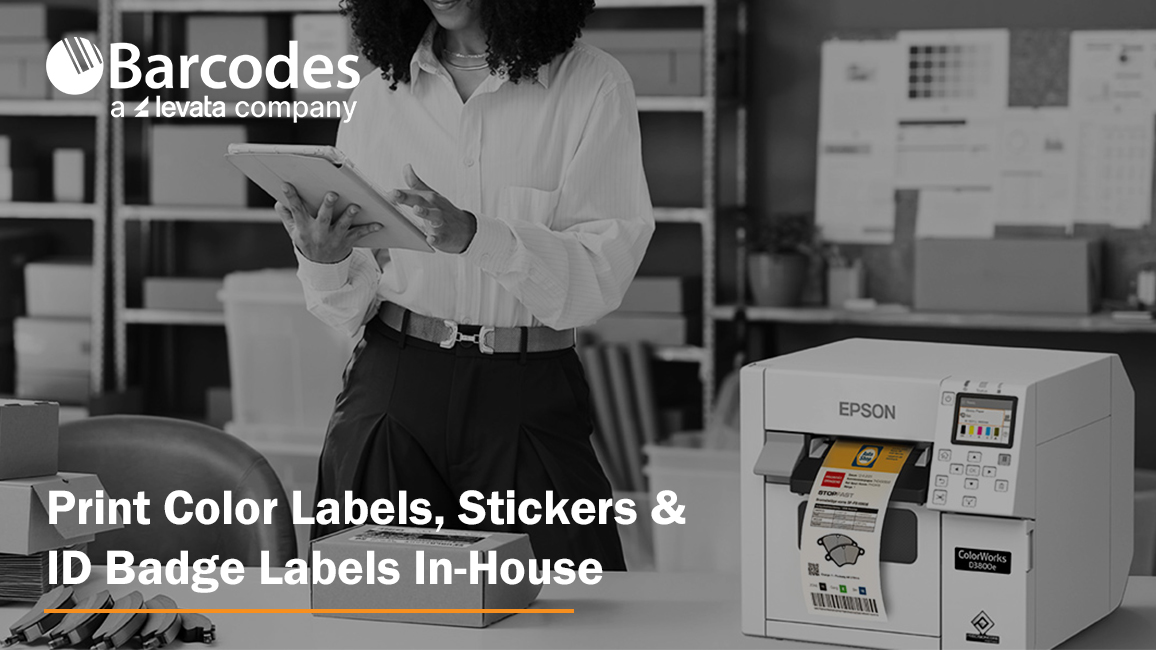
Professional color label printers elevate product packaging, make products easier to identify, and create affordable ID badges for employee or visitor credentials. But ordering preprinted labels from an outside supplier or investing in an industrial badge printer is not always practical, especially when quantities are small, information changes frequently or labels are needed immediately.
An in-house color label printer gives businesses more control over when, how and how many labels they produce. Instead of maintaining inventories of preprinted designs, organizations can print the labels they need on demand.
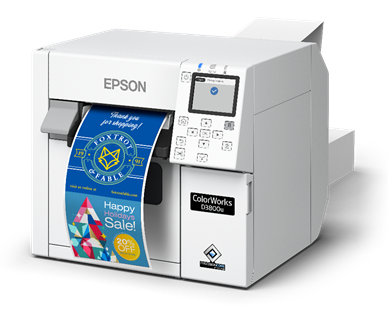
Compact, versatile and easy to operate, the Epson CW-D3800 Color Label Printer provides an affordable solution for low-volume, on-demand color label printing. From visitor badges and product labels to shelf tags and seasonal packaging, it makes it easy to produce professional color labels when you need them.
What Is a Color Label Printer?
A color label printer is a specialized printer that produces full-color text, images, barcodes and graphics directly onto label media. Unlike a traditional thermal label printer, which typically prints in one color, a color inkjet label printer can reproduce logos, product photography, color-coded information and branded designs.
Color label printers can be used to produce:
- Product and private-label packaging labels
- Custom stickers and promotional labels
- Food, beverage and ingredient labels
- Shelf and price tags
- Seasonal packaging labels
- Employee identification labels
- Visitor badge labels
- Event and temporary credential badges
- Color-coded inventory and organizational labels
The ability to print these materials internally helps businesses create labels in the exact quantities they need—even if that means only a few dozen at a time.
Why Print Professional Color Labels In-House?
Outsourcing may be cost-effective for large quantities of one unchanging label design. However, it can become less efficient when a business needs smaller batches, temporary ID badges, frequent design updates or fast turnaround.
Bringing color label printing in-house can provide several advantages.
Print Only What You Need
Instead of meeting an outside printer’s minimum order quantity, businesses can print a single label, a small test batch or several hundred labels. This is particularly useful for small-batch products, limited releases, test markets and seasonal promotions.
Make Label Changes Quickly
Product information, ingredients, pricing, branding and promotional messages can change. An in-house sticker printer allows a business to revise the label file and begin printing the updated version without waiting for a new external order.
Reduce Preprinted Label Inventory
Preordering large quantities can leave businesses with obsolete labels when packaging, product details or branding change. On-demand printing reduces the need to store multiple versions of preprinted labels and can help limit waste.
Respond Faster
Labels can be produced when a new product is ready, a visitor arrives or a promotional opportunity emerges. This helps eliminate outside production and shipping delays.
Maintain Brand Consistency
A professional color label printer can reproduce logos, brand colors, graphics and product details in a consistent format. Templates can also help different users follow established brand and labeling standards.
What Should You Look for in a Color Label or Sticker Printer?
The right printer depends on the labels being created and the environment in which they will be used. Before selecting a device, consider the following questions.
How Many Labels Will You Print?
A compact desktop printer may be the best choice for low-volume or intermittent printing. Higher-volume operations may need faster speeds, larger ink capacity and equipment designed for continuous use.
What Label Sizes Do You Need?
Make sure the printer accommodates the narrowest and widest media required. Also consider whether it supports both roll and fanfold media if your applications use multiple formats.
What Level of Image Quality Is Required?
Product packaging and branded stickers may require more color detail than basic operational labels. The CW-D3800 prints at resolutions up to 600 dpi by 1200 dpi, supporting detailed graphics, rich blacks and vibrant color.
Will the Labels Be Exposed to Harsh Conditions?
Ink and media should be selected for the expected environment. A label used on indoor retail packaging has different durability requirements than one exposed to chemicals, sunlight, refrigeration or moisture.
The CW-D3800’s dye ink is well suited to applications where vibrant presentation is important. Organizations with demanding durability requirements should evaluate whether pigment ink, specialty media or another printing technology is more appropriate.
Does the Printer Fit Your Existing Workflow?
Review operating-system compatibility, connectivity, label design software and printer-language support. The CW-D3800 supports Windows, iOS and Linux, as well as ESC/Label emulation and ZPL II capabilities, helping it integrate with a variety of labeling environments.
Who Will Operate It?
For decentralized printing at a reception desk, retail counter or small production area, ease of use matters. Look for intuitive controls, straightforward media changes and maintenance features that do not require specialized operators.
Featured Product: Epson ColorWorks CW-D3800 Color Label Printer
The CW-D3800 Color Label Printer delivers high-quality color labels without high-volume requirements.
The CW-D3800 uses Epson Genuine Dye Ink to produce vibrant colors, rich blacks and exceptional detail at resolutions up to 600 dpi x 1200 dpi. This makes it an ideal color label printer for businesses that want professional-looking labels without the need for large print runs or preprinted inventory.
Flexible Media for a Variety of Applications
The compact CW-D3800 supports both roll and fanfold media from 1 to 4.25 inches wide, allowing businesses to print a wide range of label sizes and formats.
With one compact printer capable of handling different media formats, businesses can use the CW-D3800 for multiple labeling needs instead of investing in separate solutions. Application uses include: visitor badges and ID badges, product labels, package stickers, shelf price stickers, event wristbands, and more.
Optional Wi-Fi connectivity provides even more flexibility, allowing users to print from mobile devices through the Epson ColorWorks Print 2.0 app.
An Ideal Color Badge Printer for Visitor Management
One of the CW-D3800’s key applications is visitor badge printing. Color visitor badges provide an easy visual way to distinguish visitors and can support identification and security procedures in schools, healthcare facilities, corporate offices and government environments.
The ability to print badges on demand is especially valuable when visitor information changes throughout the day. Rather than relying on preprinted badges or labels, organizations can create customized, professional-looking visitor badges as needed.
Designed for Easy, Reliable Operation
The CW-D3800 combines straightforward operation with Epson technology designed for long-term reliability. Its PrecisionCore Heat-Free permanent printhead is engineered to last the life of the printer, helping provide consistent print quality while minimizing downtime and maintenance.
A color LCD screen, fast media and ink loading, and automatic Nozzle Verification Technology further simplify operation. The printer supports Windows, iOS and Linux, along with ESC/Label emulation and ZPL II capabilities, helping it integrate into existing labeling workflows.
Epson also offers its Label Boost software suite, including Label Boost Designer for creating and printing labels and badges. For businesses with basic color labeling requirements, the software provides an easy way to get started with in-house label production.
For businesses looking for an affordable color label printer for low-volume applications, the Epson ColorWorks CW-D3800 offers a practical combination of quality, flexibility and ease of use.
Whether you’re printing visitor badges, custom product labels, seasonal packaging or shelf tags, the CW-D3800 gives you the ability to print professional color labels on demand and in the quantities you need.
[Learn more about the Epson ColorWorks CW-D3800 or contact Levata to find the right color labeling solution for your application.]
Bring Professional Color Label Printing In-House
Businesses do not always need thousands of identical labels. They may need 50 labels for a new product, 100 stickers for a seasonal promotion or personalized visitor badges throughout the day.
By producing labels and temporary badges internally, businesses can shorten turnaround times, reduce preprinted inventory and respond more quickly to new products, visitors and promotional opportunities.
Whether you need a product label printer, a custom sticker printer or an on-demand solution for visitor ID badge labels, the Epson ColorWorks CW-D3800 provides the flexibility to handle these changing requirements with one compact color label printer.
Barcodes, Inc. can help you evaluate the color label printing solution for your products, packaging and identification needs.