


Creating Custom Sticker Labels for Your Business Branding
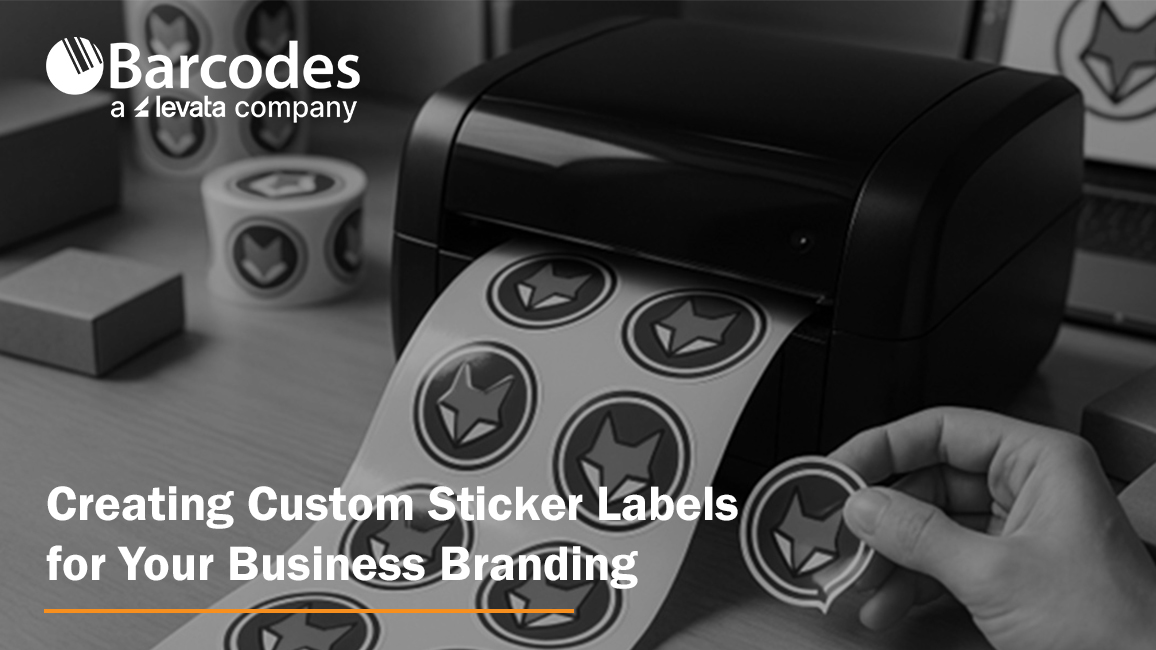
Unboxing a product isn’t just a moment, it’s an experience. That first glimpse of the label can stir excitement, tell a story, or instantly connect you to the brand. When done right, custom sticker labels don’t just sit on a package, they speak, they sell, and they stick in memory.
Creating custom sticker labels for your business branding is one of the smartest, most affordable ways to make your brand more recognizable. Custom sticker labels play a key role in your business’s overall branding strategy by reinforcing your brand identity at every customer touchpoint.
Whether you’re managing a small startup or scaling a bigger operation, thoughtful sticker and label design can turn ordinary packaging into a powerful branding tool.
Let’s explore how to create custom sticker labels that are more than just pretty, they work hard for your business.
Define What Your Label Needs to Do
Before you dive into colors and fonts, take a step back and ask: what’s the goal here?
Different types of stickers serve different purposes. A product label on a jar isn’t the same as a promotional giveaway sticker. Each has its own mission.
Here are a few common uses:
- Product Labels: Stickers for jars, bottles, boxes, or bags that include product names, ingredients, and branding.
- Promotional Stickers: Think fun, free logo stickers you include in packaging or hand out at events.
- Shipping & Return Labels: These can include your brand’s logo, return address, or even a short thank-you message.
- Instructional or Compliance Labels: Required for safety, ingredients, or usage guidelines, but still a chance to stay on-brand.
- Barcode labels: Print asset labels, inventory labels, shipping labels and other label needs with barcode labels.
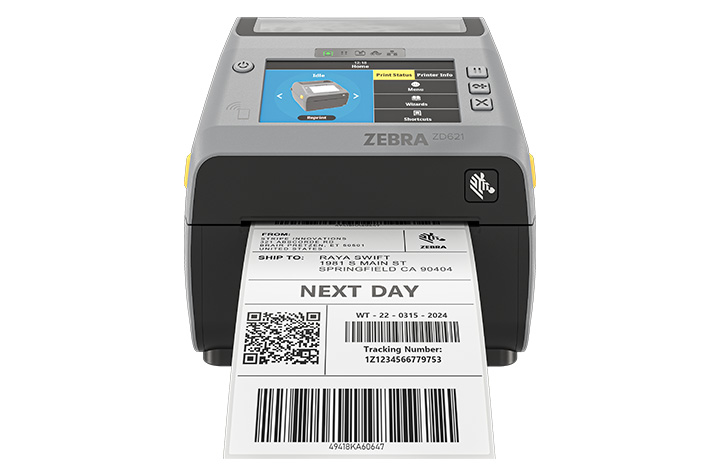
Understanding the purpose of your label will help you determine the best label printing method for your needs.
Start by identifying where your stickers will go, what they’ll say, and what action you want your customers to take. Aligning your label’s purpose with your brand identity ensures consistency and helps customers recognize your business.
Know Your Brand Inside and Out
Your label should be an extension of your brand. The tone, look, and feel need to match what customers already see on your website, social media, or in your store. Maintaining a consistent visual identity across all label designs is essential for reinforcing your brand image.
These are key branding elements that should be reflected in every label.
Here’s what to keep consistent:
- Colors: Stick with your brand palette to keep everything cohesive.
- Fonts: Choose typography that reflects your brand’s personality, serious, playful, modern, or classic.
- Logo: Make it a focal point or background element. Either way, make sure it’s easy to spot.
Everything, from the spacing around your text to how the sticker peels off, affects how people perceive your business. Custom design isn’t just about aesthetics; it builds trust.
Pick the Right Material and Finish
Here’s where we talk about the feel of the label, and how well it holds up.
Not all labels are created equal. You’ve got a range of materials, and choosing the right one depends on what your product is and how it’s used.
- Paper Stickers: A great low-cost option for dry indoor use.
- Vinyl or BOPP Labels: Water-resistant and durable, ideal for lotions, cold drinks, or any product that needs a longer-lasting solution.
- Clear Labels: Perfect for creating a minimalist, seamless look on transparent packaging.
As for finish:
- Gloss: Shiny and vibrant, best for eye-catching designs.
- Matte: Understated and modern, perfect for boutique or organic brands.
- UV or Laminated Coatings: These protect your labels from scratches and moisture.
Think about where the label will be used. Will it face moisture? Heat? Rough handling?
Match the material to the product’s location and shipping environment. Also, consider the type of adhesive used, as it affects how well the label stays attached to different surfaces and under various conditions.
Choose Size and Shape Wisely
Your label’s shape and size can make or break the design. Too small, and you can’t fit important details. Too large, and it overwhelms your product.
Start by measuring your container or box. Then choose: Using label templates can help you visualize and select the right size and shape for your product.
- Standard shapes: Circles, rectangles, and ovals are easy to design and print.
- Custom die-cut shapes: These add flair and can help your product stand out. Think hearts, stars, leaves, or logos.
Don’t forget label placement. A sticker on the front draws attention. One on the top seals the product. Side labels are perfect for instructions or ingredients. Maintaining consistent label sizes and shapes across your product line helps reinforce branding consistency.
Design That Gets Noticed
Now for the fun part, designing your stickers. You don’t need to be a professional to make a strong impression. With the right tools and some clear goals, you can create something memorable.
Start with user-friendly tools like Canva, or go pro with Adobe Illustrator or barcode label design software from Barcodes Inc.
Refer to your branding guidelines to ensure design consistency across all your stickers. For the best results, use vector graphics to ensure your sticker designs are crisp and scalable for high-quality printing. Make sure to:
- Include key brand elements: logo, tagline, and brand colors.
- Use fonts that are readable at a small size.
- Create good contrast between text and background.
- Add extras like QR codes for special offers, how-to videos, or location-specific deals.
Decide How to Print
This is where many small business owners hit a fork in the road. Do you print in-house or use a professional service?
Here’s how they compare:
- In-House Printing: Best for frequent printing to support workflows and to maintain complete control. A thermal label printer (like the ones from Barcodes Inc.) lets you print fast and on-demand.
- Professional Printing: Great for large orders or premium finishes. Many services offer free proofs and quick turnaround times. Digital printing is a popular choice for custom sticker labels because it offers flexibility and high-quality results.
Think about:
- Order size
- Cost per label
- Quality needs
- Turnaround time
Barcodes Inc. carries a wide range of thermal printers and custom label rolls. You can get exactly what you need without overcommitting.
Nail the Application Process
You’ve designed, printed, and received your stickers. Now it’s time to apply them.
Application matters more than you might think. A crooked or wrinkled label can cheapen your product.
There are two approaches:
- Manual Application: Great for small batches. Just make sure you perform proper surface preparation, surfaces should be clean and dry for optimal label adhesion.
- Machine Application: Ideal for larger runs. Label applicators help with alignment and speed.
Use a squeegee or cloth to smooth out air bubbles. Do a few test applications before going all in.
Don’t Skip the Legal Stuff
Depending on your industry, certain label elements aren’t optional. Ensuring regulatory compliance is essential when creating custom sticker labels for certain industries, as failing to meet these standards can result in legal issues or product recalls.
Here are some things you might be required to include:
- Ingredients or materials
- Allergy information or safety warnings
- Country of origin
- Manufacturing date or expiration
- Barcode or UPC (placed clearly and scannable)
You can still meet these requirements and stay on-brand. Barcodes Inc. offers barcode label software to help you keep it professional, easy, and compliant.
Smart Places to Use Custom Labels
Stickers aren’t just for products. There are endless ways to use them in your marketing.
Some of our favorites:
- Packaging: Use labels to seal boxes, highlight product features, or give care instructions.
- Promotions: Include free stickers with every order.
- Shipping Boxes: Add your logo and return address for brand consistency.
- Retail Displays: Label signs, shelves, and sample stations.
- Swag & Gifts: Add stickers to event giveaways or small thank-you items. Custom stickers are also effective for event branding, making your giveaways stand out at conferences or trade shows.
If your customer sees it, there’s an opportunity to stick your brand on it.
Measure What’s Working
Wondering if your custom labels are actually helping your business grow? It’s easier than you think to find out.
Here are some simple tracking methods:
- Add QR codes or unique discount codes to your labels.
- Track website visits, downloads, or purchases tied to those codes.
- Ask customers where they first saw or used your product.
Tracking label performance can provide valuable insights into customer engagement with your brand.
Even simple feedback like “I loved your packaging” is a great indicator that your branding is resonating.
FAQs
What materials are best for durable custom sticker labels?
Vinyl and polypropylene (BOPP) are your best bet for long-lasting, water-resistant use. Great for products that face moisture or friction.
How do I design a custom label that reflects my brand?
Start with your logo, colors, and fonts. Use free or professional design tools to create a layout that’s easy to read and looks polished.
Can I print custom stickers using a thermal label printer?
Yes, especially for short runs or fast updates. Barcodes Inc. has thermal printers perfect for small businesses.
How can small businesses save on custom label printing?
Print in-house, order in bulk, or use free design templates. Thermal printers and label rolls also reduce long-term costs.
Should I outsource sticker label printing or do it in-house?
Do it in-house for small runs and flexibility. Outsource if you need high volume or complex finishes.
What sizes and shapes are available for custom stickers?
You can order standard shapes or get custom die-cut stickers made to match your brand.
Are custom sticker labels waterproof or weather-resistant?
Yes, just choose the right material, like laminated vinyl or BOPP, for your label’s location and usage.
Wrapping It Up
Creating custom sticker labels for your business branding is a cost-effective way to tell your story, delight customers, and boost sales. With the right approach, even small businesses can design stickers that compete with the big names.
Focus on good design, choose quality materials, and test what works. It doesn’t have to be complicated, or expensive. With tools and products from Barcodes Inc., you can get started fast, print at any scale, and keep improving as you grow.
Ready to create your custom labels? Explore printers, supplies, and software at Barcodes Inc. today.
How to Set Up Your Zebra Thermal Printer for Fast and Efficient Labeling
There’s nothing more frustrating than a printer that just won’t cooperate, especially when your business depends on it. Whether you’re shipping products, managing inventory, or labeling retail items, time is money. And your Zebra thermal printer? It’s built for speed, if it’s set up right.
That’s where we come in. This guide walks you through how to set up your Zebra thermal printer for fast and efficient labeling. From unboxing to calibration and everything in between, we’ll help you skip the guesswork and get straight to printing high-quality labels. You’ll find helpful information here for setting up and optimizing your Zebra thermal printer.
Unboxing and Initial Setup: Your Zebra Printer Out of the Box
The moment your Zebra label printer arrives, it’s tempting to plug it in and start printing. But first, let’s make sure you’ve got all the right pieces.
Inside the box, you’ll typically find:
- The Zebra label printer unit
- Power cord and adapter
- USB and/or Ethernet cable (depending on the model)
- User manuals and quick-start guide
- A sample roll of labels (sometimes included)
Note: Included accessories may vary by model.
Now, let’s connect it properly. If you’re using USB, plug the cable directly into your PC or laptop. For Ethernet, connect it to your network hub or router. If your model supports Wi-Fi, we’ll handle that in the advanced section.
Power on the printer and wait for it to initialize. You should see lights or a status display that confirms it’s ready.
Installing Printer Drivers & Zebra Setup Utilities
Before anything prints, your computer needs to speak the same language as your printer. That’s where drivers and software come in.
Visit the Zebra Drivers & Support section of the Barcodes, Inc. website to download the correct drivers for your model. We recommend installing Zebra Setup Utilities, which helps configure the printer quickly. The software displays a list of all supported Zebra printer models, making it easy to select the right one for your setup.
Pro tip: Use Zebra Setup Utilities for driver installation, port selection, and printer configuration all in one place. You can get it here.
Whether you’re on Windows, macOS, or Linux, Zebra has documentation for each OS. Be sure to choose the version that matches your system and printer model.
Once installed, open Zebra Setup Utilities to test connectivity and begin configuration.
Loading Labels and Ribbons: Do It Right the First Time
This step is crucial. Improper media loading can cause misprints, alignment issues, and wasted labels.
After loading the labels, check that the label width is set correctly in your printer setup to ensure proper alignment and avoid misprints.
For Direct Thermal Printing:
No ribbon is needed. Just open the media compartment, drop in your label roll, and feed the labels under the guides and through the sensor path. Make sure the labels face up.
For Thermal Transfer Printing:
You’ll need to load both a label roll and a ribbon roll. The ribbon goes on the top spindle, and it should wrap around the printhead and onto the take-up spindle. Be sure the ribbon feeds smoothly without wrinkles.
Confused about which type you need?
Explore Zebra printer supplies to find labels and ribbons compatible with your model.
Once loaded, close the cover and allow the printer to run a few labels to check feed alignment.
Calibrating the Printer: Say Goodbye to Skipped or Misaligned Labels
Calibration ensures your printer correctly detects label gaps or marks.
With Zebra printers, you can run Zebra Smart Calibration directly from the control panel or via Zebra Setup Utilities.
To auto-calibrate:
- Hold the feed button until the status light flashes twice.
- The printer will feed a few labels and stop.
Alternatively, open Zebra Setup Utilities, click “Calibrate Media,” and follow the on-screen instructions.
If you’re seeing misprints, adjust the media sensor settings via the software to fine-tune label detection. Calibration eliminates ghost printing, jams, and wasted stock.
Configuring Label Settings: Get Crisp, Accurate Prints
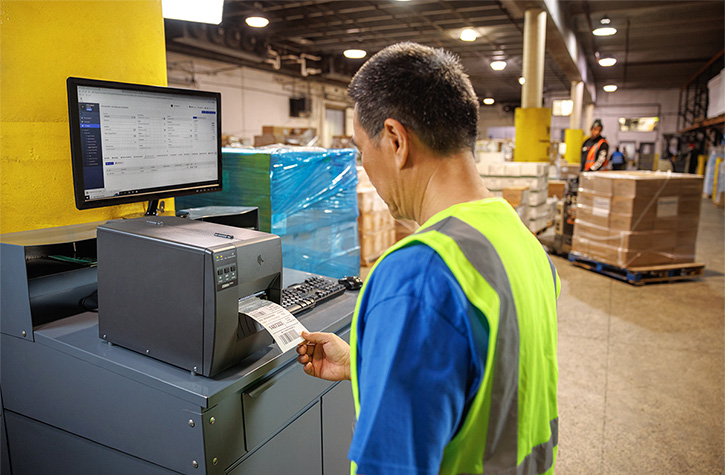
Now it’s time to tell your printer what kind of labels you’re using.
Inside Zebra Setup Utilities, you’ll find options to configure:
- Label size and orientation
- Print darkness and speed
- Media type: continuous vs. gap
Important: If using ZPL label printing configuration, ensure your label format code matches your label size and type. Incorrect ZPL commands can cause skewed output.
For best results, print a test label and check:
- Are the labels centered?
- Is the print sharp?
- Are labels advancing properly?
If not, revisit your settings before moving forward.
Connecting to Shipping Software or Labeling Platforms
Your Zebra printer can integrate with nearly every major platform in e-commerce, retail, and logistics.
Compatible platforms include:
- Shopify
- Amazon Seller Central
- ShipStation
- FedEx Ship Manager
- UPS WorldShip
For professional labeling, tools like BarTender or NiceLabel let you design and manage labels at scale. These programs also support Zebra printers out of the box.
In enterprise settings, you might opt for API or network printing via a Zebra print server or cloud-based system.
Once connected, perform a print test from your chosen platform to verify formatting and label output.
Troubleshooting Common Issues
Even with a perfect setup, hiccups can happen. Here’s how to fix the most common ones.
Label Jams
Check for obstructions inside the media path. Power off the printer before removing jammed labels.
Faded prints
Usually caused by low darkness settings or worn ribbon. Try increasing print darkness or replacing the ribbon.
Connectivity issues
If the printer isn’t detected, reinstall the driver and check the USB/Ethernet cable. Confirm the port is enabled in Zebra Setup Utilities. Sometimes, network security settings such as firewalls or security software can block printer connections, so check these settings to ensure access is not restricted.
Misaligned labels or ghost printing
Run another calibration or adjust label size settings. Ghost printing can also mean the printhead is dirty or worn.
If issues persist after troubleshooting, Learn how Levata Repair Services for Barcodes Inc. can help. Be sure to include any error messages or a trace id if available, as this information can help diagnose and resolve the problem more efficiently.
Maintenance Tips for Long-Term Efficiency
Routine care keeps your printer running like new. Here’s what to focus on:
- Clean the printhead every time you replace a roll of labels or ribbon. Use Zebra cleaning supplies to safely remove residue.
- Replace worn parts like the platen roller when labels start to slip or print quality degrades.
- Perform Zebra firmware updates regularly to ensure compatibility with new software and devices.
You can check for updates and install them using Zebra Setup Utilities or by visiting Zebra’s firmware page.
Advanced Setup Tips: Take It to the Next Level
Ready to go beyond the basics? These pro tips help you scale your labeling operations.
Batch printing: Configure bulk printing settings within ZebraDesigner or your shipping software. Make sure your PC’s spooler settings support large jobs. You can also use the send feature to transfer configuration files or batch templates directly to the printer, making it easier to update settings in the field.
Custom templates: Use ZebraDesigner or BarTender to create templates for recurring labels, like SKUs, barcodes, or QR codes. When managing templates, consider making configuration changes based on specific conditions, such as adjusting security or performance settings for different environments.
Wireless setup: If your printer supports it, configure Wi-Fi or Bluetooth via the control panel or Zebra Setup Utilities. For Bluetooth models, pair the device with your PC or tablet, then select it as the default printer.
For advanced integration, developers can use API access or developer tokens to authenticate, manage, and troubleshoot Zebra printer configurations. This allows for automated changes and monitoring under various conditions, streamlining complex deployments.
FAQs
How do I install Zebra Setup Utilities and drivers?
Visit Barcodes Inc Zebra Drivers & Support, download the software for your model, and follow the install wizard prompts.
What’s the best way to load media and ribbon in a Zebra printer?
Direct thermal printers require only labels. Thermal transfer models need both labels and a ribbon, load the ribbon above the printhead and ensure smooth feeding.
How do I calibrate my Zebra thermal printer for label accuracy?
Hold the feed button until the light flashes twice, or run calibration through Zebra Setup Utilities.
Why isn’t my Zebra printer showing up after I plug it in?
Check the USB or Ethernet connection, reinstall the drivers, and make sure your OS recognizes the printer in Device Manager or Print Settings.
How can I connect my Zebra printer via USB, Ethernet, or Bluetooth?
Use Zebra Setup Utilities to select your preferred connection type and follow the setup steps. Bluetooth models may require pairing through your device’s Bluetooth settings.
How often should I clean my printhead for fast, efficient labeling?
Clean the printhead every time you change labels or ribbons to maintain crisp print quality and avoid misprints.
Conclusion: Set It Up Right, Label Smarter
Setting up your Zebra thermal printer correctly makes a huge difference. You’ll print faster, waste fewer labels, and avoid the pain of mid-shift troubleshooting.
From software installs to calibration and maintenance, every step contributes to a smooth labeling experience. Remember to revisit the basics, use the right supplies, run auto-calibration regularly, and update your firmware. Need more help? Reach out to Barcodes Inc for expert guidance.
Strengthening Manufacturing Security with WAVE ID® Authentication
The foundation of secure manufacturing starts at the endpoint. As production environments become more connected and digital technologies extend across the factory floor, manufacturers must balance strong access control with uninterrupted operations.
Cyberattacks targeting manufacturers are not just increasing — they are accelerating. Recent industry research shows attacks against manufacturing rose 105% in the first half of 2024 compared to 2023, with the sector accounting for roughly 41% of all reported cyber incidents during that period. Manufacturing has now ranked as the most attacked industry for multiple consecutive years, and its share of global cyberattacks has more than doubled since 2018. Nearly half of manufacturers report experiencing a breach. Why? Because cybercriminals know of a significant weakness : manufacturers cannot afford downtime.
The Hidden Cost of Weak Credentials
Several key vulnerabilities continue to put manufacturing operations at risk:
- Compromised credentials account for nearly 80% of hacking incidents.
- 44% of manufacturers have proprietary information accessible to all employees.
- Unplanned downtime costs the industry approximately $50 billion annually.
Passwords are at the center of this problem. They are reused, shared, written down, and frequently reset. In environments with shared workstations—such as HMIs, PLCs, and SCADA systems—employees may log in and out dozens of times per shift. The result is wasted time, increased frustration, and heightened cybersecurity risk.
To eliminate this vulnerability, manufacturers are turning to passwordless authentication solutions like WAVE ID® from rf IDEAS.
Passwordless Access Built for the Production Floor
WAVE ID® readers empower authorized employees with secure, tap-and-go authentication using their existing physical access badges—or even smartphone-based credentials. Instead of typing usernames and passwords, employees simply present their credential to log in.
This touchless, hardware-based authentication supports:
- Single sign-on (SSO)
- Multi-factor authentication (MFA)
- Logical access control across shared workstations and industrial systems
By leveraging nearly any existing physical access credential worldwide, WAVE ID® enables secure logical access anywhere in the plant—without requiring new badge deployments.
The impact is immediate:
- No more shared passwords
- No more open workstations
- No more wasted time resetting credentials
Secure Every Endpoint Across the Plant
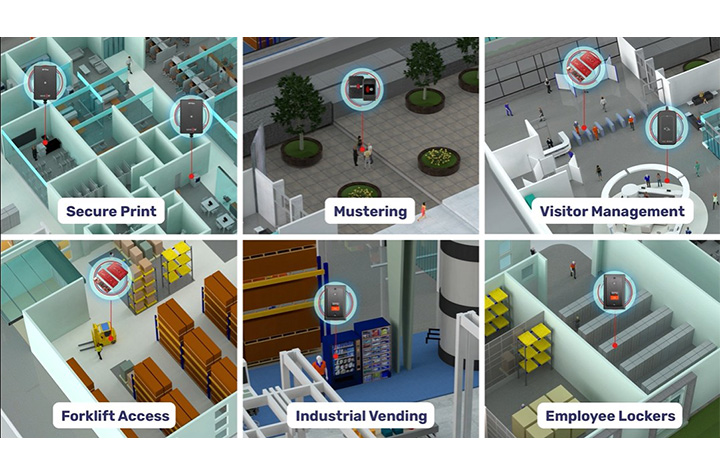
Manufacturing environments are complex ecosystems of connected devices and systems. WAVE ID® readers fit into existing workflows and processes for a variety or application uses, as well as bringing added value to device authentication with OEM integrations. Examples include:
- Human Machine Interfaces (HMIs)
- Programmable Logic Controllers (PLCs)
- SCADA systems
- Shared workstations
- Multi-function printers
- POS systems
- Industrial vending
- Time clocks
- Lobby turnstiles and parking garages
- Forklifts and tool crib dispensing systems
The readers are engineered to withstand demanding industrial environments while maintaining reliability and performance.
Boost Productivity While Strengthening Security
Manufacturers often hesitate to introduce new security measures for fear of slowing production. WAVE ID® eliminates that trade-off.
Constantly re-entering passwords at shared stations wastes valuable production time. With tap-and-go authentication, operators can securely access systems in seconds. The streamlined sign-on process reduces administrative burden and minimizes human error, allowing employees to focus on throughput rather than IT tasks.
Nearly all existing manufacturing systems are compatible with WAVE ID® readers, and the platform supports common protocols such as USB, RS232 ASCII, Ethernet/IP, Modbus, and PROFINET. With desktop, surface-mount, and embedded form factors available, deployment is flexible across facilities.
Compliance, Safety, and Accountability
Regulatory requirements continue to evolve, from OSHA safety mandates to GDPR data protections and expanding MFA standards. Maintaining compliance across a large workforce—especially in multi-shift operations—can be difficult when relying on passwords.
Integrating WAVE ID® readers into your manufacturing facility helps to increase workflow efficiency and strengthen regulator compliance by:
- Providing secure, auditable authentication records
- Restricting access to sensitive areas and systems
- Enhancing workforce accountability
- Supporting multi-factor authentication initiatives
One Technology. Endless Manufacturing Possibilities.
Manufacturing’s low tolerance for downtime makes it uniquely vulnerable to ransomware, phishing, IP theft, supply chain attacks, and equipment sabotage. The most effective way to reduce risk is to eliminate the greatest vulnerability: manually entered passwords.
By implementing WAVE ID® authentication across endpoints—PLCs, clean rooms, secure printers, tool cribs, and production workstations—manufacturers can:
- Fortify operations against cyberthreats
- Reduce unplanned downtime
- Protect proprietary data
- Improve workforce efficiency
- Maintain compliance and safety standards
Trust begins with knowing exactly who is accessing your systems. With WAVE ID® from rf IDEAS, manufacturers gain secure, seamless authentication that enhances both cybersecurity and operational performance—without sacrificing productivity.
On the factory floor, delays add up quickly. Passwordless authentication removes friction from system access, turning security into an operational advantage rather than a bottleneck.
Contact Barcodes, Inc. today to learn how to start implementing secure access that counters modern security risks.
Streamlining Shipping: How RFID and Zebra Printers Can Help
Shipping is more than just moving boxes, it’s the backbone of modern logistics and a vital link in the global supply chain. Every label, every scan, every shipment reflects how well a business meets customer expectations and maintains operational efficiency.
But anyone who’s managed shipping operations knows how quickly things can go wrong. A single mislabeled box or missing scan can throw off entire warehouse operations and impact customer satisfaction.
That’s why more businesses are embracing RFID technology and Zebra printers to transform how goods move.
Together, they streamline operations, reduce human error, and enable real-time tracking, creating a smarter, faster, and more accurate way to manage inventory and ensure compliance with shipping standards.
Why Shipping Is a Critical Area for Supply Chain Optimization
Shipping is often the most demanding part of the supply chain, where timing, accuracy, and cost savings all collide. From labeling pallets to verifying loads, manual processes leave plenty of room for mistakes. When employees rely solely on barcode scanners and traditional barcodes, every scan takes time and time is money.
These inefficiencies can lead to delayed order fulfillment, incorrect items being shipped, or stock being stored incorrectly. The result? Wasted labor, reduced productivity, and lost customer loyalty. By integrating RFID systems into warehouse operations, businesses gain enhanced visibility, faster data capture, and automated verification at every dock door.
RFID-driven automation tools use radio frequency identification to read and transmit data from RFID tags without needing a direct line of sight.
This means hundreds of tagged items can be read in seconds, allowing distribution centers to move large volumes quickly while maintaining accuracy. In today’s competitive landscape, that speed translates directly to higher customer satisfaction and stronger brand integrity.
What Is RFID Technology and How Does It Differ from Traditional Barcode Labels
RFID or Radio Frequency Identification, represents a leap forward from barcode technology. Instead of relying on printed lines or visible scans, RFID tags store and transmit data wirelessly through radio waves.
Each RFID tag contains a microchip and antenna that communicate with an RFID reader to send real-time data about a product’s identity, location, or condition.
Unlike barcodes that require line-of-sight scanning, RFID can read multiple codes at once. This provides distinct advantages in tracking shipments, improving inventory accuracy, and maintaining optimal stock levels.
There are three main frequency types, LF RFID (low frequency), HF RFID (high frequency), and UHF RFID (ultra-high frequency), each offering different read ranges and performance characteristics based on environmental conditions and durability requirements.
RFID technology isn’t limited to shipping; it’s also used for receiving, asset tracking, inventory management, cycle counting, access control, animal tracking, and quality control. In logistics, though, its biggest benefit lies in enhanced visibility and automation.
With real-time insights into inventory levels and shipment status, businesses aiming to improve decision-making can achieve measurable efficiency gains across their entire supply chain.
Types of RFID Systems
RFID systems come in several types, each tailored to specific operational needs and environments within the supply chain. The most common categories are Low Frequency (LF), High Frequency (HF), Ultra-High Frequency (UHF), and Microwave RFID systems.
LF RFID systems operate at frequencies below 134.2 kHz and are well-suited for applications like animal tracking and access control, where short-range, reliable data capture is essential. These systems are valued for their ability to function in challenging environments, such as those with metal or water, making them ideal for tracking livestock or managing secure facility entry.
HF RFID systems, operating around 13.56 MHz, are commonly used in applications requiring moderate read ranges and high data security, such as smart cards, ticketing, and library systems. Their high frequency allows for efficient tracking and data exchange in environments where precise identification is critical.
UHF RFID systems, which function between 860 MHz and 960 MHz, are the backbone of modern logistics, inventory tracking, and supply chain management. Their longer read range and faster data transfer rates make them perfect for tracking large volumes of inventory, managing warehouse operations, and streamlining logistics processes.
Microwave RFID systems, operating above 2.4 GHz, are used in specialized applications that demand high-speed data transfer and long-range tracking, such as toll collection and certain industrial automation scenarios.
By selecting the right RFID system for your business, whether for inventory management, animal tracking, access control, or large-scale logistics, companies can ensure optimal tracking, data accuracy, and operational efficiency across their supply chain.
RFID Tags and Labels
RFID tags and RFID labels are the foundation of any RFID system, enabling seamless inventory management, real-time tracking, and efficient data capture throughout the supply chain.
Each RFID tag consists of a microchip and an antenna, allowing it to receive and transmit data via radio waves to an RFID reader. This wireless communication means that tagged items can be identified and tracked without direct line of sight, unlike traditional barcodes.
RFID labels integrate this technology into adhesive packaging materials, making it easy to apply them to products, pallets, or containers. Both RFID tags and labels offer distinct advantages, such as the ability to store more product data, support real-time tracking, and withstand various environmental conditions.
This leads to improved inventory accuracy, faster order fulfillment, and better decision-making for businesses.
There are several form factors available: passive tags, which are powered by the RFID reader’s signal and are cost-effective for large-scale inventory tracking; active tags, which have their own power source for longer read ranges and are ideal for high-value asset tracking; and semi-active (or battery-assisted passive) tags, which combine the benefits of both.
By choosing the right type of RFID tag or label for your operational needs, you can enhance supply chain visibility, reduce errors, and ensure products are stored and shipped correctly.
How Zebra Printers Power RFID Shipping Solutions
Zebra Technologies offers a full lineup of RFID printers designed for modern shipping operations. These printers combine thermal printing with integrated RFID encoding, producing shipping labels that can be read and verified instantly. Whether you’re printing in an office or across an industrial warehouse, Zebra’s range ensures high-quality output and consistent performance.
Zebra’s leading models include:
- Zebra ZQ630 Plus RFID Mobile Printer – ideal for mobile label printing where flexibility and real-time visibility are essential.
- Zebra ZT421R Industrial Label Printer – a versatile printer with flexible label size and print resolution recently replaced by the popular Zebra RZ600 RFID Printer.
- Zebra ZT411R RFID Industrial Printer – a smart printer that balances encoding speed, read range, and precision.
- Zebra ZT610R RFID Printer – built for heavy-duty environments and high-volume workflows.
- Zebra ZD621R RFID Desktop Printer – compact and efficient for light-duty label production.
Each printer simplifies the process of printing, encoding, and verifying RFID tags in one step. Businesses benefit from faster cycle times, reduced labeling errors, and better real-time tracking of products as they move through the supply chain.
How RFID and Zebra Printing Streamline Shipping Workflows
RFID-enabled Zebra printers help businesses streamline operations from label creation to delivery. Labels are printed and encoded simultaneously, ensuring each shipping label carries accurate product data and RFID encoding. As packages pass through dock door portals, RFID readers automatically validate them, verifying that the correct items are loaded and shipped.
Because these printers integrate easily with ERP, WMS, and TMS systems, companies gain real-time visibility into every shipment. This eliminates manual verification and allows for automatic updates on inventory levels, helping teams maintain optimal stock levels and ensure compliance with regulatory requirements.
The combination of RFID printers, scanners, and management software provides a complete ecosystem that enhances operational needs. RFID scanners can efficiently read multiple RFID tags simultaneously without requiring line of sight, which is especially advantageous for high-volume inventory management and operational efficiency. With fewer time-consuming tasks and better data accuracy, warehouse operations run more efficiently, minimizing delays and reducing errors.
Dock Door Scanning Solutions
Dock door scanning solutions are a game-changer for shipping operations, providing automation tools that streamline operations and minimize human error at one of the most critical points in the supply chain.
By deploying RFID readers, barcode scanners, or vision-based technologies at dock doors, businesses can automatically capture data from packages, pallets, or containers as they move in and out of the warehouse.
These solutions deliver real-time visibility into inventory levels, ensuring that every shipment is tracked accurately and that inventory is updated instantly. This not only supports regulatory compliance and quality control but also helps maintain optimal stock levels and enhances customer satisfaction by reducing shipping errors and delays.
Dock door scanning solutions integrate seamlessly with warehouse management systems and other enterprise software, enabling better decision making and providing a competitive edge.
They can be customized to fit specific operational needs, whether you require high-speed RFID readers for large volumes, barcode scanners for mixed shipments, or automation tools to further reduce manual intervention. By leveraging these technologies, businesses can boost efficiency, ensure compliance, and deliver the correct items to customers, every time.
Implementation Considerations and Best Practices for Success
Adopting RFID technology starts with thoughtful planning. Businesses must assess environmental conditions, select the right RFID tags and packaging materials, and ensure their systems support high-frequency or ultra-high-frequency RFID as needed.
It is also crucial to choose the appropriate form factor for RFID tags, considering size, shape, mounting options, and the specific application environment, to ensure optimal functionality and seamless integration within different industries and operational requirements.
A solid setup includes strategically placed RFID readers at critical points, such as conveyor belts, storage areas, and dock doors- to maximize read range and ensure complete coverage. Zebra’s RFID printers, combined with software tools like Print DNA and Link-OS, make it easier to monitor performance, conduct quality control, and ensure every encoded tag meets compliance standards.
Training is another critical component. Teams need to understand how to calibrate printers, verify data accuracy, and troubleshoot common issues. Barcodes, Inc. supports these efforts by simplifying maintenance through device lifecycle services that include help desk support, RMA management, repair service, Advanced Exchange replacements during repair, and decommissioning services.
Measuring Success: Key Metrics and ROI Benchmarks
The effectiveness of RFID systems can be measured using clear performance indicators. Businesses can track shipment accuracy, label verification rates, and overall throughput. These metrics demonstrate how RFID improves efficiency and drives cost savings over time.
Quantifiable results include fewer mis-shipments, faster order fulfillment, and lower rework costs. RFID technology also enhances decision-making through access to real-time data and analytics, giving teams the confidence to optimize workflows and allocate resources effectively.
By integrating RFID with inventory management systems, companies gain improved supply chain visibility and better control over inventory accuracy. These outcomes not only streamline operations but also strengthen long-term customer satisfaction.
Challenges and How Zebra RFID Printers Help Overcome Them
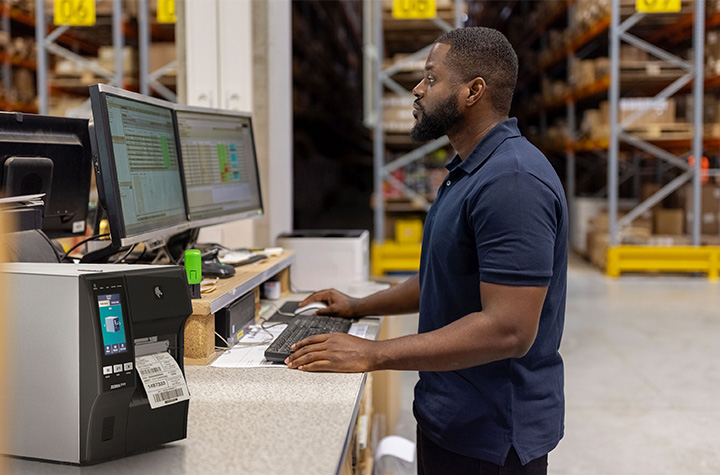
Like any new system, RFID implementations can face obstacles, from signal interference to complex network integration. Zebra printers help businesses overcome these challenges through precise encoding, adaptive calibration, and rugged form factors built to perform in tough environments.
Their reliability under demanding warehouse operations ensures that RFID tags are read correctly even when exposed to harsh environmental conditions or dense product data. Barcodes, Inc. professional services and automation tools also help ensure compliance and maintain smooth operations from day one.
By minimizing downtime and maintaining consistency, Barcodes, Inc. provides a competitive edge for businesses aiming to increase productivity without compromising accuracy.
Future Trends: What’s Next for RFID in Shipping?
As RFID technology evolves, it’s merging with IoT and AI to create smarter, self-learning logistics systems. Autonomous mobile robots now use RFID-tagged pallets to navigate warehouses, while predictive maintenance tools analyze printer data to anticipate servicing needs before breakdowns occur.
Future innovations will further enhance real-time insights, allowing businesses to monitor inventory and shipments anywhere in the world. RFID printers will continue to improve encoding speed, data capture accuracy, and system connectivity, paving the way for end-to-end visibility across the entire supply chain.
Real-World RFID Case Study
A leading distribution center processing large volumes of shipments recently implemented Zebra ZT411R RFID printers. Before the rollout, the facility struggled with time-consuming manual barcode checks, mis-shipments, and inconsistent inventory management.
After the transition, shipping operations improved dramatically. RFID labels were printed and encoded in one step, dock doors validated pallets automatically, and real-time data flowed directly into warehouse management systems. The outcomes were clear:
- Labeling errors dropped by 90%
- Order fulfillment time decreased by 40%
- Throughput improved by 25%
The organization quickly realized significant cost savings and improved decision-making, setting a new standard for efficiency in modern logistics.
FAQs
What does “Streamlining Shipping: How RFID and Zebra Printers Can Help” mean in practice?
It refers to using RFID-enabled Zebra printers to automate shipping workflows, improve tracking, and reduce human error in logistics and warehouse operations.
Can Zebra RFID printers print and encode in one step?
Yes, Zebra RFID printers can print and encode RFID tags simultaneously, saving time and improving accuracy in shipping operations.
Which Zebra printers work best for logistics environments?
Industrial models like the ZT411R and ZT610R are built for demanding warehouse environments and high-volume operations.
How does RFID speed up shipping versus barcodes?
RFID technology allows multiple RFID tags to be read at once, without direct line-of-sight scanning, significantly increasing speed and efficiency compared to traditional barcodes.
What challenges occur when integrating RFID printers?
Common challenges include ensuring proper tag placement, managing read range accuracy, and integrating RFID systems with existing ERP or WMS platforms.
What ROI can businesses expect from Zebra RFID solutions?
Businesses often experience measurable cost savings within months, through faster order fulfillment, fewer errors, and reduced labor costs.
Can older Zebra printers be upgraded for RFID?
Some Zebra printer models can be upgraded with RFID modules, while others can be replaced with RFID-capable printers for modernized workflows.
How do Zebra RFID printers connect with warehouse systems?
They integrate easily with existing systems using Zebra’s Print DNA and Link-OS software, ensuring real-time data exchange and smooth connectivity.
What are the best practices for deploying RFID-enabled printing in shipping zones?
Plan infrastructure placement carefully, choose suitable RFID tags and packaging materials, train your team, and use Zebra’s management tools to ensure long-term success.
Conclusion: Moving Toward Smarter, Faster Shipping
Streamlining shipping: how RFID and Zebra printers can help is more than a topic, it’s a roadmap for operational transformation. By combining RFID printers, scanners, and management software, Zebra gives businesses the tools to improve real-time tracking, inventory accuracy, and overall supply chain visibility.
For companies ready to modernize their shipping operations, starting small is key. Pilot RFID in one area, refine your process, and then scale with confidence. Discover the full range of Zebra RFID Printers and Shipping Label Printers at Barcodes Inc to take your logistics strategy and customer satisfaction to the next level.