

Barcoding News
Data tracking news, product updates, tips, and more
From Field to Store with Zebra’s ZT400 Series

With the PTI, Produce Traceability Initiative, produce supply chains need to use an electronic traceability system to validate and trace products that are being delivered to each store. Find out how you can drive efficiency, value, and freshness with Zebra’s ZT400 Series.
 Let’s follow a lemon from field to store.
- Lemons are picked from field and packed into cases
- Cases needs to be assigned a label to be note what location it came from the field
- These cases are sent to a warehouse to be inspected for quality control
- Repack into boxes that needs to be label with the pack, harvest, and best by dates
- Boxes of lemons are stacked into a pallet labeled with a container code label
- Container codes allow distributors to scan the barcode to find out the lot and GTIN code
- After orders are placed for the produce, distributors can scan and print shipping labels to be delivered to each store.
From the field to packing in a warehouse, it is important to have the labels with the codes printed quick and precise. The ZT400 Series can meet the high label printing needs with ease and increase efficiency down a supply chain line.
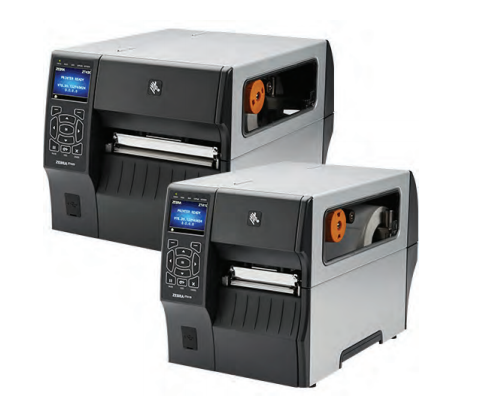 Fast and reliable, the ZT410 (4 inch print width) where the ZT420 (6 inch) and both offers up to a high resolution of printing for any size labels.
Both Feature:
- Ethernet, USB, and Bluetooth with optional Wi-Fi addition
- Handles wide range of media
- Dual USB port for added flexibility
- Intuitive icon-based interface with an optional LCD screen to show any alerts
- Easy media and ribbon loading
- Rugged durability for demanding applications
It delivers advancements in print speed, connectivity options, management, and support tools that can drive efficiency, value, and savings.
Get your supply chain in compliance with PTI and Zebra’s ZT400! You can decrease downtime, mapping errors, and costly logistical mistakes! Contact us if you have any questions or would like to learn more about how the ZT400 can help you in your daily operations.
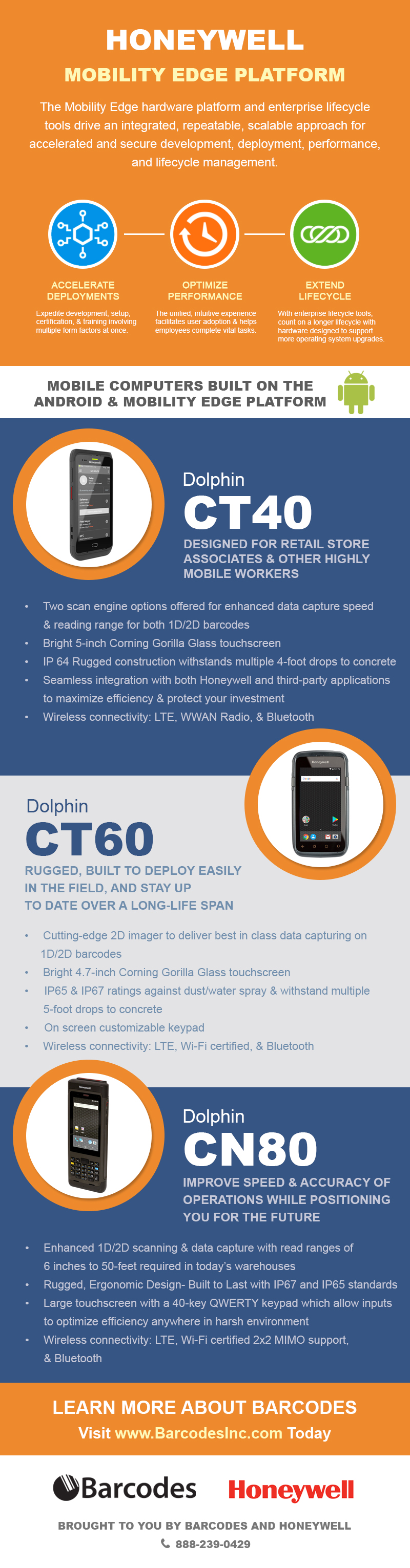
Migrate Onto Honeywell’s Mobility Edge Platform
Juggling multiple devices across the enterprise can costs time and money for enterprise IT to manage and maintain. Introducing Honeywell’s Mobility Edge devices. It release the constraints around integration and inflexible technologies. Migrate to Android and get the performance and future- proofing you need.
Learn how the mobile computers that are built on the Android and Mobility Edge Platform can help you accelerate deployments, optimize performance, and extend lifecycle on supported device.
Come Join Us for the Extreme Networks FREE Webinar!
Are you interested in learning the advantages and the value of securing your IoT using Network Automation? Come join us for the Extreme Networks webinar that we are hosting on October 23!
Securing the IoT through Automation & Intelligent Network with Extreme NetworksÂ
Tuesday, October 23 from 11-11:30 AM CST
Presented by: Tom Cantanese, Senior System Engineer

We will discuss how Extreme’s wired and wireless solutions can secure your systems, applications, and users to ensure maximum protection at your facility.
You will learn:
- How Network Automation reduces IT network administration and improves operational efficiency
- How Network Automation can help secure company intellectual property, devices, and staff
 How Extreme Smart Edge Solutions accelerates enterprise digital transformation with an intelligent, adaptable, and secure solution that provides a consistent customer driven experience
Register now here for a chance to win a $25 Amazon gift card! The winner will be announced at the end of the webinar.
We hope to see you there!
P.S. If you cannot attend the live webinar, be sure to register anyways and we’ll send you the recording and slides afterwards!
Maximize Your Warehouse Operations with Janam’s XG200
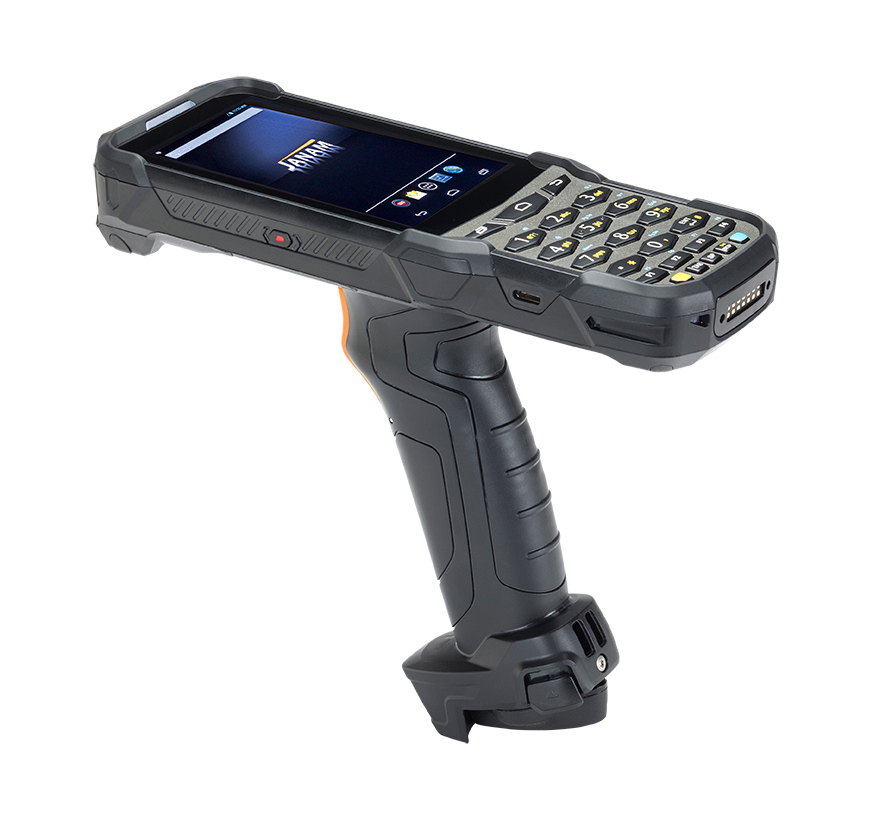 The new Janam’s XG200 is optimized to outperform the daily tasks in warehouses, distribution centers, loading docks, and logistic centers. The rugged, gun-shaped mobile computer can maximize your warehouse operations with its industry- leading design, super-fast processing speed and superior barcode scanning technology. The XG200 can increase mobile worker’s productivity by more than 25 %!
Extraordinary Features includes:
- Android OS 7 with Google Mobile Service
- 4.3- inch touch screen with Gorilla Glass 3
- Rugged design to withstand 5 foot/ 1.5 M drops
- Sealed to IP65 standard for protection against water and dust
- Top of the class 1D/2D barcode scanning
- Wi-Fi and Bluetooth connection
- Equipped with 6300mAh rechargeable and removable battery
In addition to the superior features, the XG200 also have a variety of accessories to pair with to keep your mobile solution running for as long as you need. The Janam XG200 is ideal for a scan-intensive, extended shift use in demanding environments with all the right features and the right price.
Take advantage on our promotion and shop now, Barcodes is offering FREE 2- Day Shipping on all orders on Barcodesinc.com with promo code FREESHIP!Â
Contact us if you have want any more information regarding the Janam XG200 or need a warehouse solution and we will be happy to help.
*Enjoy Free 2-Day Shipping on all orders on Barcodesinc.com. Offer valid in the US only. This offer is not valid on international orders. Offer cannot be used with other discounts or promotions. Offer expires on October 5, 2018 at 11:59 pm CST.
Janam’s XT2 Brings High Performance to CJ Pony Parts
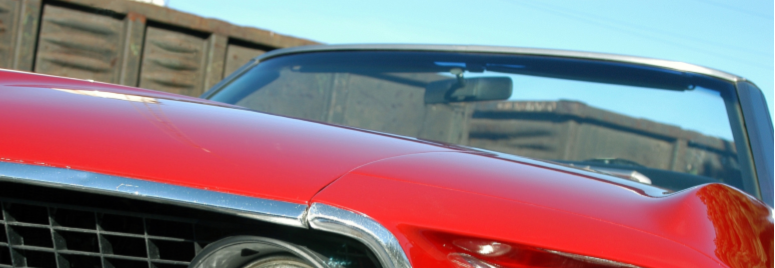
CJ Pony Parts is one of the oldest Mustang parts retailers in the world. Founded in 1985 to friends with a passion for classic Ford mustangs, the company began by stocking and selling parts for every Mustang model since Pony Car was introduced in 1964. With more than 63,000 square feet of warehouse space across three facilities, CJ Pony Parts houses more than 50,000 parts and accessories.
With so many parts over the four warehouses, the challenge was to find a newer and more intuitive rugged barcode scanner for their daily operation to improve productivity and increase efficiency. With 60 XT2 mobile computers deployed throughout their four facilities, the devices were quickly adapted by their workforce to increase productivity and improved customer service. Click to read the following case study to see how Barcodes recommended the Janam’s XT2 Rugged touch mobile computer to CJ’s Pony Parts and successfully implemented the devices to provide visibility across all its warehouse operations.


Brother’s Next Gen 4 Inch Mobile Printer is Here!
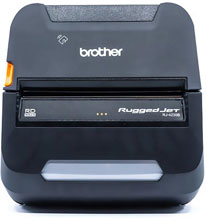
The Brother‘s Next Gen 4 inch mobile printer is here! The RuggedJet RJ-4230BL mobile label and receipt printer is raising industry standard with these key features.
Compact– Small and light enough for field workers to carry a whole shift
Rugged– Ultra rugged construction for a 6.88 ft drop protection
Powerful– Extraordinary speed of up to 5ips (inches per second)
Easy to use– Simple label/ receipt paper loading, pairing, and remote updates with free Mobile Deploy app
Smart Li-ion Battery– Leading battery life with real time battery status indicator
Connectivity– Able to pair up to devices with Wi-Fi or Bluetooth
This small mobile printer is perfect for leading industries in public safety, field services, route accounting, warehouse, and transportation. Workers will be able to print 4 inch labels, tags, invoices, quotes, receipts, and more on the spot straight from your mobile device. The RuggedJet 4 mobile printers have the reliability that all your job needs, with optional accessories such as extra batteries, shoulder straps, belt clip, vehicle mount, in-vehicle DC adapter, and a 4 bay battery charger to keep your business running on the go!
Contact us to see how we can tailor a solution to make your mobile workforce more productive with the Brother’s RJ-4230BL mobile printer.
Watch the video below to see it in action!
Which Toughbook Should I Buy? The Buyer’s Guide
A few tips on choosing a toughbook that’s right for the job,Â
- Determine where the toughbook is going to be used
- Seek the durability and size that you need
- Understand what operating system you need to work with (most software requires Windows)
- Any custom configuration (memory, mobile broadband, gps, barcode readers, webcam, fingerprint authentication)
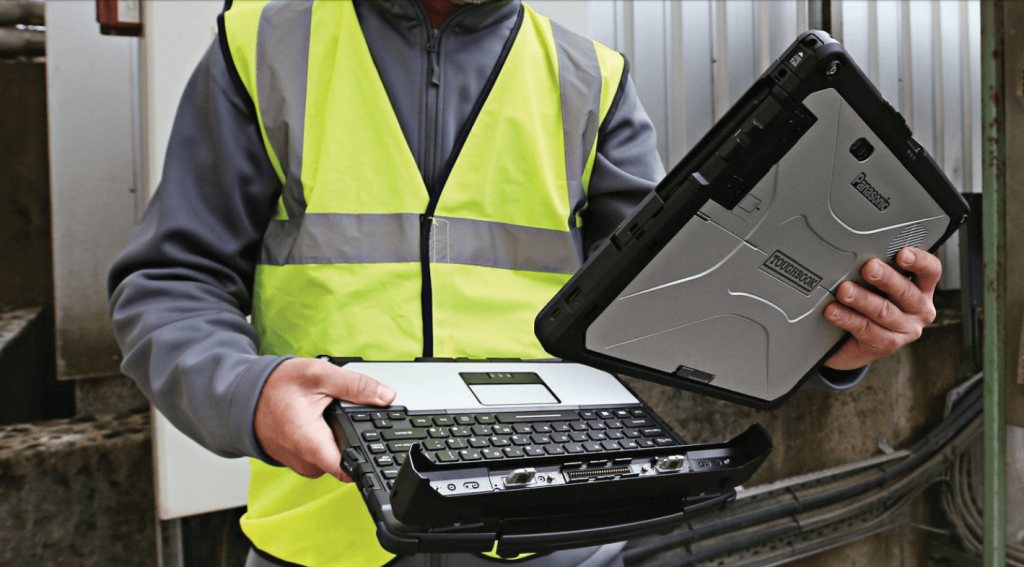
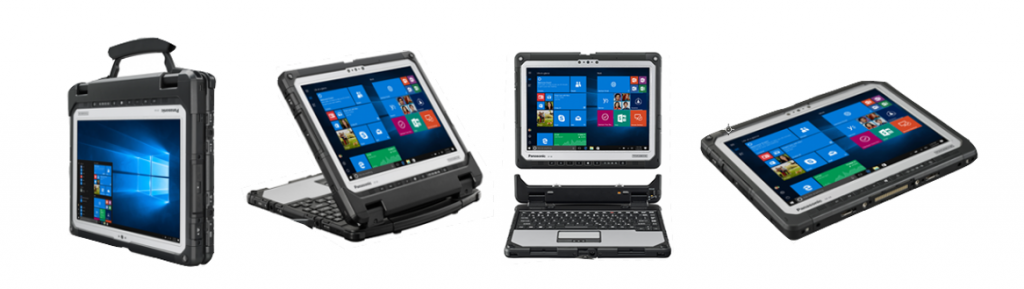
Here is why we recommend the Panasonic Toughbook 33, because no matter what your need might be this 2-in-1 Toughbook is can outperform your task on the field. With a detachable screen and hot-swappable battery, you can take this anywhere. Hello Maximum Mobility! Give the workers what they need to complete their task with ease to increase productivity and efficiency for your daily operation.
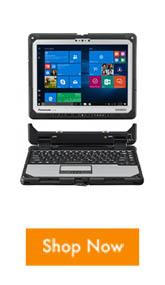
- 2-in-1 laptop or tablet mode, foldable and detachable
- Windows 10 Pro or Windows 7 Pro downgrade
- Ultimate Endurance with 12″ display designed for dust and dirt resistance
- Optional Mobile Broadband Carrier with Satellite GPS, Insertable and Contactless Smartcard readers
- IP65 certified with rain/glove mode to be used in weather demanding conditions and with gloves
- 4-foot drop rating
- 10-point multi touch screen
- Hot-swappable battery that lasts for up to 10(standard)-20(long life) battery
- A large line of accessories that keeps the Toughbook charged and strapped
The best part of it all is that each Toughbook is customizable, whether a feature is needed or not you can choose one that’s right for you and your price point. The value of a Toughbook is a function of the price, these rugged and durable computers are made to last for years. The Toughbook 33 provides reliability, longevity, and value to your daily tasks. It is engineered to equip the extraordinary.
Contact us if you like to learn about the configurable part that you need or check out other Panasonic Toughbooks for your daily operations. We can help you find the solution, stage what you need, and even provide services to keep your equipment up and working for long periods to come.
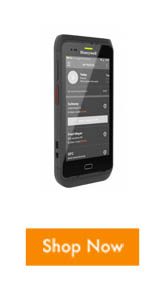
Provide a Better In-Store Experience with the Dolphin CT40
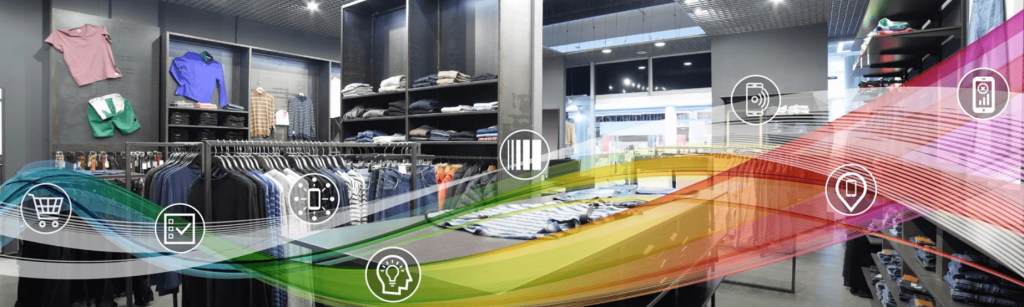
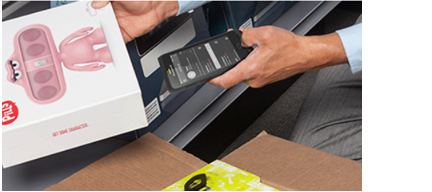
Retailers today need to improve customer experience for consumers to have a better in store experience. Bring your team the tools they need to reclaim your in- store advantage for a more personal connection than e-commerce sites. Provide a Better In-Store Experience with Dolphin CT40. This device is designed for retail store associates and other highly mobile workers to create a seamless and engaging shopping experience. Along with the Honeywell’s Mobility Edge platform, it also offers an extended product lifecycle that is upgradable across five generations of Android which maximizes the return on investment for the device.
With an Android operating system and equipped with the Mobility Edge platform. This sleek and enterprise-class full- touch device is the best in class for retail, inventory management, in-store merchandising, order picking, and delivery.
 Features:
- Future- Proof- Android Enterprise Recommended
- Long battery life and light-weight to increase productivity
- Easy Compatibility
- Advanced Data Capture Scanning
- Mobility Edge- accelerate deployments, optimize device, simplify maintenance, and extend product lifecycle
Contact us to learn how to turn the tide with the CT40. Talk to our professional team to see how we can bring together the hardware, software, and support services you need that can bring you closer to the consumer and provide immediate satisfaction.
ICYMI: Zebra LTE Migration

Are you prepared for the switch?
Verizon has formally announced that their support for 2G and 3G will end on December 31st, 2019; after which they will begin dismantling the two networks.
With Verizon no longer activating Non-LTE devices after June 2018, and re-purposing its assets for LTE, this will present a problem for current devices on cellular coverage. Industry experts feel, in addition to Verizon, other network carriers will soon make their own announcements regarding the 2G and 3G networks.
In the informative webinar you’ll learn more about this industry-impacting transition and the benefits of moving to 4G. Further, Zebra Technologies and Barcodes Inc can help you create an individualized plan for the inevitable LTE Migration.
The POS Receipt Printer that’s Right for Your Shop
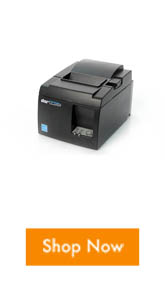
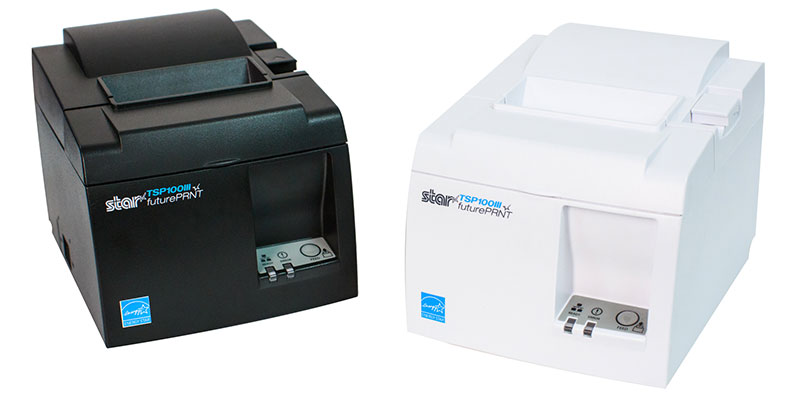 The new and improve TSP100III series printer is the POS receipt printer that’s right for your shop. With WLAN, LAN, Bluetooth, or USB interface connection for an easy to use and ready to go installation. The TSP100III also known as TSP143 III model includes a special feature that allows printer communication and tablet charging, that removes clutter from any workspace. This new feature lets you use one wire for two jobs.
Here’s the breakdown: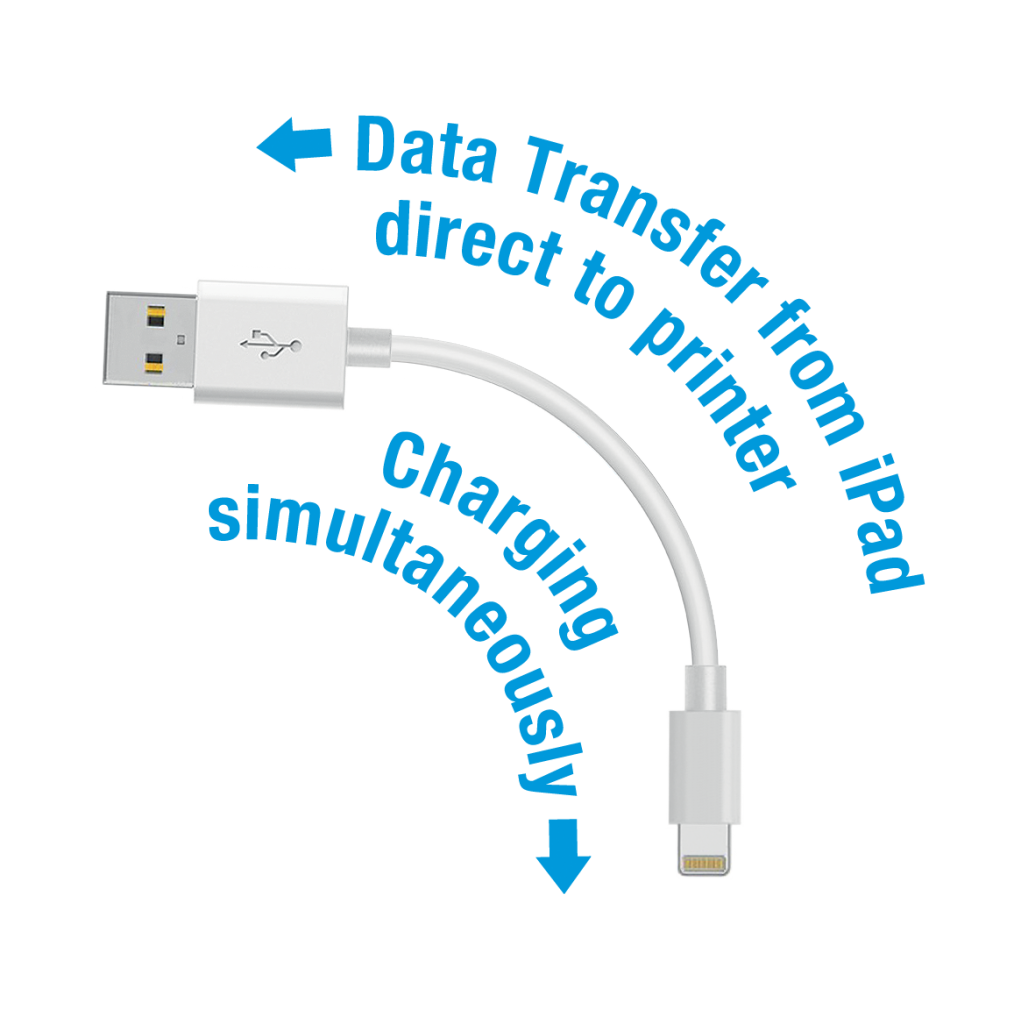
- High-Speed Printing- prints fast receipt for quick checkout
- Easy Set up
- Drop in and Print with decurl function
- Lightning connection for charging and data transfer- declutter your workspace
- Guillotine Auto-cutter
- Star’s All Receipts app Allows users to print from web based applications and
digitally store your reciepts
The TSP 143III is the faster, easier, and better POS printing solution, combined with its powerful futurePRNT software, users can enhance the looks of their printed receipts to add logos or coupons to build brand loyalty and much more!
Universal with most POS systems feel free to contact our professional team to learn more and find out which model and connection is right for your shop. If you already have the printer, shop the consumables that you need to keep your receipt printer up and running.
In addition to the new product we are promoting, in honor of fall Barcodes, Inc. will like to offer 10% off on you order through September 21,2018. Use code: FALL10*. Take advantage of the sale and shop now on our site!
 Â