

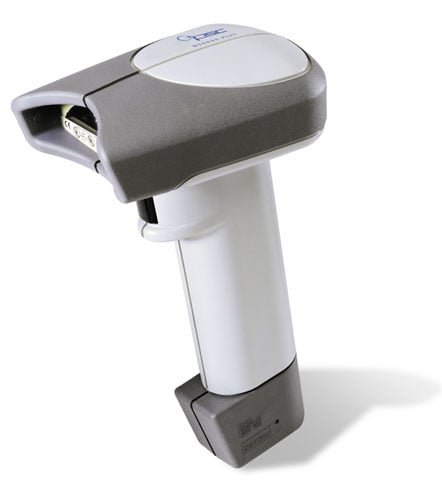
Datalogic QS6000 Plus Barcode Scanner

|
A newer version of this item is available.
It is replaced by the Datalogic Gryphon GD4300 Barcode Scanner. |
the performance and design of a high-end POS scanner and an affordable price.
Datalogic QS6000 Plus -
The QS6000 Plus handheld scanner offers great performance at a very affordable price. With a high first pass read rate and the best speed-to-read of any scanner in its class, the QS6000 Plus speeds retail checkout. and its 13" (33 cm) depth of field with 100% UPC labels extends the users working range. With a high visibility option, utilizing a 650nm laser diode, the user can target and read barcodes even in bright light conditions due to the scanners inherent tolerance of high ambient light conditions. Plus, Datalogic's advanced electronics perform well even when reading low contrast labels with poor edge definition. Each unit ships with one user's guide.
 Full specifications (PDF)

Price Match Guarantee
Found a better price? We'll match it within 60 days of your purchase.
for Qty Discount
Add to Quote
Get help from a Barcoding Expert!



Accessories For Datalogic QS6000 Plus Barcode Scanner
Scanner Type
- Laser (11)
Category
Datalogic QS6000 Plus Barcode Scanner Options
-
Datalogic 669015-001001-0203 Barcode Scanner
Datalogic QuickScan QS6000 Plus Bar Code Reader - Wired -
Datalogic QS6-9100 Barcode Scanner
Datalogic QuickScan QS6000 Plus Bar Code Reader - Wired -
Datalogic QS6-A100 Barcode Scanner
Datalogic QuickScan QS6000 Plus Bar Code Reader - Wired -
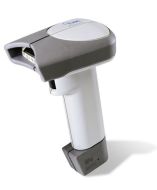
Datalogic QS6-2100 Barcode Scanner
Datalogic QuickScan QS6000 Plus Bar Code Reader - Wired -
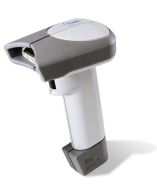
Datalogic QS6-USBKIT Barcode Scanner
USB Kit. 1D Laser. Includes USB cable. Color: Gray -
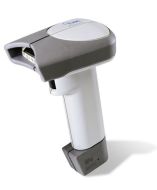
Datalogic 669815-001005-0000 Barcode Scanner
ISBN Firmware, High Visibility, Requires cable and manual -
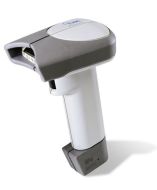
Datalogic 668112-101001-0104 Barcode Scanner
Datalogic QuickScan QS6000 Plus Bar Code Reader - Wired -
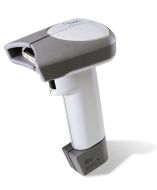
Datalogic QS6-5100 Barcode Scanner
Datalogic QuickScan QS6000 Plus Bar Code Reader - Wired -
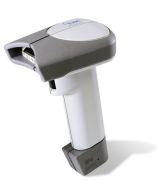
Datalogic QS6-SCANKIT Barcode Scanner
PS/2 Kit. 1D Laser. Includes PS/2 cable. Color: Gray -
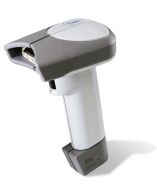
Datalogic QS6-6100 Barcode Scanner
Datalogic QuickScan QS6000 Plus Bar Code Reader - Wired -
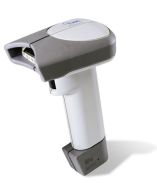
Datalogic QS6-A100-01 Barcode Scanner
Datalogic QuickScan QS6000 Plus Bar Code Reader - Wired -
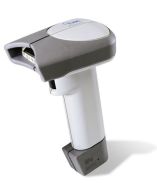
Datalogic QS6-A110 Barcode Scanner
Datalogic QuickScan QS6000 Plus Bar Code Reader - Wired -
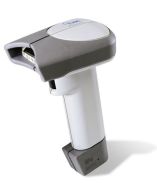
Datalogic QS6-A200 Barcode Scanner
Datalogic QuickScan QS6000 Plus Bar Code Reader - Wired
Datalogic QS6000 Plus Barcode Scanner Model Overview
The QS6000 Plus handheld scanner offers great performance at a very affordable price. With a high first pass read rate and the best speed-to-read of any scanner in its class, the QS6000 Plus speeds retail checkout. and its 13" (33 cm) depth of field with 100% UPC labels extends the users working range. With a high visibility option, utilizing a 650nm laser diode, the user can target and read barcodes even in bright light conditions due to the scanners inherent tolerance of high ambient light conditions. Plus, Datalogic's advanced electronics perform well even when reading low contrast labels with poor edge definition. Each unit ships with one user's guide.
Recommended Accessories
Category
- Computer Accessories (4)
- Scanner Accessories (13)
Recommended Accessories for Model: Datalogic QS6000 Plus Barcode Scanner
Top Computer Accessories Purchased With Datalogic QS6000 Plus
-
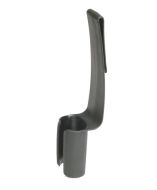 Datalogic 8-0738-17 AccessoryDatalogic KeyBoard Wedge Cable - mini-DIN (PS/2) - 11ft$25.00
 -
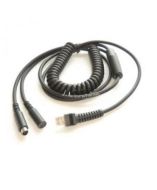 DataLogic 8-0738-01 AccessoryCable assembly, 12 ft, Keyboard wedge, 5/6-pin Din, IBM, AT / PS/2, POT, E/P, RoHS$38.18
 -
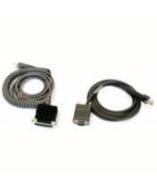 Datalogic 8-0424-06 AccessoryKeyboard wedge direct connect cable, 12ft, PS/2 (for use with laptops)Please Call for Pricing or to Purchase
Top Scanner Accessories Purchased With Datalogic QS6000 Plus
-
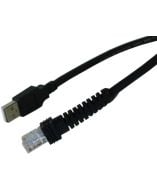 DataLogic 8-0734-08 AccessoryDatalogic Low Speed Assembly Cable - Type A Male - 12ft$49.80
 -
 DataLogic 8-0481-08-B AccessoryUSB cable, 12 ft straight, black. For QS6000, QS6500, QS2500, PS7000, MG1000i series .Please Call for Pricing or to Purchase
 -
Datalogic 8-0738-17 AccessoryDatalogic KeyBoard Wedge Cable - mini-DIN (PS/2) - 11ft$25.00