What environments is the Zebra MC2200 designed for?
The MC2200 is ideal for indoor workers in retail, manufacturing, warehousing, logistics, and field service operations. It provides reliable performance for tasks like inventory management, order picking, returns processing, and asset tracking.
What is the difference between the MC2200 and the MC2700?
The MC2200 is a Wi-Fi only model designed for indoor use, while the MC2700 includes cellular (WWAN) connectivity, GPS, and is suited for both indoor and outdoor/mobile field environments.
How rugged is the MC2200?
The MC2200 is IP65 sealed, drop-tested to 5 ft. on concrete, and built with Gorilla Glass on the display and scanner window for maximum durability. It also meets MIL-STD 810G and supports frequent disinfecting.
What scanning capabilities does the MC2200 offer?
It includes Zebra’s SE4100 1D/2D imager with PRZM Intelligent Imaging for fast, accurate scanning of even damaged or poorly printed barcodes. Optional configurations include a 13 MP rear camera.
Can the MC2200 be adapted for intensive scanning tasks?
Yes. The MC2200 supports a snap-on trigger handle accessory that converts it into a gun-style scanner—ideal for high-volume scanning applications without compromising ergonomics or scan speed.
What are Zebra Mobility DNA tools and how do they help?
Zebra’s Mobility DNA includes tools like DataWedge, StageNow, Device Diagnostics, and Enterprise Home Screen. These simplify deployment, scanning, device management, and enhance security out of the box. An optional Enterprise License adds even more advanced features.
What is the read speed of the Zebra RFD40-M Premium Plus RFID Reader?
The Zebra RFD40-M Premium Plus delivers exceptional performance with the ability to read over 1,300 tags per second, significantly boosting operational productivity in high-volume inventory and asset tracking environments. This fast read rate makes it ideal for warehouse operations, distribution centers, and retail environments where speed is critical.
What barcode reading capabilities does the Zebra FS80 fixed scanner offer?
The Zebra FS80 is engineered for high-speed, precision barcode reading on fast-moving objects at distance, making it ideal for track-and-trace applications in demanding industrial environments. It features multiple sensor options (5MP, 9MP, 12MP, and 16MP resolutions) and supports deep learning OCR for reliable decoding of both standard and direct part mark (DPM) barcodes. The scanner uses Intel Atom multi-core processors to deliver faster barcode decoding across single-camera and multi-camera configurations.
What barcode formats does the Zebra DS8108 scanner read?
The Zebra DS8108 is a 1D/2D imager that reads both linear barcodes and 2D matrix codes, making it suitable for general-purpose scanning applications across retail, logistics, and warehouse environments. This versatility allows a single scanner to handle multiple barcode formats without requiring separate devices. We offer the DS8108 as a reliable solution for mixed-format scanning needs.
What printers are compatible with the Zebra 105999-311-01 cleaning kit?
The Zebra 105999-311-01 cleaning card kit is designed for Zebra's ZC100, ZC300, and ZC350 card printer series. This improved cleaning kit includes 5 cards per package and is optimized for maintaining printhead performance across these thermal transfer and direct thermal printer models. We offer this cleaning kit to help you maintain consistent print quality and extend printhead life on compatible Zebra card printers.
What are the key connectivity options available on the Zebra ZT411 RFID printer?
The ZT411 RFID comes standard with Ethernet, USB, USB Host, and Bluetooth 4.1 connectivity. You can also add an optional dual-band wireless card with 802.11ac Wi-Fi and the latest security protocols for blazing fast and reliable wireless connections. We offer this printer configured to meet your specific connectivity requirements—contact us today to discuss your warehouse or logistics network needs.
What material is the Zebra PolyPro 3000T label made from?
The Zebra PolyPro 3000T is a white, matte polypropylene thermal transfer label designed for durability and high-quality barcode printing. It features a high-performance permanent acrylic adhesive that provides reliable adhesion across various surfaces and applications.
What print speeds and resolutions does the Zebra ZT111 offer?
The Zebra ZT111 delivers print speeds of up to 10 ips at 203 dpi and 6 ips at 300 dpi, giving you flexibility between speed and print quality. The printer supports both standard 203 dpi and optional high-resolution 300 dpi printing, making it suitable for applications requiring fine detail or barcode clarity. We offer this model configured to your specific resolution needs.
What is the Cisco SP-ATLAS-SEST-IH service contract and what does it cover?
The Cisco SP-ATLAS-SEST-IH is a service contract for the Atlas SEST-IH straight outdoor enclosure, designed to protect your networking infrastructure investment. This contract provides comprehensive coverage for your Cisco telecommunications equipment, ensuring minimal downtime and access to Cisco's support resources. Contact us today to discuss the specific coverage details and how we can help you protect your network assets.
What ports and connectivity options does the Dell TB16 docking station provide?
The Dell TB16 docking station offers comprehensive connectivity with 5 USB ports total (2 USB 2.0 and 3 USB 3.0), Thunderbolt 3, Network (RJ-45), HDMI, VGA, DisplayPort, Mini DisplayPort, and audio line in/out connections. This makes it ideal for connecting multiple peripherals, external displays, and network devices to your notebook in a single connection. We offer the TB16 as a complete docking solution for professionals requiring extensive port expansion.
What are the specifications of the Dell 400-BLLM drive?
The Dell 400-BLLM is an 8 TB hard drive with a 3.5" form factor, designed for internal server use. It operates at 7200 RPM and uses SAS connectivity, making it suitable for high-performance enterprise storage environments. We offer this drive as part of our comprehensive server storage solutions.
What are the specifications of the Dell 9FN066-150 Drive?
The Dell 9FN066-150 is a Cheetah 15K.7 600GB hard drive with 15,000 RPM speed and 6Gb/s SAS interface in a 3.5-inch form factor. This high-performance drive is designed for enterprise storage applications requiring fast data access and reliability. We offer this genuine Dell drive as part of our comprehensive inventory of enterprise storage components available from barcodesinc.com.
What are the key specifications of the Datalogic 95B064770 Sensor?
The Datalogic 95B064770 is an inductive proximity sensor with a 1.5mm sensing diameter, featuring a standard flush 6.5mm design and PNP output configuration. It operates in NC (normally closed) mode with 3-wire connectivity and includes a 2-meter cable for easy installation in automated identification and product handling applications.
What resolution options are available on the Datalogic A-Series Vision Camera?
The Datalogic A-Series offers up to 5 MP resolution for maximized accuracy in machine vision applications. The A30 Series specifically features a VGA (640x480) CCD imager that delivers fast processing times, making it suitable for both high-speed and precision-critical applications. We offer these cameras to support diverse industrial imaging needs from general-purpose inspection to detailed quality control tasks.
What device is the DataLogic 94ACC0312 holder designed for?
The DataLogic 94ACC0312 is a belt holster specifically designed for the DataLogic Memor K mobile computer. This holster provides secure carrying and quick access to your Memor K device during warehouse operations, inventory management, and field work. We offer this accessory as part of our comprehensive DataLogic product line to help you protect and organize your mobile computing equipment.
What is the IR range and night vision capability of the Verkada CD43-512E-HW-F?
The Verkada CD43-512E-HW-F features 20 meters (66 feet) of infrared range, ensuring crisp, clear images even in low-light conditions. Combined with its 5MP resolution and 1/2.8" Progressive CMOS sensor, it delivers superior night vision performance for around-the-clock monitoring in offices, lobbies, and parking garages.
What processor options are available in the Lenovo ThinkPad X9-14 Gen 1?
The Lenovo ThinkPad X9-14 Gen 1 (21QA0003US) features Intel Core Ultra 5 or 7 V-series processors (Series 2) with integrated Intel Arc graphics. These modern processors support responsive performance for business applications, collaboration tools, and multitasking in a thin, mobile design. Contact us today to configure the processor option that best fits your productivity needs.
What wireless standards does the HPE Aruba AP-575 support?
The HPE Aruba AP-575 supports 802.11ax (Wi-Fi 6) with 2x2:2 and 4x4:4 dual radio capabilities, delivering next-generation wireless performance for outdoor deployments. This access point is designed for high-density environments requiring robust, standards-compliant connectivity. We offer this model as part of our comprehensive HPE Aruba wireless solutions available from barcodesinc.com.
What processor does the Getac V110 Gen 7 use?
The Getac V110 Gen 7 is powered by a 12th Generation Intel Core i7/i5 vPro processor paired with Intel Iris X Graphics, delivering steadfast performance for mission-critical tasks. This processor generation provides excellent multitasking capabilities and security features ideal for field operations and demanding warehouse environments.
What is ZebraDesigner Professional 3 and what can it do?
ZebraDesigner Professional 3 is Zebra's advanced label design software that enables you to create professional labels and tags ranging from simple to complex formats. It features a robust toolset including support for fixed or variable data, database connections, field concatenation, formulas, and expanded RFID wizards—all through an intuitive Windows-based interface. We offer this software as a single computer perpetual license, so you can design labels tailored to your operational needs without ongoing subscription costs.
What connectivity options does the Zebra ZT510 printer offer?
The Zebra ZT510 comes standard with USB, Serial, Gigabit Ethernet, and Bluetooth LE connectivity. Optional communication upgrades are also available, including Parallel, 802.11a/c with Bluetooth 4.0, USB Host, and IPv6. This variety of connectivity options makes it easy to integrate into existing warehouse and manufacturing systems. Contact us today to discuss which configuration best fits your operational needs.
What wireless connectivity options does the Zebra MC2200 offer?
The MC2200 is a Wi-Fi only mobile computer that delivers the fastest and most dependable Wi-Fi connections for warehousing, distribution, manufacturing, and retail applications. It also includes Bluetooth 5.0 and optional NFC capabilities, providing comprehensive wireless connectivity for headsets, printers, and other devices. Contact us today to discuss which connectivity configuration best fits your operation.
What are the printing speeds and resolution of the Honeywell LNX3?
The Honeywell LNX3 delivers printing speeds of 50 to 127 mm/s (2 to 5 inches per second) with a printing resolution of 203 dpi (8 dots/mm). This combination makes it ideal for high-volume label and receipt printing while maintaining quality output for barcode applications.
What are the key specifications of the Panasonic Toughbook 40?
The Panasonic Toughbook 40 features an Intel Core i5 processor running up to 4.4GHz with vPro support, a 14.0" FHD gloved multi-touch display, and Windows 10 Pro (with Windows 11 DG available). The base configuration includes 16GB of RAM and 512GB OPAL SSD storage, with options to upgrade to 64GB RAM and 3TB storage for demanding applications.
What are the key specifications of the Panasonic Toughbook 40?
The Panasonic Toughbook 40 features a 14.0" FHD gloved multi-touch display, Intel Core i7 processor (up to 4.8GHz) with vPro, up to 64GB of RAM, and up to 3TB of storage capacity. It runs Windows 11 Pro and includes an Intel Iris Xe graphics processor, TPM 2.0 security, and an emissive backlit keyboard for visibility in challenging environments.
What are the memory and storage options available for the Panasonic Toughbook 40?
The Panasonic Toughbook 40 supports up to 64GB of RAM and up to 3TB of storage, giving you substantial capacity for demanding applications and data-heavy workflows. This configuration ensures the laptop can handle complex tasks and large datasets without performance degradation. We offer multiple SKU options with different memory and storage configurations to match your specific requirements.
What are the memory and storage options available for the Panasonic Toughbook 40?
The Panasonic Toughbook 40 supports up to 64GB of RAM and up to 3TB of storage, giving you substantial capacity for demanding warehouse and logistics applications. This configuration ensures reliable performance even with resource-intensive software and large datasets. We offer multiple configurations to match your specific operational needs.
What are the memory and storage options available for the Panasonic Toughbook 40?
The Panasonic Toughbook 40 supports up to 64GB of RAM and up to 3TB of storage, giving you substantial capacity for demanding warehouse and logistics applications. This configuration ensures the laptop can handle memory-intensive tasks and store large datasets without frequent upgrades. We offer multiple configurations to match your specific operational needs.
What are the key specifications of the Panasonic Toughbook 40?
The Panasonic Toughbook 40 features an Intel Core i7 processor (up to 4.8GHz) with vPro support, a 14.0" FHD gloved multi-touch display, and comes standard with 16GB RAM and 512GB OPAL SSD storage. The system supports up to 64GB of RAM and 3TB of storage for enhanced performance and capacity in demanding work environments. We offer this fully-rugged laptop configured to meet your specific operational needs.
What operating system does the Panasonic Toughbook 40 come with?
The Panasonic Toughbook 40 ships with Windows 10 Pro, with Windows 11 DG available as an option. This ensures compatibility with enterprise environments and modern security standards for warehouse and logistics operations.
What are the memory and storage options available for the Panasonic Toughbook 40?
The Panasonic Toughbook 40 supports up to 64GB of RAM and up to 3TB of storage, giving you substantial capacity for demanding applications and large datasets. This configuration ensures reliable performance across a wide range of work environments. We offer multiple variants with different memory and storage combinations to match your specific operational needs.
What type of storage is the Panasonic 731P667MD000 Drive?
The Panasonic 731P667MD000 is a Solid State Disk (SSD) M.2 SATA3 drive with 128GB capacity. This drive is designed for use in Panasonic rugged laptops, security cameras, POS systems, and touch computers. We offer this drive as part of our comprehensive AIDC component inventory.
What makes the Star TSP143IV SK different from traditional label printers?
The TSP143IV SK is a linerless sticky label printer that prints repositionable, adhesive-backed labels without requiring a backing liner. This eco-friendly approach allows labels to be easily removed and reapplied without leaving residue, making it ideal for dynamic environments like food and beverage, delivery, and laundry services where label flexibility is essential.
What connectivity options does the Star TSP143IV SK support?
The Star TSP143IV SK offers multiple connectivity options including USB, LAN, Bluetooth, dual-band WLAN, and Android Open Accessory (AOA) connections. This flexibility allows you to integrate the printer seamlessly into various system architectures, whether you need direct computer connections, network integration, or mobile device pairing. We offer this model ready to deploy across retail, hospitality, and logistics environments.
What are the dimensions and specifications of the Star 37967440 barcode labels?
The Star 37967440 labels measure 4.125" x 6" per label with a 4.37" (111mm) roll width. Each roll contains 300 labels, and you receive 12 rolls per case. These labels feature a blue core and black mark on the back side for reliable barcode scanning and thermal printer registration.
What is included in the Star mPOP POS system?
The Star 39655110 mPOP system comes with an integrated thermal printer, a cash drawer with flat bill capacity (4 bill x 4-or 6-coin), a 1D USB barcode scanner, a universal tablet stand, a USB cable, and an internal power supply. This comprehensive hardware package is designed to create a complete mobile point-of-sale solution when paired with an iPad (sold separately).
What are the dimensions and till options for the Star CD4-1616 cash drawer?
The Star CD4-1616 is a 16" x 16" x 4.4" cash drawer available with your choice of three till configurations: 5 Bill-5 Coin, 5 Bill-8 Coin, or 4 Bill-8 Coin. This flexibility allows you to select the denomination setup that best matches your business needs. We offer all three till options to accommodate different retail and hospitality environments.
What are the dimensions and till options for the Star CD4-1616 cash drawer?
The Star CD4-1616 is a 16" x 16" x 4.4" cash drawer available with your choice of three till configurations: 5 Bill-5 Coin, 5 Bill-8 Coin, or 4 Bill-8 Coin. This flexibility allows you to select the denomination layout that best matches your business needs. We offer this model to fit a wide range of retail and hospitality environments.
What accessories are available for the Unitech MS650 scanner?
We offer a comprehensive selection of Unitech MS650 Scanner Accessories designed to enhance functionality and extend the capabilities of your MS650 barcode scanner. Our expert team can help you identify the right accessories for your specific warehouse or logistics application. Contact us today via phone or online chat to explore the full range of compatible options available from us.
What printing technology does the Datacard 512648-002 use?
The Datacard 512648-002 uses dye sublimation retransfer printing technology, which delivers photo-quality imagery with stunning resolution and extreme precision. This method allows for pigment-based inks that produce brilliant, eye-catching card designs with accurate color representation, including lifelike skin tones for professional photo IDs.
What connectivity options does the RFD40-M Premium Plus offer?
The RFD40-M Premium Plus features advanced Bluetooth 5.3 and Wi-Fi 6 (IEEE 802.11 ax/ac/a/b/g/n) for seamless connectivity to Zebra mobile devices and enterprise networks. It also supports USB-C connectivity for tethered operations, giving you flexibility in how you deploy the reader across your facility.
What illumination and lens options are available for the FS80?
The FS80 integrates Zebra's Integrated Multifunction Light (ZIML) system, available in Standard and Premium models, featuring high-powered illumination in multiple colors—white, red, and infrared—to handle various lighting conditions. The system offers adjustable lens angles of 20, 40, 60, and 80 degrees for optimized field of view and depth of field across different applications. The Premium ZIML model includes dual laser aimers for accurate camera positioning and a configurable built-in speaker for operational feedback.
Is the Zebra DS8108 suitable for outdoor or harsh warehouse conditions?
Yes, the DS8108 features an IP52 rating, which provides protection against dust and water spray, making it durable for warehouse and logistics environments. This rating ensures the scanner can withstand typical warehouse conditions including occasional moisture exposure and dust. Contact us today to discuss whether this durability level meets your specific operational requirements.
How often should I use these cleaning cards in my Zebra card printer?
Regular maintenance with cleaning cards helps prevent printhead degradation and maintains optimal print quality. Most manufacturers recommend running cleaning cards after every 2-4 rolls of media or when you notice print quality issues such as streaks or faded output. The frequency depends on your printing volume and media type—high-volume operations may need more frequent cleaning. Contact us today for specific maintenance recommendations based on your printing environment.
What print resolutions does the ZT411 support?
The ZT411 is available in three print resolutions: 203 dpi (standard), 300 dpi (optional), and 600 dpi (optional for ZT411 only). This versatility allows you to choose the resolution that best matches your label complexity and application requirements. Contact us today to determine which resolution is ideal for your barcode and RFID labeling needs.
What printing technology does the Zebra PolyPro 3000T use?
The PolyPro 3000T is a thermal transfer label that produces high-quality black barcodes and human-readable fonts when used with compatible Zebra ribbons. This technology ensures crisp, professional-grade print quality suitable for retail, product labeling, and industrial applications.
Is the Zebra ZT111 backwards compatible with other printer brands?
Yes, the ZT111 is backwards compatible and features printer emulation capabilities, allowing it to replace other brands without requiring label formats to be changed or new code to be written. This makes it an ideal upgrade path for warehouses and logistics operations looking to standardize on Zebra equipment. Contact us today to discuss your migration needs.
Is the Atlas SEST-IH enclosure suitable for outdoor deployments?
Yes, the Atlas SEST-IH is specifically designed as a straight outdoor enclosure, making it ideal for harsh environmental conditions and outdoor network installations. Its rugged construction ensures reliable performance in demanding outdoor settings where standard indoor equipment would not be suitable. We offer this enclosure with comprehensive service contract options to ensure long-term reliability in outdoor environments.
Is the Dell TB16 docking station compatible with my Thunderbolt 3 laptop?
Yes, the Dell TB16 is specifically designed for notebooks with Thunderbolt 3 connectivity and features a native Thunderbolt 3 connection. The docking station supports Thunderbolt 3 devices and provides full compatibility with Dell and other manufacturer notebooks equipped with Thunderbolt 3 ports. Contact us today if you need to verify compatibility with your specific notebook model.
Is the Dell 400-BLLM drive compatible with my server?
The Dell 400-BLLM is specifically designed as a server device, featuring SAS connectivity for enterprise-grade compatibility. To verify compatibility with your specific server model, we recommend contacting our team today—we can help ensure you select the right storage solution for your infrastructure.
Is the Dell 9FN066-150 compatible with enterprise servers and storage systems?
Yes, the Dell 9FN066-150 is a genuine Dell component designed for enterprise-class servers and SAN environments that support 3.5-inch SAS drives. The 6Gb/s SAS interface ensures compatibility with most modern enterprise storage controllers and systems. Contact us today to verify compatibility with your specific server model or storage configuration.
What operating temperature range does the Datalogic 95B064770 support?
The Datalogic 95B064770 operates reliably in environments with temperatures ranging from 10 to 40°C (50 to 104°F). For storage and transport, the sensor can withstand temperatures between -40 to 70°C (-40 to 158°F), making it suitable for both warehouse and logistics applications.
Is the Datalogic A-Series Vision Camera suitable for harsh industrial environments?
Yes, the Datalogic A-Series is specifically designed for harsh industrial environments with an IP67-rated housing that provides excellent protection against dust and moisture ingress. This rugged construction makes it ideal for demanding warehouse, manufacturing, and logistics applications where equipment exposure to contaminants is a concern. Contact us today to discuss your specific environmental requirements.
Is the DataLogic 94ACC0312 holster compatible with other DataLogic devices?
The 94ACC0312 holster is specifically engineered for the DataLogic Memor K device and is not compatible with other DataLogic models. If you need a holster for a different DataLogic device, contact us today and our team can recommend the appropriate accessory for your specific mobile computer model.
What analytics capabilities does the Verkada CD43-512E-HW-F offer?
The CD43-512E-HW-F is equipped with advanced analytics powered by a CV75S Ambarella processor, enabling AI-powered features such as occupancy trend tracking, line crossing detection, and person of interest identification. These capabilities make it ideal for busy enterprise environments requiring intelligent video surveillance and actionable security insights.
Is the Lenovo ThinkPad X9-14 Gen 1 suitable for travel and hybrid work?
Yes, the ThinkPad X9-14 Gen 1 is specifically designed for mobile professionals with commercial-grade ThinkPad durability, a 55Wh battery with Rapid Charge, and modern docking and connectivity options. The ultrathin 14-inch design with 16:10 display provides excellent portability while maintaining a productive workspace for documents and applications. We offer this model for professionals in technology, finance, consulting, healthcare, and professional services who require reliable daily travel support.
Is the HPE Aruba R4H16A AP-575 suitable for outdoor environments?
Yes, the AP-575 is specifically engineered as an outdoor access point with an integrated omni-directional antenna designed to withstand harsh environmental conditions. It operates across a temperature range of -40°C to +65°C (-40°F to +149°F), making it ideal for warehouses, logistics facilities, and outdoor coverage areas. Contact us today to discuss outdoor deployment requirements for your facility.
Is the Getac V110 Gen 7 suitable for outdoor use?
Yes, the V110 Gen 7 is designed for outdoor performance with a 1,000 nits sunlight-readable LumiBond screen that maintains visibility in bright conditions. The rugged construction allows it to perform reliably in various weather conditions, making it ideal for logistics and warehouse operations that require field mobility.
Is ZebraDesigner Professional 3 backwards compatible with previous versions?
Yes, ZebraDesigner Professional 3 is backwards compatible with the previous version, allowing you to continue using your existing label formats without redesigning them. This ensures a smooth upgrade path for your team and protects your investment in previously created label designs. Visit barcodesinc.com to learn more about upgrading your current setup.
Is the Zebra ZT510 suitable for harsh warehouse and manufacturing environments?
Yes, the ZT510 is specifically engineered for harsh conditions. It features an all-metal design, rugged construction, and sealed dome buttons to prevent ingress of dust, dirt, and moisture. This durable workhorse is built to withstand years of continuous operation in extreme temperatures, debris, rough handling, and other demanding warehouse and manufacturing environments. We offer the ZT510 for operations requiring proven durability in tough conditions.
Can the MC2200 be converted to a gun-style scanner?
Yes, the MC2200 can be transformed into a gun-style device by snapping on the optional trigger handle accessory—no tools required. The trigger handle houses the electronics, so scanning speed is not impacted, and all features including the speaker and optional camera remain fully functional. The trigger is rated for three million presses, providing years of reliable use for intensive scanning tasks.
Is the Honeywell LNX3 durable enough for warehouse and outdoor use?
Yes, the LNX3 is IP54 certified, making it dust and water resistant with the capability to withstand tumbles and drops. This rugged design, combined with its lightweight 0.5 kg (1.1 lbs) construction, makes it suitable for challenging work environments including warehouses and field operations.
What connectivity options does the Toughbook 40 offer?
We offer the Toughbook 40 with comprehensive connectivity including Wi-Fi, Bluetooth, and 4G LTE WWAN capabilities. The device supports dual SIM functionality and a choice of two cellular modems, ensuring reliable connectivity across diverse work environments.
What connectivity options does the Toughbook 40 offer?
The Toughbook 40 provides comprehensive connectivity with Wi-Fi, Bluetooth, 4G LTE WWAN, and GPS capabilities. It also supports dual SIM functionality with a choice of two cellular modems, giving you flexibility to maintain connectivity across different networks and work environments.
What connectivity options does the Toughbook 40 provide?
The Toughbook 40 includes Wi-Fi, Bluetooth, and 4G LTE WWAN connectivity, with support for dual SIM and a choice of two cellular modems. This flexibility ensures you can stay connected across diverse work environments, whether in the field or in the office. GPS capability is also integrated for location-based applications and tracking needs.
Does the Toughbook 40 support cellular connectivity?
Yes, the Toughbook 40 includes flexible cellular options with dual SIM capability and a choice of two cellular modems for 4G LTE WWAN connectivity. This makes it ideal for mobile field operations where consistent connectivity is critical. Contact us today to discuss which modem configuration best fits your deployment.
Does the Toughbook 40 support cellular connectivity?
Yes, the Toughbook 40 includes flexible connectivity options with dual SIM support and a choice of two cellular modems. This makes it ideal for field operations where you need reliable mobile data connectivity in remote warehouse locations or during logistics operations. Contact us today to discuss which cellular modem option best fits your deployment requirements.
What connectivity options does the Toughbook 40 provide?
The Toughbook 40 includes Wi-Fi and Bluetooth connectivity, along with 4G LTE WWAN capability with dual SIM support and a choice of two cellular modems. This flexibility ensures you can maintain reliable connections across diverse field and warehouse environments. Contact us today to discuss which connectivity configuration best suits your deployment requirements.
What are the maximum memory and storage specifications for the Toughbook 40?
The Panasonic Toughbook 40 supports up to 64GB of RAM and 3TB of storage capacity. These high specifications ensure the laptop can handle demanding applications and large datasets without performance degradation over time.
What connectivity options does the Toughbook 40 include?
The Toughbook 40 features comprehensive connectivity including Wi-Fi, Bluetooth, 4G LTE WWAN, and GPS capabilities. It also offers dual SIM support with a choice of two cellular modems, providing flexibility for mobile workforce deployments. Contact us today to discuss which connectivity configuration best suits your logistics or field operations requirements.
Is the Panasonic 731P667MD000 compatible with Panasonic rugged systems?
Yes, the Panasonic 731P667MD000 is a genuine Panasonic component designed for integration with Panasonic rugged laptop and security systems. This OEM drive is available from us for organizations requiring authentic Panasonic parts. Contact us today to verify compatibility with your specific Panasonic equipment.
What connectivity options does the Star TSP143IV SK support?
The TSP143IV SK offers comprehensive connectivity including USB-C, Ethernet, WLAN, and Bluetooth options, plus AOA support. It's also CloudPRNT-ready, enabling cloud-based printing and seamless integration with modern POS systems for remote order printing and mobile fulfillment workflows.
Is the Star TSP143IV SK compatible with cloud-based printing systems?
Yes, the TSP143IV SK is Cloud Ready and fully compatible with Star Micronics CloudPRNT technology and PromoPRNT, making it ideal for modern point-of-service and mobile ordering systems. It also supports Star's developer-friendly SDKs for iOS, Android, and React Native, enabling custom integrations. Contact us today to discuss cloud printing solutions for your operation.
Which Star printers are compatible with the 37967440 labels?
The Star 37967440 labels are compatible with the TSP800 thermal printer. We offer these labels specifically engineered to work with Star's thermal printing systems for seamless integration into your labeling workflow.
Is this POS system compatible with iPad?
Yes, the Star mPOP is an iPad-based POS system designed to work with tablets. The system includes a universal tablet stand to securely mount your iPad, and all necessary connectivity cables are provided. Please note that the iPad is sold separately and not included in this package.
What finishes are available for the CD4-1616 cash drawer?
The Star CD4-1616 comes in two professional finishes: glossy black and matte white. Both finishes are designed to complement modern POS environments and integrate seamlessly with various counter aesthetics. Contact us today to confirm finish availability for your specific order.
What finishes are available for the Star CD4-1616 cash drawer?
The Star CD4-1616 comes in two professional finishes: glossy black and matte white. Both options are designed to complement modern POS setups and blend seamlessly into your checkout environment. Contact us today to confirm finish availability for your order.
Are Unitech MS650 accessories compatible with other scanner models?
Unitech MS650 accessories are specifically designed for the MS650 barcode scanner model to ensure optimal compatibility and performance. While some accessories may work with other Unitech models, we recommend consulting with our expert team to confirm compatibility before making a purchase. Visit barcodesinc.com or contact us today to verify which accessories will work with your equipment.
Can the Datacard 512648-002 print on both sides of a card?
Yes, the Datacard 512648-002 supports both one-sided and two-sided printing capabilities with over-the-edge full-card printing. This versatility allows you to create comprehensive ID cards with information and security features on both the front and back of the card.
Is the Zebra RFD40-M Premium Plus durable enough for warehouse environments?
Yes, the RFD40-M Premium Plus is engineered for demanding environments with robust construction that withstands drops of up to 5 feet and features IP54-rated dust and water resistance. It operates reliably across a wide temperature range of 14°F to 122°F (-10°C to 50°C), making it suitable for both climate-controlled and outdoor warehouse settings.
How is the Zebra FS80 managed and configured?
The FS80 is managed through Aurora Focus™ software (version 9.0 or newer), which provides easy configuration, monitoring, and deployment across your scanning infrastructure. This centralized management approach reduces the complexity of deploying multiple conventional scanners and streamlines system administration. The platform supports simplified integration with industrial protocols and is designed to scale from single-camera to multi-camera network configurations.
Does the DS8108 have driver's license parsing capabilities?
Yes, this model includes driver's license (DL) parsing functionality, which allows it to automatically extract and format data from driver's licenses and ID documents. This feature is particularly valuable for age verification, identity confirmation, and compliance-heavy applications in retail and hospitality. We offer this capability as part of the DS8108's advanced imaging features.
What makes these Zebra cleaning cards 'improved' compared to standard versions?
The improved design of the Zebra 105999-311-01 kit provides enhanced cleaning effectiveness for printhead and roller maintenance in ZC-series card printers. These cards are engineered to remove residue buildup that can affect print quality and printer performance. Available from us, this kit represents Zebra's latest cleaning technology for card printer maintenance.
Can the ZT411 print and encode RFID labels?
Yes, the ZT411 RFID model comes standard with a UHF RFID encoder for printing and encoding RFID labels, making it ideal for metal asset tracking and other RFID applications. The encoder is field-installable, allowing you to add or upgrade RFID capabilities as your operational needs evolve. Visit barcodesinc.com or contact us today to learn more about our ZT411 RFID configurations.
What are the recommended applications for Zebra PolyPro 3000T labels?
The Zebra PolyPro 3000T is ideal for chemical drum labeling, product labeling, retail applications, and other uses requiring durable, weather-resistant labels. The permanent acrylic adhesive and polypropylene construction make it suitable for demanding warehouse and logistics environments.
What connectivity options are available on the ZT111 printer?
The ZT111 comes standard with USB 2.0, RS-232 Serial, 10/100 Ethernet, USB Host, and Bluetooth Low Energy connectivity. Optional configurations allow you to add Wi-Fi or a second Ethernet port for enhanced network flexibility. Visit barcodesinc.com to explore connectivity packages that fit your warehouse infrastructure.
What networking protocols and features does equipment protected under this service contract support?
Cisco networking equipment covered by this service contract supports advanced routing protocols including IPv4, IPv6, OSPF, EIGRP, BGP, and MPLS, along with comprehensive security features like IPsec and Layer 2/3 VPN capabilities. The equipment also supports quality of service (QoS) features including CBWFQ, WRED, and policy-based routing for optimized traffic management. Visit barcodesinc.com to learn more about how these capabilities can enhance your network infrastructure.
What power capacity does the Dell TB16 docking station provide?
The Dell TB16 docking station delivers 180 watts of power output, providing sufficient power delivery for most modern notebooks and connected peripherals. This robust power capacity ensures your notebook charges efficiently while simultaneously powering external devices through the docking station. Visit barcodesinc.com to confirm power requirements for your specific setup.
What is the RPM speed of the Dell 400-BLLM hard drive?
The Dell 400-BLLM operates at 7200 RPM, which provides a balance between performance and reliability for server storage applications. This speed is ideal for environments requiring consistent data access without excessive heat generation.
What makes the 15,000 RPM speed important for this drive?
The 15,000 RPM rotational speed on the Dell 9FN066-150 enables faster data access and throughput compared to standard 7,200 RPM drives, making it ideal for high-performance computing, database servers, and I/O-intensive applications. This speed is particularly valuable in enterprise environments where response time and transaction processing speed directly impact operational efficiency. We offer this drive for customers requiring premium performance in their storage infrastructure.
Is the Datalogic 95B064770 suitable for harsh warehouse environments?
Yes, the Datalogic 95B064770 is designed for demanding industrial environments with humidity tolerance of 5-95% non-condensing. The sensor's robust construction and sealed design make it ideal for warehouse automation, packaging lines, and logistics operations where moisture and temperature fluctuations are common.
What connectivity and interface options does the A-Series Vision Camera provide?
The Datalogic A30 Series includes built-in Ethernet and Serial interfaces, along with discrete I/Os for seamless integration into existing automation systems. These multiple connectivity options allow flexible deployment in various industrial control architectures. We can help you determine the best interface configuration for your specific application needs.
What type of belt attachment does the DataLogic 94ACC0312 use?
The DataLogic 94ACC0312 is a belt holster that attaches securely to your waistband, allowing hands-free carrying of your Memor K device. This design keeps your mobile computer easily accessible while keeping your hands free for scanning and other warehouse tasks. Visit barcodesinc.com to view detailed product images showing the belt attachment mechanism.
How much onboard storage does the Verkada CD43-512E-HW-F provide?
The Verkada CD43-512E-HW-F comes with 512GB of onboard storage, supporting up to 60 days of video retention depending on resolution and frame rate settings. The hybrid cloud architecture allows efficient local storage combined with cloud backup for enterprise-level deployments.
What security features does the Lenovo ThinkPad X9-14 Gen 1 include?
The ThinkPad X9-14 Gen 1 includes ThinkShield security features and available biometric controls to help protect your business data and privacy. These enterprise-grade security measures are built into the system to safeguard sensitive information during mobile work and hybrid collaboration. Visit barcodesinc.com to learn more about the security options available with this Copilot+ PC.
What power specifications should I know about the Aruba 570 Series AP-575?
The AP-575 supports PoE-PD (Power over Ethernet) at 48Vdc nominal with IEEE 802.3at/bt Class 4 or higher standards, allowing flexible deployment without dedicated power lines. It also features 802.3az Energy Efficient Ethernet (EEE) to optimize power consumption in your network infrastructure. Visit barcodesinc.com to explore power management options and PoE infrastructure requirements.
What connectivity options does the Getac V110 Gen 7 offer?
The V110 Gen 7 features Thunderbolt 4 compatibility, Wi-Fi 6E, Bluetooth 5.3, and optional LTE-Advanced connectivity for seamless edge device integration. It also includes dedicated GPS and multiple USB ports (2x Type-A, 1x Type-C) plus a smart card reader for comprehensive connectivity and security needs.
What printer connectivity options does ZebraDesigner Professional 3 support?
The latest version of ZebraDesigner Professional 3 now supports Bluetooth-connected printers via driver installation, in addition to traditional connection methods. This expanded connectivity gives you flexibility in how you deploy label printing across your warehouse or logistics operations. Contact us today to confirm compatibility with your specific printer model.
What printing methods does the Zebra ZT510 support?
The Zebra ZT510 supports both thermal transfer and direct thermal printing methods. It features a thin film printhead with E3 Element Energy Equalizer technology to ensure superior print quality. This dual-capability makes it versatile for various labeling applications in manufacturing, logistics, and warehouse operations. Visit barcodesinc.com to explore our ZT510 inventory and find the right configuration for your printing needs.
What barcode capture capabilities does the MC2200 provide?
The MC2200 features Zebra's enterprise-class data capture with PRZM Intelligent Imaging technology and omni-directional barcode capture, enabling first-time capture of virtually any barcode—including damaged, dirty, and poorly printed barcodes. An optional 13 MP high-resolution camera is available for capturing additional business intelligence and offers three times the lifecycle of a consumer smartphone camera. Visit barcodesinc.com to explore our MC2200 options with advanced imaging.
What connectivity options does the Honeywell LNX3 offer?
The LNX3 is MFi certified and offers flexible connectivity through NFC, Bluetooth, and Wi-Fi options, allowing seamless connection to smart devices. It supports Windows, iOS, and Android compatibility, enabling you to print from almost any device available from us.
Is the Panasonic Toughbook 40 suitable for field operations and rugged environments?
Yes, Panasonic's Toughbook 40 is designed as a fully-rugged laptop built to withstand demanding work environments. Its modular design allows for flexible upgrades and customization, enabling field teams to spend less time on maintenance and more time on critical operations.
What cameras and sensors are included with the Toughbook 40?
The Toughbook 40 includes a 5MP infrared camera and an integrated microphone. These components support video conferencing, documentation, and thermal imaging applications in field operations.
Is the Panasonic Toughbook 40 suitable for field operations and outdoor work?
Yes, the Toughbook 40 is Panasonic's newest fully-rugged laptop designed to perform reliably across the widest range of work environments. Its rugged construction and flexible modular design make it well-suited for field operations, logistics, and mobile workforce deployments. Contact us today to discuss how the Toughbook 40 can support your field operations.
What operating systems does the Panasonic Toughbook 40 run?
The Toughbook 40 ships with Windows 10 Pro, with Windows 11 available as a downgrade option. Both operating systems provide the security and compatibility needed for enterprise warehouse and logistics environments. Visit barcodesinc.com to confirm the OS configuration for your specific order.
What operating system does the Panasonic Toughbook 40 run?
The Toughbook 40 comes standard with Windows 10 Pro, with Windows 11 available as a downgrade option. This ensures compatibility with enterprise software and security protocols used in warehouse management and supply chain operations. Visit barcodesinc.com to verify the operating system configuration for your specific order.
Is the Panasonic Toughbook 40 suitable for field operations and outdoor work?
Yes, the Toughbook 40 is Panasonic's newest fully-rugged laptop designed specifically for the widest range of work environments, including field operations and logistics. Its modular design allows for flexible upgrades without downtime, and it includes an emissive backlit keyboard for visibility in varying light conditions. Visit barcodesinc.com to explore how this rugged system can support your warehouse and logistics operations.
Does the Toughbook 40 support cellular connectivity?
Yes, the Toughbook 40 offers flexible cellular options including dual SIM support and a choice of two cellular modems, with standard 4G LTE WWAN capability included. This makes it ideal for field operations where reliable mobile connectivity is essential.
Is the Panasonic Toughbook 40 suitable for outdoor or harsh environments?
Yes, the Panasonic Toughbook 40 is a fully-rugged laptop designed to withstand the test of time and perform reliably across the most wide range of work environments. Its rugged construction makes it ideal for warehouse, logistics, and field-based operations where durability is critical. Visit barcodesinc.com to explore how this device can support your harsh-environment deployment.
What are the typical applications for this Panasonic SSD drive?
The Panasonic 731P667MD000 is used in Panasonic rugged laptops, POS touch computers, security camera systems, and CCTV DVR recorders. The M.2 SATA3 form factor makes it suitable for compact, mission-critical devices that require reliable storage in demanding environments. Visit barcodesinc.com to explore compatible Panasonic systems and accessories.
What is the print speed and resolution of the TSP143IV SK?
The TSP143IV SK delivers high-speed printing at up to 180mm/s with a print resolution of 203 dpi, ensuring crisp and clear barcode labels and receipts. This combination of speed and quality makes it suitable for fast-paced retail and food service environments.
What print speed and resolution does this label printer deliver?
The Star TSP143IV SK delivers a print speed of up to 180mm/s with a resolution of 203 dpi, providing fast and clear barcode and label output. This combination reduces wait times at the point of service while maintaining barcode readability for accurate order tracking and inventory management.
What type of thermal label technology do these Star labels use?
The Star 37967440 barcode labels are direct thermal labels, which means they require no ink or toner—the print head applies heat directly to the label material to create the image. This technology is ideal for high-volume barcode and shipping label applications where cost-efficiency and reliability are critical.
What barcode scanning capability does the mPOP system offer?
The Star mPOP includes a 1D USB barcode scanner that connects directly to the system via the provided USB cable. This allows you to quickly capture product and inventory data at the point of sale for retail and logistics operations.
Can the Star CD4-1616 support POS terminals and tablets on top?
Yes, the CD4-1616 features a reinforced top that is specifically designed to securely support POS terminals and tablets. This reinforced construction adds strength and stability, making it ideal for integrated checkout solutions where you need to mount equipment directly on the drawer. This design is particularly valuable for space-constrained retail and hospitality operations.
Can the Star CD4-1616 support POS terminals and tablets on top?
Yes. The Star CD4-1616 features a reinforced top that is specifically designed to securely support POS terminals and tablets, making it ideal for integrated checkout stations. This robust construction adds strength and stability for your hardware investments.
How do I choose the right MS650 accessories for my warehouse operation?
Selecting the right accessories depends on your specific scanning environment, workflow requirements, and integration needs. Our expert team at Barcodes Inc specializes in matching MS650 accessories to warehouse and logistics operations of all sizes. Reach out to us via phone or online chat, and we'll help you identify the accessories that best fit your operational requirements.
What types of cards can this printer accept?
The Datacard 512648-002 accepts ISO ID-1/CR-80 size cards (3.370 in. x 2.125 in.) made from PVC, ABS, PET, PET-G, or Polycarbonate materials. The printer supports card thickness from 0.25 mm to 1.0 mm (10 mil to 40 mil), making it flexible for various card stock options.
What is the maximum read range of the RFD40-M Premium Plus?
The RFD40-M Premium Plus supports a maximum read range of 80 feet (24 meters) with its linear polarized antenna, allowing you to capture tag data from greater distances and improve operational efficiency in large warehouse or dock areas. This extended range is particularly valuable for asset tracking and inventory management applications.
What connectivity protocols does the FS80 support?
The FS80 currently supports USB and standard industrial protocols for connectivity, with future software updates planned to expand support for Ethernet/IP, Modbus, and Profinet protocols. Additionally, upcoming software releases will introduce Leader & Follower network support and JavaScript support for enhanced flexibility in industrial automation environments. Contact us today to discuss your specific connectivity requirements and to learn about the latest firmware updates available from us.
What type of connection does the Zebra DS8108 use?
The DS8108 is a corded handheld scanner, meaning it connects directly to your system via cable rather than using wireless connectivity. This wired connection ensures consistent power and data transmission without battery management concerns, making it ideal for fixed workstations in warehouses and distribution centers. Visit barcodesinc.com to explore our full range of corded and wireless scanning solutions.
Can I use these cleaning cards in warehouse or manufacturing environments?
Yes, the Zebra 105999-311-01 cleaning kit is suitable for use in standard warehouse and manufacturing environments where ZC100, ZC300, or ZC350 printers operate. These printers are designed to function in operating temperatures from 32°F to 104°F, making them versatile for most industrial settings. Proper maintenance with these cleaning cards helps ensure reliable performance even in demanding operational conditions.
What makes the ZT411 suitable for space-constrained warehouse environments?
The ZT411 features a bi-fold door design that allows it to easily fit in space-constrained environments without requiring extensive clearance for media and ribbon loading. Combined with its side-loading supplies path and compact footprint (19.5 in. L x 10.6 in. W x 12.75 in. H for the base model), the ZT411 maximizes floor space efficiency in busy warehouses and logistics facilities. We offer this printer as an ideal solution for operations where space is at a premium—contact us today for deployment guidance.
What is the label size and roll configuration for the Zebra 10036473?
The Zebra 10036473 PolyPro 3000T comes in a 4x6" (101.6x152.4mm) format with 750 labels per roll and a 3" (76.2mm) core, providing substantial label stock for high-volume labeling operations. Visit barcodesinc.com to verify current availability and configurations.
What are the media specifications for the Zebra ZT111?
The ZT111 supports media widths from 0.75 inches to 4.50 inches with a maximum print width of 4.09 inches. In tear mode, it handles labels as small as 0.7 inches in length, while cutter and peel modes accommodate 1 inch and 0.5 inch minimums respectively. The printer features both transmissive and reflective media sensors for accurate label detection.
What encapsulation types are supported by Cisco routers under this service agreement?
Cisco routers covered under this service contract support multiple encapsulation types including Ethernet, 802.1q VLAN, PPP, Frame Relay, HDLC, serial protocols (RS-232, RS-449, X.21, V.35, EIA-530), PPPoE, and ATM. This broad encapsulation support ensures compatibility with diverse network environments and legacy systems. Contact us today to verify specific encapsulation requirements for your deployment.
Can I use the Dell TB16 docking station with multiple external monitors?
Yes, the Dell TB16 supports multiple display outputs through its HDMI, VGA, DisplayPort, and Mini DisplayPort connections, allowing you to connect multiple external monitors for an expanded workspace. This makes it an excellent solution for professionals requiring multi-monitor setups for enhanced productivity. We offer the TB16 as a comprehensive docking solution for demanding visual workflows.
Can I use the Dell 400-BLLM drive in a RAID configuration?
Yes, the Dell 400-BLLM's SAS interface and 7200 RPM specifications make it suitable for RAID deployments in enterprise storage systems. For specific RAID compatibility questions and configuration recommendations, visit barcodesinc.com or contact us today to speak with our storage specialists.
What is the storage capacity and interface type of the Dell 9FN066-150?
The Dell 9FN066-150 provides 600GB of storage capacity with a 6Gb/s SAS (Serial Attached SCSI) interface, making it suitable for high-speed enterprise storage networks. The SAS interface offers superior reliability and performance compared to SATA drives, with support for multiple simultaneous connections. Visit barcodesinc.com to explore our full range of enterprise storage solutions.
What type of connectivity does the Datalogic 95B064770 offer?
The Datalogic 95B064770 features 3-wire connectivity with PNP output, making it compatible with standard industrial control systems and PLCs commonly found in warehouse management and automated identification systems. The 2-meter cable provides flexible installation options for various mounting configurations.
What programming flexibility does the Datalogic A-Series offer?
The Datalogic A-Series leverages Impact software, which provides ultimate programming flexibility to address virtually any machine vision requirement. This comprehensive software platform enables custom algorithm development and rapid deployment of vision solutions without extensive coding expertise. Visit barcodesinc.com to learn more about Impact software capabilities and training resources.
Can the DataLogic 94ACC0312 holster withstand warehouse environments?
Yes, the DataLogic 94ACC0312 holster is built to protect your Memor K device in demanding warehouse and logistics environments. The holster is designed to provide durable protection while allowing quick access to your mobile computer during active scanning and inventory operations. For specific durability ratings and environmental specifications, contact us today for detailed product documentation.
What are the power requirements and installation specifications for the CD43-512E-HW-F?
The Verkada CD43-512E-HW-F operates on IEEE 802.3at Type 2 PoE+ power input, eliminating the need for separate power cables. Installation is simplified with an intuitive mounting system featuring captive screws and a built-in bubble level, making deployment straightforward for IT and security teams.
What memory and storage configurations are available for the 21QA0003US?
The Lenovo ThinkPad X9-14 Gen 1 comes with 16GB or 32GB of soldered memory and PCIe NVMe SSD storage options to support demanding business applications. The model shown includes 32GB memory and 1TB SSD storage, delivering fast performance for multitasking and data-intensive work. Contact us today to discuss memory and storage configurations that match your specific workflow requirements.
Does the AP-575 support redundancy and link aggregation?
Yes, the Aruba 570 Series AP-575 supports Link Aggregation Control Protocol (LACP) between its network ports, providing both redundancy and increased capacity for mission-critical warehouse and logistics operations. This dual-port configuration ensures network resilience and optimal performance during high-traffic scenarios. We can help you design a redundant wireless infrastructure—contact us today.
What storage and memory configuration does this model include?
The Getac V110 Gen 7 comes standard with 16GB RAM and a 512GB PCIe SSD that is user-swappable, allowing for easy upgrades and maintenance in the field. This configuration provides ample performance for warehouse management systems and logistics applications without requiring service center visits.
Can ZebraDesigner Professional 3 handle RFID label design?
Yes, ZebraDesigner Professional 3 includes expanded RFID wizards that simplify the creation of RFID-enabled labels and tags. These tools allow you to design complex RFID components alongside standard barcode and text elements, making it suitable for advanced inventory and asset tracking applications. We offer the software with full support for these RFID capabilities.
What is Link-OS and how does it help manage the Zebra ZT510?
Link-OS is Zebra's intelligent environment that provides real-time visibility into your printer's status and functions. With Link-OS, you can use a single cloud-based application to manage routing, firmware updates, printer configuration, and more—either on-site or remotely. It includes advanced applications like Virtual Devices, Profile Manager, Near Field Communication (NFC), and Print Touch to simplify integration, updates, and support contact. We offer ZT510 printers with full Link-OS capabilities for streamlined remote management.
How long does the MC2200 battery last on a single charge?
The standard battery can power nearly two full shifts in any environment, while an extended battery option can provide around-the-clock power. The device also supports Warm Swap mode, allowing you to swap batteries without turning off the device or closing applications. Contact us today for battery configuration recommendations based on your shift requirements.
How long does the battery last on the Honeywell LNX3?
The LNX3 features a 2800mAH hot-swap battery that provides extended operating and standby time for full work shifts. The device supports battery ranges of up to 118 meters (387 feet) on Bluetooth-only SKUs and 96 meters (314 feet) on Bluetooth & Wi-Fi SKUs, allowing easy replacement without connectivity loss.
What security and authentication features does the Toughbook 40 include?
The Toughbook 40 includes TPM 2.0 (Trusted Platform Module 2.0) for enhanced security and data protection. It also features an infrared 5MP camera and integrated microphone, supporting secure authentication and communication needs in enterprise environments.
Is the Panasonic Toughbook 40 modular and upgradeable?
Yes, the Toughbook 40 features included modularity that allows you to customize and upgrade components without extensive downtime. This design reduces maintenance time so you can focus on your work rather than managing hardware changes.
What processor and operating system does the Toughbook 40 feature?
The Toughbook 40 is available with Intel Core i7 processors running up to 4.8GHz, paired with Windows 11 Pro and Intel vPro technology for enhanced security and manageability. This combination provides strong performance for enterprise applications while maintaining security compliance for public sector and sensitive operations. Visit barcodesinc.com to view all available processor configurations.
What processor does the Toughbook 40 use?
The Panasonic Toughbook 40 is powered by an Intel Core i7 processor with speeds up to 4.8GHz and includes vPro technology for enhanced security and remote management capabilities. This processor delivers the performance required for real-time inventory tracking and data-intensive logistics applications. We have multiple configurations available to suit your performance requirements.
What processor does the Toughbook 40 feature?
The Panasonic Toughbook 40 is equipped with an Intel Core i7 processor capable of speeds up to 4.8GHz, with vPro support for enhanced security and remote management. This processing power is well-suited for running warehouse management systems, inventory software, and real-time logistics applications. We offer this model to support demanding enterprise workflows.
What security features does the Toughbook 40 include?
The Toughbook 40 includes TPM 2.0 (Trusted Platform Module) for enhanced security, Intel vPro technology for remote management capabilities, and runs Windows 11 Pro. These features provide enterprise-grade protection suitable for logistics and warehouse environments handling sensitive data. Our team can help you configure security settings aligned with your organizational requirements.
What display features does the Toughbook 40 include?
The Toughbook 40 features a 14.0-inch FHD gloved multi-touch display with an emissive backlit keyboard, allowing users to work effectively in various lighting conditions and while wearing protective gloves in demanding environments.
What security features does the Toughbook 40 offer?
The Toughbook 40 includes TPM 2.0 (Trusted Platform Module 2.0) for enhanced security and data protection. It also features an infrared 5MP camera and comes with Windows 11 Pro and Intel vPro technology for comprehensive endpoint security. These features make it well-suited for public sector and security-sensitive applications.
What storage capacity does this Panasonic drive offer?
The Panasonic 731P667MD000 provides 128GB of solid state storage capacity. This capacity is suitable for operating system and application storage in rugged mobile computers and security recording systems. We stock this drive for immediate availability to support your enterprise deployments.
What paper sizes and specifications does this printer support?
The TSP143IV SK supports multiple paper widths of 80mm, 58mm, and 40mm, with paper thickness ranging from 0.065 to 0.098mm. This flexibility allows you to choose the label size that best fits your operational needs across different applications.
What are the main use cases for the TSP143IV SK?
The TSP143IV SK is engineered for high-efficiency labeling in retail, hospitality, delivery, and food service environments, including drive-throughs, takeout counters, wash-and-fold laundry, and mobile ordering setups. Its compact footprint and linerless label capability make it ideal for order tracking, labeling to-go items, and optimizing customer interactions in fast-paced settings.
How many labels come in each case of Star 37967440 labels?
Each case contains 12 rolls of Star 37967440 labels, with 300 labels per roll, totaling 3,600 labels per case. This bulk packaging is designed for warehouse and logistics operations that require consistent label supply for ongoing barcode printing needs.
Can the cash drawer handle different bill and coin denominations?
Yes, the mPOP includes a flat bill cash drawer with capacity for 4 bills and either 4 or 6 coin compartments, providing flexible organization for various currency denominations. This design helps streamline cash handling and reconciliation at checkout.
What connectivity options does the Star CD4-1616 cash drawer provide?
The Star CD4-1616 is printer-driven and includes a CD1 cable for connection to your POS system. It features dual media slots to accommodate various integration requirements. Visit barcodesinc.com for complete connectivity specifications and compatibility details with your existing hardware.
How is the Star CD4-1616 cash drawer connected to a POS system?
The Star CD4-1616 is a printer-driven cash drawer that connects via a CD1 cable, allowing it to integrate directly with your POS terminal or receipt printer. This connection method enables automatic drawer triggering when transactions are completed. We include the CD1 cable with every unit available from us.
What types of MS650 accessories does Barcodes Inc stock?
We maintain a curated selection of Unitech MS650 Scanner Accessories including scanner keyboards and related peripherals designed to optimize your AIDC workflow. Our inventory is regularly updated to ensure you have access to the latest compatible solutions. Contact us today to view our current MS650 accessory offerings and place an order.
What connectivity options are available for the Datacard 512648-002?
The Datacard 512648-002 offers USB 2.0 connectivity and Ethernet 10/100 Base-T bi-directional networking for flexible integration into your IT environment. It supports Microsoft Windows 2000, XP, and Windows Vista operating systems, with the ability to install up to seven printers per PC.
What battery capacity does the RFD40-M Premium Plus have?
The RFD40-M Premium Plus is equipped with a 7,000 mAh PowerPrecision+ Li-Ion battery featuring a quick-release design for convenient battery access and swapping throughout your workday. The long-lasting battery capacity ensures extended operational use without frequent charging interruptions.
Is the Zebra FS80 suitable for harsh warehouse and logistics environments?
Yes, the FS80 is designed as a high-performance fixed industrial scanner built to withstand demanding warehouse, logistics, and manufacturing environments requiring high-speed precision scanning. Its robust construction, advanced illumination system, and multi-core processor architecture are engineered for continuous operation in track-and-trace applications where reliability is critical. We offer the FS80 with configurations tailored to your specific environmental and operational needs—visit barcodesinc.com or contact us today for environment-specific specifications.
Is this a complete scanner solution or does it require additional components?
This listing is for the scanner unit only (SCANNER ONLY), so you may need to purchase additional components such as cables, stands, or mounting hardware depending on your deployment setup. We can help you identify the complete solution you need for your specific application. Contact us today to discuss what accessories or configurations would work best for your operation.
What's included in each Zebra 105999-311-01 cleaning kit package?
Each Zebra 105999-311-01 package contains 5 cleaning cards specifically formulated for ZC-series card printers. These cards are designed to clean the printhead, rollers, and internal components to maintain print quality and equipment longevity. Visit barcodesinc.com to order this essential maintenance supply for your Zebra card printing operations.
What remote management capabilities does the ZT411 offer?
The ZT411 features Zebra's Print DNA software powered by Link-OS, which delivers unparalleled intelligence and innovation for simplified remote manageability and easier integration. The large 4.3-inch color touch display provides an intuitive interface for quick operation and settings management, while robust remote management tools allow you to monitor and maintain your printers across your entire operation. We can help you deploy these advanced management features—contact us today to optimize your printer fleet.
Does the Zebra PolyPro 3000T have RFID capabilities?
Yes, the Zebra 10036473 PolyPro 3000T is available with RFID functionality, making it suitable for applications requiring both barcode and RFID identification. This dual-capability label enhances inventory tracking and asset management in warehouse and retail environments.
What makes the Zebra ZT111 suitable for industrial warehouse environments?
The ZT111 features a durable metal frame construction, thin film printhead with E3 Element Energy Equalizer technology for superior print quality, and ENERGY STAR certification for efficient operation. Its color-coded touch points and side-loading supplies path simplify media and ribbon loading in fast-paced warehouse settings. We offer this printer specifically configured for demanding logistics and inventory applications.
How does the service contract help protect my outdoor networking investment?
The Cisco SP-ATLAS-SEST-IH service contract provides critical protection for your outdoor enclosure and networking equipment against hardware failures, environmental stress, and performance degradation. Service contracts ensure you have access to Cisco's technical expertise and replacement parts when issues arise, minimizing costly network downtime. We offer flexible service contract options tailored to your operational needs—contact us today to find the right coverage level for your deployment.
What are the physical dimensions and weight of the Dell TB16 docking station?
The Dell TB16 docking station measures 17.7 x 17.5 x 3.4 cm and weighs approximately 1.25 kg, making it compact and portable for mobile professionals. Its slim profile allows it to fit easily on desks or in laptop bags while providing extensive connectivity and power delivery capabilities. Available from us for immediate deployment in your workspace.
What type of interface does the Dell 400-BLLM use?
The Dell 400-BLLM uses SAS (Serial Attached SCSI) connectivity, which is the standard interface for enterprise server storage. SAS provides superior performance and reliability compared to SATA drives, making it ideal for mission-critical applications.
Can the Dell 9FN066-150 be used as a replacement drive in existing systems?
The Dell 9FN066-150 can serve as a replacement drive in systems originally equipped with compatible 3.5-inch SAS drives, though you should verify your system's specifications before installation. As a genuine Dell component, it maintains OEM quality standards and compatibility with Dell enterprise servers and storage arrays. Contact us today to confirm compatibility with your current infrastructure and discuss replacement options.
How does the Datalogic 95B064770 integrate with barcode scanning systems?
The Datalogic 95B064770 works as a complementary sensor in identification systems that combine barcode scanning, image analysis, and product profiling. It can trigger scanning operations, verify product positioning, or control conveyor systems in automated warehouses and logistics facilities where accurate product identification is critical.
What makes the A-Series a cost-effective smart camera solution?
The Datalogic A-Series combines stand-alone operation, general-purpose functionality, and rugged IP67-rated construction at an economical price point, eliminating the need for external computing hardware in many applications. Its built-in processing capabilities and flexible I/O interfaces reduce system integration costs while maintaining high performance. We offer competitive pricing on A-Series cameras available from us.
What accessories are available to complement the DataLogic Memor K with the 94ACC0312 holster?
Beyond the belt holster, we offer a full range of DataLogic Memor K accessories including batteries, charging cradles, screen protectors, and mounting solutions to create a complete mobile computing setup. These accessories work together to maximize your device's functionality and durability in warehouse and logistics operations. Visit barcodesinc.com or contact us today to explore our complete DataLogic accessory catalog.
Is the Verkada CD43-512E-HW-F suitable for outdoor environments?
The Verkada CD43-512E-HW-F is designed for indoor use with an IK08 impact rating for enhanced reliability. For outdoor surveillance applications, we recommend exploring Verkada's outdoor-rated models like the CD43-E, which features IP66/67 weather protection and IK10 impact resistance. Contact us today to discuss the right camera for your environment.
What display specifications does the ThinkPad X9-14 Gen 1 offer?
The ThinkPad X9-14 Gen 1 features a premium 14-inch 2.8K touchscreen display (2880 x 1800 resolution) with 120Hz refresh rate and Eyesafe technology for reduced eye strain during extended work sessions. The 16:10 aspect ratio provides useful vertical workspace optimized for productivity-focused tasks like document editing and application management. We offer this display configuration to enhance your mobile work experience.
What additional connectivity options are available on the AP-575?
Beyond 802.11ax Wi-Fi, the AP-575 includes Bluetooth 5 and 802.15.4 (Zigbee) radios operating on 2.4 GHz, providing multi-protocol connectivity for IoT and mobile device management in warehouse environments. The device features a USB-C console interface for management and configuration. Our team can help integrate these capabilities into your AIDC infrastructure—visit barcodesinc.com for details.
What warranty and support does Barcodes Inc provide for the Getac V110 Gen 7?
We offer a 3-Year B2B Warranty with the Getac V110 Gen 7, ensuring comprehensive coverage for mission-critical deployments. Contact us today for details on extended warranty options and our technical support services available from barcodesinc.com.
What's the difference between ZebraDesigner Essentials and ZebraDesigner Professional 3?
ZebraDesigner Essentials is Zebra's complimentary version that provides basic barcode label design tools for straightforward labeling needs. ZebraDesigner Professional 3, available from us, offers a more robust toolset designed for complex label designs including variable data, database connections, formulas, and advanced RFID wizards—ideal for logistics and warehouse operations requiring sophisticated label functionality.
What are the main applications for the Zebra ZT510 printer?
The ZT510 is ideal for manufacturing applications including product identification labeling, packaging labeling, receiving/put-away labeling, and work-in-process printing. In transportation and logistics, it excels at order picking/packing, shipping/receiving, cross-docking, and compliance labeling. Its combination of speed, reliability, and cost-effectiveness makes it suitable for high-volume labeling operations across these industries. Contact us today to discuss how the ZT510 can support your specific labeling requirements.
What makes the MC2200 suitable for harsh warehouse and manufacturing environments?
The MC2200 is water-resistant and dustproof, capable of handling drops to concrete, snow, rain, heat, and freezing cold. The display and scanner exit window are fortified with Gorilla Glass for added durability. Additionally, the device is built to handle frequent wipedowns with common disinfectants including bleach, hydrogen peroxide, and alcohol, making it ideal for sanitation-critical operations.
What media sizes and types can the Honeywell LNX3 handle?
The LNX3 accommodates media roll widths of 43-80 mm (1.7 to 3 inches) with media lengths ranging from 20 to 1016 mm (0.78 to 40 inches), and a maximum roll capacity of 43 mm (1.69 inches) outside diameter. This flexibility supports various label and receipt printing requirements across different applications.
Can the Toughbook 40 be used with gloves, and what is the keyboard configuration?
Yes, the Toughbook 40 features a gloved multi-touch 14.0" FHD display, allowing operation with protective gloves in cold or hazardous environments. The device includes an emissive backlit keyboard for visibility in low-light conditions, making it ideal for warehouse and logistics operations.
What operating system and security features does the Toughbook 40 run?
The Toughbook 40 runs Windows 11 Pro with Intel vPro technology for enhanced security and remote management capabilities. It also includes TPM 2.0 (Trusted Platform Module) for hardware-level security and encryption support.
What display and input features are included on the Toughbook 40?
The Toughbook 40 features a 14.0-inch FHD gloved multi-touch display with an emissive backlit keyboard, allowing operation in various lighting conditions and with protective gloves. The display is designed for outdoor visibility and responsive touch input in demanding environments. An integrated 5MP infrared camera and microphone are also included for comprehensive communication and documentation capabilities.
What display and input features does the Toughbook 40 offer?
The Toughbook 40 features a 14.0-inch FHD gloved multi-touch display with an emissive backlit keyboard, allowing operators to work effectively in various lighting conditions while wearing protective gloves. The display supports touch input even with standard work gloves, improving usability in warehouse and field environments. An infrared 5MP camera and integrated microphone provide additional input and documentation capabilities.
What display features does the Toughbook 40 have?
The Toughbook 40 features a 14.0-inch FHD gloved multi-touch display with an emissive backlit keyboard, allowing you to operate it with gloves in cold storage environments or outdoor logistics settings. The flat design and touch capability make it versatile for various warehouse and field applications. Contact us today for more details on display customization options.
Does the Toughbook 40 have integrated camera and audio capabilities?
Yes, the Toughbook 40 includes a 5MP infrared camera and an integrated microphone, enabling video conferencing and documentation capabilities in field operations. These features support both communication and evidence capture for warehouse and logistics workflows. Contact us today to learn more about leveraging these integrated capabilities for your operations.
What processor and security features are included in the Toughbook 40?
The Toughbook 40 is equipped with an Intel Core i5 processor running up to 4.4GHz with vPro technology, along with TPM 2.0 for enhanced security. These features support demanding computing tasks while maintaining enterprise-level data protection for secure logistics and warehouse operations.
What warranty and support options are included with the Toughbook 40?
We offer the Panasonic Toughbook 40 with a comprehensive 3-year warranty bundle that includes Protection Plus coverage, Premier Deployment support, No Return of Defective Drive protection, and 1 Year Absolute Resilience warranty. This ensures your investment is protected and supported throughout its operational lifecycle. Contact us today to discuss warranty options for your procurement.
How does the M.2 SATA3 interface benefit Panasonic systems?
The M.2 SATA3 interface in the Panasonic 731P667MD000 provides fast, reliable data transfer while maintaining a compact form factor ideal for rugged, space-constrained devices like mobile computers and security systems. This standard interface ensures broad compatibility across Panasonic's rugged product line. Contact us today for integration support.
How durable is the Star TSP143IV SK for high-volume printing?
The TSP143IV SK is built for durability with a Mean Cycles Between Failures (MCBF) of 30 million lines and an auto cutter rated for 800,000 cuts. These specifications ensure reliable, long-term performance in demanding warehouse and retail labeling environments.
What makes the linerless label technology beneficial for my business?
The Star TSP143IV SK prints repositionable, linerless sticky labels that leave no residue, making it an eco-conscious choice that reduces waste and cleanup time. This technology is particularly valuable in food service, retail, and logistics operations where label removal and reapplication are frequent, saving both materials and labor costs.
What is the model number for the Star 37967440 labels?
The Star 37967440 is also known as TRL111-4x6-BM-D100-C31 12PK. This alternative model designation reflects the label specifications: 111mm roll width, 4x6 label size, black mark on back, and 12-pack case configuration.
How does the Star mPOP compare to previous Star POS models?
The Star mPOP (model POP10-FB1 BLK US) represents Star's mobile POS solution with integrated printing, scanning, and cash management in a compact form factor. It combines essential retail hardware—printer, scanner, and drawer—in one unified system designed specifically for mobile and iPad-based operations.
What is included with the Star CD4-1616 cash drawer purchase?
Each Star CD4-1616 cash drawer includes 2 keys for secure access and a CD1 cable for printer-driven operation. These essential components are included to get your drawer operational immediately upon delivery. We can confirm all included accessories when you contact us today.
What is included with the Star CD4-1616 cash drawer purchase?
Each Star CD4-1616 cash drawer comes with 2 keys for security and a CD1 connection cable for POS integration. These essential accessories ensure you have everything needed to deploy the drawer immediately in your operation.
Can I get expert advice on MS650 accessories before purchasing?
Absolutely—our team of AIDC experts is available to provide technical guidance and recommendations for Unitech MS650 accessories tailored to your specific needs. Whether you need help understanding compatibility, functionality, or integration, we're here to support your decision. Reach out via phone or use our online chat at barcodesinc.com to speak with a specialist today.
What security features does the Datacard 512648-002 include?
The Datacard 512648-002 includes IPSEC encrypted networking security to protect data transmission and electronic locks for cards and supplies to prevent unauthorized access. It also features security erase of black panel text on YMCK and YMCK-K ribbons for enhanced data protection.
Which RFID standards does the Zebra RFD40-M Premium Plus support?
The RFD40-M Premium Plus supports EPC Class 1 Gen 2 and EPC Gen2 V2 standards, ensuring compatibility with the vast majority of enterprise RFID tags and systems. Contact us today to verify compatibility with your specific tag infrastructure and integration requirements.
Does the FS80 include a lens, and what are the key differences between sensor resolutions?
The Zebra FS80 model FS80-CM0507C00K is sold without a lens included, allowing you to select the optimal lens configuration for your specific application requirements. The scanner is available in 5MP, 9MP, 12MP, and 16MP sensor resolutions—higher megapixel options provide greater detail capture for small or distant barcodes, while lower resolutions may be suitable for larger, closer-range scanning scenarios. We offer complete lens selection guidance and can help you choose the right sensor-lens combination for your track-and-trace application—contact us today for a consultation.
What are the main use cases for the Zebra DS8108 imager?
The DS8108 is designed as a general-purpose handheld imager suitable for warehouse management, inventory tracking, point-of-sale, and logistics applications where both 1D and 2D barcode reading is required. Its combination of durability, imaging capability, and ID parsing makes it versatile across multiple industries. Available from us, the DS8108 is a trusted choice for organizations needing reliable multi-format scanning.
How do cleaning cards help extend my printer's lifespan?
Regular cleaning with Zebra cleaning cards removes dust, ink residue, and media particles that accumulate on printheads and rollers, which can cause premature wear and print quality degradation. By maintaining clean internal components, you reduce strain on the printer's mechanical systems and help preserve the printhead's performance over time. This preventive maintenance approach, combined with Zebra's Element Energy Equalizer (E3) technology in compatible printers, maximizes equipment reliability and reduces costly downtime.
Is the ZT411 durable enough for demanding industrial and logistics operations?
Yes, the ZT411 is constructed with an all-metal frame and bi-fold metal media cover with an enlarged clear viewing window, designed for long-term reliability in harsh industrial environments. It features a thin film printhead with E3 Element Energy Equalizer for superior print quality and consistent performance across high-volume printing operations. The printer is ENERGY STAR qualified and built to handle critical operations in manufacturing, transportation, and logistics—available from us with full technical support.
What adhesive type does the Zebra PolyPro 3000T label use?
The PolyPro 3000T features a high-performance permanent acrylic adhesive that provides strong, lasting adhesion to a variety of surfaces. This permanent adhesive is engineered for durability in demanding conditions, making it ideal for long-term labeling applications in logistics and warehousing. Contact us today to discuss your specific adhesive requirements.
Can I use mobile devices to print with the Zebra ZT111?
Yes, the ZT111 includes Bluetooth Low Energy and an NFC Print Touch tag that enables pairing and printing with compatible mobile devices. This feature is ideal for warehouse operations where portable scanning and on-demand label printing improve efficiency. Contact us today to learn about mobile integration solutions available from us.
Can the Atlas SEST-IH enclosure be used in conjunction with Cisco Integrated Services Routers?
Yes, the Atlas SEST-IH outdoor enclosure is designed to house and protect Cisco networking equipment, including Integrated Services Routers from the 900 and 1900 series, in outdoor environments. The enclosure provides environmental protection while maintaining the functionality of advanced routing features like multicast support, traffic management, and security protocols. We offer complete solutions that integrate the enclosure with appropriate Cisco routing equipment—visit barcodesinc.com or contact us today for a customized deployment plan.
Is the Dell TB16 docking station ENERGY STAR certified?
Yes, the Dell TB16 is ENERGY STAR certified and EPEAT 2019 registered, demonstrating its commitment to energy efficiency and environmental responsibility. The docking station operates with up to 89% power efficiency, reducing energy consumption and operational costs. Contact us today to learn more about our environmentally compliant connectivity solutions.
How much storage capacity does the Dell 400-BLLM provide?
The Dell 400-BLLM offers 8 TB of storage capacity, providing substantial space for enterprise data, databases, and virtualized environments. This capacity makes it well-suited for data centers and server farms requiring high-volume storage solutions.
What environments and conditions is the Dell 9FN066-150 designed to operate in?
The Dell 9FN066-150 is engineered for enterprise data center environments with controlled temperature and humidity conditions typical of server rooms and storage facilities. As an enterprise-grade SAS drive, it meets rigorous reliability and durability standards for continuous operation in demanding IT infrastructure. We offer this drive with full technical support—visit barcodesinc.com or contact us today for detailed environmental specifications and installation guidance.
Where can I purchase the Datalogic 95B064770 Sensor?
We offer the Datalogic 95B064770 Sensor as part of our comprehensive AIDC product lineup at Barcodes Inc. Contact us today or visit barcodesinc.com to check availability, pricing, and to discuss how this sensor integrates with your warehouse automation or logistics identification needs.
Can the Datalogic A-Series Vision Camera handle high-speed production line applications?
Yes, the A-Series is engineered for high-speed applications with fast processing times that enable real-time inspection and decision-making on production lines. Combined with its up to 5 MP resolution and VGA imaging capabilities, it delivers both speed and accuracy for demanding manufacturing environments. Contact us today to discuss your production line requirements and throughput specifications.
Where can I purchase the DataLogic 94ACC0312 holster and get technical support?
We stock the DataLogic 94ACC0312 holster and can provide immediate availability, competitive pricing, and expert technical support for your DataLogic mobile computing needs. Our team specializes in AIDC solutions for warehouse and logistics operations, ensuring you get the right accessories for your deployment. Contact us today or visit barcodesinc.com to place your order and discuss your specific requirements.
What field of view and image resolution does the Verkada CD43-512E-HW-F deliver?
The Verkada CD43-512E-HW-F offers a 5MP resolution (2688 x 1944) with a wide field of view: 101° horizontal, 73° vertical, and 130° diagonal. This comprehensive coverage, combined with adjustable shutter speed from 1/30 to 1/10,000 seconds, ensures detailed image capture across varying lighting conditions in enterprise monitoring scenarios.
What connectivity and wireless options are included in the Lenovo ThinkPad X9-14 Gen 1?
The ThinkPad X9-14 Gen 1 supports modern ports and IEEE 802.11be wireless LAN standard for fast, reliable connectivity in any work environment. The system includes a front-facing webcam and supports docking solutions for full desktop setups when you need expanded connectivity. Visit barcodesinc.com to explore docking accessories and connectivity options available for this mobile business laptop.
What are the physical dimensions and weight of the AP-575?
The AP-575 measures 24 cm (W) x 24 cm (D) x 27 cm (H) / 9.4" x 9.4" x 10.6" and weighs 2.5 kg (5.6 lbs) excluding mounting hardware, making it suitable for various outdoor installation scenarios. The compact form factor simplifies deployment on poles, walls, and structures common in logistics facilities. Contact us today for mounting options and installation guidance available from our team.
Is the Getac V110 Gen 7 compatible with Windows 11?
Yes, the V110 Gen 7 comes pre-installed with Microsoft Windows 11 Pro x64, along with Windows Hello webcam authentication for enhanced security. The system is fully optimized for modern enterprise environments and logistics management software commonly used in warehouse operations.
What are the system requirements and licensing terms for ZebraDesigner Professional 3?
ZebraDesigner Professional 3 is delivered as a single computer perpetual license via email, meaning you purchase it once and retain usage rights indefinitely on one computer. The software runs on Windows-based systems and supports Zebra's latest media offerings and drivers. Contact us today for specific system requirements and to place your order with our standard 1 week fulfillment time.
How does the Zebra ZT510 compare to its predecessor, the 105SLPlus?
The ZT510 builds on the proven, durable design and construction of the Zebra 105SLPlus while adding advanced management and monitoring capabilities. It provides next-generation print performance with fast processing, intelligent Link-OS functionality, and enhanced reliability—all at an exceptional value. The ZT510 offers 24/7 reliability and longevity to handle evolving business needs, making it an ideal upgrade for operations outgrowing the 105SLPlus. Available from us with full technical support and competitive pricing.
What software tools are included with the MC2200 for device management?
The MC2200 comes with complimentary pre-loaded Mobility DNA Professional tools that make devices easier to use, manage, and secure. Additional enterprise features are available through an optional Mobility DNA Enterprise license, which unlocks voice and data tools, Device Tracker for locating missing devices, and PowerPrecision Console for battery management. We also offer Zebra's DataWedge for barcode scanning integration, Enterprise Home Screen for app control, and Device Diagnostics for reducing repair costs. Visit barcodesinc.com or contact us today to learn more about licensing options.
Does the Honeywell LNX3 have a display for setup and operation?
Yes, the LNX3 features a 2.4-inch LED color screen that simplifies setup and media loading. The printer also includes comprehensive language support with various printer command languages for easier operation across different environments.
What modular capabilities does the Toughbook 40 provide?
The Toughbook 40 includes built-in modularity that allows you to customize and upgrade components based on your specific operational needs. This flexibility reduces downtime and maintenance hassles, enabling your team to adapt the device to evolving job requirements without extensive reconfiguration.
Where can I purchase the Panasonic Toughbook 40?
We offer the Panasonic Toughbook 40 with multiple configuration options available. Visit barcodesinc.com or contact us today to discuss which configuration best fits your operational requirements and budget.
What warranty and support options come with the Toughbook 40?
The Panasonic Toughbook 40 includes a comprehensive 3-year protection bundle featuring 3-Year Protection Plus Warranty, 3-Year Premier Deployment, 3-Year No Return of Defective Drive, and 1-Year Absolute Resilience coverage. This extensive warranty package ensures long-term reliability and minimizes downtime for your operations. Contact us today to learn more about warranty options and deployment support available from our team.
What connectivity options are included with the Toughbook 40?
The Toughbook 40 includes Wi-Fi and Bluetooth for wireless connectivity, along with 4G LTE WWAN via dual SIM and selectable cellular modems for comprehensive mobile coverage. The device also features quad pass connectivity with BIOS-selectable options to optimize performance for your specific network environment. Contact us today to learn which connectivity configuration is best for your logistics operations.
What built-in security and connectivity features are included?
The Toughbook 40 includes TPM 2.0 for enhanced security, Wi-Fi and Bluetooth connectivity, a 5MP infrared camera, and a built-in microphone. These features support secure data handling, wireless operations, and hands-free communication in warehouse environments. We offer this fully-equipped configuration to meet enterprise security and operational standards.
What makes the modular design of the Toughbook 40 beneficial?
The Toughbook 40's included modularity allows you to upgrade and customize the system without extensive downtime, ensuring you spend less time on hardware maintenance and more time on the job. This flexibility, combined with support for up to 64GB RAM and 3TB storage, means the system can evolve with your operational demands. Visit barcodesinc.com to discuss modular configurations available from us.
What warranty and support options are available with the Toughbook 40?
We offer the Toughbook 40 with a comprehensive 3-Year Protection Plus Warranty bundle that includes 3-Year Premier Deployment, 3-Year No Return of Defective Drive coverage, and 1-Year Absolute Resilience Panasonic Warranty. Contact us today to discuss deployment and support options for your organization.
What is the display and input capability of the Toughbook 40?
The Toughbook 40 features a 14.0-inch FHD gloved multi-touch display with an emissive backlit keyboard, allowing operation in various lighting conditions and with protective gloves. It also includes a built-in microphone for hands-free communication in field environments. This makes it ideal for warehouse managers and logistics professionals who need responsive input in diverse conditions.
Where can I purchase the Panasonic 731P667MD000 Drive?
We offer the Panasonic 731P667MD000 SSD drive as part of our complete AIDC component catalog. Our team provides authentic OEM Panasonic parts with technical support and rapid fulfillment. Visit barcodesinc.com or contact us today to order this drive for your rugged systems.
Is the Star TSP143IV SK suitable for my warehouse and logistics operation?
Yes, the TSP143IV SK is an excellent choice for warehouse and logistics operations. Its compact design saves counter space, direct thermal printing requires minimal maintenance, and the linerless sticky label capability with repositionable adhesive makes it perfect for dynamic inventory labeling, order fulfillment, and shipping applications. Contact us today to discuss how we can integrate this printer into your workflow.
What durability and maintenance features does the TSP143IV SK include?
The TSP143IV SK is built with a reliability rating of 30 million MCBF (mean cycles between failures) and an integrated guillotine auto-cutter rated for 800,000 cuts, ensuring long-term dependability in high-volume printing environments. The printer features drop-in paper loading and a built-in power supply for simplified maintenance and operation. Visit barcodesinc.com to learn more about our support and warranty options.
Are the Star 37967440 labels returnable or non-cancelable?
The Star 37967440 labels are marked as NCNR (Non-Cancelable, Non-Returnable), which means once ordered, they cannot be returned or the order cancelled. Contact us today to confirm your label requirements before placing your order to ensure you have the correct specifications for your application.
What power options does the mPOP system have?
The Star mPOP is equipped with an internal power supply and connects via USB cable, providing reliable power for all integrated components including the thermal printer, barcode scanner, and cash drawer. This design eliminates the need for multiple external power adapters.
Is the Star CD4-1616 suitable for both retail and hospitality environments?
The Star CD4-1616 is a versatile cash drawer designed for businesses that demand choice in sizing and style. Its reinforced top, multiple till configurations, and available finishes make it adaptable to various retail and hospitality settings where reliable cash management is essential. Available from us with flexible till options to match your specific operational needs.
What are the media slot options on the Star CD4-1616?
The Star CD4-1616 features dual media slots, providing flexibility for different bill and coin storage configurations. This design accommodates the multiple till options available, allowing you to organize currency in the way that works best for your business workflow.
How quickly can I receive MS650 accessories from Barcodes Inc?
We work to get Unitech MS650 accessories to you as quickly as possible to minimize downtime in your warehouse or logistics operation. Shipping speed and availability depend on the specific accessory and current inventory levels. Contact us today to check stock status and delivery timelines for the MS650 accessories you need.
What warranty coverage does the Datacard 512648-002 provide?
We offer a 24-month standard depot warranty for the printer and a lifetime printhead warranty, ensuring long-term protection for your investment. Contact us today to learn more about our warranty options and support services available from Barcodes Inc.

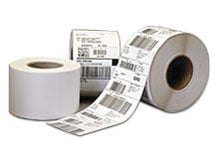





 Full specifications (PDF)
