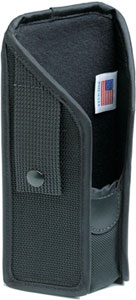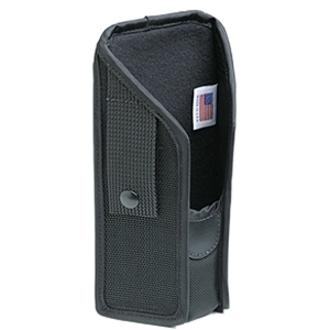
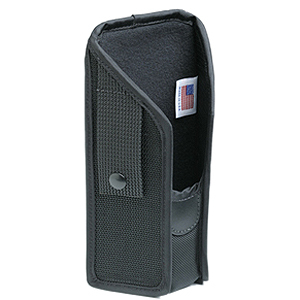


Style:
Holster
Carrying Options:
Belt



The DS4608-HD captures 1D and 2D barcodes, including UPC codes, DotCode, DataMatrix, and tiny high-density barcodes found on jewelry tags. It also supports Optical Character Recognition (OCR) for reading ID cards and travel documents, making it versatile for retail checkout, inventory, and document capture applications. We offer this scanner with full technical support to ensure optimal performance across all barcode formats.
The DS4608-HD captures 1D and 2D barcodes, including UPC codes, QR codes, DotCode, and DataMatrix barcodes—even dense codes on jewelry tags and barcodes displayed on mobile phones. It can also perform Optical Character Recognition (OCR) to extract data from ID cards and travel documents, making it versatile for virtually every scanning need across retail environments.
The DS4608-HD scans 1D and 2D barcodes, including UPC codes, DotCode, DataMatrix, and high-density barcodes found on jewelry tags. It also supports Optical Character Recognition (OCR) for capturing data from ID cards and travel documents, making it versatile for retail checkout, inventory, and document verification applications. We offer this scanner with full technical support to ensure optimal performance across all barcode formats.
The DS4608-HD offers a scan range of up to 28 inches (71 cm), with a bright aiming spot that allows cashiers to easily scan items in shopping carts while remaining seated at the checkout. This extended range is ideal for capturing UPC codes on bulky items and reduces the need to reposition merchandise during scanning.
The DS4608-HD delivers a scan range of up to 28 inches (71 cm), enabling checkout associates to easily scan items at the bottom of shopping carts without repositioning products. This extended range is ideal for high-volume retail environments and works well as auxiliary handheld scanning alongside bioptic scanners. Contact us today to learn how this range capability can improve your checkout efficiency.
The DS4608-HD delivers a scan range of up to 28 inches (71 cm), enabling checkout associates to easily scan heavy or bulky items at the bottom of shopping carts without repositioning merchandise. This extended range is ideal for high-volume checkout lanes and auxiliary handheld scanning applications. Contact us today to discuss how this range meets your specific scanning environment needs.
Yes, the DS4608-HD is engineered for durability with IP52 sealing to protect against spills and an exclusive double-sealed optical system that guards against dust and liquid. It's built to survive multiple 6-foot drops to concrete and 2,000 tumbles in Zebra's rigorous testing, ensuring day-in, day-out dependability in demanding retail settings.
Yes, the DS4608-HD is engineered for durability with IP52 sealing to protect against spills, a double-sealed optical system that guards against dust and liquid, and a recessed scan window to prevent smudges and scratches. The scanner is built to survive multiple 6-foot drops to concrete and 2,000 tumbles in durability testing, ensuring reliable day-in, day-out performance in demanding retail settings. We stand behind the quality and reliability of this Zebra scanner for your enterprise deployment.
Yes, the DS4608-HD is engineered for durability with IP52 sealing to protect against spills, a double-sealed optical system that guards against dust and liquid, and a recessed scan window to prevent smudges and scratches. The scanner is built to survive multiple 6-foot drops to concrete and 2,000 tumbles in durability testing, ensuring reliable day-in, day-out performance. We offer this rugged scanner backed by Zebra's proven field-tested reliability.
Yes, the DS4608-HD includes optional EAS (Electronic Article Surveillance) support that allows associates to deactivate Checkpoint EAS tags while scanning the price in a single operation. This feature boosts productivity and prevents erroneous alarms during the checkout process. Available from us with full EAS integration capabilities for retailers using Checkpoint security systems.
Yes, the DS4608-HD includes optional EAS (Electronic Article Surveillance) support that allows associates to deactivate Checkpoint EAS tags while scanning the price in a single operation. This feature boosts productivity and prevents erroneous alarms during checkout transactions. Available from us with full compatibility and integration support for your retail security systems.
Yes, the DS4608-HD supports on-the-fly switching between handheld and hands-free modes. Simply place the scanner in an optional presentation stand or cradle to automatically enable hands-free mode, then pick it up for handheld scanning—no manual settings changes required.
The DS4608-HD is a corded scanner that connects via auto-host detect cables, which automatically select the right host interface—simply plug in the scanner and you're ready to go. It requires no wireless configuration, making deployment straightforward and eliminating potential network interference issues. Visit barcodesinc.com to explore our available cable options and connectivity solutions.
The DS4608-HD comes with complimentary Zebra DNA software tools including 123Scan for simplified deployment, Advanced Data Formatting for creating custom scanning rules, and Remote Diagnostics for fleet-wide monitoring and troubleshooting. These tools provide setup, security, management, and optimization capabilities across your entire scanner deployment.
The DS4608-HD comes with Zebra DNA software tools that simplify deployment, security, and fleet management. These complimentary tools include 123Scan for easy setup, Advanced Data Formatting for creating scanner rules, Remote Diagnostics for asset tracking and health monitoring, and IoT Connector for real-time data collection and analysis. Visit barcodesinc.com to learn more about how these tools optimize your scanning operations.
Yes, the DS4608-HD supports driver's license data capture and parsing, allowing cashiers to automatically populate loyalty or credit card applications, verify age for restricted purchases, and process customer returns. This OCR capability streamlines transactions in retail and hospitality environments where ID verification is required. We offer this advanced data capture functionality as part of the scanner's comprehensive feature set.
The DS4608-HD is a corded scanner with USB connectivity via the included CBA-U26-S09EAR shielded USB cable, and it features auto-host detect technology that automatically selects the correct host interface. This model is designed for checkout and point-of-sale applications where a reliable wired connection is preferred over cordless operation.
Yes, the DS4608-HD supports on-the-fly switching between handheld and hands-free modes using optional presentation or standard cradles—simply place the scanner in a cradle to activate hands-free mode, or pick it up for handheld scanning with no manual setting changes required. Both cradle types are cross-compatible with Zebra's DS8100 Series and feature Connect+ Contact technology for reliable charging. Contact us today to find the right cradle configuration for your retail checkout setup.