
AirTrack® 220039-COMPATIBLE Printhead
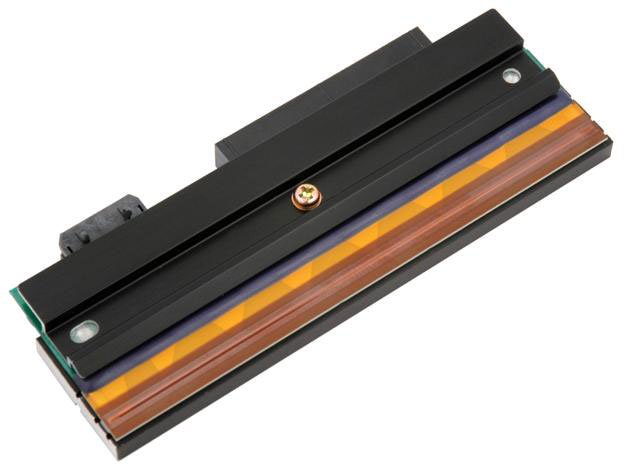
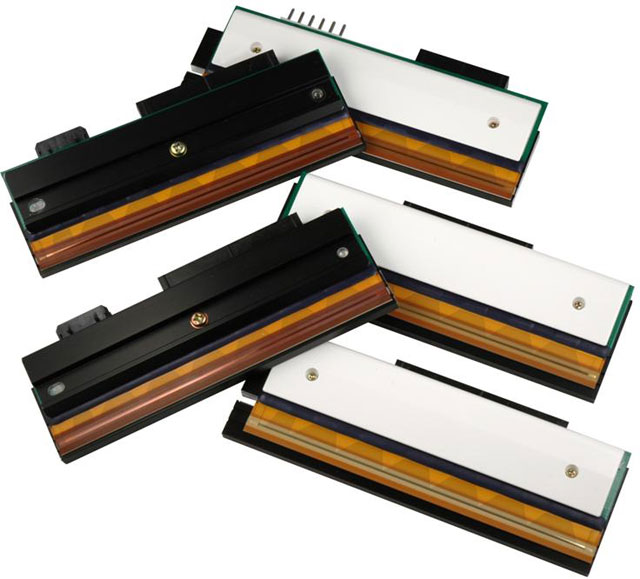




Datamax Prodigy MAX Printhead Model Overview
Frequently Asked Questions
What is the print speed of the Evolis Primacy 2 card printer?
The Evolis Primacy 2 delivers up to 280 cards per hour for color printing on a single-sided basis, making it one of the quickest card printers available for medium and large volume production. This high-performance speed, combined with a 100 or 200-card feeder capacity, ensures efficient workflow for your ID card operations.
What are the print speeds for the Evolis Primacy 2 card printer?
The Evolis Primacy 2 delivers up to 280 cards per hour for color printing on a single side, making it one of the quickest ID card printers available. For dual-sided color printing (YMCKO-K), the printer produces 140 cards per hour. Monochrome thermal transfer printing offers even faster speeds, reaching 600–850 cards per hour depending on your configuration.
What makes Zebra LaserBand 2 wristbands different from thermal transfer wristbands?
Zebra LaserBand 2 wristbands use self-laminating technology that allows you to print directly with standard laser printers, eliminating the need for specialized wristband printing equipment. The self-laminating seal protects patient information, text, and barcodes from moisture and hand sanitizers, extending wristband usability and readability compared to unprotected thermal transfer alternatives. This makes them ideal for healthcare environments where durability and infection control are critical.
What is the maximum print speed of the Evolis Primacy 2 card printer?
The Evolis Primacy 2 delivers up to 280 cards per hour for color printing on a single side, making it one of the quickest card printers available for medium and large volume production. This high-performance speed, combined with its 100 or 200-card feeder capacity, ensures efficient workflow for demanding printing environments. We offer this printer as an ideal solution when you need fast, reliable card production.
What are the print speed and card capacity specifications for the Evolis Primacy 2?
The Evolis Primacy 2 delivers up to 280 cards per hour for color printing on a single side, making it one of the quickest card printers on the market. It features a high-capacity feeder available in 100 or 200-card configurations, with a 300-card output hopper capacity, allowing for efficient medium to large volume printing operations.
What is the print speed of the Evolis Primacy 2 card printer?
The Evolis Primacy 2 delivers up to 280 cards per hour for color printing on a single-sided basis, making it one of the quickest card printers available for medium and large volume operations. This high-performance speed is combined with 300 dpi resolution to ensure both efficiency and quality output.
What connectivity options does the Epson OmniLink TM-L100 support?
The Epson OmniLink TM-L100 offers flexible connectivity with Serial, Ethernet, Wi-Fi, and Bluetooth options, plus USB-Network-Tethering for wired network connection to mobile devices. This multi-interface approach allows you to integrate the printer with PC-POS terminals, mobile devices, and cloud servers dynamically. We offer this model with the E04 interface configuration for seamless deployment in diverse warehouse and logistics environments.
Can the Epson TM-L100 print from web-based applications?
Yes, the Epson OmniLink TM-L100 includes Server Direct Print technology, which enables printing directly from web-based applications and online ordering systems. This feature is ideal for modern warehouse operations that rely on cloud-based inventory and shipping software. Contact us today to learn how this capability can streamline your label printing workflow.
Can I print both wristbands and labels on the same sheet?
Yes, the Zebra LB2-L3-FAMILY wristbands are designed to print both wristbands and patient chart labels on a single 8.5x11" sheet using your existing laser printer. This dual-printing capability significantly speeds up patient admissions workflows and reduces material waste by consolidating multiple print jobs into one step.
What encoding options does the Primacy 2 support?
The Primacy 2 supports multiple encoding standards including magnetic stripe encoding (ISO 7811 and JIS Type II), ISO 7813 smart card contact stations, and contactless encoders compatible with ISO 14443A/B, ISO 15693, MIFARE, DESfire, HID iCLASS, and Legic technologies. Additional specific encoders are available upon request, and options can be combined to meet your security requirements.
What encoding and security options does the Primacy 2 support?
The Primacy 2 supports multiple encoding options including magnetic stripe encoding (ISO 7811 and JIS Type II), ISO 7813 smart card contact stations, and contactless encoding (ISO 14443A/B, ISO 15693, MIFARE, DESfire, HID iCLASS, and Legic). Additional security features include UV effect printing, double-layer overlay, digital data erasing with Kineclipse®, and mechanical key locking to protect printed data.
What encoding options are available with the Evolis Primacy 2?
The Primacy 2 supports multiple encoding options including magnetic stripe encoding (ISO 7811 and JIS Type II), ISO 7813 smart card contact stations, and contactless encoding (ISO 14443A/B, ISO 15693, MIFARE, DESfire, HID iCLASS, and Legic). Additional specific encoders are available upon request, and options can be combined to meet your security requirements. Contact us today to discuss which encoding configuration best fits your card personalization needs.
What encoding options are available with the Primacy 2?
The Primacy 2 supports multiple encoding options that can be combined to meet your security needs, including magnetic stripe encoding (ISO 7811 and JIS Type II), contact smart card encoding (PC/SC, EMV 2000-1), and contactless encoding (ISO 14443A, B, ISO 15693, MIFARE, DESfire, HID iCLASS, and Legic). Additional specific encoders are available upon request.
What encoding options does the Evolis Primacy 2 support?
The Evolis Primacy 2 supports multiple encoding options including magnetic stripe encoding (ISO 7811 and JIS Type II), contact smart card encoding (PC/SC, EMV 2000-1), and contactless encoding (ISO 14443A/B, ISO 15693, MIFARE, DESfire, HID iCLASS, and Legic). Additional specific encoders are available upon request, allowing you to customize the printer to your security requirements.
What connectivity options does this ID card printer offer?
The Evolis Primacy 2 features both USB and Wi-Fi connectivity, allowing flexible integration into your network environment. The printer also supports internal USB or IP ports for various encoding options, and includes a 1.80m USB cable in the standard package.
What card capacity does the Evolis Primacy 2 have?
The Evolis Primacy 2 features a 100-card input hopper and a 100-card output hopper as standard, with an optional 200-card feeder available that can be integrated on-site. This capacity supports both small batch and high-volume production workflows without frequent reloading.
Can the Evolis Primacy 2 print on both sides of a card?
Yes, the Evolis Primacy 2 offers both single-sided and dual-sided printing capabilities with edge-to-edge coverage. Dual-sided color printing (YMCKO-K) produces 140 cards per hour, allowing you to create comprehensive, secure card designs on both surfaces. We offer this flexibility so you can maximize the information and security features on each card.
What connectivity options and software are included with the Primacy 2?
The printer connects via USB or Ethernet (IP ports) and includes the cardPresso XXS software license for card personalization. It also features the Evolis Premium Suite optimized for Windows, Mac, and Linux, with support for printing from smartphones and tablets, providing flexible integration into your workflow.
Are these wristbands suitable for newborns and infants?
Yes, the Zebra LB2-L3-FAMILY wristbands are available in both adult and infant sizes with adhesive closure options, making them suitable for maternal and pediatric hospital departments. The self-laminating protection ensures durability even in neonatal intensive care units where frequent hand sanitizing and moisture exposure occur.
What card capacity and hopper options are available?
We offer the Primacy 2 with a 100-card input hopper as standard, with a 200-card feeder available as an option that can be integrated on-site. The printer includes a 100-card output hopper and a 30-card reject tray, providing flexibility for medium to large volume production environments.
What media sizes does the Epson OmniLink TM-L100 support?
The Epson OmniLink TM-L100 supports linerless (LFC) media in 40 mm, 58 mm, and 80 mm widths, providing flexibility for different labeling applications. The printer comes with a 58 mm paper guide pre-installed and includes a 40 mm paper guide for easy configuration switching. This multi-width capability makes it suitable for various barcode label and receipt printing needs available from us.
What types of cards and printing modes can the Primacy 2 handle?
The Primacy 2 supports all PVC, composite PVC, PET, and ABS cards in ISO CR80 format (53.98mm x 85.60mm) with thickness from 0.25 to 1.25mm. It offers both color dye sublimation and monochrome thermal transfer printing, with edge-to-edge capability on single or double-sided configurations, plus rewrite technology for rewritable cards.
What type of cards can the Primacy 2 print on?
The Evolis Primacy 2 can handle all PVC, composite PVC, PET, and ABS cards, as well as special varnished cards in the standard ISO CR80 format (53.98mm x 85.60mm). The printer accommodates card thickness from 0.25 to 1.25mm (10 to 50 mil) with gauge adjustment, giving you flexibility across a wide range of card materials and specifications.
What security features and printing options are available on the Primacy 2?
The Evolis Primacy 2 offers comprehensive security features including UV effect printing, double layer overlay protection, digital erasing and data scrambling with Kineclipse®, and mechanical key locking of the printer. It also supports edge-to-edge printing in single or double-sided modes with color sublimation or monochrome thermal transfer technology.
Can the Primacy 2 print on both sides of a card?
Yes, the Primacy 2 is available with a dual-sided printing module that enables edge-to-edge printing on both sides of the card. This capability allows you to maximize card real estate for complex designs, security features, and personalization while maintaining professional quality output.
Do these wristbands come with hole punches for chart attachment?
Yes, these wristbands are available with hole punches pre-cut, allowing them to be easily secured into patient charts without additional equipment or steps. The adhesive-free areas around the holes and form edges also prevent printing jams and reduce maintenance costs on your laser printer.
What operating systems are compatible with the Epson TM-L100?
The Epson OmniLink TM-L100 supports iOS, Android, Windows, and GNU (Linux) operating systems through the Printer Driver 6 for TM-L100 (APD) and TM Virtual Port Driver. The printer also includes the TM-L100 Utility for Windows and TM Utility for iOS and Android, plus Epson TM Bluetooth Connector for wireless device integration. Visit barcodesinc.com to verify compatibility with your specific IT infrastructure.
What operating and storage environment conditions does the Primacy 2 require?
The Primacy 2 operates optimally at temperatures between 15°C and 30°C (59°F to 86°F) with humidity levels of 20% to 65% non-condensing. For storage, the printer can tolerate temperatures from -5°C to +70°C (23°F to 158°F) with humidity between 20% to 70% non-condensing.
What is the warranty and what consumables are available for the Primacy 2?
The Evolis Primacy 2 comes with a 3-year warranty when using Evolis High Trust® ribbons and consumables. We offer a complete range of ribbons including color (YMCKO), metallic silver, metallic gold, signature panel, scratch-off, and hologram varnish options, along with starter cleaning kits to ensure optimal printer performance and longevity.
What are the operating and storage environment requirements for the Evolis Primacy 2?
The Evolis Primacy 2 operates in temperatures between 15°C and 30°C (59°F to 86°F) with humidity levels of 20% to 65% non-condensing. For storage, the printer requires temperatures between -5°C and +70°C (23°F to 158°F) with humidity between 20% and 70% non-condensing.
What printer do I need to use Zebra LaserBand 2 wristbands?
Zebra LaserBand 2 wristbands are designed to work with standard laser printers, enabling easy deployment of a barcode wristband solution without requiring specialized or expensive wristband printers. This compatibility with existing office laser printing infrastructure makes implementation straightforward for healthcare facilities of any size.
What connectivity options does the Evolis Primacy 2 offer?
The Primacy 2 includes USB and Ethernet connectivity options, with internal USB or IP ports for flexible network integration. It comes standard with a USB cable (1.80m) and can be integrated into your existing IT infrastructure through either direct connection or network deployment. Visit barcodesinc.com to explore connectivity options that match your facility's requirements.
What is included in the Epson OmniLink TM-L100 package?
The Epson OmniLink TM-L100 comes with the printer unit, AC adapter with AC cable, rubber feet, fixing tape, locking wire saddle, 40 mm and 58 mm paper guides, and a setup guide. The package also includes the PS-180 power supply as noted in the product specification. We ensure all necessary components are included for immediate deployment in your warehouse or retail environment.
Can the Primacy 2 handle double-sided card printing and lamination?
Yes, the Primacy 2 supports edge-to-edge printing on both single and double-sided cards, and offers optional lamination modules for enhanced card security and durability. You can also apply protective overlays and UV effects depending on your security requirements.
What are the operating and storage environment requirements?
The Primacy 2 operates optimally between 15°C and 30°C (59°F to 86°F) with humidity levels between 20% and 65% non-condensing. For storage, the printer should be kept between -5°C and +70°C (23°F to 158°F) with humidity between 20% and 70% non-condensing. Ensure free air ventilation in your operating environment.
Does the Epson TM-L100 have any eco-friendly features?
Yes, the Epson OmniLink TM-L100 includes power-saving mode to reduce energy consumption and features a paper-saving capability that can reduce paper usage by up to 49 percent. The printer is RoHS compliant and is a recyclable product, with Epson America being a SmartWay® Transport Partner. These environmental features help reduce operational costs while supporting sustainability goals in your logistics operations.
What is the warranty and what are the operating environment requirements for the Primacy 2?
The Evolis Primacy 2 includes a 3-year warranty when using Evolis High Trust consumables. The printer operates in temperatures between 15°C and 30°C (59°F to 86°F) with humidity levels of 20% to 65% non-condensing, and can be stored at temperatures from -5°C to +70°C (-23°F to 158°F). We recommend maintaining these environmental conditions to ensure optimal performance and longevity of your printer.
What connectivity options does the Primacy 2 offer?
The Primacy 2 includes USB and Ethernet connectivity options, allowing you to integrate the printer into your network infrastructure or connect directly to workstations. The printer also supports printing from smartphones and tablets through the Evolis Premium Suite, which is optimized for Windows, Mac, and Linux environments.
How many wristbands come in each box?
Each box of Zebra LB2-L3-FAMILY wristbands contains 500 sheets, with each sheet capable of printing both wristbands and corresponding patient chart labels. This bulk packaging is designed for high-volume healthcare environments like hospitals and urgent care facilities that need consistent supply for daily patient admissions.
What software and support are included with the Evolis Primacy 2?
The Primacy 2 comes with cardPresso XXS software license and the Evolis Premium Suite, which provides an optimized user experience across Windows, Mac, and Linux platforms. The package also includes a Quick Start Guide with documentation links, a starter cleaning kit, and Evolis offers a 3-year warranty with use of Evolis High Trust consumables. Contact us today for implementation support and additional software options.
What are the operating and storage environment requirements for the Primacy 2?
The Primacy 2 operates in temperatures between 15°C and 30°C (59°F to 86°F) with humidity levels of 20% to 65% non-condensing. For storage, the printer tolerates temperatures from -5°C to +70°C (-23°F to 158°F) with humidity between 20% to 70% non-condensing, and requires free air ventilation for optimal operation.
What connectivity options does the Evolis Primacy 2 offer?
The Evolis Primacy 2 includes USB and Ethernet connectivity through internal USB or IP ports, enabling flexible integration into your network infrastructure. The printer also supports printing from smartphones and tablets, and comes with cardPresso XXS software for card personalization across Windows, Mac, and Linux platforms.
