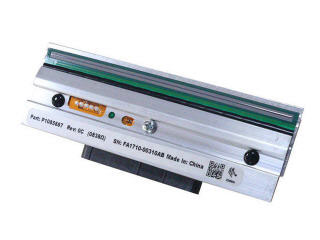
Shop thermal printheads for the Zebra ZT620 label printer. Find 203 dpi and 300 dpi replacement printheads for your ZT620 printer and keep your printing operations running without downtime. Shop printer replacement parts including labels, ribbons and more.
Zebra P1083320-016 Printhead Overview
Kit Printhead 300 dpi ZT620, ZT620R
Certified Zebra Accessory.
Zebra accessories are manufactured to meet all of Zebra's standards.
This genuine accessory is made to work with select Zebra Printers.
Built to ensure the highest quality, reliability, and performance.
What is the resolution of the Zebra P1083320-016 printhead?
The Zebra P1083320-016 is a 300 dpi thermal printhead designed for the ZT620 label printer. This resolution delivers sharp, high-quality barcode and text printing suitable for most warehouse and logistics labeling applications. We offer both 203 dpi and 300 dpi replacement printheads to match your specific printing requirements.
Is this printhead compatible with my ZT620 printer?
Yes, the Zebra P1083320-016 printhead is specifically designed as a replacement component for the Zebra ZT620 and ZT620R label printers. This thermal printhead is a direct replacement that maintains full compatibility with your existing printer setup. Contact us today to verify your printer model and ensure you receive the correct part.
When should I replace the printhead on my Zebra ZT620?
Thermal printheads typically require replacement after extended use, usually between 1-2 years depending on print volume and material types. Signs of wear include faded or inconsistent print quality, missing print lines, or reduced barcode readability. Keeping replacement printheads in stock helps minimize downtime in high-volume warehouse and logistics operations—we offer quick-ship options for urgent needs.
What's the difference between 203 dpi and 300 dpi printheads for the ZT620?
The 300 dpi printhead (P1083320-016) delivers finer detail and sharper output compared to 203 dpi, making it ideal for small barcodes and high-density labels. The 203 dpi option provides excellent quality for standard warehouse labels at a lower cost. We offer both resolutions so you can choose based on your label design and barcode requirements.
What printer replacement parts are available alongside the printhead?
Beyond the thermal printhead, we offer a complete range of ZT620 replacement parts including thermal labels, ribbons, and other consumables to keep your printing operations running smoothly. Our team can help you build a maintenance kit tailored to your printing volume and label specifications. Visit barcodesinc.com to browse our full selection of Zebra printer supplies and parts.
How do I install the Zebra P1083320-016 printhead in my ZT620?
The P1083320-016 printhead is a straightforward replacement component that installs directly into your ZT620 printer following Zebra's standard installation procedure. We recommend consulting your printer's technical documentation or contacting our team for installation guidance to ensure proper alignment and performance. Our support team is available to assist with any technical questions during the replacement process.
The Zebra P1083320-016 Printhead is also known as
ZEB-P1083320016
or P1083320016.