Zebra ZMotif CardStudio ID Card Software Model Overview
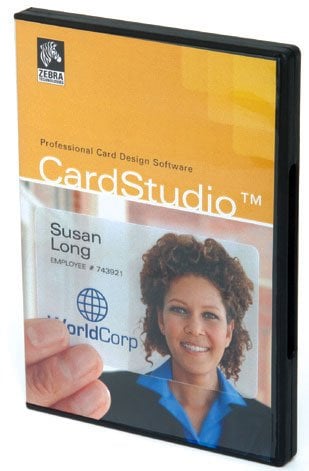
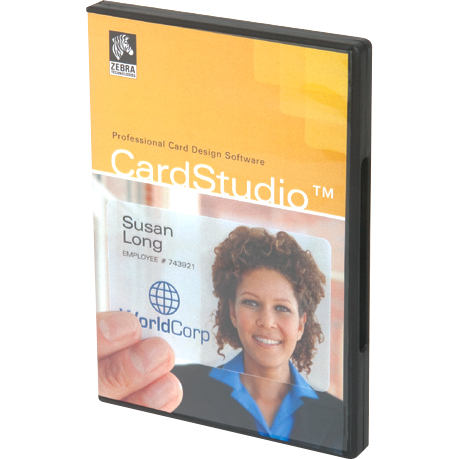
Zebra® CardStudio™ Card Design Software empowers businesses to create professional-grade cards with ease. Whether you're issuing employee IDs, membership cards, or event passes, CardStudio offers a user-friendly interface that simplifies the design process. With its feature-rich capabilities and compatibility with all Zebra printers, the software caters to various needs, providing solutions for businesses of all sizes, from simple designs to advanced multifunctional applications.
Key features:
Full-color design capabilities for dual-sided cards.
Unicode support for improved multi-language options, including Arabic and Chinese characters.
Advanced encoding options for both magnetic and smart cards.
Multiple editions available (Classic, Standard, Enterprise, Professional) to suit different needs.
User-based logon security with the Enterprise and Professional editions.
Specifications:
Languages Supported: English, French, German, Italian, Portuguese, Spanish, Danish, Czech, Korean, Japanese, Traditional Chinese, Simplified Chinese.
System Requirements: IBM-compatible PC, Windows XP/7/8/10, 512MB RAM (1GB recommended).
Design Features: Image acquisition, quick card design files, clip art manager (vary by edition).
Extend your card design capabilities with Zebra's CardStudio™ card printer software. This simple-to-learn, yet feature-rich software makes loyalty card, gift card, and ID card design easy.
What is the Zebra 800017-248 ribbon compatible with?
The Zebra 800017-248 YMCKOK ribbon is designed for Zebra P120i card printers. This dual-sided ribbon delivers 165 prints per cartridge and includes a cleaning roller to maintain optimal print quality. We recommend verifying your printer model before ordering to ensure compatibility.
What does YMCKOK mean on this Zebra ribbon?
YMCKOK stands for the color panels in the ribbon: Yellow (Y), Magenta (M), and Cyan (C) for full-color printing, one clear protective overlay (O) panel, and two black resin (K) panels for text and barcodes. The first K panel prints on the front of the card alongside YMC and O, while the second K panel prints on the back for dual-sided printing.
Is the Zebra 800017-248 a replacement for an older ribbon model?
Yes, the Zebra 800017-248 has replaced the discontinued Zebra 800015-948 ribbon. If you were previously using the 800015-948, you can confidently upgrade to the 800017-248 for your P120i printer with the same dual-sided printing capability.
How long do Zebra 800017-248 ribbons last when stored?
When stored under proper conditions, Zebra 800017-248 dye-sublimation ribbons have a shelf life of up to one year. Ribbons stored longer than one year or improperly stored may not print optimally and can result in increased maintenance costs and card reprinting. We store all our ribbons properly to ensure they remain fresh and perform at peak quality.
Why should I use genuine Zebra ribbons instead of third-party alternatives?
Zebra card printers require specialized Zebra ribbon to function properly. Using genuine Zebra ribbons like the 800017-248 maximizes printed card quality and protects your printer from durability issues that can arise from incompatible supplies. We guarantee that all our 800017-248 ribbons are authentic Zebra products stored under proper conditions.
What does dual-sided printing mean on this ribbon?
Dual-sided printing means the Zebra 800017-248 can print on both the front and back of your ID cards in a single pass. The YMC, first K, and O panels print on the front side, while the second K panel prints on the back side, enabling efficient two-sided card production for your P120i printer.
The Zebra P1031773-001 ID Card Software is also known as
ZCD-P1031773001
or P1031773001.





 Full specifications (PDF)