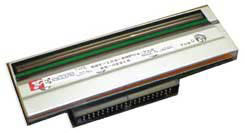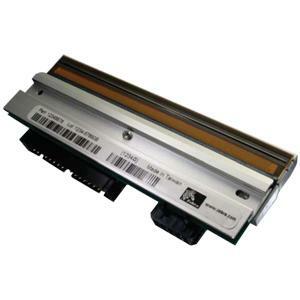


Print Technology:
- Direct Thermal
- Thermal Transfer



Get the best performance from your Zebra printer by using
QualityZebra supplies are made by Zebra, for Zebra printers, to the highest standards. Theyare all extensively tested to ensure best print quality and performance before they arebranded and introduced into the range. Tested on the printers they will be used on,in the combinations they will be used in, they are developed specifically for ourusers' requirements.
DPI: 203
Zebra Printers:
It comes standard with USB, Serial, Ethernet, dual USB Host, and Bluetooth 4.1. Optional upgrades include dual-band Wi-Fi (802.11ac), parallel ports, and applicator interfaces.
Yes, the ZT411 offers optional UHF RFID encoding, including Zebra’s exclusive on-metal RFID solution—ideal for tagging metal containers and industrial assets.
It features a 4.3-inch color touch display, intuitive icon-based menu, side-loading supplies path, lighted media/ribbon paths, and color-coded indicators for status and troubleshooting.
The ZT411 supports a maximum print width of 4.09 inches and media widths from 1 to 4.5 inches, compatible with continuous, die-cut, notch, and black-mark media types.
The ZT411 is powered by Zebra's Link-OS and Print DNA software suite, including tools for remote printer management, integration with MDM systems, and PrintSecure for network security.
The ZT411 supports both direct thermal and thermal transfer printing with resolutions of 203 dpi, 300 dpi, and an optional 600 dpi for high-resolution label applications.
The SLS VIEW CLOUD STANDARD License includes support for 25 read points, the SLS VIEW Mobile App, and label printing capabilities. This license is billed monthly on an annual basis and provides the foundation for enterprise asset visibility across your supply chain. Additional components such as software integration, site startup kits, NiceLabel licenses, and Windows or Android hosts are quoted separately based on your specific deployment needs.
The NETGEAR UTM150B-10000S is a 1-year service subscription bundle that provides 24x7 technical support. This subscription includes both electronic and physical support services to ensure your data networking infrastructure remains operational and secure throughout the year.
The HPE P42044-B21 features 2 SFP28 ports supporting 10/25Gb Ethernet connectivity. This dual-port design allows for flexible network configurations in high-speed data center environments where 25Gb per-port bandwidth is required for demanding applications.
The SATO CL4NX Plus RFID Printer delivers 305 dpi resolution at 14 inches per second print speed with a maximum print width of 4.1 inches, making it ideal for high-volume industrial labeling. It features Smart Printhead technology, supports media up to 10-inch outer diameter with 1968-foot ribbon capacity, and includes a Micro Label Print Mode for precise labels as small as 10mm. The printer comes equipped with a built-in dispenser and rewinder, plus a real-time clock for advanced scheduling capabilities.
The Zebra 10010051 Z-Select 4000D labels measure 2.25 x 1.25 inches (57.2 x 31.8mm) with a center vertical slit that creates two 1.125 x 1.25 inch labels per original label. Each roll contains 1,910 labels on a 1-inch (25.4mm) core, with 6 rolls packaged per box, providing high-volume printing capacity for warehouse and logistics operations.
Yes, the NETGEAR UTM150B-10000S subscription bundle includes 24x7 technical support. This round-the-clock availability ensures that assistance is available whenever you need it, critical for warehouse and logistics operations that run continuously.
The SATO WWCLP2C01-NAR offers comprehensive connectivity through USB, Ethernet, Bluetooth, Serial, Parallel, NFC, and an External Signal Interface (EXT) for seamless integration into warehouse and logistics environments. This multi-protocol approach ensures compatibility with legacy systems and modern IoT infrastructure, allowing you to choose the connection method that best fits your operation. We offer full technical support for all connectivity configurations when you contact us today.
SLS VIEW RFID Software Suite enables you to track all tagged enterprise assets, including equipment, supplies, and personnel. The software provides visibility into the day-to-day movement of your assets from receiving through shipping and all intermediate stages, allowing your business to make better decisions based on comprehensive supply chain data collection.
Yes, the HPE Mellanox MCX631102AS-ADAT adapter is specifically designed for HPE systems. We offer this adapter as a dedicated HPE solution to ensure seamless integration with compatible HPE server platforms and infrastructure.
These Zebra Z-Select 4000D labels are designed for direct thermal printers and are compatible with Zebra desktop thermal label printers that support direct thermal printing technology. The labels work with any direct thermal printer that accepts standard 1-inch core rolls, making them versatile across most Zebra printer models in our inventory.
The subscription provides both electronic and physical support options. This dual-support approach allows you to receive technical assistance through remote channels or on-site service, depending on the nature of your networking issue.
Yes, the SATO CL4NX Plus includes a specialized Micro Label Print Mode that provides higher print accuracy for small pitch labels, enabling you to dispense labels as small as 10mm with precision. This feature, combined with 305 dpi resolution, makes it suitable for applications requiring detailed barcodes, RFID tags, and product identifiers on compact items. Visit barcodesinc.com to explore how this capability can optimize your labeling workflow.
The Zebra Z-Select 4000D features a bright white, high-performance coated paper construction with all-temperature adhesive that maintains label adhesion and print quality in cold environments. This coating provides excellent contrast for barcode readability and image clarity in freezing conditions, making it ideal for cold storage, refrigerated logistics, and outdoor winter applications.
Yes, the SLS VIEW CLOUD STANDARD License includes the SLS VIEW Mobile App, which manages asset events, business process flows, RFID reader connectivity, barcode imager connectivity, print events, and Wi-Fi network connectivity. The mobile app interacts with the SLS VIEW API Library to deliver real-time asset tracking and management capabilities in the field.
The HPE P42044-B21 supports both 10Gb and 25Gb per-port speeds, providing flexibility for different network requirements. This dual-speed capability allows you to deploy the adapter in environments with varying bandwidth demands without requiring separate hardware.
SLS VIEW Cloud enables you to print, encode, and enroll RFID tags; collect tag read events from all fixed readers and mobile work centers; decode asset information including company ownership, item type, and electronic product code (EPC) serialized identifiers; and record complete asset movement history and stages. It also monitors the health and activity of fixed readers and stores tag read events for sharing through SLS VIEW Hub.
The NETGEAR UTM150B-10000S subscription is valid for 1 year from activation. After the initial year, you can contact us today to discuss renewal options and continued support for your data networking device.
The HPE P42044-B21 uses SFP28 transceiver connectors on both ports. SFP28 is the industry standard for 25Gb Ethernet connections and supports a wide range of optical and direct-attach copper (DAC) cable options available from us.
The SATO WWCLP2C01-NAR is equipped with UHF RFID printing capability, enabling you to encode and print RFID tags for asset tracking, inventory management, and supply chain visibility in warehouse and logistics operations. UHF RFID provides longer read ranges and faster scanning compared to other RFID frequencies, making it ideal for high-throughput environments. Contact us today to discuss how UHF RFID integration can enhance your operational efficiency.
No, the Zebra Z-Select 4000D is not recommended for applications involving direct sunlight exposure or extreme heat conditions. These labels are optimized for indoor, cold temperature environments and controlled warehouse settings where UV exposure and high temperatures are not factors in label durability.
The Z-Select 4000D uses direct thermal printing technology to produce high-contrast, black visible light images with excellent clarity and barcode scanability. The bright white, coated paper surface ensures consistent print density and sharp image reproduction, making these labels ideal for barcodes, shipping information, and product identification in warehouse environments.
SLS VIEW software is compatible with leading RFID reader platforms including Impinj R420, Impinj R700, Zebra FX7500, and Zebra FX9600 readers. This broad compatibility allows you to integrate SLS VIEW into existing RFID infrastructure or deploy new readers from these trusted manufacturers. Contact us today to discuss which reader configuration best fits your asset tracking requirements.
The NETGEAR UTM150B-10000S is classified as a data networking device and is compatible with wireless networking applications, including wireless controller and wireless router functions. This makes it suitable for managing and controlling wireless infrastructure in warehouse and logistics environments.
The HPE P42044-B21 is ideal for high-speed data center networking, storage area networks (SANs), and environments requiring 10/25Gb Ethernet connectivity. The dual-port design makes it suitable for load balancing, redundancy, or connecting to multiple network segments within enterprise infrastructure.
The SATO CL4NX Plus supports media rolls with up to 10-inch outside diameter and accommodates ribbon lengths up to 1968 feet, significantly reducing the frequency of media changes in high-volume printing operations. This large capacity design minimizes downtime and increases productivity, particularly in warehouse and logistics facilities with continuous labeling demands. We offer compatible media and ribbon supplies optimized for this printer model.
SLS VIEW CLOUD STANDARD requires the purchase of necessary NiceLabel licenses and a Windows or Android host device, which are quoted separately. The software also requires either a software integration or site startup kit to be purchased separately to establish the foundation for your RFID asset tracking deployment. Our team can help you determine the complete system configuration needed for your operation.
We offer the NETGEAR UTM150B-10000S subscription bundle with comprehensive technical support. Visit barcodesinc.com or contact us today to order this product and ensure your data networking infrastructure is properly supported.
We offer the HPE P42044-B21 as part of our comprehensive AIDC and networking equipment portfolio. Contact us today or visit barcodesinc.com to check availability, pricing, and to discuss which configuration best meets your network infrastructure requirements.
Absolutely—the SATO WWCLP2C01-NAR is purpose-built for industrial warehouse and logistics environments, featuring Smart Printhead technology, thermal transfer printing at 14 ips, and integrated UHF RFID encoding for real-time inventory tracking and asset management. Its robust construction, multi-protocol connectivity, and high-speed processing make it ideal for demanding supply chain applications requiring reliable label and RFID tag production. Contact us today to discuss how this printer can streamline your warehouse operations.
We offer the Zebra 10010051 Z-Select 4000D labels in convenient 6-roll boxes, with each roll containing 1,910 labels for high-volume operations. Contact us today or visit barcodesinc.com to order these labels and discuss bulk pricing options for your warehouse labeling needs.