


Product Color:
White



Color: Cash Register White
Agency Approval: RoHS Compliant
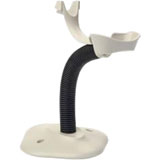
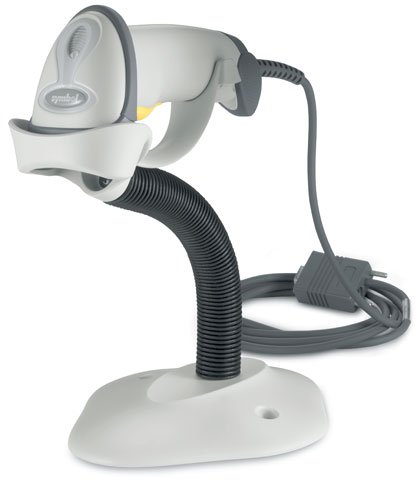
Symbol LS2208 Hand-held Laser Barcode Scanner
The Cisco PWR-1.6KW-DC is a DC power supply designed for ASR 9900 Fixed Chassis routers and edge platforms. This 1.6kW DC power module provides reliable power delivery for high-performance Cisco networking equipment in data center and enterprise environments. We offer this component as part of our comprehensive Cisco power systems inventory available from barcodesinc.com.
Zebra LaserBand wristbands use direct laser printing technology instead of requiring a dedicated thermal transfer wristband printer, making deployment faster and more cost-effective. The self-laminating design protects patient information, barcodes, and text from moisture and hand sanitizers, extending wristband usability throughout patient stays. This allows you to print both wristbands and labels on a single 8.5x11" sheet using standard laser printers you likely already have in your facility.
Yes, Zebra's self-laminating LaserBand direct-print wristbands are designed to print both wristbands and labels on a single 8.5x11" sheet, which streamlines patient admissions by eliminating separate printing steps. This dual-printing capability allows you to generate patient identification wristbands and corresponding chart labels simultaneously, improving workflow efficiency in healthcare environments.
The Zebra PLS-102WC LaserBand wristbands are self-laminating direct-print wristbands designed primarily for healthcare patient identification. They enable printing of both wristbands and patient chart labels on a single 8.5x11" sheet using standard laser printers, eliminating the need for specialized wristband printing equipment. The self-laminating seal protects patient information, barcodes, and text from moisture and hand sanitizers, extending wristband usability throughout patient stays.
The Zebra PLS-102W1 features self-laminating LaserBand technology that shields patient information, barcodes, and text from moisture and hand sanitizers, extending wristband usability in demanding healthcare settings. The self-laminating seal protects critical patient data throughout the patient's stay, making these wristbands ideal for hospital admissions and patient identification workflows.
The PWR-1.6KW-DC operates with DC input voltage ranging from -40 to -72V, making it suitable for negative polarity DC power systems commonly used in telecommunications infrastructure. This specification ensures compatibility with standard telecom power distribution systems. Contact us today for detailed technical documentation on this power supply.
Yes, the Zebra PLS-102W1 enables printing both wristbands and patient chart labels on a single 8.5x11" sheet using current laser printers, eliminating the need for a dedicated wristband printer. This dual-printing capability accelerates patient admission processes and reduces operational complexity in your facility.
Yes, one of the key advantages of Zebra PLS-102WC LaserBand wristbands is that they enable easy deployment without requiring a special wristband printer. You can print both the wristband and accompanying labels on standard laser printers using the same sheet, which streamlines patient admission workflows and reduces equipment costs. Contact us today to verify compatibility with your current printer setup.
Yes, that's a key advantage of the Zebra PLS-102W1-BLUE design. You can print both patient wristbands and chart labels on a single sheet, which streamlines patient admissions workflows and reduces printing time. This dual-output capability helps accelerate check-in processes in hospitals and medical facilities.
The Zebra PLS-102WCH-YELLOW wristbands feature a self-laminating seal that shields patient information, including text and barcodes, from moisture and hand sanitizers. This protective layer extends the usability and readability of the wristband throughout the patient's stay, ensuring barcode scans remain reliable even in high-hygiene healthcare settings.
Yes, the PWR-1.6KW-DC is specifically designed for Cisco ASR 9900 Fixed Chassis platforms and provides the necessary power output ratings and holdup time specifications required by these systems. We recommend verifying your exact chassis configuration and power requirements before ordering. Visit barcodesinc.com or contact our team to confirm compatibility with your specific equipment.
The PLS-102W1 wristbands are available in Paper/PET construction with an 8.5x11" (216x279mm) sheet size, offered with adhesive closure and designed for adult patients. Each box contains 1,000 sheets with 20 labels per sheet, providing substantial volume for high-throughput healthcare environments.
Yes, the self-laminating seal on Zebra LaserBand wristbands protects against moisture and hand sanitizers, keeping patient information legible and barcodes scannable throughout extended use. This durability is critical in clinical environments where wristbands face frequent exposure to liquids and cleaning agents.
The self-laminating seal on Zebra PLS-102WC wristbands creates a protective barrier that shields printed patient information, including text and barcodes, from moisture and hand sanitizers. This protection extends the usability and readability of the wristband throughout the patient's stay, ensuring critical identification data remains legible and scannable even in high-moisture healthcare environments.
No, these wristbands are designed for direct printing with standard laser printers, eliminating the need for specialized wristband printing equipment. This makes deployment of a barcode-enabled wristband solution quick and cost-effective, as you can leverage existing laser printer infrastructure.
The Zebra PLS-102WC LaserBand wristbands are available in 8.5x11" (216x279mm) sheets with 20 labels per sheet and come in boxes of 1,000 sheets. They feature an adhesive closure for secure fastening and are available with optional hole punches for securing into patient charts. The adhesive-free areas around form edges and holes prevent printing jams and reduce maintenance costs.
The Zebra PLS-102W1-BLUE wristbands are sized for adult patients and come in sheets of 8.5x11" (216x279mm), with 1,000 sheets per box. Each sheet includes 20 wristband labels, giving you 20,000 individual wristbands per box for high-volume medical facilities.
The PWR-1.6KW-DC maintains a minimum output holdup time of 2 milliseconds at -40 VDC, which protects connected equipment during brief power interruptions and voltage fluctuations. This holdup time is critical for maintaining system stability in mission-critical network deployments. We stock this power supply to support enterprise-grade infrastructure requirements.
Yes, the Zebra PLS-102W1 wristbands are available with hole punches to enable secure fastening into patient charts. The adhesive-free areas around form edges and holes prevent printing jams and reduce expensive printer maintenance requirements.
The Zebra PLS-102WCH-YELLOW wristbands come in yellow, measure 8.5x11" (216x279mm), and are supplied at 1000 sheets per box with 20 labels per sheet. They feature an adhesive closure design, are suitable for adult patients, and are available from us with hole-punch options for securing into patient charts.
Yes, Zebra PLS-102WC LaserBand wristbands are fully compatible with barcode printing on standard laser printers. The self-laminating design protects printed barcodes from damage, moisture, and sanitizers, ensuring they remain scannable throughout patient care. This makes them ideal for healthcare workflows that require both human-readable patient information and machine-readable barcode identification on a single wristband.
The Zebra PLS-102W1 wristbands are designed for use with current laser printers, eliminating the need for specialized wristband printer equipment. This compatibility simplifies deployment and leverages existing infrastructure in your healthcare facility.
Yes, these wristbands are available with hole punches, making it easy to secure them into patient charts without additional equipment. The adhesive-free areas around form edges and holes prevent printing jams, reducing maintenance costs and downtime.
The Zebra LaserBand wristbands feature adhesive-free areas around form edges and holes, which prevents printing jams and reduces the need for expensive printer maintenance. This design protects your laser printer from adhesive buildup while maintaining reliable, consistent printing performance.
The PWR-1.6KW-DC delivers 1.6kW of DC power output specifically configured for ASR 9900 chassis requirements, with output ratings of 55V at 13.25A and 5V at 0.3A for auxiliary systems. This dual-output configuration ensures proper power distribution across primary and secondary components. Available from us at barcodesinc.com for immediate shipment.
Zebra PLS-102WC LaserBand wristbands are constructed from a paper/PET composite material designed for direct laser printing. The combination provides durability, printability, and the self-laminating capability that protects against moisture and hand sanitizers. This material composition makes them suitable for the demanding healthcare environment while maintaining compatibility with standard laser printing technology.
The self-laminating seal on Zebra PLS-102W1 wristbands provides protection against moisture and hand sanitizers, ensuring patient information and barcodes remain legible and scannable throughout extended patient stays. This durability extends wristband usability and reduces the need for reprinting due to damage or fading.
The Zebra PLS-102W1-BLUE wristbands are designed for standard laser printers, eliminating the need for expensive specialty wristband printers. This makes them compatible with most office and medical facility laser printing infrastructure you likely already have in place, simplifying deployment and reducing capital equipment costs. Contact us today to verify compatibility with your specific printer model.
The Zebra PLS-102WCH-YELLOW wristbands are constructed from paper and PET (polyethylene terephthalate) materials, providing durability and flexibility for patient wear. The PET component contributes to the self-laminating protection that keeps patient information legible and scannable throughout extended use in clinical settings. Contact us today to learn more about material options and availability.
The PWR-1.6KW-DC features terminal block connectors for DC input, allowing direct connection to -40 to -72V DC power distribution systems without requiring standard power cords. This design is ideal for integrated telecommunications cabinets and distributed power architectures. Contact us today to discuss installation requirements and power distribution planning for your deployment.