
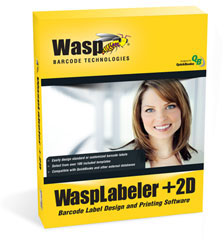



- Rapidly design customized labels, including barcodes, text, and graphics
- Select from over 100 pre-built label templates
- Supports proprietary thermal printer languages
- Generate shadow books and product scan sheets
- Create compliance labels for shipping, shelf making, inventory tracking, product labeling, and more
- Import existing files
- Serialize copies and labels with auto increment/decrement
- View data at design time
- Export barcode as an image
- Combine data from multiple tables
- Enhance serialization by serializing numbers/auto increment, alphabetic, and user defined lists
- Set password on command line for access databases
- Key Search on EDS
- Keep sort/filter on DataSource change
- Save working directory for label, image, and EDS files
- Import BMP, JPEG, PNG, TIFF, GIF, and ICON images
- Advanced graphic resizing and image rotation
- Import images onto label design, link to original file, or retrieve from a database
- WaspLabeler +2D supports the following 1D and 2D barcode symbologies:
- Aztec Code
- Codabar
- Code 128
- Code 39
- Code 93
- DataMatrix
- EAN/JAN-13
- EAN/JAN-8
- Interleaved 2 of 5
- ISBN
- ITF14
- MaxiCode
- Micro PDF417
- Micro QR Code
- MSI
- PDF417
- PostNet
- QR Code
- GS1-14
- GS1-14 Stacked
- GS1 Stacked Omnidirectional
- GS1 Truncated
- GS1 Expanded
- GS1-Limited
- UCC EAN 128
- UPC-AUPC-E
Wasp 633808105273 Software
Wasp WaspLabeler +2D Software Model Overview
WaspLabeler +2D is an intuitive barcode label design and printing software tailored for small businesses. With over 100 pre-designed templates, users can effortlessly customize barcode labels to suit their specific needs or create them from scratch. Seamlessly integrate data from sources like Microsoft Excel® or QuickBooks® and print directly to any networked Windows® printer. This versatile tool is perfect for tracking inventory, shipping labels, direct mail management, and labeling perishable goods, enhancing productivity and organization in your business operations.
Key Features
- Supports QuickBooks (2008 or later), including custom fields
- Import data from Microsoft Office®, QuickBooks, and CSV files
- Choose from over 100 label templates
- Apply multiple filter and sort criteria for each label
- Import and manipulate images in various formats
- Automatic serialization for easier tracking of assets
Specifications
- System Requirements:
- Windows 7, Vista, XP (SP3), Server 2003/2008
- Pentium 4 processor or better
- 512 MB RAM (1 GB recommended)
- 2 GB available hard drive space (10 GB recommended)
- 1024 x 768 resolution, 16-bit high color
- CD-ROM Drive for installation
- Available Licenses:
- 1 User License
- 5 User Licenses
- 10 User Licenses
- Unlimited Licenses
- Over 100 templates
- Create compliance labels
- Import existing files
- Microsoft Office XP
- Microsoft Office 2003
- Microsoft Office 2007
- Microsoft Office 2010 (32-bit version only)
Processor:
- Pentium 4 or better processor
Operating System (32-bit or 64-bit):
- Windows 8
- Windows 7
- Windows Vista
- Windows 2000
- Windows XP (SP3)
- Windows Server 2003
- Windows Server 2012
Hard Disk:
- 2 GB of available Space (10 GB recommended)
Memory:
- 512 MB RAM (1 GB recommended)
Optical Drive:
- CD-ROM (installation only)
Others:
- 1024 x 768 resolution and 16-bit high color or better
Frequently Asked Questions
What are the key features of the Toshiba BA410TGS12QMSM0C barcode label printer?
The Toshiba BA410 combines industrial-grade functionality with a compact desktop footprint, offering 4-inch wide label printing at 203 DPI with an 8 IPS print speed. It features a metal case for durability and includes a cutter module for automated label separation. The printer comes equipped with multiple communication interfaces including USB, Bluetooth, and Ethernet for flexible network integration and centralized printer management.
What connectivity options does the Toshiba BA400 series support?
The Toshiba BA400 series offers comprehensive connectivity with USB, Bluetooth, and Ethernet interfaces built in. The improved Bluetooth connectivity enables easy integration with mobile Android and iOS applications, while Ethernet support allows you to manage your entire network of printers from a central source.
Is the Toshiba BA410 suitable for both desktop and industrial warehouse environments?
Yes, the Toshiba BA410 is specifically designed to provide the functionality and robustness of an industrial printer while maintaining the compact footprint and ease of use of a desktop printer. This hybrid design makes it ideal for warehouses, logistics operations, and other environments where space is limited but industrial-grade performance is required.
How does the Toshiba BA400 series compare to previous Toshiba printer generations?
The Toshiba BA400 series represents the first generation of products built on an entirely new software platform with a more powerful processor that enhances performance and future-proofs your investment. While it retains the superb reliability and robustness of its mechanical predecessor, the new platform delivers improved connectivity and performance capabilities.
What is the print resolution and speed of the Toshiba BA410TGS12QMSM0C?
The Toshiba BA410 delivers 203 DPI print resolution with a print speed of 8 inches per second (IPS), making it suitable for high-volume barcode and label production in warehouse and logistics applications. This combination provides both quality and throughput for demanding AIDC environments.
Can the Toshiba BA410 integrate with mobile applications?
Yes, the Toshiba BA400 series features built-in Bluetooth connectivity that enables easy integration with mobile Android and iOS applications. This allows warehouse and logistics teams to send print jobs directly from mobile devices, improving workflow efficiency and flexibility in fast-paced environments.