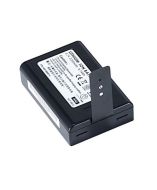
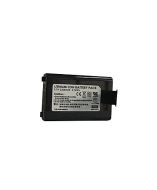
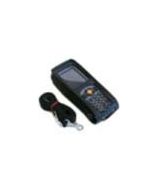
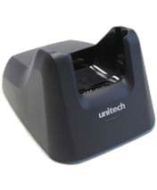
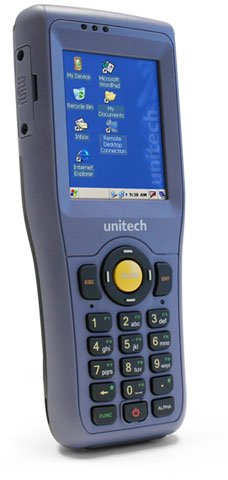
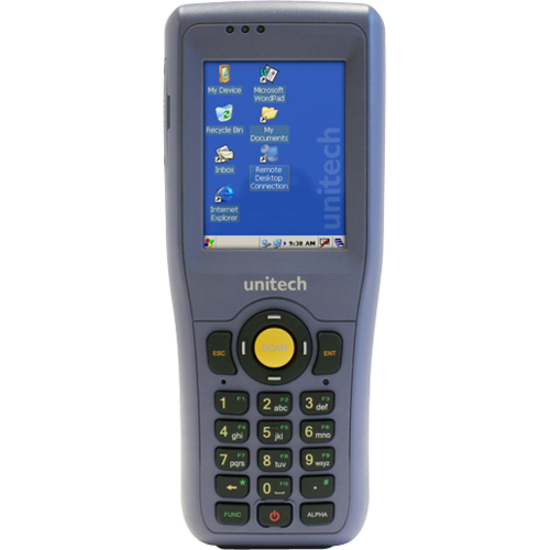
The Unitech HT680 is a compact and aggressive rugged mobile computer ideally suited for manufacturing, retail, logistics and transportation. Designed for the toughest work environments, the HT680 gives you the reliability and flexibility needed to increase productivity and efficiency in all of your data collection applications. The HT680 is built to last, protecting your investment and minimizing downtime. Compact and rugged, the HT680 is IP54 rated, safeguarding it from moisture and dust and can withstand 6-foot drops to concrete, the highest drop threshold in Unitech's line of mobile computers.
Unitech HT680-H560UADG Mobile Computer Overview
The HT680 is a compact and aggressive rugged mobile computer ideally suited for manufacturing, retail, logistics and transportation. Designed for the toughest work environments, the HT680 gives you the reliability and flexibility needed to increase productivity and efficiency in all of your data collection applications.
What print resolution and speed does the Toshiba BFV4DTS12QQR offer?
The Toshiba BFV4DTS12QQR delivers 300 DPI resolution with a maximum print speed of 101.6 mm/s (4 IPS), making it suitable for high-quality barcode and label applications in warehouse and logistics environments. This combination of resolution and speed ensures crisp, scannable labels while maintaining efficient production throughput.
What print resolutions and speeds does the Toshiba BFV4TGS12QQR support?
The Toshiba BFV4TGS12QQR offers 203 DPI resolution with print speeds up to 152.4mm/s, making it suitable for high-volume barcode and label applications. We offer this model as a thermal transfer printer that balances speed and print quality for industrial desktop environments.
What print resolution and speed does the Toshiba BFV4TGS12QQRWL offer?
The Toshiba BFV4TGS12QQRWL delivers 203 DPI resolution with a maximum print speed of up to 152.4mm/s, making it suitable for high-volume warehouse and logistics labeling operations. This combination of resolution and speed ensures crisp, scannable barcodes while maintaining production efficiency. We offer this model as part of our comprehensive thermal transfer printer lineup available from us at barcodesinc.com.
What print resolution and speed does the Toshiba B-FV4T offer?
The Toshiba B-FV4T delivers 300 DPI resolution with a maximum print speed of up to 101.6 mm/s at that resolution. This combination makes it ideal for applications requiring high-quality barcode and label output in warehouse and logistics environments where clarity and readability are critical.
What barcode printer languages and emulations does this Toshiba model support?
The BFV4DTS12QQR supports multiple industry-standard printer languages including Toshiba TPCL, Zebra ZPL2, Eltron EPL, Datamax DPL, and Intermec IPL (at 200 dpi). This broad compatibility makes it easy to integrate into existing warehouse management systems without requiring software modifications.
What connectivity options are available on this Toshiba thermal transfer printer?
The BFV4TGS12QQRWL features USB, LAN, and wireless connectivity, allowing seamless integration into networked warehouse and distribution environments. This multi-connectivity approach provides flexibility for both direct printing and network-based label management systems. Contact us today to discuss connectivity requirements for your operation.
What barcode printer control languages does the B-FV4T support?
The B-FV4T is compatible with multiple industry-standard printer languages including Toshiba TPCL, Zebra ZPL2, Eltron EPL, Datamax DPL, and Intermec IPL (200 dpi). This multi-language support allows seamless integration into existing systems without requiring software modifications.
Which barcode printer control languages are compatible with this Toshiba model?
The BFV4TGS12QQR supports multiple industry-standard printer languages including Toshiba TPCL, Zebra ZPL2, Eltron EPL, Datamax DPL, and Intermec IPL. This multi-language compatibility ensures seamless integration into existing systems without requiring software modifications.
Which barcode printer languages does the Toshiba BFV4TGS12QQRWL support?
This printer supports multiple industry-standard control languages including Toshiba TPCL, Zebra ZPL2, Eltron EPL, Datamax DPL, and Intermec IPL, ensuring compatibility with existing warehouse management and labeling software systems. This broad language compatibility eliminates the need for costly system replacements when upgrading your printing infrastructure. We stock this multi-language capable model to serve diverse IT procurement needs.
What connectivity options are available on the Toshiba BFV4DTS12QQR?
This model features both USB and LAN connectivity, allowing flexible deployment in networked warehouse and logistics environments. These dual connectivity options enable seamless integration with your existing IT infrastructure and label printing workflows.
What connectivity options are available on the Toshiba BFV4TGS12QQR?
This model includes both USB and LAN connectivity, allowing flexible deployment in networked warehouse and logistics environments. Contact us today to discuss which connection option best fits your operational requirements.
What connectivity options are available on the Toshiba B-FV4T?
The B-FV4T features both USB and LAN connectivity, providing flexible integration options for networked warehouse management systems and direct computer connections. These dual connectivity options ensure compatibility with both legacy and modern IT infrastructure.
What media types and sizes can this Toshiba printer handle?
The BFV4TGS12QQR supports roll-fed, fanfold, die-cut, continuous, tag stock, and receipt media with backing paper widths from 25.4 to 118mm. Label thickness ranges from 0.06 to 0.19mm, accommodating a wide variety of labeling applications available from us.
What is the maximum label width and length this printer can handle?
The BFV4TGS12QQRWL supports a maximum print width of 108mm and maximum print length of 995mm, accommodating everything from small shipping labels to large industrial tags. It accepts roll-fed, fanfold, die-cut, continuous, tag stock, and receipt media, providing versatility for various warehouse labeling applications. Visit barcodesinc.com to explore media options compatible with this printer.
What media types and sizes can the B-FV4T handle?
The B-FV4T supports roll-fed, fanfold, die-cut, continuous, tag stock, and receipt media with backing paper widths ranging from 25.4 to 118 mm. Label thickness can range from 0.06 to 0.19 mm, with maximum print width of 105.7 mm and print length up to 453.2 mm.
What media types and sizes can the BFV4DTS12QQR handle?
The printer supports roll-fed, fanfold, die-cut, continuous, tag stock, and receipt media with widths ranging from 25.4 to 118 mm. Maximum print width is 108 mm, and it accommodates label thickness from 0.06 to 0.19 mm, providing flexibility for diverse labeling applications.
Is the Toshiba B-FV4T suitable for thermal transfer or direct thermal printing?
The B-FV4T is specifically designed for thermal transfer printing, allowing use with ribbon cartridges (40 to 110 mm width) for printing on a wider variety of label materials. If you need direct thermal-only capability, Toshiba also offers the B-FV4D model as an alternative.
What are the operating temperature and humidity requirements for this printer?
The Toshiba BFV4TGS12QQR operates reliably in environments ranging from 5 to 40°C with humidity up to 85% non-condensing. These specifications make it suitable for standard warehouse and logistics facilities where temperature control is maintained.
Is the Toshiba BFV4DTS12QQR suitable for courier and shipping operations?
Yes, the B-FV4D courier model is specifically designed for shipping applications with features including a built-in peel-off function, AC adaptor fitted inside the case, and fixed paper guides. These design elements make it ideal for the courier and logistics industry where ease of installation and operation are critical.
What are the operating temperature and humidity specifications for this thermal transfer printer?
The Toshiba BFV4TGS12QQRWL operates reliably in environments ranging from 5 to 40°C with up to 85% non-condensing relative humidity, making it suitable for standard warehouse and logistics facilities. These specifications ensure consistent performance in typical indoor distribution center conditions. Contact us today if you need guidance on environmental suitability for your specific location.
What are the operating conditions for the B-FV4T printer?
The B-FV4T operates reliably in environments with temperatures between 5 to 40°C and humidity levels up to 85% (non-condensing). It is powered by a 90W AC adaptor, making it suitable for standard warehouse and office environments.
What is the maximum print width and length for the BFV4TGS12QQR?
This model supports a maximum print width of 108mm and maximum print length of 995mm, providing flexibility for various label sizes from small product labels to large shipping and logistics labels. Visit barcodesinc.com to explore available configurations for your specific application needs.
What are the operating environment specifications for this Toshiba printer?
The BFV4DTS12QQR operates reliably in temperatures from 5 to 40°C with humidity levels up to 85% non-condensing, making it suitable for typical warehouse and distribution center environments. Contact us today at barcodesinc.com to discuss your specific environmental requirements and ensure this model fits your facility.
What ribbon specifications does the BFV4TGS12QQRWL thermal transfer printer require?
This printer accommodates ribbons ranging from 40 to 110mm in width with a standard length of 300m (Toshiba approved ribbon), providing cost-effective consumable options for sustained printing operations. The flexible ribbon width range allows optimization for different label sizes and printing requirements. We offer genuine Toshiba ribbon supplies and can help you select the right consumables for your printing volume.
The Unitech HT680-H560UADG Mobile Computer is also known as
UNI-HT680-H560UADG
or HT680H560UADG.





 Full specifications (PDF)