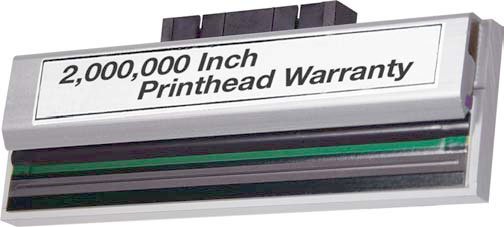


Print Technology:
- Direct Thermal
- Thermal Transfer



Sato Printers:
The HP CE340A (651A) Original Toner Cartridge delivers up to 13,500 pages per cartridge based on ISO 24711 testing standards. This yield is calculated using standard letter-size paper and average usage patterns. We offer this cartridge as a single-pack option for your laser printing needs.
The HP CC532A (304A) Original Toner Cartridge delivers a standard yield of 2,800 pages. This specification is based on ISO 24711 testing standards and applies to typical printing conditions. We offer this cartridge as a single pack for reliable color printing in your HP LaserJet environment.
The HP CE341A (651A) Original Toner Cartridge delivers up to 16,000 pages per cartridge based on ISO 24711 testing standards. This yield is calculated for standard letter-size documents and actual page count may vary depending on your specific print job complexity and coverage.
The HP Q5950A (643A) Original Toner Cartridge delivers up to 11,000 pages in black. This yield is based on ISO/IEC 19798 continuous printing standards, though actual yields vary considerably based on images printed and other factors. We offer this cartridge as a single pack for your laser printing needs.
The HP C9730A (645A) Original Toner Cartridge delivers a page yield of 13,000 pages in black. This yield is based on ISO/IEC 19798 continuous printing standards, though actual yields may vary depending on your specific printing conditions and usage patterns. We offer this cartridge as a single pack for your laser printing needs.
The HP C9732A Original Toner Cartridge is rated for 12,000 pages of yellow output. This yield is based on ISO 24711 testing standards and assumes typical printing conditions. We offer this cartridge as a single pack for your HP LaserJet color printer needs.
The HP CE250A (504A) Original Toner Cartridge delivers up to 5,000 pages per cartridge based on ISO/IEC 19752 continuous printing standards. Actual yields vary depending on image density, print settings, and usage patterns. We offer this cartridge as a single-pack black toner solution for HP LaserJet printers.
The HP CE252A (504A) yellow toner cartridge delivers up to 7,000 pages per single cartridge. This yield is based on standard printing conditions and helps you plan supply replacement intervals for your laser printing operations.
The HP CE260A (HP 647A) Original Toner Cartridge delivers up to 8,500 pages of black output per single cartridge. This yield is based on ISO/IEC 19752 continuous printing standards, though actual yields may vary depending on your printing conditions and usage patterns.
The HP CE311A (126A) Original Toner Cartridge delivers a standard yield of 1,000 pages. This yield is based on ISO/IEC 19798 continuous printing standards, though actual page yields may vary depending on your specific printing conditions and image complexity. We offer this cartridge as a single pack for your cyan printing needs.
The HP CE322A (128A) yellow toner cartridge delivers a standard yield of 1,300 pages. This yield is based on continuous printing and actual page counts may vary depending on images printed and other factors. For detailed yield information, visit HP's supplies learning resource.
The HP CE342A (651A) yellow toner cartridge delivers a standard yield of 16,000 pages. This yield is based on ISO 24711 testing standards and assumes typical printing conditions. We offer this cartridge as a reliable supply solution for your HP laser printing needs.
The HP CE390A (90A) Original Toner Cartridge delivers up to 10,000 pages of black output per cartridge. This yield is based on ISO/IEC 19752 testing standards and assumes continuous printing. Actual page yield may vary depending on your specific printing conditions, document complexity, and usage patterns.
The HP CB541A (125A) Original Toner Cartridge delivers a page yield of 1400 pages based on ISO/IEC 19798 continuous printing standards. Actual yields may vary depending on your specific printing conditions, images printed, and other usage factors. For more details on supply yields, we recommend visiting HP's supplies information page.
The HP CE401A (507A) cyan toner cartridge delivers approximately 6,000 pages based on ISO/IEC 19798 continuous printing standards. Actual yields vary considerably based on the images printed and other factors, so your specific results may differ depending on your printing conditions and usage patterns.
The HP CE400A (507A) Original Toner Cartridge delivers up to 5,500 pages per cartridge based on ISO/IEC 19798 continuous printing standards. Actual yields vary considerably based on the images printed and other factors, so we recommend reviewing HP's detailed supply information for your specific printing conditions.
The HP CE343A (651A) magenta toner cartridge delivers a page yield of 16,000 pages. This yield is based on ISO 24711 testing standards and assumes standard printing conditions. We offer this cartridge as an original HP supply, ensuring reliable performance for your laser printing needs.
The HP 128A (CE323A) Original Toner Cartridge delivers approximately 1300 pages of magenta output per single cartridge. This yield is based on ISO 24711 testing standards and assumes continuous printing under normal conditions.
The Fargo 49005 supports multiple contactless encoding standards including iClass, Mifare, DES-Fire, and HID PROX reader compatibility. This makes it ideal for organizations that need to encode security credentials directly onto ID cards in a single pass, ensuring seamless integration with existing access control systems. Contact us today to confirm compatibility with your specific encoding requirements.
The Fargo 088921 supports multiple access control credential programming technologies including HID Prox (125kHz), iCLASS Standard/SE/SR/Seos, MIFARE Classic, and MIFARE DESFire. This encoder is compatible with the HDP8500 printer and enables comprehensive credential encoding for enterprise access control systems. Contact us today to ensure this encoder meets your specific security requirements.
The Epson FX-890II delivers market-leading print speeds up to 738 cps in Ultra Speed Draft mode at 12 characters per inch. This high-volume performance makes it ideal for completing large batches of invoices, freight documents, and stock reports quickly. We offer the FX-890II for organizations that need fast, reliable form printing without sacrificing quality.
The Epson ERC-32B ribbon delivers 4,000,000 characters of print life, making it ideal for high-volume receipt and slip printing environments. This extended ribbon life reduces replacement frequency and lowers consumable costs for warehouse and logistics operations. We offer this ribbon in single packs for convenient ordering from barcodesinc.com.
The Elo E317130 features a 15.6-inch touchscreen display with a 1920 x 1080 HD resolution and 16:9 aspect ratio. This size and resolution combination makes it ideal for point of sale environments where clarity and visibility are essential for both staff and customers.
The Elo E102709 EloPOS Pack runs Windows 10 and is powered by Intel's 8th generation processors with a Q370 Chipset, delivering enterprise-ready performance in a compact form factor. This combination provides the speed and security infrastructure needed for demanding retail and hospitality environments.
The Elo E135925 features a 15.6-inch wide projected capacitive 10-touch screen with a 1366x768 HD display. This compact touchscreen is designed to fit elegantly into retail and hospitality environments while delivering clear, responsive performance for point-of-sale operations.
The Bixolon SRP-352PLUSVSK delivers ultra-fast printing at 400mm/sec, making it ideal for high-volume retail, hospitality, and ticketing environments where transaction speed is critical. This speed is combined with 203 dpi resolution to ensure both fast and high-quality receipt output.
The SRP-S300LOPK supports five media width options: 40mm, 58mm, 62mm, 80mm, and 83mm. This flexibility makes it ideal for warehouses and logistics operations that need to print labels of varying sizes without changing equipment.
The SRP-275III delivers fast printing at 5.1 lines per second, which is 11% faster than its predecessor model. This high-speed performance is optimized for kitchen orders and customer receipts, allowing them to print quickly without delaying guests or customers.
The Toshiba B-EX6T3 delivers 12 inches per second (IPS) print speed at 203 DPI resolution. This combination provides fast, high-quality barcode and label output suitable for industrial warehouse and logistics environments. We offer this model as a cost-effective solution without compromising on performance.
The Toshiba B-EX4T1 delivers a maximum print speed of 14 ips (355 mm/sec), which represents a 40 percent improvement in productivity compared to the SX range at 10 ips. This faster speed helps increase throughput in high-volume labeling environments.
The Toshiba T-2021 Original Toner Cartridge delivers a page yield of 8,000 pages in black. This cartridge is designed for high-volume printing environments where consistent output quality is essential. We offer this genuine Toshiba toner to ensure optimal performance with compatible laser printers.
The Unitech HT730 features a large 4-inch display with 400 nits of brightness, providing clear user feedback of scanned data and excellent visibility in outdoor environments. This brightness level makes it ideal for warehouse and logistics operations where sunlight exposure is common.
The Unitech HT730 features a large 4-inch display with 400 nits brightness, designed to provide clear user feedback of scanned data and excellent visibility in outdoor environments. This brightness level makes it suitable for warehouse and logistics operations where outdoor scanning is common.
The Datacard 508668-002 ID Card Ribbon is compatible with the Datacard SD460 printer. This DuraGard laminate ribbon is designed specifically for SD460 operations and delivers approximately 350 prints per ribbon.
The Datacard 508668-903 ID Card Ribbon is compatible with the Datacard SD460, Sigma SL2, and Sigma SL3 printers. This DuraGard laminate ribbon with magnetic stripe encoding works across this range of Datacard ID card printing systems.
The Datacard 508785-002 is a DuraGard Laminate ribbon compatible with the Datacard SD460 ID card printer. This 1.0 mil clear laminate is designed for full card application with smart card window support and yields approximately 300 prints per roll.
The Datacard 508785-903 ID Card Ribbon is compatible with CD810, Sigma SL2, and SL3 printers. This DuraGard laminate ribbon with 1.0 mil thickness and magnetic stripe encoding works seamlessly with these Datacard printer models. Contact us today to verify compatibility with your specific printer setup.
Yes, the Datacard 508785-001 is specifically designed as an ID Card Printer Ribbon compatible with the Datacard SD460. This ribbon features DuraGard Laminate at 1.0 mil thickness and delivers approximately 300 prints per full card. We offer this supply from our catalog to keep your SD460 running smoothly.
The Datacard 508668-001 is a DuraGard Clear laminate ribbon compatible with Datacard SD460 printers. This 0.5 mil overlay provides full card coverage and is designed to work seamlessly with SD460 printer systems for enhanced card durability and protection.
The Datacard 508944-901 is a DuraGard UV Protective Laminate designed for use with the Datacard SD460 ID card printer. This 1.0 mil clear laminate provides full-card protection and is available from us with a 100 roll minimum order for UV protective laminates.
The NETGEAR GS110TP-300NAS is an 8-port Gigabit PoE+ Ethernet Smart Managed Pro Switch designed for business networking. It features intelligent port management, PoE+ power delivery across supported ports, and Gigabit connectivity for high-speed data transfer. We offer this switch as a reliable solution for organizations looking to expand network capacity while delivering power to compatible devices.
The DuraScan D840 reads the most popular 1D and 2D barcodes, making it a versatile universal barcode scanner suitable for diverse retail and warehouse applications. This dual-format capability allows you to scan both traditional linear codes and modern 2D matrix codes from a single device.
The Socket Mobile CX3608-2259 DuraSled DS800 is designed for Apple iPhones and iPods. Simply insert your device into the sled, pair it via Bluetooth wireless technology, and you're ready to scan. This makes it an ideal solution for mobile scanning applications across iOS devices.
The Janam XT30 runs Android 9.X with Google Mobile Services (GMS), providing access to the full Google Play ecosystem and ensuring compatibility with standard Android business applications. This makes it ideal for organizations already invested in Android-based line of business solutions.
The DS9308 features a compact form factor with near-zero footprint and stylish aesthetics, making it perfect for trendy boutiques and convenience stores with limited counter space. Its swipe speeds are up to 50% faster than competitive scanners, allowing it to capture barcodes as quickly as they're presented, which streamlines checkout operations and improves customer throughput.
The Zebra CHG-TC7X-CLA1-02 is an auto charging cable cup that snaps onto the bottom of TC7X mobile computers, enabling users to charge their devices via a vehicle's cigarette lighter adapter (CLA). This accessory is ideal for field teams and logistics operations that require continuous power while mobile.
The CHG-TC7X-CBL1-01 is a charging cable cup that snaps onto the bottom of your TC7X device. To complete your charging setup, you'll need the PWR-BUA5V16W0WW power supply, the DC cable CBL-DC-383A1-01, and a country-specific AC line cord—all sold separately. We offer these components individually so you can build the exact power solution your deployment requires.
The Zebra Intelligent Cabinet is compatible with a wide range of Zebra mobile devices, including EC30, TC2X, TC5X, TC7X, and TC8X mobile computers, as well as mobile printers, tablets, and scanners. The cabinet's adaptable design accommodates various device types to support your enterprise mobility needs. Contact us today to confirm compatibility with your specific device models.
The Zebra PolyPro 3000T labels are ideal for chemical drum labeling, product labeling, and retail applications where durable, high-quality barcodes are required. These white matte polypropylene thermal transfer labels produce sharp black barcodes and human-readable fonts, making them suitable for environments where label durability and print clarity are critical. We offer these labels in 3x3" (76.2x76.2mm) format with a permanent acrylic adhesive for reliable adhesion.
The DS9308 features a compact form factor with near-zero footprint and stylish aesthetics, making it perfect for trendy boutiques and convenience stores with limited counter space. Its swipe speeds are up to 50% faster than competitive scanners, allowing it to capture barcodes as quickly as they're presented, improving checkout efficiency.
The DS9308 features a compact presentation scanner design with a near-zero footprint, making it perfect for trendy boutiques and convenience stores with limited counter space. Its stylish aesthetics complement modern retail environments while delivering swipe speeds up to 50% faster than competitive scanners, enabling rapid barcode capture at checkout.
The Zebra SWA-EB0SW00-0D01 is a perpetual Windows WM/CE/WEH device license for Enterprise Browser version 2.0 or greater. This license supports Windows Mobile, Windows CE, and Windows Embedded Handheld operating systems, making it ideal for legacy and modern mobile computing devices used in warehouse and logistics environments. We offer both Standard and SAP packages to meet different business requirements.
The Zebra CS-CRD-LOC-TC53-T is a mechanical locking solution designed for Zebra TC53 4-slot charging cradles with battery toaster functionality. This security equipment can be retrofitted to existing 4-slot charging cradles, providing a locking mechanism to secure devices during charging and prevent unauthorized removal. We offer this cradle locking solution to help protect your mobile computing assets in warehouse and logistics environments.
The Zebra CS-CRD-LOC-TC53 is a mechanical locking mechanism designed specifically for 5-slot charging cradles used with the Zebra TC53 mobile computer. This security equipment can be retrofitted to existing cradles, providing a locking solution that prevents unauthorized removal of devices during charging operations. We offer this solution for organizations that need enhanced device security in shared charging environments.
Zebra ZebraNet Bridge Enterprise is a centralized device management software designed to simplify deployment and maintenance of large-scale barcode printer fleets. It empowers administrators to efficiently manage diverse device fleets from a single dashboard, enabling IT staff to control distributed printers throughout your enterprise from anywhere on your global network. We offer this software solution to streamline your network infrastructure and improve operational efficiency.
The Zebra DS9308 is a presentation area imager scanner featuring swipe speeds up to 50% faster than competitive scanners, allowing it to capture barcodes as quickly as they are presented. It combines a compact form factor with stylish aesthetics, making it ideal for retail environments with limited counter space. The scanner also includes intelligent Document Capture capabilities to convert prescriptions, passports, checks, and other A6 or smaller documents into clear electronic images, and supports drivers license parsing for enhanced functionality.
The DS9308 features a compact form factor with near-zero footprint and stylish aesthetics, making it perfect for trendy boutiques and convenience stores with limited counter space. Its swipe speeds are up to 50% faster than competitive scanners, allowing you to capture barcodes as quickly as they're presented, which significantly improves checkout efficiency. We offer the DS9308 as a reliable presentation scanner built for all-day retail operations.
The DS9308 features a compact form factor with near-zero footprint and stylish aesthetics, making it perfect for trendy boutiques and convenience stores with limited counter space. Its swipe speeds are up to 50% faster than competitive scanners, allowing it to capture barcodes as quickly as they're presented, which significantly improves checkout efficiency.
The Zebra Z-Perform 1000D is an uncoated, direct thermal paper label with permanent acrylic adhesive, designed for applications requiring limited durability. These labels are ideal for shipping, mailing, and various industrial applications where direct thermal printing is used. Available from us in 4x6" format with 2,000 labels per roll and 2 rolls per box on a FF core.
The EDA10A combines a Gorilla Glass 5 touchscreen with a rugged design that withstands 1.3m (4.3 ft) drops per MIL-STD-810H standard, or up to 2m (6.6 ft) drops when using the protective boot. With an IP65 rating against dust and water, plus a lightweight yet durable frame, the EDA10A is built to handle the demanding conditions of warehouse, logistics, and field work environments.
The EDA10A is built to withstand harsh warehouse and field environments with a Gorilla Glass 5 touchscreen, MIL-STD-810H certification for 1.3m (4.3 ft) drops, up to 2m (6.6 ft) drops with a protective boot, and an IP65 rating against dust and water. This rugged design ensures reliable performance even with frequent drops and vibrations common in logistics operations.
FlexRange technology in the Honeywell 8675i enables expanded scan distance, allowing you to read barcodes from near contact up to 5 feet for UPC codes and 33 feet for 100 mil Code 39 barcodes. This capability eliminates the need for bulkier, heavier handheld devices while maintaining fast, intuitive scanning response across the full range, improving workflow efficiency in demanding warehouse environments.
The Honeywell CN75e supports Windows Embedded Handheld 6.5, providing flexible application support for enterprise environments. This operating system choice allows organizations to leverage existing Windows-based applications and infrastructure while maintaining compatibility with Honeywell's comprehensive ecosystem of mobile solutions. Contact us today to discuss which operating system best fits your deployment requirements.
The Honeywell CT60 runs Android 8.0 Oreo with system compatibility up to Android R, providing a modern, flexible platform for enterprise applications. This extended Android support across multiple generations ensures your investment remains current and secure as your business evolves. We offer the CT60 with full technical support for OS upgrades and deployment assistance.
The Honeywell RT10-RAM-PWR-V11U is a vehicle dock charger designed to power and charge Honeywell RT10 rugged tablets in mobile warehouse and logistics environments. This power device is engineered for demanding dock operations where tablets need reliable, continuous charging while mounted in vehicles or at stationary dock stations. We offer this charger as part of our complete Honeywell mobile computing solutions available from barcodesinc.com.
The Cisco HX-CPU-I6226R is an Intel Xeon processor featuring the 6226R model with a 2.9GHz clock speed, 16 cores, and 22MB of cache memory. This processor is designed for high-performance computing environments and is compatible with Cisco UCSC and UCSX series rack-mountable servers. We offer this component as part of our comprehensive Cisco server parts inventory available from barcodesinc.com.
The Cisco A9K-MOD80-TR supports multiple Ethernet standards including 10-Gbps IEEE 802.3ae, 25-Gbps IEEE 802.3by and IEEE 802.3cc, and 40/100-Gbps IEEE 802.3ba compliant connections. The module delivers line-rate throughput of 10 Gbps per SFP+ port, 25 Gbps per SFP28 port, and up to 100 Gbps per QSFP28 or QSFP-DD port. We offer this module as a spare linecard component for ASR 9000 Series routers requiring high-capacity packet transport optimization.
The Cisco FPR4K-NM-6X10SR-F is a 6-port 10 Gigabit SR (Short Range) network module designed for high-speed connectivity in FirePower 4000 Series appliances. This module supports fiber-optic connectivity with 10 Gbps per port, making it ideal for demanding network environments requiring substantial throughput. We offer this module as part of our comprehensive Cisco FirePower firewall and VPN solutions available from barcodesinc.com.
The Cisco 5508 Wireless Controller is designed to support up to 100 access points, making it suitable for mid-sized enterprise deployments. This refurbished model delivers the same reliable performance and flexibility as new units while offering significant cost savings. Contact us today to verify current availability and pricing for this controller.
The Cisco AIR-CT8510-3K-K9 is compatible with Cisco Catalyst 9800 Series Wireless Controllers as well as Cisco 3504, 5520, and 8540 Wireless Controllers, plus the Cisco Virtual Wireless Controller. We offer this controller alongside compatible access points and can help you design a complete wireless infrastructure that meets your enterprise requirements. Contact us today to discuss your controller and access point pairing needs.
The Cisco 8500 Series Wireless Controller supports 802.11n version 2.0 and related capabilities, including 2x2 MIMO with dual spatial streams for enhanced performance and coverage. It is compatible with Cisco Catalyst 9800 Series Wireless Controllers as well as Cisco 3504, 5520, and 8540 Wireless Controllers, providing flexibility in enterprise WLAN deployments. We offer this controller as part of our comprehensive wireless infrastructure solutions at barcodesinc.com.
The Cisco 3504 Wireless Controller supports the Cisco Aironet 3500 Series Access Points, including models like the AIR-CAP3502E-E-K9, as well as the Cisco Catalyst 9105 Series access points. We offer complete compatibility information for all supported models—contact us today to verify your specific deployment requirements.
The Cisco Meraki MS355-24X2-HW is a Layer 3 cloud-managed switch featuring 24 ports of multi-gigabit connectivity with Ultra PoE (UPOE) support for powering high-demand devices. This switch is designed for organizations requiring scalable, centrally-managed network infrastructure with enterprise-grade performance and security capabilities.
The Cisco N9K-X9636C-R is a Nexus 9500R Buffer Linecard configured with 36 ports of 100G QuickSpeed connectivity. This linecard is designed for high-density 100 Gigabit Ethernet deployments in modular Nexus 9500R chassis environments. We offer this component as part of our comprehensive Cisco networking inventory to support enterprise-scale data center and service provider networks.
The Dell W328K-RF Drive is a 2.5" internal hard drive with 146 GB capacity, operating at 15,000 RPM with SAS (6Gb/s) interface. This high-speed drive is designed for storage system devices that require enterprise-grade performance and reliability. We offer this drive as part of our comprehensive Dell parts inventory available from barcodesinc.com.
The PM9501 can read barcodes from contact distance up to over 1.0 meter (3.3 feet), depending on barcode resolution and print quality. This extended range makes it ideal for warehouse applications where you need flexibility in scanning distance without repositioning items.
The Datalogic PowerScan 9600 RFID Series captures 1D and 2D barcodes, OCR text, and UHF RFID tags in a single device. This multi-modal capability makes it ideal for complex warehouse and logistics workflows where you need to read various data formats without switching equipment. We offer this scanner with standard-range or document-capture configurations to match your specific operational needs.
The Magellan 1500i seamlessly reads both 1D and 2D barcodes, whether printed on labels or displayed on mobile devices like phones, tablets, and laptops. With optional Digimarc® Barcode decoding, it can also capture advanced barcode formats used in modern retail and logistics applications. This omnidirectional imaging capability makes it ideal for scanning product labels, mobile coupons, loyalty cards, tickets, and boarding passes.
The Magellan 1500i is capable of reading both 1D and 2D barcodes seamlessly, whether printed on product labels or displayed on mobile devices, laptops, and tablets. With optional Digimarc® Barcode decoding, it can also capture advanced barcode formats used in modern retail and logistics applications. This versatility makes it ideal for point-of-sale environments handling diverse barcode standards.
The Magellan 9800i features multi-plane digital imaging that reads both 1D and 2D barcodes seamlessly without requiring item orientation. It decodes all standard 1D codes including GS1 DataBar linear codes, stacked codes like PDF417 and MicroPDF417, and 2D codes including QR Code, Data Matrix, and Aztec Code. The scanner also supports optional Digimarc digital watermark reading for enhanced loss prevention.
The Rhino II is purpose-built for warehouse and factory forklift applications with a sealed IP65/IP67 design that ensures reliable operation in the toughest environments. Its cast aluminum construction and integrated power management system with battery backup protection against data loss make it ideal for reducing errors during receiving, put-away, picking, and shipping activities. We offer this rugged vehicle mount computer to help increase warehouse productivity through dependable performance in demanding conditions.
The Magellan 9800i is a 2D imaging scanner capable of reading both 1D and 2D barcodes seamlessly without requiring item orientation. It decodes all standard 1D codes including GS1 DataBar linear codes, stacked codes like PDF417 and MicroPDF417, and 2D codes including QR Code, Data Matrix, Aztec Code, and Micro QR. The scanner also supports optional Digimarc digital watermark recognition, making it ideal for modern retail environments with diverse barcode formats.
The Datalogic 95B080830 is an optical encoder designed for automated identification and measurement applications across warehousing, logistics, and manufacturing environments. It reads barcode data, analyzes product dimensions, and profiles items to ensure accurate billing and process automation—from medication identification in healthcare to parcel dimension scanning in fulfillment centers. We offer this encoder as part of our comprehensive AIDC solutions to streamline your identification workflows.
The Datalogic GD4590 reads all standard 1D codes including GS1 DataBar linear codes, plus 2D codes like QR Code, Data Matrix, Aztec Code, and Micro QR Code. It also decodes postal codes, stacked codes such as PDF417 and MicroPDF417, and composite codes like EAN/JAN and GS1 DataBar Composites. This comprehensive decoding capability makes it ideal for healthcare environments and general warehouse applications.
The Magellan 1500i seamlessly reads both 1D and 2D barcodes, whether printed on labels or displayed on mobile devices like phones, laptops, and tablets. This omnidirectional imaging scanner also supports optional Digimarc® Barcode decoding, making it versatile for retail, logistics, and warehouse applications where you need to scan everything from product labels to mobile coupons and loyalty cards.
The Magellan 9400i reads both 1D and 2D barcodes seamlessly without requiring item orientation. It decodes all standard 1D codes including GS1 DataBar linear codes, stacked codes like PDF417 and MicroPDF417, and 2D codes such as QR Code, Data Matrix, and Aztec Code. The 9400i series also offers optional support for Digimarc Digital Watermarks.
The Datalogic PBT9600 captures 1D barcodes, 2D barcodes, OCR text, and UHF RFID tags. This multi-modal data capture makes it ideal for complex workflows in warehousing, manufacturing, and logistics where you need flexibility to read different label formats and asset tags in a single device.
The Magellan 1500i reads both 1D and 2D barcodes seamlessly, including printed product labels, mobile coupons, loyalty cards, tickets, and boarding passes displayed on mobile devices, laptops, or tablets. Its advanced digital imaging technology automatically detects and decodes these symbologies without requiring manual mode selection.
The Lenovo ThinkPad P1 Gen 8 features Intel Core Ultra H-series processors (Series 2), available in Core Ultra 5, 7, or 9 configurations with up to 16 cores for demanding mobile workflows. This model specifically includes the Intel Core Ultra 7 265H with vPro Technology and Intel Evo Platform certification. These processors deliver the high-performance processing needed for engineering, architecture, AI development, and software development applications.
The Lenovo ThinkSystem SR650 V2 features an Intel Xeon Silver 4314 processor running at 2.40 GHz with support for up to 2 processors, and comes standard with 32 GB of RAM. This configuration delivers enterprise-grade performance suitable for demanding warehouse management and logistics operations. We offer this server with full technical support and documentation available from us.
The ThinkPad P14s Gen 6 features Intel Core Ultra 5, 7, or 9 H-series processors (Series 2) with up to 16 cores, providing high-performance processing for demanding mobile workflows. These configurations are designed to handle portable CAD, engineering, and content creation tasks efficiently. We offer this model with various processor options to match your specific performance requirements—contact us today to discuss which configuration best fits your needs.
The Lenovo ThinkPad P1 Gen 8 features Intel Core Ultra 5, 7, or 9 H-series processors (Series 2), with configurations up to 16 cores for demanding professional workloads. These processors are paired with the Intel Evo Platform to deliver optimized performance for engineering, architecture, AI development, and creative applications. Contact us today to configure the processor that matches your specific workflow requirements.
The Lenovo ThinkPad P1 Gen 8 features Intel Core Ultra 5, 7, or 9 H-series processors (Series 2), with configurations supporting up to 16 cores for demanding mobile workflows. These processors are paired with professional-grade components to deliver high-performance computing for engineering, architecture, AI development, and creative applications. Contact us today to configure the processor option that best fits your workload requirements.
The Lenovo ThinkPad P1 Gen 8 features Intel Core Ultra 5, 7, or 9 H-series processors (Series 2), with configurations up to 16 cores for demanding mobile workflows. These high-performance processors are paired with professional graphics options to deliver workstation-class performance in a mobile form factor. Contact us today to configure the processor option that best fits your workload requirements.
The Lenovo ThinkPad P14s Gen 6 (21QT002AUS) features Intel Core Ultra 5, 7, or 9 H-series processors from Series 2, with configurations up to 16 cores. These high-performance processors are designed to handle demanding mobile workflows including CAD, engineering analysis, and content creation tasks. Contact us today to configure the processor option that best fits your workload requirements.
The Lenovo ThinkPad P1 Gen 8 features Intel Core Ultra 5, 7, or 9 H-series processors (Series 2) with up to 16 cores, paired with up to 64GB of LPCAMM2 memory. This combination delivers the high-performance processing needed for demanding mobile workflows in engineering, architecture, AI development, and media production. We offer this configuration available from us for professionals requiring maximum computational power in a portable workstation.
The Lenovo ThinkPad P1 Gen 8 features Intel Core Ultra 5, 7, or 9 H-series processors (Series 2), with configurations up to 16 cores for demanding mobile workflows. These processors are paired with up to 64GB of LPCAMM2 memory and professional NVIDIA RTX PRO Blackwell laptop graphics options to deliver mobile workstation performance. Contact us today to configure the exact processor and memory combination that matches your technical requirements.
The Lenovo ThinkPad P1 Gen 8 features Intel Core Ultra 5, 7, or 9 H-series processors (Series 2), with configurations up to 16 cores for demanding mobile workflows. These high-performance processors are paired with professional graphics options and up to 64GB of LPCAMM2 memory to handle intensive creative and technical applications. We offer multiple configurations to match your specific performance requirements.
The Lenovo ThinkPad P1 Gen 8 (21Q8001JUS) features Intel Core Ultra H-series processors (Series 2) with options ranging from Core Ultra 5 through Core Ultra 9, supporting up to 16 cores for demanding mobile workloads. This model specifically comes configured with an Intel Core Ultra 7 265H processor paired with vPro Technology and Intel Evo Platform certification. We offer this configuration to ensure optimal performance for engineering, architecture, AI development, and software development applications.
The SATO CT4-LX is a 4-inch desktop RFID thermal printer featuring a full-color touchscreen display, 305 dpi print resolution, and print speeds up to 6 inches per second. It includes patented label waste prevention technology, user-replaceable printhead and platen roller for easy maintenance, UHF RFID encoding capability, and built-in real-time clock functionality. We offer this model with multiple connectivity options including USB and Ethernet to integrate seamlessly into your warehouse operations.
The JW752A features 4x 10GBase-x ports (SFP/SFP+) and 2x dual media ports that support either 10/100/1000BASE-T or SFP connectivity. This flexible port configuration allows you to scale your wireless infrastructure while maintaining high-speed uplink capacity to your core network. We offer this controller as part of our comprehensive wireless networking solutions.
The Getac UX10 Gen3 is powered by a 12th Generation Intel i7/i5 processor, delivering high-performance computing for demanding warehouse and logistics applications. This processor, combined with Thunderbolt4 connectivity, ensures fast data transfer and processing speeds even in challenging field environments. We offer this tablet fully configured and ready for immediate deployment.
The ITW Linx UP3P-75 UltraLinx 66 Block Surge Protector provides surge protection for voice, high-speed data, fax, and modem lines. It uses a Single Pair Protection method that protects only the lines requiring protection, ensuring targeted defense against power surges and transient voltages.
The Zebra DLR Radio is a digital two-way radio designed to enable real-time team communication and problem-solving across your operations. With its lightweight design and sleek styling, it helps improve operational efficiencies, solve problems rapidly, address unexpected situations, and enhance customer satisfaction—making it a powerful collaboration tool for warehouse and logistics environments.
The HP CE390XD (90X) Original Toner Cartridge delivers up to 24,000 pages per cartridge. This dual pack includes two cartridges, providing a combined yield of 48,000 pages, making it ideal for high-volume printing environments in warehouses and logistics operations.
The HP C9733A (645A) Original Toner Cartridge delivers up to 12,000 pages per cartridge based on ISO 24711 yield standards. This page yield is calculated for standard usage and helps you plan your supply replacement intervals effectively.
The HP CE273A (650A) Original Toner Cartridge delivers up to 15,000 pages per cartridge based on continuous printing. Actual yields vary considerably based on images printed and other factors. For details on how yield is calculated, visit hp.com/go/learnaboutsupplies.
The HP C9731A (645A) Original Toner Cartridge delivers a page yield of 12,000 pages. This yield is based on ISO 24711 testing standards and assumes continuous printing in default mode. The actual number of pages you can print may vary depending on your specific printing patterns and document complexity.
The HP Q5942A is a standard yield black toner cartridge rated for approximately 10,000 pages. This yield is based on continuous printing and actual results may vary depending on your specific print jobs, image content, and usage patterns. We offer this cartridge as an original HP supply option to ensure reliable performance in your LaserJet printer.
The HP CB436A (36A) Original Toner Cartridge delivers a standard yield of 2,000 pages per cartridge. This yield is based on ISO 24711 testing standards and assumes typical printing patterns. For high-volume printing environments, we also offer higher-yield alternatives available from us.
The HP Q5949A (49A) Original Toner Cartridge delivers a page yield of 2,500 pages based on ISO 24711 cartridge yield standards. This specification helps you accurately plan supply replacement intervals and manage printing costs across your laser printing environment.
The HP 128A (CE320A) Original Toner Cartridge delivers a standard yield of approximately 2,000 pages based on ISO/IEC 19752 continuous printing standards. Actual yields vary considerably based on the images printed and other factors, so we recommend reviewing HP's detailed supply information for your specific printing conditions.
The HP CE263A (648A) Original Toner Cartridge delivers up to 11,000 pages per cartridge based on ISO/IEC 19798 continuous printing standards. Actual yields vary considerably based on images printed and other factors, so your specific results may differ depending on your printing conditions and usage patterns.
The HP CB542A (HP 125A) yellow toner cartridge delivers a standard yield of 1400 pages. This yield is based on continuous printing and actual results may vary depending on print density, image complexity, and usage patterns. We offer this cartridge as a cost-effective supply option for your HP color laser printer fleet.
The HP CE251A (504A) Original Toner Cartridge delivers a standard yield of 7,000 pages. This cyan cartridge is designed for HP LaserJet printers and provides reliable, consistent output for mid-volume printing environments. We offer this cartridge as a single-pack option for easy replacement.
The HP CE255A (55A) Original Toner Cartridge delivers up to 6,000 pages of black output per cartridge. This yield is based on ISO/IEC standards for continuous printing, though actual page counts may vary depending on your specific printing conditions and document complexity.
The HP CE270A (650A) Original Toner Cartridge delivers up to 13,500 pages of black output based on continuous printing. Actual yields vary considerably based on images printed and other factors, so we recommend reviewing HP's detailed supply information for your specific printing conditions.
The HP CE321A (128A) Original Toner Cartridge delivers a standard yield of 1,300 pages. This yield is based on ISO/IEC 19752 testing standards and continuous printing, though actual yields vary considerably based on images printed and other factors. For details on optimizing cartridge performance, visit hp.com/go/learnaboutsupplies.
The HP CE271A (650A) Original Toner Cartridge delivers up to 15,000 pages of cyan output, making it suitable for moderate to high-volume printing environments. This page yield is based on ISO 24711 testing standards for consistent performance across different printing scenarios.
The HP Q5951A (643A) cyan toner cartridge delivers a standard yield of 10,000 pages. This yield is based on ISO 24711 testing standards and assumes average usage patterns. We offer this cartridge as a reliable supply option for your HP laser printing needs.
The HP CB435A Original Toner Cartridge delivers approximately 1500 pages per cartridge under standard printing conditions. This yield is based on ISO/IEC 24711 testing standards and provides a reliable estimate for planning your supply replacement intervals.
The HP CC364A Original Toner Cartridge delivers up to 10,000 pages per cartridge based on continuous printing and ISO/IEC 19798 standards. Actual yields vary considerably based on the images printed and other factors, so we recommend reviewing HP's detailed supply information for your specific printing conditions.
The HP CB540A (125A) Original Toner Cartridge delivers a standard yield of 2,200 pages per cartridge. This yield is based on ISO/IEC 24711 testing standards and assumes continuous printing under normal conditions. Actual page yields may vary depending on your specific printing patterns, document complexity, and system configuration.
The HP CB543A (125A) Original Toner Cartridge delivers a standard yield of 1400 pages. This yield is based on ISO/IEC 24711 testing standards and assumes continuous printing under typical conditions. Actual page yield may vary depending on your specific printing patterns and document complexity.
The HP CC531A (304A) Original Toner Cartridge delivers a standard yield of 2,800 pages based on ISO/IEC 19798 continuous printing. Actual yields vary considerably based on the images printed and other factors, so we recommend reviewing HP's detailed supply information for your specific printing conditions.
The HP CE253A (504A) Original Toner Cartridge delivers a page yield of 7,000 pages based on ISO/IEC 19752 continuous printing standards. Actual yields vary considerably based on images printed and other factors. For details on yield calculations, visit hp.com/go/learnaboutsupplies.
The HP CE261A (648A) cyan toner cartridge delivers a standard yield of 11,000 pages based on ISO/IEC 19798 continuous printing. Actual yields vary considerably based on the images printed and other factors, so we recommend reviewing HP's detailed supply information for your specific printing conditions.
The HP CE255XD (55X) Original Toner Cartridge delivers up to 12,500 pages per cartridge based on ISO/IEC 19798 continuous printing standards. This dual pack provides two cartridges, giving you a combined yield of 25,000 pages. Actual yields vary based on your specific printing conditions and usage patterns.
The HP CE272A (650A) Original Toner Cartridge delivers up to 15,000 pages of yellow output. This yield is based on ISO/IEC 19798 continuous printing standards, though actual yields vary considerably based on images printed and other factors. For detailed yield information, visit hp.com/go/learnaboutsupplies.
The HP CE262A (648A) yellow toner cartridge delivers a standard yield of 11,000 pages. This yield is based on ISO/IEC 19798 continuous printing standards, though actual yields vary considerably based on the images printed and other factors. For complete details on yield calculations, visit hp.com/go/learnaboutsupplies.
The HP CE312A (126A) Original Toner Cartridge delivers a standard yield of 1,000 pages. This yield is based on ISO/IEC 19752 continuous printing standards, though actual yields vary considerably based on images printed and other factors. For detailed information on yield calculations, visit hp.com/go/learnaboutsupplies.
The HP CE314A imaging drum delivers 14,000 pages for black printing and 7,000 pages for color printing. Actual yields may vary considerably based on images printed and other factors, so we recommend reviewing HP's detailed supplies information for your specific printing conditions.
Yes, the Magellan 1500i features motion sensing technology that automatically switches the device into handheld mode when picked up, then returns to presentation mode when placed back on the counter. This dual-mode capability makes it ideal for both hands-free checkout operations and mobile scanning scenarios.
Yes, the ThinkPad P1 Gen 8 is specifically designed as a premium 16-inch mobile workstation for high-performance creative and technical work. It includes professional graphics options with NVIDIA RTX PRO Blackwell laptop graphics (8GB in this configuration), ISV-certified configurations for professional engineering and creative applications, and a 16-inch 16:10 display optimized for detailed technical and analytical work. This makes it ideal for professionals in engineering, architecture, media production, and software development.
Yes, the Lenovo ThinkSystem SR650 V2 is Intel Optane Memory ready, allowing you to leverage high-speed persistent memory for enhanced application performance and data processing. This capability makes it ideal for organizations managing large-scale inventory and logistics databases. Contact us today to discuss Optane Memory configurations that match your operational requirements.
Yes, the ThinkPad P14s Gen 6 is specifically designed as a mobile workstation for portable CAD, analysis, and content workflows, with ISV-certified configurations available for professional engineering and creative applications. The combination of high-performance processors, workstation-class NVIDIA RTX PRO graphics options, and a 14.5-inch 16:10 professional display makes it ideal for architects, engineers, and designers who need portability without compromising performance. Visit barcodesinc.com to explore our available configurations or contact us today for ISV certification details.
Yes, the ThinkPad P1 Gen 8 is specifically designed for engineering, architecture, AI development, software development, and media production. Selected configurations are ISV-certified for professional engineering and creative applications, and the mobile workstation combines high-performance processing with optional NVIDIA RTX PRO Blackwell graphics to handle demanding technical and creative tasks. Visit barcodesinc.com to explore certified configurations available from us.
Yes, the ThinkPad P14s Gen 6 is specifically designed as a mobile workstation for portable CAD, engineering, architecture, and construction workflows. It combines workstation-class NVIDIA RTX PRO graphics options (500 or 1000 Blackwell) with professional-grade processors and ISV-certified configurations that support demanding engineering and creative applications. Visit barcodesinc.com to explore our available configurations optimized for professional engineering use.
Yes, the Lenovo ThinkPad P1 Gen 8 is specifically designed as a premium mobile workstation for high-performance creative and technical work. Selected configurations are ISV-certified for professional engineering and creative applications, and the system combines workstation-grade graphics options with a detailed 16-inch 16:10 display optimized for technical and analytical work. We offer this model configured for industries including engineering, architecture, AI development, software development, and media production.
Yes, the ThinkPad P1 Gen 8 is designed for media production and creative work with its professional-grade NVIDIA RTX PRO 2000 Blackwell laptop graphics, high-performance processors up to 16 cores, and up to 64GB of LPCAMM2 memory. The 16-inch 16:10 display with 3840 x 2400 resolution and Eyesafe IPS technology provides the detailed visual fidelity needed for color-critical creative work. Selected configurations are ISV-certified for professional engineering and creative applications—visit barcodesinc.com to explore certified options available from us.
Yes, selected configurations of the ThinkPad P1 Gen 8 are ISV-certified for professional engineering and creative applications, ensuring compatibility with industry-standard software. The workstation combines high-performance Intel processing with optional NVIDIA RTX PRO Blackwell laptop graphics and professional display options to support detailed technical and creative work. Contact us today to discuss certified configurations that meet your specific application requirements.
Yes, the ThinkPad P1 Gen 8 is specifically designed for engineering, architecture, AI development, software development, and media production. Selected configurations are ISV-certified for professional engineering and creative applications, and the 16-inch 16:10 display with NVIDIA RTX PRO Blackwell graphics supports detailed technical and analytical work. We offer this mobile workstation with configurations optimized for these demanding professional workflows.
Yes, the ThinkPad P1 Gen 8 is specifically designed for professional graphics work with NVIDIA RTX PRO Blackwell laptop graphics available, including the RTX PRO 2000 with 8GB of dedicated VRAM in this configuration. The 16-inch 16:10 WUXGA display with Eyesafe and IPS technology provides the detailed color accuracy and viewing angles required for creative and technical work. Selected configurations are ISV-certified for professional engineering and creative applications, making this an ideal mobile workstation for media production and design professionals.
Yes, the ThinkPad P1 Gen 8 is specifically designed as a premium mobile workstation for engineering, architecture, AI development, software development, and media production. Selected configurations are ISV-certified for professional engineering and creative applications, and the system includes NVIDIA RTX PRO Blackwell laptop graphics options for GPU-accelerated workflows. Contact us today to find a certified configuration that matches your industry requirements.
The SATO CT4-LX supports both USB and Ethernet connectivity, providing flexible integration options for warehouse and logistics environments. These wired connections ensure reliable communication with your labeling software and enterprise systems. Contact us today to discuss which connectivity option best fits your facility's infrastructure.
The Aruba 7200 series Mobility Controller, including the JW752A, supports up to 32,000 mobile devices with its advanced multi-core processor architecture featuring up to eight cores with four threads each. This capacity makes it ideal for large enterprise deployments and organizations with significant BYOD initiatives. Contact us today to discuss sizing for your environment.
Yes, the Getac UX10 Gen3 is specifically designed for harsh environments with an IP66-certified design that provides superior dust and water resistance. Its LumiBond sunlight-readable display ensures usability in bright outdoor conditions, and the tablet offers exceptional drop resistance and wide temperature tolerance for reliable operation in warehouses, logistics centers, and field operations. Contact us today to discuss your specific environmental requirements.
Sneak Current Protection is a feature built into the UP3P-75 that protects against fires caused by overloads and power crosses on telecommunications lines. This safety mechanism is critical in warehouse and logistics environments where multiple communication systems operate simultaneously and require reliable surge suppression.
The DLR Radio enables your team to quickly and easily communicate in real time, which is essential for solving problems rapidly and addressing unexpected situations on the warehouse floor or in the field. This instant connectivity helps streamline workflows, reduce response times, and ultimately improve operational excellence and customer satisfaction.
The HP CE390XD is an Original HP toner cartridge designed for HP LaserJet printers. We recommend verifying your specific printer model against HP's compatibility list at hp.com/support to ensure proper fit. Contact us today if you need help identifying the right cartridge for your equipment.
The HP C9733A is a magenta toner cartridge designed for color laser printing. It comes as a single pack and is an original HP supply engineered for optimal color output quality.
Yes, the HP CE273A is a magenta toner cartridge designed for HP Color LaserJet printers. It's an original HP cartridge that meets HP's specifications for color printing applications. Contact us today to verify compatibility with your specific printer model.
The HP C9731A is a cyan toner cartridge designed for HP Color LaserJet printers. This original HP toner is engineered to deliver consistent color output and is compatible with HP's LaserJet color printing systems. For specific printer model compatibility, contact us today or visit barcodesinc.com to confirm your exact printer model.
The HP Q5942A (also known as HP 42A) is designed for HP LaserJet printers that support this cartridge model. To verify compatibility with your specific printer model, we recommend checking your printer's documentation or contacting us today—our team can help ensure you have the correct cartridge for your equipment.
Yes, the HP CB436A is an original HP toner cartridge designed for HP LaserJet printers that support the 36A cartridge specification. Original HP supplies ensure optimal print quality and device performance. Contact us today to verify compatibility with your specific printer model.
No, the HP Q5949A is a black toner cartridge designed for HP LaserJet monochrome printers. It is not compatible with HP Color LaserJet devices, which require separate color toner cartridges for cyan, magenta, yellow, and black printing.
The HP CE320A is an original HP toner cartridge designed for HP LaserJet printers that use 128A supplies. We offer this cartridge as a genuine HP product, ensuring full compatibility and optimal performance with compatible HP LaserJet devices. Contact us today to verify compatibility with your specific printer model.
The HP CE263A is an original HP toner cartridge designed for specific HP LaserJet color printer models. To confirm compatibility with your exact printer model, we recommend contacting us today or visiting barcodesinc.com, where our team can verify your device specifications and ensure you receive the correct cartridge.
Yes, the HP CB542A is an original HP toner cartridge designed for HP Color LaserJet printers that use the 125A supply series. As an original HP product, it ensures optimal performance and print quality. Contact us today to verify compatibility with your specific printer model and to order supplies.
Yes, the HP CE251A is a cyan toner cartridge designed for HP Color LaserJet Enterprise printers. As an original HP cartridge, it integrates seamlessly with compatible color LaserJet systems to deliver vibrant cyan color output. Contact us today to verify compatibility with your specific printer model.
Yes, the HP CE255A is an original HP toner cartridge designed for HP LaserJet printers that use the 55A cartridge specification. We recommend verifying your specific printer model supports this cartridge before ordering. Contact us today if you need help confirming compatibility with your equipment.
The HP CE270A is an original HP toner cartridge designed for HP LaserJet printers that use the 650A cartridge specification. We offer this cartridge as a single-pack original supply, ensuring compatibility with your HP printing system. Contact us today if you need to verify compatibility with your specific printer model.
The HP CE321A is an original HP toner cartridge designed for HP LaserJet printers that support the 128A cartridge specification. We recommend checking your printer's documentation or contacting us today to verify compatibility with your specific model, as deployment should match your printer's design specifications.
The HP CE271A is an original HP toner cartridge designed for specific HP LaserJet color printer models. To confirm compatibility with your exact printer model, we recommend contacting us today or visiting barcodesinc.com with your printer's model number, and our team can verify the right cartridge for your device.
Yes, the HP Q5951A is an original HP toner cartridge designed for HP Color LaserJet systems. As an original HP supply, it ensures optimal performance and compatibility with supported HP printer models. Contact us today to verify compatibility with your specific printer model.
Yes, the HP CB435A is compatible with a wide range of operating systems including Windows Client OS (32/64 bit versions from Windows 7 through Windows 10), macOS Sierra v10.12 and newer, as well as mobile operating systems like iOS and Android. This broad compatibility makes it suitable for mixed IT environments across warehouses and logistics operations.
The HP CC364A is an original HP toner cartridge designed for HP LaserJet printers. To confirm compatibility with your specific printer model, we recommend checking your printer's documentation or contacting us today—our team can verify the right cartridge for your device.
The HP CB540A is an original HP toner cartridge designed for HP LaserJet printers that use 125A supplies. We recommend verifying your printer model supports CB540A cartridges before ordering. Contact us today at barcodesinc.com or reach out to our team to confirm compatibility with your specific printer model.
Yes, the HP CB543A is a magenta toner cartridge designed for color laser printing. It is one of the color cartridges available for compatible HP LaserJet color printers and should be used alongside black, cyan, and yellow cartridges for full-color output.
The HP CC531A is a cyan toner cartridge designed for color printing. This single cartridge produces cyan output and is part of HP's color LaserJet printer ecosystem, which also requires magenta and yellow cartridges for full-color capability.
The HP CE253A is a magenta toner cartridge designed for color laser printing. This cartridge is one component of a color printing system and must be used alongside cyan and yellow cartridges for full-color output. We offer compatible HP color laser printers that use this cartridge—contact us today for system recommendations.
Yes, the HP CE261A is an original cyan toner cartridge designed for HP Color LaserJet printers. We offer this cartridge as a single-pack replacement to help you maintain consistent color output in your printing environment.
Yes, the HP CE255XD is an original HP toner cartridge designed for HP LaserJet printers that support the 55X cartridge specification. We offer this cartridge as a genuine HP supply to ensure optimal performance and compatibility with your LaserJet printing environment. Contact us today to confirm compatibility with your specific printer model.
Yes, the HP CE272A is a yellow toner cartridge designed for HP Color LaserJet printers. As an original HP cartridge, it is engineered to work with compatible HP color laser printing systems and supports high-quality color output when used with the appropriate printer model.
Yes, the HP 648A yellow toner cartridge is designed for HP Color LaserJet Enterprise series printers, including the M652 series. These printers use four separate print cartridges—one each for black, cyan, magenta, and yellow—so the CE262A yellow cartridge is a key supply component for full-color printing operations.
The HP CE312A is an original HP toner cartridge designed for HP LaserJet printers that use the 126A cartridge specification. We recommend verifying your printer model supports this cartridge before purchase. Contact us today or visit barcodesinc.com to confirm compatibility with your specific device.
Yes, the HP CE314A is an Original LaserJet Imaging Drum designed to support both black and color printing operations. This single drum unit works across HP's LaserJet color printer lineup to produce high-quality output in both color and monochrome modes.
Yes, the HP CE340A is an original HP toner cartridge designed for compatible HP LaserJet printer models. We recommend verifying your specific printer model against HP's compatibility documentation to ensure proper fit and performance. Contact us today if you need assistance identifying the right cartridge for your printer.
Yes, the HP CC532A is a yellow toner cartridge designed for HP Color LaserJet Enterprise series printers, including models like the M652 series. This original HP cartridge is engineered to work seamlessly with compatible color laser printers to deliver consistent color output. Contact us today to verify compatibility with your specific printer model.
Yes, the HP CE341A is a cyan toner cartridge designed for HP Color LaserJet Enterprise printers. It is an original HP supply that works with compatible HP color laser printer models to deliver consistent, high-quality cyan color output.
The HP Q5950A is an original HP toner cartridge designed for specific HP LaserJet printer models. To confirm compatibility with your exact printer model, we recommend contacting us today or visiting barcodesinc.com with your printer model number, and our team can verify the correct cartridge for your device.
The HP C9730A is an original HP toner cartridge designed for specific HP LaserJet printer models. To confirm compatibility with your exact printer model, we recommend contacting us today or visiting barcodesinc.com with your printer's model number. Our team can verify the correct cartridge for your device to ensure optimal performance.
The HP C9732A (645A) is an original HP toner cartridge designed for specific HP Color LaserJet printer models. To confirm compatibility with your exact printer model, contact us today or visit barcodesinc.com with your printer's model number, and our team can verify the right cartridge for your system.
The HP CE250A is an original HP toner cartridge designed for specific HP LaserJet printer models. We recommend verifying your printer model number before purchase to ensure compatibility. Contact us today for assistance in confirming whether this cartridge works with your equipment.
Yes, the HP CE252A is a yellow toner cartridge designed for HP Color LaserJet Enterprise series printers, including models like the M652 series. As an original HP toner, it works seamlessly with compatible HP color laser devices to deliver consistent color output.
The HP CE260A is an Original HP toner cartridge manufactured by Hewlett-Packard. We offer this genuine HP supply to ensure optimal performance and reliability with compatible HP LaserJet printers. Using original cartridges helps maintain print quality and device longevity.
The HP CE311A is an original HP toner cartridge designed for specific HP LaserJet printer models. To verify compatibility with your exact printer model, we recommend contacting us today or visiting barcodesinc.com with your printer model number. Our team can confirm whether this cyan cartridge is the right fit for your device.
Yes, the HP CE322A is a yellow toner cartridge designed for HP Color LaserJet printers. As an original HP toner cartridge, it is engineered to work with compatible HP color laser printer models. We offer this cartridge as part of our comprehensive HP supplies lineup available from us at barcodesinc.com.
The HP CE342A is an original HP 651A yellow toner cartridge designed for compatible HP LaserJet color printers. For specific printer model compatibility, we recommend contacting us today or visiting barcodesinc.com to verify your exact equipment requirements with our team.
Yes, the HP CE390A is an original HP toner cartridge designed for HP LaserJet Pro M203 series printers. Using original HP supplies ensures optimal device performance and reliability. We offer the CE390A in single-pack quantities for your replacement needs.
The HP CB541A is a cyan toner cartridge designed for HP LaserJet color printers. To verify compatibility with your specific printer model, we recommend checking your printer's documentation or contacting us today—our team can help you identify the correct supplies for your device.
Yes, the HP CE401A is an original HP toner cartridge. We offer genuine HP supplies that are designed and manufactured by HP to ensure optimal performance and compatibility with your HP LaserJet printer.
Yes, the HP CE400A is an original HP toner cartridge designed for HP LaserJet printers. We offer this cartridge as a genuine HP supply option to ensure optimal device performance and compatibility with your HP printing equipment.
The HP CE343A is an original HP toner cartridge designed for HP LaserJet color printers that use the 651A magenta supply. To confirm compatibility with your specific printer model, we recommend checking your printer's documentation or contacting us today at barcodesinc.com for assistance in identifying the correct cartridge for your device.
The HP CE323A is an original HP toner cartridge designed for specific HP LaserJet printer models. We recommend checking your printer's model number against HP's compatibility documentation or contacting us today to confirm compatibility with your device before ordering.
Yes, the Fargo 49005 is capable of printing both single-sided and dual-sided ID cards in one pass. This flexibility allows you to customize your card design based on your security and branding needs without requiring multiple print runs. We offer this printer for organizations looking to maximize efficiency in high-volume card production.
Yes, the Fargo 088921 includes SEOS Smart Card Encoder capability when used with the Omnikey 5127-USB interface. This allows you to encode contactless smart cards and advanced credential types for modern access control deployments. Visit barcodesinc.com to verify compatibility with your specific HDP8500 configuration.
The FX-890II is engineered to handle cut-sheet, continuous, and multipart forms up to 7 pages thick, making it versatile for diverse warehouse and logistics printing needs. Its 9-pin narrow-carriage design ensures consistent output across various form types. Contact us today to discuss your specific form printing requirements.
The ERC-32B black ribbon is compatible with the Epson H6000U675, TM-U675, M-U420, M-U820, and M-U825 printer models. This ribbon is designed for both receipt and slip printing applications across Epson's mid-range and enterprise impact printer lineup. Contact us today to verify compatibility with your specific printer model.
The Elo E317130 EloPOS is equipped with an Intel Core i3 8th generation processor, 8GB RAM, and 128GB SSD storage. These specifications provide reliable performance for typical retail and hospitality point of sale operations.
The Elo E102709 comes configured with 8GB of RAM and 256GB SSD storage, providing sufficient capacity for running point-of-sale applications and managing transaction data. This configuration balances performance with the compact design of the EloPOS Pack.
The E135925 is equipped with an Intel Celeron dual-core processor, 4GB RAM, and 128GB SSD storage. This configuration provides reliable performance for retail and hospitality point-of-sale applications without requiring an operating system pre-installation.
The SRP-352PLUSVSK comes standard with USB 2.0 and Ethernet connectivity built-in. We also offer optional connectivity upgrades including WLAN (802.11a/b/g/n), Bluetooth, Serial, and Parallel interfaces, giving you flexibility to integrate with your existing POS or warehouse systems.
Yes, the SRP-S300LOPK offers multiple connectivity options including USB, Serial, Parallel, Ethernet, WLAN (802.11b/g/n), and Bluetooth V4.2 with Class 1 range (100m). This range of interfaces ensures seamless integration into existing warehouse and IT infrastructure.
Yes, the SRP-275III offers two-color printing capability with black and red printing options. This feature allows you to highlight special offers, print logos, and create more visually distinct receipts for your retail or hospitality environment.
The B-EX6T3 comes standard with USB, LAN, and WLAN (Wireless LAN) connectivity, along with RS232 and Centronics ports for legacy system integration. This multi-connectivity approach ensures compatibility with existing warehouse management systems and modern network infrastructures available from us.
The B-EX4T1 comes standard with USB 2.0 and Ethernet connectivity. Optional interfaces include parallel, serial, wireless LAN, real-time clock (RTC), and USB host capabilities, giving you flexibility to integrate with your existing warehouse or logistics infrastructure.
The Toshiba T-2021 is an original Toshiba toner cartridge, manufactured directly by Toshiba. Original cartridges provide assured build quality and product continuity, which is crucial for maintaining consistent performance in your printing operations. Contact us today to order genuine Toshiba supplies for your fleet.
The HT730 is equipped with an integrated 2D scan engine and a 30-degree tilt design that allows you to easily scan hard-to-reach barcodes. This design is specifically engineered for tasks that require heavy scanning throughout your workday.
Yes, the Unitech HT730 includes an integrated 2D scan engine that supports heavy scanning tasks. The device also features a 30-degree tilt design to help capture hard-to-reach barcodes efficiently.
The Datacard 508668-002 features DuraGard laminate at 0.5 mil thickness with a clear finish and full card coverage including a smart card window. It is rated for approximately 350 prints per ribbon and is engineered for reliable card protection and personalization.
The Datacard 508668-903 features DuraGard laminate at 0.5 mil thickness with clear finish and magnetic stripe capability. This overlay laminate is designed to protect and enhance ID cards printed on compatible Datacard systems.
The Datacard 508785-903 features DuraGard laminate construction with a 1.0 mil thickness and clear finish, including magnetic stripe capability. This combination provides durable protection for ID cards while maintaining image clarity and encoding functionality. We offer this ribbon as a certified Datacard supply for reliable performance.
The Datacard 508785-002 features a DuraGard Laminate construction with 1.0 mil thickness and clear finish. It is designed for full card coverage with a smart card window and provides approximately 300 prints per cartridge, making it suitable for high-volume ID card production environments.
The Datacard 508785-001 DuraGard Laminate ribbon provides a yield of approximately 300 full-card prints. This specification helps you plan supply ordering and calculate the cost per card for your ID card printing operations. Contact us today for volume pricing on this ribbon.
The Datacard 508668-001 DuraGard laminate ribbon offers coverage for approximately 350 card prints per roll. This yield makes it an economical choice for medium-volume ID card production environments using compatible Datacard SD460 printers.
The Datacard 508944-901 features DuraGard UV protective laminate at 1.0 mil thickness with a clear finish for full-card coverage. This laminate is designed to protect ID cards while maintaining image clarity and is compatible with Datacard SD460 printers.
Yes, the GS110TP-300NAS is well-suited for warehouse and logistics operations that require managed network infrastructure. Its Smart Managed Pro capabilities enable IT teams to monitor and control network traffic, while the 8-port Gigabit configuration supports multiple connected devices. Contact us today to discuss how this switch can integrate into your warehouse networking infrastructure.
Yes, the DuraScan D840 features Bluetooth wireless technology, enabling cordless operation and easy attachment to mobile devices. This wireless design supports one-handed scanning and allows the scanner to slip neatly into your pocket for true mobility in the field.
The Socket Mobile CX3608-2259 features a 1D imager that reads standard one-dimensional barcodes. It's a general-purpose barcode scanner suitable for a wide range of applications including delivery services, stock counting, and ticketing.
The XT30 offers comprehensive connectivity including Bluetooth, Wi-Fi, LTE, and GPS, along with RFID/NFC capabilities for asset tracking and contactless data capture. This multi-connectivity approach ensures reliable communication across retail, field service, transportation, and logistics environments.
Yes, the DS9308 includes intelligent Document Capture technology that can convert prescriptions, passports, checks, and other A6 or smaller documents into clear, easy-to-read electronic images. This multi-functional capability makes it valuable for retail environments that need both barcode scanning and document digitization.
Yes, the CHG-TC7X-CLA1-02 is designed for Zebra TC7X series mobile computers, which includes the TC75 model. The snap-on design ensures secure attachment to the bottom of your TC7X device for reliable vehicle charging during operations.
The CHG-TC7X-CBL1-01 is specifically designed for the TC7X series and snaps onto the bottom of TC7X devices. It is not compatible with other Zebra mobile computer models. If you need charging solutions for different device models, contact us today to find the right accessory for your equipment.
The CS-CAB-3-AS-B-C6-N-U includes a key barrel lock with 2 keys for physical security, and supports additional built-in security options including cradle lock, RFID lock (quotable option), and PIN access. These multiple security layers help protect your mobile computing assets from unauthorized access and theft in warehouse and logistics environments.
Zebra PolyPro 3000T labels are thermal transfer labels and require compatible Zebra thermal transfer printers and ribbons for optimal performance. For best results, we recommend using genuine Zebra ribbons and supplies with these labels to ensure print quality and printer performance. Contact us today to verify compatibility with your specific Zebra printer model.
Yes, the DS9308 includes intelligent Document Capture technology that can convert prescriptions, passports, checks, and other A6 or smaller documents into clear, easy-to-read electronic images. This versatility makes it suitable for retail, healthcare, and financial service applications.
Yes, the DS9308 includes intelligent Document Capture technology that can convert prescriptions, passports, checks, and other A6 or smaller documents into clear, easy-to-read electronic images. This makes it versatile for retail and service environments requiring document imaging alongside barcode scanning.
The Zebra SWA-EB0SW00-0D01 is a perpetual license, meaning you purchase it once and retain usage rights indefinitely without recurring subscription fees. This provides long-term cost predictability for warehouse operations and IT budgets. Contact us today to discuss licensing options that fit your deployment scale.
Yes, the CS-CRD-LOC-TC53-T is specifically designed to be retrofitted to existing Zebra TC53 4-slot charging cradles with battery toaster. This means you can add the mechanical locking mechanism to your current setup without replacing the entire cradle infrastructure. Contact us today to confirm compatibility with your specific cradle model and discuss installation options.
Yes, the CS-CRD-LOC-TC53 is designed as a retrofit solution that can be added to existing 5-slot charging cradles for the TC53 without requiring replacement of your current infrastructure. This makes it a cost-effective security upgrade for warehouses and logistics operations already using TC53 devices. Contact us today for installation guidance and availability.
ZebraNet Bridge Enterprise provides comprehensive security features including encryption and authentication mechanisms to protect your network against cyber threats. These built-in protections ensure that your barcode printer fleet and sensitive device data remain secure across your enterprise network. Contact us today to learn more about the security capabilities available from us.
Yes, the DS9308 is specifically designed for retail applications including boutiques, convenience stores, and grocery environments where space is at a premium. Its near-zero footprint and modern design fit seamlessly into checkout counters and point-of-sale areas. The scanner's all-day reliability and fast scanning speeds make it well-suited for high-volume retail operations.
Yes, the DS9308 includes intelligent Document Capture technology that can convert prescriptions, passports, checks, and other A6 or smaller documents into clear, easy-to-read electronic images. This multi-function capability makes it valuable for retail environments that need both barcode scanning and document imaging in a single device. Contact us today to learn how this feature can streamline your document processing workflows.
Yes, the DS9308 includes intelligent Document Capture technology that can convert prescriptions, passports, checks, and other A6 or smaller documents into clear, easy-to-read electronic images. This multi-functionality makes it versatile for retail environments that need both barcode and document scanning capabilities.
Yes, Z-Perform 1000D labels are specifically designed for shipping and mailing label applications. The uncoated paper facestock with permanent acrylic adhesive provides reliable performance for standard shipping requirements where extended durability is not critical. We offer these labels in multiple sizes to accommodate various shipping label formats.
Yes, the EDA10A is equipped with Honeywell's enterprise-level SO703 imager for reliable barcode scanning and data capture. Combined with Android 12 with GMS and Wi-Fi 6 connectivity, it delivers fast, dependable mobile data access for inventory management and logistics operations. Contact us today to learn how we can integrate this tablet into your data capture workflow.
Yes, the EDA10A features Wi-Fi 6 connectivity, which increases data throughput and provides superior performance even in dense wireless environments. It also includes Bluetooth 5.1 and NFC capabilities, making it ideal for mobile warehouse and distribution center workflows that require fast, reliable connectivity.
Yes, the 8675i's triggered ring is easily swappable between right and left-hand configurations without requiring tools. This ergonomic flexibility ensures comfort for all users and allows you to quickly reconfigure the device to match individual preferences or workflow requirements across your team.
The CN75e is engineered for extreme durability, withstanding 2.4 m (8 ft) drops to concrete, 2,000 tumbles from 1 m, and carries an IP67 seal rating for complete protection against dust and moisture. This ultra-rugged design makes it ideal for warehouse, logistics, and field service environments where devices face harsh conditions. We offer the CN75e for organizations requiring reliable mobile computing in demanding industrial settings.
Yes, the CT60 is built for harsh conditions with IP65 and IP67 ratings, making it resistant to water spray and dust ingress. The rugged design is engineered to withstand demanding warehouse, manufacturing, and field environments while maintaining reliable performance. Contact us today to discuss environmental specifications for your specific application.
When powered via AC through the V11U charger, the RT10 tablet operates reliably in temperatures from -20°C to 60°C (-4°F to 140°F). Battery-powered operation supports a narrower range of -10°C to 50°C (14°F to 122°F). This wide temperature tolerance makes the system suitable for both heated indoor warehouses and unheated dock areas during cold seasons.
Yes, the Intel 6226R processor is compatible with multiple Cisco UCSC server models including the C240-M6SX, C240-M7SX, C240-M8SX, C220-M7S, and C220-M8S series. These servers support dual-processor configurations with Intel Xeon Bronze, Silver, Gold, and Platinum variants. Contact us today at barcodesinc.com to verify compatibility with your specific server model and configuration needs.
The Cisco A9K-MOD80-TR is powered by 1.6 kW DC or AC power modules, with support for up to 2 modules per system and 1+1 redundancy configuration. Note that mixing AC and DC power modules is not supported on this platform. Contact us today for guidance on power supply configuration for your deployment.
The FPR4K-NM-6X10SR-F is specifically designed as a network module for Cisco FirePower 4000 Series appliances, ensuring seamless integration with compatible FirePower platforms. Before purchasing, verify that your FirePower 4000 Series chassis supports network module expansion. Contact us today for compatibility verification with your specific deployment—our team can confirm whether this module works with your current infrastructure.
Yes, the Cisco 5508 fully supports 802.11n standards and delivers up to nine times the performance of legacy 802.11a/g networks. The controller enables advanced capabilities like 2x2 MIMO with spatial streams, 20- and 40-MHz channels, and PHY data rates up to 444.4 Mbps. This makes it ideal for bandwidth-intensive applications including voice and video over wireless networks.
The Cisco AIR-CT8510-3K-K9 supports Cisco Unified Wireless Network Software Release 8.10.MR3 or later, along with Cisco IOS XE Software Release 17.3.1 or later. These software versions ensure you have access to the latest security patches, performance improvements, and feature enhancements for your wireless network. Visit barcodesinc.com or contact us today for detailed software compatibility information and deployment assistance.
The Cisco 8500 Series Wireless Controller works with multiple Cisco Catalyst and Aironet access point series, including the Catalyst 9105, 9120AX, and 9124AX series for both indoor and outdoor deployments. It also supports legacy Aironet 1100 and 3500 series access points, allowing you to integrate newer and existing equipment in your wireless network. Contact us today to discuss your specific access point compatibility requirements.
Yes, the Cisco 3504 Wireless Controller fully supports 802.11n version 2.0 and related capabilities, including 2x2 MIMO with dual spatial streams for improved performance. This makes it suitable for modern wireless deployments requiring higher throughput and coverage. Available from us with full technical support.
Yes, the MS355-24X2-HW is well-suited for warehouse and logistics operations where you need reliable, cloud-managed network connectivity across multiple access points and IoT devices. Its multi-gigabit ports and UPOE capabilities make it ideal for supporting barcode scanners, mobile computers, and other AIDC equipment commonly deployed in distribution centers.
Yes, the N9K-X9636C-R is specifically engineered as a linecard module for Cisco Nexus 9500R chassis platforms. This component integrates seamlessly into supported 9500R configurations to provide additional 100G port capacity. Contact us today to verify compatibility with your specific chassis configuration and NX-OS software version.
Yes, the Dell W328K-RF Drive is engineered for enterprise mobile computing environments, including rugged laptops and portable storage systems. The 2.5" form factor and SAS interface make it suitable for systems requiring high-performance, reliable storage in demanding operational conditions. Contact us today to verify compatibility with your specific Dell system configuration.
Yes, the PM9501 is a 2D area imager that reads both 1D and 2D barcodes regardless of orientation. Its omnidirectional reading capabilities mean you can scan codes at any angle—pitch, roll, and skew—without repositioning the barcode.
The PBT9600 reads and writes UHF RFID tags at distances up to 3.2 feet (1 meter), enabling efficient asset tracking and inventory management from a practical working distance. The scanner connects via Bluetooth 5.0 for cordless operation, providing reliable wireless connectivity throughout your facility. Contact us today to discuss deployment range requirements for your specific warehouse layout.
Yes, the Magellan 1500i is designed for both hands-free and handheld operations. It features motion sensing technology that automatically switches the device into handheld mode when picked up, then returns to presentation mode when placed back on the counter. This versatility makes it perfect for retail environments where flexibility between fixed-mount and handheld scanning is needed.
Yes, the Magellan 1500i features motion sensing technology that enables it to switch into handheld mode when the device is picked up, making it versatile for both hands-free presentation scanning and handheld operations. The compact, ergonomic design supports both scanning techniques without requiring manual mode switching. This dual-mode capability is ideal for retail checkout lanes where flexibility is essential.
Yes, the Magellan 9800i is specifically designed for high-performance checkout in the world's busiest retail environments. Its digital imaging technology and multi-plane scanning capability deliver maximum throughput for both 1D and 2D barcodes, making it ideal for high-volume grocery and retail operations. The scanner's ergonomic design with lower bonnet height also improves checkout efficiency and accommodates both standing and seated cashiers.
Yes, the Rhino II is available as a dedicated freezer-rated model with an integrated display heater that allows operation both in and out of cold storage. This extended temperature capability makes it suitable for facilities that require equipment to function across varying thermal conditions. Contact us today to confirm freezer-rated specifications for your specific application.
Yes, the Magellan 9800i is specifically designed for high-performance retail checkout and self-checkout environments. Datalogic engineered this scanner to deliver maximum throughput for busy checkout lanes with its advanced digital imaging technology and rapid decoding capabilities. The ergonomic design with a lower bonnet height and large horizontal window accommodates both standing and seated cashiers, making it ideal for high-volume retail operations.
This encoder features 1024 Pulse Per Revolution (PPR) resolution with a 58mm diameter and hollow 15mm shaft, supporting incremental position feedback. It operates on 5-30 Vdc power supply and connects via M23 connector, making it compatible with Datalogic AMT/AST/ENC automation systems. The extended line design ensures reliable performance across diverse industrial applications. Contact us today for detailed integration specifications for your warehouse or logistics operation.
Yes, the GD4590-HCK10-HDR-B is specifically designed for healthcare applications and comes as a BPOC (Barcode Point of Care) kit. The scanner features red illumination that's easier on the eyes, IP52 water and particulate sealing for clinical environments, and withstands repeated drops from 1.8 meters onto concrete. Its advanced 2D imaging technology and Motionix motion-sensing technology make it reliable for fast-paced hospital and pharmaceutical settings.
Yes, the Magellan 1500i features motion sensing technology that automatically switches the device into handheld mode when picked up, then returns to presentation mode when placed back on the counter. This dual-mode capability, combined with its compact and ergonomic design, makes it ideal for both hands-free checkout operations and manual scanning of difficult-to-reach items.
Yes, the Magellan 9400i is specifically designed for POS and self-checkout applications. Its traditional bonnet height and large horizontal and vertical windows allow optimum positioning for touchscreens, payment terminals, and printers while maintaining ergonomic comfort for both seated and standing cashiers.
The PBT9600 reads and writes UHF RFID tags at distances up to 3.2 feet (1 meter). This range is particularly useful for inventory management and asset tracking applications where you need to capture tag data without requiring close proximity to tagged items.
The DS9308-SR00004ZCWW model is a corded presentation scanner, providing stable, continuous power without battery management concerns. This makes it ideal for fixed checkout positions where a reliable, always-ready scanning solution is needed.
The CHG-TC7X-CLA1-02 is specifically designed for vehicle cigarette lighter adapters (CLA). If you need alternative charging solutions for stationary or multi-source environments, we offer a comprehensive selection of Zebra TC7X accessories and power solutions—contact us today to explore options that fit your operational needs.
Yes, the CHG-TC7X-CBL1-01 supports international use through country-specific AC line cords that are sold separately. This allows you to adapt the charging cable to your local electrical standards. Visit barcodesinc.com or contact us today to order the appropriate AC line cord for your region.
The Zebra CS-CAB-3-AS-B-C6-N-U is a single-sided Midi 3-shelf cabinet with a device capacity of 30 units. Its compact footprint (1939 x 550 x 600 mm) makes it ideal for warehouse and transportation operations where space optimization is critical.
PolyPro 3000T labels are thermal transfer labels, meaning they require a ribbon to transfer ink onto the label surface, whereas direct thermal labels use heat alone to create the image. Thermal transfer printing with PolyPro 3000T offers superior durability and longer-lasting print quality, making it ideal for applications requiring labels that resist fading, chemicals, and environmental exposure. The permanent acrylic adhesive on these labels provides excellent holding power in demanding warehouse and retail environments.
This model comes with a shielded USB cable (CBA-U21-S07ZBR) for reliable wired connectivity. The DS9308 Series is designed for all-day reliability and consistent performance in demanding retail environments.
The DS9308 is a presentation area imager scanner with standard range capability, designed as a corded, hands-free solution for retail environments. As a 2D imager, it can read both traditional 1D barcodes and 2D codes, providing comprehensive scanning functionality for modern retail operations.
At the time of order, you must provide your end customer company name, contact name, and email address for license registration and activation. This information is required to ensure proper license allocation and support eligibility. Our team can guide you through the ordering process to ensure all details are captured correctly.
The Zebra TC53 is engineered with exceptional durability, featuring an IP68 and IP65 sealing rating and the ability to withstand multiple 6-foot drops to concrete. Its robust construction uses advanced composites through Additive Molding technology, making it lighter yet more durable than previous generations. When paired with our cradle locking solution, you're protecting a device built to perform in the harshest warehouse and logistics environments.
The Zebra TC53 is a rugged mobile computer featuring a 6.0-inch Full HD+ display, IP68/IP65 sealing rating, and multiple 6-foot drop resistance to concrete. It offers Wi-Fi 6E, 5G, Bluetooth 5.2, and NFC connectivity, plus front 8MP and rear 16MP cameras with optical image stabilization. These enterprise-grade specifications ensure your locked devices can handle demanding warehouse and logistics environments.
Yes, ZebraNet Bridge Enterprise is specifically designed to manage diverse device fleets from a centralized dashboard, making it ideal for enterprises with mixed Zebra printer deployments across multiple locations. The user-friendly interface allows administrators to efficiently control and monitor different printer models simultaneously. Visit barcodesinc.com to explore how we can help you manage your complete printer infrastructure.
The DS9308 is a general-purpose 2D barcode imager that scans all standard barcode formats. Beyond barcodes, its intelligent Document Capture feature enables scanning of A6 or smaller documents including prescriptions, passports, checks, and driver's licenses with drivers license parsing capability. This versatility makes it suitable for retail, healthcare, and document-intensive applications.
The DS9308-DL4U2100AZN comes as a USB kit that includes a shielded USB cable (CBA-U21-S07ZBR) for reliable wired connectivity. This configuration ensures stable data transmission and power delivery in high-traffic retail environments. Visit barcodesinc.com to explore the complete DS9308 kit and verify compatibility with your POS system.
This kit comes with a serial connection setup, including a CBA-R01-S07PBR serial cable and PWR-WUA5V4W0US power supply (compatible with USA, CA, MX, JP, and TW). The serial interface provides reliable, wired connectivity for point-of-sale systems and other retail applications.
Z-Perform 1000D labels are optimized for direct thermal printing technology, which eliminates the need for thermal transfer ribbons. This makes them a cost-effective choice for high-volume shipping and warehouse operations. We carry compatible direct thermal printers that work seamlessly with these labels.
The EDA10A features an 8000mAh battery that provides up to 12 hours of battery life on a single charge, ensuring your team stays productive throughout a full shift without interruptions. This extended runtime is ideal for warehouse managers and logistics professionals who need reliable all-day performance in the field.
The EDA10A combines a Honeywell enterprise-level SO703 imager for barcode scanning with a 16MP auto-focus rear camera and 8MP front camera. This multi-camera setup supports both data capture and video communication needs in field operations without requiring separate devices.
The 8675i features a non-absorbent build that makes it easy to clean and disinfect with approved disinfectant agents. This design is ideal for healthcare, food processing, and pharmaceutical warehouses where contamination control and regular sanitization are critical operational requirements.
The CN75EN7KCF2A6101 features an advanced EA30 barcode imager with motion tolerance and laser aiming for fast, accurate scanning in any condition. The white illumination technology and high read rates make it particularly effective for scan-intensive warehouse and logistics applications. Visit barcodesinc.com to explore our complete range of Honeywell scanning solutions.
The CT60 features a 1D/2D imager with the N6703 engine for fast, accurate barcode scanning across multiple formats. Combined with its 13MP camera and on-screen touch interface, the device delivers versatile data capture for inventory, order fulfillment, and asset tracking applications. We can help you configure the right scanning solution for your workflow.
Yes, the RT10 is built for harsh warehouse conditions with an IP65 environmental sealing rating and MIL-STD-810G certification for drop (1.2 m/4 ft to concrete) and shock/vibration resistance. The optically bonded Gorilla Glass 5 display provides impact protection, and the tablet withstands humidity from 10% to 90% RH non-condensing. This rugged construction ensures reliable performance in demanding dock and logistics operations.
The Cisco HX-CPU-I6226R has a thermal design power (TDP) of 150W, making it suitable for data center and warehouse environments where power efficiency is important. This power profile allows for efficient operation within standard rack-mounted server chassis while maintaining optimal performance for enterprise workloads. We can help you assess power requirements for your infrastructure—visit barcodesinc.com or contact our team for detailed specifications.
The Cisco A9K-MOD80-TR operates within a temperature range of 41 to 104°F (5 to 40°C) with operating humidity between 10 to 85% relative humidity. The module supports operating altitudes from 0 to 4000 meters, though limitations may apply when using high-power optics. Storage temperature range extends from –40 to 158°F (–40 to 70°C) with 5 to 95% relative humidity.
The SR (Short Range) designation indicates this module uses multi-mode fiber optic cables optimized for distances up to 300 meters, making it suitable for data center and campus network deployments. The module supports standard 10 Gigabit Ethernet SFP+ transceivers with LC connectors. Visit barcodesinc.com or contact us today to order compatible fiber optic cables and transceivers alongside your network module.
Yes, the Cisco 5508 features flexible licensing that allows you to easily add access point support or premium software features as your network grows. This scalability means you can start with fewer APs and expand your wireless infrastructure without replacing the controller. Visit barcodesinc.com to explore licensing options available with our refurbished units.
Yes, the Cisco 8500 Series Wireless Controller is designed for enterprise deployments including warehouse and logistics operations that require robust, scalable wireless infrastructure. The controller supports advanced 802.11n capabilities with 2x2 MIMO technology, enabling reliable connectivity across large facilities with multiple access points. We offer complete wireless solutions for warehouse automation, inventory management, and mobile device deployments—contact us today to assess your facility's wireless requirements.
The Cisco AIR-CT8510-300-K9 requires Cisco Unified Wireless Network Software Release 8.10.MR3 or later, along with Cisco IOS XE Software Release 17.3.1 or later for optimal performance. These software versions ensure you have the latest security patches, performance improvements, and feature support for your wireless infrastructure. Visit barcodesinc.com or contact our team for assistance with software licensing and deployment.
The Cisco 3504 Wireless Controller operates with Cisco Unified Wireless Network Software Release 8.10.MR3 or later, and supports Cisco IOS XE Software Release 17.3.1 or later for Catalyst 9105 series integration. We can assist with software licensing and deployment—visit barcodesinc.com for current availability.
Cloud-managed means the switch is centrally administered through Cisco's Meraki cloud dashboard, allowing you to monitor, configure, and troubleshoot your network from anywhere without requiring on-premises management servers. This approach simplifies IT operations and provides real-time visibility into your network performance and connected devices.
The Cisco N9K-X9636C-R meets extensive regulatory compliance including FCC Part 15 Class A, ICES-003, EN55022, CISPR22, and international standards across multiple regions. It also complies with NEBS Level 3 criteria, ETSI environmental standards, RoHS requirements, and safety standards including UL/CSA/IEC 60950-1. These certifications ensure the linecard is suitable for carrier-grade and enterprise telecommunications environments.
While the drive itself provides physical reliability, Dell systems using this drive typically include additional security options such as encrypted SSD modules, TPM 1.2 security chips, smart card readers, and optional fingerprint authentication. These features work together to protect data at both the hardware and system level. Visit barcodesinc.com or contact our team to discuss security requirements for your deployment.
The PM9501 uses Datalogic's STAR Cordless System with 433 MHz radio frequency, offering a 200-meter open air range. This narrow-band radio communication system is specifically designed for handheld scanner data collection and supports multi-point configurations with up to 16 readers per radio receiver.
Yes—the PBT9600 is built for demanding industrial environments with IP65 and IP67 sealing ratings, drop resistance up to 8.2 feet, and operation across -20 to 50°C temperatures. The trigger is tested for over 10 million activations, ensuring long-term reliability during intensive daily use. Available from us with a 3-year factory warranty for added peace of mind.
This model includes a USB Type A connection with a 4.5-meter (15-foot) cable and comes with a wall mount for easy installation. Available interfaces also include RS-232 or OEM options depending on your system requirements. The USB connectivity ensures compatibility with most modern point-of-sale and warehouse management systems.
The Magellan 1500i is available with USB Type A connectivity, and we offer it with a standard 4.5-meter (15-foot) USB cable included. The scanner also supports RS-232 interface options depending on the configuration. Contact us today to discuss which connectivity option best fits your point-of-sale or warehouse management system.
The Magellan 9800i is available in corded in-counter configurations with RS-232 serial connections and includes a US power brick for standard retail POS setups. The scanner features a large horizontal window ergonomically positioned for optimal scanning angles and integrates a customer-facing mobile device reader for mobile commerce capabilities. Contact us today to confirm specific connectivity requirements for your POS system.
The DataLogic Rhino II is available in both 10" and 12" display sizes to accommodate different mounting and space constraints in your warehouse environment. The capacitive touch models feature 3 mm anti-glare armored glass that allows operation with gloves, ensuring usability in real-world warehouse conditions. Visit barcodesinc.com to explore both display options available from us.
The Magellan 9800i features USB connection and includes a US power brick for in-counter installation. This corded configuration ensures reliable, continuous power and data connectivity for point-of-sale systems without the need for battery management. We offer this model configured for seamless integration with standard retail POS infrastructure.
The encoder operates on a 5-30 Vdc power supply, providing flexibility for integration into various industrial control systems and automation platforms. This wide voltage range makes it suitable for both standard and specialized equipment configurations in warehouse and logistics environments. We can help you determine the correct power configuration for your specific application—visit barcodesinc.com or contact us today.
The GD4590 features multi-interface connectivity with RS-232, USB, and Keyboard Wedge options, allowing flexible integration into existing healthcare IT systems and POS infrastructure. This versatility means you can deploy the scanner in various hospital departments without requiring different models. Contact us today to discuss which interface configuration best suits your facility's needs.
We offer the Magellan 1500i with USB Type A connectivity, including a 4.5-meter (15-foot) corded cable for standard configurations. The scanner also supports RS-232 and OEM interface options, giving you flexibility to integrate it into your existing point-of-sale or warehouse management systems.
This model comes with USB cable connectivity as standard. The scanner integrates with IBM USB interfaces, making it compatible with most modern POS systems and retail environments that utilize standard USB connections.
The PBT9600 is built for extreme durability with IP65 and IP67 sealing ratings, drop resistance up to 8.2 feet, and a trigger tested for over 10 million activations. This rugged construction ensures reliable operation in wet, dusty, and high-impact warehouse and manufacturing environments.
The Magellan 1500i is available with USB Type A connectivity, and this model includes a 4.5-meter (15-foot) corded cable for direct computer connection. Alternative interfaces including RS-232 and OEM configurations are also available depending on your system requirements.
This Lenovo ThinkPad P1 Gen 8 21Q8001KUS comes configured with 32GB of LPCAMM2 memory and 1TB PCIe NVMe SSD storage, with the system supporting up to 64GB memory for users requiring additional capacity. The fast SSD storage and generous memory allocation support demanding multitasking and large file handling common in professional creative and technical workflows.
The Lenovo ThinkSystem SR650 V2 supports both Serial ATA/600 and 12Gbps SAS controllers, providing flexibility for various storage configurations. The server is compatible with enterprise-class SATA and high-performance SAS hard drives ranging from 250GB to 2TB capacities, along with RAID controller options for data availability and redundancy. We offer complete storage solutions and can help you configure the optimal setup for your warehouse or logistics environment.
The Lenovo 21Q80024US includes NVIDIA RTX PRO 2000 Blackwell Generation graphics with 8GB of dedicated VRAM, specifically engineered for professional workstation applications. This GPU provides the performance needed for complex 3D modeling, rendering, and GPU-accelerated software used in engineering and media production workflows. We offer this configuration as part of our premium mobile workstation selection.
The Lenovo ThinkPad P1 Gen 8 offers NVIDIA RTX PRO Blackwell laptop graphics as a professional graphics option, providing dedicated GPU performance for demanding creative and technical applications. The specific configuration available from us includes the RTX PRO 2000 Blackwell Generation with 8GB of dedicated graphics memory. This combination supports complex 3D modeling, rendering, and AI workloads typical in professional environments.
The ThinkPad P1 Gen 8 features a 16-inch 16:10 display with multiple professional options to support detailed technical, analytical, and creative work. The 3.2K 120 Hz touchscreen option delivers sharp visuals with high refresh rates, and Eyesafe technology is included to reduce eye strain during extended work sessions. Contact us today for information on all available display configurations.
The ThinkPad P14s Gen 6 features NVIDIA RTX PRO 500 or 1000 Blackwell laptop graphics options, providing workstation-class graphics performance for professional visualization and rendering tasks. These dedicated GPUs are optimized for CAD, 3D modeling, and content creation workflows, ensuring smooth performance with complex technical applications. We have both RTX PRO configurations available—contact us today to select the graphics option that matches your workload requirements.
The Lenovo ThinkPad P14s Gen 6 includes NVIDIA RTX PRO 500 or 1000 Blackwell laptop graphics options, which are designed for professional visualization and computational tasks. These workstation-class graphics cards provide the performance needed for complex 3D modeling, rendering, and data analysis. We offer both graphics configurations to support your specific professional requirements.
The ThinkPad P1 Gen 8 features a 16-inch 16:10 display with a 3.2K resolution (3200 x 2000) at 120Hz, supporting professional-grade visual work with Eyesafe technology. The 16:10 aspect ratio and multiple display options are optimized for detailed technical, analytical, and creative work. We offer this model with these premium display specifications designed for professionals who demand precision in their visual content.
The ThinkPad P1 Gen 8 features a 16-inch 16:10 display with multiple professional options including WUXGA resolution (1920 x 1200) at 60 Hz with Eyesafe and In-plane Switching (IPS) technology for accurate color reproduction. The professional display choices support detailed technical, analytical, and creative work across various industries. Visit barcodesinc.com to explore the available display configurations for your specific needs.
The ThinkPad P1 Gen 8 features a 16-inch 16:10 display with multiple professional options including WUXGA (1920 x 1200) resolution at 60 Hz, Eyesafe technology, and In-plane Switching (IPS) technology for accurate color reproduction. The 16:10 aspect ratio and detailed display options support technical, analytical, and creative work with superior visibility for extended work sessions. Visit barcodesinc.com to compare available display configurations.
This specific model comes equipped with 32GB of LPCAMM2 memory and 1TB of PCIe NVMe SSD storage, providing fast performance for multitasking and large file handling. The ThinkPad P1 Gen 8 supports up to 64GB of LPCAMM2 memory across configurations, allowing for expansion if needed for more demanding workflows. Contact us today if you need custom configurations with different memory or storage specifications.
Yes, the SATO CT4-LX is specifically designed for RFID label printing with integrated UHF RFID encoding capabilities, making it ideal for asset tracking, inventory management, and supply chain applications. The combination of thermal barcode printing and real-time RFID encoding in a compact desktop form factor makes this printer versatile for logistics and warehouse operations. Visit barcodesinc.com to explore how this RFID printer can enhance your labeling workflow.
The JW752A delivers stateful firewall policy enforcement at 40 Gbps, providing robust security for your wireless network without compromising throughput. This performance level ensures that security policies can be applied to high-volume traffic without creating bottlenecks. Available from us with full technical support for deployment and configuration.
The Getac UX10 Gen3 comes equipped with multiple security options including Windows Hello face-authentication camera, an integrated fingerprint reader, smart card reader, and magnetic stripe reader capabilities. These features allow you to customize the tablet's authentication method based on your organization's security protocols and compliance requirements. We can configure these options to match your specific security needs.
The UP3P-75 features solid-state protection that automatically resets without user intervention, providing the fastest response to transient voltages by quickly diverting damaging surges to ground. This automatic reset capability means your fax, modem, and data lines remain protected continuously without manual maintenance or replacement cycles.
Yes, the Zebra DLR Radio is specifically designed as a simple yet powerful collaboration tool that allows teams to communicate and coordinate effectively. Its intuitive design makes it easy for your workforce to stay connected and work together to solve problems in real time, regardless of their location within your facility.
The HP 90X (CE390XD) High Yield cartridge delivers significantly higher page yield compared to the HP 30A Standard cartridge, based on ISO 24711 cartridge yield comparisons. This makes the 90X a more cost-effective choice for organizations with higher printing volumes. Visit barcodesinc.com to compare pricing and availability.
The HP C9733A is an original HP toner cartridge designed for specific HP LaserJet color printer models. We recommend verifying your printer model number against HP's compatibility documentation or contacting us today to ensure proper fit for your device.
The HP CE273A represents an improvement over HP's predecessor cartridge gauges in terms of cartridge design and performance. HP has enhanced the cartridge construction based on learnings from previous generations. Visit barcodesinc.com or contact us today for detailed comparison specifications with older HP toner models.
The HP C9731A is an Original HP toner cartridge manufactured by HP, not a third-party compatible alternative. Original HP supplies are designed and tested to work seamlessly with HP printers and help maintain print quality and device performance. We offer genuine HP supplies to ensure reliability in your printing operations.
Original HP cartridges like the Q5942A are engineered specifically for HP printers and deliver consistent quality, reliability, and yield performance. HP's original supplies are tested to work seamlessly with your printer's systems and help maintain optimal device performance over its extended warranty period. Contact us today to learn more about the benefits of choosing genuine HP supplies available from us.
The HP CB436A is designed for LaserJet laser printers. While HP manufactures multifunction devices that may accept this cartridge, we recommend confirming your device model before purchasing. Visit barcodesinc.com or contact us today to verify compatibility with your specific equipment.
The HP 49A (Q5949A) and HP 30A are different cartridge models designed for different printer models. According to ISO 24711 standards, HP offers higher-yield alternatives like the HP 30X High Yield cartridge for users seeking extended page yields compared to standard-capacity options.
Original HP supplies like the CE320A are engineered specifically for HP LaserJet devices to deliver consistent print quality and reliability. HP original cartridges help maintain optimal device performance over the extended warranty period and provide accurate page yields based on ISO standards, unlike generic alternatives.
The HP CE263A is a standard-yield magenta cartridge that produces more pages compared to HP's predecessor cartridges. If you require higher page yields for heavy-volume printing environments, we offer HP's high-yield alternatives that can provide extended printing capacity—contact us today to discuss options that fit your warehouse or logistics operation.
The HP CB542A is a standard-yield cartridge producing 1400 pages. HP also offers high-yield alternatives that deliver significantly higher page counts for users with heavier printing demands. Our team can help you determine whether standard-yield or high-yield cartridges are best suited for your monthly print volume and cost requirements.
The HP CE251A is an original laser toner cartridge with a standard yield of 7,000 pages in cyan color. It's supplied as a single pack and meets HP's original equipment specifications for quality and performance. Available from us for immediate deployment in your printing infrastructure.
The HP CE255A (55A) and HP 30A are different cartridge models designed for different printer series. According to HP's ISO 24711 testing standards, cartridge yields vary between models based on their specifications and intended printer platforms. Visit barcodesinc.com or contact us to discuss which cartridge is right for your specific printer.
HP offers comparison yields between their standard and high-yield cartridge lines based on ISO 24711 standards. The CE270A provides reliable performance at standard yield levels, making it suitable for moderate-volume printing environments. We can help you determine if a higher-yield option better fits your warehouse or logistics printing demands—visit barcodesinc.com or contact us today.
The HP CE321A is a cyan toner cartridge, designed for color printing on compatible HP LaserJet systems. This single-pack cartridge is ideal for organizations needing to replenish cyan supplies in their print environment.
The HP CE271A is a cyan toner cartridge, which is one of the primary color components in HP color laser printing. It's sold as a single-pack cartridge and is used in combination with other color cartridges (magenta, yellow, and black) for full-color printing.
HP printers compatible with the Q5951A cartridge support a wide range of operating systems including Windows Client OS (32/64 bit), Windows 10, Windows 8, Windows 7, macOS Sierra v10.12 and later, iOS, and Android. The printer drivers are available for download to ensure seamless integration with your IT environment.
The HP CB435A (35A) is an updated cartridge offering improved performance compared to HP predecessor products. HP's comparison data based on ISO 24711 cartridge yields shows enhanced efficiency in the 35A series, making it a better choice for high-volume printing environments.
Original HP cartridges like the CC364A are engineered specifically for HP printers to deliver consistent quality and page yields. HP's original supplies are tested to meet strict performance standards and help ensure optimal device performance and longevity when used within recommended duty cycles.
The HP CB540A is a standard-yield cartridge offering 2,200 pages. HP also offers higher-yield options, such as the HP 30X High Yield cartridges, which provide significantly greater page yields for higher-volume printing environments. If your warehouse or logistics operation requires higher-capacity supplies, we can help you evaluate the best option for your needs—contact us today.
The HP CB543A is a standard-yield cartridge. HP offers high-yield alternatives, such as the HP 30X series, which provide significantly higher page yields compared to standard cartridges like the 30A. We recommend consulting with our team to determine which yield option best matches your printing volume and budget requirements.
The HP CC531A is a standard-yield cartridge. HP offers high-yield alternatives, such as the HP 30X series, which provide significantly higher page yields compared to standard 30A cartridges. We can help you select the right cartridge based on your monthly print volume and cost-per-page requirements—contact us today for guidance.
HP printers using the CE253A cartridge are compatible with Windows Client OS (32/64 bit) including Windows 10, 8.1, 8, and 7, as well as mobile operating systems including iOS and Android, and Mac systems including macOS Sierra v10.12 and newer versions. Driver support and full solution software availability may vary by operating system version.
The HP CE261A is a standard-yield cartridge offering 11,000 pages. HP also manufactures high-yield alternatives like the HP 656X cartridges, which provide higher page yields per cartridge. Contact us today to discuss which cartridge option best fits your monthly printing volume and cost requirements.
Original HP toner cartridges like the CE255XD are engineered specifically for HP printers and deliver consistent, professional-quality output while maintaining your printer's warranty. HP original supplies are designed to work seamlessly with HP's JetIntelligence technology and security features. We recommend original cartridges for mission-critical printing environments where reliability and quality are essential.
HP printers using the CE272A cartridge support a wide range of operating systems including Windows 10, 8.1, 8, 7, Vista, and XP SP3 (32-bit), as well as OS X v10.8 Mountain Lion through OS X v10.10 Yosemite. Linux operating systems including Debian, Fedora, and Linux Mint are also compatible, along with Android devices.
The HP CE262A is a standard-yield cartridge, whereas HP also offers high-yield alternatives like the HP 656X series. High-yield cartridges provide more pages per cartridge, which can reduce supply replacement intervals and lower the cost per page for high-volume printing environments.
The HP CE312A (126A) toner cartridge is yellow. It is available as a single-pack original cartridge from HP, designed for color laser printing applications.
The HP CE314A imaging drum is compatible with Windows Client OS (32/64 bit), Windows 10, Windows 8.1, Windows 8, Windows 7, iOS, Android, Mac, and Apple macOS Sierra v10.12 and newer versions. We recommend checking HP's support page for the most current driver compatibility information for your specific system.
Original HP toner cartridges like the CE340A are engineered and tested by HP to deliver consistent quality, reliable performance, and page-yield accuracy. HP's original supplies are optimized for your printer's performance and longevity. Visit barcodesinc.com to learn more about our full selection of genuine HP supplies.
When used in compatible HP Color LaserJet Enterprise printers, the HP CC532A supports print resolutions up to 1200 x 1200 dpi with HP ProRes 1200 technology. This high resolution ensures sharp text and vibrant color output for professional documents. Available from us for immediate deployment in your printing environment.
The HP CE341A is available as a single-pack cartridge, meaning you receive one cyan toner cartridge per purchase. This allows you to order individual colors as needed for your printing requirements.
The HP Q5950A is an original HP cartridge engineered to meet current HP LaserJet specifications. HP designs their toner cartridges with improved performance metrics compared to predecessor products. For detailed comparisons with earlier cartridge models, contact us today and our team can provide specific yield and performance data.
The HP C9730A is based on HP's original toner cartridge design. HP has published comparison data showing yield differences between their standard and high-yield cartridge options based on ISO 24711 standards. For detailed comparisons with other cartridge options available from us, contact us today and our team can help you select the right supply for your volume needs.
The HP 645A (C9732A) and HP 30A are different cartridge lines designed for different printer models. According to HP's ISO 24711 testing, the HP 30X High Yield cartridges deliver higher page yields compared to standard 30A cartridges. We recommend contacting us to determine which cartridge series matches your specific printer model.
HP offers both standard-yield cartridges like the CE250A and high-yield alternatives such as the HP 30X series, which provide significantly higher page yields for higher-volume printing environments. The choice between standard and high-yield depends on your monthly print volume and cost-per-page requirements. Visit barcodesinc.com or contact us today to discuss which option best fits your workflow.
The HP CE252A is sold as a single-pack cartridge, meaning you receive one yellow toner cartridge per order. If you need multiple cartridges for higher-volume printing, contact us today to discuss bulk purchasing options available from Barcodes Inc.
The HP CE260A is designed for HP LaserJet printers that support the 647A cartridge specification. We recommend checking your printer's documentation or contacting us today to confirm compatibility with your specific model before ordering.
HP printers compatible with the CE311A cartridge support a wide range of operating systems including Windows 10, Windows 8.1, Windows 8, Windows 7, Windows Vista, and Windows XP SP3 (32-bit versions), as well as OS X v10.8 Mountain Lion through OS X v10.10 Yosemite. Minimum system requirements include 2 GB of available hard disk space and an internet connection for driver installation.
The HP CE322A is a standard-yield cartridge with 1,300-page capacity. HP also offers high-yield alternatives that provide greater page yields for higher-volume printing environments. If you need guidance on selecting the right yield level for your warehouse or office printing needs, contact us today for a recommendation.
The HP CE342A is an original HP toner cartridge, manufactured by Hewlett-Packard to their specifications. Original cartridges like this one are engineered to work seamlessly with compatible HP LaserJet devices and help ensure consistent print quality and device performance.
The HP 90A (CE390A) and HP 30A are different cartridge models designed for different printer series. According to ISO/IEC 19752 testing standards, HP offers these cartridges to match specific printer requirements. Contact us today to ensure you order the correct cartridge model for your printer.
HP offers cartridges in different yield levels to match various printing volumes. The CB541A is HP's standard-yield cyan cartridge. If you need higher page yields for heavy-volume printing environments, HP also manufactures high-yield alternatives. Contact us today to discuss which cartridge option best fits your warehouse or office printing demands.
The HP CE401A is a cyan toner cartridge, making it ideal for color printing applications in office and warehouse environments. This single-pack cartridge is compatible with HP Color LaserJet printers that support the 507A series.
The HP CE400A is a standard-yield black toner cartridge. HP also offers high-yield alternatives like the HP 30X cartridge, which provides significantly higher page yields compared to standard cartridges. Contact us today to discuss which cartridge option best fits your monthly printing volume and budget requirements.
The HP CE343A (651A) represents HP's current generation of color toner technology, with improved cartridge gauges compared to HP predecessor products. This ensures better performance and reliability in your printing operations. Visit barcodesinc.com to explore our full range of HP supplies and find the right solution for your needs.
HP offers both standard-yield and high-yield toner cartridge options. The CE323A is a standard-yield magenta cartridge; HP also manufactures higher-capacity alternatives that provide increased page yields for higher-volume printing environments. Contact us today to discuss which option best fits your printing needs.
In addition to full-color printing and encoding, the Fargo 49005 can apply fluorescent printing and lamination security features—all in a single pass. This comprehensive approach to card security makes it an excellent choice for asset protection and secure identity solutions where multiple security layers are required.
The Fargo 088921 supports both USB 2.0 and single-wire Ethernet connectivity for inline printing and encoding operations. The Ethernet interface is available for iCLASS, MIFARE, and contact smart card encoding, providing flexible deployment options for centralized or distributed ID card issuance environments.
Yes, the FX-890II is engineered for seamless integration into virtually any system and includes support for Epson ESC/P, IBM PPDS, and MICROLINE printer languages. It features both parallel and USB interfaces, ensuring compatibility with legacy and modern environments. Our team can help verify compatibility with your specific infrastructure.
Printers using the ERC-32B ribbon operate on 24 VDC ± 10% with approximate mean current consumption of 1.8 A. This standard power specification ensures compatibility with most warehouse and retail point-of-sale infrastructure. Our team can help you confirm power supply requirements for your deployment.
Yes, the EloPOS system was designed with modular flexibility to support both fixed-lane point of sale systems and self-order solutions. This versatility allows you to deploy the same hardware across different retail environments and use cases.
The EloPOS Pack features versatile connectivity options including USB-C for connecting Elo's latest monitors via a single cable, as well as legacy 12V powered-USB ports for connecting older peripherals like printers. This flexibility allows you to integrate both modern and existing equipment into your POS environment.
Yes, the E135925 offers flexible installation options. It is designed to fit on top of a cash drawer and can also be wall-mounted or pole-mounted depending on your specific installation needs and space constraints.
Yes, the SRP-352PLUSVSK features 16-shade grayscale printing capability, which significantly enhances the quality of receipt graphics and promotional images compared to standard monochrome thermal printers. This makes it excellent for retailers who want to improve customer-facing receipt branding.
The SRP-S300LOPK is the world's first liner-free label printer equipped with specialized back-feed technology, which reduces label usage by up to 25 percent through an enhanced paper saving mode. It also features BIXOLON's anti-jam technology and a built-in voice error notification system for immediate issue alerts.
The SRP-275III connects via USB, making it easy to integrate into your point-of-sale system. We offer this model with straightforward USB connectivity for reliable and fast data transfer to your POS terminals.
The B-EX6T3 supports Toshiba TPCL, Zebra ZPL II, and DPL (Datamax Programming Language) command sets. This multi-language compatibility allows seamless integration with various barcode software platforms and legacy applications without requiring reprogramming.
Yes, the B-EX4T1 is fully compatible with the SX range, allowing for swift migration of legacy printers without requiring significant workflow changes. This compatibility makes it an ideal upgrade path for existing Toshiba users.
The Toshiba T-2021 toner cartridge is designed for Toshiba laser printers that support this model number. For specific printer compatibility and to ensure you have the correct cartridge for your equipment, we recommend contacting our team directly—visit barcodesinc.com or reach out to verify your system requirements.
The HT730 supports Wi-Fi, Bluetooth, and LTE connectivity, along with 2x2 MU-MIMO antennas that boost wireless performance. Additionally, it features dual-SIM slots for 4G connectivity, providing double signal coverage and real-time communications even across different countries.
The Unitech HT730 supports multiple wireless technologies including Bluetooth 5.0, Wi-Fi, and 4G LTE connectivity. It also features 2x2 MU-MIMO antennas to boost wireless performance and includes dual-SIM 4G slots for double signal coverage and real-time communications across different countries.
Yes, the Datacard 508668-002 includes a smart card window, making it suitable for ID card printing systems that require smart card integration. This allows for secure encoding and personalization of cards with embedded chip technology.
Yes, the Datacard 508668-903 ribbon includes DuraGard laminate protection and magnetic stripe encoding, making it suitable for secure ID card applications. The laminate provides durability and the magnetic stripe enables data encoding for access control and identification systems.
The Datacard 508785-002 DuraGard Laminate provides approximately 300 prints per cartridge. This yield makes it an economical choice for organizations that produce ID badges regularly and need consistent laminate coverage across full-card applications.
Yes, the Datacard 508785-903 is designed for production environments and is compatible with commercial-grade Datacard printers like the CD810 and Sigma series. These printers support automatic card feed and quick-change ribbon cassettes, making them ideal for warehouse and logistics operations requiring consistent ID card output. Visit barcodesinc.com to explore our full range of ID card printing supplies.
The Datacard 508785-001 features DuraGard Laminate at 1.0 mil thickness with a clear finish. This laminate protects your printed ID cards with a durable overlay layer that covers the full card surface. Available from us as a genuine Datacard supply.
DuraGard laminate is a protective overlay that enhances card durability and longevity. The 0.5 mil thickness provides a clear, full-card coverage layer that helps protect printed ID cards from wear, fading, and environmental damage during daily use.
The Datacard 508944-901 has a 100 roll minimum order requirement for UV protective laminates. Contact us today to place your order and discuss volume pricing options available from us.
The NETGEAR GS110TP-300NAS delivers PoE+ power across its ports, enabling you to power compatible devices such as IP cameras, wireless access points, and VoIP phones directly through the network connection. This eliminates the need for separate power supplies to many devices, simplifying deployment in warehouse and facility environments. Visit barcodesinc.com for detailed power budget specifications and compatible device information.
The DuraScan D840 can scan barcodes printed on labels or displayed on screens, providing flexibility for both traditional label-based and digital barcode applications. This capability is particularly useful for mobile business applications and field service operations.
Yes, the Socket Mobile CX3608-2259 is a cordless, wireless barcode scanner that uses Bluetooth technology to connect to your iPhone or iPod. The wireless connectivity eliminates cable constraints and provides the mobility needed for field operations and mobile workflows.
Yes, the XT30 is specifically engineered for warehousing, logistics, and transportation industries. It supports critical mobile applications including inventory control, asset management, package tracking, and home delivery operations, making it an ideal choice for warehouse managers seeking affordable rugged mobility.
HP SureSupply is available to help monitor your print cartridge levels and alert you when supplies are running low, enabling convenient online or local purchasing. This feature works with original HP cartridges to help you maintain continuous printing operations. Contact us today to learn how to enable HP SureSupply for your printer.
The HP CC532A is a standard-yield cartridge, whereas HP 30X High Yield cartridges deliver significantly higher page counts. According to ISO 24711 comparisons, the 30X High Yield Black cartridges produce substantially more pages than the standard 30A cartridges. We offer both standard and high-yield options—contact us today to determine which yield level best fits your volume requirements.
HP recommends that the number of printed pages per month be within the stated range for optimum device performance, based on factors including supplies replacement intervals and device life over an extended warranty period. For specific duty cycle recommendations, consult your printer's documentation or contact us today for guidance on your particular model.
HP original toner cartridges are backed by HP's standard warranty coverage. Warranty and support options vary by product, country, and local legal requirements. We recommend contacting us today or visiting barcodesinc.com to learn about the specific warranty terms and service options available in your region.
The HP C9730A is an original HP LaserJet black toner cartridge supplied as a single pack. It is designed for use in compatible HP LaserJet printers and delivers professional-quality black output for your printing requirements. We stock this genuine HP supply to ensure you receive authentic products with reliable performance.
The HP C9732A is a yellow toner cartridge specifically designed for HP Color LaserJet printers that use individual color cartridges. It is not compatible with black & white LaserJet models. Our team can help you identify the correct toner for your specific printer—contact us today.
The HP CE250A delivers professional-quality black laser printing optimized for business documents and general office use. HP's original toner formulation is engineered to work seamlessly with compatible LaserJet printers to produce consistent, sharp output. We stock genuine HP supplies to ensure you receive authentic products backed by HP's quality standards.
The HP CE252A is an original laser toner cartridge that works with HP Color LaserJet Enterprise printers using laser print technology. These printers deliver professional-quality color output at up to 50 ppm for both black and color printing.
The HP CE260A is a standard-yield cartridge. HP also offers high-yield alternatives like the HP 30X cartridge, which provides higher page yields compared to standard cartridges. For high-volume printing environments, we can help you evaluate which option best fits your monthly printing demands.
Yes, HP printers using the CE311A cartridge support wireless functionality including WiFi, WiFi Direct, and Web Services when the printer is equipped with wireless capabilities. Wireless performance depends on your physical environment and distance from the access point, and wireless operations are compatible with 2.4 GHz routers.
Yes, we offer the HP CE322A yellow toner cartridge for online purchase at barcodesinc.com. HP also provides convenient online ordering through HP SureSupply, which redefines convenience in purchasing printer cartridge supplies. Contact us today to place your order or discuss volume pricing for your organization.
The HP CE342A is a standard-yield cartridge with 16,000-page capacity. HP offers high-yield alternatives that provide greater page output for higher-volume printing environments. Contact us today to discuss which cartridge option best fits your warehouse or office printing volume and budget.
Yes, the HP CE390A is compatible with HP SureSupply, which alerts you when your print cartridge is running low and helps you purchase supplies online or locally through participating retailers. This feature is available exclusively with original HP supplies like the CE390A cartridge we offer.
HP LaserJet printers using the CB541A cartridge support a wide range of operating systems including Windows Client OS (32/64-bit), Windows 10, Windows 8.1, Windows 8, Windows 7, macOS Sierra v10.12 and later, iOS, and Android. Discrete PCL6 printer drivers are available for these systems. For the most current driver downloads and OS compatibility details, visit HP's support website.
HP SureSupply alerts you when your print cartridge is running low and helps you purchase online or locally through HP or participating retailers. This proactive notification system helps ensure you maintain consistent print quality and avoid unexpected downtime in your operations.
We stock the HP CE400A as part of our comprehensive HP supplies inventory. HP SureSupply can alert you when your print cartridge is running low and help you purchase supplies, making it easier to manage your printing costs and avoid downtime. Visit barcodesinc.com to order this cartridge and set up supply management for your fleet.
The HP CE343A is sold as a single pack, containing one magenta toner cartridge. We offer this cartridge individually, allowing you to purchase exactly what you need for your replacement or inventory management. Contact us today if you need to order multiple cartridges or require bulk supply solutions.
HP printer drivers supporting this cartridge are compatible with Windows Client OS (32/64 bit including Windows 10, 8.1, 8, and 7), iOS, Android, and Mac operating systems including macOS Sierra v10.12, High Sierra v10.13, and Mojave v10.14. Full driver compatibility details are available on HP's support website.
The Fargo 49005 comes with a standard 200 card input hopper, providing substantial capacity for high-volume print runs. This capacity is designed to reduce downtime during large-scale card production projects, making it ideal for organizations with frequent ID card issuance needs.
The Fargo 088921 is specifically designed as an access control encoder module for the HDP8500 printer. It integrates seamlessly with Fargo's ID card printing platform to provide combined printing and encoding in a single workflow. Contact us today for guidance on system integration and compatibility with your current infrastructure.
The FX-890II boasts an impressive mean time between failures (MTBF) of 25,000 power-on hours, representing a 25% improvement in reliability over previous models. This exceptional durability makes it ideal for challenging conditions where regular maintenance is not practical. Available from us with a 3-year limited warranty for added peace of mind.
The ERC-32B ribbon has an MCBF rating of 72,000,000 lines, indicating exceptional reliability for continuous printing operations in demanding warehouse and logistics environments. This high reliability metric, combined with a 360,000-hour MTBF, ensures consistent performance and minimal downtime. Available from us at barcodesinc.com for your supply chain needs.
The Elo E317130 features Projected Capacitive 10-Touch technology with a zero-bezel design and antiglare coating. This advanced touch interface ensures responsive, accurate input in high-traffic retail environments while minimizing reflections and distractions.
Yes, the Elo E102709 is designed with versatile connectivity to support both new and legacy equipment. The 12V powered-USB ports enable you to connect older peripherals such as receipt printers, making it easy to upgrade your system without replacing all your existing hardware.
The E135925 is specifically developed as a retail-hardened touch solution designed to fit into hospitality and retail environments. Its compact footprint and elegant design make it an ideal choice for these high-traffic, demanding point-of-sale applications.
The energy-efficient paper-saving mode reduces paper usage by up to 25%, directly lowering your consumable costs in high-volume printing environments. Combined with the anti-jam paper guide design, this feature ensures smooth operation while maximizing your paper roll efficiency.
The SRP-S300LOPK delivers 203 dpi print resolution at speeds up to 6.69 inches per second for monochrome label printing. This combination ensures crisp barcode quality suitable for industrial warehouse and logistics applications.
The SRP-275III is built for durability with an average performance rating of 18 million rows without failure, ensuring long-term reliability in high-volume environments. The integrated auto-cutter is also guaranteed for up to 1.5 million cuts, and the printer features easy paper-jam removal for minimal downtime.
The B-EX6T3 comes standard with an extended print head warranty and large ribbon capacity, both of which significantly lower total cost of operation over the printer's lifetime. These features reduce maintenance expenses and downtime, making it an affordable choice for high-volume printing environments. Contact us today to learn more about our pricing and support options.
The B-EX4T1 features a user-replaceable snap-in printhead and platen roller, which significantly reduces maintenance downtime and costs. The wide opening printhead block provides easy access for consumables loading and maintenance operations.
Each Toshiba T-2021 purchase includes 1 black toner cartridge. This single-pack format allows you to order exactly the quantity you need for your printing environment. Visit barcodesinc.com to place your order or contact us for bulk pricing on multiple units.
Yes, the HT730 is designed for flexible global use with built-in 4G dual-SIM slots that provide double signal coverage and enable real-time communications across different countries. This makes it an excellent choice for logistics and warehouse operations with international requirements.
The Unitech HT730 runs Android 10 with Google Mobile Services (GMS) and is powered by an Octa-Core 2.3 GHz Qualcomm 720G processor. It comes with 3GB RAM and 32GB Flash storage to handle warehouse and logistics applications.
The Datacard 508668-002 ribbon is rated for approximately 350 prints per ribbon. Actual yield may vary depending on card design, image coverage, and printer settings.
Yes, the Datacard 508668-903 ribbon is compatible with both Sigma SL2 and Sigma SL3 printers, in addition to the SD460. This makes it a versatile supply option if you operate multiple Datacard printer models.
Yes, the Datacard 508785-002 is specifically designed with a smart card window, making it compatible with ID card printers that encode or embed smart card functionality. The full-card laminate protects the card surface while leaving the smart card area accessible.
Yes, the Datacard 508785-903 ID Card Ribbon includes magnetic stripe capability as part of its specification. This allows for secure data encoding on ID cards during the printing process, supporting security and access control requirements. Our team can help you select the right ribbon configuration for your encoding needs.
The Datacard 508785-001 is a full card laminate ribbon compatible with the SD460 printer. For specific printing capability details and whether your SD460 configuration supports single or dual-sided printing, we recommend visiting barcodesinc.com or contacting our team to verify your printer model specifications.
Yes, the Datacard 508668-001 is an authentic Datacard product manufactured by Datacard. We offer genuine Datacard supplies and ribbons to ensure optimal printer performance and card quality. Contact us today to verify compatibility with your specific printer model.
Yes, the Datacard 508944-901 DuraGard UV protective laminate is designed for ID card applications requiring enhanced protection. The UV protective properties help safeguard card security features and extend card durability in demanding environments.
The GS110TP-300NAS provides Smart Managed Pro features that allow network administrators to configure VLANs, set quality of service (QoS) policies, and monitor port activity for better network control. These capabilities help optimize bandwidth allocation and improve network security for logistics and warehouse operations. Our team can help you configure these features to match your specific operational requirements.
This deployment bundle includes 6 DuraScan D840 universal barcode scanners and a 6-bay charger, making it ideal for equipping entire teams. The kit is designed for North America and Japan markets and provides everything needed for immediate multi-user deployment.
The DuraSled DS800 sled is designed to protect your iPhone or iPod from tumbles and drops during daily use. This protective housing makes it ideal for demanding environments like warehouses, delivery routes, and retail stock counting where devices face potential impact risks.
The Janam XT30 is equipped with 4GB of RAM and 64GB of internal storage, providing sufficient capacity for running enterprise line of business applications and storing operational data in the field.
The DS9308 is a 2D imager-based barcode scanner capable of reading both 1D and 2D barcodes, including standard retail barcodes, QR codes, and other matrix symbologies. Its presentation-area imaging technology allows it to scan barcodes presented at various angles and speeds without requiring precise alignment.
The power device features a snap-on design that attaches directly to the bottom of your Zebra TC7X mobile computer, making installation quick and secure. This design allows for easy removal and reattachment without tools or complicated procedures.
The snap-on design allows the charging cable cup to securely attach to the bottom of your TC7X device, creating a stable charging connection without permanent installation. This design makes it easy to connect and disconnect your device for mobile warehouse and logistics operations, and allows for quick device swaps when needed.
The cabinet supports Wi-Fi, 4G, and Ethernet connectivity to enable seamless integration with your enterprise network and device management systems. These connectivity options allow for real-time asset tracking, software updates, and automated workflows across your warehouse and logistics operations.
The Zebra PolyPro 3000T labels come on a 3" (76.2mm) core, which is a standard size compatible with most Zebra label printer models. This core size allows for efficient label dispensing and is designed to work seamlessly with Zebra's thermal transfer printer lineup. Visit barcodesinc.com or contact us today for specific roll quantity and pricing information.
Yes, the DS9308 is available in hands-free configurations and can be used for unattended, automatic scanning applications. Its presentation scanner design allows for flexible mounting options in various retail and logistics settings.
Yes, the DS9308 is engineered for all-day reliability in high-volume retail settings. Its robust construction ensures consistent performance throughout extended shifts, making it suitable for grocery stores, retail counters, and other demanding point-of-sale environments.
The Zebra SWA-EB0SW00-0D01 is available in both Standard and SAP packages, allowing you to choose the configuration that matches your business applications and infrastructure. The SAP package includes specialized integration capabilities for SAP environments commonly used in enterprise logistics and warehouse management. Visit barcodesinc.com or contact us today to determine which package best suits your operational needs.
The Zebra TC53 supports Wi-Fi 6E, 5G, Bluetooth 5.2, and NFC connectivity, ensuring your workers stay connected throughout the warehouse or logistics operation. These advanced wireless capabilities enable seamless communication and efficient data processing across your facility. The mechanical locking cradle keeps your TC53 devices secure while maintaining full access to these connectivity features when docked.
The CS-CRD-LOC-TC53 is specifically engineered for Zebra TC53 5-slot charging cradles. For compatibility with other Zebra mobile computer models or different cradle configurations, we recommend contacting our team to discuss your security requirements and find the right locking solution for your deployment.
ZebraNet Bridge Enterprise includes advanced reporting and analytics tools that enable organizations to gain valuable insights into network performance and security. These tools help drive continuous improvement by providing actionable data on printer fleet health, utilization, and operational metrics. We offer comprehensive analytics to help you optimize your barcode printing operations.
The DS9308 features standard range scanning capabilities, making it suitable for typical presentation-based scanning scenarios where items are presented at the checkout counter. The standard range performance, combined with its 50% faster swipe speeds compared to competitive scanners, ensures efficient barcode capture in retail environments.
Yes, the DS9308 is available in hands-free configurations and can function as both a presentation scanner and fixed-mount scanner depending on your deployment needs. Its versatile design allows it to be positioned for automatic scanning at checkout counters or other unattended retail points. We offer multiple DS9308 variants to match your specific scanning workflow requirements.
Yes, the DS9308 is specifically engineered for all-day reliability in retail environments. Its durable construction and proven performance in high-volume scanning applications make it suitable for continuous operation in grocery stores, convenience stores, and other retail settings.
Direct thermal printers using Z-Perform 1000D labels operate effectively in temperatures ranging from 32°F/0°C to 104°F/40°C. Storage and transport environments can range from -40°F/-40°C to 140°F/60°C. This wide temperature range makes these labels suitable for both climate-controlled warehouses and variable outdoor shipping environments.
The EDA10A includes Wi-Fi 6 connectivity for faster data throughput and better performance in dense connected environments, along with Bluetooth 5.1 and NFC capabilities. These advanced connectivity features support seamless voice and video communications, making it suitable for complex logistics and warehouse coordination tasks.
The EDA10A delivers up to 12 hours of battery life on a single charge with its 8000mAh battery, ensuring your team can work through a full shift without interruptions. This extended runtime is critical for warehouse managers and logistics teams managing peak season demands.
The Honeywell 8675i is a premium scanning solution that reads both 1D and 2D barcodes with high-performance accuracy. Premium scanning performance ensures quick work of even damaged or low-quality barcodes, making it reliable for real-world warehouse applications where barcode quality varies.
This model includes Wi-Fi (802.11a/b/g/n) and Bluetooth connectivity, along with flexible WWAN radio options that support multiple networks worldwide for seamless communication. The extensive connectivity options enable organizations to implement least-cost routing strategies and maintain reliable communication across diverse network environments. Contact us today to discuss the specific connectivity configuration that meets your operational needs.
The CT60 comes standard with 3GB RAM and 32GB internal storage, providing sufficient capacity for enterprise applications and local data caching. This memory configuration supports smooth multitasking and real-time connectivity to business-critical systems. Visit barcodesinc.com or contact us today for custom memory configurations if your application requires additional capacity.
The RT10 offers comprehensive wireless connectivity including 802.11 a/b/g/n/ac WLAN, 4G LTE WWAN, Bluetooth 5.0, and integrated NFC for barcode and RFID scanning applications. Multiple USB ports (USB 3.0 Type-A and Type-C) enable wired connections for data transfer or additional peripherals. This multi-connectivity approach ensures seamless integration with warehouse management systems and mobile computing workflows.
The Intel 6226R is a second-generation Xeon Scalable processor with 16 cores and 22MB cache, designed for balanced performance in virtualization, database, and analytics workloads. Compared to earlier generation processors, it offers improved performance-per-watt efficiency and better support for modern memory technologies like DDR4-3200. We offer a full range of Intel and AMD processors for Cisco servers—visit barcodesinc.com to compare specifications and find the right processor for your application.
Yes, the Cisco A9K-MOD80-TR is designed as a modular linecard for the ASR 9000 Series router platform, providing 80G packet transport optimization capabilities as a spare component. This module integrates seamlessly with existing ASR 9000 deployments. Visit barcodesinc.com or contact us today to verify compatibility with your specific ASR 9000 configuration.
The FPR4K-NM-6X10SR-F provides six dedicated 10 Gbps ports and can be deployed alongside other network modules with different port speeds in multi-module FirePower 4000 Series configurations. This flexibility allows you to design network connectivity that matches your specific bandwidth requirements across different network segments. We offer various Cisco FirePower network module options to support mixed-speed deployments—contact us today to discuss your architecture needs.
The Cisco 5508 requires Cisco Unified Wireless Network Software Release 8.10.MR3 or later, along with compatible IOS XE software. The controller is also compatible with modern Cisco Catalyst 9800 Series Wireless Controllers and supports legacy 3504, 5520, and 8540 controllers for hybrid deployments. Our team can assist with software compatibility verification during deployment.
The Cisco AIR-CT8510-3K-K9 supports 802.11n version 2.0 with 2x2 MIMO (two spatial streams), Maximal Ratio Combining (MRC), and both 20- and 40-MHz channel support, delivering PHY data rates up to 444.4 Mbps. It also includes advanced packet aggregation features such as Aggregate MAC Protocol Data Unit (A-MPDU) and Aggregate MAC Service Data Unit (A-MSDU) for both transmit and receive operations. These capabilities provide the high-throughput, low-latency connectivity essential for warehouse mobile computers and RFID readers—contact us today for performance specifications.
Yes, the Cisco 8500 Series Wireless Controller is designed for enterprise deployments and integrates seamlessly with Cisco's Unified Wireless Network architecture, making it ideal for warehouse management systems, mobile device tracking, and logistics operations. Its support for VLAN segmentation, QoS prioritization, and seamless roaming capabilities ensures reliable performance in dynamic warehouse environments. We offer this controller and complete wireless solutions tailored for logistics and inventory management—contact us today for a consultation.
Cisco wireless controllers come with a Limited Lifetime Hardware Warranty providing full hardware coverage for as long as the original end user owns the product, plus 10-day advance hardware replacement service. This ensures minimal downtime for your wireless network infrastructure. Contact us today for warranty registration and support options.
The MS355-24X2-HW provides 24 ports of multi-gigabit Ethernet connectivity, supporting speeds up to 10 Gbps per port for high-bandwidth applications. This configuration ensures your network can handle concurrent data transfers from multiple barcode scanners, mobile computers, and label printers without bottlenecks.
This Cisco component comes with Cisco's standard 1-year limited hardware warranty. The linecard is fully supported by Cisco NX-OS Software, which provides comprehensive operating system and feature support for Nexus 9500R deployments. Visit barcodesinc.com or contact us today to discuss warranty extension options and support plans for your network infrastructure.
Yes, the Dell W328K-RF Drive can function as a secondary storage device in compatible Dell systems equipped with E-Module Bay II or secondary hard drive slots. This allows organizations to expand storage capacity while maintaining the performance benefits of the 15,000 RPM SAS interface. We offer this drive along with compatible mounting hardware and accessories available from our team.
We offer the PM9501 with two display configurations: a 4-key configurable keypad model or a full 16-key keyboard model with graphic display. The 16-key option enables two-way communication with your host system for more reliable data exchange and operator interaction.
The PBT9600 features contactless inductive wireless charging and smart battery technology that reduces downtime and simplifies dock operations. The removable battery design allows you to swap units quickly without waiting for recharge cycles, keeping your team productive throughout shifts. We include the wireless charging cradle (BC9630-BT) with our complete kits.
The Magellan 1500i uses Datalogic's advanced digital imaging technology with subtle, adaptive illumination that automatically optimizes light levels for superior performance in varying conditions. The recessed LED aimer provides precision scanning for small items or price look-up (PLU) lists, and the imaging technology eliminates moving parts for improved reliability. This design enables both sweep and presentation scanning techniques with excellent motion tolerance.
Yes, the Magellan 1500i uses advanced digital imaging technology with adaptive illumination to read barcodes displayed on mobile phones, tablets, and laptop screens. This capability is particularly valuable for scanning mobile coupons, loyalty cards, tickets, and boarding passes. The recessed illumination design optimizes light levels for both superior scanning performance and operator comfort.
The Magellan 9800i includes integrated loss prevention features designed to reduce shrink at the point of sale, including support for digital watermarks and comprehensive barcode verification across multiple code formats. Its reliable imaging technology ensures accurate item scanning and reduces checkout errors that can contribute to inventory discrepancies. The scanner's multi-plane imaging eliminates the need for item orientation, reducing the opportunity for missed or mis-scanned items during high-volume transactions.
The DataLogic 94R512245 runs Windows 10 IoT OS and is equipped with an Intel Core i5 processor, 16GB RAM, and 64GB storage capacity. This configuration provides the computing power needed for warehouse management applications while maintaining compatibility with existing mobile computing investments. Our team can help you verify compatibility with your specific software requirements.
Yes, the Magellan 9800i includes an integrated, customer-facing mobile device reader that enables customers to scan barcodes directly from their mobile phone screens or paper coupons. This feature eliminates the need for additional scanning hardware and allows the cashier to continue scanning regular items in parallel, significantly reducing total transaction time and enhancing the customer experience.
The M23 connector provides a standardized, robust connection interface that simplifies installation and replacement in Datalogic automation systems. This connector type is widely used in industrial environments for its durability and reliable signal transmission, reducing downtime during setup or maintenance. Available from us with full technical support to ensure seamless integration into your existing infrastructure.
Motionix technology automatically detects the operator's natural actions and switches the scanner between handheld and presentation reading modes without requiring manual mode selection or barcode scanning. This seamless transition reduces user fatigue and scanning errors in high-volume healthcare environments where staff move between patient beds, medication carts, and workstations. The technology works with or without a stand, offering maximum operational flexibility.
Yes, the Magellan 1500i is Checkpoint® Systems EAS and Interlock compatible, allowing seamless integration with third-party RFID and EAS systems for a comprehensive loss prevention solution. This compatibility makes it an excellent choice for retailers looking to consolidate scanning and security functions at checkout.
The Magellan 9400i requires AC power input of 100-240 VAC, allowing it to operate in standard retail environments worldwide without requiring voltage converters or special electrical configurations.
Yes, the PBT9600 features Bluetooth 5.0 connectivity for cordless operation, eliminating cable management issues and improving operator mobility. It also supports multiple host interfaces including USB, RS-232, Ethernet, EtherNet/IP, and PROFINET for flexible integration into your existing systems.
Yes, the Magellan 1500i is compatible with Checkpoint® Systems EAS tag deactivation and Interlock technology, making it suitable for retail environments that require integrated loss prevention and checkout functionality. This compatibility allows for seamless integration with existing security infrastructure.
The ThinkPad P1 Gen 8 features a 16-inch 16:10 display with WUXGA resolution (1920 x 1200) at 60Hz, utilizing In-plane Switching (IPS) technology and Eyesafe certification for comfortable extended viewing. The 16:10 aspect ratio and professional display options provide the detailed screen real estate needed for technical, analytical, and creative work on a mobile platform.
The Lenovo ThinkSystem SR650 V2 includes a 750W redundant power supply, ensuring continuous operation and eliminating single points of failure in critical warehouse environments. The redundant power design provides round-the-clock reliability for mission-critical logistics and inventory management systems. Contact us today for deployment guidance and power management best practices.
The ThinkPad P1 Gen 8 supports up to 64GB of LPCAMM2 memory and features PCIe NVMe SSD storage options for fast data access and application performance. The model specified includes 32GB RAM and 1TB SSD, delivering excellent performance for multitasking and large file handling in professional environments. Contact us today if you need custom memory or storage configurations.
The Lenovo ThinkPad P1 Gen 8 supports up to 64GB of LPCAMM2 memory and PCIe NVMe SSD storage options to handle large files and multitasking workflows common in professional environments. This configuration allows creative professionals and engineers to work with demanding applications and datasets without performance bottlenecks. Visit barcodesinc.com to configure the memory and storage that matches your project requirements.
The ThinkPad P14s Gen 6 supports up to 96GB of DDR5 SODIMM/CSODIMM memory and up to 2TB of PCIe NVMe SSD storage, providing substantial capacity for large datasets, complex simulations, and high-resolution content work. This configuration allows professionals to run multiple demanding applications simultaneously without performance degradation. Visit barcodesinc.com to configure your preferred memory and storage specifications.
This mobile workstation supports up to 96GB of DDR5 SODIMM/CSODIMM memory and up to 2TB of PCIe NVMe SSD storage, providing ample capacity for large datasets, complex projects, and multitasking. These specifications enable professionals to work with demanding applications and large files without performance compromises. Contact us today to configure the memory and storage capacity your workflow demands.
The ThinkPad P1 Gen 8 features a 16-inch touchscreen display with 16:10 aspect ratio, 3.2K resolution (3200 x 2000), and 120 Hz refresh rate, complemented by Eyesafe certification for extended viewing comfort. The professional-grade display supports detailed technical, analytical, and creative work with accurate color representation. We offer this model with these display specifications optimized for professionals requiring precision visual work.
The ThinkPad P1 Gen 8 offers NVIDIA RTX PRO 2000 Blackwell Generation graphics with 8GB of dedicated memory as a professional graphics option. This workstation-class GPU is engineered for demanding applications in 3D rendering, AI development, and complex data visualization. Available from us, this configuration provides the GPU performance needed for professional creative and technical workflows.
The ThinkPad P1 Gen 8 includes IEEE 802.11be Wi-Fi 7 wireless connectivity along with modern wired and display connections to support docking stations, external monitors, and mobile work environments. The business-grade connectivity options ensure seamless integration with both traditional desk setups and mobile workflows. Contact us today for information about compatible docking solutions and peripherals available from us.
The ThinkPad P1 Gen 8 includes modern wired and wireless connectivity with Wi-Fi 7 (IEEE 802.11be wireless LAN standard) for fast mobile connections, along with integrated front camera/webcam for video conferencing. The system supports modern display connections and docking solutions for seamless integration with desks and external monitors. We offer this mobile workstation with comprehensive connectivity to support both mobile and stationary work environments.
The ThinkPad P1 Gen 8 features modern wired, wireless, and display connections including Wi-Fi 7 (IEEE 802.11be wireless standard) for fast mobile connectivity. The laptop includes a smart card reader and multiple display connection options to support docking stations and external monitors for desk-based work. These business connectivity features make it suitable for frequent travelers and field professionals who need flexible workspace integration.
The SATO CT4-LX offers a maximum print width of 4.1 inches, accommodating standard shipping labels, product labels, and asset tags. The printer supports label rolls with a 1.5-inch core and up to 5-inch outer diameter, providing substantial label capacity for high-volume printing environments. We offer this model with an integrated dispenser for convenient label handling.
Yes, the JW752A is specifically optimized for 802.11ac device support and modern mobile application delivery. The controller's next-generation architecture is designed to handle the demands of contemporary wireless standards while maintaining performance across thousands of concurrent connections. Visit barcodesinc.com to learn more about our wireless controller options.
This tablet includes Wi-Fi, Bluetooth, 4G LTE (EM7511) with integrated GPS, and Thunderbolt4 connectivity, making it fully equipped for mobile warehouse and logistics operations. The HF RFID reader (top side) enables barcode and RFID scanning directly from the device, eliminating the need for external readers in many applications. Visit barcodesinc.com to explore our complete connectivity solutions for your operations.
The ITW Linx UP3P-75 utilizes replaceable 160mA PTC (Positive Temperature Coefficient) devices for voice, fax, and modem line protection. This design allows you to maintain the surge protector's effectiveness over time by replacing the protective elements as needed.
The Zebra DLR Radio provides digital two-way radio communication, allowing multiple team members to connect and exchange information instantly. This digital platform ensures reliable, real-time communication capabilities essential for coordinating operations and managing logistics workflows.
The HP CE390XD dual pack includes two Original HP 90X black toner cartridges per box. This packaging is convenient for organizations looking to maintain backup supplies and reduce reordering frequency in warehouse and logistics environments.
Original HP supplies, including the C9733A cartridge, are backed by HP's warranty program. Warranty and support options vary by product, country, and local legal requirements—contact us today for details on coverage available from us.
HP original toner cartridges are designed to work with HP's security-enabled printers that can monitor and detect threats, then automatically stop attacks while self-validating software integrity during reboot. Additional security management features may require separate purchase of HP JetAdvantage Security Manager. Contact us today to learn more about security options for your printing environment.
The HP C9731A represents an improvement over HP's predecessor cartridge designs in terms of cartridge gauge accuracy. HP has refined its toner formulation and cartridge engineering across generations to optimize performance. For detailed technical comparisons with earlier models, contact us today and our team can provide specific performance data.
The HP Q5942A is sold as a single pack, containing one toner cartridge. If you need multiple cartridges for your warehouse or office environment, we can help you order the quantity you require—visit barcodesinc.com or contact us today to discuss your supply needs.
The HP CB436A is a standard-yield cartridge producing 2,000 pages. HP also offers higher-yield alternatives, such as the 30X cartridge, which provides significantly more pages per cartridge at a lower cost-per-page for high-volume users. We offer both standard and high-yield options to match your printing volume and budget requirements.
HP LaserJet printers using the Q5949A cartridge support Windows Client OS (32/64 bit), Windows 10, Windows 8.1, Windows 8, Windows 7, macOS Sierra v10.12 and newer, iOS, and Android. Discrete PCL6 printer drivers are available for these systems.
The HP CE320A is a standard-yield cartridge producing 2,000 pages. HP also offers high-yield alternatives that provide greater page output for higher-volume printing environments. If you need extended yield options for your warehouse or logistics operation, visit barcodesinc.com or contact us today to explore all available HP supply options.
The HP CE263A toner cartridge is compatible with a wide range of operating systems including Windows Client OS (32/64 bit), Windows 10, Windows 8, Windows 7, macOS Sierra, macOS High Sierra, macOS Mojave, iOS, and Android. The cartridge itself is hardware-independent; compatibility depends on your HP LaserJet printer model and its supported drivers.
HP recommends monthly print volumes between 750 to 4500 pages for optimal device performance and to ensure appropriate supplies replacement intervals. Staying within this range helps maximize device life and ensures consistent print quality. Visit barcodesinc.com or contact us today to discuss your printing requirements and supply planning.
The HP CE251A is a standard-yield cartridge, whereas HP also manufactures high-yield alternatives that deliver greater page counts per cartridge. High-yield options reduce replacement frequency and can lower cost-per-page in high-volume environments. Visit barcodesinc.com to compare standard and high-yield options for your specific needs.
The HP CE255A contains original HP black laser toner formulated for HP LaserJet printers. This is a single-pack cartridge that provides consistent print quality and reliability when used with compatible HP printer models.
The HP CE270A comes as a single black toner cartridge pack, ready for direct installation into compatible HP LaserJet printers. This original HP supply is designed to work with HP's SureSupply system, which can alert you when cartridge levels are running low.
The HP CE321A is a standard-yield cartridge offering 1,300 pages per cartridge. HP also manufactures high-yield alternatives that provide significantly higher page counts, enabling longer intervals between cartridge replacements and potentially lower cost-per-page for high-volume printing environments. Contact us today to discuss which yield option best fits your printing volume.
The HP CE271A is designed for LaserJet printer models. If you have an HP multifunction device (MFP) that includes copying, scanning, and printing capabilities, compatibility depends on your specific model. Contact us today to verify whether this cartridge works with your multifunction device.
The HP Q5951A is part of HP's current toner lineup and offers improved page yield and performance compared to earlier HP cartridge generations. HP's comparisons are based on ISO 24711 cartridge yield standards, ensuring you get reliable, consistent output. Visit barcodesinc.com for detailed specifications and comparisons.
HP defines duty cycle as the maximum number of pages per month of imaged output. HP recommends that the number of printed pages per month be within the stated range for optimum device performance, as this affects supplies replacement intervals and device life over an extended warranty period.
The HP CC364A is a standard-yield cartridge, while HP also offers higher-yield alternatives. According to ISO 24711 cartridge yield comparisons, HP's high-yield options deliver significantly more pages than standard cartridges. Visit barcodesinc.com or contact us today to explore which cartridge best fits your printing volume.
The HP CB540A comes as a single black toner cartridge pack. This is an original HP supply with no additional software or accessories included in the box. For driver downloads and software support, HP provides resources through their online support portal at hp.com.
HP LaserJet printers compatible with the CB543A support a wide range of operating systems, including Windows Client OS (32/64-bit versions), macOS Sierra v10.12 and newer, iOS, and Android. For specific compatibility with your system, visit barcodesinc.com or contact us today for detailed driver and support information.
The HP CC531A comes as a single cyan toner cartridge per pack. This is an original HP product designed for use in compatible HP Color LaserJet printers. If you need complete color printing capability, you will need to purchase separate magenta and yellow cartridges as well.
The HP CE253A represents an improvement over HP predecessor cartridges in terms of cartridge gauge design. HP's technical documentation confirms performance comparisons are measured using ISO standards, though specific yield improvements vary by model. For detailed comparisons with previous generations, we recommend reviewing HP's supplies information at hp.com/go/learnaboutsupplies.
The HP CE261A comes as a single cyan toner cartridge. If you need a complete set of color cartridges (cyan, magenta, and yellow), you'll need to purchase each color separately or contact us about multi-pack options available from us.
The HP CE255XD dual pack provides two cartridges at once, helping you maintain continuous printing operations and reduce the frequency of supply reorders. By purchasing in bulk, you can better manage your toner inventory and ensure you always have backup supplies available. Visit barcodesinc.com to compare our pricing on single and multi-pack options.
Yes, the HP CE272A is compatible with HP printers that feature wireless connectivity, including models with HP ePrint, AirPrint, WiFi Direct, and Web Services capabilities. These features allow you to print from mobile devices and computers over your network using this original toner cartridge.
The HP CE262A toner cartridge supports print resolutions up to 1200 x 1200 dpi when used in compatible HP Color LaserJet Enterprise printers like the M652 series. This resolution is suitable for professional-quality color documents and graphics in warehouse and logistics environments.
The HP CE312A is a standard-yield cartridge delivering 1,000 pages. HP offers higher-capacity alternatives such as the 30X High Yield cartridges, which provide significantly greater page output compared to standard-yield options. For information on high-yield alternatives available from us, contact us today or visit barcodesinc.com.
The HP CE314A represents an improvement over HP predecessor imaging drum products in terms of cartridge gauge capabilities and overall performance metrics. For detailed comparison information and to determine if this is the right upgrade for your operation, contact us today and our team can help you evaluate your printing needs.
The Magellan 1500i combines a compact, ergonomic design with Datalogic's advanced digital imaging technology and adaptive illumination for operator comfort and high-performance scanning. Its ability to read both printed and mobile-displayed barcodes, along with optional Digimarc® Barcode decoding, makes it ideal for modern omnichannel retail operations.
The Lenovo ThinkPad P1 Gen 8 includes modern wired, wireless, and display connections to support both desk and mobile work environments. It features IEEE 802.11be Wireless LAN Standard (Wi-Fi 7) for high-speed connectivity, along with a smart card reader and front-facing webcam for business security and communication needs. These business connectivity features support seamless integration with docks and professional workspaces.
This server features Gigabit Ethernet connectivity for high-speed network transmission and data synchronization across your warehouse infrastructure. The networking architecture supports enterprise-class communication standards, enabling seamless integration with existing logistics and RFID management systems. Visit barcodesinc.com to explore networking adapter options we offer for your specific deployment needs.
The ThinkPad P1 Gen 8 offers modern wired, wireless, and display connections including Wi-Fi 7 (IEEE 802.11be) and traditional ports designed for seamless integration with docking stations and external monitors. This professional connectivity suite supports both stationary desk setups and mobile workflows, making it ideal for professionals who alternate between office and field work. We offer compatible docking solutions and peripherals to extend your workstation capabilities.
The Lenovo ThinkPad P1 Gen 8 supports up to 64GB of LPCAMM2 memory and features PCIe NVMe SSD storage options for fast data access and application performance. The configuration available from us includes 32GB of memory and 1TB SSD storage, providing ample capacity for multitasking, large file handling, and demanding professional applications. Contact us today if you need different memory or storage configurations for your specific requirements.
The ThinkPad P14s Gen 6 features a 14.5-inch 16:10 professional display with multiple resolution and technology options, including Eyesafe-certified screens and IPS technology for accurate color reproduction and wide viewing angles. The 16:10 aspect ratio provides additional vertical screen real estate compared to standard 16:9 displays, supporting detailed technical, analytical, and creative work. We offer various display configurations—contact us today to discuss which option best suits your professional needs.
The ThinkPad P1 Gen 8 offers modern wired, wireless, and display connections including Wi-Fi 7 (IEEE 802.11be) for fast connectivity and multiple ports to support docking stations and external displays. These business connectivity options enable seamless transitions between desk work and mobile workflows, making it ideal for professionals who work across multiple locations. Our team can help you select docking solutions and peripherals available from us.
The ThinkPad P14s Gen 6 features a 14.5-inch 16:10 display with professional-grade options including IPS technology and Eyesafe certification for reduced eye strain during extended work sessions. The 16:10 aspect ratio and high resolution (1920 x 1200) support detailed technical, analytical, and creative work. Available from us with multiple display configurations to suit your visual workspace needs.
The ThinkPad P1 Gen 8 is built with commercial-grade construction and undergoes rigorous ThinkPad testing to ensure durability during frequent travel and field deployment. Its robust design, combined with modern wired and wireless connectivity options, makes it suitable for mobile professionals who work in demanding environments. We offer this proven ThinkPad platform trusted by enterprises for mobile workstation reliability.
The ThinkPad P1 Gen 8 features commercial-grade ThinkPad construction and rigorous durability testing specifically designed to support frequent travel and field use. The mobile workstation is built to withstand the demands of professionals working on-site at construction, engineering, and creative projects. We offer this laptop with the reliability and durability standards that ThinkPad is known for in enterprise environments.
The ThinkPad P1 Gen 8 features commercial-grade ThinkPad construction and rigorous testing standards designed to withstand frequent travel and field use. The durable design combined with a 90Wh battery with Rapid Charge capability ensures the system can handle demanding mobile workflows and extended deployments. Our team can help you select the right configuration for your mobile workforce requirements.
The Lenovo ThinkPad P1 Gen 8 features commercial-grade ThinkPad construction and rigorous durability testing designed specifically for frequent travel and field deployment. The laptop includes a 90Wh battery with Rapid Charge technology to minimize downtime during mobile work. We offer this ThinkPad model because its proven durability standards make it reliable for professionals who need a workstation that can withstand demanding work environments.
The SATO CT4-LX is designed for minimal downtime with user-replaceable printhead and platen roller components, allowing your team to perform routine maintenance without specialized tools or technician calls. The intuitive full-color touchscreen interface simplifies operation and troubleshooting, reducing training time for warehouse staff. Available from us with comprehensive support to keep your printing operations running smoothly.
The JW752A includes Aruba's AppRF technology, which provides unique visibility into applications by user, including top web-based applications like Facebook and Box. This granular visibility enables IT teams to monitor, manage, and enforce policies on specific applications across your wireless network. We offer full technical consultation to help you leverage these capabilities.
The Getac UX10 Gen3 comes standard with 16GB RAM and a 256GB PCIe SSD, providing ample storage and processing capacity for warehouse management software, inventory applications, and real-time data synchronization. The PCIe SSD ensures fast boot times and application responsiveness even under heavy workloads typical in logistics environments.
The UP3P-75 includes two indicator lights that provide real-time status: one for Protection indication and one for Ground Connection indication. These visual indicators allow you to quickly verify that your surge protection system is active and properly grounded.
Yes, by enabling real-time communication and rapid problem-solving, the DLR Radio helps your team address unexpected situations quickly before they escalate into costly downtime. The ability to communicate and coordinate instantly across your operation is a cornerstone of good business operations and operational excellence.
Yes, the HP CE390XD Original cartridges are compatible with HP SureSupply, which alerts you when your print cartridge is running low and helps you purchase online or locally through HP or participating retailers. This automated supply management feature helps prevent unexpected downtime in your printing operations.
Yes, HP SureSupply alerts you when your print cartridge is running low and helps you purchase online or locally through HP or participating retailers. This feature helps you maintain consistent supply levels and avoid unexpected downtime.
The HP CE273A is available from us as a single-pack cartridge. We offer flexible purchasing options to meet your warehouse and logistics needs. Contact us today to discuss volume pricing or multi-pack configurations for your organization.
HP Color LaserJet printers using the C9731A cartridge support a wide range of operating systems including Windows Client OS (32/64 bit), Windows 10, Windows 8.1, Windows 8, Windows 7, macOS Sierra v10.12 and later, iOS, and Android. Discrete PCL6 printer drivers are available for optimal compatibility. For specific driver requirements for your system, visit hp.com/support.
The HP Q5942A is a laser toner cartridge designed for HP LaserJet printers. It delivers black laser printing output and is compatible with specific HP LaserJet models that accept this cartridge specification. Our team can help you identify which HP LaserJet models support this cartridge—contact us today for compatibility assistance.
The HP CB436A comes as a single black toner cartridge pack with one cartridge per box. This is an original HP supply with no additional software or accessories included—just the toner cartridge ready for installation into compatible LaserJet printers.
The HP Q5949A comes with HP's standard original supplies warranty. For comprehensive warranty details and service options specific to your region, we recommend contacting us today or visiting hp.com/support to learn about HP's award-winning service and support options.
We offer genuine HP original toner cartridges like the CE320A to ensure quality and performance. HP recommends that the number of printed pages per month be within the stated range for your device for optimum performance, based on factors including supplies replacement intervals and device life. We're here to help you order the right supplies for your operation.
HP toner cartridges are covered under HP's standard warranty terms. For specific warranty details on the CE263A, we recommend contacting us today or visiting barcodesinc.com, where our team can provide complete information about coverage, service options, and any extended warranty programs available in your region.
The HP CB542A is available as a single-pack cartridge, giving you flexibility in ordering exactly what you need. We offer this original HP supply in convenient single quantities to support your inventory management and budget planning. Contact us today to order individual cartridges or discuss volume pricing for your organization.
The HP CE251A is an original HP cartridge engineered to deliver consistent, professional-quality cyan color output across HP Color LaserJet Enterprise printers. Original cartridges are designed to work with HP's ImageRet and ProRes print technologies for optimal color accuracy and fine-line reproduction. We offer genuine HP supplies to ensure the best results from your equipment.
The HP CE255A is suitable for moderate to high-volume printing applications when used with compatible HP LaserJet printers. For warehouse environments with heavy duty cycle requirements, we recommend reviewing your printer's monthly page duty cycle specifications to ensure optimal performance. Contact us today to discuss your specific printing volume needs.
The HP CE270A is suitable for environments with recommended monthly volumes up to 1,500 pages based on HP's duty cycle guidelines. For warehouse or logistics operations requiring higher monthly output, we offer higher-yield cartridge alternatives. Contact us today to discuss the best supply solution for your printing volume needs.
Yes, we offer the HP CE321A Original Toner Cartridge and can help you streamline your supply ordering process. Visit barcodesinc.com or contact us today to place your order and explore our full range of HP printing supplies and toner solutions.
HP SureSupply can alert you when your print cartridge is running low and help you purchase replacements online or locally through HP or participating retailers. This feature is available when using Original HP supplies, ensuring you never run out of toner unexpectedly.
HP original toner cartridges include comprehensive warranty and support options that vary by region and local requirements. HP SureSupply alerts you when your cartridge is running low and helps facilitate reordering. For specific warranty details and regional support options, contact us today or visit hp.com/support.
Yes, HP SureSupply is available with Original HP supplies like the CB435A cartridge. This service alerts you when your print cartridge is running low and helps you purchase online or locally through HP or participating retailers. Visit hp.com/go/SureSupply for more information.
The HP CC364A works with HP LaserJet printers compatible across Windows Client OS (32/64-bit including Windows 10, 8.1, 8, and 7), macOS (Sierra v10.12 and newer), iOS, and Android. Drivers are available through hp.com/support for all major operating systems.
The HP CB540A is a black toner cartridge designed for black and white printing on HP LaserJet printers. If your operation requires color printing, you would need to use separate color cartridges (cyan, magenta, yellow) in addition to black supplies. We offer a full range of HP supplies for both monochrome and color printing—visit barcodesinc.com to explore options for your fleet.
The HP CB543A is available as a single-pack cartridge, making it ideal for replacing individual color cartridges as needed. We offer this standard-yield magenta toner in single-unit quantities to provide flexibility for your replacement supply needs.
The HP CC531A is an original HP toner cartridge designed for specific HP Color LaserJet printer models. Compatibility depends on your exact printer model, so we recommend verifying your device model before ordering. Contact us today and our team can confirm compatibility and ensure you receive the correct supplies for your equipment.
HP toner cartridges are backed by HP's standard warranty coverage. For complete warranty details, including coverage terms and service options specific to your region, contact us today or visit hp.com/support to learn about HP's award-winning service and support options.
Yes, the HP CE261A cyan toner cartridge works with HP Color LaserJet printers that support both simplex and duplex (two-sided) printing. The cartridge itself doesn't limit printing modes—your printer's capabilities determine what printing options are available.
The HP CE255XD's 12,500-page yield is measured using ISO/IEC 19798 standards under continuous printing conditions, which provides a standardized comparison across HP LaserJet cartridges. This measurement excludes variables like image complexity and printing patterns, so your actual yield may vary based on your specific document types and usage. For detailed information on how yield calculations work, visit http://www.hp.com/go/learnaboutsupplies.
HP recommends that monthly printed pages be within the range of 250 to 1,500 pages for optimum device performance when using supplies like the CE272A. This recommendation is based on factors including supplies replacement intervals and device life over an extended warranty period.
The HP CE262A is available as a single-pack yellow toner cartridge. We offer this cartridge individually so you can replace only the color that you need, making it convenient for managing supplies in your printing environment.
The HP CE312A is specified for use in HP LaserJet laser printers. While some HP multifunction devices include laser printing capability, compatibility depends on your specific model. We recommend confirming your device specifications before ordering—contact us today for assistance.
The HP CE314A comes as a single pack imaging drum unit. No software solutions are included in the box; software and drivers are available for download from HP's support website at hp.com or 123.hp.com/laserjet.
The HP CE340A is sold as a single black toner cartridge pack. Each cartridge is an original HP product designed for direct installation into compatible LaserJet printers. We offer this cartridge individually, so you can purchase exactly what you need for your printing requirements.
Yes, the HP CC532A is compatible with HP Color LaserJet Enterprise multifunction devices such as the M652 series, which include printing, copying, and scanning capabilities. These devices support automatic duplex printing and advanced color management features when using original HP toner cartridges. Visit barcodesinc.com to explore our full range of HP supplies and multifunction printer solutions.
We offer the HP CE341A toner cartridge through our website at barcodesinc.com. You can also discover convenient online purchasing options through HP SureSupply, which redefines convenience in buying printer cartridge supplies. Contact us today for bulk orders or volume pricing for your warehouse or office needs.
The HP Q5950A is designed for HP LaserJet laser printers. If you have an HP multifunction device (MFP) that uses this cartridge model, it will be compatible. To confirm whether your specific multifunction printer uses the Q5950A cartridge, contact us today and our team can verify compatibility.
The HP C9730A is a black toner cartridge designed specifically for black printing in compatible HP LaserJet printers. If you operate a color laser printer, you would need separate color cartridges (cyan, magenta, yellow) in addition to black toner. Contact us today to identify the correct supply set for your specific printer model.
Original HP toner cartridges come with warranty coverage as part of HP's comprehensive support options. Warranty terms vary by region and product. For details on warranty coverage and support options available for your purchase, contact us today or visit barcodesinc.com, and we can provide region-specific information.
The HP CE250A is suitable for standard office printing environments with moderate monthly page volumes. For high-volume warehouse operations or logistics centers requiring continuous printing, you may want to evaluate higher-capacity cartridges or multipack options. Contact us today to discuss supply solutions tailored to your operational demands.
Yes, the HP CE252A is suitable for office and enterprise environments. HP Color LaserJet Enterprise printers support duty cycles up to 80,000 pages per month with a recommended monthly volume of 1,000 to 6,000 pages, making them appropriate for moderate to high-volume operations.
We offer the HP CE260A as a single-pack cartridge. For bulk purchasing options or multi-pack configurations, contact us today and our team can help you find the right supply solution for your warehouse or office needs.
HP printers using the CE311A cartridge have low power consumption ratings: 0.06 watts in Off mode, 2.2 watts in Standby mode, and 0.69 watts in Sleep mode. These printers require input voltage of 100 to 240 VAC (±10%), 50/60 Hz (±3 Hz), with an internal power supply.
HP printers compatible with the CE322A cartridge support multiple operating systems including Windows 10, Windows 8.1, Windows 8, Windows 7, and OS X versions Mountain Lion through Yosemite. Specific OS compatibility depends on your printer model. Visit barcodesinc.com or contact us today to verify compatibility with your specific device.
The HP CE342A is a yellow toner cartridge sold as a single pack. This yellow cartridge is one component of a complete color printing solution when used with compatible black, cyan, and magenta cartridges in HP color laser printers.
The HP CE390A is a black toner cartridge only and produces black output exclusively. If you require color printing, you will need separate color toner cartridges designed for your HP printer model. Visit barcodesinc.com to explore our full range of HP toner options.
HP color LaserJet devices designed for the CB541A cartridge support duty cycles up to 150,000 pages per month, with recommended monthly volumes up to 40,000 pages for optimum performance. This makes them suitable for warehouse and logistics environments with moderate to heavy printing needs. For deployment planning and supply replacement intervals, we recommend contacting us today to assess your specific volume requirements.
The HP CE401A is compatible with HP Color LaserJet printers designed for the 507A toner series. To verify compatibility with your specific printer model, we recommend contacting us today or visiting barcodesinc.com, where our team can confirm the right cartridge for your equipment.
Yes, the HP CE400A is an original HP toner cartridge, not a third-party or remanufactured alternative. Original HP supplies are engineered to work with HP printers and help maintain print quality and device reliability over the cartridge's life.
The HP CE343A magenta toner cartridge is designed for HP LaserJet color laser printing devices. While it may be compatible with certain HP multifunction printers that use the 651A supply, we recommend verifying your specific device model before purchase. Contact us today to confirm compatibility with your equipment.
Yes, we offer the HP CE323A Original Toner Cartridge for convenient online ordering. Visit barcodesinc.com to check current pricing and availability, or contact us today for volume discounts and bulk supply options for your warehouse or logistics operation.
The Fargo 49005 supports both USB and Ethernet connectivity options, giving you flexibility in how you integrate the printer into your existing infrastructure. This dual-connection capability makes it easy to deploy in various network environments and simplifies integration with other HID products.
The Fargo 088921 works with standard CR-80 cards (3.375˝L x 2.125˝W) and CR-79 adhesive-back cards, supporting card thickness from 9 mil to 40 mil. It accommodates PVC or polyester cards with polished PVC finish, making it suitable for most enterprise ID badge programs.
The FX-890II delivers very low total cost of ownership through its up-to-7.5-million-character ribbon cartridge, which significantly reduces user interventions and cost per page. Its energy-efficient design and mature dot matrix technology minimize operational expenses over the printer's long life cycle. Visit barcodesinc.com to explore pricing and consumable costs.
Yes, the ERC-32B ribbon is WEEE and RoHS compliant, meeting strict environmental regulations for hazardous substance restrictions. The ribbon also conforms to safety standards including UL, CSA, and TÜV (EN60950), and EMI standards such as VCCI Class A, FCC Class A, and CE marking. Visit barcodesinc.com to order compliant supplies for your organization.
The Elo E317130 includes an integrated expansion hub that allows you to connect the peripherals you need for your point of sale setup. This modular I/O approach gives you flexibility to add receipt printers, barcode scanners, and other devices as your retail operations require.
The Elo E102709 EloPOS Pack is specifically designed as an enterprise-ready compute platform, combining Windows 10 security infrastructure with Intel's 8th generation processing power to handle demanding retail operations. Its compact form factor makes it ideal for space-constrained retail and hospitality settings.
The Elo E135925 includes Ethernet connectivity for network integration. This allows seamless connection to your retail or hospitality point-of-sale infrastructure and backend systems.
This printer supports 80mm media width as standard, with an optional 58mm width available with a 2-inch partition. It is designed specifically for thermal receipt paper with easy paper loading and supports roll diameters up to 83mm, making it compatible with standard POS and hospitality receipt stock available from us.
The SRP-S300LOPK's thermal print head is rated for 75 kilometers of printing, providing reliable long-term operation in high-volume label printing environments. We offer this printer with the durability standards you need for demanding warehouse operations.
The SRP-275III features one-hand paper loading, making it simple and quick to change paper rolls without requiring tools or complex procedures. This design prioritizes maximum efficiency and ease of use in fast-paced restaurant and retail settings.
Yes, the B-EX6T3 is Energy Star rated for industrial printers, consuming significantly less power in both standby and print modes compared to previous generation models. This efficiency reduces operational costs and supports sustainability initiatives in warehouse operations.
The B-EX4T1 consumes less than 9W in stand-by mode and delivers nearly 40 percent lower overall power consumption on stand-by compared to its predecessor. The printer qualifies for the Energy Star program, making it an environmentally responsible choice for industrial operations.
The Toshiba T-2021 toner cartridge is available in black. This black cartridge is ideal for standard document printing and is compatible with Toshiba laser printers designed for monochrome output. We offer this cartridge in stock—contact us today for immediate availability.
The Unitech HT730 runs Android 10 with GMS (Google Mobile Services), providing a familiar and widely-supported platform for mobile computing applications in warehouse and logistics environments.
Yes, the Unitech HT730 is designed for flexible international use with its built-in dual-SIM 4G slots that provide double signal coverage and real-time communications even in different countries. This makes it an excellent choice for global logistics and supply chain operations.
The Datacard 508668-002 is a laminate overlay, not a color print ribbon. It applies a protective DuraGard laminate layer over printed cards to enhance durability and security, and is compatible with the SD460 printer system.
The Datacard 508668-903 features a 0.5 mil DuraGard laminate thickness. This thickness provides protective overlay capability while maintaining card flexibility and compatibility with the supported printer models.
We offer the Datacard 508785-002 DuraGard Laminate ribbon as part of our comprehensive Datacard supplies inventory. Visit barcodesinc.com to order this laminate, or contact us today for volume pricing and availability.
The Datacard 508785-903 specifically features DuraGard laminate with 1.0 mil thickness and magnetic stripe support, optimized for CD810, Sigma SL2, and SL3 printers. Different Datacard ribbon models are engineered for specific printer models and feature variations, so selecting the correct part number ensures optimal print quality and durability. Contact us today to find the right ribbon for your printer model.
The Datacard 508785-001 ID Card Ribbon is available for order from Barcodes Inc. Visit barcodesinc.com to add this ribbon to your cart, or contact us today for bulk ordering, volume discounts, or to confirm compatibility with your specific SD460 configuration.
The Datacard 508668-001 is specifically designed for compatibility with Datacard SD460 printers. For use with other Datacard models, we recommend contacting us today to identify the correct ribbon and laminate combination for your printer to ensure proper operation and print quality.
The Datacard 508944-901 provides a 1.0 mil laminate thickness, which offers a balance between card protection and flexibility. This thickness is standard for full-card lamination on Datacard SD460 ID card printers.
The NETGEAR GS110TP-300NAS provides 8 Gigabit Ethernet ports, allowing you to connect up to 8 devices directly to the switch. For larger deployments requiring additional ports, multiple switches can be cascaded together to expand your network capacity. Contact us today to discuss network expansion solutions for your facility.
The DuraScan D840 is designed for durability with external rubberized material that increases drop protection, making it suitable for demanding warehouse and field service environments. It is built to last up to two shifts of continuous use, ensuring reliable performance throughout extended work days.
This bundle includes six Socket Mobile CX3608-2259 DuraSled DS800 scanner units and a 6-bay charger. This configuration is perfect for warehouse teams, logistics operations, or retail environments where multiple users need simultaneous access to cordless scanning devices.
The XT30 comes complete with an AC adapter for charging, a 4500mAh battery for extended field operation, a handstrap for secure carrying, and a screen protector to protect the touch display. This comprehensive bundle ensures you're ready to deploy immediately.
The DS9308-SR00004ZCWW is a standard-range presentation scanner designed for typical retail checkout distances. For specific range specifications and technical details, we recommend contacting us today or visiting barcodesinc.com to discuss your particular scanning requirements with our team.
The CHG-TC7X-CLA1-02 eliminates downtime by enabling charging during vehicle transit, which is critical for delivery routes, warehouse-to-field operations, and mobile inventory management. This ensures your TC7X devices maintain full battery capacity throughout extended shifts without requiring stops at stationary charging stations.
Yes, the PWR-BUA5V16W0WW power supply, DC cable CBL-DC-383A1-01, and country-specific AC line cord are all sold separately from the CHG-TC7X-CBL1-01 charging cable cup. We offer all these components individually so you can purchase exactly what you need for your deployment. Contact us today to order your complete charging setup.
This assembled cabinet includes a refurbished CC6000 controller, Power Distribution Unit (PDU), IEC cables, standard shelves, key barrel lock with 2 keys, and internal IEC power distribution for standard shelves. The complete package is ready for deployment in your facility—visit barcodesinc.com to verify current inclusions and availability.
Yes, Zebra PolyPro 3000T polypropylene labels are specifically engineered for harsh environments including cold storage and chemical exposure, making them ideal for chemical drum labeling applications. The permanent acrylic adhesive and polypropylene material resist moisture, chemicals, and temperature fluctuations that would damage standard paper labels. These labels maintain print clarity and adhesion even in challenging warehouse and industrial conditions.
The DS9308 is a 2D imager barcode scanner capable of reading both 1D and 2D barcodes, making it versatile for general-purpose retail, grocery, and receipt scanning applications. Its imaging technology enables reliable scanning of various barcode formats and conditions.
The DS9308-DL00004ZZNA model is a corded presentation scanner, providing a stable, wired connection ideal for fixed checkout counter installations. This corded design eliminates battery concerns and ensures consistent connectivity for uninterrupted scanning operations.
The Zebra SWA-EB0SW00-0D01 is a per-device license for Windows Mobile, CE, and Embedded Handheld platforms. Each device requiring Enterprise Browser functionality will need its own license. We offer volume licensing options to help optimize costs for large-scale warehouse and logistics deployments—contact us today for enterprise pricing.
This security equipment is ideal for warehouse managers, logistics operations, and retail environments where multiple workers share charging stations and device security is critical. The mechanical locking mechanism prevents unauthorized device removal during shifts, protecting company assets and ensuring accountability in high-traffic areas. Visit barcodesinc.com to explore how this solution fits your operational needs.
Yes, the CS-CRD-LOC-TC53-T mechanical locking mechanism is designed as a security equipment solution, making it ideal for high-security warehouse, logistics, and distribution center applications where device theft or unauthorized access is a concern. The locking mechanism prevents devices from being removed from the charging cradle without authorization. Contact us today to discuss how this security solution integrates with your facility's asset protection protocols.
Zebra ZebraNet Bridge Enterprise is available in software licenses designed to support deployments ranging from 1 to 100 printers, making it suitable for small to mid-sized enterprise environments. The scalable architecture allows you to manage your printer fleet efficiently regardless of deployment size. Contact us today to determine the right license tier for your organization's needs.
The DS9308-DL00004ZCNA is a corded presentation scanner, providing consistent power and connectivity without battery management concerns. This wired configuration ensures reliable, uninterrupted operation throughout your business day, making it ideal for fixed checkout positions and retail point-of-sale installations.
The DS9308 is a 2D imager barcode scanner capable of reading both 1D and 2D barcodes, making it suitable for modern retail environments handling diverse product types. Its advanced imaging technology ensures reliable scanning of damaged, poorly printed, or densely packed barcodes. Available from us with proven performance in grocery stores, retail shops, and general-purpose point-of-sale environments.
The DS9308 is a 2D imager-based presentation scanner capable of reading both 1D and 2D barcodes. Its advanced imaging technology allows it to capture barcodes from various angles and surfaces, making it highly versatile for retail and grocery scanning applications.
The Z-Perform 1000D features a permanent acrylic adhesive that provides reliable label adhesion for standard industrial and shipping applications. The permanent bond ensures labels remain securely attached during normal handling and transport conditions. Contact us today to discuss adhesive options if you have specific surface or environmental requirements.
The EDA10A features a 2.2GHz 8-core processor paired with 8GB of RAM and 128GB of internal storage, delivering high performance for enterprise applications. This configuration ensures smooth multitasking and reliable operation for demanding warehouse management and field service applications.
The EDA10A runs Android 12 with Google Mobile Services (GMS) and is powered by a 2.2GHz 8-core processor with 4GB RAM and 64GB storage. This configuration provides fast performance for enterprise mobile applications used in warehouse management and logistics workflows.
The 8675i comes with a lanyard, lanyard trigger, reel, and battery included in the package. However, a charger is sold separately and is required to keep the device operational, so you'll need to factor that into your procurement when ordering from us.
The Honeywell CN75e is powered by a 1.5 GHz dual-core, multi-engine processor with 2 GB RAM and 16 GB Flash storage, delivering the performance required for demanding mobile field service and transportation applications. This configuration provides the processing power and future-proofing capability needed for complex enterprise applications in warehouse and logistics environments. We offer the CN75e as part of our comprehensive mobile computing portfolio available from barcodesinc.com.
The CT60 supports Wi-Fi, Bluetooth, and WWAN (cellular) connectivity, enabling seamless real-time access to business applications both indoors and in the field. The multiple connectivity options provide flexibility for enterprise deployments across various network infrastructures. We offer complete integration support to ensure your CT60 connects reliably to your existing systems.
The RT10A runs Android P (upgradable to Android R) with a Qualcomm Snapdragon octa-core processor, 4GB RAM, and 32GB storage—ideal for Android-based warehouse applications. The RT10W runs Windows 10 IoT Enterprise with an Intel Pentium processor, 8GB RAM, and 128GB storage—better suited for legacy Windows systems and enterprise environments. Both share the same durable 10.1-inch display and environmental ratings, so your choice depends on your software infrastructure and IT requirements.
The Intel 6226R processor is compatible with both 1U rack-mount servers (like the C220 series) and 2U rack-mount servers (like the C240 series) from Cisco's UCSC lineup. Both form factors support dual-processor configurations, allowing you to scale performance based on your workload requirements. Contact us today at barcodesinc.com to discuss which server form factor best suits your warehouse or data center deployment.
The Cisco A9K-MOD80-TR includes comprehensive per-port monitoring with byte and packet counters for policy drops, oversubscription drops, and CRC error detection. The module supports IEEE 802.x flow control and full-duplex operation, with detailed tracking of unicast, multicast, and broadcast packet statistics. These features enable granular visibility into network traffic patterns and performance.
As a modular component within the FirePower 4000 Series chassis, the FPR4K-NM-6X10SR-F operates within the environmental specifications of its parent appliance, which includes temperature-controlled data center environments with redundant cooling and power systems. The module itself requires standard rack-mount installation within a FirePower 4000 Series chassis with proper airflow management. For detailed environmental specifications and installation requirements, contact us today—our team can provide complete technical documentation.
The Cisco 5508 is ideal for mission-critical wireless deployments in enterprise environments requiring zero service-loss roaming and reliable performance for interactive multimedia applications. It's well-suited for warehouses, logistics facilities, and large office campuses where up to 100 access points need centralized management. The controller's advanced features like CleanAir technology and self-optimizing capabilities make it perfect for challenging RF environments.
Customers are responsible for verifying regulatory approval for use in their individual countries, with specific regulatory domain designations available through Cisco's compliance portal at https://www.cisco.com/go/aironet/compliance. Not all regulatory domains have been pre-approved, and part numbers become available on price lists as approvals are granted. Our team at Barcodes Inc can help you identify the correct regulatory domain configuration for your deployment region.
The Cisco AIR-CT8510-3K-K9 is available in multiple regulatory domains to comply with regional wireless standards. You are responsible for verifying approval for use in your individual country; Cisco provides a compliance tool at https://www.cisco.com/go/aironet/compliance to identify the correct regulatory domain. We can assist you in selecting the correct part number for your geographic location—contact us today to ensure your deployment meets all local regulatory requirements.
Yes, the Cisco 3504 is designed as a centralized wireless controller for the Cisco Unified Wireless Network, enabling seamless management of multiple access points with self-healing and self-optimizing features through CleanAir technology. This architecture simplifies network administration and improves overall system performance. We offer complete deployment consulting—contact us for network design assistance.
Ultra PoE is an advanced power delivery standard that supplies up to 90 watts per port, enabling you to power sophisticated network devices like high-performance access points, PTZ cameras, and advanced mobile computers without separate power infrastructure. This reduces installation complexity and cabling costs in warehouse and logistics environments.
The N9K-X9636C-R provides 36 ports of 100 Gigabit Ethernet connectivity using 100GBase-X optical fiber interfaces. This high-density configuration is ideal for data center interconnect, service provider backbone networks, and environments requiring substantial bandwidth capacity. We offer this linecard as part of our full Cisco Nexus switching portfolio available from barcodesinc.com.
The Dell W328K-RF uses a SAS (Serial Attached SCSI) 6Gb/s interface and operates at 15,000 RPM, offering superior performance and reliability compared to standard 5,400-7,200 RPM SATA drives. SAS drives provide better fault tolerance, hot-swappability, and are optimized for enterprise and high-availability systems. Contact us today to determine if SAS or SATA storage is right for your warehouse or logistics operation.
Yes, the PM9501 is designed for scan-intensive applications with soft-pulsed white illumination that reduces eye strain during extended use. Its advanced decoding software delivers fast, reliable reading in any environment, making it well-suited for warehouse and logistics operations.
The PowerScan 9600 RFID Series is purpose-built for inventory management, asset tracking, traceability, and shipping workflows across retail, manufacturing, warehousing, transportation and logistics, and healthcare sectors. Its combination of barcode scanning and RFID capabilities makes it particularly valuable for supply chain operations requiring multi-format data capture. Visit barcodesinc.com to explore configuration options tailored to your industry.
Yes, the Magellan 1500i is Checkpoint® Systems EAS and Interlock compatible, making it suitable for retail environments that use electronic article surveillance systems. This integration allows the scanner to work seamlessly with existing security infrastructure without requiring separate equipment.
The Magellan 1500i features Datalogic's 'Green Spot' technology that provides visual feedback for successful reads, helping operators confirm that barcodes have been captured correctly. It also includes an LED aimer for precision scanning of small items or Price Look Up (PLU) lists. These features reduce scanning errors and improve checkout efficiency in retail environments.
The Magellan 9800i features a striking new design with a lower bonnet height that allows better repositioning of POS touchscreens, payment terminals, and receipt printers to accommodate ADA requirements. Its large horizontal window is ergonomically positioned for both standing and seated cashiers, improving comfort during extended use. The centered speaker provides audio feedback with .wav file support for greater fidelity and clearer transaction confirmation.
The Rhino II features an internal isolated power supply supporting 12-48V DC input with integrated ignition sense for automatic power control. It includes optional battery backup capabilities and power loss detection to protect against data loss during vehicle operation. The integrated power management eliminates the need for external pre-regulators, reducing installation costs and complexity.
The Magellan 9800i features a striking design with a lower bonnet height that allows better repositioning of POS touchscreens, payment terminals, and receipt printers to accommodate ADA customers. The large horizontal window is ergonomically positioned for both standing and seated cashiers, and the centered speaker provides audio feedback with .wav file support for greater fidelity. These design improvements enhance both cashier comfort and accessibility.
With 1024 Pulse Per Revolution resolution, the Datalogic 95B080830 delivers precise incremental position feedback suitable for high-accuracy dimension scanning, product profiling, and measurement applications in logistics and warehouse automation. This resolution level ensures reliable data for billing accuracy and inventory management processes. Contact us today to discuss how this encoder meets your specific accuracy requirements.
The GD4590 operates in temperatures from 0 to 50°C (32 to 122°F) and tolerates humidity up to 95% non-condensing, with IP52 rating for water and particulate protection. It withstands repeated drops from 1.8 meters onto concrete and includes 16 kV ESD protection for static-sensitive environments. These rugged specifications ensure reliable performance in demanding healthcare and warehouse settings where equipment faces spills, drops, and environmental challenges.
The Magellan 1500i represents Datalogic's latest generation of imaging technology with advanced digital imaging that provides class-leading performance and reliability compared to earlier models like the 1100i and 800i. It features subtle, adaptive illumination for operator comfort, an LED aimer for precision scanning of small items, and Datalogic's 'Green Spot' technology for good-read feedback—all in a compact design that eliminates moving parts for improved durability.
This model features a Medium Sapphire platter with a fixed produce rail/shelf mount configuration. The scanner-only unit is designed for in-counter installation, providing stable positioning for high-volume retail scanning operations.
The PBT9600 features contactless inductive wireless charging combined with smart battery technology, which eliminates battery contact corrosion and reduces maintenance downtime. This charging system enables quick battery swaps for 24/7 operations without interruption.
Yes, the DS9300 Series is built for all-day reliability in demanding retail environments. Its robust construction and proven performance in high-volume retail settings make it a dependable choice for grocery stores, convenience stores, and other retail locations requiring consistent, day-in-day-out scanning performance.
We offer the Zebra CHG-TC7X-CLA1-02 and a comprehensive selection of Zebra TC7X accessories as North America's industry leader since 1994. Visit barcodesinc.com to order today, or contact us to discuss bulk orders and volume pricing for your warehouse or logistics fleet.
Yes, the TC7X charging cable is designed for enterprise mobile computing environments including warehouse floors and logistics operations. The snap-on cable cup integrates with Zebra's TC7X rugged mobile computers, which are built to withstand demanding warehouse conditions with IP65/IP67 sealing and multiple drop-test ratings. We offer this accessory as part of our comprehensive AIDC solutions for logistics and warehouse management.
The Zebra Intelligent Cabinet offers flexible mounting options including floor mount, wall mounting capability, and mobile configurations. While floor-mounted units can be secured to walls for stability and safety, the cabinet's modular design allows for reconfiguration as your warehouse or logistics operations evolve. Contact us today to discuss the best installation approach for your facility.
The Zebra SAM65330 PolyPro 3000T labels are available in 3x3" (76.2x76.2mm) format, a versatile size suitable for product labeling, retail applications, and inventory management. This square format provides ample space for barcode printing and human-readable information while maintaining efficiency in high-volume labeling operations. We offer these labels available from us with fast shipping—contact us today to place your order.
We offer the Zebra DS9308 and complete scanning solutions at Barcodes Inc. Contact us today or visit barcodesinc.com to check availability, pricing, and to discuss which DS9308 configuration best fits your retail or logistics operation.
We offer the Zebra DS9308 as part of our comprehensive barcode scanner inventory at Barcodes Inc. Contact us today or visit barcodesinc.com to check current availability, pricing, and to discuss which presentation scanner model best fits your retail operation.
Enterprise Browser version 2.0 and greater supports Windows WM/CE/WEH platforms, which are primarily found on legacy and specialized mobile computers used in warehouse operations. If you're evaluating devices for new deployments, our team can recommend current-generation mobile computers with compatible operating systems and software. Visit barcodesinc.com to explore our full range of mobile computing solutions.
The CS-CRD-LOC-TC53 features a mechanical locking design that secures TC53 devices in the 5-slot cradle, preventing accidental or unauthorized removal while devices charge. This physical security layer is essential for organizations managing large fleets of mobile computers across multiple shifts and locations. We offer this proven security solution as part of our comprehensive AIDC equipment portfolio.
The Zebra TC53 features a class-leading 6.0-inch Full High Definition+ display with 1080x2160 resolution and 600 NITS brightness, making it the largest and brightest screen in its product class. The optically bonded touch panel supports both bare finger and gloved input, plus conductive stylus operation, providing versatility for warehouse workers in various conditions. This advanced display is protected by Corning Gorilla Glass and works effectively even when wet.
ZebraNet Bridge Enterprise is delivered electronically, allowing for immediate deployment and faster implementation of your centralized printer management solution. This digital delivery method eliminates shipping delays and enables your IT team to begin managing your device fleet right away. Visit barcodesinc.com to purchase and download your software license today.
Yes, the Zebra DS9308-DL00004ZCNA includes Checkpoint EAS (Electronic Article Surveillance) compatibility, enabling integration with loss prevention systems in retail environments. This feature allows the scanner to work seamlessly with your existing security infrastructure while performing barcode scanning operations.
The DS9308 is built for all-day reliability with a modern design that combines durability with a professional aesthetic suitable for customer-facing retail environments. Its robust construction ensures consistent performance in high-volume scanning scenarios without compromising on the compact form factor. Contact us today for detailed specifications and to discuss which Zebra scanner model best fits your operational demands.
We offer the Zebra DS9308-SR4R0110AZU complete kit with scanner, serial cable, and power supply. Contact us today or visit barcodesinc.com to check current availability and pricing, or search our catalog for DS9308 variants that match your specific requirements.
The Z-Perform 1000D is positioned as a value-oriented, uncoated direct thermal label suitable for applications with limited durability requirements. Zebra offers other series like Z-Select, Z-Ultimate, and Z-Xtreme with enhanced features for more demanding environments. Visit barcodesinc.com to explore our complete Zebra label portfolio and find the right solution for your specific warehouse or logistics needs.
The EDA10A is equipped with a 16MP auto-focus rear camera and an 8MP front camera, enabling document capture, photo verification, and video communication for field operations. These imaging capabilities complement the SO703 barcode imager, providing comprehensive data capture solutions for logistics and warehouse professionals.
Yes, the EDA10A is specifically designed for outdoor and indoor warehouse environments with its rugged construction, IP65 dust and water resistance, and advanced Wi-Fi 6 connectivity that performs reliably even in challenging conditions. Contact us today to discuss how the EDA10A can optimize your logistics operations.
The 8675i has been optimized for ergonomics by minimizing height off the finger to prevent work interference, tailoring all user-contact surfaces for comfort, and featuring a low-profile finger strap buckle. This wearable design keeps scanning always at hand, improving workflow productivity while reducing user fatigue during long shifts.
The CN75EN7KCF2A6101 is currently discontinued by Honeywell, but we maintain inventory of related CN75 and CN75e configurations that may meet your requirements. Our team can help you identify compatible alternatives or assist with migration planning from legacy devices. Contact us today to discuss available options and find the right mobile computing solution for your organization.
Yes, the CT60 is certified for hazardous locations with Class 1 Div 2 (Groups A, B, C, D), Class 2 Div 2 (Groups F, G), and Class 3 ratings, as well as ATEX and IEC Ex certifications. These certifications make the CT60 suitable for non-incendive applications in potentially explosive atmospheres. Contact us today to discuss hazardous location requirements and proper device configuration for your facility.
Yes, the RT10 supports both standard and extended battery options. With the standard battery, the tablet weighs 1.2 kg (2.65 lbs), while the extended battery configuration adds approximately 0.2 kg, bringing the total to 1.4 kg (3.1 lbs). The extended battery provides longer runtime between charges, making it ideal for longer warehouse shifts or operations where frequent charging isn't practical. Contact us today at barcodesinc.com to determine which battery configuration best fits your operational requirements.
The Intel 6226R processor supports DDR4 SDRAM memory with speeds up to DDR4-3200 (PC4-25600), with servers supporting up to 8TB of total memory across 32 memory slots. This memory configuration provides excellent performance for memory-intensive applications in logistics and warehouse management systems. We offer compatible memory modules and complete server configurations—visit barcodesinc.com or contact our team to build out your system specifications.
The Cisco A9K-MOD80-TR is designed to meet ETSI and EN standards including EN300 386 for Telecommunications Network Equipment (EMC), ETSI 300 019 Storage Class 1.1, and ETSI 300 019 Transportation Class 2.3. These certifications ensure the module meets European regulatory requirements for telecommunications equipment. We offer this module as a certified spare component for enterprise deployments.
The FPR4K-NM-6X10SR-F is a network interface module that works in conjunction with the FirePower 4000 Series appliance's security engine to deliver threat defense, intrusion prevention, and VPN capabilities across 10 Gigabit connections. The module itself provides the high-speed connectivity foundation while the parent FirePower appliance handles advanced security processing including malware defense, application control, and URL filtering. We offer complete FirePower solutions with integrated security services—visit barcodesinc.com or contact us today for a security assessment.
The AIR-CT5508-CAK9-RF model is a refurbished unit that has been tested and restored to full working condition, offering significant savings compared to new equipment. Cisco Wireless Controllers typically come with comprehensive warranty coverage and support options. Contact us today to discuss warranty details, support plans, and the full benefits of purchasing refurbished equipment from our inventory.
Cisco offers several wireless LAN services to complement the AIR-CT8510-3K-K9, including Network Planning and Design Service, 802.11n Migration Service, and Performance and Security Assessment Service. These professional services help optimize your wireless network design, streamline technology transitions, and ensure peak performance in your warehouse or logistics environment. We can connect you with Cisco's service offerings and our own technical team to plan your deployment—contact us today for a consultation.
Cisco offers comprehensive wireless LAN services including Network Planning and Design, 802.11n Migration, and Performance and Security Assessment services to optimize your deployment. These services help you maximize the self-healing and self-optimizing features built into Cisco's wireless infrastructure while simplifying technology transitions. Contact us today to discuss which services best fit your enterprise wireless deployment needs.
The Cisco 3504, 5520, and 8540 are all supported controllers in the Cisco Unified Wireless Network architecture, with the 5520 and 8540 offering higher-scale deployments and advanced features. The 3504 is ideal for small-to-medium environments requiring reliable centralized management. Visit barcodesinc.com or contact our team to determine the right controller for your organization's scale and requirements.
We offer the Cisco MS355-24X2-HW and provide expert guidance on network switch selection for your warehouse and logistics operations. Contact us today or visit barcodesinc.com to discuss your networking requirements and get a quote from our team.
Yes, the N9K-X9636C-R linecard is designed for use in modular Nexus 9500R chassis systems that are 1U rack-mountable, making it ideal for space-constrained data center environments. The linecard's 36-port 100G configuration delivers exceptional port density per rack unit, supporting high-performance data center and service provider network architectures. Contact us today to discuss your specific deployment requirements and ordering options.
The Dell W328K-RF Drive is designed for enterprise systems that include environmental protections such as Dell's Fast Response Free Fall Sensor and HDD isolation technology, which help protect the drive in mobile or rugged deployments. The 2.5" form factor also provides compact, shock-resistant design benefits. Visit barcodesinc.com to explore our full range of ruggedized storage solutions and compatible systems for warehouse and logistics applications.
The PM9501 is built as a rugged, handheld cordless scanner designed for demanding industrial environments. Its durable construction, combined with reliable STAR Cordless System connectivity and Datalogic's proven quality, makes it suitable for continuous warehouse and inventory management operations. Contact us today to learn about durability ratings and protective accessories available from us.
The PBT9600 supports multiple host interfaces including USB, RS-232, Ethernet, EtherNet/IP, and PROFINET options, allowing seamless integration with your existing warehouse management or ERP systems. Bluetooth 5.0 connectivity enables cordless operation while maintaining reliable data transmission to your backend infrastructure. Contact us today to confirm compatibility with your current IT environment.
The compact, ergonomic design and omnidirectional scanning capability make the Magellan 1500i ideal for fast-paced warehouse and logistics environments where both 1D and 2D barcode reading is essential. Its aggressive imaging performance reduces scanning time, while Datalogic's 'Green Spot' technology provides immediate good-read feedback to operators. Contact us today to learn how we can integrate this scanner into your warehouse operations.
Yes, the Magellan 1500i is Checkpoint® Systems EAS and Interlock compatible, making it suitable for integrated loss prevention and checkout solutions. It can be easily monitored and updated via Remote Management or Scanalyzer™ software. We also offer EASEOFCARE Service Plans to protect your investment and ensure maximum productivity and ROI—visit barcodesinc.com to learn more.
Yes, the Magellan 9800i includes an integrated customer-facing mobile device reader that enables mobile commerce without requiring additional hardware, power supplies, or POS ports. Customers can scan barcodes directly from their mobile phone screens or paper coupons while the cashier continues scanning regular items in parallel, significantly reducing total transaction time. This integrated approach eliminates the need for separate scanners and mounting hardware, streamlining the checkout experience.
The Rhino II supports various mounting brackets and RAM mounts to fit different vehicle configurations and space constraints, along with ABCD or QWERTY external keyboard options. It also includes a dedicated software keyboard with multiple layouts and languages to adapt the system to your global operations and minimize physical footprint. Contact us today to discuss the mounting and input solutions that best fit your warehouse setup.
The Magellan 9800i includes key loss prevention features designed to reduce shrink at the POS, a critical concern for retailers. The scanner's ability to read both 1D and 2D barcodes without requiring item orientation, combined with its high reliability and digital imaging accuracy, helps ensure accurate item capture and reduces errors that can lead to inventory discrepancies. Contact us today to learn more about how this scanner can support your loss prevention strategy.
Yes, the encoder is specifically designed for Datalogic AMT/AST/ENC automation platforms and integrates seamlessly with their identification and measurement systems. The M23 connector and standardized electrical specifications ensure compatibility with Datalogic's ecosystem of barcode readers, vision systems, and automation controllers. Visit barcodesinc.com or contact us today to verify compatibility with your specific Datalogic installation.
The GD4590 accepts input voltage from 4.5 to 14.0 VDC with typical operating current under 300 mA at 5V or less than 200 mA at 12V, and standby current below 90 mA at 5V. This flexible voltage range and low power consumption make it compatible with various power supply configurations in healthcare facilities and warehouses. Visit barcodesinc.com for complete integration specifications and power supply options.
The Magellan 1500i can be easily monitored and updated via Datalogic's Remote Management system or Scanalyzer™ software, allowing you to manage scanner settings and performance across your entire fleet. We also offer EASEOFCARE Service Plans that provide a wide range of service options to protect your investment and ensure maximum productivity and ROI. Contact us today to learn more about our support options available from barcodesinc.com.
Yes, the Magellan 9400i features digital imagers in all planes, enabling it to read both 1D and 2D barcodes without requiring cashiers to orient items in a specific direction. This multi-plane imaging capability improves checkout speed and reduces training requirements.
The PBT9600 offers several configuration options including dual cameras, color image capture, an OLED display, and a 16-key keypad. You can also choose between Standard Range or Document Capture scan options depending on your specific application requirements. Contact us today to discuss which configuration best fits your workflow.
The HP CE314A is backed by a one-year, next-business day, onsite warranty. Warranty and support options may vary by product, country, and local legal requirements, so we recommend visiting hp.com/support or contacting us today to learn about HP's full service and support options available in your region.
The HP CE340A is a standard-yield cartridge offering 13,500 pages. HP also manufactures high-yield alternatives that provide extended page yields for higher-volume printing environments. Visit barcodesinc.com or contact us today to compare yield options and find the best cartridge solution for your warehouse or office printing demands.
HP Color LaserJet Enterprise printers compatible with the CC532A cartridge feature standard built-in Ethernet connectivity and optional 802.11 b/g/n wireless networking on select models. Advanced models support features like HP ePrint, Apple AirPrint, and Google Cloud Print v2 for flexible mobile and cloud-based printing. Contact us today to learn more about network-enabled printing solutions available from us.
HP Color LaserJet Enterprise printers that use the CE341A cartridge are compatible with Windows Client OS (32/64-bit including Windows 10, 8.1, 8, and 7), macOS (Sierra v10.12 and later), iOS, and Android. Visit barcodesinc.com or contact us today to verify compatibility with your specific printer model and operating system.
We offer the HP Q5950A Original Toner Cartridge as a single pack through our extensive AIDC product line. Visit barcodesinc.com to order directly, or contact us today to discuss volume pricing, delivery options, and inventory availability for your warehouse or logistics operation.
HP provides one-year, next-business day, onsite warranty coverage for their original supplies. Warranty and support options may vary by product, country, and local legal requirements. For complete details about warranty coverage and service options for the C9730A, visit barcodesinc.com or contact us today to discuss your specific needs.
HP SureSupply is an alert system that notifies you when your print cartridge is running low, helping you purchase replacements online or locally through HP or participating retailers. We stock original HP supplies and can help you order your next cartridge—visit barcodesinc.com or contact us today to set up convenient ordering.
Original HP toner cartridges should be stored in a cool, dry environment to maintain optimal performance. We recommend following HP's storage guidelines and keeping cartridges in their original packaging until ready for use. For detailed handling instructions and best practices, visit barcodesinc.com or contact our team for guidance on proper cartridge care.
We offer the HP CE252A yellow toner cartridge as part of our comprehensive supplies inventory. Visit barcodesinc.com to order this original HP toner, or contact us today for volume pricing and supply chain solutions tailored to your warehouse or logistics operation.
HP provides SureSupply alerts that notify you when your print cartridge is running low and help you purchase online or locally through HP or participating retailers. Visit barcodesinc.com to learn more about available supply management options for your printing environment.
The recommended operating temperature for HP printers using the CE311A cartridge is 59 to 86°F, with an operating range of 41 to 104°F. Storage temperature range extends from -40°F, allowing flexibility for various warehouse and office environments. Contact us today if you need guidance on environmental requirements for your specific setup.
The HP CE322A is an original HP toner cartridge manufactured by Hewlett-Packard, not a third-party compatible alternative. Original HP supplies are engineered to meet HP's quality standards and are recommended for optimum device performance and extended warranty coverage. We stock genuine HP supplies at barcodesinc.com.
HP recommends storing toner cartridges in a cool, dry environment. For detailed handling, storage, and installation instructions specific to the CE342A, we recommend reviewing the product documentation or contacting us today—our team at Barcodes Inc can provide guidance on proper supply management for your printing infrastructure.
We offer the HP CE390A Original Toner Cartridge in single-pack quantities. For larger volume orders or multi-pack options that may better suit your warehouse or office printing needs, contact us today and our team can provide customized solutions.
HP provides one-year, next-business-day onsite warranty coverage for their LaserJet systems and supplies. Warranty and support options vary by product, country, and local legal requirements. For information about extended service and support options available from us, contact us today or visit HP's support portal to learn about coverage in your region.
HP cartridge yields are measured using ISO/IEC 24711 and ISO/IEC 19798 standards for consistency and accuracy. Pages may vary based on customer printing conditions and usage, and HP recommends that your monthly printed pages stay within the stated range for optimum device performance, supplies replacement intervals, and extended device life.
The HP CE400A is sold as a single-pack cartridge, meaning one black toner cartridge is included per order. We offer this cartridge individually so you can order exactly the quantity you need for your warehouse or office printing operations.
When you purchase the HP CE343A single pack from us, you receive one original HP magenta toner cartridge ready for installation in your compatible HP LaserJet color printer. The cartridge comes from HP as an original supply with full compatibility assurance. Visit barcodesinc.com to place your order today.
HP original toner cartridges are backed by HP's standard warranty coverage. For specific warranty terms, duration, and support options available in your region, we recommend contacting us today or visiting hp.com/support to review the complete warranty details for your purchase.
Yes, the Fargo 49005 is designed with intuitive operation and supply replacement in mind, minimizing the need for extensive training. Its user-friendly design reduces operational complexity and helps your team manage card production efficiently without specialized expertise. Visit barcodesinc.com to learn more about setup and support resources available from our team.
The Fargo 088921 system includes FARGO Workbench diagnostic utility with Color Assist spot-color matching for system maintenance and optimization. The SmartScreen graphical display provides user-friendly operation and real-time status monitoring. We offer comprehensive support resources—visit barcodesinc.com or contact us today for training and technical assistance.
The FX-890II features a compact footprint with dimensions of 414 x 320 x 177 mm and weighs 7.2 kg, allowing easy placement in business environments. It operates reliably in temperatures ranging from 5°C to 35°C, with storage capability from -30°C to 60°C. Contact us today for detailed specifications and environmental compatibility assessments.
The ERC-32B ribbon is designed for impact printing on multi-part forms with a copy capability of one original and up to two copies. This makes it suitable for validation and slip printing applications where duplicate records are required in warehouse and logistics operations. Contact us today for bulk ordering options.
The Elo E317130 runs Windows 10, providing compatibility with standard retail POS software and applications. This operating system choice ensures broad software support and integration with existing IT infrastructure.
The Elo E102709 EloPOS Pack delivers enterprise-grade performance in a sleek, compact design backed by Windows security and Intel's Q370 Chipset technology. Its versatile single-cable USB-C connectivity and support for legacy peripherals provide the flexibility to adapt your POS setup as your business requirements change.
The E135925 comes with a stand included, providing a ready-to-deploy solution for your point-of-sale environment. The system is available in black and ships worldwide, making it accessible regardless of your location.
The SRP-352PLUSVSK is built for demanding environments with an auto-cutter rated for 1.8 million cuts and a thermal print head with a 150 km lifespan. The printer unit itself has a mean cycles between failures (MCBF) rating of 70 million lines, ensuring reliable long-term performance in warehouse and retail operations.
The SRP-S300LOPK operates reliably in temperatures from 0°C to 45°C (32°F to 113°F) with humidity levels between 10–80% RH. This range covers standard warehouse and indoor logistics facility environments.
The SRP-275III includes customer-oriented utilities such as NV Image Tool for logo download, Virtual Memory Switch Manager for code page selection, and firmware download capabilities. These tools allow you to access printer settings and make adjustments without requiring hardware changes, and the printer includes 27 code pages in standard firmware.
The B-EX6T3 features automatic center media loading and includes optional ribbon save functionality to reduce paper and ribbon wastage. It also offers ribbon wrinkle cancelling technology to further minimize material waste during high-volume printing operations. Visit barcodesinc.com to explore our full range of Toshiba industrial printers.
The B-EX4T1 offers a 4-inch (104 mm) print width with resolution options of 203 dpi or 305 dpi. It supports both direct thermal and thermal transfer printing methods, with barcode capabilities including GS1 Data compatibility.
Yes, the Toshiba T-2021 with its 8,000-page yield is well-suited for regular printing operations. As an original Toshiba product, it meets the manufacturer's quality standards and is built for reliability across extended production runs. We stock genuine Toshiba supplies to support your warehouse and logistics printing needs—visit barcodesinc.com to order.
Beyond its scanning capabilities, the HT730 includes a built-in camera, GPS functionality, Bluetooth connectivity, and comes with a battery and hand strap for convenient field use. The 38-key keyboard provides efficient data entry for warehouse and logistics operations.
The Unitech HT730 comes with a battery and hand strap included in the package, providing essential accessories for immediate deployment in your warehouse or logistics environment. Contact us today to learn more about available configurations and support options available from Barcodes Inc.
We offer the Datacard 508668-002 ID Card Ribbon and other Datacard supplies. Visit barcodesinc.com or contact us today to order this laminate ribbon and ensure you have the supplies needed for your SD460 printer.
We offer the Datacard 508668-903 ID Card Ribbon as part of our comprehensive Datacard supplies inventory. Visit barcodesinc.com to order this ribbon or contact us today for volume pricing and availability.
DuraGard Laminate is a protective overlay film used in ID card printing to enhance durability and security of printed badges. The 1.0 mil thickness of the Datacard 508785-002 provides a balance of protection and flexibility, helping extend card lifespan and protect printed information from wear, fading, and tampering.
We offer Datacard 508785-903 ID Card Ribbons and can support bulk orders for warehouse and logistics operations. Our team is equipped to help you manage supply chain needs and provide volume pricing. Visit barcodesinc.com or contact us today to discuss your procurement requirements.
DuraGard Laminate is Datacard's certified laminate technology designed to protect printed ID cards with a clear 1.0 mil overlay. This laminate provides durability for cards in regular use while maintaining card clarity and image quality. We stock genuine Datacard DuraGard supplies to ensure optimal performance with your SD460 printer.
The Datacard 508668-001 DuraGard laminate ribbon is available from us at Barcodes Inc. Visit barcodesinc.com to order this product, or contact us today for bulk pricing, technical support, or to discuss your complete ID card printing supply needs.
We offer the Datacard 508944-901 ID Card Ribbon with a 100 roll minimum order for UV protective laminates. Visit barcodesinc.com or contact us today to check availability, confirm pricing, and place your order.
The NETGEAR GS110TP-300NAS is engineered to handle Gigabit-speed data transfer across all ports simultaneously, providing the throughput needed for bandwidth-intensive warehouse management systems and logistics applications. Its Smart Managed Pro architecture ensures efficient packet forwarding and minimal latency. Visit barcodesinc.com or contact our team to learn more about performance specifications and how this switch performs under your specific workload conditions.
The DuraScan D840 is perfect for retail point of sale, inventory management, sales order entry, field service, and other mobile business applications. Its combination of fast scanning, wireless connectivity, and pocket-sized design makes it ideal for any operation requiring mobile barcode capture.
The Socket Mobile CX3608-2259 is ideal for delivery services, stock counting, ticketing, and other application-driven mobile solutions. Its combination of wireless connectivity, device protection, and ease of use makes it well-suited for field teams and mobile-first workflows. Contact us today to discuss your specific use case and how we can support your operation.
The Janam XT30 model XT30-0THFRMGW00 does not include an integrated barcode scanner, but its RFID/NFC capabilities and open Android platform allow for flexible integration with external scanning solutions. Contact us today to discuss scanner attachment options that complement your specific application needs.
The Magellan 1500i can be easily monitored and updated through Datalogic's Remote Management system or Scanalyzer™ software, allowing IT teams to configure settings and deploy firmware updates across multiple devices. Datalogic also offers EASEOFCARE Service Plans to protect your investment and ensure maximum productivity.
The ThinkPad P1 Gen 8 features commercial-grade ThinkPad construction and rigorous testing standards designed to withstand frequent travel and field use. Combined with its 90Wh battery with Rapid Charge capability, the laptop provides the reliability and power management professionals need for extended mobile work. This durability makes it well-suited for professionals who need a workstation that can handle demanding on-site and remote work environments.
The Lenovo ThinkSystem SR650 V2 includes a Matrox G200 graphics card with up to 16 MB of memory, along with the Intel C621A chipset for advanced system management and control. This configuration supports remote management and monitoring essential for distributed warehouse operations. We offer comprehensive technical support to help you maximize server management capabilities for your logistics infrastructure.
Yes, the ThinkPad P1 Gen 8 features commercial-grade ThinkPad construction and rigorous durability testing specifically designed to withstand frequent travel and field use by mobile professionals. The 90Wh battery with Rapid Charge capability ensures extended productivity during workdays away from power sources. Available from us with comprehensive warranty options to protect your investment in this premium mobile workstation.
Yes, the ThinkPad P14s Gen 6 features commercial-grade construction and undergoes rigorous ThinkPad testing to ensure durability for frequent travel and field use. It includes modern wired, wireless, and display connectivity options to support flexible work environments, plus rapid charging with 57Wh or 75Wh battery options. We offer this mobile workstation as a reliable solution for professionals who work on-site and in the field.
The Lenovo ThinkPad P1 Gen 8 includes modern wired, wireless, and display connections supporting desks, docks, and mobile work environments, with Wi-Fi 7 (IEEE 802.11be) standard for high-speed connectivity. The system features ThinkPad commercial construction and rigorous testing standards designed to support frequent travel and field use. Additionally, the 90Wh battery with Rapid Charge capability ensures extended productivity for professionals working on the move.
Yes, the ThinkPad P1 Gen 8 features commercial-grade ThinkPad construction and rigorous testing standards designed to support frequent travel and field use. The 90Wh battery with Rapid Charge technology provides extended runtime and quick charging for mobile professionals, while the durable chassis withstands the demands of on-the-go work. Contact us today to learn more about the durability features and warranty options we offer.
Yes, the ThinkPad P14s Gen 6 features commercial-grade ThinkPad construction and durability testing specifically designed to support frequent travel and field use in demanding environments. The laptop combines portable 14-inch form factor with business connectivity options including modern wired, wireless, and display connections for seamless docking and mobile workflows. We offer this rugged mobile workstation for professionals who need reliability in the field—visit barcodesinc.com or contact us today for availability and warranty details.
The ThinkPad P1 Gen 8 features PCIe NVMe SSD storage options for fast data access and a 90Wh battery with Rapid Charge technology for extended mobile productivity. The high-capacity battery and fast charging support all-day work sessions for professionals on the move. Contact us today to configure the storage capacity and power specifications that match your workflow requirements.
The ThinkPad P1 Gen 8 comes with PCIe NVMe SSD storage options and features a 90Wh battery with Rapid Charge technology for extended mobile productivity. The fast SSD storage supports large file handling for creative and technical work, while the high-capacity battery enables all-day computing. Contact us today to discuss storage capacity and battery configurations that match your workflow requirements.
The Lenovo ThinkPad P1 Gen 8 is optimized for engineering, architecture, AI development, software development, and media production—industries requiring high-performance mobile computing with professional graphics capabilities. The combination of powerful Intel processors, RTX PRO Blackwell graphics, and ISV-certified configurations ensures compatibility with specialized professional applications in these fields. Visit barcodesinc.com to explore this workstation and discuss your specific industry requirements with our team.
The Lenovo ThinkPad P1 Gen 8 offers PCIe NVMe SSD storage options, including configurations with up to 1TB of fast solid-state storage for rapid application loading and file transfers. The high-speed NVMe storage combined with up to 64GB of memory provides excellent performance for large file handling and multitasking in creative and technical applications. Contact us today to configure the storage capacity that best fits your workflow needs.
The SATO CT4-LX combines industrial-grade features—including UHF RFID encoding, 305 dpi resolution, and 6 ips print speed—in a compact 4-inch desktop form factor typically only found in larger industrial models. Its patented label waste prevention feature reduces material costs, while the full-color touchscreen and wireless connectivity options provide modern usability for logistics operations. Contact us today to learn how the CT4-LX delivers enterprise capabilities in a space-efficient design.
The JW752A includes one 350W AC power supply, which is designed to support the controller's processing demands and networking components. The power supply is sized appropriately for the controller's maximum performance specifications. Contact us today for information about redundant power supply options or deployment requirements.
The Getac UX10 Gen3 includes a comprehensive 3-Year B2B Warranty, providing peace of mind for mission-critical warehouse and transportation operations. Our team at Barcodes Inc can help you select additional support packages and maintenance plans tailored to your organization's uptime requirements. Contact us today to discuss warranty and support options that fit your budget.
Yes, the ITW Linx UP3P-75 is designed for telecommunications environments requiring reliable surge protection for voice, fax, modem, and high-speed data lines. We offer this 66 Block surge protector as part of our comprehensive AIDC and telecommunications infrastructure solutions—contact us today to find the right surge protection for your facility.
We offer the Zebra DLR Radio as part of our comprehensive selection of two-way radios and mobile communication solutions. Contact us today at 1-833-299-1662 or visit barcodesinc.com to learn more about this product and explore our full range of communication devices for your warehouse and logistics needs.
HP Original supplies come with warranty and support options that vary by product, country, and local legal requirements. For details on warranty coverage and service options available in your region, visit hp.com/support or contact us today—our team can help you understand the full support options available from us.
We offer the HP C9733A Original Toner Cartridge as part of our comprehensive inventory of HP supplies and printing solutions. Visit barcodesinc.com or contact us today to order this cartridge and explore our full range of printing supplies for your warehouse and logistics operations.
HP declares toner yields based on ISO/IEC standards and continuous printing, but actual page yields vary considerably based on the images printed, print density, and other environmental factors. HP recommends that printed pages per month stay within the stated range for optimum device performance and to ensure appropriate supplies replacement intervals. Visit barcodesinc.com for guidance on managing your printing supplies inventory.
HP toner cartridges are backed by HP's standard warranty coverage, which varies by region and local legal requirements. HP offers one-year, next-business day onsite warranty options on compatible printer systems. For detailed warranty terms and support options available in your region, contact us today or visit barcodesinc.com for assistance with your purchase.
HP SureSupply is a service that alerts you when your print cartridge is running low and helps you purchase supplies online or locally through HP or participating retailers. This feature is available when using original HP supplies like the Q5942A, helping you avoid unexpected downtime in your printing operations. For more details on how to enable this service, visit hp.com/go/SureSupply or contact us today.
The HP CB436A is an original HP toner cartridge manufactured by HP, not a third-party compatible or remanufactured product. Original HP supplies are engineered to deliver consistent print quality and reliability with HP LaserJet devices. We stock genuine HP supplies to ensure your equipment performs at its best.
We offer the HP Q5949A Original Toner Cartridge as part of our comprehensive AIDC supplies selection. Visit barcodesinc.com or contact us today to order this cartridge and take advantage of our fast shipping and expert support for your printing needs.
HP SureSupply can alert you when your print cartridge is running low and help you purchase online or locally through HP or participating retailers. This feature is available when using original HP supplies, allowing you to maintain uninterrupted printing operations. Contact us today to learn more about supply management solutions available from us.
The HP CE263A is an original HP cartridge manufactured to HP's quality and environmental standards. For detailed information about recycling programs, environmental certifications, or sustainable disposal options for this cartridge, contact us today—our team can guide you through HP's supplies recycling initiatives and help you manage toner waste responsibly.
The HP CB542A is a yellow toner cartridge designed for use in HP Color LaserJet multifunction printers and color laser printers. As part of a complete color supply set (cyan, magenta, yellow, and black), it enables full-color printing capabilities. We stock all HP 125A color cartridge options to support your complete printing needs.
The HP CE251A with its 7,000-page standard yield is best suited for moderate printing volumes. For environments with higher monthly page demands, HP offers high-yield cartridge alternatives that provide greater capacity between replacements. Contact us today to discuss the right supply solution for your warehouse or logistics operation's printing requirements.
We offer the HP CE255A Original Toner Cartridge as part of our comprehensive AIDC supplies inventory. Visit barcodesinc.com to order or contact us today for volume pricing, availability, and delivery options tailored to your warehouse or logistics operation.
Yes, the HP CE270A is an Original HP toner cartridge, manufactured by Hewlett-Packard to meet HP's quality and performance standards. Using original supplies helps ensure optimal printer performance and compatibility with your HP LaserJet system. We stock genuine HP supplies—visit barcodesinc.com to order today.
Actual yields for the HP CE321A vary considerably based on images printed, print density, and other factors—the 1,300-page specification is based on continuous printing under controlled ISO/IEC 19752 testing conditions. HP recommends monitoring your printing patterns to accurately forecast supply replacement intervals and optimize device performance over time.
The HP CE271A is an Original HP toner cartridge manufactured by Hewlett-Packard, ensuring genuine quality and performance. We offer original HP supplies from our inventory, and you can visit barcodesinc.com or contact us today to order with confidence in product authenticity and warranty coverage.
The HP Q5951A is available from us as a single-pack cartridge, giving you flexibility in your supply ordering. Whether you need one cartridge or multiple units, we offer convenient purchasing options to meet your warehouse and printing requirements. Contact us today to place your order.
The HP CB435A includes warranty and support options that vary by product, country, and local legal requirements. For detailed information about HP's award-winning service and support options available in your region, contact us today or visit hp.com/support to learn about coverage options.
HP supplies come with standard warranty coverage as part of your printer's one-year, next-business day onsite warranty program. Warranty terms and support options vary by product, country, and local requirements—contact us today or visit hp.com/support to learn about HP's service options in your region.
HP original supplies are backed by HP's standard warranty and support options, which vary by region and local requirements. For details on warranty coverage, service options, and support in your area, you can visit hp.com/support or contact our team at barcodesinc.com. We're here to help you understand your support options and ensure uninterrupted printing operations.
HP original supplies, including the CB543A cartridge, are backed by HP's standard warranty terms. Warranty and support options vary by product, country, and local legal requirements. Contact us today to learn about available warranty and support options in your region, or visit barcodesinc.com for additional details.
While the HP CC531A is rated for 2,800 pages under ISO/IEC 19798 continuous printing conditions, actual yields vary considerably based on the images you print, toner coverage density, media type, and other usage factors. HP recommends reviewing their detailed supply information at hp.com/go/learnaboutsupplies for guidance specific to your printing environment.
The HP CE253A magenta cartridge is compatible with HP Color LaserJet multifunction devices as well as standalone laser printers. We offer a full range of HP laser printers and MFPs that use this cartridge—visit barcodesinc.com or contact us today to find the right device for your warehouse or logistics operation.
We offer the HP CE261A cyan toner cartridge as part of our comprehensive AIDC supplies inventory. Visit barcodesinc.com to order this cartridge, or contact us today for volume pricing and delivery options for your warehouse or office printing needs.
Yes, the HP CE255XD is suitable for business printing environments where consistent, high-quality output is required. With its 12,500-page yield per cartridge, it's designed to support regular printing demands in office and workgroup settings. For high-volume warehouse or logistics operations requiring extensive daily printing, contact us today to discuss the right cartridge solution for your duty cycle requirements.
We offer the HP CE272A Original Toner Cartridge as part of our comprehensive selection of HP supplies and printing solutions. Visit barcodesinc.com to browse our inventory or contact us today for bulk pricing and availability information.
HP recommends that the number of printed pages per month be within the stated range for optimum device performance, based on factors including supplies replacement intervals and device life over an extended warranty period. For the M652 series, the recommended monthly volume is typically 250 to 1,500 pages. Contact us today for guidance on matching cartridge supplies to your specific printing workload.
The HP CE312A is an original HP toner cartridge manufactured by Hewlett-Packard. Original cartridges are designed to meet HP's quality and performance standards. We offer genuine HP supplies to ensure optimal printer performance and reliability—visit barcodesinc.com or contact us today to order.