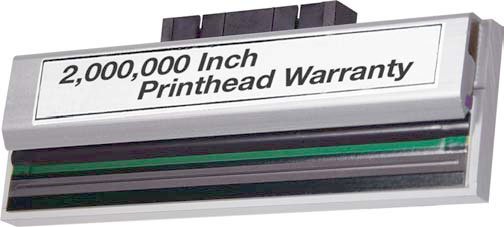


Print Technology:
Thermal Transfer



Sato CL612 Printer
The HP C9450A (HP 70) is an original gray ink cartridge available as a single pack. This cartridge is designed for inkjet printers and is sold individually to meet your specific color needs.
The HP C9451A (HP 70) is a light gray original ink cartridge designed for inkjet printers. This single-pack cartridge is an authentic HP product available from us at barcodesinc.com. For specific page yield information, contact us today to discuss your printing volume requirements.
The HP C9455A is an HP 70 Original Ink Cartridge in Light Magenta color, designed for inkjet printers. This single-pack cartridge is compatible with HP inkjet printing systems and delivers consistent color output for your printing needs.
The HP C9453A is an HP 70 Original Ink Cartridge in magenta color, designed for inkjet printers. This single-pack cartridge is an authentic HP product that delivers consistent color output for your inkjet printing needs. We offer genuine HP cartridges like this one to ensure optimal printer performance and print quality.
The HP C9454A is an HP 70 Original Ink Cartridge in yellow color, supplied as a single pack. This cartridge is designed for HP inkjet printers that support the HP 70 cartridge line. For specific page yield information, we recommend consulting the product documentation or contacting us today for detailed specifications.
The HP C9457A is an original HP 70 green ink cartridge supplied as a single pack. This cartridge is designed for HP inkjet printers that use the HP 70 cartridge specification.
The HP C9458A is an HP 70 Original Ink Cartridge designed for inkjet printers. This cartridge delivers blue ink and comes as a single pack, making it ideal for replacing depleted supplies in compatible HP inkjet systems.
The HP C9459A is an HP 70 Original Ink Cartridge in clear color, designed for HP inkjet printers. We offer this single-pack cartridge as a genuine HP supply to maintain print quality and reliability in your HP printing systems. Contact us today for compatibility verification with your specific HP printer model.
The HP 73 (CD951A) is a red original ink cartridge sold as a single pack. This genuine HP cartridge is designed for HP inkjet printers that support the 73 cartridge format.
The HP 727 (F9J78A) is a yellow ink cartridge designed for HP inkjet printers. This single-pack cartridge delivers yellow color output for your printing needs. We offer this original HP cartridge to ensure compatibility and print quality with your HP inkjet system.
The HP 772 (CN634A) is a light gray original ink cartridge designed for inkjet printing. We offer this cartridge as a single-pack unit that delivers consistent color output for your HP inkjet system.
The HP CN635A is an HP 772 Original Ink Cartridge in matte black, supplied as a single pack for inkjet printing. This cartridge is designed for HP inkjet systems that require genuine HP 772 supplies for optimal performance and print quality.
The HP CN632A (HP 772) is a light cyan original ink cartridge designed for inkjet printers. This single-pack cartridge is an authentic HP supply that delivers consistent color output for your HP inkjet printing needs. Contact us today to verify compatibility with your specific printer model.
The HP CN636A (HP 772) is a cyan-colored original ink cartridge designed for inkjet printing. This single-pack cartridge is compatible with HP inkjet systems and delivers consistent cyan color output for your printing needs.
The HP CZ133A (HP 711) Original Ink Cartridge is designed for black inkjet printing. For specific page yield information, we recommend consulting the detailed product specifications or contacting us today at barcodesinc.com, as yield varies based on printing conditions and usage patterns.
The HP 711 (CZ131A) cartridge yields approximately 10,500 color pages for cyan, yellow, and magenta, and 12,500 black pages, based on ISO/IEC 19798 continuous printing standards. Actual yields vary considerably based on the images printed and other factors. For details on cartridge performance, visit barcodesinc.com or contact us today.
The HP CZ135A is compatible with Windows 10, Windows 8.1, Windows 8, Windows 7, Windows Vista, and Windows XP SP3 (32-bit), as well as OS X v10.8 Mountain Lion, OS X v10.9 Mavericks, and OS X v10.10 Yosemite. We offer this cartridge for use with HP inkjet systems that support these operating systems.
The HP 727 (F9J76A) is a cyan ink cartridge designed for HP inkjet printers. This original HP cartridge is sold as a single pack and is compatible with HP's inkjet printing systems that support the 727 cartridge specification.
The HP CZ132A is an HP 711 Original Ink Cartridge designed for inkjet printers, and it contains yellow ink. This single-pack cartridge is an authentic HP supply that we offer for organizations looking to maintain print quality and reliability in their inkjet printing operations.
The HP 727 (B3P06A) Original Printhead delivers six ink colors: Photo Black, Matte Black, Cyan, Magenta, Yellow, and Gray. This multi-color configuration is ideal for producing high-quality photo and document output. We offer this standard yield printhead as a genuine HP replacement part.
Yes, the Elo 1502LM is engineered to meet essential healthcare standards and is compliant with IEC 60601-1 and IP22 ratings. These certifications ensure the monitor is suitable for use in regulated medical environments such as hospitals, clinics, and laboratories. We offer this model with the confidence that it meets rigorous medical device requirements.
The Bixolon SRP-352PLUSVK delivers ultra-fast printing at 400mm/sec, making it ideal for high-volume retail, hospitality, and ticketing environments where speed is critical. This exceptional print speed ensures rapid transaction processing without sacrificing print quality, even with grayscale graphics support.
The SRP-S300LOK supports five media width options: 40mm, 58mm, 62mm, 80mm, and 83mm. This flexibility allows you to choose the label size that best fits your warehouse or logistics operation without needing multiple printers. Contact us today to find the right configuration for your needs.
The Toshiba BEX6T1TS12QMRM02 delivers 305 DPI print resolution at 12 inches per second (IPS), making it suitable for high-quality barcode and label production in industrial environments. This combination of resolution and speed ensures both clarity and efficiency for demanding warehouse and logistics applications.
The Toshiba TFC25C Original Toner Cartridge delivers a page yield of 26,800 pages in cyan. This high-capacity yield helps reduce replacement frequency and lower your overall printing costs, making it an economical choice for high-volume printing environments.
The Datacard 513402-002 is a clear retransfer film designed specifically for the CR805 printer. This ribbon is an essential consumable for producing high-quality ID cards with retransfer printing technology. We offer this genuine Datacard ribbon to ensure optimal print performance and card durability.
The Datacard 513382-207 is a FCMYP-KP color ribbon designed specifically for the CR805 printer. This ribbon is the correct consumable for that model, and we offer it as an authentic Datacard supply to ensure optimal print quality and reliability.
The Sigma DS2 delivers impressive throughput with single-sided color printing up to 225 cards per hour, double-sided color printing up to 140 cards per hour, and monochrome printing up to 880 cards per hour single-sided. This makes it ideal for high-volume ID issuance operations that need to process cards quickly without sacrificing quality.
The Datacard 513402-001 is a clear retransfer film designed specifically for use with the CR805 card printer. This ribbon is essential for producing high-quality, durable ID cards with enhanced image clarity and protection. Contact us today to ensure you have the right ribbon for your card printing needs.
The Newland FM3051 supports a comprehensive range of barcode symbologies, including 1D formats such as EAN-13, UPC-A, Code 128, and Code 39, as well as 2D formats including PDF417, QR Code, Data Matrix, and Aztec. This wide symbology support makes it versatile for most warehouse and retail applications. We offer this scanner to handle diverse barcode requirements across your operations.
The Newland FM430 reads both 1D and 2D barcodes with exceptional performance. Thanks to Newland's advanced UIMG® technology, it can even capture barcodes protected by films, making it ideal for high-volume scanning environments where traditional scanners may struggle.
The FM100 supports all global standard 1D barcodes, making it compatible with virtually any linear barcode format used in retail, logistics, and industrial applications. This broad compatibility ensures seamless integration into your existing barcode infrastructure without format limitations.
The Newland iX75 delivers up to 16 hours of continuous operation on a single charge, making it ideal for full-shift usage without requiring mid-day recharging. This extended battery life is powered by a 10000mAh battery, ensuring your team stays productive throughout the entire workday across various warehouse and logistics environments.
The Newland iX85 features an 18,900 mAh battery that provides over 16 hours of continuous usage, making it ideal for lengthy shifts in logistics, retail, or fieldwork without requiring a mid-shift recharge.
The VeriFone UX 400 is designed to handle NFC-enabled payments and contactless transactions, including mobile wallets and contactless card payments. It works as part of the UX Series ecosystem and can be paired with other UX devices to expand transaction functionality for self-service environments. Contact us today to discuss your specific payment processing needs.
The LI2208 builds on the proven reliability and ergonomics of the LS2208 while adding enhanced features for improved performance. The LI2208 can scan more types of barcodes at greater distances—for example, 26 mil 200% UPC codes can be scanned from up to 55 inches away compared to the LS2208's more limited range. Both scanners deliver the same trusted durability, but the LI2208 represents the next generation in 1D imaging technology with superior out-of-box experience through auto-host detect cables.
The Zebra MP72 Series Multi-Plane Scanner/Scale combines premium scanning speeds with an integrated scale for checkout operations. It features an optional color camera for computer vision applications that helps reduce shrink, intuitive design for fast customer transactions, and low energy consumption for efficient operations. This bioptic scanner is engineered to deliver the fastest checkout performance available, making it ideal for modernizing retail and self-checkout environments.
The Zebra P1123335-056 printhead is compatible with Zebra ZT111, ZT211, ZT231, and ZT231R thermal transfer printers. This enhanced printhead kit is designed as a direct replacement for these industrial-grade label and receipt printing systems. We offer this printhead as a genuine Zebra component to ensure optimal performance and print quality across your fleet.
The Zebra P1079903-011 is designed for the ZD410 Series thermal printers. This printhead is a genuine Zebra replacement part that ensures optimal print quality and reliability for your ZD410 printer. We offer this authentic component to keep your printing operations running smoothly.
The Zebra 50-16002-029R is a DC power cable designed to connect your power supply to multi-slot cradles. This power device is essential for charging and powering multiple mobile computers or devices simultaneously in warehouse and logistics environments. We offer this genuine Zebra component to ensure reliable power delivery to your cradle infrastructure.
The Zebra Intelligent Cabinet is compatible with a wide range of Zebra mobile devices, including EC30, TC2X, TC5X, TC7X, and TC8X mobile computers, as well as mobile printers, tablets, and scanners. This broad compatibility makes it an ideal storage solution for mixed device environments in warehouse and logistics operations. Contact us today to verify compatibility with your specific device models.
The Zebra 05319GS11007-R is a 4.3" x 244' black wax ribbon designed for desktop barcode printers and paper labels. It features a 0.5" core size and is priced per roll, with one roll available per case. This ribbon is ideal for applications requiring durable, high-quality barcode printing on standard paper stock.
The Zebra 105931-001 is a thermal printhead replacement kit designed for Zebra thermal transfer and direct thermal label printers. This component is essential for maintaining print quality in high-volume printing applications across manufacturing, logistics, inventory control, and product identification marking. We offer this OEM Zebra part to keep your printer operating at peak performance.
The Zebra MP7201 is a multi-plane bioptic scanner with premium scanning speeds designed for checkout environments. It features an optional color camera that reduces shrink and enables computer vision applications, along with low energy consumption and excellent uptime for reliable performance in retail settings.
The Zebra P1123335-054 printhead is compatible with Zebra ZT111, ZT211, ZT231, and ZT231R thermal transfer printers. This kit is specifically designed to upgrade these printer models, making it an ideal replacement or upgrade component available from us for your existing Zebra printing infrastructure.
The Zebra P1123335-055 printhead is compatible with Zebra ZT111, ZT211, ZT231, and ZT231R thermal transfer printers. This kit allows you to convert your printer's resolution from 300dpi to 203dpi, making it ideal for applications where standard resolution printing meets your requirements. We offer this printhead as a direct replacement component for these Zebra models.
The Zebra ZE521 Print Engine delivers fast print speeds with an all-metal construction designed for demanding warehouse and logistics environments. It features Zebra's exclusive Print DNA software suite, optional field-installable RFID encoding, a 6-inch print width, and a full-color LCD touch display for intuitive operation. The engine is engineered to resist debris and water ingress, making it ideal for dusty environments or areas where water may be splashed.
The Zebra P1123335-057 printhead is compatible with Zebra ZT111, ZT211, ZT231, and ZT231R thermal transfer printers. This enhanced printhead kit is designed as a replacement component for these mid-range industrial label printing systems. We offer this printhead as a direct replacement to keep your printing operations running smoothly.
The Zebra ZD421 delivers advanced printing performance with a more intuitive user interface, powerful architecture, and field-upgradable wireless capabilities. It offers 30% more processing power than the ZD420 Series and 700% more than the GK Series, making it engineered to handle demanding printing needs both now and in the future. Available from us in direct thermal, thermal transfer, healthcare, and ribbon cartridge models.
The Zebra ZD421 delivers advanced features including a more intuitive user interface, powerful architecture, and a field-upgradable wireless kit. It's 30% more powerful than the ZD420 Series and offers multiple connectivity options including USB, USB Host, Wi-Fi, Bluetooth, and a modular connectivity slot. The printer is available in direct thermal, thermal transfer, healthcare, and ribbon cartridge models to suit various printing needs.
The Zebra ZQ610 uses direct thermal printing technology, which eliminates the need for ink or toner cartridges. This makes it ideal for mobile retail and warehouse environments where simplicity and reliability are critical. Direct thermal printing is perfect for printing shelf labels, item tags, and markdown labels on demand.
The Zebra ZQ610 is a direct thermal mobile printer that delivers 203 dpi resolution at 4.5 inches per second print speed, making it ideal for on-the-spot label printing in retail and warehouse environments. It features a color display for clear printer status visibility, class-leading patented battery technology designed to power full shifts, and both Bluetooth and Wi-Fi connectivity for reliable wireless printing. The ZQ610 also includes an instant wake-up feature and comes standard with 256MB/512MB memory to handle complex label designs efficiently.
The Zebra ZQ610 delivers advanced mobile printing with a 4-inch color display for real-time printer status visibility, class-leading patented battery technology that powers full-shift operations, and an instant wake-up feature that keeps it ready to print. It combines the proven QLn platform with enhanced technology for superior productivity, ease-of-use, and remote manageability—making it ideal for retail associates who need to print shelf labels, item tags, markdown labels, and sales receipts on demand.
The Zebra ZQ610 delivers advanced mobile printing with a 4.5 inches per second print speed at 203 dpi resolution, making it ideal for retail and warehouse environments. It features a color display for real-time printer status, class-leading patented battery technology for extended shift support, and both Bluetooth and Wi-Fi connectivity for reliable wireless printing. The printer also includes an instant wake-up feature and superior remote management capabilities through an Ethernet cradle for seamless setup and firmware updates.
The Zebra MP7201 is a multi-plane scanner with integrated scale functionality designed for checkout environments. It delivers premium scanning speeds and features an optional color camera for computer vision applications that help reduce shrink and enable advanced retail applications. The scanner is engineered for low energy consumption and excellent uptime, making it an efficient solution for modern retail operations.
The Zebra ZE521 Print Engine delivers fast print speeds with an all-metal construction designed for demanding warehouse and logistics environments. It features Zebra's exclusive Print DNA software suite, optional field-installable RFID encoding, a full-color LCD touch display, and support for multiple connectivity options including USB, RS-232 Serial, Ethernet, Bluetooth, and Dual USB Host. The 6-inch print width model is engineered to resist debris and water ingress, making it ideal for dusty or wet operational settings.
The Zebra P1083320-011 is a 300 dpi thermal printhead designed for the Zebra ZT610 label printer. This resolution is ideal for standard barcode labels, shipping labels, and general-purpose labeling applications where clarity and readability are important but extreme detail is not required.
The Honeywell 3011-8248-001 is an AC Power Supply rated at 12V/30W with a 1.35 x 3.5mm connector, meeting Level VI efficiency standards. This power device is designed to reliably power Honeywell handheld scanners and mobile computers in warehouse and logistics environments. Please note that a country-specific power cord is required and sold separately.
The Honeywell CN51 Mobile Computer supports both Windows Embedded Handheld 6.5 and Android 6.0, giving you flexibility to deploy applications based on your organization's needs. This dual-OS capability allows you to choose the platform that best fits your existing infrastructure and software requirements. We offer the CN51 with your preferred operating system configuration.
The CK65 is built to withstand harsh warehouse environments with a 3-meter (10-foot) drop specification to concrete and IP65/IP68 ratings for dust and water resistance. Its ultra-rugged design makes it ideal for demanding distribution centers, and we offer cold storage and hazardous area variants for specialized environments. Contact us today to discuss which CK65 configuration best fits your facility's conditions.
The Honeywell CT40 XP is equipped with the FlexRange imager, which captures barcodes from a few centimeters up to 32.8 feet away. This extended range makes it ideal for warehouse and logistics operations where you need to scan items at various distances without repositioning.
The Honeywell 6824P53D020 is a portable laser printer kit designed for mobile printing in warehouse and logistics environments. This 200 DPI printer is ideal for on-demand label printing during receiving, shipping, and inventory operations where portability and print quality are essential. We offer this model as a complete kit solution for integration with mobile computers and handheld devices.
The Cisco CON-ECMU-UNITCN0S is a 1-year US Software and Support Services (SWSS) upgrade contract designed specifically for Cisco Unity Connection 10.x voice messaging systems. This service contract provides essential software upgrades and technical support to keep your voice messaging infrastructure current and reliable. Contact us today to learn more about coverage details and how this contract protects your investment.
The Cisco ISE 3-Year 250 Endpoint Plus License provides access to end-to-end network visibility with Cisco Spaces and service assurance through Cisco ThousandEyes Network and Application Synthetics, included with the Advantage license tier. This license enables unified management of your entire switching infrastructure as a single, converged component with one management system and one policy for both wired and wireless networks. Contact us today to discuss how this license fits your security and network management needs.
The Cisco L-ASA5515-TA-3Y is a 3-year software subscription license for FirePOWER IPS (Intrusion Prevention System) functionality on the Cisco ASA 5515 security appliance. This subscription enables advanced threat detection and prevention capabilities to protect your network from malicious traffic and intrusions. We offer this license to enhance your existing ASA 5515 deployment with comprehensive security services.
The Cisco Meraki MS250-48LP is a Layer 3 stackable cloud-managed switch with 48 Gigabit Ethernet ports, designed for enterprise networks requiring scalability and centralized management. It supports advanced features including dynamic routing, quality of service, and integrated security capabilities through Meraki's cloud dashboard. We offer this switch as part of our comprehensive Cisco networking portfolio for organizations seeking reliable, manageable infrastructure.
The Cisco FPR4K-NM-4X40G is a 4-port QSFP+ network module designed for high-speed connectivity in FirePower 4000 series deployments. This module supports 40GbE ports, making it ideal for organizations requiring ultra-high-bandwidth network infrastructure. We offer this module as part of our comprehensive Cisco networking solutions—contact us today for availability and integration support.
The Intel 5220R processor features a 2.2GHz clock speed with 24 cores, 35.75MB of cache, and a 150W thermal design power (TDP). This processor is designed for high-performance computing workloads in enterprise server environments and supports DDR4 memory configurations. We offer this CPU component as part of our Cisco processor and component inventory for system builds and upgrades.
The SFP-10G-BX40U-I supports a maximum transmission distance of 40 kilometers over single-mode fiber. This upstream module operates at 10 Gigabit speeds and uses bidirectional wavelengths (1270nm transmit / 1330nm receive) to enable long-distance connectivity in warehouse and logistics networks. We offer this module as part of our comprehensive Cisco networking inventory.
The Cisco SFP-10G-BXD-I supports 10GBASE-BX transmission over single-mode fiber (SMF) with a maximum distance of 40 km. This bidirectional SFP+ module is designed for industrial-temperature environments, making it suitable for long-distance network deployments in warehouse and logistics operations. We offer this module as part of our comprehensive Cisco transceiver inventory at barcodesinc.com.
The Cisco SFP-10G-LR-S supports 10GBASE-LR transmission over single-mode fiber (SMF) with a maximum distance of 10 kilometers. This makes it ideal for enterprise campus networks and data center interconnects where longer-reach connectivity is required beyond short-reach alternatives.
The Cisco SFP-10G-BXU-I supports 10GBASE-BX bidirectional transmission over single-mode fiber (SMF) with a maximum distance of 40 km. This makes it ideal for long-distance metropolitan area network (MAN) deployments where extended reach is required without the cost of longer-range modules.
The Cisco SFP-10G-SR-S supports 10GBASE-SR connectivity with a maximum transmission distance of 400 meters over multimode fiber (MMF). This makes it ideal for enterprise data center and campus network deployments where shorter-range, high-speed connectivity is required. We offer this enterprise-class module for immediate integration into your network infrastructure.
The Cisco SFP-25G-AOC7M is a 25GBASE Active Optical Cable with a 7-meter length, delivering 25 Gigabit per second transmission speeds. This cable is ideal for high-speed data center and enterprise network deployments where extended reach beyond standard transceivers is required. We offer this transceiver module as part of our comprehensive Cisco networking accessories catalog.
The Cisco SFP-10G-ZR-S supports 10GBASE-ZR transmission over single-mode fiber (SMF) with a maximum distance of 80 kilometers. This extended-range capability makes it ideal for long-distance enterprise network connections where standard short-reach modules would be insufficient. We offer this module for organizations requiring reliable long-haul 10 Gigabit Ethernet connectivity.
The Cisco SFP-10G-ZR supports 10GBASE-ZR connectivity with a maximum transmission distance of 80 km over single-mode fiber (SMF). This extended range makes it ideal for long-distance network connections in enterprise and service provider environments. We offer this module with Digital Optical Monitoring (DOM) support for real-time performance monitoring.
The Cisco SM-X-4X1G-1X10G is an SM-X module that provides 4 dual-mode Gigabit Ethernet/SFP ports plus one 10 Gigabit port, delivering flexible connectivity for enterprise networks. This configuration allows you to support both traditional copper connections and fiber optic SFP transceivers on the same module. We offer this module as part of our comprehensive Cisco networking product lineup available from barcodesinc.com.
The Datalogic 95B080810 is an optical encoder designed for automated identification and profiling applications across warehouses, logistics, and manufacturing environments. It reads barcode data and analyzes product dimensions to ensure accurate billing, inventory tracking, and process automation. This encoder is essential for applications ranging from medication identification for patient safety to parcel scanning for accurate shipping calculations.
The Lenovo ThinkPad P16s Gen 4 (21QR001NUS) features Intel Core Ultra H-series processors with options for Core Ultra 5, 7, or 9 configurations, supporting up to 16 cores for demanding creative and technical workloads. These high-performance processors are paired with professional NVIDIA graphics options to deliver workstation-class performance in a mobile form factor.
The Lenovo ZA9K0000US is a 10.3-inch Full HD tablet featuring a MediaTek Helio P22T octa-core processor (Cortex A53 Quad-core at 2.30 GHz and 1.80 GHz), 4GB RAM, and 64GB internal storage. It runs Android 11, includes 4G LTE connectivity, supports microSD cards up to 2TB, and features a 1920 x 1200 TDDI Technology display with a 5-megapixel front camera. We offer this model in Abyss Blue, making it suitable for mobile productivity and business applications.
The Lenovo ThinkSystem SR630 7X02A0CGNA is equipped with 1 x Intel Xeon Silver 4214 processor running at 2.20 GHz. This server supports up to 2 processors, allowing you to scale processing power for demanding warehouse and logistics applications. Contact us today to discuss processor configurations that match your workload requirements.
The Lenovo ThinkPad P14s Gen 6 (21QL001HUS) is available with Intel Core Ultra 5, 7, or 9 H-series processors (Series 2), with configurations up to 16 cores, or AMD Ryzen AI PRO processors depending on your selected configuration. These high-performance processors are designed specifically for demanding mobile workloads including CAD, engineering analysis, and content creation. Contact us today to explore processor configurations that match your workflow requirements.
The Lenovo ThinkPad P14s Gen 6 (21QL0014US) is configured with AMD Ryzen AI 7 PRO 350 processor, delivering professional-grade performance for mobile workstations. This model also supports Intel Core Ultra 5, 7, or 9 H-series processors (Series 2) with up to 16 cores across different configurations, allowing you to select the processing power that best fits your CAD, engineering, or content creation workflows.
The Lenovo ThinkPad P14s Gen 6 (model 21QL001JUS) features AMD Ryzen AI 5 PRO 340 processor with AMD Radeon 840M graphics. The P14s Gen 6 line also offers Intel Core Ultra 5, 7, or 9 H-series processors (Series 2) with up to 16 cores across different configurations, paired with optional NVIDIA RTX PRO 500 or 1000 Blackwell laptop graphics for demanding professional workflows.
The Lenovo ThinkPad P14s Gen 6 (21QL001EUS) features Intel Core Ultra 5, 7, or 9 H-series processors (Series 2) with up to 16 cores, or AMD Ryzen AI 7 PRO 350 configurations. These high-performance processors are specifically designed for demanding mobile workloads including CAD, engineering analysis, and content creation. Visit barcodesinc.com to explore available configurations and find the right processor option for your workflow.
The Lenovo ThinkPad P14s Gen 6 offers Intel Core Ultra 5, 7, or 9 H-series processors (Series 2) with up to 16 cores, as well as AMD Ryzen AI PRO processor configurations. Both options are designed to deliver high-performance processing for demanding mobile workstation workflows including CAD, engineering analysis, and content creation.
The Lenovo ThinkPad P16s Gen 4 (21QR001HUS) features Intel Core Ultra H-series processors with options for Core Ultra 5, 7, or 9 configurations, supporting up to 16 cores for demanding professional workflows. This mobile workstation is engineered to handle high-performance creative and technical work with enterprise-grade processing power available from us at barcodesinc.com.
The Lenovo ThinkPad P14s Gen 6 (model 21QL0016US) features Intel Core Ultra 5, 7, or 9 H-series processors (Series 2) with up to 16 cores, or AMD Ryzen AI PRO processors depending on your configuration. These high-performance processors are designed to handle demanding mobile workloads including CAD, engineering analysis, and content creation. We offer multiple processor configurations to match your specific performance requirements.
The Lenovo ThinkPad P16s Gen 4 (21QR001GUS) is configured with an AMD Ryzen AI 7 PRO 350 processor, delivering high-performance computing for demanding mobile workflows. This model supports professional-grade processing power suitable for engineering, architecture, software development, and media production applications. Contact us today to explore additional configuration options available from us.
The Lenovo ThinkPad P14s Gen 6 (model 21QL0017US) features Intel Core Ultra 5, 7, or 9 H-series processors (Series 2) with up to 16 cores, or AMD Ryzen AI 7 PRO 350 configurations. These high-performance processors are specifically designed for demanding mobile workloads including CAD, engineering analysis, and creative content creation. Contact us today to discuss processor options that best fit your workflow requirements.
The Getac UX10 Gen3 is equipped with a 12th Generation Intel Core i7 or i5 processor, delivering enterprise-grade performance for demanding warehouse and logistics applications. This processor, combined with Thunderbolt 4 connectivity, ensures fast data transfer and compatibility with high-speed peripherals. We offer this tablet fully configured and ready for deployment in your operations.
Aruba Central is a cloud-based management platform that offers a simple, secure, and cost-effective way to manage and monitor Aruba Instant APs, switches, and branch gateways. It features intelligent Zero Touch Provisioning to get your network up and running in minutes, along with intuitive dashboards, reporting, maintenance, and firmware management capabilities that make monitoring and troubleshooting easy without requiring extensive technical expertise.
Zebra RFID Labels support UHF EPC Gen 2 V2/ISO 18000-6C standards and are compatible with Global RFID radio for multinational deployments. Our labels work with industry-standard multi-vendor chip-based serialization (MCS) and support block permalocking of user memory compatible with ATA Spec 2000. Contact us today to discuss which label configuration best fits your compliance requirements.
The WT6400 features a large touchscreen display that's over twice the size of its predecessor, the WT6300, providing workers with significantly improved visibility and efficiency for tasks like order picking and inventory management. The larger 4.7-inch display with 720x1280 resolution delivers clearer visibility while maintaining the lightweight, comfortable design that makes it ideal for all-day warehouse use.
QuadVision™ Technology features a powerful IMX8 multi-core processor with 4 cameras (2 horizontal and 2 vertical) that deliver multiple high-resolution images for each scan. This advanced imaging capability, combined with Datalogic's legendary software, enables previously unheard-of performance to decode the most difficult and damaged barcodes across 1D and 2D formats.
The HP CF400A 201A Original Toner Cartridge delivers a page yield of 1500 pages in black. This single-pack cartridge is designed for HP LaserJet M277 printers and provides reliable performance for moderate-volume printing environments.
The HP CZ134A is a multi-pack containing 3 original cyan ink cartridges designed for HP inkjet printers. We offer this product as part of our comprehensive HP supplies inventory to keep your printing operations running smoothly without frequent reordering.
The HP CZ136A is a multi-pack containing 3 original yellow ink cartridges designed for HP inkjet printers. Each cartridge is an OEM HP product engineered to deliver consistent color output for professional documents and graphics.
The HP CN629A (HP 772) is a magenta original ink cartridge designed for inkjet printers. This single-pack cartridge is an original HP supply that delivers consistent color output for your printing needs. For specific page yield information, we recommend contacting us today or visiting barcodesinc.com, as yield varies based on print coverage and usage patterns.
The HP C9452A (HP 70) is a cyan-colored original ink cartridge designed for inkjet printers. This single-pack cartridge is an authentic HP product that delivers reliable color output for compatible HP inkjet printing systems.
The HP CN631A is a light magenta inkjet cartridge designed for HP inkjet systems. While specific page yield information is not detailed in the product specifications, this original HP cartridge is engineered to deliver consistent color output for your printing needs. Contact us today for detailed yield comparisons and to find the right cartridge solution for your volume requirements.
The HP 727 (F9J77A) is an original HP ink cartridge designed for inkjet printers that support HP 727 cartridges. This magenta cartridge is a single-pack replacement for compatible HP inkjet systems. For specific printer model compatibility, we recommend contacting us today or visiting barcodesinc.com to verify your device requirements.
The HP CN630A is an HP 772 Original Ink Cartridge in yellow. This is a single-pack inkjet cartridge designed for HP inkjet printers. For specific yield information and page count specifications, contact us today or visit barcodesinc.com to confirm compatibility with your printer model.
The HP CN633A (HP 772) is an original ink cartridge designed for inkjet printing in photo black color. It comes as a single pack and is engineered to deliver consistent quality output for your HP inkjet printer. Contact us today to verify compatibility with your specific printer model and to order this cartridge.
The HP 727 (F9J79A) is an original HP ink cartridge designed for inkjet printers that use HP 727 supplies. This photo black cartridge is a genuine HP product that ensures optimal print quality and reliability. Contact us today to verify compatibility with your specific printer model.
The HP CZ130A is a cyan ink cartridge designed for HP inkjet printers. This original HP 711 cartridge is a single-pack supply that delivers consistent color output for your inkjet printing needs. We offer this cartridge as part of our comprehensive HP supplies lineup available from Barcodes Inc.
The HP W2020A (414A) black toner cartridge delivers a page yield of approximately 2400 pages, making it suitable for moderate to high-volume printing environments. This yield is based on standard 5% page coverage, which is typical for business documents and reports.
The HP Q1397A supports custom media sizes ranging from 76 x 127 mm to 216 x 356 mm across multiple trays. Tray 1 accommodates media weights from 60 to 176 g/m² (up to 200 g/m² with select HP photo papers), while Tray 2 and optional Tray 3 support 60 to 163 g/m² (up to 176 g/m² with postcards). The automatic duplexer handles media weights of 60 to 163 g/m².
The HP CF280XD-VERSACE is a high-yield black toner cartridge with a yield of 6,900 pages per cartridge. This dual pack includes 2 cartridges, providing you with extended printing capacity before replacement is needed. We offer this original HP toner to help maximize your printing efficiency and reduce supply changeover frequency.
The HP CF280A (80A) Original Toner Cartridge delivers a standard yield of 2,700 pages. This cartridge is designed for the HP LaserJet M401n printer and provides reliable, consistent output for moderate-volume printing environments.
The HP CF226A (26A) Original Toner Cartridge delivers a page yield of 3,100 pages based on continuous printing. Actual yields vary considerably based on images printed and other factors. For details on how HP calculates yields, visit http://www.hp.com/go/learnaboutsupplies.
The HP CF226XD is a high-yield black toner cartridge with a declared yield of 9,000 pages. This cartridge is designed for the HP LaserJet M402n printer and offers significantly higher yields compared to standard cartridges, making it cost-effective for moderate to high-volume printing environments.
The HP CF258A is a high-yield black toner cartridge with a page yield of 10,000 pages. This high-yield option allows you to spend less time replacing toner and more time on business-critical operations, making it an efficient choice for busy warehouse and logistics environments.
The HP CF258A is a black laser toner cartridge with a standard yield of 3,000 pages. This cartridge is designed for HP LaserJet printers and offers reliable performance for moderate-volume printing environments. We offer this genuine HP toner cartridge to ensure compatibility and print quality with your HP M404n printer.
The HP W1480A-VERSACE is an HP Original Standard Yield Laser Toner Cartridge in black that delivers approximately 2900 pages per cartridge. This standard yield option is ideal for moderate-volume printing environments where cost-effectiveness is important.
The HP W1480X (148X) Black Original LaserJet Toner Cartridge delivers up to 9,500 pages per cartridge. This high-yield capacity makes it an economical choice for busy warehouse and logistics operations that require consistent printing performance.
The HP CF401A Original Toner Cartridge delivers a page yield of 1400 pages in cyan. This single-pack cartridge is designed for HP Color LaserJet printers and provides reliable, consistent color output for your printing needs. Contact us today to order this genuine HP supply for your fleet.
The HP CF381A cyan toner cartridge delivers a page yield of 2,700 pages. This yield is based on ISO 24711 testing standards and assumes continuous printing in default mode. Contact us today to order this cartridge for your HP LaserJet M476 printer.
The HP CF380A (312A) Original Toner Cartridge delivers a page yield of 2400 pages in black. This standard-capacity cartridge is designed for the HP LaserJet Pro M476 printer series and provides reliable performance for moderate-volume printing environments.
The HP CF410A (410A) Original Toner Cartridge delivers a page yield of 2,300 pages in black. This cartridge is designed for HP LaserJet Pro M477 series printers and provides reliable performance for high-volume printing environments.
The HP W2021A (414A) cyan toner cartridge delivers a page yield of 2100 pages, making it suitable for moderate-volume printing environments. This yield is based on standard 5% coverage per page and helps you plan your supply costs effectively.
The HP CF411A Original Toner Cartridge delivers a page yield of 2300 pages in cyan. This yield is based on ISO 24711 testing standards and assumes normal printing conditions. We offer this cartridge as a single-pack unit compatible with HP LaserJet M477 series printers.
The HP C9448A is an HP 70 Original Ink Cartridge in matte black, designed for inkjet printing applications. This single-pack cartridge is an OEM (Original Equipment Manufacturer) product from HP, ensuring compatibility and quality for HP inkjet systems used in business and office environments.
The HP C9449A is an HP 70 Original Ink Cartridge designed for inkjet printing. This cartridge delivers photo black ink in a single-pack format, making it ideal for users who need high-quality black photo output from compatible HP inkjet printers.
Yes, the Lenovo ZA9K0000US is well-suited for warehouse and logistics environments with its 10.3-inch Full HD display for clear visibility, 4G LTE connectivity for real-time data transmission, and expandable storage via microSD cards for handling large datasets. The Android 11 operating system supports enterprise applications commonly used in supply chain management, inventory tracking, and field operations. Contact us today to discuss how we can integrate this tablet into your warehouse management workflow.
This 1U rack server comes standard with 16 GB RAM and features a Serial ATA/600 controller for flexible storage options. The server supports various SATA and SAS hard drive configurations, including capacities up to 2TB for SATA drives and 600GB for high-performance 15K RPM SAS drives. Visit barcodesinc.com to explore storage upgrade options for your specific application needs.
Yes, the ThinkPad P14s Gen 6 is specifically designed as a mobile workstation for portable CAD, analysis, and content workflows. It features workstation-class NVIDIA RTX PRO 500 or 1000 Blackwell graphics options, ISV-certified configurations for professional engineering and creative applications, and a 14.5-inch 16:10 display that supports detailed technical work. We offer this model configured and ready for engineering, architecture, construction, and healthcare professionals who need portable workstation performance.
Yes, the ThinkPad P14s Gen 6 is specifically designed as a mobile workstation for portable CAD, analysis, and content workflows in engineering, architecture, and construction industries. Selected configurations are ISV-certified for professional engineering and creative applications, and the model features workstation-class graphics options including NVIDIA RTX PRO 500 or 1000 Blackwell laptop graphics to handle demanding technical tasks.
Yes, selected configurations of the Lenovo ThinkPad P14s Gen 6 are ISV-certified for professional engineering and creative applications. The workstation combines high-performance processors with workstation-class graphics options like NVIDIA RTX PRO 500 or 1000 Blackwell, making it ideal for portable CAD, architecture, construction, and healthcare workflows.
Yes, the ThinkPad P14s Gen 6 is specifically designed as a mobile workstation for portable CAD, analysis, and content workflows. Selected configurations are ISV-certified for professional engineering and creative applications, making it ideal for architects, engineers, and content creators who need portable performance for technical and analytical work.
Yes, the ThinkPad P14s Gen 6 is purpose-built as a mobile workstation for portable CAD, engineering, architecture, and construction workflows. It features ISV-certified configurations for professional engineering and creative applications, combined with workstation-class NVIDIA RTX PRO 500 or 1000 Blackwell graphics options. The 14.5-inch 16:10 display and up to 96GB DDR5 memory support detailed technical and analytical work. Contact us today to configure a system optimized for your specific engineering requirements.
Yes, the ThinkPad P14s Gen 6 is specifically designed as a mobile workstation for portable CAD, engineering, architecture, and construction workflows. Selected configurations are ISV-certified for professional engineering and creative applications, and the system includes optional NVIDIA RTX PRO 500 or 1000 Blackwell laptop graphics for demanding technical work. Contact us today to find a certified configuration that matches your engineering requirements.
Yes, the ThinkPad P16s Gen 4 is specifically designed for engineering, architecture, business analytics, software development, and media production. Selected configurations are ISV-certified for professional engineering and creative applications, making it an ideal mobile workstation for technical professionals. Contact us today to explore certified configurations available from Barcodes Inc.
Yes, the ThinkPad P16s Gen 4 is specifically designed as a premium mobile workstation for creative and technical professionals. It features professional NVIDIA graphics (AMD Radeon 860M in this configuration), a high-resolution 16-inch WQUXGA display at 3840 x 2400, and ISV-certified configurations for professional engineering and creative applications. The combination of powerful processing, workstation-class graphics, and detailed display options makes it ideal for architects, engineers, and media production professionals who require mobile workstation performance.
Yes, the ThinkPad P14s Gen 6 is specifically designed as a mobile workstation for portable CAD, engineering, architecture, and construction workflows. Selected configurations are ISV-certified for professional engineering and creative applications, and the system includes workstation-class NVIDIA RTX PRO 500 or 1000 Blackwell graphics options to handle complex 3D models and technical visualization. Visit barcodesinc.com to explore certified configurations available from us.
Yes, the Getac UX10 Gen3 is specifically designed for harsh environments with an IP66-certified design that provides protection against dust and water ingress. It features superior drop resistance and exceptional temperature tolerance, making it ideal for warehouse, logistics, and manufacturing settings. The LumiBond screen technology ensures usability even in direct sunlight and challenging conditions. Contact us today to discuss how this rugged tablet can support your operations.
The HPE Aruba Q9Y59AAE software manages Aruba Instant APs, switches, and branch gateways through the Aruba Central platform. This comprehensive management solution provides centralized control and visibility across your wireless and wired network infrastructure.
Yes, Zebra RFID Labels are engineered to work across our comprehensive printer line, including the ZT410 Silverline RFID Label Printer, R12-804, R40-181, and R284 models. Each printer features integrated ThingMagic® RFID reader/encoder technology and supports variable inlay placement for maximum media flexibility. Visit barcodesinc.com to explore compatible printer and label combinations for your operation.
Yes, the WT6400 is versatile enough to operate in various conditions, including freezers. It features an operating temperature range of -30°C to +50°C, making it reliable for cold storage facilities and other temperature-extreme warehouse environments.
The Magellan 9600i integrates ScaleSentry™ technology, which monitors the 2 primary sides of the scale platter with an infrared beam to detect if items are misplaced. When produce or fruit breaks the infrared beam, an alert triggers to the cashier, preventing the weight from being transmitted to the POS until the item is correctly positioned, effectively preventing under-weighing.
The HP CF400A cartridge works with printers compatible across Windows Client OS (32/64 bit versions including Windows 10, 8.1, 8, and 7), macOS (Sierra v10.12 through Mojave v10.14), iOS, and Android. Compatibility depends on your specific printer model and its driver support for these operating systems.
Yes, the HP CZ134A cyan ink cartridge is compatible with HP POS touch computers and related HP inkjet systems. Contact us today to verify compatibility with your specific HP POS equipment, and our team can recommend the right cartridge configuration for your deployment.
HP 711 cartridges work with Windows 10, 8.1, 8, 7, Vista, and XP SP3 (32-bit and 64-bit versions), as well as OS X v10.8 Mountain Lion through OS X v10.10 Yosemite. The cartridges are compatible across both PC and Mac platforms, making them versatile for mixed IT environments.
The HP 772 cartridge works with HP inkjet printers that support wireless and mobile printing capabilities. Many HP printers using this cartridge include HP ePrint and AirPrint functionality, enabling you to print from smartphones and tablets. We offer this cartridge as part of our complete HP supply lineup—contact us today to verify compatibility with your specific printer model.
Yes, HP ink cartridges like the C9452A work with a wide range of operating systems including Windows 10, Windows 8.1, Windows 8, Windows 7, Windows Vista, and Windows XP SP3 (32-bit), as well as OS X v10.8 Mountain Lion through OS X v10.10 Yosemite. We offer full software support across these platforms to ensure seamless printing.
The HP CN631A (HP 772) is an original HP inkjet cartridge in light magenta. Compatibility depends on your specific HP printer model, as this cartridge is designed for particular HP inkjet systems. We recommend verifying your printer model against HP's compatibility documentation, or contact us today and our team can help you identify the correct cartridge for your device.
Yes, the HP F9J77A is an original HP 727 ink cartridge manufactured by HP. Using genuine HP cartridges ensures optimal print quality and reliability in your inkjet printer. We offer authentic HP supplies to support your printing needs.
The HP CN630A (HP 772) is an original HP ink cartridge designed for compatible HP inkjet printers. To verify compatibility with your specific printer model, we recommend contacting our team today—we can help ensure you get the right cartridge for your equipment.
Yes, HP inkjet cartridges like the CN633A work with HP printers that support multiple operating systems including Windows (XP SP3 through Windows 10) and Mac OS X versions. The cartridge itself is hardware-agnostic, but you should verify your printer model's OS compatibility. Visit barcodesinc.com or contact us today for detailed compatibility information for your specific setup.
Yes, the HP F9J79A (HP 727) is an original HP ink cartridge, not a third-party or remanufactured alternative. Using genuine HP supplies helps maintain print quality and device performance. We offer authentic HP cartridges to ensure you receive the quality you expect from HP.
Yes, the HP CZ130A works with HP printers that support a wide range of operating systems including Windows 10, 8.1, 8, 7, Vista, and XP SP3 (32-bit and 64-bit versions), as well as OS X v10.8 Mountain Lion through OS X v10.10 Yosemite. The cartridge functions with any compatible HP inkjet printer regardless of your computer platform. Contact us today to confirm compatibility with your specific printer model.
Yes, the HP W2020A (414A) toner cartridge is designed for use with the HP M479 series printers. We offer this cartridge as a genuine HP replacement to ensure optimal print quality and printer performance.
Yes, the HP Q1397A is compatible with a wide range of operating systems including Windows Client OS (32/64 bit), Windows 10, Windows 8.1, Windows 8, Windows 7, and Mac operating systems including macOS Sierra v10.12, macOS High Sierra v10.13, and macOS Mojave v10.14. We offer full driver support across these platforms to ensure seamless integration with your existing IT infrastructure.
Yes, the HP CF280XD-VERSACE (HP 80X) is specifically designed as an original toner cartridge for the HP LaserJet M401n printer. This cartridge is manufactured by HP to ensure optimal performance and compatibility with your M401n system. Contact us today to order the correct supplies for your printer.
The HP CF280A is specified for use with the HP LaserJet M401n printer. For compatibility with other HP LaserJet models, we recommend verifying the cartridge part number against your specific printer model before purchase. Contact us today at barcodesinc.com for compatibility assistance.
Yes, the HP CF226A is compatible with a wide range of operating systems including Windows Client OS (32/64 bit versions from Windows 7 through Windows 10), as well as Mac operating systems including macOS Sierra v10.12, High Sierra v10.13, and Mojave v10.14. Mobile OS compatibility includes iOS and Android.
The HP CF226XD is supplied as 2 cartridges per box. This dual-pack configuration allows you to stock backup supplies and reduce reordering frequency for your printing operations.
Yes, the HP CF258A toner cartridge is designed for use with the HP LaserJet M404n printer. We offer this cartridge as a compatible supply for this printer model, and it features HP's original quality with anti-fraud and cartridge authentication technology to ensure reliability.
The HP CF258A works with a wide range of operating systems including Windows Client OS (32/64 bit versions of Windows 10, 8.1, 8, and 7), macOS Sierra v10.12 through Mojave v10.14, iOS, and Android. Discrete PCL6 Printer Driver support is available across these platforms. For specific driver information and downloads, visit hp.com/support or contact us today for assistance with your setup.
Yes, the HP W1480A-VERSACE is designed as an original HP toner cartridge for the HP 4001N printer. Using genuine HP toner ensures optimal print quality, reliability, and compatibility with your printer's imaging system.
Yes, the HP W1480X is designed as an original HP toner cartridge specifically compatible with the HP LaserJet 4001N printer. We offer this genuine HP cartridge to ensure optimal performance and print quality for your equipment.
Yes, the HP CF401A (HP 201A) cyan toner cartridge is compatible with the HP Color LaserJet M277 printer. This original HP cartridge is engineered to work seamlessly with your M277 device to ensure optimal print quality and performance. Visit barcodesinc.com to verify compatibility with your specific printer model or contact our team for assistance.
The HP CF381A (312A) cyan toner cartridge is designed for the HP Color LaserJet Enterprise M476 series. We offer this original HP cartridge to ensure optimal performance and print quality with your M476 printer.
The HP CF380A (312A) toner cartridge is designed specifically for the HP LaserJet Pro M476 series printers. We recommend verifying your exact printer model before ordering to ensure compatibility. Contact us today if you need help identifying the correct cartridge for your device.
Yes, the HP CF410A is compatible with a wide range of operating systems including Windows Client OS (32/64 bit), Windows 10, Windows 8.1, Windows 8, Windows 7, macOS Sierra v10.12, macOS High Sierra v10.13, and macOS Mojave v10.14. This broad compatibility ensures seamless integration across most modern IT environments.
Yes, the HP W2021A cyan toner cartridge is designed for use with HP LaserJet Pro M479 series printers. We offer this cartridge as a genuine HP supply to ensure optimal print quality and device compatibility.
Yes, the HP CF411A (410A) Original Toner Cartridge is designed for HP LaserJet M477 series multifunction printers. This is an original HP cartridge, ensuring full compatibility and optimal performance with your device. Contact us today to verify your specific M477 model variant.
Yes, the HP C9448A matte black cartridge is compatible with HP's wide-format inkjet printer lineup, including models such as the HP OfficeJet Pro 7740. This cartridge is designed to deliver consistent matte black output for professional-quality prints on various media types.
The HP C9449A (HP 70) cartridge is compatible with HP OfficeJet Pro wide format printers and other HP inkjet systems that use HP 70 supplies. For specific printer model compatibility, contact us today or visit barcodesinc.com to verify your device before ordering.
HP 70 cartridges work with a wide range of operating systems including Windows 10, 8.1, 8, 7, Vista, and XP SP3 (32-bit), as well as OS X v10.8 Mountain Lion through OS X v10.10 Yosemite. The cartridge itself is hardware-agnostic, but compatible printers support these systems.
Yes, HP inkjet cartridges like the C9451A work with HP printers that support a wide range of operating systems including Windows 10, 8.1, 8, 7, Vista, and XP SP3 (32-bit), as well as OS X v10.8 Mountain Lion through OS X v10.10 Yosemite. We offer this cartridge as part of our comprehensive HP supply inventory at barcodesinc.com.
Yes, the HP C9455A is an original HP ink cartridge manufactured by HP. Using genuine HP supplies ensures optimal print quality and compatibility with your HP inkjet printer. We offer authentic HP cartridges to guarantee reliable performance.
Yes, the HP C9453A cartridge works with HP printers that support a wide range of operating systems including Windows 10, 8.1, 8, 7, Vista, and XP SP3 (32-bit), as well as OS X v10.8 Mountain Lion through OS X v10.10 Yosemite. The cartridge itself is compatible with any HP printer designed to use HP 70 supplies, regardless of your computer's operating system. Contact us today if you need help identifying the right cartridge for your specific printer model.
Yes, HP ink cartridges like the C9454A work with printers that support a wide range of operating systems including Windows 10, Windows 8.1, Windows 8, Windows 7, Windows Vista, and Windows XP SP3 (32-bit), as well as OS X v10.8 Mountain Lion through OS X v10.10 Yosemite on Mac systems. Compatibility depends on your specific printer model, so we recommend verifying your printer's supported OS list before purchase.
HP 70 cartridge printers are compatible with Windows 10, Windows 8.1, Windows 8, Windows 7, Windows Vista, and Windows XP SP3 (32-bit versions), as well as OS X v10.8 Mountain Lion through OS X v10.10 Yosemite. Specific compatibility may vary depending on your printer model and installed software.
Yes, the HP C9458A is compatible with HP POS systems and touchscreen computers that use inkjet cartridge technology. We offer this cartridge as part of our comprehensive AIDC supply lineup for retail and warehouse operations.
Yes, the HP C9459A (HP 70) is an original HP ink cartridge, not a third-party or remanufactured product. Original HP supplies are engineered to work seamlessly with HP printers and deliver consistent performance. We stock genuine HP cartridges to ensure you receive authentic products backed by HP's quality standards.
Yes, the HP CD951A works with HP printers that support multiple operating systems including Windows 10, 8.1, 8, 7, Vista, and XP SP3 (32-bit), as well as OS X v10.8 Mountain Lion through OS X v10.10 Yosemite. Compatibility depends on your specific printer model and its driver support.
Yes, the HP 727 (F9J78A) is an original HP ink cartridge, not a third-party or remanufactured alternative. Original HP cartridges are engineered to work seamlessly with compatible HP inkjet printers and deliver consistent color quality. We stock genuine HP supplies to support your printing operations.
Yes, the HP CN634A works with a wide range of operating systems including Windows 10, 8.1, 8, 7, Vista, and XP SP3, as well as OS X v10.8 Mountain Lion through OS X v10.10 Yosemite. This broad compatibility ensures seamless integration with most business environments.
The HP CN635A cartridge is compatible with Windows 10, Windows 8.1, Windows 8, Windows 7, Windows Vista, and Windows XP SP3 (32-bit), as well as OS X v10.8 Mountain Lion, OS X v10.9 Mavericks, and OS X v10.10 Yosemite. Ensure your system meets the minimum requirements of 2 GB available hard disk space and an active USB port for proper installation.
The HP CN632A is an original HP ink cartridge, manufactured by HP to meet their quality and performance standards. Using original cartridges like the CN632A ensures optimal print quality and reliability compared to third-party alternatives. We offer authentic HP supplies to support your printing operations.
The HP CN636A cartridge is compatible with Windows 10, Windows 8.1, Windows 8, Windows 7, Windows Vista, and Windows XP SP3 (32-bit versions), as well as OS X v10.8 Mountain Lion through OS X v10.10 Yosemite on Mac systems. Ensure your system meets the minimum requirements of 2 GB available hard disk space and an internet connection or CD-ROM/DVD drive for driver installation.
Yes, the HP CZ133A is compatible with a wide range of operating systems including Windows 10, Windows 8.1, Windows 8, Windows 7, Windows Vista, and Windows XP SP3 (32-bit), as well as OS X v10.8 Mountain Lion through OS X v10.10 Yosemite. We offer full support for installation across these platforms.
Yes, the HP 711 cartridge is compatible with a wide range of operating systems including Windows Client OS (32/64 bit), Windows 10, Windows 8.1, Windows 8, Windows 7, and Mac systems including macOS Sierra v10.12, macOS High Sierra v10.13, and macOS Mojave v10.14. We offer compatibility support for both legacy and current systems—contact us today for specific configuration needs.
Yes, we offer the HP CZ135A as a multi-pack containing 3 cartridges per pack. This magenta inkjet cartridge is ideal for high-volume printing environments where you need to maintain consistent supply levels. Contact us today to order the multi-pack option.
The HP F9J76A is an original HP cartridge, manufactured directly by HP. We offer genuine HP supplies to ensure optimal print quality and compatibility with your HP inkjet printer.
HP inkjet printers using the CZ132A cartridge support Windows 10, Windows 8.1, Windows 8, Windows 7, Windows Vista, and Windows XP SP3 (32-bit versions), as well as OS X v10.8 Mountain Lion, OS X v10.9 Mavericks, and OS X v10.10 Yosemite. We recommend verifying your specific printer model's compatibility before ordering supplies from us.
Yes, the HP B3P06A printhead works with a wide range of operating systems including Windows 10, 8.1, 8, 7, Vista, and XP SP3 (32-bit), as well as OS X v10.8 Mountain Lion through OS X v10.10 Yosemite. This broad compatibility ensures seamless integration into most office and warehouse environments. Contact us today if you need guidance on system requirements for your specific setup.
The Elo 1502LM features TouchPro® PCAP (Capacitive) touch technology, which supports up to 10 simultaneous touches. This advanced technology works with fingers, gloves, or a stylus, making it versatile for various medical applications and user scenarios. The multi-touch capability ensures responsive interaction in patient monitoring and entertainment systems.
The SRP-352PLUSVK comes standard with built-in USB 2.0 and Ethernet connectivity. Optional connectivity modules are available including WLAN (802.11a/b/g/n), Bluetooth, Serial, and Parallel interfaces, giving you flexibility to integrate with your existing POS or warehouse management systems. Contact us today to discuss which connectivity configuration best fits your operation.
Yes, the SRP-S300LOK offers multiple interface options including USB, Serial, Parallel, Ethernet, WLAN (802.11b/g/n), and Bluetooth V4.2 with Class 1 range (100m). This multi-interface design gives you flexibility to integrate the printer into your existing warehouse or logistics infrastructure. We offer this model with various connectivity configurations available from barcodesinc.com.
This model features USB, LAN, and Parallel connectivity, allowing flexible integration into various warehouse management and inventory systems. Multiple connection options ensure compatibility with legacy and modern network infrastructures available from us.
Yes, the Toshiba TFC25C is an original Toshiba toner cartridge designed for use with compatible Toshiba laser printer models. We recommend contacting us today to confirm compatibility with your specific printer model and ensure optimal performance.
The Datacard 513402-002 ribbon is compatible with the CR805 ID card printer. If you're using a different Datacard model or need to verify compatibility with your specific printer, contact us today and our team can confirm the right ribbon for your equipment.
This is a color ribbon (FCMYP-KP) for ID card printing. The multi-color format allows the CR805 printer to produce full-color identification cards and badges with professional results.
The Sigma DS2 supports both USB 2.0 and Ethernet 10/100 Base-T bi-directional networking, giving you flexible deployment options for your ID issuance environment. This dual connectivity enables seamless integration with your existing infrastructure whether you're running a standalone or networked operation.
The 513402-001 clear retransfer film is compatible with the Datacard CR805 printer. This ribbon is engineered to work seamlessly with this specific printer model to deliver optimal card printing results. Visit barcodesinc.com to verify compatibility with your equipment or contact our team for assistance.
Yes, the Newland FM3051 is specifically engineered for self-service kiosk environments. Its durable metal housing is designed for high-demand, rugged environments, and its advanced UIMG® technology efficiently scans both printed and on-screen barcodes—making it ideal for unattended self-service applications. Contact us today to discuss how this scanner can enhance your kiosk deployments.
Yes. The FM430 features an IP54-rated environmental seal that protects against dust and moisture, and it includes 1.5m drop resistance for added durability. Its operating temperature range of -20°C to 60°C with 5% to 95% humidity tolerance makes it well-suited for demanding warehouse and logistics applications.
The FM100's compact form factor makes it ideal for integration into kiosks, ticketing machines, reverse vending machines, and other unattended solutions. Its small size and easy integration capabilities enable deployment in space-constrained environments where traditional scanners may not fit.
Yes, the Newland iX75 is equipped with a superior barcode reader capable of decoding damaged, wrinkled, or poor-quality barcodes with ease. This advanced scanning capability reduces scanning errors and improves operational efficiency when handling worn or compromised barcode labels in demanding warehouse conditions.
Yes, the iX85 is engineered with a military-grade design and IP67 protection against dust and water, with drop resistance up to 1.5 meters on concrete. It operates reliably in temperatures ranging from -15°C to 50°C, making it suitable for challenging warehouse and outdoor conditions.
This contactless reader is engineered for unattended, high-transaction-volume environments such as on-street parking meters, petroleum pumps, and ticketing machines. The UX 400/UX 401 solution ensures rapid, secure contactless transactions in outdoor and self-service settings where customer convenience and transaction speed are critical. Visit barcodesinc.com to explore deployment options for your specific application.
Yes, the LI2208 is specifically designed to capture 1D barcodes whether they are printed on traditional paper labels or displayed electronically on mobile phones, tablets, or computer screens. This versatility makes it ideal for modern retail and logistics environments where digital barcode presentation is increasingly common.
Yes, the Zebra MP72 Series is specifically designed to support convenient self-checkout options while maintaining operational efficiency. The scanner's intuitive design, fast scanning speeds, and optional color camera technology work together to provide customers with a quick, easy checkout experience without negatively impacting your bottom line or increasing shrink.
The Zebra P1123335-056 printhead operates at 203 dpi (dots per inch), which is the standard resolution for industrial thermal transfer printing applications. This resolution provides sharp, scannable barcode output and clear text suitable for warehouse labels, shipping labels, and compliance documentation. Contact us today to verify this printhead meets your specific print quality requirements.
The Zebra P1079903-011 is a thermal printhead rated at 300 dpi resolution. It supports thermal transfer printing, making it suitable for applications requiring durable, long-lasting labels and receipts. Contact us today if you need clarification on your specific printing requirements.
Yes, the Zebra 50-16002-029R Power Device is specifically designed to work with the PWRS-14000-241R power supply. This cable serves as the connection point between the power supply and your multi-slot cradle, ensuring proper power distribution. We recommend verifying your cradle model to confirm full compatibility with your system.
The CS-CAB-2-FP-B-C6-N-U is a 2-shelf model with a device capacity of 30 units on a single-sided configuration. The cabinet measures 1939 x 550 x 600 mm (6'4.3" x 1'9.6" x 1'11.6") and features standard shelves with cradle lock security built-in. For higher-capacity needs, we offer larger 4-shelf models with 60-device capacity available from us.
The Zebra 05319GS11007-R ribbon is compatible with Zebra desktop printers that support 4.3" wide ribbon media. We recommend verifying your specific printer model's ribbon compatibility before ordering. Contact us today for detailed compatibility information for your equipment.
The 105931-001 printhead is compatible with various Zebra industrial thermal printer models including the 105SLPlus and other mid-range Zebra printers designed for thermal transfer printing. For specific compatibility with your exact printer model, contact us today and our team can verify the correct part number and ensure proper fit for your equipment.
Yes, the MP7201 is specifically designed to support convenient self-checkout options while maintaining operational efficiency. Its intuitive design and fast scanning performance make it an ideal solution for self-service checkout environments without negatively impacting profitability.
This printhead kit converts your printer's resolution from 203dpi to 300dpi, enabling you to print sharper, higher-quality barcodes, labels, and images. The increased resolution is particularly valuable for applications requiring fine detail, smaller fonts, or compliance with strict label standards in healthcare, manufacturing, and logistics environments.
Yes, the Zebra P1123335-055 is specifically designed to convert your printer from 300dpi to 203dpi resolution. This conversion kit is useful for operations that don't require the higher resolution and want to optimize for standard barcode and label printing applications. Contact us today if you need assistance determining the right resolution for your warehouse or logistics operation.
The ZE521 Print Engine offers multiple connectivity options including USB, RS-232 Serial, Ethernet, Bluetooth, and Dual USB Host ports. This versatile connectivity ensures seamless integration with your existing warehouse management systems, mobile devices, and network infrastructure. We offer this model with full configuration flexibility to match your IT environment.
The Zebra P1123335-057 printhead delivers 300 dpi (dots per inch) resolution, making it suitable for applications requiring clear, readable barcodes and labels. This resolution is ideal for warehouse labels, shipping tags, and inventory management applications. Contact us today to verify this printhead meets your specific resolution requirements.
The ZD421 provides comprehensive connectivity through USB, USB Host, Wi-Fi, Bluetooth, and a modular connectivity slot for future expansion. This multi-connectivity approach ensures seamless integration into your existing warehouse or logistics infrastructure. Contact us today to discuss which connectivity options best fit your operation.
The ZD421 offers comprehensive connectivity with USB, USB Host, Wi-Fi, Bluetooth, and a modular connectivity slot for expanded capabilities. This multi-connectivity approach ensures flexibility for integration into various warehouse and logistics environments. We offer the ZD421 with these standard connectivity features to support your operational requirements.
The ZQ610 offers both Bluetooth and Wi-Fi connectivity, ensuring fast, reliable, and secure printing from mobile devices and enterprise systems. These wireless options allow store associates to print from anywhere on the sales floor or warehouse without being tethered to a fixed location. We offer the ZQ610 with an Ethernet cradle option for advanced remote management and firmware updates.
Store associates and warehouse staff can use the ZQ610 to print shelf labels, item tags, markdown labels, sales receipts, and inventory tags directly on the sales floor or in the warehouse without returning to a fixed station. The 2-inch print width accommodates most standard retail and logistics label formats, enabling faster customer service and more accurate inventory management. This on-demand printing capability significantly improves associate productivity and reduces operational delays.
The ZQ610 offers the latest Wi-Fi and Bluetooth connections for fast, reliable, and secure printing in retail and warehouse environments. These wireless capabilities enable store associates to print from anywhere on the floor without being tethered to a fixed location, improving mobility and response time to customer needs.
The Zebra ZQ610 offers a 2-inch print width, making it perfect for printing shelf labels, item tags, markdown labels, and sales receipts directly on the sales floor. This compact form factor allows store associates to maximize productivity while maintaining portability throughout their shift.
Yes, the Zebra MP7201 is specifically designed to support convenient self-checkout options while maintaining operational efficiency. Its intuitive design and fast scanning performance ensure quick and easy customer experiences, and the optional color camera capability adds an extra layer of loss prevention for self-service environments. We offer the MP7201 as part of our complete checkout solutions available from barcodesinc.com.
The ZE521 Print Engine offers comprehensive connectivity with USB, RS-232 Serial, Ethernet, Bluetooth, and Dual USB Host capabilities. This multi-protocol support allows seamless integration into existing warehouse management systems and enables flexible deployment in both wired and wireless network environments. Contact us today to discuss the right connectivity configuration for your operation.
Yes, the Zebra P1083320-011 printhead is fully compatible with both the Zebra ZT610 and ZT610R label printers. We offer this genuine thermal printhead as a direct replacement to ensure optimal print quality and printer performance.
Yes, the Honeywell 3011-8248-001 power supply is designed to work with Honeywell handheld scanners, verifiers, and mobile computers. The 12V output and 1.35 x 3.5mm connector configuration makes it compatible with various Honeywell mobile devices used in warehouse operations. Contact us today to verify compatibility with your specific device model.
Yes, the CN51 is built for demanding environments with an IP64 rating for dust and water protection and can withstand multiple drops from 1.5 meters. Its robust 1.5 GHz dual-core processor and smart battery technology ensure reliable operation throughout full work shifts in harsh conditions. Contact us today to discuss which CN51 configuration best suits your operational environment.
The Honeywell CK65 delivers up to 28 hours of battery life, with extended runtime exceeding 18 hours under typical warehouse use to keep workers productive through multiple shifts. This extended battery capability eliminates mid-shift downtime and improves operational efficiency in high-volume picking and receiving operations. We have the CK65 in stock and ready to support your shift requirements.
Yes, the CT40 XP supports Android 11 (R) and is built on Honeywell's Mobility Edge platform, which provides compatibility across five generations of Android. This future-proof architecture ensures your investment is protected and extends the device's lifecycle while simplifying maintenance and deployments.
Yes, the Honeywell 6824P53D020 is specifically designed to work with the CN51 mobile computer, making it an excellent choice for enterprises already using Honeywell's mobile computing platform. This compatibility ensures seamless integration and reliable communication between your handheld device and the printer. Contact us today to discuss your specific mobile computing requirements.
Please note that this product is discontinued and no longer sold by Barcodes Inc. We maintain information about this service contract for customers who need support documentation for existing equipment. If you're looking for current Cisco service contracts or alternatives for your voice messaging systems, contact us today and our team can help identify suitable options.
The Cisco ISE-PLS-3YR-250 provides a 3-year license term for 250 endpoints with Plus-tier features. This extended subscription period ensures continuous access to Cisco's network visibility and application synthetics capabilities without interruption. Visit barcodesinc.com to learn more about licensing options and renewal terms.
The FirePOWER IPS module delivers advanced threat prevention through real-time intrusion detection and prevention, malware protection, and application visibility and control. It integrates seamlessly with the Cisco ASA 5515 platform to provide multi-layered defense against network-based attacks. This subscription-based service keeps threat definitions and detection engines current throughout your 3-year license term.
Yes, the MS250-48LP is well-suited for warehouse and logistics operations where you need reliable network connectivity across multiple locations and devices. Its stackable design allows you to expand your network infrastructure as your facility grows, and cloud management enables remote monitoring and configuration from a central location. Contact us today to discuss how this switch can support your warehouse networking needs.
Yes, the FPR4K-NM-4X40G network module is designed as a modular expansion option for Cisco FirePower 4000 series firewalls, allowing you to upgrade port density without replacing your entire system. This hot-swappable design supports investment protection and flexible network scaling. Visit barcodesinc.com or contact us today to verify your specific chassis compatibility and discuss upgrade options.
Yes, the Intel 5220R processor is compatible with various Cisco UCSC rack server models including the UCSC-C240-M6SX, UCSC-C220-M7S, and other enterprise-class systems that support Intel Xeon processors. We recommend verifying your specific server model's processor compatibility before ordering. Contact us today to confirm compatibility with your existing Cisco infrastructure.
The SFP-10G-BXD-I is an SFP+ module that operates at 10 Gigabit speeds and uses single-mode fiber connectivity, making it compatible with Cisco switches and network equipment that support 10GBASE-BX transceivers. The bidirectional design allows transmission and reception over a single fiber strand, which can simplify cabling in your network. Contact us today to verify compatibility with your specific equipment, and our team can help you select the right transceiver for your infrastructure.
The SFP-10G-BX40U-I is an industrial-grade SFP+ module with an LC connector designed for single-mode fiber installations. It must be paired with a compatible downstream transceiver (such as the SFP-10G-BX40D-I) to establish bidirectional communication. Contact us today to verify compatibility with your specific Cisco switch models and network configuration.
The SFP-10G-LR-S is designed for single-mode fiber (SMF) with a 1310 nm wavelength. It uses an LC connector and includes Digital Optical Monitoring (DOM) support for real-time performance tracking and diagnostics.
The SFP-10G-BXU-I is an industrial-temperature rated SFP+ transceiver with Digital Optical Monitoring (DOM) support, making it compatible with Cisco switches and network equipment that support 10G SFP+ slots. We recommend verifying your specific switch model's supported transceiver list before ordering—contact us today if you need compatibility assistance.
The SFP-10G-SR-S is a standard 10GBASE-SR SFP module with LC connectors designed for compatibility with Cisco switches and other enterprise networking equipment supporting 10G SFP+ slots. The module includes Digital Optical Monitoring (DOM) support for real-time performance monitoring. Contact us today to verify compatibility with your specific equipment configuration.
Yes, the SFP-25G-AOC7M is designed for Cisco network equipment featuring SFP28 ports capable of 25Gb Ethernet traffic support. This active optical cable connects directly to compatible Cisco switches, routers, and port expansion cards with SFP28 connectivity. Contact us today to verify compatibility with your specific Cisco equipment configuration.
The SFP-10G-ZR-S is a standard 10G SFP+ transceiver module that works with any Cisco switch or compatible networking equipment supporting 10GBASE-ZR optics and single-mode fiber connections. The module features an LC duplex connector and includes Digital Optical Monitoring (DOM) support for real-time performance monitoring. Contact us today to verify compatibility with your specific hardware configuration.
The SFP-10G-ZR is a standard 10 Gigabit SFP+ module that works with Cisco switches and compatible network equipment supporting 10GBASE-ZR transceivers. It uses LC duplex connectors and operates at 1550 nm wavelength on single-mode fiber infrastructure. Contact us today to verify compatibility with your specific equipment and deployment requirements.
The SM-X-4X1G-1X10G supports a wide range of SFP transceivers including 100BASE-BX, 100BASE-FX, 100BASE-LX, 1000BASE-LX/LH, 1000BASE-SX, and 10GBASE variants (SR, LR, ER, ZR) for the 10G port. This broad compatibility enables you to choose the right transceiver for your distance and cable requirements, from 400 meters on multimode fiber to 80 kilometers on single-mode fiber. Contact us today to discuss which SFP options best fit your deployment needs.
This encoder features a 58mm diameter with a hollow 15mm shaft, 500 Pulse Per Revolution (PPR) resolution, and operates on 5-30 Vdc power supply. It includes an M23 connector for reliable integration and is also known as the ENC58-H15-0500-M23. The extended line incremental design makes it suitable for high-precision position and motion control applications in automated systems.
Yes, the ThinkPad P16s Gen 4 is specifically designed for engineering, architecture, software development, and media production workflows. Selected configurations are ISV-certified for professional engineering and creative applications, ensuring compatibility with industry-standard design and analysis software. The 16-inch 16:10 professional display and workstation graphics options support detailed technical and creative work.
The LI2208 supports multiple host interfaces including USB, RS232, Keyboard Wedge, and IBM RS485, making it compatible with virtually any computing environment. The scanner also supports over 90 international keyboards, ensuring broad compatibility across different regional configurations and deployment scenarios.
The MP7201-MNSLN000US is a Multi-Plane Scanner/Scale combination unit designed for checkout operations. While the model designation indicates it includes a scale component, we recommend contacting us today for detailed specifications on scale capacity and weight ranges to ensure it meets your specific operational requirements.
The Zebra P1123335-056 is a thermal transfer printhead, which means it requires ribbon media to transfer ink onto labels or other substrates. Thermal transfer printing offers superior durability and color options compared to direct thermal, making it ideal for outdoor labels, chemical-resistant tags, and long-term archival applications. We stock this printhead for customers requiring durable, fade-resistant barcode and label solutions.
Printhead replacement is typically needed after extended use or if you notice print quality degradation such as missing dots, uneven printing, or faded output. The Zebra P1079903-011 kit includes everything needed for a straightforward repair. Our team can help you determine if replacement is necessary—visit barcodesinc.com or contact us for support.
The Zebra 50-16002-029R is compatible with any multi-slot cradle that uses the PWRS-14000-241R power supply. Multi-slot cradles are commonly used in warehouses, distribution centers, and retail environments to charge and manage multiple mobile computers simultaneously. Contact us today to confirm compatibility with your specific cradle model.
This cabinet comes equipped with built-in cradle lock security as standard, which physically secures devices to the shelves. Additional security options include RFID lock and PIN access, which can be added to enhance asset protection and control access in high-security warehouse environments. The key barrel lock with 2 keys provides physical cabinet-level security out of the box.
The Zebra 05319GS11007-R black wax ribbon is optimized for use with paper labels and standard paper stock. Wax ribbons provide excellent adhesion to paper-based materials and deliver crisp, readable barcodes suitable for warehouse, logistics, and retail applications.
Zebra printheads like the 105931-001 work in conjunction with Zebra's Element Energy Equalizer (E3) technology, which extends printhead life and provides superior print quality across your labels. The technology ensures consistent thermal transfer printing performance and supports multiple darkness settings for optimal output in various applications.
The MP72 Series represents a new benchmark for checkout ease with the fastest checkout performance to date compared to earlier models. It introduces innovative features like the optional color camera for loss prevention and computer vision capabilities, making it a more advanced solution for modern retail operations.
The Zebra P1123335-054 is a thermal transfer printhead, which means it requires ribbon media to transfer ink onto labels or other substrates. This technology is ideal for producing durable, long-lasting labels that resist fading and environmental exposure compared to direct thermal alternatives.
The P1123335-055 is a complete thermal printhead kit designed for easy installation on compatible Zebra printers. As a kit, it includes all necessary components for the conversion process. For detailed specifications on what's included in the package, visit barcodesinc.com or contact our team for complete kit contents and installation guidance.
Yes, the ZE521 Print Engine is specifically designed for demanding operational conditions with its all-metal construction and resistance to debris and water ingress. This makes it an excellent choice for dusty warehouses, shipping departments, and outdoor loading areas where equipment may encounter moisture or contamination. Contact us today to discuss your specific environmental requirements and ensure proper placement.
The Zebra P1123335-057 is an original Zebra OEM (Original Equipment Manufacturer) printhead component, ensuring authentic quality and compatibility. Using genuine Zebra parts helps maintain print quality and extends printer lifespan. We stock authentic Zebra printheads and can help you source the right replacement for your equipment.
Yes, the ZD421 is available in a dedicated healthcare model, making it suitable for medical labeling and compliance requirements. We offer this specialized version alongside our standard direct thermal and thermal transfer configurations to meet industry-specific needs.
Yes, the ZD421 is available in a healthcare model specifically designed for medical environments. Beyond the standard direct thermal and thermal transfer versions, the healthcare variant ensures compliance with industry-specific requirements. Contact us today to discuss which ZD421 model best fits your healthcare printing needs.
The ZQ610 features class-leading patented battery technology designed to power every minute of the longest shift without requiring a mid-shift recharge. The printer includes an instant wake-up feature that ensures it's always ready to print when needed. Battery performance depends on usage patterns, but the ZQ610 is engineered for all-day mobile operations in retail and warehouse settings.
The ZQ610 builds on Zebra's proven QLn platform with advanced technology and innovative design improvements that enhance productivity, ease-of-use, and manageability. Key upgrades include the color display for better status visibility, enhanced battery technology for longer shift coverage, and improved Wi-Fi and Bluetooth connectivity for faster and more secure printing. The ZQ610 also features superior remote management capabilities, including Ethernet cradle support for simplified setup, firmware upgrades, and issue resolution.
The ZQ610 features 203 dpi resolution at 4.5 inches per second (ips) print speed with a 2-inch print width, making it well-suited for mobile label printing applications. This combination delivers crisp, readable barcodes and text on demand while maintaining the portability required for on-floor retail operations.
Yes, the ZQ610 is purpose-built for retail and warehouse operations where associates need to print labels on-demand. Its durable design, belt clip attachment, and long-lasting battery make it ideal for mobile printing tasks like inventory management, pricing updates, and customer service applications in fast-paced environments.
The MP72 Series represents a new benchmark for checkout performance with faster scanning speeds compared to earlier generations. It introduces innovative features like the optional integrated color camera for computer vision applications, which previous models did not offer. The MP72 also emphasizes low energy consumption and simple integration with existing infrastructure, making upgrades from older systems more cost-effective.
Yes, the ZE521 Print Engine is specifically designed to withstand challenging environmental conditions with its all-metal construction and sealed design that resists debris and water ingress. This makes it an excellent choice for warehouses, shipping facilities, and outdoor logistics operations where moisture or dust exposure is common. We offer the ZE521 as a purpose-built solution for demanding operational environments.
Thermal printheads typically need replacement after 1-2 years of heavy use or when you notice print quality degradation such as missing lines, uneven printing, or faded output. Replacing the printhead with a genuine Zebra component like the P1083320-011 ensures your label printer maintains consistent quality and reliability for warehouse and logistics operations.
Level VI efficiency is an international standard (IEC 61812-1) that ensures the power supply operates with minimal energy waste and heat generation. This certification means the Honeywell 3011-8248-001 delivers reliable, efficient power while reducing operational costs and environmental impact—important for facilities running multiple mobile computers throughout the day.
The CN51 features advanced barcode scanning with best-in-class motion tolerance for accurate scanning in various conditions, making it ideal for high-volume scanning operations. It also includes mobile document imaging capabilities to streamline workflows beyond basic barcode capture. Visit barcodesinc.com to explore our full range of CN51 scanning configurations.
The CK65 runs Android 11 (R) and is specifically designed for warehouses transitioning from Windows to Android, supporting both newer touch-based applications and older key-based legacy applications simultaneously. This hybrid capability makes it an excellent choice for organizations with mixed application portfolios. Visit barcodesinc.com to learn how the CK65's Mobility Edge platform supports your application migration strategy.
The CT40 XP features Wi-Fi and Bluetooth connectivity, along with NFC capability for seamless integration with both Honeywell-connected applications and third-party applications such as MDM, Push to Talk, and VoIP software. This multi-connectivity approach maximizes efficiency and ensures compatibility across your enterprise ecosystem.
The Honeywell 6824P53D020 features 200 DPI resolution with line feed capability and right-hand drive configuration, delivering clear, professional-quality labels for warehouse applications. This portable laser printer kit comes ready for deployment in mobile environments where durability and consistent output are critical. For detailed technical specifications and integration support, visit barcodesinc.com or contact our team.
SWSS (Software and Support Services) upgrades provide comprehensive software updates and technical support, ensuring your systems receive the latest features and security patches throughout the contract period. Standard support may offer more limited coverage. For warehouse and logistics operations relying on Cisco telecommunications infrastructure, SWSS upgrades help maintain system performance and compliance with minimal downtime.
Yes, the Cisco ISE license provides unified management across both wired and wireless networks through a single management system and consolidated policy framework. This converged approach delivers more secure access while simplifying network administration across your entire infrastructure. Contact us today for deployment guidance specific to your network environment.
Yes, the 3-year FirePOWER IPS subscription can be renewed when it approaches expiration to maintain continuous threat protection on your ASA 5515. We recommend planning renewal well in advance to ensure uninterrupted security coverage. Contact us today to discuss renewal options and licensing terms for your deployment.
Yes, the Cisco Meraki MS250-48LP features stackable architecture, allowing you to combine multiple units into a single logical switch for simplified management and increased port density. This capability makes it ideal for growing networks that require scalability without replacing core infrastructure. Visit barcodesinc.com or contact us to learn more about stacking configurations for your deployment.
The Cisco FPR4K-NM-4X40G delivers 160 Gbps of aggregate throughput across its four 40GbE QSFP+ ports, enabling high-performance data center and enterprise backbone deployments. This module supports the demanding bandwidth requirements of modern cloud infrastructure and virtualized environments. Contact us today to discuss how this module fits your network architecture and throughput needs.
The Intel 5220R is a second-generation Xeon Scalable processor, while newer generations like those used in the UCSC-C240-M8SX and UCSC-C220-M8S servers feature enhanced core counts, higher clock speeds, and support for DDR5 memory instead of DDR4. The 5220R remains suitable for existing deployments and cost-sensitive upgrades where DDR4 infrastructure is already in place. We can help you evaluate whether upgrading to newer processor generations aligns with your performance requirements—visit barcodesinc.com for current inventory.
The SFP-10G-BX40U-I transmits at 1270nm and receives at 1330nm, enabling bidirectional communication over a single fiber strand. This wavelength separation allows the upstream and downstream modules to operate simultaneously on the same fiber line, reducing infrastructure costs in long-distance deployments. Available from us with full technical support for deployment.
The Cisco SFP-10G-BXD-I requires single-mode fiber (SMF) cable for operation. Single-mode fiber is ideal for long-distance connections up to 40 km and provides superior performance in warehouse and logistics environments where extended reach is needed. We can provide guidance on selecting compatible SMF cabling and installation support—visit barcodesinc.com or contact us today for assistance.
Bidirectional (BX) technology allows the SFP-10G-BXU-I to transmit and receive data simultaneously over a single strand of single-mode fiber using different wavelengths (1270nm upstream, 1330nm downstream). This reduces cabling requirements compared to standard transceivers that require separate transmit and receive fibers, lowering infrastructure costs.
The SFP-10G-LR-S is a standard 10GBASE-LR SFP+ module that follows IEEE 802.3 specifications, making it compatible with most enterprise-class Cisco switches and compatible third-party equipment that supports SFP+ transceivers. Contact us today to verify compatibility with your specific hardware.
The Cisco SFP-10G-SR-S requires multimode fiber (MMF) cable for operation, which is commonly used in shorter-distance enterprise deployments. The 400-meter maximum reach makes this transceiver suitable for data center interconnects, switch-to-switch connections, and campus network segments. Visit barcodesinc.com to explore compatible fiber optic cabling options.
Active optical cables like the SFP-25G-AOC7M offer superior performance over longer distances without signal degradation, making them ideal for data center interconnects and high-density deployments. They generate less heat than copper alternatives and support full-duplex 25 Gbps operation with IEEE 802.3by and 802.3cc compliance. Available from us for enterprises requiring reliable, long-reach connectivity solutions.
The Cisco SFP-10G-ZR-S requires single-mode fiber (SMF) cabling to achieve its maximum 80 km transmission distance. Single-mode fiber is specifically designed for long-distance, high-speed data transmission and is essential for this module's extended-range performance. We can help you source compatible SMF cabling and installation support—visit barcodesinc.com or contact us today.
The Cisco SFP-10G-ZR requires single-mode fiber (SMF) cable to achieve its 80 km maximum transmission distance. Single-mode fiber is designed for long-distance, high-bandwidth applications and provides superior performance compared to multimode fiber for this 10 Gigabit transceiver. Visit barcodesinc.com to explore compatible fiber optic cables and accessories.
Yes, the SM-X-4X1G-1X10G is well-suited for warehouse and logistics operations requiring reliable, high-speed connectivity for inventory management systems and mobile devices. The module's dual-mode ports provide flexibility to connect both wired infrastructure and wireless access points, while the 10G uplink ensures sufficient bandwidth for data-intensive RFID and barcode scanning operations. Visit barcodesinc.com or contact us today to integrate this module into your warehouse network infrastructure.
The encoder operates on a 5-30 Vdc power supply, providing flexibility for integration into various industrial control systems and automation platforms. This wide voltage range ensures compatibility with standard industrial power configurations commonly found in warehouse and logistics operations.
The ThinkPad P16s Gen 4 includes a 16-inch 16:10 display with multiple professional options, including a 1920 x 1200 WUXGA touchscreen with IPS technology and Eyesafe certification. These display choices are optimized for detailed technical, analytical, and creative work, providing accurate color reproduction and reduced eye strain for extended work sessions.
The Lenovo ZA9K0000US provides 4G LTE for mobile connectivity, allowing seamless communication and data access in warehouse and field environments. It also includes microSD and SIM card slots for expanded storage and cellular flexibility, ensuring reliable connectivity across your operations. We offer this model to support diverse connectivity requirements for logistics and inventory management teams.
Yes, the ThinkSystem SR630 is an excellent choice for warehouse and logistics environments, offering reliable 1U rack-mount design with Gigabit Ethernet connectivity for seamless network integration. Its support for dual processors and expandable memory makes it ideal for running warehouse management software and RFID tracking systems. Contact us today to discuss how this server can support your AIDC infrastructure.
The Lenovo ThinkPad P14s Gen 6 supports up to 96GB of DDR5 SODIMM/CSODIMM memory and up to 2TB of PCIe NVMe SSD storage, providing ample capacity for large CAD files, datasets, and professional applications. These high-capacity configurations ensure fast performance and smooth multitasking for demanding workflows. Visit barcodesinc.com to configure your system with the memory and storage specifications you need.
The Lenovo ThinkPad P14s Gen 6 features a 14.5-inch 16:10 display with 2.8K resolution (2880 x 1800) and Eyesafe technology, supporting detailed technical, analytical, and creative work. The professional-grade display options are optimized for extended viewing during complex design and analysis tasks while maintaining portability in a compact 14-inch form factor.
The Lenovo ThinkPad P14s Gen 6 features a 14.5-inch touchscreen display with a 16:10 aspect ratio and WUXGA resolution (1920 x 1200). The professional-grade display with In-plane Switching (IPS) technology supports detailed technical, analytical, and creative work, making it well-suited for mobile professionals.
The Lenovo ThinkPad P14s Gen 6 features NVIDIA RTX PRO 500 or 1000 Blackwell laptop graphics options paired with a 14.5-inch 16:10 display. These workstation-class graphics configurations support detailed technical, analytical, and creative work with professional-grade performance.
The Lenovo ThinkPad P14s Gen 6 supports up to 96GB of DDR5 SODIMM/CSODIMM memory and up to 2TB of PCIe NVMe SSD storage. These specifications provide ample capacity for handling large design files, complex simulations, and multitasking in professional workflows. We offer this model configured to your exact memory and storage needs—visit barcodesinc.com or contact our team to customize your configuration.
The ThinkPad P14s Gen 6 features a 14.5-inch 16:10 display with WUXGA resolution (1920 x 1200) and IPS technology with Eyesafe certification for reduced eye strain during extended work sessions. The 16:10 aspect ratio is optimized for detailed technical, analytical, and creative work compared to standard 16:9 displays. Visit barcodesinc.com to explore available display configurations.
The Lenovo ThinkPad P14s Gen 6 features a 14.5-inch 16:10 display with 1920 x 1200 WUXGA resolution, In-plane Switching (IPS) technology, and Eyesafe certification. The 16:10 aspect ratio and professional-grade display options are optimized for detailed technical, analytical, and creative work. We offer this model with these professional display specifications to support your precision work requirements.
The Lenovo ThinkPad P16s Gen 4 features a 16-inch touchscreen display with a 16:10 aspect ratio and WQUXGA resolution (3840 x 2400), providing exceptional clarity for detailed technical and creative work. The display includes Eyesafe technology to reduce eye strain during extended use. This professional-grade display supports the demanding visual requirements of engineering, analytics, and media production workflows.
The ThinkPad P16s Gen 4 features a 16-inch display with 16:10 aspect ratio and WQUXGA resolution (3840 x 2400), supporting detailed technical, analytical, and creative work. Professional NVIDIA graphics options are available to complement the high-resolution display for demanding visual applications. Visit barcodesinc.com to configure your preferred display specifications.
The Getac UX10 Gen3 comes with an integrated 1D/2D imager barcode reader for fast inventory tracking and asset management. It also supports optional RFID reader integration, along with other customizable accessories including fingerprint readers, smart card readers, and magnetic stripe readers. We offer fully configured models with these features pre-installed to meet your specific warehouse and logistics requirements.
Yes, Aruba Central includes advanced capabilities for customizable guest Wi-Fi management. This allows you to configure and control guest network access while maintaining security and compliance across your network infrastructure.
Zebra RFID Labels enable real-time inventory visibility, asset tracking, and supply chain management without line-of-sight requirements—tags can be read through dirt, paint, and non-metallic objects. Our adaptive encoding technology automatically eliminates complex RFID placement guidelines, while anti-collision technology allows simultaneous scanning of multiple tagged items like supply totes. These capabilities reduce cycle-counting time and improve inventory accuracy across your distribution network.
The WT6400 is built with a rugged design and is drop resistant, capable of surviving drops from 6 feet. This durability makes it well-suited for the demanding conditions of warehouse and manufacturing environments where accidental drops are common.
The Magellan 9600i auto-discriminates all retail barcodes including EAN/JAN, UPC, GS1 DataBar, QR Code, and more. The scanner is also optimized for future GS1 Digital Link symbology, ensuring compatibility with emerging retail standards.
HP includes a one-year, next-business day, onsite warranty with the CF400A cartridge. Warranty features and support options vary by product, country, and local legal requirements—contact us today or visit hp.com/support to learn about available service options in your region.
The HP CZ134A is an original HP cartridge engineered with improvements over predecessor products, including enhanced cartridge gauges for better performance monitoring. When you purchase from us, you're getting genuine HP supplies designed to meet current HP printer specifications and yield standards.
HP 711 cartridges support printing on plain paper, light and recycled paper, glossy brochure paper, professional paper, matte inkjet papers, and glossy inkjet papers. This range of media compatibility makes them suitable for diverse printing needs from standard office documents to photo-quality output.
HP printers compatible with the CN629A cartridge support a wide range of operating systems including Windows 10, Windows 8.1, Windows 8, Windows 7, Windows Vista, and Windows XP SP3 (32-bit), as well as OS X v10.8 Mountain Lion through OS X v10.10 Yosemite. This broad compatibility makes the HP 772 cartridge suitable for diverse IT environments in warehouses and logistics operations.
For Windows systems, you'll need 2 GB of available hard disk space, a CD-ROM/DVD drive or Internet connection, a USB port, and Internet Explorer. Mac users require OS X v10.11 El Capitan or compatible versions with 1 GB of hard drive space and an Internet connection. Visit barcodesinc.com to verify your system compatibility before ordering.
The HP CN631A is a light magenta inkjet cartridge, which is a color component used in color printing applications. It is not suitable for black and white-only printers. This cartridge is designed to work as part of a complete color ink set in compatible HP inkjet systems. Visit barcodesinc.com to explore our full range of HP cartridges for your specific printer configuration.
The HP F9J77A cartridge delivers magenta ink for your inkjet printer. This single cartridge is ideal for replacing magenta supplies in compatible HP inkjet systems. Contact us today if you need multiple color cartridges for your printing setup.
The HP CN630A is an inkjet cartridge designed for HP inkjet printers. If you're using an HP multifunction device with inkjet technology, this cartridge may be compatible, but we recommend verifying the exact model requirements. Contact us today to confirm compatibility with your specific device.
The HP CN633A is a standard original ink cartridge suited for general inkjet printing applications. For high-volume warehouse printing environments, you may want to consider higher-capacity cartridges or alternative printing technologies. Contact us today to discuss the best printing solution for your warehouse or logistics operation's specific volume and durability needs.
The HP F9J79A cartridge delivers photo black ink, which is ideal for producing high-quality black and color photo prints with enhanced depth and detail. This specialized black formulation is optimized for photo-quality output on compatible HP inkjet printers.
HP inkjet printers using the CZ130A cyan cartridge can deliver up to 1200 x 1200 optimized dpi for black printing on plain paper, and up to 2400 x 1200 optimized dpi for color printing on HP Advanced Photo paper. This high resolution capability ensures sharp, professional-quality output for your documents and photos. Visit barcodesinc.com to explore compatible HP printer models.
The HP W2020A is a laser toner cartridge engineered for laser printing technology. This cartridge is specifically formulated for HP's laser printers and delivers crisp, professional black output suitable for business documents and high-volume printing applications.
The HP Q1397A features both flatbed and ADF scanning technology using Charge Coupled Device (CCD) with scan speeds up to 83 ppm for black and white, and up to 167 ipm for duplex scanning at A4 size. It supports multiple file formats including PDF, JPEG, TIFF, XPS, and searchable PDF with OCR capabilities for enhanced document management.
The HP CF280XD-VERSACE is a dual pack that includes 2 black toner cartridges. Each cartridge delivers 6,900 pages of high-yield output, giving you a total of 13,800 pages per dual pack. This multi-pack option helps reduce ordering frequency and provides better value for high-volume printing environments.
HP LaserJet printers using the CF280A cartridge support Windows Client OS (32/64-bit including Windows 10, 8.1, 8, and 7), macOS (Sierra v10.12 through Mojave v10.14), iOS, and Android. Discrete PCL6 printer drivers are available for these platforms.
The HP CF226A includes a one-year, next-business day, onsite warranty. Warranty and support options vary by product, country, and local legal requirements. Contact us today or visit hp.com/support to learn about HP's service and support options available in your region.
The HP CF226XD is specifically designed for the HP LaserJet M402n printer. We recommend verifying compatibility with your specific printer model before ordering. Contact us today for assistance in confirming whether this cartridge works with your equipment.
HP LaserJet printers support a wide range of operating systems including Windows Client OS (32/64 bit), Windows 7 through Windows 10, macOS Sierra v10.12 through macOS Mojave v10.14, iOS, and Android. This broad compatibility ensures seamless integration with your existing IT infrastructure.
The HP M404n printer has a monthly duty cycle of up to 80,000 pages, with a recommended monthly page volume of 2,000 to 7,500 pages for optimum device performance. HP recommends keeping your printing within this range to ensure appropriate supplies replacement intervals and extended device life. This makes the CF258A cartridge ideal for small to medium workgroup environments.
Each HP W1480A-VERSACE order includes 1 black toner cartridge. Contact us today at barcodesinc.com if you need to order multiple cartridges or set up volume purchasing for your warehouse or logistics operation.
Original HP toner cartridges like the W1480X are engineered and tested by HP to deliver consistent quality, reliability, and page yield specifications. Using genuine cartridges helps protect your printer's warranty and ensures predictable performance for mission-critical warehouse documentation and labeling.
HP publishes cost-per-page (CPP) comparisons for their laser supplies based on the page yield of their highest-capacity cartridges and long-life consumables. The CF401A's 1400-page yield helps optimize your printing costs over time. For detailed CPP analysis specific to your printing volume, contact us today and our team can help you evaluate the total cost of ownership.
The HP CF381A is an original HP toner cartridge manufactured by HP. Original cartridges like this one are engineered to deliver consistent quality and reliability compared to third-party alternatives. Visit barcodesinc.com to verify authenticity and purchase directly from us.
HP LaserJet printers compatible with the CF380A cartridge support multiple operating systems including Windows 10, Windows 8.1, Windows 8, Windows 7, Windows Vista, Windows XP SP3 (32-bit), and macOS versions from Mountain Lion through Mojave. Discrete PCL6 printer drivers are available for optimal compatibility.
HP includes a one-year, next-business day, onsite warranty with the CF410A cartridge. Warranty and support options may vary by product, country, and local legal requirements, so we recommend reviewing the specific terms for your region.
The HP W2021A is a laser toner cartridge engineered for laser printing technology. It delivers crisp, professional-quality output for business documents and graphics in high-volume printing applications.
HP M477 series printers support a wide range of operating systems including Windows Client OS (32/64 bit), Windows 10, Windows 8.1, Windows 8, Windows 7, iOS, Android, and macOS (Sierra v10.12 and later). The printer includes HP PCL 6 printer drivers and is compatible with both legacy and modern computing environments.
Page yield for the HP C9448A is based on ISO standards and continuous printing in default mode. For specific yield information and cost-per-page comparisons, we recommend reviewing HP's official supply specifications at hp.com/go/learnaboutsupplies or contacting us today for detailed supply planning.
Yes, the HP C9449A is an original HP ink cartridge, not a third-party or remanufactured alternative. We offer genuine HP supplies to ensure optimal print quality and device performance.
The HP C9450A is an original HP ink cartridge manufactured by HP. Using genuine HP supplies like the C9450A ensures optimal print quality and compatibility with your HP inkjet printer.
For Windows systems, you'll need 2 GB of available hard disk space, a CD-ROM/DVD drive or Internet connection, USB port, and Internet Explorer. Mac systems require OS X v10.11 El Capitan or later, 1 GB HD, Internet access, and USB connectivity. Visit barcodesinc.com to verify compatibility with your specific printer model.
HP printers using the C9455A cartridge are compatible with Windows 10, Windows 8.1, Windows 8, Windows 7, Windows Vista, and Windows XP SP3 (32-bit), as well as OS X v10.8 Mountain Lion through OS X v10.10 Yosemite. This broad compatibility ensures the cartridge works across most modern and legacy systems.
For Windows systems, you'll need Windows 10, 8.1, 8, or 7 (32-bit or 64-bit) with 2 GB available hard disk space, a USB port, and Internet Explorer. For Mac systems, OS X v10.11 El Capitan or later is recommended with 1 GB of hard drive space and an internet connection. We recommend reviewing your specific printer's documentation to ensure full compatibility with your system setup.
For Windows systems, you'll need at least 2 GB of available hard disk space, a CD-ROM/DVD drive or Internet connection, a USB port, and Internet Explorer. Mac users require OS X v10.11 El Capitan or later with 1 GB of hard drive space, Internet access, and a USB port. The HP Printer Software, HP Update, and HP Photo Creations are included with compatible HP printers.
Minimum requirements include 2 GB of available hard disk space, a CD-ROM/DVD drive or internet connection, a USB port, and Internet Explorer. For Windows systems, you'll need either a 32-bit or 64-bit processor (Intel Pentium II, Celeron, or compatible 233 MHz processor for older Windows versions), and Mac systems require 1 GB of hard drive space with internet and USB connectivity.
HP inkjet printers using the C9458A cartridge are compatible with Windows 10, Windows 8.1, Windows 8, Windows 7, Windows Vista, and Windows XP SP3 (32-bit versions), as well as OS X v10.8 Mountain Lion through OS X v10.10 Yosemite. This broad OS support ensures seamless integration with most warehouse and retail IT environments.
The HP C9459A is sold as a single-pack, meaning you receive one ink cartridge per order. If you need multiple cartridges for your printing operations, we can help you order additional units. Visit barcodesinc.com to purchase the quantity that fits your warehouse or office needs.
For Windows systems, you'll need 2 GB of available hard disk space, a CD-ROM/DVD drive or Internet connection, a USB port, and Internet Explorer. For Mac systems, you'll need OS X v10.11 El Capitan or later, 1 GB of hard drive space, Internet access, and a USB port.
The HP 727 (F9J78A) is an original ink cartridge designed for HP inkjet printers. This cartridge is compatible with HP's inkjet printer lineup. Contact us today to verify compatibility with your specific printer model and ensure proper installation.
For Windows systems, you'll need 2 GB of available hard disk space, a CD-ROM/DVD drive or internet connection, USB port, and Internet Explorer. Mac users require OS X v10.11 El Capitan or later, 1 GB of HD space, internet access, and a USB port to use this cartridge with compatible HP printers.
For Windows systems, you'll need 2 GB of available hard disk space, a CD-ROM/DVD drive or internet connection, a USB port, and Internet Explorer. For Mac systems running OS X v10.11 El Capitan or later, you'll need 1 GB of hard disk space, internet connectivity, and a USB port for cartridge installation and printer communication.
The HP CN632A is sold as a single-pack cartridge, meaning you receive one light cyan ink cartridge per purchase. If you need multiple cartridges or different colors for your inkjet system, contact us today to discuss bulk ordering options available from us.
Yes, the HP CN636A cartridge is compatible with HP printers that support WiFi and WiFi Direct connectivity, enabling wireless printing from multiple devices. Your printer must be connected to a 2.4 GHz router for optimal wireless performance, and wireless operations depend on your physical environment and distance from the access point.
For Windows systems, you'll need 2 GB of available hard disk space, a CD-ROM/DVD drive or Internet connection, USB port, and Internet Explorer. For Mac systems, OS X v10.11 El Capitan or later is required with 1 GB of hard drive space and an Internet connection. Contact us today if you need help determining compatibility with your specific setup.
The recommended operating temperature range for HP 711 cartridges is 59 to 86°F, with a maximum operating range of 41 to 104°F and storage capability from -40°F. Proper environmental conditions help ensure optimal cartridge performance and longevity. Contact us today for guidance on storage and handling best practices.
The HP CZ135A magenta cartridge supports color copy and black copy functionality with WiFi and WiFi Direct connectivity options. It works with HP systems that feature Web Services and color printing capabilities for comprehensive document management.
HP printers using the 727 cartridge support a wide range of operating systems including Windows 10, Windows 8.1, Windows 8, Windows 7, Windows Vista, Windows XP SP3 (32-bit), and Mac OS X versions from Mountain Lion through Yosemite. Specific OS compatibility may vary depending on your printer model.
For Windows systems, you'll need Windows 10, 8.1, 8, or 7 (32-bit or 64-bit) with 2 GB available hard disk space, a CD-ROM/DVD drive or Internet connection, USB port, and Internet Explorer. For Mac systems, you'll need OS X v10.11 El Capitan or later with 1 GB HD, Internet connection, and USB capability. Contact us today if you need guidance on system compatibility for your specific setup.
For Windows systems, you'll need 2 GB of available hard disk space, a CD-ROM/DVD drive or internet connection, a USB port, and Internet Explorer. Mac users require OS X v10.11 El Capitan or later, 1 GB of hard drive space, internet access, and a USB port. Exact requirements vary by operating system version, so visit barcodesinc.com for detailed specifications matching your platform.
The Elo 1502LM features a 15.6-inch LCD display with a native resolution of 1920 x 1080 pixels and a 16:9 aspect ratio. It delivers 250 nits of brightness, suitable for various lighting conditions in medical facilities, and maintains a 700:1 contrast ratio with viewing angles of +80°/160° total. These specifications ensure clear, reliable image quality for patient entertainment, monitoring, and diagnostic applications.
Yes, the SRP-352PLUSVK features an energy-efficient paper-saving mode that reduces paper usage by up to 25%, helping lower operational costs and environmental impact. Combined with its anti-jam paper guide and easy paper loading design, this printer is optimized for high-demand environments seeking cost efficiency.
The SRP-S300LOK delivers 203 dpi print resolution at speeds up to 200mm/sec, producing sharp, scannable barcodes and labels suitable for warehouse and logistics applications. The 6.69 in/s mono print speed ensures efficient label production without sacrificing quality.
The Toshiba BEX6T1TS12QMRM02 supports TOSHIBA TPCL, Zebra ZPL II, and DPL programming languages, providing broad compatibility with existing label design software and workflows. This multi-language support reduces integration complexity when upgrading or expanding your printing infrastructure.
The Toshiba TFC25C is a cyan toner cartridge, ideal for color laser printing applications where you need vibrant cyan output for documents, graphics, and labels.
Retransfer film like the Datacard 513402-002 applies a clear protective layer over the printed image, which enhances durability, improves color vibrancy, and provides superior print quality compared to direct-to-card printing. This technology is ideal for high-security ID cards and applications requiring long-lasting, professional results.
Yes, the Datacard 513382-207 is an authentic Datacard ribbon manufactured by Entrust Datacard. We stock genuine Datacard supplies and parts to guarantee compatibility and print quality for your ID card printing operations.
The printer accepts standard ID-1, CR-79, and CR-80 sized cards with thicknesses ranging from 0.010 to 0.040 inches (0.25mm to 1.016mm), supporting materials including PVC, ABS, PET, PET-G, and Polycarbonate. The 125-card input hopper and 25-card output hopper provide efficient batch processing for most ID programs.
Retransfer film, like the Datacard 513402-001, applies a clear protective layer over the printed image on your ID card, which enhances durability, image quality, and security. This technology is particularly valuable for cards that require superior image fidelity and long-term wear resistance. We offer this genuine Datacard ribbon to ensure your CR805 printer produces professional-grade cards.
The Newland FM3051 has a typical power consumption of 572mW, featuring an outstanding power-efficient design that reduces energy consumption while maintaining exceptional performance. This efficiency contributes to a longer device lifespan and lower operational costs. Available from us for your power-conscious facility requirements.
The FM430 is equipped with a highly visible laser aimer that generates a bright, clear crosshair targeting pattern—even in direct sunlight. Additionally, its Automatic Exposure Control (AEC) adapts to varying light conditions, ensuring accurate scanning regardless of ambient lighting.
The FM100 is a fixed-mount scanner designed for stationary, high-volume scanning applications, whereas handheld scanners are portable devices for mobile capture. The FM100's fixed installation is ideal for automated workflows in kiosks and machines where consistent, hands-free scanning is required.
The Newland iX75 features comprehensive connectivity including 2G/3G/4G, Bluetooth, GPS, Wi-Fi, and FM capabilities, along with NFC functionality. This diverse range of connectivity options ensures seamless integration with your existing warehouse management systems and logistics infrastructure.
Yes, the iX85 features advanced barcode scanning capabilities integrated with Newland's latest barcode reader generation, enabling it to read low-quality barcodes including dirty and wrinkled codes. It supports multiple symbologies such as EAN, UPC, QR, and more.
Yes, the UX 400 is part of the VeriFone UX Series and features flexible configuration settings with easy, single-cable connection between devices. It can be paired with UX Series PIN pads and other UX devices to optimize transaction functionality and add more capabilities to your self-service environment. We offer complete UX Series solutions—contact us today for integration support.
Minimum requirements vary by operating system. For Windows systems, you need 2 GB of available hard disk space, a CD-ROM/DVD drive or Internet connection, USB port, and Internet Explorer. Mac systems require OS X v10.11 El Capitan or later, 1 GB of hard drive space, Internet access, and a USB port.
HP inkjet cartridges are designed for storage temperature ranges from -40°F and operating temperatures between 41°F to 104°F, with a recommended operating range of 59°F to 86°F. For warehouse environments outside these ranges, contact us today to discuss alternative solutions or proper storage practices.
Minimum requirements include 2 GB available hard disk space (850 MB for Windows XP SP3), a CD-ROM/DVD drive or Internet connection, a USB port, and Internet Explorer. For Mac systems, you'll need OS X v10.8 or later with 1 GB HD, Internet access, and USB connectivity.
HP printers that use the C9453A cartridge typically include HP Printer Software, HP Update, and HP Photo Creations with their installation packages. These tools help you manage printing, maintain driver updates, and create photo projects directly from your printer. For the most current software versions, visit HP's support website or contact us today for assistance.
HP printers that use the C9454A cartridge support various wireless connectivity options including WiFi and WiFi Direct when the printer itself has these features. Wireless performance depends on your physical environment and distance from the access point, and wireless operations are compatible with 2.4 GHz routers only. Contact us today to confirm wireless capabilities for your specific printer model.
Yes, HP printers using the C9457A cartridge support WiFi, WiFi Direct, and Web Services connectivity for wireless printing. Wireless performance depends on your physical environment and distance from the access point, and wireless operations are compatible with 2.4 GHz routers.
For Windows systems, you'll need at least 2 GB of available hard disk space, a CD-ROM/DVD drive or internet connection, a USB port, and Internet Explorer. Mac systems require OS X v10.11 El Capitan or later, 1 GB of hard drive space, internet access, and a USB port.
The HP C9459A is a clear ink cartridge, part of HP's 70 cartridge line. This clear ink is used in specific HP inkjet printer models for specialized printing applications. Contact us today if you need clarification on whether this cartridge is compatible with your printer configuration.
Yes, HP cartridges come with HP Printer Software, HP Update, and HP Photo Creations included. Additional software such as HP Scan Driver, HP Scan Application, and HP Fax Driver may be available depending on your printer model.
The HP 727 (F9J78A) is sold as a single-pack, meaning you receive one yellow ink cartridge per order. If you need multiple cartridges for your printing operations, we can help you source additional supplies. Visit barcodesinc.com or contact us today to order in bulk.
HP includes Printer Software, HP Update, and HP Photo Creations with compatible systems using the CN634A cartridge. These tools help you manage printing tasks, keep your drivers current, and create photo projects directly from your printer.
Yes, HP printer software is included with compatible systems, along with HP Update and HP Photo Creations utilities. Additional software such as HP Connected and HP Device Experience (DXP) may be available through 123.HP.com or your device's app source for enhanced printer management and functionality.
The HP CN632A is designed for inkjet printing technology and delivers light cyan color output. This cartridge is compatible with HP's inkjet printer lineup and provides the color precision needed for quality document and image printing. Visit barcodesinc.com to confirm compatibility with your specific HP inkjet model.
For Windows systems, you'll need Windows 10, 8.1, 8, or 7 (32-bit or 64-bit) with 2 GB available hard disk space, a USB port, and Internet Explorer. For Mac, OS X v10.8 or later is required with 1 GB of available hard drive space and internet access. A CD-ROM/DVD drive or internet connection is needed for driver installation.
Yes, HP Printer Software, HP Update, and HP Photo Creations are included with the cartridge. These tools help optimize print quality and manage your printing tasks across compatible Windows and Mac systems.
The HP 711 (CZ131A) is designed for use in HP inkjet systems and is compatible with devices that support copy, scan, and print functionality. Our team can help you identify which specific HP multifunction devices are compatible with this cartridge—visit barcodesinc.com or contact us today for detailed compatibility information.
For Windows systems, you'll need 2 GB of available hard disk space, a CD-ROM/DVD drive or Internet connection, a USB port, and Internet Explorer. For Mac systems, you'll need OS X v10.11 El Capitan or later, 1 GB of hard drive space, Internet access, and a USB port. Visit barcodesinc.com for complete system requirement details.
Yes, HP inkjet printers using the 727 cartridge are compatible with both Windows and Mac operating systems. Windows versions from XP SP3 through Windows 10 are supported, as well as Mac OS X Mountain Lion and newer versions.
HP inkjet printers support a wide range of media including plain paper, light/recycled paper, photo papers (glossy, matte, and professional brochure), and envelopes. Supported metric sizes include A4, A5, A6, B5 (ISO and JIS), envelopes (A2, C5, C6, DL), and photo paper (10 x 15 cm), with custom sizes available from 76.2 x 216 to 101 x 355.6 mm. Visit barcodesinc.com for complete media compatibility details.
The HP B3P06A comes with HP Printer Software, HP Update, and HP Photo Creations to ensure optimal performance and ease of use. These tools help you manage print quality and access creative printing features. We can assist you with installation and setup—contact us today for support.
The Elo 1502LM offers versatile mounting options including VESA mounts, providing flexibility for integration into different medical environments and equipment configurations. This compatibility allows healthcare facilities to customize the monitor's placement according to their specific operational needs. Contact us today to discuss mounting solutions tailored to your medical application.
The SRP-352PLUSVK supports 203 dpi resolution for sharp, detailed barcode and receipt printing. It also offers 16-shade grayscale printing capability, enabling superior receipt graphics and enhanced barcode quality for retail and logistics applications.
Yes, the SRP-S300LOK is the world's first liner-free label printer equipped with specialized back-feed technology, allowing it to handle both liner-free labels and receipts. This innovative feature can reduce label usage by up to 25 percent, lowering material costs for high-volume warehouse operations.
The B-EX6 series comes standard with Ribbon Save technology, a long print head warranty, and large ribbon capacity—all designed to lower your total cost of operation. These features reduce consumable waste and downtime, making it an economical choice for high-volume industrial printing operations.
The Toshiba TFC25C is an original Toshiba toner cartridge manufactured by Toshiba. Original cartridges ensure compatibility, reliability, and consistent print quality. We offer genuine Toshiba consumables to support your printing operations.
We stock genuine Datacard consumables including the 513402-002 clear retransfer film ribbon. Visit barcodesinc.com to check availability and pricing, or contact us today for bulk orders, volume discounts, or technical assistance with your CR805 printer setup.
We offer the Datacard 513382-207 ID card ribbon as part of our complete selection of Datacard supplies and printer consumables. Visit barcodesinc.com to order this ribbon, or contact us today for volume pricing and fast shipping.
The Sigma DS2 incorporates industry-leading issuance security architecture with encrypted networking (IPSEC), TLS/SSL certificate support, and automatic data erasure after printing is complete so customer data is not retained in the printer. Electronic locks for cards and supplies, combined with security features like luster printing, protect against tampering and counterfeiting.
Yes, the Datacard 513402-001 is an authentic Datacard product, manufactured by Datacard specifically for the CR805 printer. Using genuine ribbons ensures optimal print quality, reliability, and compatibility with your equipment. Contact us today to order original Datacard supplies for your card printing operations.
The Newland FM3051 features an improved infrared (IR) trigger with increased sensitivity that quickly activates the scanner when barcodes are displayed. This rapid activation significantly boosts throughput and productivity by reducing scan initiation delays. Visit barcodesinc.com to learn more about how this feature optimizes your scanning workflow.
The FM430 uses both IR and light sensors to activate scanning. These dual sensors provide improved sensitivity for faster scanning and automatically trigger capture as barcodes are presented, boosting throughput and productivity in automated checkout and inventory management workflows.
Yes, the FM100 is specifically designed for easy integration with a compact form factor that minimizes installation complexity. We offer the FM100 with full technical support to ensure smooth deployment into your kiosks, ticketing systems, or other automated solutions.
Yes, the Newland iX75 features a sun-readable 7-inch capacitive touch display with 1000 NITS brightness, allowing clear visibility and operation even in direct sunlight. This makes it ideal for outdoor warehouse operations, loading docks, and logistics environments where outdoor visibility is critical.
The iX85 offers diverse connectivity features including 2G/3G/4G cellular, Bluetooth, GPS with A-GPS/EPO support (5-10M accuracy), Wi-Fi, and FM. Optional RFID and NFC capabilities are also available to meet specific application requirements.
The UX Series, including the UX 400 contactless solution, is designed with weatherproof construction to handle outdoor conditions in unattended environments. The UX 110 variant, for example, is specifically engineered for off-street parking meters, petroleum pumps, and ticketing machines where environmental durability is essential. Contact us today to select the right configuration for your outdoor deployment.
Yes, the LI2208 is built for rugged warehouse and light industrial use with an IP42 rating and impressive drop specifications—it survives over 100 drops from 5 feet and can withstand 6-foot drops to concrete. The scanner operates reliably in temperatures from 32°F to 122°F with humidity up to 95% non-condensing, and features an LED light source with maximum ambient light immunity of 108,000 lux.
The Zebra MP72 Series offers an optional integrated color camera that enables computer vision applications at the point of sale. This feature helps reduce shrink and allows for advanced item verification, making it valuable for retailers looking to maximize staff productivity and enhance loss prevention without compromising checkout speed.
Printhead lifespan depends on usage volume, media quality, and maintenance practices, but thermal printheads typically require replacement after 1-2 years of heavy industrial use. Regular cleaning and using quality ribbon and label stock extends printhead life significantly. Visit barcodesinc.com or contact our team for maintenance guidance and to order replacement printheads when needed.
This is a complete printhead repair kit designed for the ZD410 Series, containing the thermal printhead assembly and necessary components for installation. The kit is manufactured by Zebra to OEM specifications, ensuring compatibility and performance. We have this kit available for immediate shipment.
Original Zebra power devices like the 50-16002-029R are engineered to meet exact specifications for safe, reliable power delivery to your mobile computing infrastructure. Generic or third-party cables may not provide proper voltage regulation or durability, risking equipment damage or downtime. We stock genuine Zebra components to protect your investment and maintain system reliability.
Yes, this is a flat-packed version that requires assembly. The package includes the refurbished CC6000 control unit, IEC power cables, standard shelves, a Power Distribution Unit (PDU) with key barrel lock, 2 keys, and internal IEC power for standard shelves. Our team can provide assembly guidance—visit barcodesinc.com for support resources.
The 244-foot length of the Zebra 05319GS11007-R ribbon will vary based on your label size and daily printing volume. For example, 4" x 6" labels typically yield approximately 600+ labels per roll, though actual results depend on your specific printer settings and label dimensions. We can help you calculate expected usage—contact us today for guidance.
Yes, Zebra printheads are engineered for durable, continuous operation in tough manufacturing and warehousing environments. The 105931-001 is built to handle high-volume applications and is designed to maintain reliable performance in demanding 24/7 operational settings typical of logistics and inventory control operations.
Yes, the MP7201 is designed with simple integration into current infrastructure, making modernization straightforward and affordable. Its compatibility with existing checkout systems reduces implementation complexity and downtime during deployment.
You may need printhead replacement if you experience print quality degradation, faded or streaky barcodes, missing print areas, or error messages from your Zebra printer. Printhead wear is normal with heavy use, and we can help you determine if replacement or upgrade is the right solution—contact us today for guidance.
The Zebra P1123335-055 is a thermal printhead designed for thermal transfer printing, which uses ribbon media to produce durable, long-lasting labels and barcodes. Thermal transfer printing is ideal for applications requiring label longevity and resistance to environmental factors like moisture and chemicals. We offer this component for operations that depend on reliable thermal transfer printing.
The Zebra ZE521 Print Engine operates at 300 dpi (dots per inch), providing sharp, high-quality barcode and label printing for detailed product information and compliance labeling. This resolution is ideal for shipping labels, inventory management, and product identification in logistics operations. Visit barcodesinc.com to verify current specifications or contact our team for technical details.
Thermal printheads typically need replacement after 1-2 years of regular use, depending on volume and maintenance. Signs of wear include faded print quality, uneven lines, or missing characters on labels. If you're experiencing print degradation on your ZT111, ZT211, ZT231, or ZT231R, contact us today—we can help diagnose whether a printhead replacement is needed.
The ZD421 operates at 6 inches per second (ips) with 203 dpi resolution, providing crisp, reliable barcode and label output for warehouse and logistics applications. This combination ensures fast throughput without sacrificing print quality. Visit barcodesinc.com to verify specifications for your specific use case.
The ZD421 represents a significant upgrade with 30% more processing power than the ZD420 Series, delivering faster performance and enhanced capabilities. It features a new, more intuitive user interface and field-upgradable wireless technology that wasn't available in the ZD420. For organizations looking to upgrade their printing infrastructure, the ZD421 offers superior performance and future-proofing.
The ZQ610 delivers a 2-inch print width at 203 dpi resolution with a print speed of 4.5 inches per second. This combination provides sharp, professional-quality labels suitable for retail shelf tags, item labels, and markdown applications. The standard configuration includes 256MB or 512MB of memory to support various label formats and designs.
The Zebra ZQ610 provides both Bluetooth and Wi-Fi connectivity, enabling fast, reliable, and secure wireless printing from mobile devices and warehouse management systems. The printer also supports Ethernet connectivity through an optional cradle, which simplifies remote management, firmware updates, and troubleshooting. These multiple connectivity options ensure the ZQ610 integrates seamlessly into existing retail and logistics networks.
Yes, the ZQ610 is purpose-built for retail and warehouse associates who need to print shelf labels, item tags, markdown labels, and sales receipts throughout their shift. Its rugged design, extended battery life, and reliable wireless connectivity make it an excellent choice for dynamic retail floor and logistics operations where mobility and durability are critical.
The ZQ610 features both Bluetooth and Wi-Fi connectivity, providing fast, reliable, and secure printing options for your mobile workforce. These dual connectivity options ensure compatibility with various enterprise systems and allow associates to print from multiple devices throughout your facility.
Yes, the MP7201 is a multi-plane scanner with an integrated single interval scale, making it ideal for retail environments that need both barcode scanning and weight verification. The scale functionality allows for produce weighing and price verification at checkout, streamlining the transaction process. Contact us today to learn more about scale calibration and integration options available from barcodesinc.com.
The Zebra ZE521 Print Engine is available in multiple resolution configurations, including 203 dpi and 300 dpi options, allowing you to choose the appropriate print quality for your barcode and label requirements. Higher resolution settings are ideal for small barcodes or detailed graphics, while 203 dpi offers excellent performance for standard warehouse labeling applications. Visit barcodesinc.com to explore all available ZE521 configurations.
The 300 dpi printhead (P1083320-011) produces standard-resolution prints suitable for barcodes, shipping labels, and general labeling, while 600 dpi printheads deliver higher resolution for applications requiring finer detail and image quality. The choice depends on your specific labeling requirements—300 dpi is cost-effective for most warehouse and logistics applications.
The Honeywell 3011-8248-001 requires a country-specific power cord because electrical outlet configurations vary by region (US, EU, UK, etc.). This approach allows us to offer the power supply globally while ensuring you receive the correct plug type for your location. Contact us today to order the appropriate power cord for your country.
The CN51 features a 4-inch WVGA multi-touch screen that is outdoor-readable, minimizing the need for scrolling and accommodating diverse application requirements. This large display enhances productivity for mobile workers who need clear visibility in various lighting conditions. We offer the CN51 with this standard display configuration.
The CK65 features Honeywell's advanced FlexRange FR imager with dual-lens architecture that simultaneously captures near, mid, and far-range barcodes with no moving parts, enabling lightning-fast 1D/2D scanning across picking, pallet, and racking workflows. The imager requires no refocusing, ensuring consistent speed and reliability throughout your warehouse operations. We offer the CK65 with this advanced imaging technology available from us for immediate deployment.
The CT40 XP is built with ruggedness in mind, featuring a protective boot design that avoids wear and tear, Corning® Gorilla® Glass 5 for enhanced durability, and an IP65/IP67 rating for protection against dust and water. Select models are also available with disinfectant-ready housings that can be cleaned regularly with various cleaning solutions without damage.
The Honeywell 6824P53D020 portable printer is engineered to support various label formats commonly used in warehouse and logistics operations, with its 200 DPI laser printing capability ensuring crisp barcode and text reproduction across different media types. The kit configuration allows flexibility in deployment across multiple mobile computing scenarios. We recommend contacting our team to discuss your specific label format requirements.
The Cisco CON-ECMU-UNITCN0S provides coverage for 1 year with US-based support and software upgrades. This annual term is designed to align with typical IT budget cycles and provides continuous protection for your Unity Connection 10.x deployment throughout the contract year. Visit barcodesinc.com or contact us today if you need information about multi-year contract options.
The Cisco ISE-PLS-3YR-250 is designed to support 250 endpoints with Plus-level security and visibility features. This capacity is suitable for mid-sized deployments requiring comprehensive network access control and threat prevention. Visit barcodesinc.com or contact our team to confirm if this endpoint count meets your organizational requirements.
This license (L-ASA5515-TA-3Y) is specifically designed for the Cisco ASA 5515 Adaptive Security Appliance. The ASA 5500 series includes multiple models (5505, 5510, 5520, 5540, 5550), each with different throughput and feature capabilities, so it's important to verify your exact model before purchasing. Visit barcodesinc.com or contact us today to confirm compatibility with your security appliance.
The MS250-48LP utilizes Meraki's cloud-based management platform, enabling centralized configuration, monitoring, and troubleshooting from any location through an intuitive dashboard. You gain real-time visibility into network performance, automated firmware updates, and comprehensive analytics without requiring on-site management servers. We can help you implement and optimize cloud management for your network infrastructure.
The Cisco FPR4K-NM-4X40G QSFP+ ports support optional 4x10G breakout capability, allowing you to segment each 40GbE port into four 10GbE connections for increased port density and flexibility. This feature is particularly valuable in environments requiring mixed-speed connectivity across your network infrastructure. We can assist with breakout cable selection and configuration—visit barcodesinc.com for details.
The Intel 5220R processor is utilized in Cisco HyperFlex and UCSC rack server platforms from the M6 generation, including systems like the UCSC-C240-M6SX and UCSC-C225-M6S. These servers support up to 2 processors per system and are designed for virtualization, data analytics, and enterprise workloads. We stock compatible Cisco server components and can assist with procurement for your infrastructure projects.
The Cisco SFP-10G-BXD-I is rated for industrial (IND) temperature operation, making it suitable for deployment in demanding warehouse and logistics environments with temperature fluctuations. Industrial-rated transceivers like this module provide greater reliability compared to commercial-grade alternatives in challenging conditions. Available from us at barcodesinc.com, this module is engineered for rugged AIDC and networking applications.
Yes, the SFP-10G-BX40U-I includes Digital Optical Monitoring (DOM) support, allowing real-time monitoring of optical signal strength, temperature, and transceiver health. This industrial-grade feature enables proactive network management and troubleshooting in mission-critical warehouse and logistics environments. Visit barcodesinc.com to learn more about monitoring capabilities.
Yes, the SFP-10G-BXU-I is rated for industrial temperature ranges (IND), making it suitable for deployment in warehouses, manufacturing facilities, and other harsh environments where standard commercial-grade transceivers would fail. Its robust design ensures reliable performance in temperature-variable conditions typical of logistics and warehouse operations.
The Cisco SFP-10G-LR-S is available in both commercial (COM) and extended (EXT) temperature range versions. The commercial grade is suitable for standard data center environments, while the extended range version supports industrial and harsh operating conditions. Visit barcodesinc.com or contact us to confirm the specific temperature specifications for your deployment.
Yes, the Cisco SFP-10G-SR-S includes full Digital Optical Monitoring (DOM) support, enabling real-time monitoring of optical signal strength, temperature, and transceiver health. This feature allows your network management team to proactively monitor module performance and troubleshoot connectivity issues. We offer comprehensive technical support to help you leverage DOM capabilities in your network.
The Cisco SFP-25G-AOC7M operates reliably in standard data center environments with operating temperatures between 5 to 40°C (41 to 104°F) and operating humidity from 10 to 85% relative humidity. Storage conditions range from -40 to 70°C with humidity tolerance up to 95%. These specifications ensure dependable performance in typical enterprise and warehouse networking installations.
The SFP-10G-ZR-S is rated for commercial (COM) temperature range operation, which typically spans 0°C to 70°C for standard enterprise deployments. For industrial temperature range requirements or extended operating conditions, alternative Cisco 10G modules with industrial (IND) ratings are available. Contact us today to discuss temperature-specific requirements for your environment.
Yes, the Cisco SFP-10G-ZR includes Digital Optical Monitoring (DOM) support, allowing you to monitor real-time optical parameters such as transmit power, receive power, temperature, and voltage. DOM functionality enables proactive network management and faster troubleshooting of connectivity issues. Available from us with full technical documentation and support.
The SM-X-4X1G-1X10G supports comprehensive IEEE standards including 802.1D Spanning Tree, 802.1q VLAN, 802.1x Port Access Authentication, 802.3ad Link Aggregation (LACP), and full-duplex operation on all ports. It also supports advanced features like IGMP snooping, RADIUS authentication, and SNMPv3 management for enterprise-grade network security and monitoring. These standards ensure compatibility with existing IT infrastructure and compliance with industry best practices.
The Datalogic 95B080810 Encoder features an M23 connector, which provides a robust, standardized connection interface for industrial applications. The M23 connector ensures reliable data transmission and secure mechanical attachment in demanding warehouse and manufacturing environments.
The ThinkPad P16s Gen 4 supports up to 96GB of DDR5 SODIMM/CSODIMM memory and features PCIe NVMe SSD storage options for fast data access and application performance. This configuration provides ample resources for multitasking, large file handling, and running resource-intensive professional applications simultaneously.
The Lenovo ZA9K0000US comes with 64GB of internal storage and supports microSD card expansion up to 2TB, providing substantial capacity for business applications, training materials, and operational data. This flexible storage configuration allows you to scale capacity based on your warehouse management and logistics needs. Visit barcodesinc.com to explore storage solutions that work with this tablet.
The Lenovo ThinkSystem SR630 includes a Matrox G200 graphics card with up to 16 MB of dedicated memory for display output. This configuration is suitable for server management and monitoring tasks, though it's not designed for graphics-intensive applications. We offer this server configured with your specific display and management requirements—contact us today.
The ThinkPad P14s Gen 6 features a 14.5-inch display with a 16:10 aspect ratio and 1920 x 1200 WUXGA resolution, utilizing in-plane switching (IPS) technology for accurate color representation and wide viewing angles. The 16:10 format is optimized for detailed technical, analytical, and creative work compared to standard 16:9 displays. This professional-grade display is ideal for CAD, design, and content creation workflows where precision and clarity matter.
The ThinkPad P14s Gen 6 supports up to 96GB of DDR5 SODIMM/CSODIMM memory and up to 2TB of PCIe NVMe SSD storage, providing substantial capacity for large CAD files, datasets, and professional applications. This configuration ensures fast data access and smooth multitasking for demanding workstation workflows.
The Lenovo ThinkPad P14s Gen 6 supports up to 96GB of DDR5 SODIMM/CSODIMM memory and up to 2TB of PCIe NVMe SSD storage. This configuration provides ample capacity for demanding professional applications and large project files used in engineering, design, and media workflows.
The ThinkPad P14s Gen 6 features a 14.5-inch 16:10 display with 2880 x 1800 resolution and Eyesafe technology, supporting professional-grade work in technical, analytical, and creative fields. The 16:10 aspect ratio provides additional vertical screen real estate compared to standard 16:9 displays, making it ideal for detailed CAD drawings and spreadsheet work. We offer this model with touchscreen capabilities for enhanced interaction and productivity.
The Lenovo ThinkPad P14s Gen 6 supports up to 96GB of DDR5 SODIMM/CSODIMM memory and up to 2TB of PCIe NVMe SSD storage. This configuration provides ample capacity for large CAD files, complex datasets, and resource-intensive professional applications.
This specific configuration includes 32GB of DDR5 memory and 512GB of PCIe NVMe SSD storage, providing fast performance and ample capacity for professional applications. The ThinkPad P16s Gen 4 supports up to 96GB DDR5 memory in other configurations, allowing you to scale specifications based on your workload requirements. Visit barcodesinc.com or contact us today to discuss memory and storage upgrade options available from us.
The Lenovo ThinkPad P14s Gen 6 supports up to 96GB of DDR5 SODIMM/CSODIMM memory and up to 2TB of PCIe NVMe SSD storage. This configuration provides ample capacity for handling large design files, complex simulations, and multitasking workflows typical in engineering and creative professions. Contact us today to configure the memory and storage that matches your specific project requirements.
The ThinkPad P14s Gen 6 supports up to 96GB of DDR5 SODIMM/CSODIMM memory and up to 2TB of PCIe NVMe SSD storage, providing ample capacity for large CAD files, datasets, and professional applications. These high-capacity options ensure smooth performance even with resource-intensive engineering and creative workflows. We offer configurations across the full memory and storage range to suit your needs.
The ThinkPad P16s Gen 4 supports up to 96GB of DDR5 SODIMM/CSODIMM memory and features PCIe NVMe SSD storage options for fast data access and multitasking. This configuration enables professionals to work with large datasets and complex applications simultaneously. Contact us today for memory and storage upgrade options.
The tablet includes Wi-Fi, Bluetooth, and 4G LTE (EM7511) with integrated GPS for comprehensive mobile connectivity in the field. Thunderbolt 4 support enables high-speed data synchronization with enterprise systems and peripherals. These connectivity options make it ideal for real-time warehouse management, route optimization, and field service operations. Visit barcodesinc.com to explore configuration options that match your network requirements.
Aruba Central provides presence analytics for smarter decision-making, along with comprehensive reporting and maintenance tools. These features enable you to gain insights into network usage and performance to support better operational decisions.
We stock the broadest selection of Zebra RFID Labels and components with 24-hour shipping available on in-stock items. For custom applications requiring specialized materials, adhesives, or inlay configurations, we can also arrange custom manufacturing solutions. Contact us today to confirm availability for your specific label requirements.
The WT6400 supports versatile connectivity through Bluetooth v5.3 (Class 1) and USB, enabling seamless integration with your existing warehouse systems and equipment. This flexibility allows you to connect the device to scanners, printers, and other peripherals for comprehensive workflow automation.
We offer the Magellan 9600i with multiple communication interface options including Ethernet, RS-232, IBM 46XX, and USB connectivity. These flexible interface choices allow seamless integration with various point-of-sale and checkout systems.
Yes, the HP CF400A 201A is an Original HP Toner Cartridge, not a third-party or remanufactured product. We offer genuine HP supplies to ensure optimal printer performance and reliability.
The HP CZ134A ink cartridges work with HP printers compatible across Windows (XP SP3 through Windows 10, both 32-bit and 64-bit), macOS (Mountain Lion through Yosemite and newer), and other supported operating systems. Available from us with full technical support to ensure seamless integration with your IT infrastructure.
For Windows systems, you'll need Windows 10, 8.1, 8, or 7 with 2 GB available hard disk space, a CD-ROM/DVD drive or internet connection, USB port, and Internet Explorer. For Mac systems, OS X v10.8 or later is required with 1 GB available hard disk space and internet access.
HP printers equipped with the CN629A cartridge support duty cycles up to 30,000 pages monthly with a recommended volume of 250 to 1,500 pages per month for optimum device performance. For high-volume warehouse and logistics printing applications, we recommend consulting with our team at barcodesinc.com to ensure this cartridge meets your specific throughput requirements.
Yes, HP provides software solutions including HP Printer Software, HP Update, and HP Photo Creations to optimize your printing experience. These tools help manage cartridge supplies, keep drivers current, and enhance photo printing capabilities across compatible systems.
HP printers using original cartridges like the CN631A support a wide range of operating systems including Windows (XP SP3 through Windows 10), macOS versions (Mountain Lion through El Capitan), Linux distributions, and Android. Exact OS compatibility depends on your specific printer model. Contact us today to confirm compatibility with your system.
The HP 727 (F9J77A) is available as a single-pack cartridge, making it convenient for replacing just one color when needed. If you require multiple cartridges or different colors, we offer various HP supply options available from us at barcodesinc.com.
The HP CN630A is the HP 772 Original Ink Cartridge in yellow, and like all original HP supplies, it is engineered to meet HP's quality and performance standards. Original cartridges are compared against HP's own specifications for yield and performance. For detailed comparisons with other cartridge options available from us, visit barcodesinc.com or contact our team.
While specific cartridge temperature specs are not detailed in our product data, HP inkjet printers using the CN633A operate optimally in a recommended temperature range of 59 to 86°F, with an operating range of 41 to 104°F. We recommend storing cartridges in this temperature-controlled environment to ensure print quality and cartridge longevity. Contact us today for guidance on proper cartridge storage and handling.
The HP 727 (F9J79A) comes as a single-pack cartridge, providing one photo black ink cartridge per unit. If you need multiple cartridges or different colors for your printing needs, contact us today and our team can help you select the right supply bundle.
Yes, HP inkjet printers equipped with the CZ130A cartridge support wireless printing capabilities including WiFi, WiFi Direct, HP ePrint, and AirPrint for mobile device printing. These connectivity features enable flexible printing from computers, tablets, and smartphones throughout your workspace. We offer complete HP printing solutions with wireless capability available from Barcodes Inc.
The HP W2020A is sold as a single cartridge (1 each), providing one replacement or backup supply for your HP M479 printer. Contact us today if you need to order multiple cartridges for your organization's printing needs.
The HP Q1397A delivers copy speeds up to 56 cpm for both black and color copying on A4 paper, with support for up to 9,999 copies per job. Advanced copying features include two-sided copying, scalability, image adjustments, N-up printing, collation, booklet creation, and ID Copy functionality at 600 x 600 dpi resolution.
The HP CF280XD-VERSACE is a laser toner cartridge designed for HP LaserJet printers, specifically the M401n model. Laser technology delivers sharp, professional-quality black output ideal for business documents and high-volume printing. We offer this original HP supply to ensure reliable performance in your laser printing workflow.
According to ISO 24711 cartridge yield comparisons, the HP 30X High Yield cartridge delivers significantly higher page yields compared to the standard HP 30A cartridge. The CF280A is a standard-yield option that balances cost and page output for typical office printing needs.
The HP 30X High Yield Black Original LaserJet Toner Cartridges deliver higher page yields compared to the HP 30A Black Original LaserJet Toner Cartridges, based on ISO 24711 cartridge yield comparisons. For details on specific yield differences and which cartridge is right for your needs, visit http://www.hp.com/go/learnaboutsupplies or contact us today.
The HP LaserJet M402n supports a wide range of operating systems including Windows Client OS (32/64-bit versions from Windows 7 through Windows 10), macOS (Sierra v10.12 through Mojave v10.14), iOS, and Android. Full solution software is available through HP's support portal at 123.hp.com/laserjet.
HP LaserJet printers offer multiple mobile printing options including HP ePrint, Apple AirPrint, Mopria-certified printing, and Google Cloud Print 2.0. These capabilities enable your team to print directly from mobile devices and cloud applications, supporting flexible warehouse and logistics operations.
The HP M404n supports input capacities of 500-sheet standard tray plus a 50-sheet multipurpose tray, with output capacity of 300 sheets in a face-down bin. It handles plain paper (light, intermediate, mid-weight, heavy, extra heavy, and prepunched), envelopes, cards, and labels, with automatic duplex printing standard. Media weights range from 60 to 176 g/m² in the main tray, providing flexibility for various document types.
The HP W1480A-VERSACE is a black laser toner cartridge manufactured by HP as an original equipment product. It is formulated for use in compatible HP laser printers to deliver professional print results.
This package includes 1 HP W1480X Black Original LaserJet Toner Cartridge. Contact us today if you need to order multiple cartridges for bulk printing operations or backup inventory.
Yes, the HP CF401A original toner cartridge is compatible with HP SureSupply, which alerts you when your print cartridge is running low and helps you purchase supplies online or locally through HP or participating retailers. This feature ensures you never run out of toner unexpectedly and simplifies your supply chain management. We offer genuine HP supplies that work seamlessly with SureSupply—contact us today to set up automatic ordering.
The HP CF381A is part of HP's current toner cartridge lineup for the M476 series. HP's comparison data shows yield differences between standard and high-yield cartridge options across their product range. Contact us today to discuss which cartridge option best fits your printing volume and budget.
The HP CF380A is a standard-capacity cartridge, while HP also offers higher-yield alternatives. Yield comparisons are based on ISO 24711 cartridge yield standards. For detailed comparisons between cartridge options and to find the best fit for your printing volume, visit barcodesinc.com or contact us today.
The HP CF410A is available as a single-pack toner cartridge, making it ideal for businesses that need to replace supplies without committing to larger quantities. We offer this cartridge in individual units for flexible procurement.
Each HP W2021A order includes 1 cyan toner cartridge. If you need to stock multiple colors or backup supplies for your M479 printer, contact us today to discuss volume purchasing options available from us.
The HP M477 offers copy speeds up to 56 cpm (copies per minute) for both black and color on A4 paper, with scan speeds up to 83 ppm for single-sided and 167 ipm for duplex scanning in both black and white and color. Copy resolution reaches up to 600 x 600 dpi, and the device supports advanced features like N-up copying, booklet creation, and ID Copy.
HP's original ink cartridges, including the C9448A, are engineered to produce prints with water, smear, fade, and highlighter resistance based on ISO 11798 and internal HP testing standards. This ensures long-lasting print quality suitable for business documents and archival applications.
The HP C9449A is an inkjet cartridge that delivers photo black ink for inkjet printing applications. It is designed to work with HP inkjet printers that support the HP 70 cartridge specification.
The ThinkPad P16s Gen 4 offers modern wired, wireless, and display connections that support both mobile workflows and docked desktop setups. IEEE 802.11be wireless LAN standard connectivity enables fast wireless performance, while the device's business connectivity features ensure compatibility with docks and external displays for flexible working arrangements.
The Lenovo ZA9K0000US features a 10.3-inch Full HD display with TDDI (Touch and Display Driver Integration) technology, delivering a 1920 x 1200 resolution for clear visibility of warehouse management systems and logistics applications. The larger screen size and advanced display technology make it ideal for viewing detailed inventory lists, picking instructions, and route optimization data in warehouse environments.
The server features Gigabit Ethernet connectivity (compliant with IEEE 802.3ab standard) for high-speed network communication in warehouse and logistics operations. Additional networking adapters can be added to support redundant connections or higher bandwidth requirements for your AIDC systems. Visit barcodesinc.com or contact us today to discuss networking configurations for your facility.
The ThinkPad P14s Gen 6 combines commercial-grade construction with ThinkPad's rigorous durability testing to support frequent travel and field use. Its compact 14-inch design makes it highly portable while maintaining the rugged build quality ThinkPad is known for, making it suitable for professionals who work in challenging environments like construction sites and remote locations. We offer this model as a reliable choice for mobile professionals who need dependable performance on the go.
The ThinkPad P14s Gen 6 is built with commercial-grade ThinkPad construction and undergoes rigorous durability testing to support frequent travel and field use. Its compact 14-inch form factor and robust design make it ideal for professionals working in construction, healthcare, and other demanding environments. The laptop includes a 57Wh or 75Wh battery with Rapid Charge capability to keep you productive throughout the workday.
The ThinkPad P14s Gen 6 includes modern wired, wireless, and display connections that support desks, docks, and mobile work environments. The model features IEEE 802.11be wireless LAN standard for high-speed connectivity and integrated speakers, enabling seamless integration with external monitors, docking stations, and peripheral devices.
The Lenovo ThinkPad P14s Gen 6 includes modern wired, wireless, and display connections designed to support both desk-based docking scenarios and mobile workflows. These business connectivity options enable seamless transitions between office and field work environments.
The ThinkPad P14s Gen 6 includes modern wired, wireless, and display connections to support both desk and mobile work environments. It features IEEE 802.11be wireless LAN standard connectivity and includes a front-facing webcam for video conferencing and collaboration.
The ThinkPad P14s Gen 6 provides modern wired, wireless, and display connections including IEEE 802.11be wireless LAN standard for fast connectivity and support for docking stations and external displays. The comprehensive connectivity suite supports both traditional desk-based workflows and mobile field work. Contact us today to discuss connectivity requirements for your specific use case.
The ThinkPad P14s Gen 6 includes modern wired, wireless, and display connections to support both desk and mobile work environments. It features IEEE 802.11be wireless LAN standard for high-speed connectivity and supports docking solutions for seamless integration with your workspace. We offer this model with comprehensive connectivity options designed for professionals who work across multiple locations and setups.
The ThinkPad P16s Gen 4 includes modern wired, wireless, and display connections designed to support both desk-based and mobile work environments. It features IEEE 802.11be wireless LAN standard for fast connectivity and supports docking solutions for seamless integration with multi-monitor setups and peripherals. The business-class connectivity ensures compatibility with professional docking stations and external displays for enhanced productivity.
The ThinkPad P16s Gen 4 provides modern wired, wireless, and display connections including IEEE 802.11be wireless LAN standard for seamless connectivity across desks, docks, and mobile work environments. The business-focused connectivity suite supports professional workflows whether in the office or field. We offer this model with full connectivity specifications at barcodesinc.com.
The UX10 Gen3 delivers uncompromising security with Windows 11 Pro x64, Windows Hello face-authentication camera, and optional integrated fingerprint reader for multi-factor authentication. Smart card reader support enables enterprise-grade credential management for sensitive logistics and government sector operations. These security features, combined with its durable IP66 design, make it suitable for both public sector and high-security warehouse environments.
The HPE Aruba Q9Y59AAE is an Aruba Central AP Foundation Subscription with a 3-year term. This provides three years of access to Aruba Central's management and monitoring capabilities for your access points.
Our Zebra RFID Label printers support both direct thermal and thermal transfer printing methods, accommodating continuous, die-cut, and black mark media types. Media thickness ranges from .003" to .0012", with maximum label and liner lengths up to 39" and roll outside diameters up to 8.0". The Element Energy Equalizer (E3) technology ensures superior print quality across all label configurations.
The WT6400 is equipped with a standard 3500mAh battery that provides extended battery life for full-shift operations. The lightweight design—weighing just 9.8 oz (277g) with the standard battery in touch-only configuration—ensures comfort throughout the day without sacrificing runtime.
The Magellan 9600i is available in three chassis lengths to fit different counter spaces: Short (35.2 cm / 13.9 in), Medium (39.9 cm / 15.7 in), and Long (43.7 cm / 17.2 in). The scanner measures 13.4 cm (5.3 in) in height above the counter and 10.2 cm (4 in) in depth below the counter, with various mounting options available to customize your checkout setup.
The HP M277 printer supports media weights from 60 to 176 g/m² in Tray 1 (up to 200 g/m² with postcards and HP Color laser glossy photo papers) and 60 to 163 g/m² in Tray 2. Media size compatibility ranges from 76 x 127 mm to 216 x 356 mm in Tray 1 and 100 x 148 mm to 216 x 356 mm in Tray 2.
Yes, the HP CZ134A cyan cartridges are suitable for use in standard warehouse and logistics printing applications. We recommend consulting with our team about your specific volume and environmental requirements to ensure the right cartridge selection for your operation.
The HP 711 (CZ136A) is an original HP cartridge designed for specific HP inkjet printer models. We recommend verifying your printer model's compatibility before purchase. Contact us today at barcodesinc.com to confirm compatibility with your specific device, or visit our product page for detailed compatibility information.
HP printers using the CN629A cartridge operate optimally in environments with a recommended temperature range of 59 to 86°F (15 to 32.5°C) and humidity between 30 to 70% RH. Storage temperature range is -40°C to 60°C, making this cartridge suitable for standard warehouse and office environments. Contact us today if you need guidance on environmental specifications for your facility.
HP inkjet printers have minimal power requirements, consuming only 0.06 watts in Off mode, 2.2 watts in Standby, and 0.69 watts in Sleep mode. They operate on standard 100-240 VAC input voltage at 50/60 Hz, making them energy-efficient for warehouse and office environments.
The HP CN631A is an original HP cartridge, manufactured by Hewlett-Packard. Original HP supplies are engineered to work seamlessly with compatible HP printers and deliver reliable performance. We offer genuine HP cartridges like the CN631A to ensure quality and compatibility. Visit barcodesinc.com to order original HP supplies for your printing needs.
HP inkjet printers compatible with the F9J77A cartridge support a wide range of operating systems including Windows (XP SP3 through Windows 10), Mac OS X, and Linux. Specific OS compatibility depends on your printer model. Visit barcodesinc.com or contact us today for detailed compatibility information for your system.
We offer the HP CN630A Original Ink Cartridge as part of our comprehensive AIDC and office supplies inventory. You can order directly from us today by visiting barcodesinc.com or contacting our team for bulk orders, volume pricing, and fast delivery options.
The HP CN633A is an original HP product manufactured by Hewlett-Packard. Original cartridges like the CN633A are designed to meet HP's quality standards and are recommended for optimal printer performance and warranty protection. We offer genuine HP supplies, and you can contact us today to ensure you're purchasing authentic products.
Yes, we offer HP 727 ink cartridges and can support bulk purchasing for warehouse and office environments. Our team specializes in helping logistics and procurement managers source supplies efficiently. Visit barcodesinc.com or contact us today to discuss volume pricing and delivery options.
HP inkjet printers using the CZ130A cartridge are recommended for monthly page volumes of 100 to 300 pages, with a maximum monthly duty cycle of up to 500 pages on A4-size paper. This volume range ensures optimal device performance and appropriate supplies replacement intervals. Contact us today for guidance on selecting the right printer for your warehouse or office printing demands.
The HP W2020A delivers black toner output, ideal for standard business documents, reports, and professional correspondence. This genuine HP cartridge ensures consistent black print quality across all your laser printing jobs.
The HP Q1397A includes a one-year, next-business day, onsite warranty as standard. Warranty and support options vary by product, country, and local legal requirements, and we can help you explore additional service plans available from us to match your operational needs.
The HP CF280XD (80X) is a high-yield cartridge that provides significantly higher page yield compared to the standard HP 80A cartridge. According to HP's ISO 24711 comparison, the 80X delivers greater capacity, making it a more economical choice for organizations with higher printing volumes. Available from us for reliable original HP supplies.
HP toner cartridges are backed by HP's award-winning service and support options. Warranty features and coverage vary by product, country, and local legal requirements. Visit hp.com/support or contact us today to learn about available warranty and support options for your region.
Yes, HP SureSupply alerts you when your print cartridge is running low and helps you purchase online or locally through HP or a participating retailer. This feature is available when using Original HP supplies. For more information, visit http://www.hp.com/go/SureSupply.
HP LaserJet M402n printers come with a one-year, next-business day, onsite warranty. Warranty and support options vary by country and local legal requirements. For details on extended service options available in your region, visit hp.com/support or contact us today.
HP LaserJet Enterprise printers include a Gigabit Ethernet embedded print server (standard) supporting 10Base-T, 100Base-Tx, and 1000Base-T connections with 802.3az energy-efficient Ethernet support. Optional wireless connectivity via 802.11b/g/n is available on select models, along with Near Field Communication (NFC) for enhanced flexibility.
HP provides a one-year, next-business day, onsite warranty for the M404n printer when used with genuine HP supplies like the CF258A cartridge. Warranty and support options vary by product, country, and local legal requirements. Contact us today or visit hp.com/support to learn about HP's award-winning service and support options available in your region.
Genuine HP toner cartridges like the W1480A-VERSACE are engineered and tested by HP to work seamlessly with your printer, ensuring consistent print quality, page yield accuracy, and device reliability. Original cartridges also help protect your printer's warranty and reduce the risk of compatibility issues.
The HP W1480X (148X) is an original HP cartridge designed for HP LaserJet printers in the 4001 series, including the 4001N model. For a complete list of compatible printers or to verify compatibility with your specific equipment, visit barcodesinc.com or contact our team.
The HP Color LaserJet M277 supports a wide range of operating systems including Windows Client OS (32/64 bit) from Windows 7 through Windows 10, Mac OS including Sierra, High Sierra, and Mojave, as well as mobile platforms including iOS and Android. HP provides PCL6 printer drivers and comprehensive software support across these platforms. Visit barcodesinc.com or contact our team for driver downloads and installation support.
The HP M476 series supports Windows 10, Windows 8.1, Windows 8, Windows 7, Windows Vista, and Windows XP SP3 (32-bit), as well as OS X v10.8 Mountain Lion through OS X v10.10 Yosemite. We recommend checking your specific system requirements before ordering supplies from us.
HP Original toner cartridges are backed by HP's standard warranty coverage. Warranty features and support options vary by product, country, and local legal requirements. Visit hp.com/support or contact us today to learn about available warranty and support options for your specific region.
The HP CF410A should be stored at temperatures between -20°C to 40°C with 10 to 90% relative humidity. For optimal performance during operation, HP recommends maintaining temperatures between 59°F to 86°F (approximately 15°C to 30°C).
The HP W2021A is a cyan (light blue) toner cartridge, one of the four primary colors used in color laser printing. It is used in combination with magenta, yellow, and black cartridges to produce full-color documents.
The HP M477 includes a one-year, next-business day, onsite warranty. HP offers award-winning service and support options that vary by product, country, and local legal requirements. Visit hp.com/support to learn about extended warranty and support plans available in your region.
Yes, HP offers convenient online ordering through HP SureSupply, which redefines convenience in purchasing printer cartridge supplies. We offer the HP C9448A and other HP supplies through our distribution network—visit barcodesinc.com or contact us today to place your order.
The HP C9449A is available as a single-pack cartridge, allowing you to purchase just one unit without committing to bulk quantities. We offer flexible ordering options—contact us today to place your order.
HP printers compatible with the C9450A cartridge include HP Printer Software, HP Update, and HP Photo Creations. These tools help you manage printing, keep your drivers current, and create photo projects.
HP printer systems typically include HP Printer Software, HP Update, and HP Photo Creations to support your printing needs. These tools are designed to work across the compatible Windows and Mac operating systems listed above. Contact us today for guidance on software installation and setup.
HP printers compatible with the C9455A include HP Printer Software, HP Update, and HP Photo Creations. These tools help you manage printing tasks, keep your printer drivers current, and create photo projects directly from your printer.
HP printers compatible with the C9453A cartridge feature an internal power supply with input voltage of 100 to 240 VAC (±10%), 50/60 Hz (±3 Hz), with high voltage support at 200 to 240 VAC. Power consumption is minimal at 0.06 watts when off, 2.2 watts in standby, and 0.69 watts in sleep mode. This energy-efficient design helps reduce operational costs in warehouse and office environments.
The recommended operating temperature range for HP inkjet systems is 59 to 86°F, with a maximum operating range of 41 to 104°F. Storage temperature can range from -40°F and above. Maintaining cartridges within the recommended temperature range helps ensure optimal print quality and cartridge performance.
HP printers equipped with the C9457A cartridge have a power consumption of 0.06 watts in Off mode, 2.2 watts in Standby mode, and 0.69 watts in Sleep mode. The printer requires an internal power supply with input voltage of 100 to 240 VAC (±10%), 50/60 Hz (±3 Hz).
HP inkjet printers using the C9458A cartridge consume minimal power: 0.06 watts in Off mode, 2.2 watts in Standby, and 0.69 watts in Sleep mode. They operate on standard input voltage of 100 to 240 VAC (±10%), 50/60 Hz (±3 Hz).
The HP C9459A is designed for HP inkjet printers; compatibility depends on your specific printer model and whether it accepts HP 70 cartridges. We recommend verifying your printer's cartridge specifications before ordering. Contact us today and our team can confirm compatibility with your equipment.
For optimal performance, maintain an operating temperature between 59 to 86°F (recommended range). The cartridge can operate in temperatures from 41 to 104°F, though performance may vary outside the recommended range.
The HP 727 (F9J78A) is an original yellow inkjet cartridge available in a single-pack format. While the provided documentation focuses on HP printer systems and their operating specifications, the cartridge itself is engineered to HP's quality standards. Contact us today for detailed technical specifications and compatibility information for your specific HP printer model.
Yes, the HP CN634A is compatible with HP printers that support WiFi, WiFi Direct, and Web Services connectivity. Wireless performance depends on your physical environment and distance from the access point, and wireless operations are compatible with 2.4 GHz routers.
HP supplies come with one-year, next-business day, onsite warranty coverage. Warranty and support options may vary by product, country, and local legal requirements—visit hp.com/support to learn about HP's service and support options available in your region.
Yes, we offer HP CN632A cartridges and can support bulk purchasing for warehouse, logistics, and office environments. Whether you need single cartridges or larger quantities for your printing operations, our team can help you find the right supply solution. Contact us today to discuss volume pricing and delivery options.
The HP CN636A is an original HP ink cartridge manufactured by HP, ensuring quality and compatibility with HP inkjet printers. Original cartridges like this one are recommended for optimal print quality and device performance.
The recommended operating temperature range for the HP CZ133A is 59 to 86°F, with a maximum operating range of 41 to 104°F. For optimal cartridge performance and longevity, we recommend storing and using the cartridge within these temperature parameters.
HP CZ131A cartridges are backed by HP's standard warranty and support options, which vary by product, country, and local legal requirements. For comprehensive warranty and support details specific to your purchase, we recommend contacting us today or visiting barcodesinc.com to discuss your needs with our team.
The HP CZ135A comes with HP Printer Software, HP Update, and HP Photo Creations included. These tools help you manage printing tasks and optimize photo output quality across compatible HP systems.
For Windows systems, you'll need 2 GB of available hard disk space, a CD-ROM/DVD drive or Internet connection, and a USB port. Mac systems require 1 GB of available hard disk space, Internet access, and a USB port. Internet Explorer compatibility is also required for Windows systems.
HP inkjet printers equipped for the CZ132A cartridge offer WiFi, WiFi Direct, and Web Services connectivity, allowing flexible printing from multiple devices and locations. These printers also feature USB connectivity for direct computer connections, providing versatile deployment options for warehouse and logistics environments.
Yes, the HP B3P06A supports WiFi, WiFi Direct, and Web Services connectivity options, enabling flexible printing from multiple devices and locations. This wireless functionality is particularly valuable in warehouse and logistics environments where mobility and convenience are essential. Visit barcodesinc.com to learn more about wireless configuration options.
The Elo 1502LM operates reliably in temperature ranges from 0°C to 40°C (32°F to 104°F), making it suitable for standard healthcare environments. The monitor comes with a standard 3-year warranty, and we offer extended warranty options available for customers requiring additional coverage. Visit barcodesinc.com to explore warranty packages that fit your facility's needs.
The SRP-352PLUSVK supports standard 80mm media width, with an optional 58mm width configuration available. This flexibility allows you to use the printer for various label and receipt formats across different warehouse and retail applications.
The SRP-S300LOK's thermal print head is rated for 75 km of printing life, ensuring reliable long-term performance for your warehouse labeling needs. This durability specification helps you plan maintenance schedules and total cost of ownership for your barcode printing operation.
Yes, the B-EX6 series is specifically engineered for heavy-duty industrial printing with a rugged and durable design, advanced functionality, and a wide choice of models and options. Its market-leading technology and reliability make it an all-in-one solution for the most demanding warehouse and logistics environments.
The Toshiba TFC25C comes as a 1-pack, containing a single cyan toner cartridge. This is ideal for individual replacement or stocking supplies for your laser printer fleet.
Yes, the Datacard 513402-002 is an authentic Datacard manufacturer ribbon. We supply genuine OEM consumables to ensure your CR805 printer operates at peak performance and produces the highest-quality ID cards.
This ribbon is classified as an ID card printer ribbon and is compatible with Datacard ID printer models including the CR805. We categorize it within our Entrust Datacard ribbons and film supplies section for easy sourcing.
Yes, the Sigma DS2 is built exclusively for cloud environments and supports both on-premises and cloud-hosted deployment options. The user-friendly printer dashboard allows you to monitor status, purchase supplies, verify cleaning, update firmware, and contact support directly from your mobile device (iOS, Android, Windows).
We offer the Datacard 513402-001 clear retransfer film as part of our comprehensive AIDC supplies inventory. Simply visit barcodesinc.com to browse our Datacard ribbon selection or contact our team directly to place an order and discuss volume pricing or delivery options.
The Newland FM3051 operates reliably in temperatures ranging from -20°C to 60°C (-4°F to 140°F), making it suitable for diverse environmental conditions in warehouses, distribution centers, and retail environments. We offer this scanner for facilities with varying climate control requirements.
The Newland FM430 measures 41.5mm (W) × 49.5mm (D) × 24.3mm (H) and weighs just 56g, making it a compact fixed-mount solution that fits easily into most installation environments without requiring significant space.
The FM100's reading performance exceeds global standards, ensuring reliable barcode capture in demanding environments. This superior performance makes it a dependable choice for mission-critical scanning applications where accuracy and speed are essential.
The Newland iX75 is built with military-grade durability, featuring an IP66 rating for dust and water resistance and drop resistance up to 1.5 meters. It operates reliably across a temperature range of -15°C to 50°C, making it suitable for harsh warehouse, logistics, and outdoor environments.
The iX85 features an 8-inch IPS/AFFS FHD display with 1920x1200 resolution and 1000 nits brightness, making it sunlight-readable and suitable for outdoor visibility in logistics and warehouse operations.
The UX 400 is a contactless (NFC) reader designed for wave-of-card and mobile wallet transactions, while the UX 300 is a hybrid card reader that handles magstripe, chip, and bank cards in a single device. Both are part of the UX Series for unattended, high-transaction-volume environments, but the UX 400 specializes in contactless payment methods. We offer both solutions—visit barcodesinc.com to determine which best fits your transaction requirements.
The LI2208 delivers a scan speed of 547 scans per second with a single bright aiming line and 35-degree horizontal scan angle. For typical working ranges, 13 mil 100% UPC barcodes can be captured from near contact to over 3 inches away, while 26 mil 200% UPC codes can be scanned at distances up to 55 inches, providing industry-leading range performance.
The Zebra MP72 Series is engineered for simple integration with current retail infrastructure, minimizing disruption during deployment. Its design emphasizes excellent uptime and compatibility with established systems, making it a practical investment for retailers modernizing their checkout operations. Contact us today to discuss integration requirements for your specific environment.
The 'enhanced' designation indicates this printhead includes improved durability features and optimized performance specifications compared to standard versions. Enhanced printheads typically offer better heat distribution, extended operational life, and improved print consistency across varying environmental conditions. We recommend this enhanced model for high-volume printing environments and mission-critical labeling applications.
The Zebra P1079903-011 printhead operates at 300 dpi (dots per inch), delivering crisp, clear barcodes, text, and graphics suitable for warehouse labels, shipping labels, and compliance labeling. This resolution is ideal for most logistics and inventory management applications. Contact us today to discuss your printing resolution needs.
The Zebra 50-16002-029R itself is a power cable that connects the PWRS-14000-241R supply to a multi-slot cradle, which then charges multiple devices. The actual number of devices you can charge simultaneously depends on your cradle's slot configuration. Visit barcodesinc.com or contact us today to discuss your multi-device charging requirements.
The cabinet supports Wi-Fi, 4G, and Ethernet connectivity, allowing seamless integration with your enterprise network and device management systems. This multi-connectivity approach ensures reliable communication for device tracking, software updates, and workflow automation in warehouse and logistics operations. The CC6000 control unit manages all connectivity and device interactions.
This specific part number (05319GS11007-R) is a black wax formulation. We offer a full range of Zebra ribbon options including different colors and resin-based alternatives for specialized applications. Visit barcodesinc.com or contact us today to explore other ribbon options that may better suit your requirements.
Modern Zebra printers include Enhanced Alert notification features that monitor printhead condition and alert you when maintenance is needed. Signs of wear typically include degraded print quality, uneven printing, or reduced darkness consistency—when you notice these issues, the 105931-001 replacement kit is available from us to restore your printer's performance.
The MP7201 delivers premium scanning speeds and an intuitive design that guarantees quick and easy customer experiences even during peak traffic. Its combination of fast performance, low energy consumption, and excellent uptime makes it ideal for maximizing staff productivity in busy retail environments.
While printhead installation is typically a technician-level task, many warehouse and IT teams can perform the replacement following Zebra's documentation and safety guidelines. We recommend consulting your printer's manual or contacting us today if you need installation support or have questions about the process.
Converting to 203dpi resolution is suitable for standard barcode labeling, warehouse shipping labels, and general logistics applications where high-resolution graphics aren't required. The 203dpi resolution provides excellent readability for barcodes and QR codes while reducing printing time and ribbon consumption compared to 300dpi. This makes it a cost-effective choice for high-volume printing environments.
Yes, the Zebra ZE521 Print Engine features optional field-installable RFID encoding capability, allowing you to add RFID functionality without replacing the entire unit. This forward-focused design enables your operation to evolve with changing business needs and emerging supply chain requirements. Contact us today to explore RFID integration options for your printing solution.
The Zebra P1123335-057 is supplied as a complete printhead kit with all necessary components for installation on compatible Zebra thermal transfer printers. The kit includes the enhanced thermal printhead assembly ready for direct replacement. Visit barcodesinc.com or contact us for detailed installation guidance and any additional supplies you may need.
The ZD421 represents a significant upgrade over the ZD420 Series, offering 30% more processing power and an improved user interface for easier operation and maintenance. The enhanced architecture makes the ZD421 better equipped to handle modern printing demands and future scalability needs.
The ZD421 operates at 203 dpi resolution with a print speed of 6 inches per second (ips), providing clear, legible barcodes and labels for warehouse and logistics applications. This combination of resolution and speed makes it suitable for high-volume printing environments. Visit barcodesinc.com to explore the ZD421's specifications and determine if it meets your throughput requirements.
Yes, the ZQ610 is purpose-built for mobile printing in retail and warehouse environments where associates need to print labels on demand. The belt clip design and durable construction make it easy for store associates to carry throughout their shift, while the color display provides clear printer status feedback. The ZQ610 maximizes associate productivity by enabling instant printing of shelf labels, sales receipts, and item tags right on the spot.
The ZQ610 features class-leading patented battery technology specifically designed to power every minute of the longest shift without requiring mid-shift charging. The instant wake-up feature ensures the printer is always ready to print when needed, eliminating downtime and maximizing associate productivity throughout the day. For specific battery specifications and runtime details under your operating conditions, contact us today for detailed technical documentation.
The ZQ610 includes superior remote management capabilities with an Ethernet cradle that simplifies setup, firmware upgrades, and issue resolution from a central location. This reduces IT overhead and ensures your entire fleet of mobile printers stays current and operating at peak performance.
The ZQ610 is built on Zebra's proven QLn platform but adds advanced technology and innovative design improvements that enhance productivity, ease-of-use, and manageability. The color display, superior battery technology, and enhanced remote management capabilities represent significant upgrades that make the ZQ600 Series a more capable solution for modern retail operations.
The MP7201 offers an optional integrated color camera that enables computer vision applications for retail environments. This feature helps reduce shrink by providing visual verification of items and supports advanced applications like age verification and product identification. The camera capability allows retailers to maximize staff productivity while maintaining loss prevention controls.
Yes, the Zebra ZE521 Print Engine features optional field-installable RFID encoding, allowing you to add RFID functionality without replacing the entire printer. This forward-focused design enables you to upgrade your system as your business needs evolve, supporting both barcode and RFID-based tracking and inventory management. Contact us today to learn more about RFID integration options.
Yes, the Zebra P1083320-011 is a genuine OEM thermal printhead manufactured by Zebra. Using authentic replacement parts like this ensures compatibility, warranty coverage, and the print quality your operations depend on. We stock genuine Zebra components to keep your label printing running smoothly.
The Honeywell 3011-8248-001 is engineered for demanding warehouse, logistics, and distribution environments where handheld scanners and mobile computers operate continuously. Its Level VI efficiency and robust design make it ideal for high-volume scanning operations and inventory management applications. Visit barcodesinc.com to explore compatible devices for your facility.
The Honeywell CN51 includes flexible UMTS/CDMA radio options for versatile communication needs, along with standard Wi-Fi and Bluetooth connectivity. These multiple network options ensure your mobile workforce stays connected across different environments and regions. Contact us today to discuss the specific connectivity requirements for your deployment.
The CK65 includes comprehensive wireless connectivity with Bluetooth support, Wi-Fi capability, and a custom I/O connector compatible with CK3 accessories for flexible integration into existing warehouse infrastructure. The device also features a 13-megapixel camera with autofocus and LED flash for documentation tasks. Contact us today to discuss connectivity requirements for your warehouse environment.
The CT40 XP includes an advanced 'find my device' feature with a second BLE beacon, allowing you to easily locate a lost device even when the battery is drained. This integration with Operational Intelligence helps prevent productivity loss in warehouse and logistics operations.
The Honeywell 6824P53D020 integrates directly with Honeywell's CN51 mobile computer platform, providing reliable wireless and wired connectivity options for real-time printing in warehouse environments. This seamless integration eliminates connectivity bottlenecks during high-volume printing operations. Visit barcodesinc.com to learn more about connectivity configurations available from us.
The Cisco CON-ECMU-UNITCN0S is specifically designed for Cisco Unity Connection 10.x voice messaging systems. This contract ensures compatibility and optimal performance with this particular software generation. If you're unsure whether your current system qualifies or need a contract for a different Unity Connection version, contact us today and our team can verify compatibility.
The FirePOWER IPS subscription is activated through Cisco's licensing system using the license key provided with your purchase. Activation requires your ASA 5515 to have internet connectivity to Cisco's license servers, and the appliance must be running a compatible ASA software version. We recommend working with your IT team or contacting us today for deployment assistance and best practices.
The Cisco ISE Plus license includes Cisco Spaces for end-to-end network visibility and Cisco ThousandEyes Network and Application Synthetics for service assurance monitoring. These integrated tools enable real-time visibility into network performance and endpoint behavior across your infrastructure. Contact us today to discuss how these visibility features support your security operations.
The Cisco MS250-48LP features 48 Gigabit Ethernet ports, providing extensive connectivity for enterprise environments with numerous network devices and endpoints. The switch supports standard Ethernet connectivity suitable for servers, workstations, access points, and other network infrastructure. Contact us today for detailed specifications on uplink options and additional connectivity features.
The 4-port 40GbE network module is ideal for enterprise backbone deployments, data center interconnects, and high-performance security appliance implementations where bandwidth-intensive traffic requires low-latency, high-throughput processing. It's commonly deployed in collapsed core architectures and enterprise security perimeter designs. Contact us today to discuss your specific use case and deployment requirements.
The Intel 5220R can serve as a replacement processor in compatible Cisco UCSC and HyperFlex servers that support second-generation Intel Xeon Scalable processors. Before upgrading, verify your server model's BIOS compatibility and processor socket type (LGA3647). Contact us today to ensure you have the correct processor variant and any necessary firmware updates for your specific system.
The SFP-10G-BX40U-I requires single-mode fiber (SMF) cabling to achieve its 40-kilometer transmission distance. Single-mode fiber is optimized for long-distance, high-speed data transmission and is the standard choice for extended-range network deployments in large warehouse and distribution center operations. We can help you source compatible fiber infrastructure for your installation.
Yes, the Cisco SFP-10G-BXD-I supports Digital Optical Monitoring (DOM), which allows real-time monitoring of optical signal parameters such as transmit and receive power levels. DOM capability enables proactive network management and troubleshooting, helping warehouse managers identify connectivity issues before they impact operations. This feature is particularly valuable in logistics environments where network uptime is critical.
The SFP-10G-BXU-I includes Digital Optical Monitoring (DOM) support, which enables real-time monitoring of transceiver parameters such as optical power levels, temperature, and voltage. This allows your IT team to proactively identify link degradation and troubleshoot network issues before they impact operations.
The SFP-10G-LR-S provides 10 km reach on SMF, compared to the 10GBASE-SR variant which offers only 400 meters on multimode fiber. The LR version is better suited for longer-distance campus and metro area network applications, while SR modules are optimized for shorter intra-data center connections.
The SFP-25G-AOC7M provides extended reach compared to shorter 1-meter and 3-meter active optical cables, allowing greater flexibility in data center rack layouts and equipment spacing. While shorter cables like the SFP-25G-AOC1M= are available for compact installations, the 7-meter option accommodates larger facility designs without sacrificing 25Gbps performance. We offer the full range of Cisco active optical cable lengths to match your specific deployment requirements.
The Cisco SFP-10G-SR-S is rated for commercial operating temperature ranges, making it suitable for standard data center and enterprise network environments with controlled climate conditions. For deployments requiring extended or industrial temperature ranges, alternative Cisco SFP modules with different temperature ratings are available. Contact us today to discuss your specific environmental requirements.
Yes, the Cisco SFP-10G-ZR-S includes full Digital Optical Monitoring (DOM) support, enabling real-time monitoring of optical signal strength, laser bias current, module temperature, and supply voltage. DOM capability provides critical visibility into transceiver health and network performance, helping warehouse and logistics operations maintain reliable connectivity. Available from us with full technical documentation and support.
The Cisco SFP-10G-ZR operates at 1550 nm wavelength, which is optimized for long-distance transmission over single-mode fiber. This wavelength is standard for extended-reach 10 Gigabit Ethernet applications and allows for wavelength-division multiplexing (WDM) in multi-channel deployments. Contact us today for guidance on wavelength selection for your network architecture.
The SM-X-4X1G-1X10G operates in standard commercial temperature ranges (0°C to 70°C / 32°F to 158°F) with operating humidity between 10% to 85% relative humidity. Storage conditions support temperatures from -40°C to 70°C (-40°F to 158°F) with humidity up to 95%, making it suitable for typical data center and warehouse environments. For deployment in extreme temperature conditions, contact us today to discuss environmental considerations.
This encoder delivers 500 Pulse Per Revolution (PPR) resolution, enabling precise position detection and motion control for automated identification systems. The 500 PPR specification provides the accuracy needed for reliable product profiling, dimension scanning, and barcode reading applications in high-speed logistics operations.
No, this is a scanner-only model—cables and accessories must be purchased separately. If you need a complete kit with all necessary cables and accessories, we offer the full bundle version (Part# LI2208-SR7U2100SGN) available from us at barcodesinc.com. Contact us today to determine which configuration best fits your deployment needs.
The MP7201 features sapphire glass construction, which provides superior durability and scratch resistance in high-traffic checkout environments. The scanner is built for reliable performance with low energy consumption and excellent uptime, making it well-suited for continuous retail operations. For detailed environmental operating specifications and warranty information, visit barcodesinc.com or contact our team today.
Zebra thermal printheads are engineered for industrial environments and can operate across standard warehouse temperature and humidity ranges when properly maintained. However, extreme temperature fluctuations or high-humidity conditions may impact performance and longevity. Contact us today to discuss your specific environmental conditions and ensure this printhead is suitable for your facility.
The Zebra P1079903-011 is designed for field replacement on ZD410 Series printers with basic technical knowledge, though professional installation is recommended for optimal results. Zebra provides documentation and support resources for the installation process. Our team at Barcodes Inc can advise you on installation options—visit barcodesinc.com for more information.
Zebra power devices are built to withstand the demands of warehouse, logistics, and industrial environments with robust cable construction and reliable connectors. The 50-16002-029R maintains consistent performance in typical facility conditions where mobile computers and cradles operate daily. We back our Zebra products with professional support—contact us today if you have questions about durability or specifications.
The CS-CAB-2-FP-B-C6-N-U can be floor-mounted, wall-secured, or used as a mobile unit, providing flexibility for different warehouse layouts and operational needs. While the weight is supported by the floor, Zebra recommends wall attachment to ensure stability and prevent tipping risk. Contact us today to discuss the best installation approach for your facility.
Wax ribbons, like the Zebra 05319GS11007-R, are ideal for paper labels and offer excellent print quality at a lower cost. Resin ribbons provide superior durability and resistance to chemicals, moisture, and temperature extremes—making them better for synthetic labels or harsh environments. We offer both options; contact us today to determine which is right for your application.
We offer the Zebra 105931-001 printhead as part of our comprehensive inventory of Zebra replacement parts and supplies. Visit barcodesinc.com to order, or contact us today for technical guidance on installation, compatibility verification, or to discuss your specific printing needs.
We offer the Zebra MP7201 barcode scanner as part of our comprehensive AIDC product lineup. Contact us today or visit barcodesinc.com to check availability, pricing, and to discuss your specific checkout or retail scanning requirements with our team.
Zebra thermal printheads are built for industrial environments and can operate across a wide temperature range typical of warehouses, manufacturing floors, and logistics facilities. For specific environmental specifications or durability ratings for your application, visit barcodesinc.com or contact us today with your operational requirements.
Installation of the Zebra P1123335-055 printhead requires removing the existing printhead assembly and installing this replacement kit on your ZT111, ZT211, ZT231, or ZT231R printer. We recommend consulting the detailed installation instructions provided with the kit or contacting our technical support team for step-by-step guidance. Visit barcodesinc.com or reach out to us today for installation support and technical documentation.
The ZE521 Print Engine utilizes ZPL (Zebra Programming Language) and includes Zebra's Print DNA software suite for comprehensive printer management and optimization. The full-color LCD touch display provides an intuitive interface for configuration and monitoring, while ZPL enables advanced customization for your labeling applications. We offer comprehensive support and training to help your team maximize this capability.
The enhanced design of the Zebra P1123335-057 provides improved print consistency, durability, and longevity compared to standard printheads. Enhanced printheads deliver sharper barcode definition and better label quality over extended use periods. We recommend this printhead for high-volume printing environments where print quality and reliability are critical to warehouse operations.
The ZD421 supports 4-inch label width with standard tear functionality, making it ideal for standard barcode and shipping label applications in warehouses and logistics operations. We offer this configuration with US cord and power specifications for North American deployment. Contact us today for custom configuration options.
The ZD421 supports ZPL, EPL, and EZPL programming languages, ensuring compatibility with a wide range of existing label design software and workflows. This multi-language support allows seamless integration into established printing environments without requiring software modifications. We offer the ZD421 with full support for these industry-standard languages to minimize implementation complexity.
The ZQ610 includes superior remote management capabilities that simplify setup, firmware upgrades, and issue resolution across your fleet of mobile printers. The included Ethernet cradle enables centralized management and connectivity for easier deployment and maintenance. These enterprise-grade management features help IT teams reduce downtime and keep your mobile printing infrastructure running smoothly. Contact us today to learn how we can help you deploy and manage the ZQ610 across your organization.
The Zebra ZQ610 is built with durability and reliability in mind for demanding retail and warehouse environments, featuring a belt clip design for secure attachment and a rugged construction. The color display and sealed components help protect against dust and moisture exposure common in warehouse settings. For detailed environmental specifications, operating temperature ranges, and IP ratings, visit barcodesinc.com or contact us today to ensure the ZQ610 meets your specific environmental requirements.
The ZQ610 takes Zebra's popular QLn platform and enhances it with advanced technology and innovative design that drive productivity, ease-of-use, and manageability to a new level. Key improvements include the color display for clearer status visibility, enhanced battery technology for longer shift coverage, and the latest wireless connectivity standards for more reliable printing.
The Zebra ZQ610 is available with either 256MB or 512MB of memory, providing sufficient storage for label templates, firmware, and operational data. We offer both configurations to meet different deployment requirements—contact us today to determine which option best fits your business needs.
The Zebra MP7201 is designed for simple integration with current retail infrastructure, minimizing disruption during installation and deployment. Its low energy consumption and reliable uptime make it a practical upgrade for existing checkout systems. Visit barcodesinc.com or contact us today to discuss integration requirements and compatibility with your specific POS and retail management systems.
The ZE521 Print Engine utilizes Zebra's exclusive Print DNA software suite, which provides comprehensive printing management and optimization capabilities for industrial applications. The printer supports ZPL (Zebra Programming Language) for label design and formatting, and features a full-color LCD touch display for intuitive operation and configuration. We offer complete technical support for Print DNA software integration and deployment.
The P1083320-011 printhead installs directly into your Zebra ZT610 or ZT610R printer as a straightforward replacement component. We recommend consulting your printer's user manual for step-by-step installation instructions, or contact us today if you need technical guidance during the replacement process.
The Honeywell 3011-8248-001 is specifically designed for Honeywell devices with the 1.35 x 3.5mm connector configuration. While the 12V output is standard, we recommend verifying connector compatibility before use with other brands. Our team can help you identify the right power solution for your equipment—contact us today for assistance.
The CN51 offers both 27-key numeric and 43-key QWERTY keypad options with backlighting, allowing you to select the input method that matches your application workflow. You can also add a 5-megapixel auto-focus color camera with LED flash for mobile document imaging and verification tasks. Visit barcodesinc.com to configure your CN51 with the keypad and camera options you need.
Yes, the CK65 combines a 4-inch outdoor-readable touchscreen with a 51-key alpha keypad (or 38-key numeric option) plus two programmable side buttons, making it ideal for warehouses using both modern touch-based and traditional key-entry applications. This dual-input design provides maximum flexibility as you modernize your operations without forcing immediate application rewrites. We offer the CK65 with both input configurations to match your specific workflow needs.
Yes, the CT40 XP supports hot swap and warm swap functionality for uninterrupted operation during battery changes. The device features a standard 4020 mAh battery with a metal battery latch button, and the design allows easy charging without removing the protective hard boot.
Yes, the Honeywell 6824P53D020 portable laser printer is built to withstand demanding warehouse conditions with its robust construction and reliable performance in mobile computing scenarios. The kit design ensures durability during frequent movement between receiving, shipping, and inventory areas. Contact us today to discuss environmental specifications and durability features for your specific application.
Since this product is now discontinued, renewal options may be limited. We recommend contacting us today to discuss available alternatives and current service contract solutions that can provide ongoing support for your Cisco voice messaging infrastructure. Our team can help you transition to active support programs that meet your organization's needs.
The 3-year FirePOWER IPS subscription includes continuous updates to threat signatures, vulnerability databases, and malware definitions throughout the license period. These updates ensure your ASA 5515 remains protected against emerging threats and newly discovered vulnerabilities. Available from us with full technical support to keep your security posture current.
Yes, the Cisco ISE 3-Year 250 Endpoint Plus License functions as part of the broader Cisco Catalyst Software Subscription ecosystem, enabling integration with Cisco's unified switching and network management platform. This compatibility ensures seamless policy enforcement and visibility across your converged network infrastructure. Visit barcodesinc.com to explore complete Catalyst subscription options available from us.
The MS250-48LP represents Cisco's modern cloud-managed switching solution with enhanced Layer 3 capabilities, improved power efficiency, and simplified operations through Meraki's cloud platform compared to legacy models. Its stackable design and cloud management provide significant operational advantages for IT teams managing distributed networks. Visit barcodesinc.com to compare our available Cisco switch options and find the right solution for your infrastructure.
The Cisco FPR4K-NM-4X40G supports QSFP+ transceivers for 40GbE connectivity and is compatible with QSFP28 optics for future 100GbE upgrades, providing technology longevity and investment protection. The module also supports Unsupported Transceiver Mode (UTM) for flexible optics compatibility. We stock compatible transceivers and can provide guidance on selecting the right optics for your deployment—contact us today.
The Intel 5220R with 24 cores and 2.2GHz base frequency is optimized for virtualization, cloud computing, data analytics, and high-performance computing applications where multi-threaded workloads benefit from increased core counts. The processor's 150W TDP provides efficient power consumption for data center deployments. We offer this processor component as part of our comprehensive Cisco server parts and upgrades catalog—visit barcodesinc.com to explore compatible server configurations.
The bidirectional design of the SFP-10G-BXD-I allows simultaneous transmission and reception over a single fiber strand using different wavelengths (1270nm Tx / 1330nm Rx), which reduces cabling complexity and costs in your warehouse or logistics network infrastructure. This approach simplifies fiber management while maintaining full 10 Gigabit performance across distances up to 40 km. Contact us today to learn how bidirectional transceivers can optimize your network deployment.
The SFP-10G-BX40U-I is rated for industrial temperature ranges, as indicated by its 'I=' designation in the part number. This industrial-grade classification ensures reliable operation in demanding warehouse environments with temperature fluctuations. Contact us today for detailed environmental specifications and to ensure this module meets your facility's operating conditions.
The SFP-10G-BXU-I offers 40 km reach over single fiber, positioning it between shorter-range modules like the SFP-10G-SR (400m on multimode) and longer-range options like the SFP-10G-ZR (80 km). Its bidirectional design and industrial rating make it cost-effective for long-distance, single-fiber deployments in demanding environments. Visit barcodesinc.com or contact us today to compare options for your specific network requirements.
Yes, the Cisco SFP-10G-LR-S includes full Digital Optical Monitoring (DOM) support, allowing you to monitor real-time optical power levels, temperature, and transceiver health directly from your network management system. This enables proactive diagnostics and helps prevent connectivity issues before they impact your infrastructure.
The SFP-10G-SR-S provides 400-meter range over multimode fiber, making it ideal for short-to-medium distance connections. For longer distances, Cisco offers alternatives like the SFP-10G-LR (10 km on single-mode fiber) and SFP-10G-ER (40 km on single-mode fiber). We can help you select the right transceiver based on your network topology and distance requirements—visit barcodesinc.com or contact us today.
The SFP-25G-AOC7M is a complete plug-and-play active optical cable assembly with integrated SFP28 transceivers on both ends—no additional components needed. Our team at Barcodes Inc provides technical support and compatibility verification to ensure seamless integration into your network infrastructure. Visit barcodesinc.com or contact us today for detailed specifications, bulk pricing, and expert guidance on your transceiver module needs.
The SFP-10G-ZR-S delivers 80 km reach on single-mode fiber, compared to the SFP-10G-SR (400 m on multimode) and SFP-10G-LR (10 km on single-mode), making it the choice for enterprise-class long-distance interconnects. The ZR variant uses 1550 nm wavelength for superior distance performance while maintaining 10 Gigabit Ethernet speeds. We offer the complete Cisco 10G transceiver portfolio to match your specific distance and infrastructure requirements—visit barcodesinc.com to explore all options.
The Cisco SFP-10G-ZR is rated for commercial (COM) temperature range operation, meaning it is designed for standard datacenter and network equipment environments. For industrial or extended temperature applications, Cisco offers alternative transceiver modules with industrial (IND) temperature ratings. Our team can help you select the appropriate module for your environmental requirements.
Yes, the SM-X-4X1G-1X10G integrates seamlessly with Cisco switching and networking infrastructure through its support for standard management protocols including SNMP, Telnet, and HTTP, as well as RFC-compliant TCP/IP stack. The module's support for Cisco Discovery Protocol Version 2 (CDPv2) enables automatic discovery and configuration within existing Cisco networks. We offer complete integration support and can help you plan the deployment—visit barcodesinc.com or contact us today for assistance.
We offer the Datalogic 95B080810 Encoder as part of our comprehensive AIDC product portfolio at Barcodes Inc. Contact us today or visit barcodesinc.com to check availability, pricing, and technical support for this encoder and other identification automation solutions for your warehouse or logistics operation.
HP offers higher-capacity ink cartridge options designed to reduce cost-per-page and minimize replacement frequency compared to standard cartridges. For information about high-capacity alternatives and their page yield specifications, visit barcodesinc.com or contact our team to discuss the best supply option for your printing volume.
HP printers using the C9450A cartridge operate optimally between 59 to 86°F (recommended range) and can function in temperatures from 41 to 104°F. Storage temperature range extends from -40°F and above for long-term cartridge preservation.
HP inkjet printers have minimal power consumption, using 0.06 watts when off, 2.2 watts in standby mode, and 0.69 watts in sleep mode. They operate on internal power supplies with input voltage of 100 to 240 VAC (±10%), 50/60 Hz, making them suitable for standard warehouse and office environments. Visit barcodesinc.com for complete printer specifications.
HP printers using the C9455A cartridge support WiFi, WiFi Direct, and Web Services connectivity, allowing you to print wirelessly from multiple devices. The cartridge works with printers that offer flexible connection options for modern office and warehouse environments.
The recommended operating temperature for HP printers using the C9453A cartridge is 59 to 86°F, with an acceptable operating range of 41 to 104°F and a storage temperature range of -40°F and below. Maintaining your printer within the recommended temperature range ensures optimal performance and cartridge longevity. Contact us today if you have questions about environmental conditions for your printing setup.
Yes, the HP C9454A is an original HP 70 ink cartridge manufactured by HP. Original HP cartridges are designed to work seamlessly with compatible HP inkjet printers and come with HP's quality assurance. We offer genuine HP supplies from barcodesinc.com, and our team can help you find the right cartridge for your printer model.
The recommended operating temperature range for HP printers using the C9457A cartridge is 59 to 86°F, with a maximum operating range of 41 to 104°F. Storage temperature range extends to -40°F for proper cartridge and printer preservation when not in use.
Yes, HP provides comprehensive support including printer software, HP Update, and HP Photo Creations software. Scan software and TWAIN drivers are available for download at hp.com/support. Contact us today to ensure you have all necessary drivers and support resources for your HP inkjet system.
We offer the HP C9459A Original Ink Cartridge as part of our comprehensive inventory of HP supplies and AIDC products. Visit barcodesinc.com to browse our selection, check current pricing, and place your order. Our team is ready to assist with bulk orders or ongoing supply needs for your organization.
Yes, we offer HP original ink cartridges including the CD951A model as part of our comprehensive AIDC product line. Contact us today or visit barcodesinc.com to check availability and pricing for this genuine HP cartridge.
The HP 727 (F9J78A) is designed as an original HP ink cartridge for compatible HP inkjet printers. Cartridge compatibility varies by printer model, so it's important to verify your specific printer's requirements before purchasing. Contact us today and our team can help confirm whether this cartridge works with your HP printer and recommend the correct supplies.
Systems using the HP CN634A cartridge consume minimal power—0.06 watts in off mode, 2.2 watts in standby, and 0.69 watts in sleep mode. The printer requires input voltage of 100 to 240 VAC (±10%), 50/60 Hz, making it suitable for most global office environments.
The HP CN635A is an original HP 772 matte black ink cartridge designed for inkjet printing systems. For high-volume warehouse or logistics environments requiring robust, high-capacity supplies, contact us today to discuss your specific printing needs and explore the full range of cartridge options we offer that may better suit industrial-duty applications.
The HP CN632A is an original HP ink cartridge that should be stored and used according to HP's guidelines for optimal performance. For specific storage conditions, shelf life, and installation instructions, we recommend consulting the cartridge documentation or contacting our team. Visit barcodesinc.com or contact us today for detailed product support.
The HP CN636A cartridge comes with access to HP Printer Software, HP Update, and HP Photo Creations. These tools can be downloaded from hp.com or 123.hp.com to enhance your printing experience and keep your system current with the latest drivers and utilities.
The HP CZ133A is an original ink cartridge compatible with HP printers that support WiFi and WiFi Direct connectivity. For specific printer model compatibility and wireless setup details, visit barcodesinc.com or contact us today to ensure your printer supports these features.
The HP 711 (CZ131A) offers improved cartridge gauge accuracy compared with HP predecessor products, providing better consistency and reliability. We offer the latest HP original supplies with enhanced performance metrics—contact us today to discuss how this cartridge compares to your current setup or to explore bulk purchasing options for warehouse operations.
The recommended operating temperature for HP systems using the CZ135A cartridge is 59 to 86°F, with an acceptable operating range of 41 to 104°F. Storage temperature range is -40°F and above. We recommend maintaining these temperature conditions for optimal cartridge performance and longevity.
HP printers typically include HP Printer Software, HP Update, and HP Photo Creations. Additional software such as HP Scan Driver and HP Scan Application may be available for download from HP's support website if not included in your specific printer bundle.
HP printers using this cartridge have an internal power supply requiring 100 to 240 VAC input (+/- 10%), 50/60 Hz, with low power consumption: 0.06 watts in off mode, 2.2 watts in standby, and 0.69 watts in sleep mode. This energy-efficient design helps reduce operational costs in warehouse and distribution center environments. Contact us today for power supply specifications for your specific printer model.
The HP B3P06A is classified as a standard yield printhead, providing reliable performance for regular printing demands. For specific page yield information and cost-per-page calculations, we recommend contacting our team today—we can help you determine if this cartridge meets your volume requirements and budget.
The Elo 1502LM is engineered for diverse medical applications including patient entertainment, virtual health consultations, patient monitoring, respiratory systems, pharmaceutical distribution systems, and laboratory use. Its compact form factor and sleek design make it ideal for integration into medical devices such as ventilators, anesthetic machines, patient monitors, and prescription dispensers. We offer this monitor as a reliable solution for healthcare environments where consistent touch performance and quality are essential.
The SRP-352PLUSVK is equipped with a long-lasting auto-cutter rated for 1.8 million cuts, ensuring reliable performance in high-volume environments. The printer also features a thermal print head rated for 150 km of operation and an overall printer unit MCBF (Mean Cycles Between Failures) of 70 million lines, delivering durability for demanding warehouse and retail operations.
The SRP-S300LOK operates reliably in temperatures from 0°C to 45°C (32°F to 113°F) with humidity levels between 10% and 80% RH. This environmental specification makes it suitable for standard warehouse and logistics environments where temperature control is maintained.
The Toshiba BEX6T1TS12QMRM02 features a near-edge print head design, which is optimized for industrial printing applications requiring durability and consistent output quality. Contact us today to learn how this printer can meet your specific operational requirements.
The Toshiba TFC25C toner cartridge is designed for laser printing technology, delivering professional-quality output for business documents and applications. Visit barcodesinc.com or contact us today to learn more about Toshiba's complete toner and consumables lineup available from us.
The Datacard 513402-002 is compatible with Datacard ID printer models in the 1210 and 1630 series, as well as other CR805-based systems. For specific model compatibility or to find the right ribbon for your printer, visit barcodesinc.com or contact us today.
No, the Datacard 513382-207 is specifically engineered for the CR805 Datacard printer. Using non-compatible ribbons can result in poor print quality and potential damage to your equipment, so we recommend using authentic Datacard supplies available from us.
The Sigma DS2 operates reliably in temperatures between 60°F to 95°F (15°C to 35°C) with humidity levels of 20-80% RH (non-condensing). The compact design—measuring 17.4 inches long by 8.9 inches wide by 9 inches high and weighing only 11.3 lbs—makes it easy to place in various workspace configurations.
The Datacard 513402-001 is compatible with Datacard's ID card printer line, including models in the 1210 and 1630 printer categories. This ribbon is part of our full range of ID card printer supplies available from Barcodes Inc. Contact us today to find the right consumables for your specific card printing equipment.
The Newland FM3051 features an impressive field of view with a scan angle of 360° roll, ±40° pitch, and +40° skew, allowing flexible barcode positioning and orientation during scanning. This wide angular capability reduces the need for precise barcode alignment and improves scanning efficiency in fast-paced environments. Contact us today to discuss integration into your facility.
The FM430 features a 1280×800 CMOS resolution with a horizontal scan angle of 51° and vertical scan angle of 32°. This wide field of view combined with high resolution enables reliable barcode capture across diverse mounting positions and distances.
We offer the Newland FM100 with competitive pricing, same-day shipping, and expert technical support. Visit barcodesinc.com or contact us today at 1.800.853.7226 to place your order and speak with our team about your specific integration requirements.
The Newland iX75 is powered by an ARM Cortex A73 Octa-core processor running at 2.0 GHz, paired with 8GB RAM and 128GB ROM, delivering robust performance for demanding scanning and data processing tasks. This powerful hardware configuration, combined with Android 10.0, ensures stable and secure operation for enterprise warehouse applications.
The Newland iX85 runs on Android 10.0 with an ARM Cortex A73 Octa-core processor operating at 2.0 GHz, 8GB RAM, and 128GB ROM storage. This configuration provides robust performance and enhanced data security for enterprise applications.
The UX 400 is built to deliver secure and rapid contactless transactions as part of VeriFone's secure, connected framework for payment processing. The UX Series is engineered to meet self-service security demands in high-volume, unattended environments where transaction integrity is critical. Contact us today for detailed security specifications and compliance information for your deployment.
Yes, the ThinkPad P16s Gen 4 features commercial-grade ThinkPad construction and rigorous testing standards designed to withstand frequent travel and field use. The device includes a 57Wh or 75Wh battery with Rapid Charge capability, supporting all-day productivity for mobile professionals. Contact us today at barcodesinc.com to explore this mobile workstation for your enterprise needs.
Yes, the Lenovo ZA9K0000US running Android 11 is designed to support enterprise applications for warehouse management, inventory tracking, and field service operations. The combination of octa-core processing power, 4GB RAM, 4G LTE connectivity, and expandable storage makes it capable of handling business-critical workflows in logistics and supply chain environments. Contact us today to discuss enterprise deployment options and customization services available from our team.
The Lenovo ThinkSystem SR630 7X02A0CGNA includes a 750W power supply, providing reliable power for the processor, memory, and storage components in a 1U form factor. This compact rack-mount design is optimized for data center and warehouse environments with standard cooling infrastructure. Contact us today for power and thermal specifications relevant to your deployment environment.
The ThinkPad P14s Gen 6 includes modern wired, wireless, and display connections that support both desk and mobile work environments. It features IEEE 802.11be wireless LAN standard for fast connectivity and is compatible with docking stations for enhanced desktop productivity. These business-class connectivity options ensure seamless integration whether you're working at a desk, in the field, or traveling between locations.
Yes, the ThinkPad P14s Gen 6 features commercial-grade ThinkPad durability with robust construction and rigorous testing standards designed to support frequent travel and field use. The model includes a 57Wh or 75Wh battery with Rapid Charge capability, ensuring reliable performance and quick charging for professionals working on-site or in mobile environments. Contact us today to explore available configurations and find the right workstation for your needs.
The ThinkPad P14s Gen 6 provides modern wired, wireless, and display connections including IEEE 802.11be wireless LAN standard and support for external displays and docking solutions. These business connectivity features enable seamless integration with desks, docks, and mobile work environments, allowing professionals to transition easily between office and field locations. Contact us today to learn about compatible docking stations and peripherals available from our team.
Yes, the Lenovo ThinkPad P14s Gen 6 features commercial-grade ThinkPad construction and rigorous durability testing to support frequent travel and demanding field use. The compact 14-inch design combined with ThinkPad's proven reliability makes it an excellent choice for mobile professionals who need a portable workstation.
Yes, the ThinkPad P14s Gen 6 features commercial-grade ThinkPad construction and rigorous durability testing designed to support frequent travel and field use. The compact 14-inch mobile workstation combines professional-grade build quality with portability, making it reliable for professionals who work on-site or travel regularly.
The ThinkPad P14s Gen 6 features commercial-grade ThinkPad construction with rigorous durability testing designed to withstand frequent travel and field use in demanding environments. The compact 14-inch form factor combined with ThinkPad's proven reliability makes it ideal for professionals working in construction, healthcare, and other mobile-intensive industries. Visit barcodesinc.com to learn more about our ThinkPad mobile workstation options.
Yes, the ThinkPad P16s Gen 4 is built with commercial-grade ThinkPad construction and undergoes rigorous testing to support frequent travel and field use. The durable design, combined with a 57Wh or 75Wh battery with Rapid Charge capability, makes it well-suited for professionals who work on-site at client locations, job sites, or remote offices. This mobile workstation is engineered to withstand the demands of professional deployment in challenging environments.
Yes, the ThinkPad P16s Gen 4 features commercial-grade ThinkPad construction and rigorous durability testing designed to withstand frequent travel and field use. The mobile workstation combines professional durability standards with a 57Wh or 75Wh battery featuring Rapid Charge technology for extended productivity. Contact us today to learn more about our warranty and support options for this enterprise-class laptop.
The Lenovo ThinkPad P14s Gen 6 is available with either a 57Wh or 75Wh battery and includes Rapid Charge technology for quick power recovery during mobile work. The larger 75Wh battery option provides extended runtime for all-day productivity on job sites and client locations. Contact us today to select the battery capacity that best supports your mobile workstation needs.
We offer the Getac UX10 Gen3 with a 3-Year B2B Warranty covering hardware defects and failures. Our team provides comprehensive support for deployment, configuration, and ongoing maintenance to ensure maximum uptime in your warehouse and logistics operations. Contact us today to discuss warranty options and support packages tailored to your organization's needs.
No, Aruba Central is designed to be intuitive and user-friendly, requiring no technical expertise to operate. The platform's straightforward dashboards and automated features like Zero Touch Provisioning make it accessible to users of varying skill levels for network management and troubleshooting.
Zebra RFID Label printers feature multiple connectivity options including USB 2.0, RS-232 Serial, 10/100 Ethernet, and Bluetooth 2.1 for flexible integration into your existing IT environment. Printers support ZPL II programming language for universal label formatting and compatibility across Zebra printer models, plus ZBI for controlling data streams from peripherals over LAN, WAN, or wireless networks. Our team at Barcodes Inc can help you configure the right connectivity setup for your warehouse or logistics operation.
The WT6400 is equipped with robust security features including FIPS 140-2 compliance, Secure Boot, and Verified Boot to protect sensitive warehouse and inventory data. These enterprise-grade security capabilities ensure your operations meet compliance requirements while safeguarding critical business information. Contact us today to learn how we can deploy the WT6400 securely across your warehouse operations.
Yes, the Magellan 9600i features built-in neural processors and accelerators capable of trillions of operations per second, enabling AI applications and advanced image capture directly within the scanner. Optional color cameras support machine learning image capture and simultaneous video streaming via Ethernet or USB 3.0 for loss prevention in future releases, eliminating the need for extra servers or cloud connections at the checkout.
The HP CF400A 201A Original Toner Cartridge is available from us at Barcodes Inc. Visit barcodesinc.com or contact us today to order this single-pack cartridge and ensure your HP LaserJet M277 printer stays supplied with genuine HP supplies.
HP inkjet supplies, including the CZ134A, should be stored within appropriate temperature ranges to maintain cartridge integrity and print quality. Contact us today for detailed environmental specifications and best practices for storing and deploying these cartridges in your facility.
HP 711 cartridges come with access to HP Printer Software, HP Update, and HP Photo Creations. These tools help optimize print quality and provide additional functionality for managing your printing tasks across compatible Windows and Mac systems.
Yes, HP printers compatible with the CN629A cartridge support automatic two-sided (duplex) printing, which helps reduce paper consumption and costs in warehouse and logistics operations. Duplex print speeds vary by printer model, with some supporting up to 10 ppm for color duplex output. Visit barcodesinc.com or contact us today to confirm duplex capabilities for your specific HP printer model.
HP inkjet printers operate reliably in temperatures from 41 to 104°F, with a recommended operating range of 59 to 86°F for optimal performance. Storage temperature range extends from -40°F, allowing flexibility in warehouse and logistics facility environments. Contact us today if you need guidance on environmental specifications for your facility.
HP inkjet printers support various connectivity options including USB, wireless networking (802.11b/g/n), WiFi Direct, and mobile printing technologies such as AirPrint and Google Cloud Print. Network capabilities typically include Ethernet connectivity via embedded print servers. The specific connectivity features available depend on your printer model. Contact us today to learn which connectivity options are included with your system.
We offer the HP 727 (F9J77A) original ink cartridge as part of our comprehensive HP supplies selection. Visit barcodesinc.com to order this cartridge, or contact us today for bulk orders, volume pricing, or assistance finding the right supplies for your warehouse or office printing needs.
The HP CN630A is an original HP ink cartridge, manufactured by HP to ensure quality and compatibility with HP printers. Original cartridges provide reliable performance and are backed by HP's standards. We stock original HP supplies and can help you find the right cartridge for your printing needs—contact us today.
You can order the HP CN633A inkjet cartridge directly through our website at barcodesinc.com or contact us today for bulk orders, volume pricing, or technical support. As a leading AIDC distributor, we maintain stock of genuine HP supplies and can help you find the right cartridge for your printing needs.
HP printers compatible with the 727 cartridge support a wide range of operating systems including Windows (XP SP3 through Windows 10), macOS versions (Mountain Lion through Yosemite), and various Linux distributions. Specific OS support may vary by printer model, so we recommend verifying compatibility with your device specifications.
HP inkjet printers using the CZ130A cartridge operate best in temperatures between 59 to 86°F (recommended range), with an acceptable operating range of 41 to 104°F. The cartridge can be stored at temperatures from -40°F and above. Ensure your printer environment stays within these ranges for optimal performance and cartridge longevity. Visit barcodesinc.com for additional technical specifications.
We offer the HP W2020A (414A) toner cartridge as part of our comprehensive line of genuine HP printing supplies and AIDC solutions. Visit barcodesinc.com to order this cartridge or contact us today for volume pricing and availability.
The HP Q1397A has dimensions of 416 x 472 x 400 mm (width x depth x height) and weighs 23.3 kg in its standard configuration. The maximum footprint when fully extended reaches 403 x 624.4 x 455.6 mm, making it suitable for most warehouse and office environments. Contact us today to discuss placement and integration into your facility.
The HP CF280XD-VERSACE is available as a dual pack containing 2 cartridges. If you need different quantities or single cartridges, contact us today to discuss your specific supply needs and explore all available options from our inventory.
Yes, we offer the HP CF280A (80A) Original Toner Cartridge in a single-pack format. This black laser toner is available from us for immediate deployment in your HP LaserJet M401n printer. Visit barcodesinc.com or contact us today to place your order.
HP recommends that the number of printed pages per month be within the stated duty cycle range for optimum device performance, based on factors including supplies replacement intervals and device life over an extended warranty period. Exact performance varies depending on system configuration, software application, driver, and document complexity.
HP recommends that the number of printed pages per month be within the stated duty cycle range for optimum device performance, based on factors including supplies replacement intervals and device life over an extended warranty period. For specific duty cycle specifications and recommended monthly volumes, contact us today for detailed information.
HP provides a one-year, next-business day, onsite warranty on LaserJet equipment. Warranty and support options vary by product, country, and local legal requirements. Contact us today for information about HP's award-winning service and support options available in your region, or visit barcodesinc.com to explore support packages that fit your needs.
The HP M404n operates optimally in an environment with operating temperatures between 59 to 86°F and humidity levels of 30 to 70% RH. Storage temperature range is -20 to 40°C with humidity of 10 to 90% RH. These specifications ensure the CF258A cartridge and printer maintain reliable performance across typical warehouse and office environments.
Yes, we offer flexible ordering options for businesses that need regular toner supplies. Visit barcodesinc.com or contact us today to discuss volume pricing, recurring shipments, and supply chain solutions tailored to your warehouse or logistics operation.
Yes, we offer the HP W1480X-VERSACE Versace Black Original LaserJet Toner Cartridge as part of our comprehensive HP supplies inventory. Contact us today to place your order or visit barcodesinc.com to check availability and pricing.
HP original supplies, including the CF401A cartridge, are backed by HP's warranty program. Warranty and support options vary by product, country, and local legal requirements, with HP offering award-winning service and support options in your region. For specific warranty details on your cartridge purchase, contact us today and we can provide complete information on coverage and support options available from us.
The HP CF381A is sold as a single-pack original toner cartridge ready for immediate use in your HP M476 printer. We offer this product with the assurance of HP's quality standards and warranty support. Visit barcodesinc.com or contact us today to place your order.
The HP CF380A (312A) Original Toner Cartridge is available as a single-pack unit. We offer this genuine HP toner cartridge for businesses and warehouses of all sizes. Contact us today to discuss bulk ordering options, pricing, and delivery for your organization's printing needs.
HP SureSupply alerts you when your print cartridge is running low and helps you purchase replacements online or locally through HP or participating retailers. This proactive notification system helps minimize unexpected downtime in your printing operations.
The HP W2021A cyan toner cartridge is available from us at Barcodes Inc, your leading AIDC distributor. Visit barcodesinc.com to order this genuine HP supply, or contact us today for volume discounts and delivery options.
The HP M477 supports media weights from 60 to 176 g/m² in Tray 1 (up to 200 g/m² with postcards and HP Color laser glossy photo papers) and 60 to 163 g/m² in Tray 2 and optional Tray 3. Media sizes range from 76 x 127 mm to 216 x 356 mm, with automatic duplexing supporting 60 to 163 g/m² media.
HP printers using the C9448A cartridge support multiple operating systems including Windows 10, Windows 8.1, Windows 8, Windows 7, Windows Vista, Windows XP SP3, OS X v10.8 Mountain Lion, OS X v10.9 Mavericks, and OS X v10.10 Yosemite. This broad compatibility ensures integration with most business computing environments.