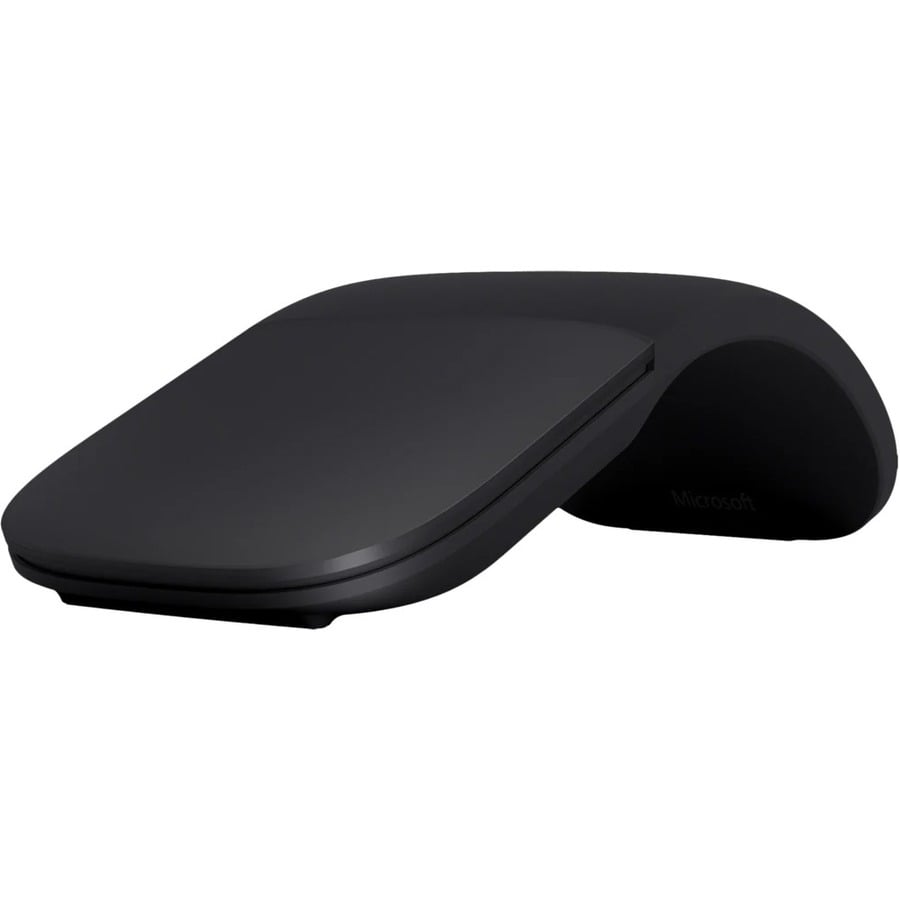
The next generation of our best-selling Arc Touch Mouse, Microsoft Arc Mouse features numerous refinements, including the ability to scroll both vertically and horizontally. Connects via Bluetooth. Pairs with your Windows 10 PC right out of the box when you enable Swift Pair.
Snaps flat for travel
Microsoft Arc Mouse goes anywhere without the weight or bulk of traditional mice. Just snap it flat and easily slip it in your pocket or bag.
Intuitive interactions
Microsoft Arc Mouse lets you scroll both vertically and horizontally for easier, more intuitive navigation.
Slim, modern design
Smooth and soft to the touch, it's designed to sit comfortably in your hand.
Power up or down with a snap
Simply snap Microsoft Arc Mouse into its curved position to power up. Snap again to flatten and power down.
Fits in any workspace
Microsoft Arc Mouse is easy on the eyes and fits unobtrusively within your workspace.
True wireless freedom
Connects via Bluetooth. Pairs with your Windows 11 Home/Pro and Windows 10 PC right out of the box when you enable Swift Pair.
What connectivity options does the Microsoft Arc Mouse offer?
The Microsoft Arc Mouse features Bluetooth wireless connectivity operating at 2.40 GHz, providing a reliable connection without the need for cables. This makes it ideal for mobile workstations and warehouse environments where flexibility and ease of movement are important.
Is the Microsoft Arc Mouse compatible with warehouse management systems?
Yes, the Microsoft Arc Mouse is a standard input device that works with any system supporting Bluetooth wireless mice. We offer this mouse as part of our comprehensive AIDC solutions for logistics and warehouse operations where reliable pointing devices are essential.
What is the DPI setting on the Microsoft Arc Mouse?
The Microsoft Arc Mouse operates at 1000 DPI, providing standard precision suitable for typical warehouse and office computing tasks. This DPI level offers a good balance between cursor speed and control for inventory management and data entry applications.
How many buttons does the Microsoft Arc Mouse have?
The Microsoft Arc Mouse features 2 buttons with a scroll plane, providing essential navigation controls for warehouse management software and logistics applications. This straightforward button layout ensures ease of use in fast-paced warehouse environments.
What tracking technology does the Microsoft Arc Mouse use?
The Microsoft Arc Mouse uses BlueTrack technology, which delivers reliable cursor tracking on various surfaces. This advanced tracking capability makes it suitable for different work environments, from traditional desks to warehouse workstations.
Can I use the Microsoft Arc Mouse in different warehouse locations?
Yes, the wireless Bluetooth connectivity of the Microsoft Arc Mouse allows you to use it across different warehouse zones and workstations without being tethered to a desk. Contact us today to integrate this mouse into your warehouse IT infrastructure and ensure consistent device availability across your operations.