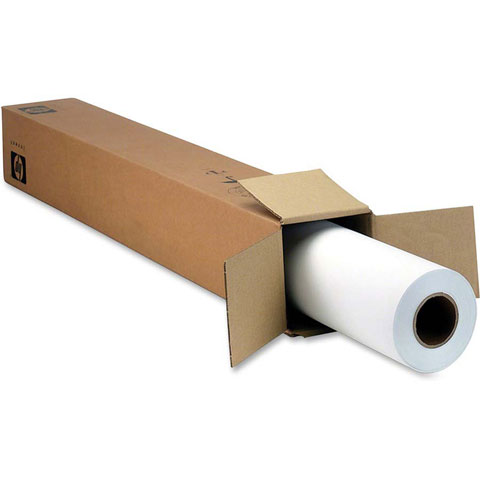
Look to this Universal Satin Photo Paper to provide a high-quality choice. Produce vivid colors ideal for presentation graphics and indoor displays from posters and presentations to photo enlargements and art reproductions. Enjoy reliable, trouble-free, HP large format printing with HP photo papers designed together with HP inks and HP Designjet printers.
What are the specifications for the HP Q1420B barcode label paper?
The HP Q1420B is a Universal Inkjet Photo Paper with 95% opacity, measuring 24 1/64" x 100 1/16 ft, with a grammage of 190 g/m² and a satin finish. It comes as a single roll and is designed for use with HP inkjet printing systems. We offer this paper as part of our comprehensive HP supplies inventory available from barcodesinc.com.
Is the HP Q1420B compatible with Windows and Mac systems?
Yes, HP Universal Inkjet Photo Paper is compatible with both Windows and Mac operating systems. For Windows, it supports Windows 10, 8.1, 8, 7, Vista, and XP SP3 (32-bit), while Mac compatibility includes OS X v10.8 Mountain Lion through OS X v10.11 El Capitan. Contact us today to ensure compatibility with your specific system configuration.
What are the operating temperature requirements for using HP Q1420B paper?
The HP Q1420B paper is designed to operate within a temperature range of 41 to 104°F, with a recommended operating temperature of 59 to 86°F for optimal performance. Storage temperature can range from -40°F and above. We recommend maintaining these environmental conditions to ensure consistent print quality and paper integrity.
What software drivers are included with HP inkjet systems using this paper?
HP inkjet systems compatible with the Q1420B include HP Printer Software, HP Update, and HP Photo Creations. For Windows systems, additional software includes HP Software Installer, HP PCL6 Printer Driver, HP Device Experience, and HP Printer Assistant. Mac systems include a Welcome Screen that directs users to HP.com for additional software downloads.
What is the maximum print area and margin specifications for HP Q1420B paper?
The HP Q1420B supports a maximum print area of 207.4 x 347.1 mm with consistent print margins of 4.3 mm on all sides (top, bottom, left, and right). This ensures reliable barcode label printing with proper spacing for scanning and handling. Visit barcodesinc.com for detailed specifications on label configurations.
What power requirements does equipment using HP Q1420B paper have?
HP systems using the Q1420B paper require input voltage of 100 to 240 VAC (±10%), 50/60 Hz (±3 Hz), with high voltage support for 200 to 240 VAC (±10%). Power consumption varies from 0.06 watts in off mode, 2.2 watts in standby, to 0.69 watts in sleep mode. Contact us today if you need guidance on power specifications for your warehouse or logistics environment.