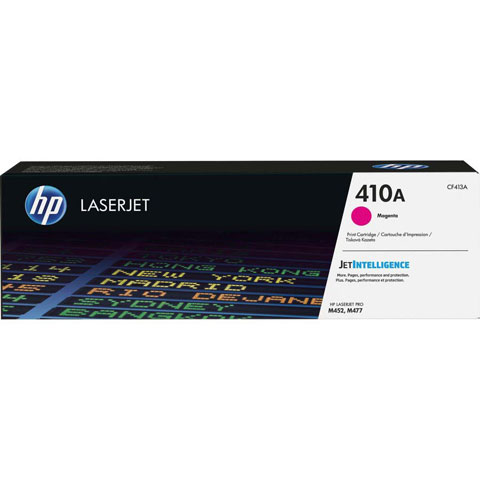
Count on this toner cartridge with JetIntelligence to deliver more pages than ever at fast speeds in your HP Color LaserJet Pro M452 Printer Series and MFP M477 series. Intelligently track toner levels with print-gauge technology to help ensure you get the pages you paid for. Anti-fraud technology and HP ColorSphere 3 toner ensure HP professional quality for producing sharp text, bold blacks and crisp graphics. Original HP Toner cartridge with JetIntelligence helps your HP printer consume less so you keep energy use down. Quickly replace your cartridge, using auto seal removal and easy-open packaging. Cartridge yields approximately 2,300 pages.
How many pages can the HP CF413A magenta toner cartridge print?
The HP CF413A (410A) Original Toner Cartridge delivers a page yield of 2,300 pages based on ISO/IEC standards. Actual yields vary considerably based on images printed and other factors. For detailed information about page yields, visit http://www.hp.com/go/learnaboutsupplies.
Is the HP CF413A compatible with color and black and white printers?
The HP CF413A is a magenta toner cartridge designed for color laser printing applications. It is an original HP supply that works with compatible HP LaserJet and HP Colour LaserJet devices. For specific printer compatibility, contact us today or visit barcodesinc.com to verify your exact model.
What operating systems support the HP CF413A toner cartridge?
The HP CF413A is compatible with a wide range of operating systems including Windows Client OS (32/64 bit), Windows 10, Windows 8.1, Windows 8, Windows 7, iOS, Android, Mac, and Apple macOS versions Sierra v10.12 through Mojave v10.14. Driver support varies by operating system and printer model.
Can I use the HP CF413A as a replacement for HP 410A cartridges?
Yes, the HP CF413A is the model number for the HP 410A Original Toner Cartridge in magenta. It is an original HP supply that meets HP's quality and performance standards. We offer genuine HP supplies available from us to ensure optimal device performance.
What is included when I purchase the HP CF413A toner cartridge?
The HP CF413A comes as a single-pack magenta toner cartridge. This is an original HP product with one-year, next-business day, onsite warranty coverage. Warranty and support options vary by product, country, and local legal requirements.
How should I handle page yield variations when using the HP CF413A?
The stated 2,300-page yield for the HP CF413A is based on ISO/IEC standards and continuous printing. Actual yields vary considerably based on images printed, printing conditions, usage patterns, and other factors. HP recommends maintaining printed pages within recommended monthly ranges for optimum device performance and extended device life.