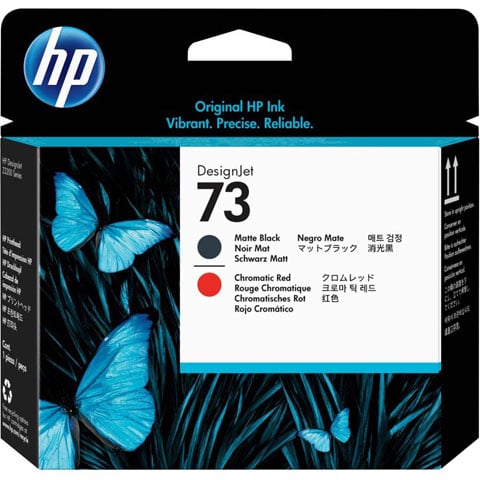
Printhead is designed for use with HP Designjet Z3200 Printer series. Print just what you envision. Then print it again confident you will get the same color and the same quality. It's no problem with built-in, intelligent technology that optimizes print quality and reliability. Avoid rework and save time and money.
What operating systems are compatible with the HP CD949A printhead?
The HP CD949A is compatible with Windows 10, Windows 8.1, Windows 8, Windows 7, Windows Vista, and Windows XP SP3 (32-bit versions), as well as OS X v10.8 Mountain Lion through OS X v10.10 Yosemite on Mac systems. We recommend verifying your specific OS version against these supported platforms before deployment in your warehouse or office environment.
What are the minimum system requirements for using the HP CD949A?
For Windows systems, you'll need 2 GB of available hard disk space, a CD-ROM/DVD drive or Internet connection, a USB port, and Internet Explorer. Mac users require OS X v10.11 El Capitan or later, 1 GB of hard drive space, Internet access, and a USB port. Contact us today if you need help determining compatibility with your existing IT infrastructure.
What software is included with the HP CD949A printhead?
The HP CD949A comes with HP Printer Software, HP Update, and HP Photo Creations. Additional drivers and utilities are available for download to support scanning, faxing, and device management across Windows and Mac platforms. Our team can help you identify which software packages best fit your warehouse or office printing workflow.
What are the power consumption specifications for the HP CD949A?
The HP CD949A has an internal power supply with minimal power draw: 0.06 watts in Off mode, 2.2 watts in Standby, and 0.69 watts in Sleep mode. It requires input voltage of 100 to 240 VAC (±10%), 50/60 Hz (±3 Hz), making it suitable for standard office and warehouse electrical installations. Visit barcodesinc.com for detailed power specifications or contact our team with questions about your facility's requirements.
What connectivity options does the HP CD949A offer?
The HP CD949A supports WiFi, WiFi Direct, and Web Services connectivity, allowing flexible network integration in modern warehouse and office environments. These connection options enable remote printing and device management across your facility. Contact us today to discuss the best connectivity setup for your operation.
What is the operating temperature range for the HP CD949A?
The HP CD949A operates optimally between 59°F and 86°F (recommended range), with a broader operating temperature range of 41°F to 104°F. The device can be stored between -40°F and higher temperatures, making it suitable for various warehouse climates. We recommend maintaining temperatures within the recommended range for best performance and longevity.