
Honeywell – Barcode Label Printer




Frequently Asked Questions
What print resolution and speed does the Honeywell PC42E-T offer?
The Honeywell PC42E-T delivers 200 dpi print resolution with print speeds up to 8 inches per second, making it suitable for sharp, professional-quality barcode labels in warehouse and logistics environments. This combination of resolution and speed ensures reliable scanning performance while maintaining efficient labeling workflows.
What connectivity options are available on the PC42E-T printer?
The PC42E-T includes both USB and Ethernet connectivity, providing flexible deployment options for warehouse networks and direct computer connections. These industry-standard interfaces ensure compatibility with most warehouse management systems and labeling software platforms.
What ribbon core sizes does the PC42E-T support?
The PC42E-T supports both 0.5-inch and 1-inch ribbon core sizes, allowing you to choose the configuration that best fits your operational needs and media replenishment schedules. Larger ribbon cores reduce downtime by extending the time between ribbon changes.
Is the PC42E-T suitable for warehouse and logistics applications?
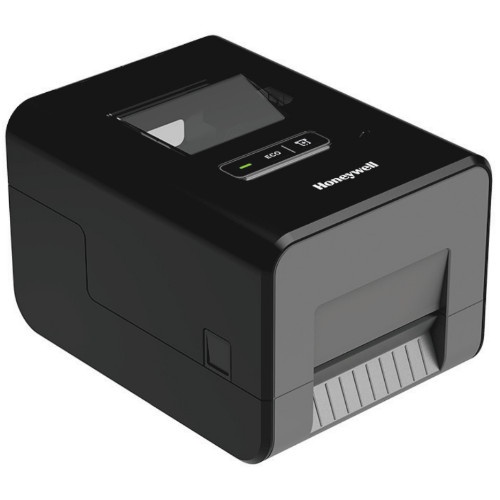
Yes, the PC42E-T is purpose-built for warehouse operations, shipping and receiving, parcel labeling, and light manufacturing environments where reliable, consistent label output is essential. Its compact desktop design and quick-opening media access make it ideal for fast-paced logistics operations.
What print languages does the PC42E-T support?
The PC42E-T supports multiple industry-standard print languages including ESim (EPL), ZSim (ZPL-II), and Direct Protocol (DP), ensuring maximum compatibility with existing labeling software and workflows. This multi-language support simplifies integration into diverse warehouse environments.
What's included in the PC42E-T-KIT package?
The PC42E-T-KIT includes the printer, a 1.5-meter US power cord, and all necessary power systems and supplies for immediate deployment. Contact us today to confirm all components and discuss your specific setup requirements.
