
Epson C31C514A7541 Receipt Printer
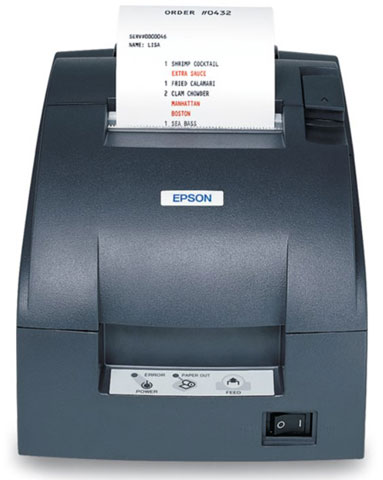




 Full specifications (PDF)
Epson TM-U220 Receipt Printer Model Overview
Recommended Accessories
Category
- Cables To Go (1)
- Cables, Connectors, and Adapters (1)
- Pole Customer Pole Display (3)
- Printer Accessories (8)
- Receipt Printer Accessories (6)
- Serial Adapters (1)
Recommended Accessories for Model: Epson C31C514A7541 Receipt Printer
Top Cables To Go Purchased With Epson C31C514A7541
-
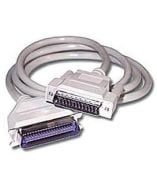 Cables To Go 2798 Accessory6ft Parallel printer cable. Replaces (Part# PCM-1100-06).Item on backorder — chat for lead time$29.32
Top Cables, Connectors, and Adapters Purchased With Epson C31C514A7541
-
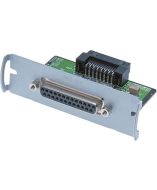 Epson C823361 Cables, Connectors, and AdaptersPrinter Spare Part, Epson Connect-IT Serial Interface Card, UB-S01 (1K Buffer)In Stock$53.50
Top Pole Customer Pole Display Purchased With Epson C31C514A7541
-
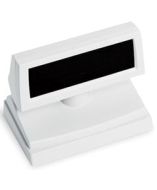 Epson B131101 Customer DisplayCustomer Display Stand, Epson DM-D110 Pole Display, Cool White Stand Alone Base Requires a displayItem on backorder — chat for lead time$129.88
 -
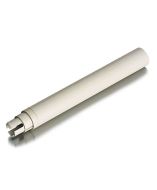 Epson B098101 Customer DisplayCustomer Display Pole Display Extension, Epson DDP110 and DP500 Pole Displays, P105, Cool-WhiteItem on backorder — chat for lead time$21.15
 -
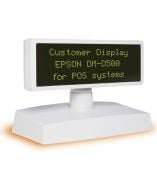 Epson B113101 Customer DisplayEpson DM-D500 Pole Display - Green - VFD - Serial - WhiteItem on backorder — chat for lead timePlease Call for Pricing or to Purchase
Top Printer Accessories Purchased With Epson C31C514A7541
-
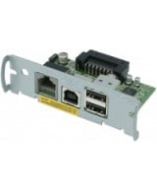 Epson C32C824111 AccessoryPrinter Spare Part, UB-U01III-111 Epson USB Interface Connect-IT Card with 2 port hubItem on backorder — chat for lead time$128.72
 -
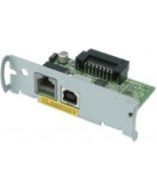 Epson C32C824121 AccessoryPrinter Spare Part, Epson Printers Except TansScan, UB-U02 USB Connect-IT Interface with DMD Port (for Pole Display), No HUBItem on backorder — chat for lead time$145.50
 -
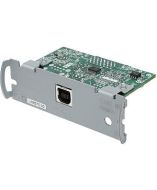 Epson C32C824131 AccessoryPrinter USB Interface, Epson all printers excecpt TransScan TM-T70, TM-T70, TM-T88V & TM-T88IV, UB-U03 USB Connect-IT Interface without display module or hub portIn Stock$109.10
Top Receipt Printer Accessories Purchased With Epson C31C514A7541
-
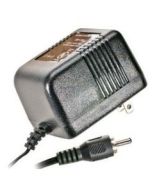 Epson 208178604 AccessoryAC Adapter C (for the U220, U325 and CaptureOne Series)Item on backorder — chat for lead timePlease Call for Pricing or to Purchase
 -
 Epson 1235228 AccessoryESPON, TM-U220, PRINT HEAD UNIT AD FOR USE IN TM-U220, NON-CANCELABLE, NON-RETURNABLEItem on backorder — chat for lead timePlease Call for Pricing or to Purchase
 -
 Epson PCM-1970-06 AccessoryEpson Null Modem Cable - DB-9 Female - DB-25 Male - 6ft - BeigeItem on backorder — chat for lead timePlease Call for Pricing or to Purchase
Top Serial Adapters Purchased With Epson C31C514A7541
-
Epson C823361 Cables, Connectors, and AdaptersPrinter Spare Part, Epson Connect-IT Serial Interface Card, UB-S01 (1K Buffer)In Stock$53.50
Frequently Asked Questions
What are the main differences between the TM-U220A, TM-U220B, and TM-U220D models?
The TM-U220 series offers three configurations to match your needs. The TM-U220A includes both a journal take-up device and auto-cutter for complete receipt management. The TM-U220B features an auto-cutter only, while the TM-U220D comes with no optional accessories. All three models share the same high-speed printing technology and two-color printing capability. We offer all three variants so you can select the configuration that best fits your operation.
Can the Epson TM-U220 print in multiple colors?
Yes, all TM-U220 models feature two-color printing in black and red, allowing you to highlight special offers and print more visible logos on your receipts and kitchen orders. This capability helps improve visual impact and customer engagement without requiring multiple printer passes. Contact us today to discuss how two-color printing can enhance your receipt design.
What paper widths are supported by the TM-U220?
The TM-U220 series features an adjustable paper width capability that supports 58mm, 70mm, and 76mm paper rolls. This flexibility allows you to choose the paper size that best fits your needs and provides greater cost savings by enabling you to use the most economical option for your application. We have compatible paper rolls available for all supported widths.
Is the TM-U220 compatible with existing TM-U200 systems?
Yes, the TM-U220 series has been designed to be 100% compatible with existing systems that currently use a TM-U200 printer. Because the external dimensions of the TM-U200 and TM-U220 are almost identical, transitioning to a new TM-U220 is straightforward and requires minimal installation changes. This makes upgrading your receipt printing infrastructure simple and cost-effective.
What are the key features of the TM-U220 for kitchen and POS environments?
The TM-U220 series is optimized for high-speed throughput, ensuring customer receipts and kitchen orders print faster than ever. All models offer drop-in paper loading for quick media changes and auto-cutter functionality on the TM-U220A and TM-U220B models for flexible receipt handling. The wall-mounting option on TM-U220B and TM-U220D models prints receipts right-side up for easy reading directly from the printer.
What interface options are available for the Epson TM-U220B?
The TM-U220B is available with Wi-Fi connectivity (model C31C514A7541), providing wireless printing capability for modern POS and kitchen environments. We offer the TM-U220B with power supply and adapter included, making it ready to deploy in your facility. Visit barcodesinc.com to explore all available connectivity options and configurations for the TM-U220 series.
