

Epson Label Boost Software
 Full specifications (PDF)

Price Match Guarantee
Found a better price? We'll match it within 60 days of your purchase.



Epson Label Boost Software Options
-
 $514.00
Frequently Asked Questions
What are the main features of Epson Label Boost software?
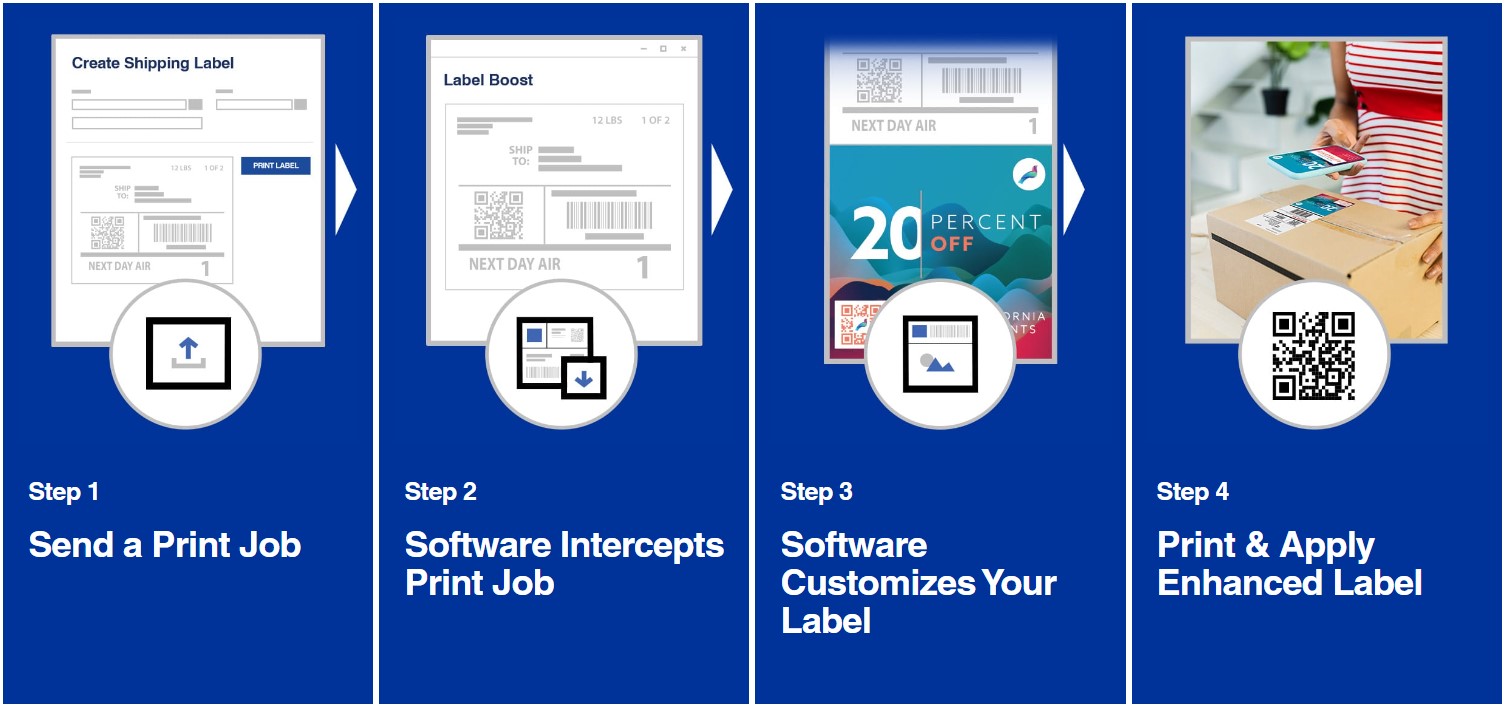
Epson Label Boost transforms traditional black-and-white shipping labels into vibrant marketing tools with dynamic content that automatically adjusts messaging based on location and delivery date. The software enables you to add secondary labels and highlight critical package information to improve shipping accuracy, reduce operational costs, and enhance brand visibility—all without recurring fees. Key capabilities include no-code integration with ZPL-driven software, BarTender, and Loftware, making deployment seamless within your existing operations.
What are the system requirements for Label Boost software?
Label Boost requires Windows 10 or 11 (Professional or Enterprise editions, both 32- and 64-bit), an Intel Core i5 8th Gen processor running at 2GHz or higher, 8GB DDR4 RAM, and 1GB of free hard disk space. These specifications ensure reliable performance for label design and printing workflows in warehouse and logistics environments.
Which printers and labeling software is Label Boost compatible with?
Label Boost works with most Epson ColorWorks printers and integrates seamlessly with ZPL-driven software, BarTender, and Loftware through its no-code integration capability. This compatibility allows you to enhance your existing label printing infrastructure without requiring major system changes or custom development.
How does Label Boost help reduce operational costs?
Label Boost minimizes material and labor expenses by enabling the use of secondary labels that consolidate information onto shipping labels, reducing the need for separate label sheets and manual handling. By improving shipping accuracy through clear highlighting of critical package information and optimizing material usage, the software helps lower overall operational overhead in your shipping process.
Can Label Boost display different messaging on labels based on location or delivery date?
Yes, Label Boost features dynamic content capability that automatically selects messaging based on location and delivery date, enabling you to deliver targeted promotions and product announcements directly on shipping labels. This allows you to enhance customer engagement and brand visibility without manual intervention for each label.
Does Label Boost require ongoing subscription or recurring fees?
No, Label Boost software comes with no recurring fees—you own the solution outright after purchase. This eliminates ongoing software licensing costs and provides long-term value for your shipping and label operations. Contact us today at barcodesinc.com to learn more about pricing and deployment options.
Epson Label Boost Software Model Overview
Key Features
- Dynamic Content: Automatically choose messaging based on location and delivery date.
- No-Code Integration: Compatible with ZPLⓇ driven software, BarTender®, and LoftwareⓇ.
- Operational Cost Reduction: Minimizes material and labor expenses with secondary labels.
- Improved Shipping Accuracy: Clearly highlights critical package information.
- No Recurring Fees: Own your software solution without additional costs.
Specifications
- System Requirements:
- Operating System: Windows 10 or 11 (Professional/Enterprise, 32- and 64-bit)
- CPU: Intel Core i5 8th Gen at 2GHz or higher
- Memory: 8GB DDR4 RAM
- Hard Disk Space: 1GB free HDD space
- Model: SW-LB001
- Compatibility: Works with most ColorWorksⓇ printers