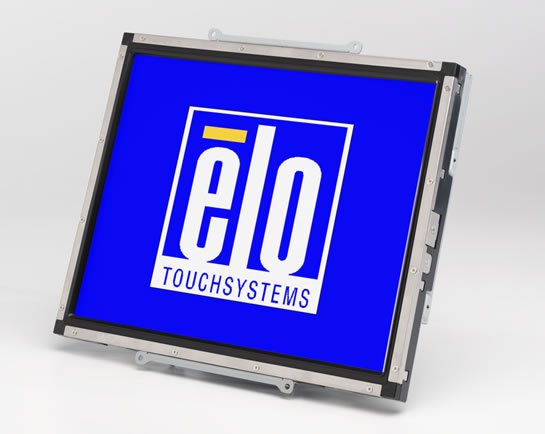
The 1537L has a compact form factor with thin borders and multiple mounting options for easy integration. It features a high qualitly panel along with a unique, injection-molded minibezel with virtually invisible watertight seal and choice of touch technology. Future generation panels can be phased-in without external changes. Multilingual on-screen display.
Elo E512043 Touchscreen Overview
Elo chassis LCD monitor have a long-lasting product cycle because the enclosure is controlled by Elo specifications. Future panel improvements are therefore possible without external changes. The 1537L has a compact form factor with thin borders and multiple mounting options for easy integration.
What print speed does the Epson TM-U220-I achieve?
The Epson TM-U220-I delivers print speeds of 4.7 lines per second at 40 columns with 16 characters per inch, and 6.0 lines per second at 30 columns with 16 characters per inch. This high-speed performance ensures customer receipts and kitchen orders print faster, making it ideal for busy retail and food service environments.
What print resolution and speed does the Epson TM-L90 Plus offer?
The Epson TM-L90 Plus delivers professional-quality output at 203 x 203 dpi resolution with print speeds up to 170mm/second for thermal receipts and 90mm/second for label media. This combination of resolution and speed makes it ideal for high-volume barcode and label printing in warehouse and logistics environments. We offer this model with Ethernet connectivity and a peeler accessory for streamlined label production.
What print method does the Epson TM-U220-i use?
The Epson TM-U220-i uses a 9-pin, serial impact dot matrix print method, which is ideal for high-speed receipt and kitchen order printing. This impact technology ensures reliable, fast throughput for busy POS and kitchen display system environments.
What are the key features of the Epson TM-U220-i receipt printer?
The Epson TM-U220-i is a 9-pin serial impact dot matrix receipt printer designed for high-speed order printing in restaurant and retail environments. It features two-color black and red printing to highlight special offers, drop-in paper loading for easy operation, and an adjustable paper width that accommodates 58, 70, or 76mm paper rolls. The printer also supports multi-station printing, allowing you to control multiple slave printers from a single device, and can interface with touchscreens, bump bars, and kiosks for interactive ordering systems.
What connectivity options does the Epson TM-U220-I support?
The Epson TM-U220-I offers multiple connectivity options including RS-232 serial, bi-directional parallel, and Connect-It family interfaces as standard. Dealer options are available for USB and 10 Base-T Ethernet connectivity, allowing you to integrate this printer into various POS and kitchen environments. Contact us today to discuss which connectivity configuration best fits your operation.
What printing technology does the Epson TM-U220-i use?
The Epson TM-U220-i uses a 9-pin serial impact dot matrix printing method, delivering print speeds of 4.7 lines per second at 40 columns or 6.0 lines per second at 30 columns. This impact technology enables two-color printing in black and red, making it ideal for highlighting special offers and creating more visible logos on receipts.
What paper widths are compatible with the TM-U220-I receipt printer?
The TM-U220-I supports adjustable paper widths of 58mm, 70mm, and 76mm, allowing you to choose the right roll size for your application. This flexibility provides greater cost savings and operational efficiency across different receipt and order slip requirements.
What connectivity options are available on the Epson C31C412A7711?
This model features Ethernet 10/100Base-T/TX connectivity, along with support for RS-232C serial, parallel IEEE-1284, USB, powered USB, Bluetooth, and WiFi interfaces (one interface can be used at a time). The Ethernet option makes it well-suited for networked warehouse and logistics operations where multiple users need to send print jobs to a central device. Contact us today to discuss which connectivity option best fits your facility's infrastructure.
What connectivity options are available on the TM-U220-i?
The TM-U220-i supports RS-232, bi-directional parallel, and Connect-It family interfaces as standard. Dealer options include USB and 10 Base-T Ethernet connectivity, giving you flexibility to integrate with various POS systems and network configurations. We offer this model with your choice of connectivity to match your existing infrastructure.
What paper widths can the Epson TM-U220-I handle?
The TM-U220-I supports adjustable paper widths of 57.5mm, 69.5mm, and 76mm, giving you flexibility to choose the right roll size for your receipts and reducing paper costs. This versatility makes it suitable for different receipt formats without requiring printer replacement. We offer this model with full documentation on paper compatibility—visit barcodesinc.com for details.
What paper widths and sizes are compatible with this receipt printer?
The TM-U220-i supports adjustable paper widths of 58mm, 70mm, or 76mm, with paper thickness ranging from 0.06 to 0.085mm. This flexibility allows you to choose the most cost-effective paper roll size for your specific application while maintaining consistent print quality.
What connectivity options are available on the Epson TM-U220-i?
The TM-U220-i includes standard RS-232 and bi-directional parallel interfaces, with optional USB and 10 Base-T (Ethernet) connectivity available as dealer options. This flexibility allows you to integrate the printer into various POS systems and network environments. We offer the printer with your choice of connectivity configuration—contact us today to specify your preferred interface.
Does the Epson TM-U220-I support two-color printing?
Yes, the TM-U220-I features two-color, black and red printing capability. This allows you to highlight special offers, print more visible logos, and create visually distinct sections on receipts and kitchen orders to improve readability and customer engagement.
What connectivity options are available for the Epson TM-U220-i?
The printer includes standard RS-232 and bi-directional parallel interfaces, with Connect-It™ family support. USB and 10 Base-T Ethernet interfaces are available as dealer options, giving you flexibility to integrate the printer into your POS system, kiosk, or kitchen display environment.
What barcode formats does the TM-L90 Plus support?
The TM-L90 Plus supports a comprehensive range of barcode symbologies including UPC-A, UPC-E, EAN/JAN8, EAN/JAN13, ITF, CODE39, CODE93, CODE128, CODABAR, PDF417, MAXICODE, and QR CODE. This broad compatibility ensures the printer can handle virtually any barcode labeling requirement in distribution, retail, and logistics workflows. We have this model in stock and ready to integrate into your barcode printing environment.
Can the TM-U220-i print in multiple colors?
Yes, the TM-U220-i supports two-color printing with black and red output, allowing you to highlight special offers and print more visible logos on receipts and orders. The printer uses ERC-38 inked ribbons available in purple, black, or black/red configurations.
How fast does the Epson TM-U220-i print receipts?
The TM-U220-i delivers print speeds of 4.7 lines per second at 40 columns (16 characters per inch) and 6.0 lines per second at 30 columns (16 characters per inch), ensuring fast customer receipts and kitchen order tickets. This high-speed throughput is optimized for busy restaurant and retail environments where transaction volume demands efficient printing.
Is the Epson TM-U220-I suitable for kitchen printing applications?
Yes, the TM-U220-I is specifically designed as a kitchen receipt printer with impact dot-matrix technology optimized for high-speed throughput. It features two-color (black and red) printing capability to highlight special orders and improve readability in kitchen environments. Available from us with all necessary power supplies included.
What is the print speed of the Epson TM-U220-I?
The TM-U220-I delivers print speeds of 4.7 lines per second at 40 columns and 16 characters per inch, or 6.0 lines per second at 30 columns and 16 characters per inch. This high-speed performance ensures fast receipt and kitchen order printing for efficient POS operations. Contact us today for detailed performance specifications for your specific use case.
What interfaces does the TM-U220-I receipt printer offer?
The TM-U220-I comes standard with RS-232 serial and bi-directional parallel interfaces. The model is part of the Connect-It family and supports dealer options for USB and 10 Base-T connectivity, providing flexibility for integration into various POS and kitchen management systems.
What paper sizes does the Epson TM-U220-i accept?
The TM-U220-i accommodates paper widths of 57.5mm, 69.5mm, and 76mm with a maximum diameter of 83mm, offering flexibility for different receipt and label formats. Paper thickness ranges from 0.06 to 0.085mm, and the printer supports one original and one copy capability.
What media types and sizes can the Epson TM-L90 Plus handle?
The printer accommodates paper widths of 40mm or 80mm with media thickness ranging from 2 mil to 8 mil depending on the media type, and supports paper rolls up to 4 inches (102mm) in diameter. It is compatible with liner-free labels and traditional label stock, making it versatile for labels, receipts, and tickets across different warehouse and logistics applications. Visit barcodesinc.com to view compatible media options available from us.
Is the Epson TM-U220-i suitable for kitchen order printing and multi-printer setups?
Yes, the TM-U220-i is designed to control and drive multiple slave printers from a single device, making it perfect for kitchen display systems and order management. It can also control peripherals such as touch screens and bump bars, or receive inline or online orders for printing in restaurant and kiosk environments.
What paper sizes and ribbon options does this printer support?
The Epson TM-U220-i supports adjustable paper widths of 57.5mm, 69.5mm, or 76mm, with paper thickness between 0.06 to 0.085mm. It uses interchangeable ERC-38 inked ribbons available in purple, black, or black/red combinations, with ribbon life ratings of up to 4 million characters for purple, 3 million for black, and 1.5 million characters for black/red dual-color printing. The printer also supports one-original, one-copy capability for duplicate receipts.
What ribbon options are available for the Epson TM-U220-I?
The TM-U220-I uses the ERC-38 inked ribbon, available in purple, black, or black/red color options to support two-color printing. Ribbon life varies by color: purple ribbons last approximately 4 million characters, black ribbons approximately 3 million characters, and black/red ribbons approximately 150,000 characters (black) and 750,000 characters (red). We offer compatible ribbon supplies to keep your printer running smoothly.
What are the power requirements and operating environment specifications?
The TM-L90 Plus requires 24 VDC ± 7% power input with approximately 1.8A mean power consumption, and includes a PS-180 AC adapter with cable. The printer meets international safety and environmental standards including UL, CSA, TÜV (EN60950), WEEE, and RoHS compliance, ensuring safe operation in commercial warehouse and office environments. It operates with Windows 2000/XP/Vista/7/8, Windows Embedded POS Ready 7/2009, and Windows Server 2008/2012.
What ribbon types are available for the Epson TM-U220-I?
The TM-U220-I uses the ERC-38 inked ribbon, available in purple, black, or black/red configurations. Ribbon life varies by color: purple ribbons support 4 million characters, black ribbons support 3 million characters, and black/red ribbons support 1.5 million characters (black) and 750,000 characters (red).
What is the expected lifespan and reliability of the TM-U220-i?
The TM-U220-i has a Mean Time Between Failures (MTBF) of 18 × 10⁴ hours and a Mean Characters Between Failures (MCBF) of 18 × 10⁶ lines. The inked ribbon offers extended life with purple ribbon rated for 4 × 10⁶ characters and black ribbon for 3 × 10⁶ characters, depending on your color selection.
What is the print speed of the TM-U220-i?
The TM-U220-i delivers print speeds of 4.7 lines per second at 40 columns (16 cpi) and 6.0 lines per second at 30 columns (16 cpi), ensuring fast order and receipt processing in high-volume environments. This speed makes it suitable for busy kitchen display systems and POS applications.
Is the Epson TM-U220-i suitable for kitchen display systems?
Yes, the TM-U220-i is specifically designed for kitchen display and order management applications. It can control video signage, order information displays, and interactive web-based kiosks for self-assisted ordering, and can drive multiple slave printers throughout a restaurant from a single device. This makes it ideal for kitchen receipt printing and multi-station order distribution in high-volume food service operations.
What is included in the box with the Epson TM-L90 Plus?
Your purchase includes the TM-L90 Plus printer unit, a thermal roll paper starter roll for operation verification, a user guide, and a power supply with AC cable. The model we offer (C31C412A7711) comes in Epson Dark Gray finish with Ethernet connectivity and a peeler accessory included. Contact us today for complete setup assistance and to confirm all components included with your specific order.
What is the reliability and warranty specification for the TM-U220-i?
The Epson TM-U220-i has a Mean Time Between Failure (MTBF) of 18 × 10⁴ hours and a Mean Characters Between Failure (MCBF) of 18 × 10⁶ lines, ensuring dependable long-term operation in demanding POS environments. The printer includes an AC adapter power supply and meets international EMC and safety standards including FCC, CE, UL, and CSA certification. Available from us with full technical support—visit barcodesinc.com or contact us today for warranty details and support options.
Is the TM-U220-i suitable for controlling peripherals and displays?
Yes, the TM-U220-i OmniLink model is designed to control video signage, order information displays, and interactive web-based kiosks while managing peripherals such as touch screens and bump bars. It can drive multiple slave printers from a single device, making it ideal for restaurant and retail environments requiring centralized control.
Is the power supply included with the TM-U220-I?
Yes, the Epson TM-U220-I includes an exclusive AC adapter in the box. The printer operates on 24V power, so you can set it up immediately without purchasing additional power supply components. Contact us today to order this printer from Barcodes Inc.
What are the physical dimensions and weight of the Epson TM-U220-I?
The Epson TM-U220-I is available in multiple configurations with dimensions ranging from 160(W) x 248(D) x 138.5(H)mm to 160(W) x 286(D) x 157.5(H)mm depending on the model variant, and weighs between 2.3 kg and 2.7 kg. This compact design makes it ideal for space-constrained POS and kitchen environments. Visit barcodesinc.com to verify the exact specifications for your required configuration.
What power and physical specifications should I know about the TM-U220-i?
The printer operates on 24V DC power with an exclusive AC adapter included in your purchase. Dimensions vary by type: Type A measures 160(W) × 286(D) × 157.5(H)mm and weighs 2.7kg, while Type B and D are more compact at 160(W) × 248(D) × 138.5(H)mm weighing 2.5kg and 2.3kg respectively. Contact us today to determine which configuration best fits your space and operational needs.
The Elo E512043 Touchscreen is also known as
ELO-E512043
or E512043.





 Full specifications (PDF)
