

Additional Information:
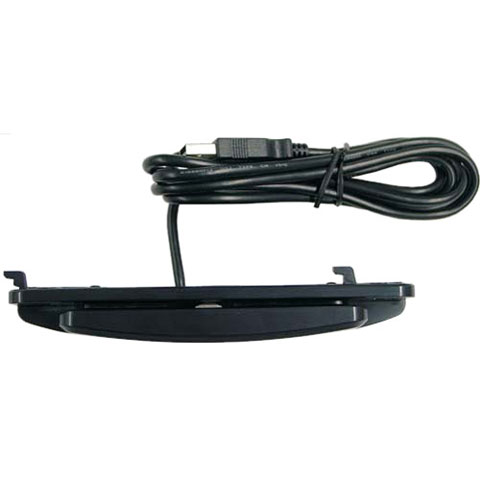
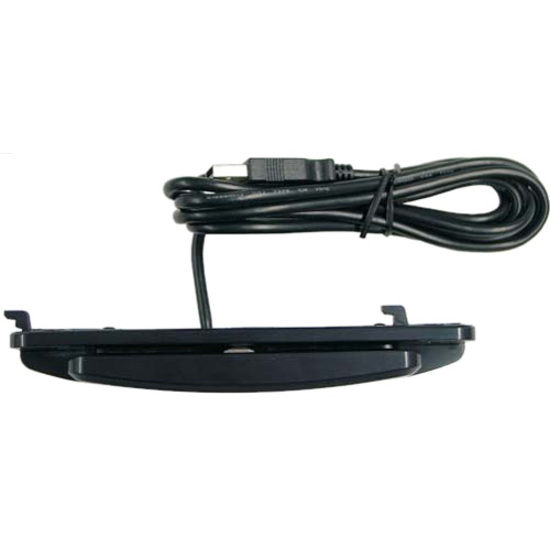
For Use With 1519L Touch Monitor



The HP C9370A is an HP 72 Original Ink Cartridge that delivers photo black ink. This cartridge is designed for inkjet printing applications requiring high-quality black output, and we offer it as a single-pack unit available from us today.
The HP C8842A is a black ink cartridge with a page yield of up to 2000 pages. This yield is based on standard printing conditions and can vary depending on your specific printing patterns and document complexity. We offer this cartridge as a cost-effective supply option for compatible HP inkjet systems.
The HP C9371A is a cyan-colored original ink cartridge designed for inkjet printers. This single-pack cartridge is an authentic HP product that delivers consistent color output for your inkjet printing needs. We offer this genuine HP cartridge to ensure optimal print quality and compatibility with your HP inkjet system.
Yes, the HP C9370A works with a wide range of operating systems including Windows 10, 8.1, 8, 7, Vista, and XP SP3 (32-bit), as well as OS X v10.8 Mountain Lion through OS X v10.10 Yosemite. HP printers using this cartridge support both PC and Mac environments, making it versatile for mixed IT environments. Contact us today to ensure compatibility with your specific system configuration.
The HP C8842A is a black inkjet cartridge designed for HP inkjet printers and multifunction devices. It delivers black ink output suitable for general office printing, documents, and correspondence. Contact us today to verify compatibility with your specific HP printer model.
Yes, the HP C9371A works with a wide range of operating systems including Windows 10, 8.1, 8, 7, Vista, and XP SP3 (32-bit), as well as OS X v10.8 Mountain Lion through OS X v10.10 Yosemite. The cartridge is compatible with both 32-bit and 64-bit Windows systems, making it suitable for most modern and legacy business environments. Contact us today if you need to verify compatibility with your specific system configuration.
For Windows systems, you'll need at least 2 GB of available hard disk space, a USB port, and Internet Explorer, with processor requirements varying by Windows version. Mac users require OS X v10.11 El Capitan or later with 1 GB of hard drive space, internet connectivity, and a USB port. We recommend reviewing the full technical specifications on our product page to ensure your system meets all requirements before ordering.
The HP C8842A is categorized within HP's POS system supplies portfolio and is compatible with select HP POS-related inkjet devices. However, compatibility varies by specific printer model and configuration. We recommend contacting our team or visiting barcodesinc.com to confirm compatibility with your particular HP system before ordering.
For Windows systems, you'll need 2 GB of available hard disk space, a CD-ROM/DVD drive or Internet connection, a USB port, and Internet Explorer. Mac systems require OS X v10.11 El Capitan or later with 1 GB of hard drive space, Internet access, and a USB port. Visit barcodesinc.com for complete compatibility verification with your hardware.
HP printers compatible with the C9370A cartridge support scanning to multiple formats including PDF, Hi-Compression PDF, JPEG, TIFF, XPS, PDF/A, and searchable OCR formats (TEXT, RTF, HTML, CSV). These versatile file format options make it easy to integrate scanned documents into your warehouse management and logistics workflows. We offer complete support for these capabilities through our team.
The HP C9371A comes with HP Printer Software, HP Update, and HP Photo Creations included. These utilities help you manage print jobs, keep your printer drivers current, and create professional photo prints. Contact us today if you need assistance with software installation or have questions about these included tools.
While the HP C8842A provides reliable black ink output with a 2000-page yield, HP offers high-yield cartridge options that deliver greater page yields for higher-volume printing environments. The choice between standard and high-yield cartridges depends on your monthly print volume and cost-per-page requirements. Contact us today to discuss which cartridge option best fits your warehouse or logistics printing needs.
HP printers compatible with this cartridge deliver copy speeds up to 56 cpm (copies per minute) for both black and color on A4 paper, with a maximum copy resolution of 600 x 600 dpi. The devices support advanced copying features including two-sided copying, scalability, image adjustments, and job storage for up to 9,999 copies. Contact us today for deployment recommendations based on your warehouse volume needs.
Yes, HP inkjet systems using the C9371A cartridge support WiFi, WiFi Direct, and Web Services connectivity for flexible printing options. Compatible devices include iPhone 4 and later, iPad 4th generation and later, iPad mini, iPad Air, iPod 5G with iOS 7 or later, and Android devices running 4.0.3 or later. Visit barcodesinc.com to learn more about wireless printing capabilities and mobile device compatibility.
HP inkjet systems compatible with the C8842A cartridge support printing from multiple file formats including PDF, PostScript, and standard print-ready files (.prn, .pcl, .cht). The specific formats supported depend on your printer model's capabilities and driver configuration. Visit barcodesinc.com or contact our team to confirm supported formats for your device.
HP printers using the C9370A cartridge have minimal power draw, consuming just 0.06 watts in off mode, 2.2 watts in standby, and 0.69 watts in sleep mode. The devices require input voltage of 100 to 240 VAC (+/- 10%), 50/60 Hz, making them suitable for most warehouse and office environments. Visit barcodesinc.com for energy efficiency planning in your facility.
HP inkjet systems using this cartridge consume minimal power with 0.06 watts in off mode, 2.2 watts in standby, and 0.69 watts in sleep mode, making them energy-efficient for office environments. The recommended operating temperature range is 59 to 86°F, with a maximum operating range of 41 to 104°F and storage capability from -40°F and above. We offer these cartridges for deployment in standard office environments where temperature control is maintained.
The HP C8842A is designed for HP inkjet systems, which may include multifunction devices that combine printing, copying, and scanning capabilities. Compatibility with specific multifunction models varies, so we recommend verifying your device model before purchase. Contact us today to ensure the C8842A is the correct cartridge for your HP multifunction equipment.