
DIGIOP BLK-IPD103 Products
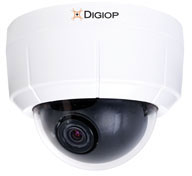




DIGIOP Parts Accessory Model Overview
Frequently Asked Questions
What barcode types can the Zebra DS4608-DL scan?
The DS4608-DL captures a comprehensive range of barcode formats including 1D codes (Code 39, Code 128, UPC/EAN, GS1 DataBar), 2D codes (QR Code, DataMatrix, PDF417, Aztec), and specialized formats like DotCode and Dotted DataMatrix. It also supports Optical Character Recognition (OCR) for reading ID cards, travel documents, and driver's licenses, making it exceptionally versatile for retail checkout, inventory, and customer verification applications.
How far can the DS4608-DL scan barcodes?
The DS4608-DL features a scan range of up to 28 inches (71 cm), with a bright aiming spot that allows cashiers to scan items in shopping carts while remaining seated at the cash wrap. This extended range is particularly useful for capturing barcodes on bulky items and reduces the need for repositioning merchandise during checkout transactions.
Is the Zebra DS4608-DL durable enough for high-volume retail environments?
Yes, the DS4608-DL is engineered for durability with IP52 sealing to protect against spills, a double-sealed optical system that guards against dust and liquid, and a recessed scan window that resists smudges and scratches. The scanner is built to survive multiple 6-foot drops to concrete and 2,000 tumbles in rigorous testing, ensuring reliable day-in, day-out performance in demanding retail settings.
What makes the DS4608-DL ideal for driver's license scanning and age verification?
The DS4608-DL includes built-in driver's license parsing capabilities that automatically capture and extract data from driver's licenses, enabling cashiers to verify age for restricted purchases, process customer returns, and populate loyalty or credit card applications instantly. This DL parsing functionality streamlines transactions and reduces manual data entry errors at checkout.
Can the DS4608-DL work in both handheld and hands-free modes?
Yes, the DS4608-DL supports on-the-fly switching between handheld and hands-free scanning modes. Simply place the scanner in an optional presentation stand or cradle to automatically activate hands-free mode, or pick it up for handheld scanning—no configuration changes are required. This flexibility accommodates various retail workflows from checkout lanes to inventory management.
What software tools are included with the Zebra DS4608-DL?
We offer complimentary Zebra DNA software tools with the DS4608-DL, including 123Scan for simplified deployment, Advanced Data Formatting for creating custom scanning rules, Remote Diagnostics for fleet-wide monitoring, and IoT Connector for real-time data routing to your preferred endpoints. These tools provide setup, security, management, and optimization capabilities to maximize your scanning investment across your enterprise.
