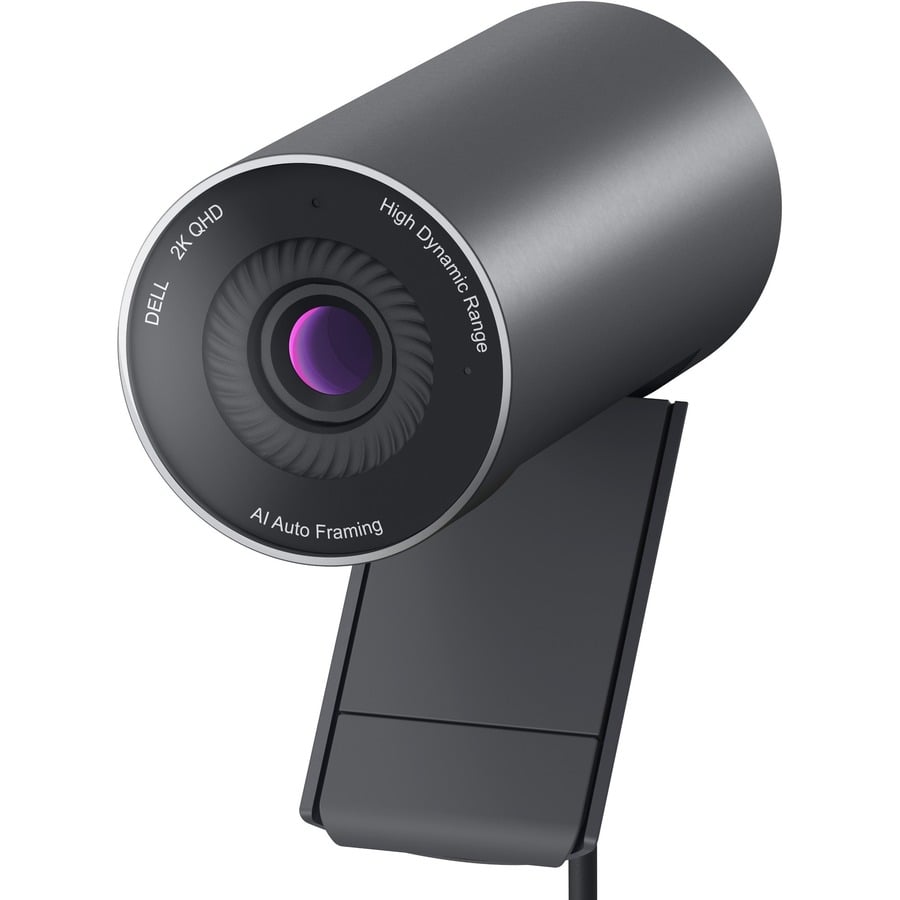
Dell Misc Parts ACCESSORIES & MISC. ITEMS Model Overview
Products and parts from Dell.
Dell WB5023-DDAO Webcam Overview
Stunning clarity
The large Sony STARVIS™ sensor in this 2K QHD, 1440p camera takes in substantial light to give you vibrant picture clarity and a vivid image.
Look your best with Advanced Image Signal Processing
Digital Overlap HDR (DOL-HDR) delivers true-to-life color in extreme lighting environments.
Temporal (3D) and Spatial (2D) Noise Reduction automatically eliminates motion blur and grainy images in low light.
Facial Detection Auto Exposure (FDAE) balances harsh lighting on your face for optimal image quality.
INDUSTRY WEBCAM VS DELL PRO WEBCAM - WITHOUT & WITH HDR + FDAE
Spotlight's on you
AI Auto Framing keeps you center-framed even as you move and shift, so the focus is always on you.
Deliberate design, inside and out
Communicate clearly no matter what's going on around you with the noise reduction mic built into this sleek webcam.
Limit distractions on-screen and behind the scenes with the integrated mounting clip that doesn't block your screen.
Privacy and protection with a shutter cap that magnetically snaps on and off and stows behind the webcam for handy safekeeping.
Compatible with multiple operating systems for a seamless collaboration experience. For information on OS support, please refer to the Technical Specifications.
3 Years Limited Hardware with Advanced Exchange Service* *Dell will send a replacement unit the next business day if deemed necessary after remote diagnosis. Find out more at www.dell.com/warranty
What are the key video specifications of the Dell WB5023 webcam?
The Dell WB5023 webcam delivers 2560 x 1440 video resolution at 60 fps, making it ideal for high-quality video conferencing and content creation. It features a CMOS sensor with a 78° viewing angle, auto-focus capability, and 4x digital zoom to capture sharp details across various distances. The integrated microphone provides audio capture for seamless communication in professional environments.
Is the Dell WB5023 compatible with my computer setup?
Yes, the Dell WB5023 connects via USB 2.0 Type A, making it compatible with virtually any computer or monitor with a standard USB port. This universal connectivity allows for easy plug-and-play installation without requiring additional drivers or software for most systems. Contact us today if you need guidance on integrating this webcam into your specific IT infrastructure.
What mounting options are available for the Dell WB5023 webcam?
The Dell WB5023 is designed for flexible mounting on display screens, computer monitors, or stands. Its compact design and standard mounting interface make it compatible with most monitor arms and mounting brackets available from us. For specific mounting solutions tailored to your workspace, visit barcodesinc.com or contact our team for recommendations.
Can the Dell WB5023 be used in low-light environments?
The Dell WB5023 features auto-focus technology and a CMOS sensor designed to perform in standard office lighting conditions. While it excels in well-lit environments typical of warehouse and logistics facilities, performance in extremely low-light settings may be limited. We recommend positioning the webcam in adequately lit areas for optimal video quality in your operations.
What is the Dell WB5023 best used for?
The Dell WB5023 is ideal for professional video conferencing, remote training sessions, and live streaming applications where high-resolution video is essential. Its 2560 x 1440 resolution and 60 fps performance make it well-suited for logistics and warehouse management teams conducting remote inspections and communications. We offer this webcam as part of our comprehensive AIDC solutions for modern business environments.
Does the Dell WB5023 include any software or management tools?
The Dell WB5023 comes with Dell Webcam Central software, which provides intuitive controls for video settings, recording, and snapshot capabilities. This software allows users to optimize video quality, manage audio levels, and customize camera settings to match their specific operational needs. Available from us, this complete package ensures seamless integration into your existing IT environment.