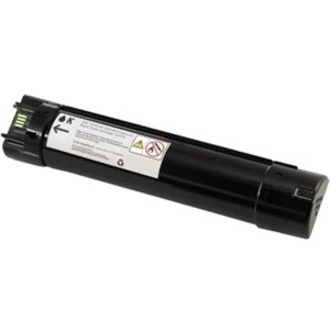
What is the page yield for the Dell U157N toner cartridge?
The Dell U157N is a standard yield toner cartridge rated for approximately 9,000 pages. This makes it suitable for small to medium-volume printing environments where cost-per-page efficiency is important. We offer this genuine Dell cartridge to ensure reliable performance in compatible Dell laser printers.
Is the Dell U157N toner compatible with color or black and white printers?
The Dell U157N is a black toner cartridge designed for monochrome laser printing. It delivers consistent black output and is compatible with specific Dell laser printer models. Contact us today to verify compatibility with your specific printer model.
How many cartridges are included in a Dell U157N purchase?
The Dell U157N comes as a single cartridge (1 pack) per order. This standard configuration allows you to replace your current toner when needed or maintain backup supplies. Visit barcodesinc.com to order additional packs for your printing needs.
What makes genuine Dell U157N toner better than compatible alternatives?
Genuine Dell toner cartridges like the U157N are engineered specifically for Dell printers, ensuring optimal print quality, reliability, and page yield consistency. Using genuine supplies protects your printer warranty and reduces the risk of equipment damage from inferior products. We stock authentic Dell supplies to guarantee performance you can depend on.
Can I use the Dell U157N toner in older Dell printer models?
The Dell U157N is designed for specific Dell laser printer models within the compatible range. Using the correct cartridge model is essential for proper printer function and print quality. Contact us today and provide your printer model number so our team can confirm compatibility.
What should I do if my Dell U157N toner runs out before the expected page yield?
If you experience premature toner depletion, it may indicate a printer issue such as toner density settings or mechanical problems. We recommend checking your printer's toner settings and consulting the user manual for troubleshooting steps. Contact us today if you need replacement cartridges or technical guidance for your Dell printer.