Dell Misc Parts ACCESSORIES & MISC. ITEMS Model Overview
Products and parts from Dell.
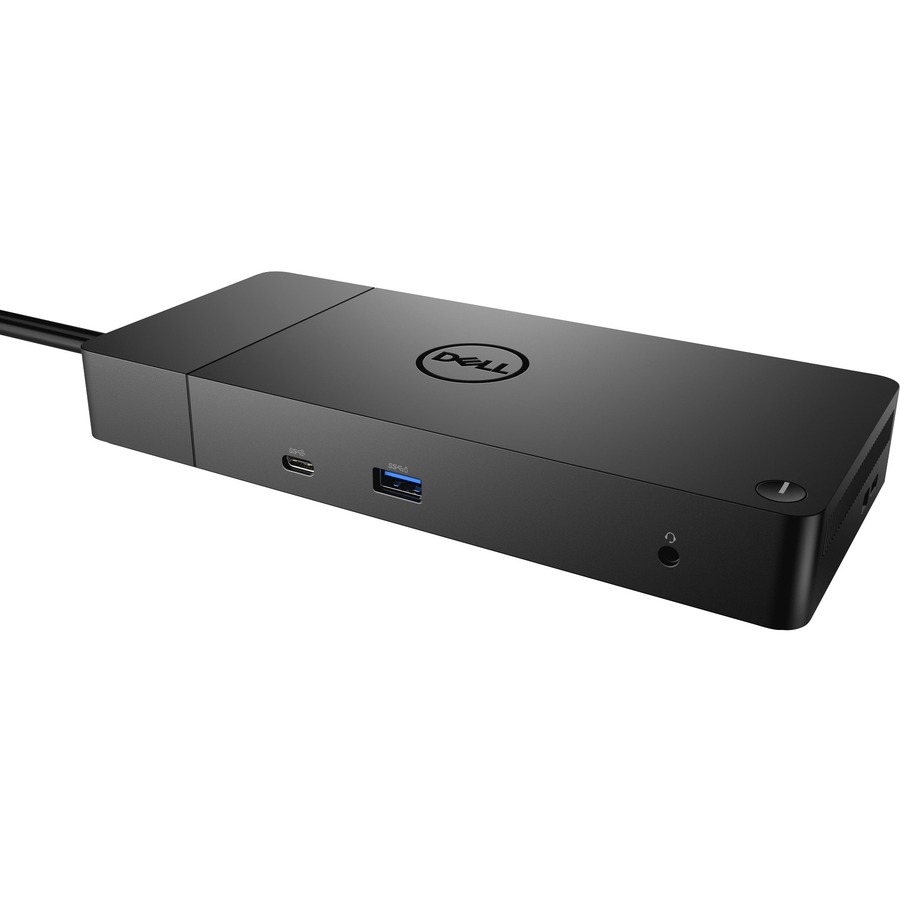
Dell MNNJY Computer Docking Station Overview
Power your connections
Power your day: Dell ExpressCharge allows you to charge up to 80% in one hour, making it the most efficient way to manage the workday.
Adaptable to your workload: Conveniently choose between a single USB-C cable or dual USB-C functionality, a feature compatible with our Precision 7000 workstations. Plus, with magnetically separable USB-C cables, it is easy to get the flexibility you need.
Unmatched charging: Triple your power delivery and charge even faster with a dock that delivers up to 210W of power with dual USB-C connectors
Built for the future
Mix and match: Evolve as your needs change with our most powerful and reliable dock. The future-ready design lets you swap out modules with ease if you need to do field replacements or upgrade your systems.
Ultimate connectivity: Dual USB-C connectivity makes it easier than ever to deliver power, data, audio and video as well as connect to system peripherals, no matter what system you use. Plus, with support for up to four displays, including a single 5K and dual 4K monitors, you can connect to everything you need.
Clean and clutter-free: Stay productive by mounting your dock behind your monitor or under your desk with the optional, secure VESA Mount, that offers the complete flexibility with the built-in 0.8-meter cable.
Information in a flash: With data transfer speeds of up to 10Gbps, you can stay productive when connected to all your devices.
Optimize your workspace
Smooth and seamless: Work without disruptions utilizing a single firmware on our most manageable docks ever. Plus, with Dell Client Command Suite and Microsoft System Center Configuration Manager, you can quickly and easily update your firmware without rebooting your dock.
Secure manageability: Keep your information safe with MAC Address pass-thru and remote port-disablement. Plus, with features like PXE Boot, Wake-on-LAN and more, it's easier than ever to stay productive while managing your dock.
What ports and connectivity options does the Dell MNNJY docking station provide?
The Dell Performance Dock WD19DCS features 6 USB ports, USB Type-C connectivity, HDMI, DisplayPort, and an RJ-45 network connector for comprehensive workstation connectivity. This multi-port design allows you to connect monitors, peripherals, and network devices simultaneously, making it ideal for professionals who need expanded connectivity at their desk. We offer this dock as part of our complete docking station lineup for enterprise and professional workstations.
Is the Dell MNNJY docking station compatible with USB Type-C laptops and workstations?
Yes, the Dell Performance Dock WD19DCS is designed with USB Type-C connectivity and provides 210W of power delivery, making it fully compatible with modern USB Type-C equipped workstations and laptops. This makes it an excellent choice for users transitioning to newer Dell systems or other manufacturers' USB-C devices. Contact us today to verify compatibility with your specific workstation model.
What is the power capacity of the Dell MNNJY docking station?
The Dell Performance Dock WD19DCS delivers 210W of power output, providing sufficient power delivery for most modern workstations and connected peripherals. This robust power capacity ensures your devices remain charged and operational throughout your workday without requiring separate power adapters. We have this model available for immediate deployment in enterprise environments.
What display outputs does the Dell MNNJY docking station support?
The Dell Performance Dock WD19DCS supports both HDMI and DisplayPort outputs, allowing you to connect multiple external monitors to expand your workspace. This dual-display capability is essential for professionals who require multi-monitor setups for enhanced productivity and workflow management. Visit barcodesinc.com to explore our full range of docking solutions for various workstation configurations.
Can the Dell MNNJY docking station be used in warehouse and logistics environments?
Yes, the Dell Performance Dock WD19DCS can support warehouse management and logistics operations when paired with appropriate workstations and barcode scanning equipment. Its multiple USB ports and network connectivity make it suitable for connecting barcode scanners, label printers, and other AIDC devices in stationary workstation setups. Contact us today to discuss how we can integrate this dock with your warehouse technology infrastructure.
What is the form factor and installation requirements for the Dell MNNJY docking station?
The Dell Performance Dock WD19DCS is a wired docking station designed for desktop use with a compact form factor that fits standard workstation environments. It connects via USB Type-C and requires a power connection to the 210W adapter, with no additional drivers or complex installation needed for most modern systems. We offer complete setup support and can assist with deployment across your organization—contact us today for assistance.