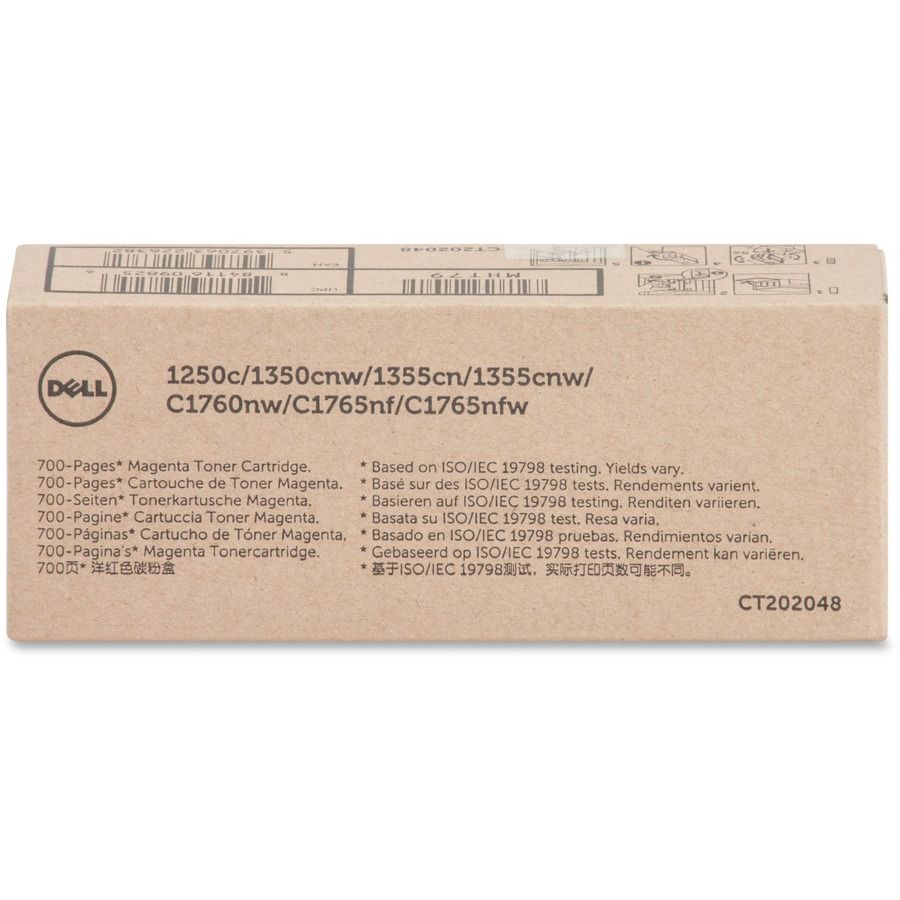
What printer models is the Dell MHT79 toner cartridge compatible with?
The Dell MHT79 magenta toner cartridge is compatible with Dell 1250c, 1350cnw, 1355cn, 1355cnw, C1760nw, C1765nf, and C1765nfw color laser printers. This OEM cartridge (part number 332-0404) ensures optimal performance and print quality across all these Dell color printing systems. We offer genuine Dell toner to guarantee compatibility and reliability for your printing needs.
How many pages will the Dell MHT79 toner cartridge yield?
The Dell MHT79 magenta toner cartridge delivers approximately 700 pages at standard 5% page coverage. This yield estimate helps you plan your supply chain and calculate the cost per page for your printing operations. Contact us today for bulk ordering options to optimize your toner inventory.
Is the Dell MHT79 an original equipment manufacturer (OEM) cartridge?
Yes, the Dell MHT79 is a genuine OEM cartridge manufactured by Dell with part number 332-0404. Using authentic OEM toner ensures proper printer performance, maintains warranty coverage, and delivers consistent color quality compared to third-party alternatives. We stock genuine Dell supplies to support your printing infrastructure.
What color does the Dell MHT79 toner cartridge produce?
The Dell MHT79 is a magenta toner cartridge designed for color printing on Dell's compatible laser printers. Magenta is one of the four primary colors (CMYK) used in color printing to produce the full spectrum of hues. Available from us for immediate shipment to support your color printing requirements.
Can I use the Dell MHT79 cartridge in both single-function and multifunction Dell printers?
The Dell MHT79 is compatible with various Dell color laser models including both single-function printers (like the 1250c and 1350cnw) and multifunction systems (like the C1760nw and C1765nf series). Check your specific printer model number against the compatibility list to ensure proper installation. Visit barcodesinc.com to verify compatibility for your exact printer configuration.
What should I do if my Dell MHT79 toner cartridge is not recognized by my printer?
If your Dell MHT79 cartridge is not recognized, first ensure it is a genuine OEM product and properly installed according to your printer's manual. Remove and reinstall the cartridge, clean the contacts if needed, and verify your printer firmware is current. Contact us today if you continue experiencing issues—our team can help troubleshoot or provide replacement cartridges to minimize your downtime.