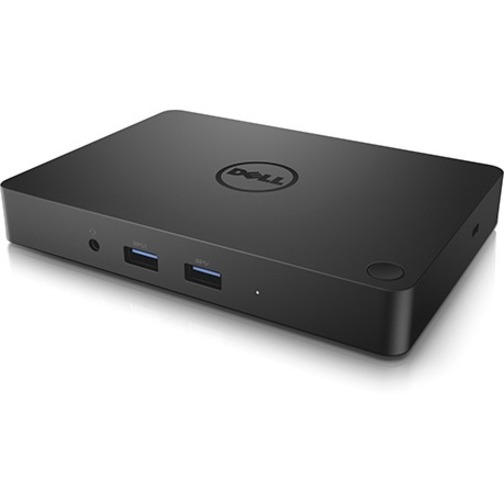
Connectivity Technology:
Wired



The Dell JDV23 offers comprehensive connectivity with 5 USB ports (2 x USB 2.0 and 3 x USB 3.0), network connectivity via RJ-45, HDMI, VGA, Mini DisplayPort, audio line out, and Thunderbolt support. This multi-port design makes it ideal for warehouse and logistics environments where you need to connect multiple peripherals simultaneously. We offer the Dell JDV23 as part of our complete docking station lineup available from barcodesinc.com.
Yes, the Dell JDV23 features USB Type-C connectivity, making it compatible with modern laptops and mobile devices that use this standard. The combination of USB Type-C with legacy ports like HDMI and VGA provides flexibility for both current and older equipment in your IT infrastructure. Contact us today to verify compatibility with your specific devices.
The Dell JDV23 supports multiple video outputs including HDMI, VGA, and Mini DisplayPort, allowing you to connect multiple monitors or projectors for enhanced productivity in warehouse management and logistics operations. This multi-display capability is particularly useful for IT procurement teams and warehouse managers who need to monitor multiple systems simultaneously. Visit barcodesinc.com for detailed specifications on supported resolutions.
Yes, the Dell JDV23 includes Thunderbolt support, enabling high-speed data transfer and compatibility with Thunderbolt-enabled peripherals and storage devices. This makes it suitable for organizations that have invested in Thunderbolt technology for their mobile computing infrastructure. We offer this docking station as part of our comprehensive AIDC and computing accessory solutions.
The Dell JDV23 is ideal for IT procurement teams and warehouse managers who need to dock laptops while maintaining connectivity to multiple peripherals including barcode scanners, network equipment, and display systems. Its combination of USB ports, network connectivity, and video outputs makes it perfect for stationary workstations in distribution centers and logistics hubs. Contact us today to discuss how this docking solution fits your operational needs.
Yes, the Dell JDV23 includes an RJ-45 network connector for wired Ethernet connectivity, ensuring reliable network access when your laptop is docked. This is particularly important for warehouse management systems and logistics applications that require stable, high-speed network connections. We have the Dell JDV23 available from us at barcodesinc.com for immediate deployment in your facility.