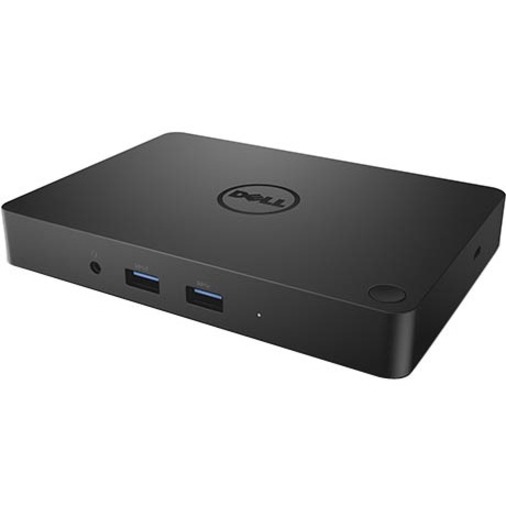
Dell Misc Parts ACCESSORIES & MISC. ITEMS Model Overview
Products and parts from Dell.
Dell 450-AFGM Computer Docking Station Overview
The Dell Dock provides a common docking experience for both Dell and non-Dell platforms via Display Port over USB Type-C™, ensuring a reliable connection and crisp display. The dock connects with a single cable, freeing up space on your desk and in your workspace with the added ability to mount behind a monitor or on your desk. Great for presentations, the small and compact Dell Dock enables fast, efficient connectivity to multiple displays and all your everyday peripherals through one convenient cable.
What ports and connectivity options does the Dell WD15 docking station provide?
The Dell 450-AFGM WD15 docking station offers comprehensive connectivity with 5 USB ports (2x USB 2.0 and 3x USB 3.0), network connectivity via RJ-45, HDMI and DisplayPort for dual display support, VGA for legacy displays, and audio line out with microphone input. This multi-port design makes it ideal for warehouse managers and IT professionals who need to connect multiple peripherals and displays simultaneously.
Is the Dell WD15 docking station compatible with tablets and notebooks?
Yes, the Dell 450-AFGM is designed for both notebook and tablet PC connectivity via its USB Type-C interface, making it versatile for different mobile computing devices. The 130W power adapter ensures sufficient power delivery for most Dell laptops and compatible devices during docking.
What power specifications does this Dell docking station have?
The Dell WD15 (450-AFGM) includes a 130W power adapter that provides adequate power delivery for supported Dell notebooks and tablets. This wattage is sufficient for charging and operating most Dell laptop models while simultaneously powering connected peripherals through the USB ports.
Can I use the Dell WD15 docking station with multiple displays?
Yes, the Dell 450-AFGM supports multiple display connections through its HDMI, DisplayPort, and VGA outputs, allowing you to connect multiple monitors for enhanced productivity in warehouse management and logistics operations. This multi-display capability is particularly useful for IT professionals managing complex workflows.
What are the key advantages of USB 3.0 ports on this docking station?
The Dell WD15 includes 3x USB 3.0 ports that provide significantly faster data transfer speeds compared to USB 2.0, making them ideal for transferring large files, barcode scanning data, and logistics documentation. The combination of USB 3.0 and USB 2.0 ports ensures backward compatibility with legacy peripherals while supporting modern high-speed devices.
Is the Dell WD15 docking station suitable for enterprise warehouse environments?
Yes, the Dell 450-AFGM is well-suited for enterprise warehouse and logistics operations, offering robust connectivity options for barcode scanners, label printers, and mobile computers through its multiple USB ports and network connectivity. Contact us today to discuss how we can integrate this docking solution into your warehouse management infrastructure.