

Dell Misc Parts ACCESSORIES & MISC. ITEMS Model Overview
Products and parts from Dell.
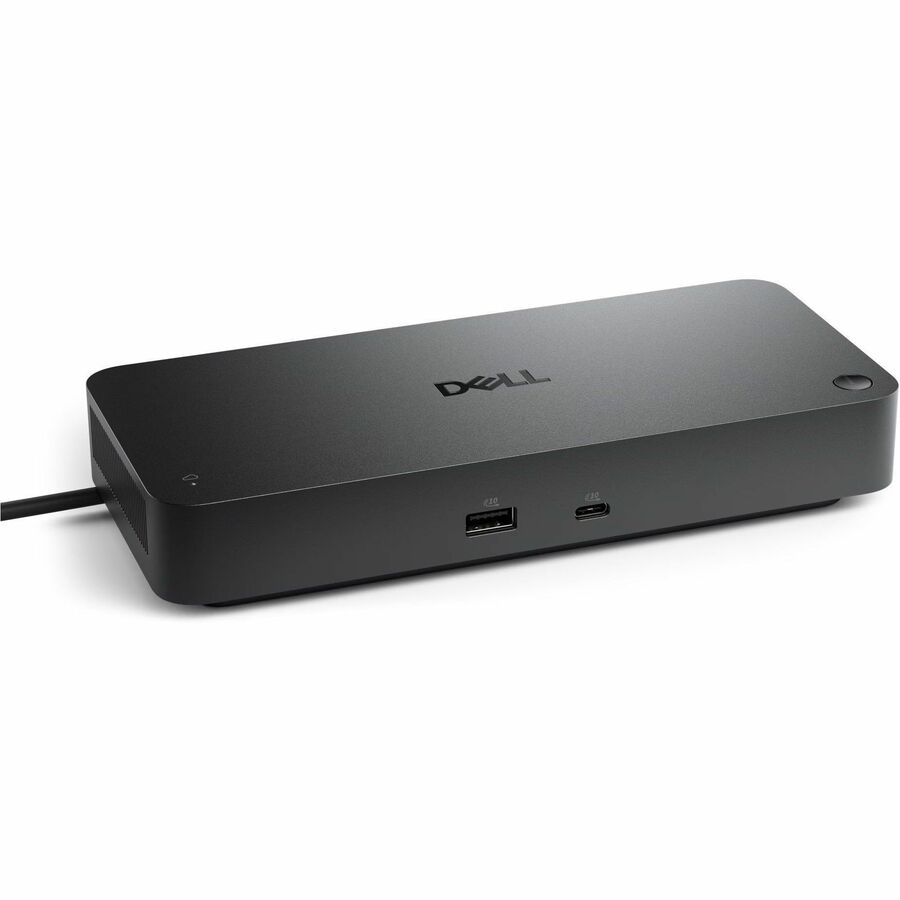
Dell 210-BRQC Computer Docking Station Overview
A smarter workspace
Gain the versatility to create your ideal workspace and boost your AI PC productivity with support for up to 4 displays, up to 130W power delivery, and multiple ports to connect all your peripherals.
Most manageable
Elevate the IT management experience with no software or PC connection required, allowing you to remotely manage all your Dell Pro Smart Docks.
Most manageable
Remotely manage your smart docks without end-user presence from the Dell Device Management Console - the industry's first holistic peripheral management solution that configures, deploys, and updates smart docks over Wi-Fi.
Work securely
Keep users working confidently with enterprise-grade WPA-3 192-bit encryption for secure Wi-Fi communication. Safeguard your sensitive data with tamper-resistant, hardware-based encryption built into your Dell Pro Smart Dock.
Effortless maintenance
Reduce IT efforts by scheduling updates during off-hours, while ensuring fleetwide firmware compliance and eliminating end user interruptions.
Connect your way
Configure your workspace to your liking with an ambidextrous USB-C cable that can be routed left or right.
Designed for sustainability
The Dell Pro Smart Dock is built with at least 65% post-consumer recycled materials and packaged with 100% recycled or renewable packaging.
What displays can the Dell 210-BRQC docking station support?
The Dell Pro Smart Dock SD25 supports up to 4 displays simultaneously, with resolution capabilities ranging from HD at 60Hz up to 6K at 60Hz, including 4K @ 60Hz, QHD @ 60Hz, and WQHD @ 60Hz. This makes it ideal for professionals who need multi-monitor setups for enhanced productivity. We offer this docking station for organizations requiring advanced display connectivity for their mobile workforce.
Is the Dell 210-BRQC compatible with Linux and Windows operating systems?
Yes, the Dell Pro Smart Dock SD25 is compatible with Windows 10, Windows 11, Ubuntu, and Red Hat Enterprise Linux, making it a versatile solution for mixed IT environments. This broad OS support ensures seamless integration whether your team uses Windows or Linux-based systems. Contact us today if you need docking solutions that support your specific operating system requirements.
What power output does the Dell 210-BRQC docking station provide?
The Dell Pro Smart Dock SD25 delivers 180W of power via USB Type-C, providing sufficient power delivery to charge and operate most modern laptops and connected peripherals simultaneously. This high wattage ensures your devices remain fully powered during extended work sessions. Visit barcodesinc.com to confirm compatibility with your specific notebook model's power requirements.
What connectivity ports are included on the Dell 210-BRQC docking station?
The Dell Pro Smart Dock SD25 features 6 USB ports total (4x USB Type-A and 2x USB Type-C), 1 HDMI port, 2 DisplayPorts, and 2.5 Gigabit Ethernet (RJ-45) for wired network connectivity. This comprehensive port selection supports legacy peripherals, modern USB-C devices, and high-speed networking all from a single connection point. We offer this docking station as a complete connectivity hub for enterprise mobile computing environments.
Can the Dell 210-BRQC docking station work with different notebook brands?
The Dell Pro Smart Dock SD25 connects via USB Type-C, which is a universal standard supported by notebooks from multiple manufacturers, though Dell notebooks are the primary target platform. Compatibility depends on your specific notebook model's USB-C capabilities and power requirements. Contact us today to verify compatibility with your particular device before purchasing.
What are the environmental certifications and warranty coverage for the Dell 210-BRQC?
The Dell Pro Smart Dock SD25 meets ENERGY STAR certification standards for power efficiency and is designed with low-halogen materials for environmental compliance. Dell provides a standard limited warranty with parts and labor coverage, though specific warranty terms vary by region and purchase configuration. Visit barcodesinc.com or contact our team for detailed warranty information applicable to your location and order.