What are the specifications of the HP Q8918A Barcode Label?
The HP Q8918A is an Everyday Inkjet Photo Paper with 96% opacity, measuring 42 inches by 100 feet, with a grammage of 235 g/m². It features a glossy white finish and is designed for high-quality photo and label printing applications. For detailed technical specifications and compatibility information, contact us today at barcodesinc.com.
What printer models is the Datacard 534000-009 ribbon compatible with?
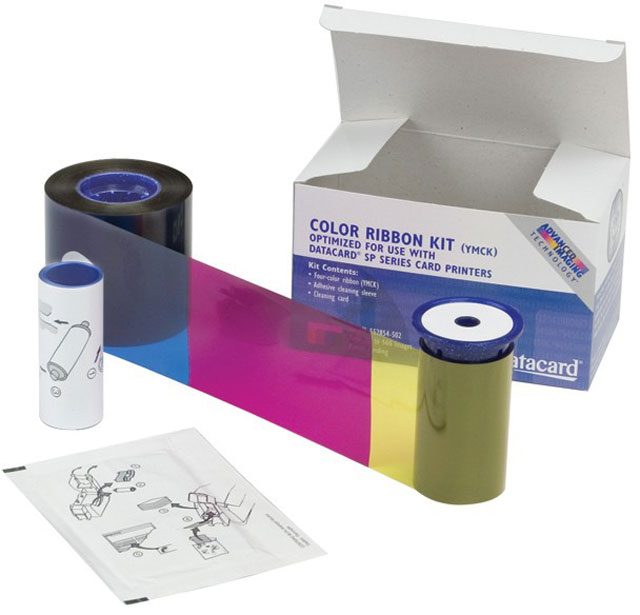
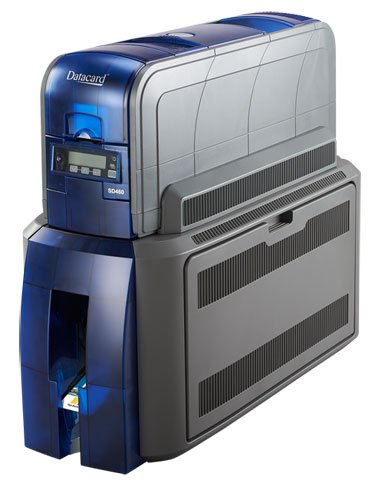
The Datacard 534000-009 YMCKK ribbon is compatible with the Datacard SD460, SP75, and SP75 Plus printers. Note that the SP75 and SP75 Plus require a firmware update to use this ribbon. We offer this ribbon as a direct replacement supply for these models.
Is the HP Q8918A suitable for thermal label printing?
The HP Q8918A is categorized as an inkjet photo paper product rather than a thermal transfer or direct thermal label stock. If you need thermal label solutions for barcode printing, we offer a wide range of thermal label media options. Contact us today to find the right thermal label product for your specific application.
How many cards can I print with the Datacard 534000-009 ribbon?
The Datacard 534000-009 ribbon provides 500 prints per ribbon cartridge. This makes it an economical choice for medium-volume ID card production operations. Contact us today to order ribbons in bulk for your printing needs.
What is the grammage and finish of the HP Q8918A label paper?
The HP Q8918A features a 235 g/m² grammage with a glossy finish, providing a premium quality surface for photo and label applications. The 96% opacity ensures excellent color reproduction and image clarity for professional-grade output.
What cleaning supplies are included with this ribbon?
Each Datacard 534000-009 ribbon includes one isopropanol cleaning card and one adhesive cleaning sleeve to maintain optimal printhead performance. These supplies help ensure consistent print quality and extend the life of your printer.
What are the dimensions of the HP Q8918A roll?
The HP Q8918A Barcode Label paper comes in a 42-inch width by 100-foot length roll, making it suitable for wide-format printing applications. This size is ideal for high-volume label production in warehouse and logistics environments.
What does YMCKK ribbon mean and what colors does it print?
YMCKK refers to the ribbon composition: Yellow, Magenta, Cyan, and two Black (K) panels. This configuration allows for full-color printing plus enhanced black coverage, making it ideal for professional ID cards that require vibrant colors and crisp text. The dual black panels provide superior black panel text quality.
Can I use HP Q8918A labels with barcode scanning systems?
The HP Q8918A is an inkjet photo paper designed for high-quality label printing. While it can be used for barcode label applications, we recommend verifying compatibility with your specific barcode scanner and printing system. Visit barcodesinc.com or contact us today to discuss your barcode labeling requirements and find the optimal solution.
Is the Datacard 534000-009 ribbon compatible with older Datacard SD series printers?
The Datacard 534000-009 is specifically designed for the SD460, SP75, and SP75 Plus models. For compatibility with other SD series printers like the SD260 or SD360, we recommend contacting our team to verify the correct ribbon model for your equipment.
Where can I purchase HP Q8918A Barcode Labels?
We offer HP Q8918A Barcode Labels as part of our comprehensive AIDC product portfolio. Available from us with competitive pricing and fast shipping, we provide expert support to ensure you get the right label media for your operations. Visit barcodesinc.com or contact us today for pricing and availability.
Can I use this ribbon for both one-sided and two-sided card printing?
Yes, the Datacard 534000-009 ribbon works with printers that support both one-sided and two-sided printing capabilities. The SD460 and SP series printers are capable of flexible printing configurations, and this ribbon accommodates those operations. Visit barcodesinc.com to confirm your specific printer's printing mode options.
The Datacard 534000-009 ID Card Ribbon is also known as
DCD-534000009
or 534000009.