What are the main differences between the TM-U220A, TM-U220B, and TM-U220D models?
The TM-U220A includes both a journal take-up device and auto-cutter for maximum functionality. The TM-U220B features an auto-cutter only without the journal device. The TM-U220D is the base model with neither option. All three models share the same core high-speed printing technology and two-color printing capability, so you can choose the configuration that best fits your operational needs.
What are the key differences between the TM-U220A, TM-U220B, and TM-U220D models?
The TM-U220A includes both a journal take-up device and auto-cutter for maximum functionality. The TM-U220B features an auto-cutter only, while the TM-U220D comes with no optional cutting or take-up features. All three models share the same core high-speed printing technology, drop-in paper loading, and two-color printing capabilities, so you can choose the configuration that best fits your operational needs.
What are the key differences between the TM-U220A, TM-U220B, and TM-U220D models?
The Epson TM-U220 series offers three configurations to match your needs. The TM-U220A includes both a journal take-up device and auto-cutter, the TM-U220B features an auto-cutter only, and the TM-U220D comes with no cutting options. All three models share the same high-speed printing capabilities and two-color printing functionality. Contact us today to determine which configuration best fits your operation.
What types of documents can the Epson TM-U675 print?
The Epson TM-U675 is a multifunction printer designed to handle receipts, slips, and validation documents all in a single compact unit. It supports receipt or journal paper up to 82.5mm wide, slip media ranging from 70–148mm wide by 150–210mm long, and validation media from 148–150mm wide by 70–210mm long, making it ideal for retail and banking environments.
What are the key differences between the TM-U220A, TM-U220B, and TM-U220D models?
The TM-U220A includes both a journal take-up device and auto-cutter for maximum functionality. The TM-U220B features an auto-cutter only, while the TM-U220D comes with no optional features. All three models share the same core high-speed printing technology and two-color printing capability, allowing you to choose the configuration that best fits your operational needs.
What paper widths does the Epson TM-U220 support?
The TM-U220 series features an adjustable paper width capability that allows you to use 58mm, 70mm, or 76mm paper rolls. This flexibility gives you greater cost savings and operational efficiency by letting you select the paper size that works best for your specific receipts and kitchen orders.
What paper widths does the Epson TM-U220B support?
The TM-U220B supports adjustable paper widths of 58mm, 70mm, and 76mm, giving you flexibility to choose the roll size that works best for your receipts and reducing paper waste for greater cost savings. This feature allows you to optimize paper usage based on your specific printing requirements.
How fast does the TM-U675 print?
The Epson TM-U675 delivers approximately 4.6 lines per second for standard receipt printing. This speed enables fast, productive printing of receipts and slips while maintaining consistent quality in high-volume retail and banking operations.
What paper widths does the Epson TM-U220B support?
The TM-U220B supports adjustable paper widths of 58mm, 70mm, and 76mm, giving you flexibility to choose the roll size that works best for your receipts and cost requirements. This adjustable feature allows you to optimize paper usage and reduce waste across different receipt formats.
What paper sizes does the Epson TM-U220B support?
The TM-U220B features an adjustable paper width capability that supports 58mm, 70mm, and 76mm paper rolls. This flexibility allows you to optimize paper costs while maintaining compatibility with your existing receipt requirements. We offer all three roll sizes to match your printer configuration.
Is the TM-U220 compatible with existing TM-U200 systems?
Yes, the TM-U220 series has been designed to be 100% compatible with existing systems currently using a TM-U200 printer. Because the external dimensions of the TM-U200 and TM-U220 are almost identical, transitioning to a new TM-U220 printer is as simple as removing the old unit and installing the new one without requiring system modifications.
Can the TM-U220B print in multiple colors?
Yes, the TM-U220B features two-color printing in black and red, allowing you to highlight special offers and print more visible and impactful logos on your customer receipts. This capability helps make your printed materials stand out and improves visual communication with customers.
Does the TM-U220B offer two-color printing?
Yes, the TM-U220B features two-color, black and red printing capabilities. This allows you to highlight special offers, print more visible logos, and create more impactful customer receipts and kitchen orders with color differentiation.
What is the print method and resolution of the TM-U675?
The TM-U675 uses a 9-pin serial impact dot matrix print method with font options of 5×9 or 7×9 pixels. It supports 95 alphanumeric characters, 37 international characters, and 128×11 graphic characters, allowing for flexible receipt and slip customization.
Can the TM-U220B print in color?
Yes, the Epson TM-U220B supports two-color printing in black and red. This capability allows you to highlight special offers, print more visible logos, and create more impactful customer receipts. Visit barcodesinc.com to explore our full selection of TM-U220 models.
What connectivity options are available on this model?
The Epson C31C283A8561 includes an Ethernet interface for network connectivity, making it suitable for modern POS and retail environments. This model does not include MICR functionality and requires an external power supply (Part# C825343), which is available from us.
Is the Epson TM-U220B compatible with systems using the older TM-U200 printer?
Yes, the TM-U220B has been designed to be 100% compatible with existing systems currently using a TM-U200 printer. The external dimensions are nearly identical, making the transition to the TM-U220B as simple as removing the old printer and installing the new one without system modifications.
What printing features does the TM-U220 offer for receipts and kitchen orders?
The TM-U220 series is optimized for high-speed throughput to print customer receipts and kitchen orders faster than ever. It offers two-color printing in black and red to highlight special offers and print more impactful logos, plus drop-in paper loading for maximum efficiency and ease of use in busy retail and food service environments.
Is the Epson TM-U220B compatible with systems currently using the TM-U200?
Yes, the TM-U220B has been designed to be 100% compatible with existing systems that currently use a TM-U200 printer. The external dimensions are nearly identical, making the transition to a new TM-U220B printer as simple as removing the old TM-U200 and installing the new model.
Is the TM-U220B compatible with older TM-U200 systems?
Yes, the TM-U220 series has been designed to be 100% compatible with existing systems currently using TM-U200 printers. The external dimensions of both series are nearly identical, making the transition as simple as removing your old printer and installing the new TM-U220B. This ensures minimal disruption to your current operations.
How does the TM-U675 compare to the earlier TM-U375 model?
The TM-U675 builds upon the strengths of the popular TM-U375 by offering enhanced features and performance. The TM-U675 provides greater column capacity (up to 60 columns for validation versus 40 on the U375) and improved print speed of approximately 4.6 lps compared to the U375's 3.5–5.4 lps, delivering better throughput for busy retail and banking operations.
What is included with the Epson C31C514A7871 Receipt Printer?
The Epson TM-U220B (model C31C514A7871) includes an AC adapter and power supply, so you have everything needed to set up and start printing immediately. The printer features drop-in paper loading for easy operation and comes ready for deployment in your POS or kitchen environment.
What interface does the Epson C31C514A7831 use for connectivity?
The Epson C31C514A7831 (TM-U220B) features an Ethernet interface for network connectivity, making it suitable for multi-station POS environments and kitchen order systems. The printer also includes a PS-180-343 power supply for reliable operation.
What connectivity options are available for the TM-U220B?
The Epson C31C514A7851 TM-U220B comes with an Ethernet interface and includes an AC adapter and power supply. This configuration supports modern network-based POS environments. Contact us today if you need information about alternative connectivity options or configurations.
Does the TM-U220B include an auto-cutter?
Yes, the TM-U220B comes with an auto-cutter that allows you to choose between a full or partial cut. It also features an Auto Status Back function that automatically transmits changes in printer status to your system.
What paper specifications does the TM-U675 support?
The TM-U675 accepts receipt and journal paper with a diameter of 83mm and thickness of 0.06–0.085mm per sheet. For slips and validation documents, it supports paper thickness of 0.09–0.12mm across a range of widths and lengths, providing flexibility for different document types. Contact us today to discuss the right paper supplies for your operation.
What type of printing technology does the TM-U220B use?
The TM-U220B is a dot matrix receipt printer optimized for high-speed throughput, enabling customer receipts and kitchen orders to print faster than ever. This impact printing technology provides reliable performance for high-volume POS and kitchen printing applications.
What makes the TM-U220B ideal for kitchen and retail environments?
The TM-U220B is optimized for high-speed throughput, enabling customer receipts and kitchen orders to print faster than ever. Its drop-in paper loading, auto-cutter for full or partial cuts, two-color printing for emphasis, and Auto Status Back function that automatically transmits printer status changes make it efficient and reliable for fast-paced retail and food service operations.
What is the TM-U220B designed for?
The Epson TM-U220B is optimized for high-speed receipt and kitchen order printing in point-of-sale and food service environments. It features drop-in paper loading for quick media changes and is engineered for maximum efficiency in fast-paced retail and hospitality settings. We offer this printer as part of our comprehensive AIDC solutions for warehouse and logistics operations.
Can I mount the TM-U220D on a wall?
Yes, the TM-U220B and TM-U220D both have a wall-mounting option that allows the printer to print receipts right side up for easy reading directly out of the printer. This makes them ideal for compact spaces or customer-facing installations where space is limited.
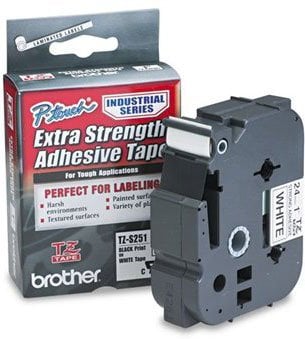
The Brother TZES221 Barcode Label is also known as
TZES221